Sponsored

TWRAPS

Well-known member
Site Sponsor
First Name
Iliya
Joined
Feb 16, 2024
Threads
43
Messages
393
Reaction score
840
Location
Bay Area, California
Website
twraps.com
Vehicles
2024 Cybertruck AWD
Country flag
Tesla Cybertruck Dual Wireless Charger (MagSafe compatible) for Cybertruck - TWRAPS YouTube Previ

Hey folks

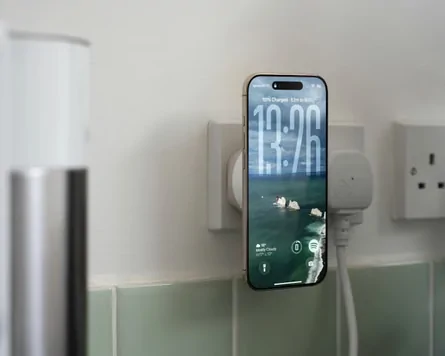
Does your iPhone overheat when using the OEM charger? Mine sure does. That's caused by the fact that the camera bump prevents it from laying flat over the OEM charger - that air gap leads to energy loss in the form of heat.
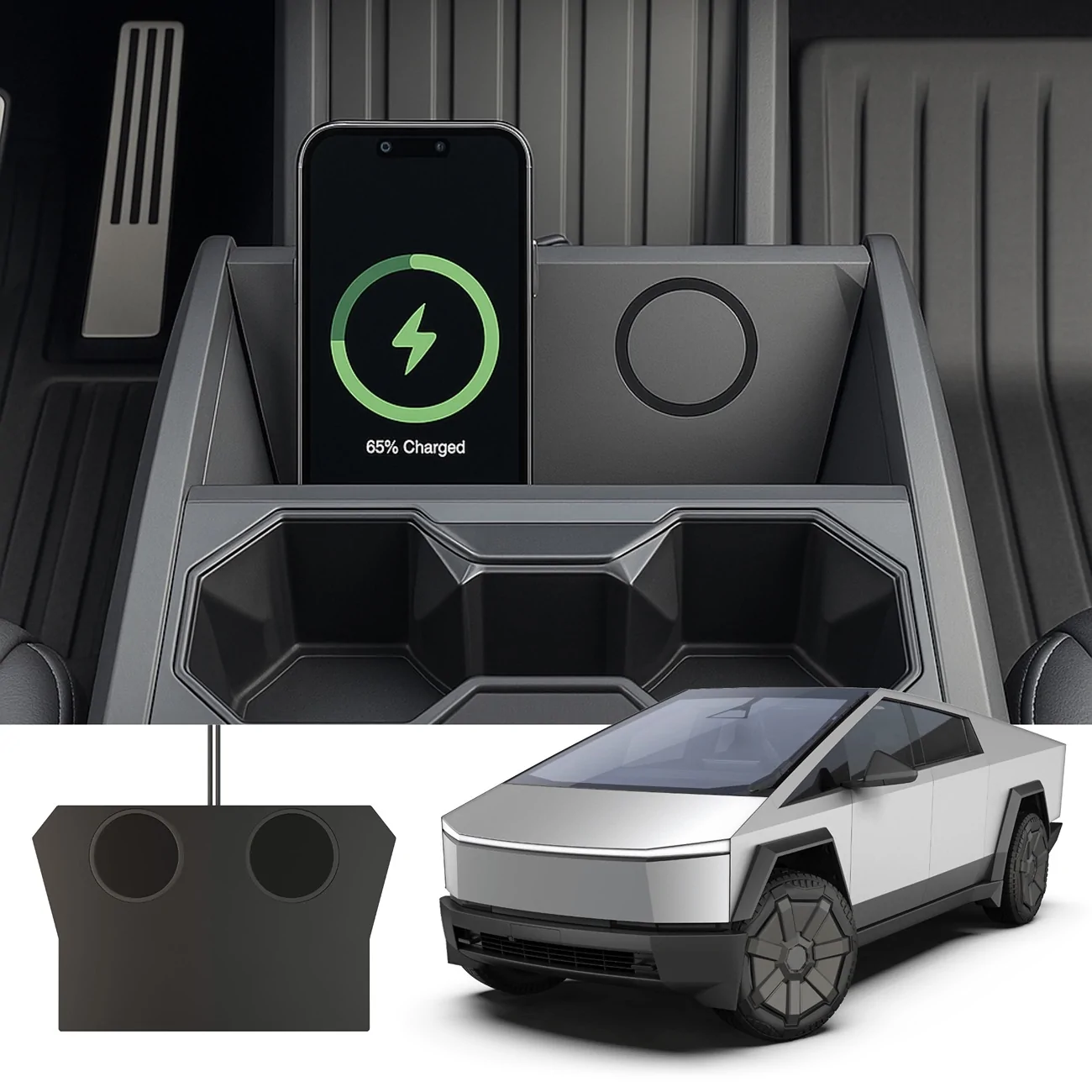
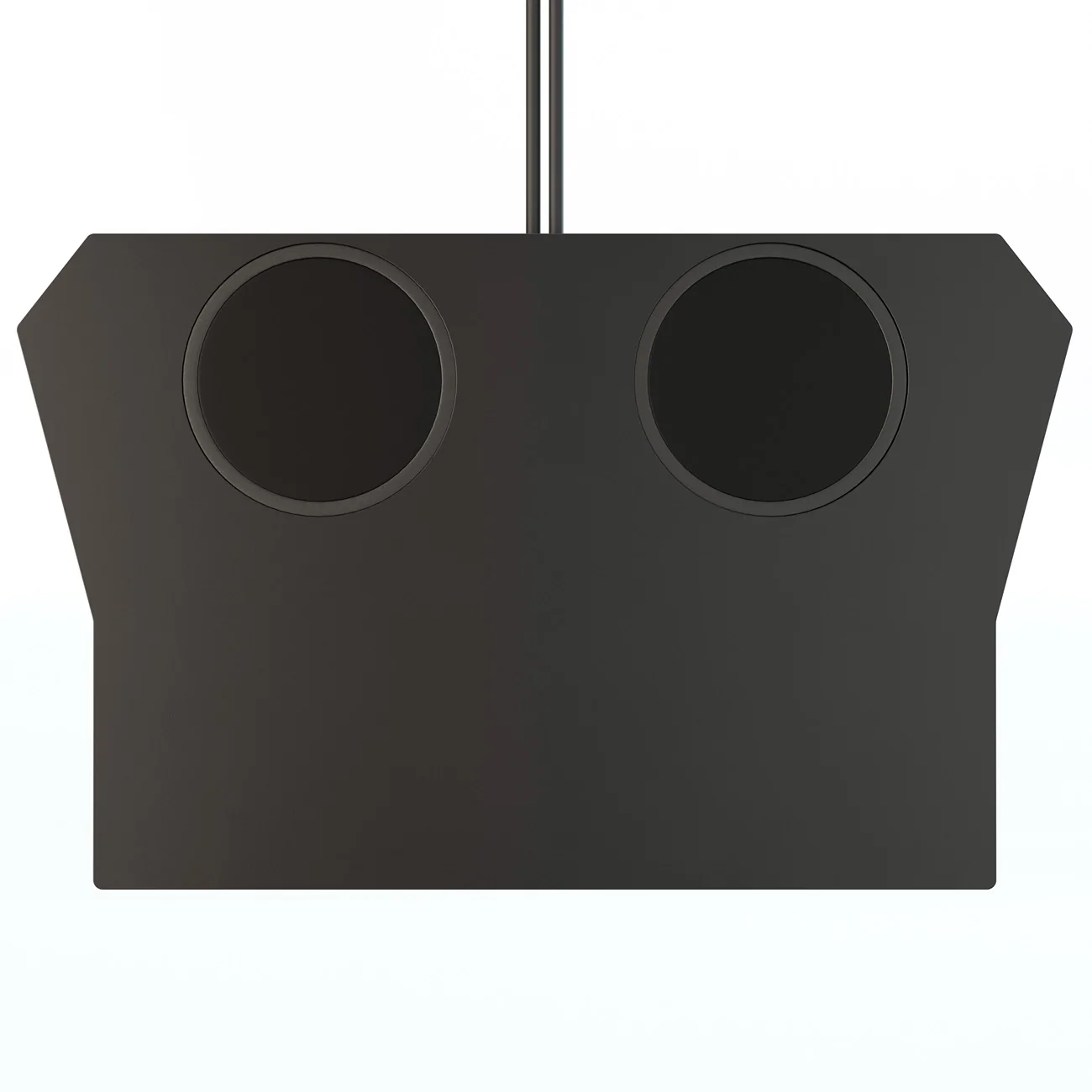
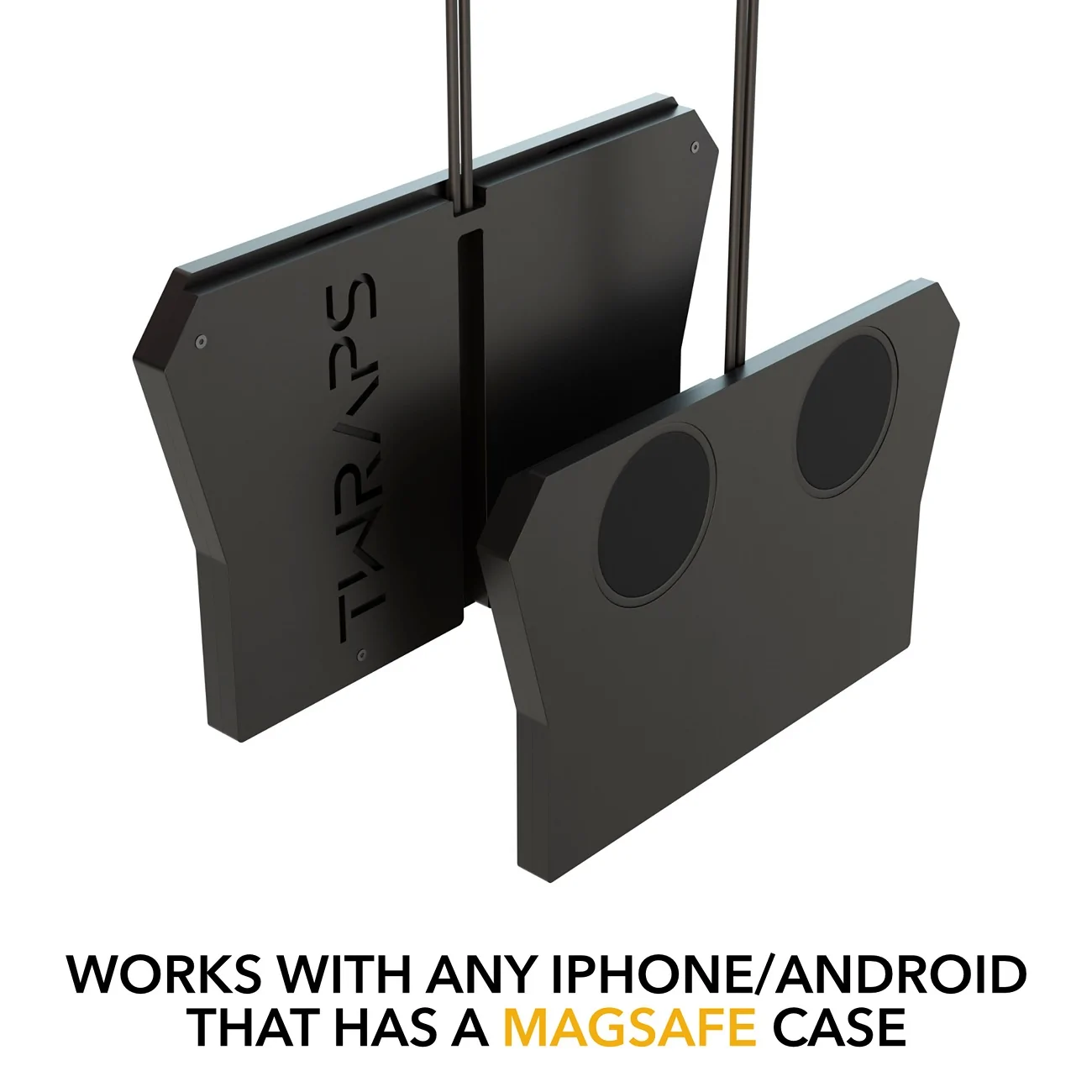
I've designed a simple yet effective solution that fixes this. Meet the TWRAPS Dual Wireless Charger for Cybertruck:
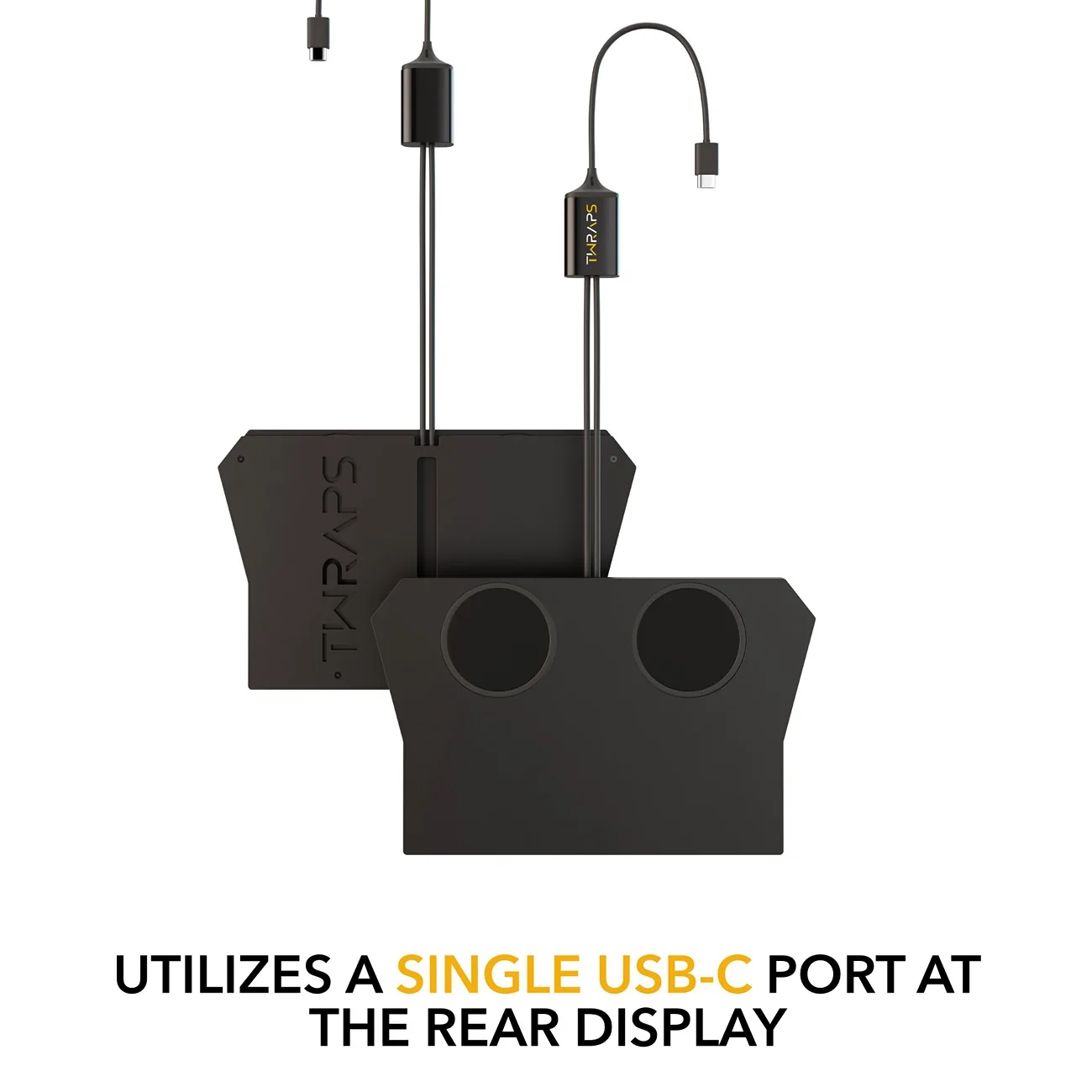
  • ⚫⚫ Get 2 phones charging at the same time, while using a single USB-C port - this uses our proprietary double pucks that we've been using for other vehicles for years.
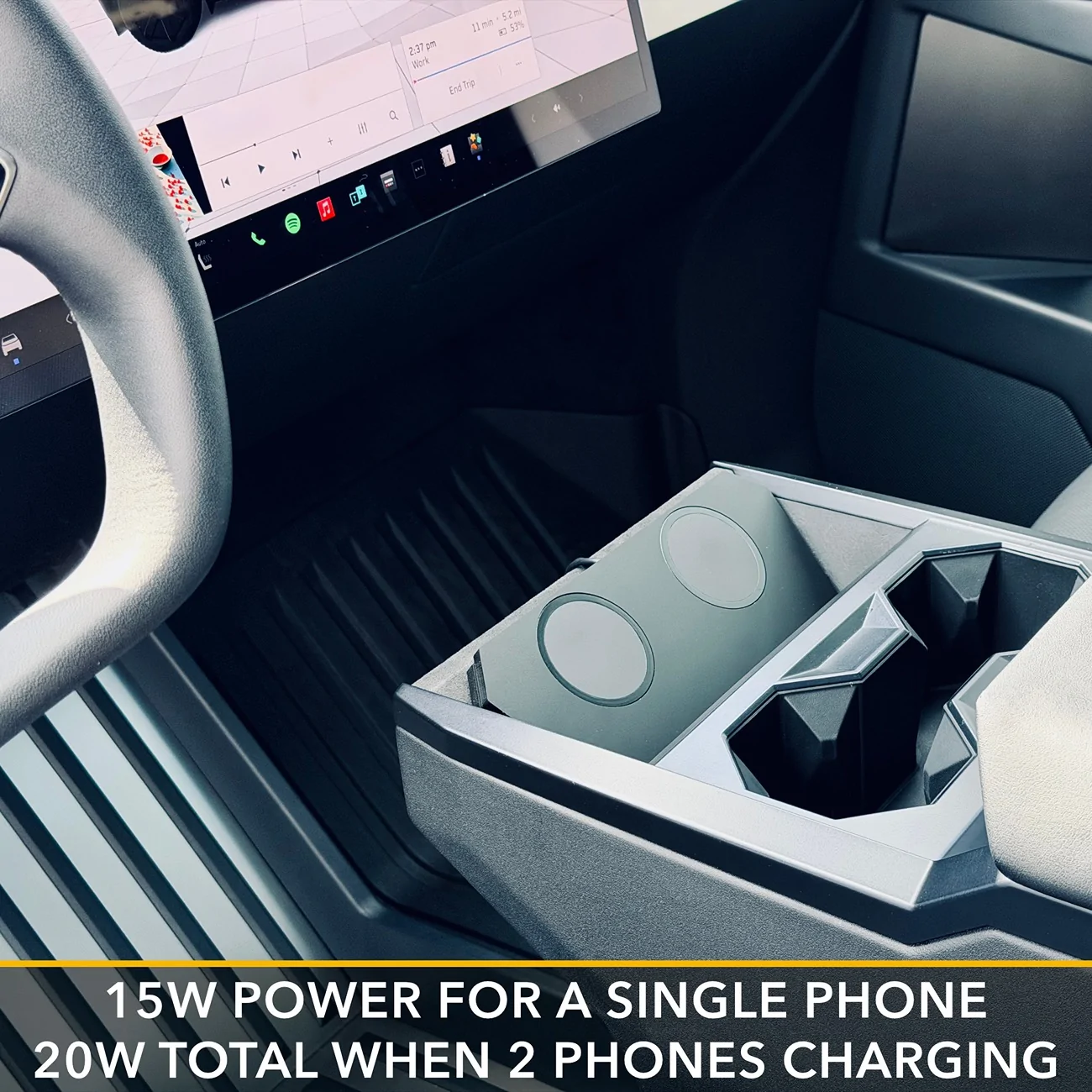
  • ⚡ 15W max power per puck, 20W max power for the unit (i.e. if charging 2 phones, max power will be 10W per phone)
  • 📜FCC certified
  • 🧲 We use strong N52 magnetic arrays that keep your iPhone stable at all times - off-roading, launching that beast, aggressive cornering etc.
  • 📱Requires a MagSafe case to make sense - that's the kind of case that has a magnetic ring on the back. Notice that rugged cases significantly reduce wireless charging performance.
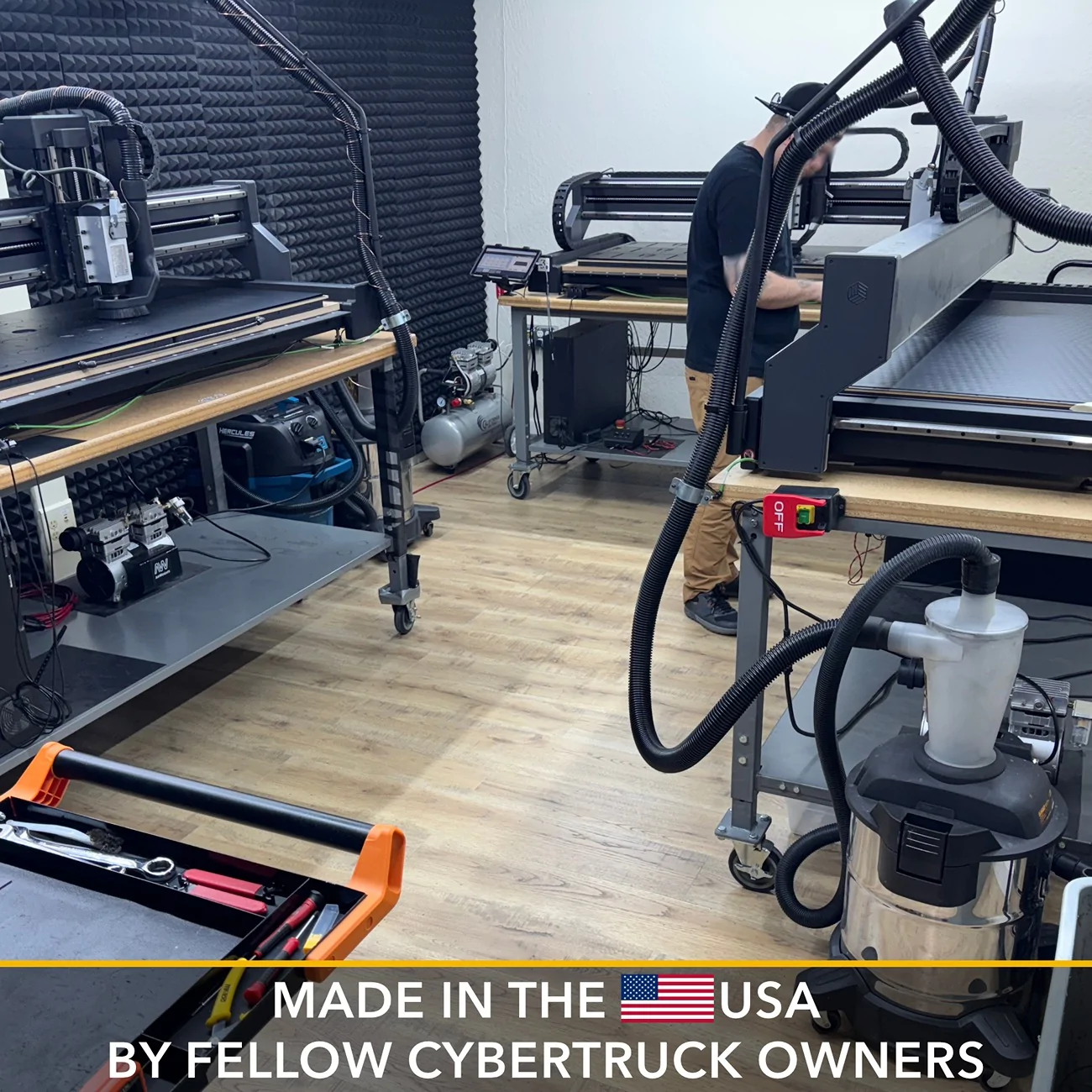
  • 🇺🇸 Designed & Manufactured in California using high density cast acrylic that we CNC cut and then polish by hand and assemble
  • 🔌 Connects to the USB-C under the rear display (optionally you can connect in the center console USB-C, but the cord is more visible that way)

Forum members get 15% off with code MADEINTHEUSA:
https://twraps.com/products/dual-wireless-charger-for-cybertruck-magsafe-compatible

Demo/Installation Video:


Gallery:
Tesla Cybertruck Dual Wireless Charger (MagSafe compatible) for Cybertruck - TWRAPS Presentation1
Tesla Cybertruck Dual Wireless Charger (MagSafe compatible) for Cybertruck - TWRAPS Presentation3
Tesla Cybertruck Dual Wireless Charger (MagSafe compatible) for Cybertruck - TWRAPS Presentation4
Tesla Cybertruck Dual Wireless Charger (MagSafe compatible) for Cybertruck - TWRAPS Presentation5
Tesla Cybertruck Dual Wireless Charger (MagSafe compatible) for Cybertruck - TWRAPS Presentation6
Sponsored


jf64k

Well-known member
Joined
Dec 12, 2023
Threads
34
Messages
1,232
Reaction score
1,989
Location
Los Angeles
Vehicles
2020 MYLR (Lola), 2024 FS AWD (Deckard 263-54)
Country flag
Looks great.

Question: Do you have to use a (MagSafe) case, or can you use a caseless MagSafe iPhone?

I ask because I recently got an iPhone Air and I'm going caseless now.
 

Cybertruck26

Well-known member
First Name
Chris 🇺🇸 🇮🇪 🇨🇦
Joined
Apr 10, 2023
Threads
31
Messages
1,168
Reaction score
1,588
Location
Bay Area, CA
Vehicles
Cyberbeast (07/2024 delivery)
Occupation
Veteran, Engineer, Space 🤓
Country flag
Looks great.

Question: Do you have to use a (MagSafe) case, or can you use a caseless MagSafe iPhone?

I ask because I recently got an iPhone Air and I'm going caseless now.
You shouldn't have to. The Qi charging should work with the phones magnets without the case.

Tesla Cybertruck Dual Wireless Charger (MagSafe compatible) for Cybertruck - TWRAPS 1760556765429-4
 

EWELON

Well-known member
First Name
Rori
Joined
May 21, 2025
Threads
29
Messages
567
Reaction score
622
Location
Wynnewood,PA
Vehicles
2021 Model 3, 2025 Cybertruck AWD
Country flag
YouTube Preview.webp

Hey folks

Does your iPhone overheat when using the OEM charger? Mine sure does. That's caused by the fact that the camera bump prevents it from laying flat over the OEM charger - that air gap leads to energy loss in the form of heat.
I've designed a simple yet effective solution that fixes this. Meet the TWRAPS Dual Wireless Charger for Cybertruck:
  • ⚫⚫ Get 2 phones charging at the same time, while using a single USB-C port - this uses our proprietary double pucks that we've been using for other vehicles for years.
  • ⚡ 15W max power per puck, 20W max power for the unit (i.e. if charging 2 phones, max power will be 10W per phone)
  • 📜FCC certified
  • 🧲 We use strong N52 magnetic arrays that keep your iPhone stable at all times - off-roading, launching that beast, aggressive cornering etc.
  • 📱Requires a MagSafe case to make sense - that's the kind of case that has a magnetic ring on the back. Notice that rugged cases significantly reduce wireless charging performance.
  • 🇺🇸 Designed & Manufactured in California using high density cast acrylic that we CNC cut and then polish by hand and assemble
  • 🔌 Connects to the USB-C under the rear display (optionally you can connect in the center console USB-C, but the cord is more visible that way)

Forum members get 15% off with code MADEINTHEUSA:
https://twraps.com/products/dual-wireless-charger-for-cybertruck-magsafe-compatible

Demo/Installation Video:


Gallery:
Presentation1.webp
Presentation3.webp
Presentation4.webp
Presentation5.webp
Presentation6.webp
crazy that we need this. we should get vouchers from elon/franz for it.
 

jahansolu

Well-known member
First Name
Jahan
Joined
Oct 17, 2024
Threads
43
Messages
365
Reaction score
913
Location
Vancouver
Vehicles
M3, Cybertruck
Country flag
Looks great.

Question: Do you have to use a (MagSafe) case, or can you use a caseless MagSafe iPhone?

I ask because I recently got an iPhone Air and I'm going caseless now.
"The iPhone Air features a redesigned magnet array positioned more toward the center of the device (to better accommodate its ultra-slim profile and high-placed camera bar), which doesn't perfectly match the top-aligned magnets in older chargers. This can lead to suboptimal snapping, slight sliding, or reduced efficiency during charging compared to Apple's new Air-optimized accessories." - Appleinsider.com

Try using any existing MagSafe accessory for iPhone 11-17 (even at the Apple Store if you don't have or don't want to purchase any MagSafe devices) just to be sure. If it works, then this accessory will work as well. Just thought I'd give you a heads up.

EDIT: Another possible scenario you might want to be aware of is the Camera bump area. If it's too close to the MagSafe charging area, then the camera bump will avoid your device from sitting flush with this charger.


mahdir35

Well-known member
First Name
Raúl
Joined
May 10, 2024
Threads
1
Messages
245
Reaction score
350
Location
San Diego
Vehicles
Foundation Series AWD
Occupation
Project Manager
Country flag
YouTube Preview.webp

Hey folks

Does your iPhone overheat when using the OEM charger? Mine sure does. That's caused by the fact that the camera bump prevents it from laying flat over the OEM charger - that air gap leads to energy loss in the form of heat.
I've designed a simple yet effective solution that fixes this. Meet the TWRAPS Dual Wireless Charger for Cybertruck:
  • ⚫⚫ Get 2 phones charging at the same time, while using a single USB-C port - this uses our proprietary double pucks that we've been using for other vehicles for years.
  • ⚡ 15W max power per puck, 20W max power for the unit (i.e. if charging 2 phones, max power will be 10W per phone)
  • 📜FCC certified
  • 🧲 We use strong N52 magnetic arrays that keep your iPhone stable at all times - off-roading, launching that beast, aggressive cornering etc.
  • 📱Requires a MagSafe case to make sense - that's the kind of case that has a magnetic ring on the back. Notice that rugged cases significantly reduce wireless charging performance.
  • 🇺🇸 Designed & Manufactured in California using high density cast acrylic that we CNC cut and then polish by hand and assemble
  • 🔌 Connects to the USB-C under the rear display (optionally you can connect in the center console USB-C, but the cord is more visible that way)

Forum members get 15% off with code MADEINTHEUSA:
https://twraps.com/products/dual-wireless-charger-for-cybertruck-magsafe-compatible

Demo/Installation Video:


Gallery:
Presentation1.webp
Presentation3.webp
Presentation4.webp
Presentation5.webp
Presentation6.webp
The 2 new iPhone 17 pros with the “Vapor Chambers” have fixed my overheating issues fyi. Not only do they not overheat anymore…they actually show increase in charge level as I drive…never really was the case before. Anyone else notice this as well? I have a Foundation CT AWD 34000 VIN, delivered Sept 2024
 
Last edited:

jf64k

Well-known member
Joined
Dec 12, 2023
Threads
34
Messages
1,232
Reaction score
1,989
Location
Los Angeles
Vehicles
2020 MYLR (Lola), 2024 FS AWD (Deckard 263-54)
Country flag
You shouldn't have to. The Qi charging should work with the phones magnets without the case.

1760556765429-4w.webp
"The iPhone Air features a redesigned magnet array positioned more toward the center of the device (to better accommodate its ultra-slim profile and high-placed camera bar), which doesn't perfectly match the top-aligned magnets in older chargers. This can lead to suboptimal snapping, slight sliding, or reduced efficiency during charging compared to Apple's new Air-optimized accessories." - Appleinsider.com

Try using any existing MagSafe accessory for iPhone 11-17 (even at the Apple Store if you don't have or don't want to purchase any MagSafe devices) just to be sure. If it works, then this accessory will work as well. Just thought I'd give you a heads up.

EDIT: Another possible scenario you might want to be aware of is the Camera bump area. If it's too close to the MagSafe charging area, then the camera bump will avoid your device from sitting flush with this charger.
MagSafe chargers work fine with the Air. I've got one for the nightstand and no issues at all.

My question was directed at the line "Works with any iPhone/Android that has a MagSafe case"

One way of reading that is that a (MagSafe) case is required for the Twraps charger to work. Not likely, but I wanted to be sure.

Thanks to everyone for the info!!
 

Cyberdoc18

Well-known member
Joined
Feb 23, 2023
Threads
13
Messages
101
Reaction score
51
Location
Nyc
Vehicles
Mod 3
Country flag
I love this idea, but can’t we just put a little plastic bumper on the bottom of the charging tray to lift the bumper camera up a little bit so it can sit flush to the charger?
 

jf64k

Well-known member
Joined
Dec 12, 2023
Threads
34
Messages
1,232
Reaction score
1,989
Location
Los Angeles
Vehicles
2020 MYLR (Lola), 2024 FS AWD (Deckard 263-54)
Country flag
I love this idea, but can’t we just put a little plastic bumper on the bottom of the charging tray to lift the bumper camera up a little bit so it can sit flush to the charger?
That's what I do (except I use a small piece of cardboard, haha!!). Phone still gets warm, but it charges.

I also had the OEM charger upgraded to the latest version (I have FS AWD delivered May, 2024).
 

Cyberdoc18

Well-known member
Joined
Feb 23, 2023
Threads
13
Messages
101
Reaction score
51
Location
Nyc
Vehicles
Mod 3
Country flag
[
Oh! Do do I get the latest charger upgrade I’m also FS 2024


QUOTE="jf64k, post: 30684956, member: 21235"]
That's what I do (except I use a small piece of cardboard, haha!!). Phone still gets warm, but it charges.

I also had the OEM charger upgraded to the latest version (I have FS AWD delivered May, 2024).
[/QUOTE]


Cybertruck26

Well-known member
First Name
Chris 🇺🇸 🇮🇪 🇨🇦
Joined
Apr 10, 2023
Threads
31
Messages
1,168
Reaction score
1,588
Location
Bay Area, CA
Vehicles
Cyberbeast (07/2024 delivery)
Occupation
Veteran, Engineer, Space 🤓
Country flag
"The iPhone Air features a redesigned magnet array positioned more toward the center of the device (to better accommodate its ultra-slim profile and high-placed camera bar), which doesn't perfectly match the top-aligned magnets in older chargers. This can lead to suboptimal snapping, slight sliding, or reduced efficiency during charging compared to Apple's new Air-optimized accessories." - Appleinsider.com

Try using any existing MagSafe accessory for iPhone 11-17 (even at the Apple Store if you don't have or don't want to purchase any MagSafe devices) just to be sure. If it works, then this accessory will work as well. Just thought I'd give you a heads up.

EDIT: Another possible scenario you might want to be aware of is the Camera bump area. If it's too close to the MagSafe charging area, then the camera bump will avoid your device from sitting flush with this charger.
I didn't think about that. My iphone 17 pro m
MagSafe chargers work fine with the Air. I've got one for the nightstand and no issues at all.

My question was directed at the line "Works with any iPhone/Android that has a MagSafe case"

One way of reading that is that a (MagSafe) case is required for the Twraps charger to work. Not likely, but I wanted to be sure.

Thanks to everyone for the info!!
ah, my bad. I misunderstood.
 
OP
OP
TWRAPS

TWRAPS

Well-known member
Site Sponsor
First Name
Iliya
Joined
Feb 16, 2024
Threads
43
Messages
393
Reaction score
840
Location
Bay Area, California
Website
twraps.com
Vehicles
2024 Cybertruck AWD
Country flag
Looks great.

Question: Do you have to use a (MagSafe) case, or can you use a caseless MagSafe iPhone?

I ask because I recently got an iPhone Air and I'm going caseless now.
It will work without a case too, but the phone won't hold as strong. The reason is that a MagSafe case adds stronger magnets than the ones built into the phone. The whole magnetic attraction thing is a combo of two things - the magnets in the charger and the magnets on the phone. The charger ones are N52 as per Apple's specs.

crazy that we need this. we should get vouchers from elon/franz for it.
In all fairness - all cars need this. From auto manufacturers perspective there is no universal solution where 1 size fits all because you have phones with various sizes, cameras, coil positions, coil geometries, phone cases etc.

MagSafe chargers work fine with the Air. I've got one for the nightstand and no issues at all.

My question was directed at the line "Works with any iPhone/Android that has a MagSafe case"

One way of reading that is that a (MagSafe) case is required for the Twraps charger to work. Not likely, but I wanted to be sure.

Thanks to everyone for the info!!
Not 100% required for iPhones, but for Androids pretty much 100% required.
The 2 new iPhone 17 pros with the “Vapor Chambers” have fixed my overheating issues fyi. Not only do they not overheat anymore…they actually show increase in charge level as I drive…never really was the case before. Anyone else notice this as well? I have a Foundation CT AWD 34000 VIN, delivered Sept 2024
Strange! I have the 17 Pro and it still overheats on OEM chargers in any car I've tried it. Slower, for sure, but overheats and doesn't really do much charging.
I love this idea, but can’t we just put a little plastic bumper on the bottom of the charging tray to lift the bumper camera up a little bit so it can sit flush to the charger?
You can but you won't achieve much because you are not decreasing the distance from the Tx coil (car) to the Rx coil (phone). You are just leveling them, which does help, but it's negligible.

Great idea and execution. For those of us with overheating phone PTSD, will you produce one later with integrated cooling fans?
Definitely not in the conventional way - I've tried. Fans do a poor job at ventilating. Might produce one with Peltier element + maybe (just maybe) a fan to lead away the heat. So far Peltier element cooling has been way more efficient when testing Qi2 25W on my 17 Pro. With that said we'll walk into this tech with another product line first but still undecided between Peltier and fan for that product line - the dash mounted phone chargers that we make (https://twraps.com/products/dashboard-phone-mount-for-tesla-cybertruck). Peltier achieves better results and costs about 50% more than fan cooling, so let's see.
 

koolio

Well-known member
Joined
Dec 4, 2024
Threads
3
Messages
1,046
Reaction score
1,104
Location
Greater Boston, MA
Vehicles
2024 Cybertruck, 2024 Model 3 (former: 2020 Model Y)
Country flag
Great to know it will work without a case. I’ve always been a naked iPhone user. I thought a case was required to get the phone to connect flat against the MagSafe charger.
 
Last edited:


Top