Sponsored

Tesla Powershare Gateway and Universal Charger only - is this normal?

Technigogo

Well-known member
First Name
Steve
Joined
Dec 11, 2023
Threads
8
Messages
67
Reaction score
179
Location
Austin, TX
Vehicles
'24 Ford F450 Limited, '24 Cyberbeast FS
Occupation
IT
Country flag
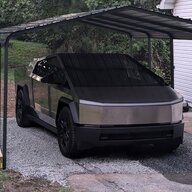
I took delivery of my Cyberbeast in March. The Tesla equipment assigned installer company took until October 2nd and four visits to complete the work. They did the physical installation on May 30th, and the Universal Charger worked from day one. The Gateway 3V would not initialize/activate. They worked with Tesla and ultimately discovered that the communication wire they installed did not meet the required specs. On the last visit, they replaced the cable, told me it was fixed and left.

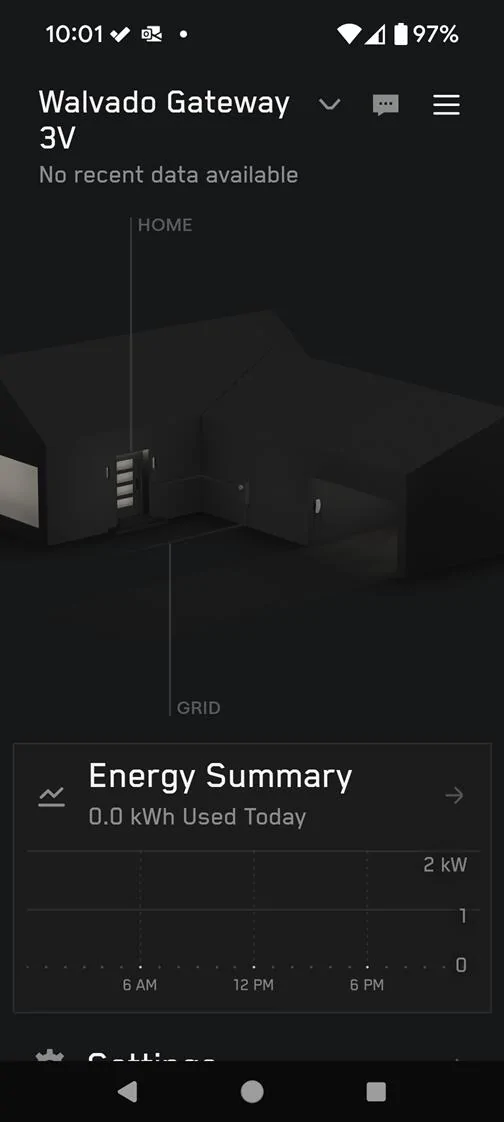
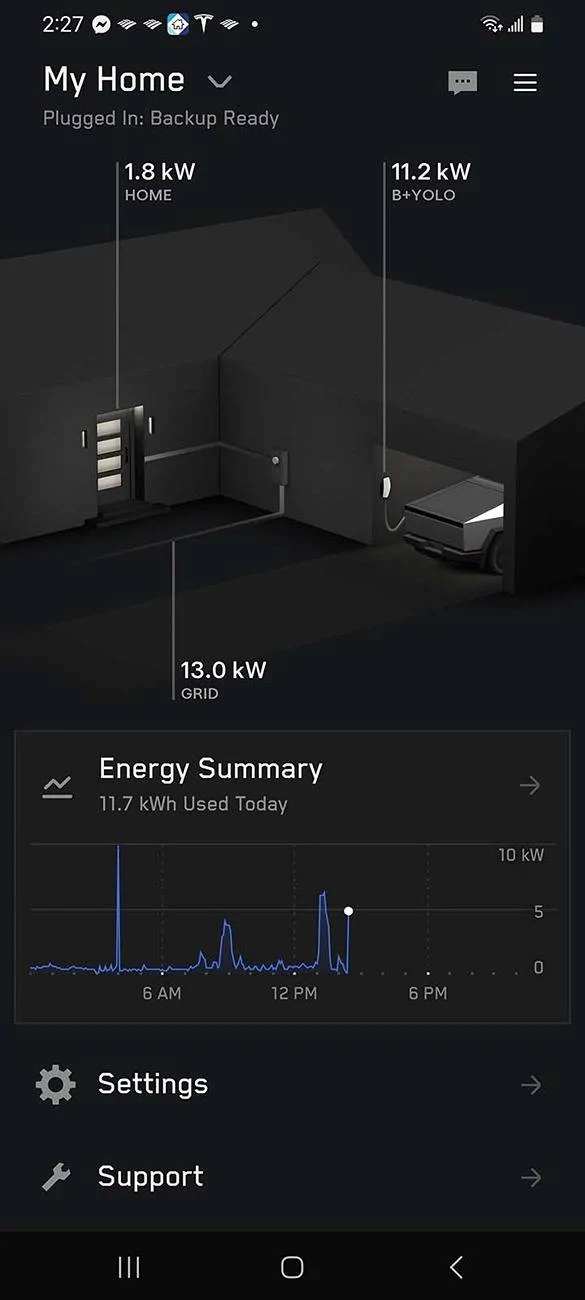
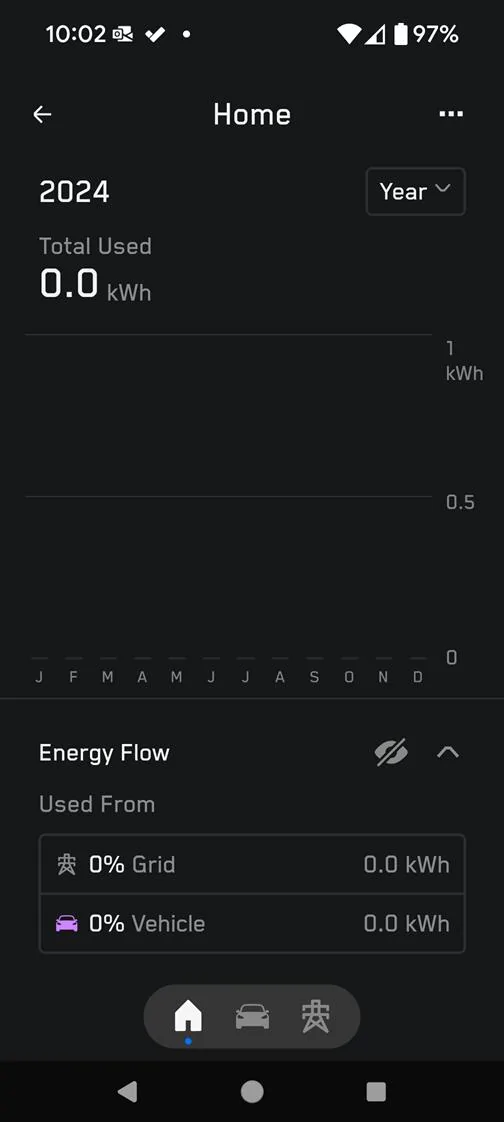
I received no instructions from the installers regarding the Gateway and how it should work, and I doubt it works correctly. I have had a few short power outages, and my truck has been plugged into the Universal Charger, but no switching to power from the truck has occurred. As I said, the outages were short, only about 10-15 seconds, so I don't know if that would have triggered it anyway. However, the Gateway in my Tesla app shows nothing. Should it?

Tesla Cybertruck Tesla Powershare Gateway and Universal Charger only - is this normal? 1732120250478-j7
Tesla Cybertruck Tesla Powershare Gateway and Universal Charger only - is this normal? 1732120297675-yl
Sponsored

 
Last edited:

TyPope

Well-known member
First Name
Ty
Joined
Mar 31, 2020
Threads
33
Messages
3,219
Reaction score
4,936
Location
Chesapeake Beach, MD
Vehicles
'23 MYLR, FS Cyberbeast 280xx
Occupation
Current Operations for... an organization
Country flag
It took a few days for mine to show up on my app. But, once it did, the flip to truck power is very fast. You can flip off the main breaker that feeds your Tesla box to test it. For "fun", one day, I killed power to the house and we ran off truck power for a couple of hours to make sure all was well. It was.
 
OP
OP
Technigogo

Technigogo

Well-known member
First Name
Steve
Joined
Dec 11, 2023
Threads
8
Messages
67
Reaction score
179
Location
Austin, TX
Vehicles
'24 Ford F450 Limited, '24 Cyberbeast FS
Occupation
IT
Country flag
It took a few days for mine to show up on my app. But, once it did, the flip to truck power is very fast. You can flip off the main breaker that feeds your Tesla box to test it. For "fun", one day, I killed power to the house and we ran off truck power for a couple of hours to make sure all was well. It was.
It's been 6 weeks since the installation was completed. What does your V3 Gateway look like in the Tesla app?
 

nicnguye

Well-known member
First Name
Nick
Joined
Jun 1, 2024
Threads
1
Messages
100
Reaction score
174
Location
Salem, NH
Vehicles
FS AWD Cybertruck
Country flag
It appears both your Powershare gateway and the universal charger are not connected to your wifi. Once they are connected and working (assuming the installers setup your Powershare account correctly), the transfer from grid to truck is 2 to 3 seconds after the power goes out.

During installation, the installers asked me for my email address to setup my Powershare account with Tesla and the wifi password to connect both the gateway and the Universal charger individually to the Internet. If for whatever reason the gateway and/or the universal charger lose internet connection, the Powershare and charging status in the app will change from "Plugged In" to something like "Not connected". Then you will have to reconnect them manually. The app will show you step-by-step what to do to reconnect the wifi. My gateway has been working flawlessly so far, but my Universal charger lost internet connection once. That's how I learned the process of reconnecting it.

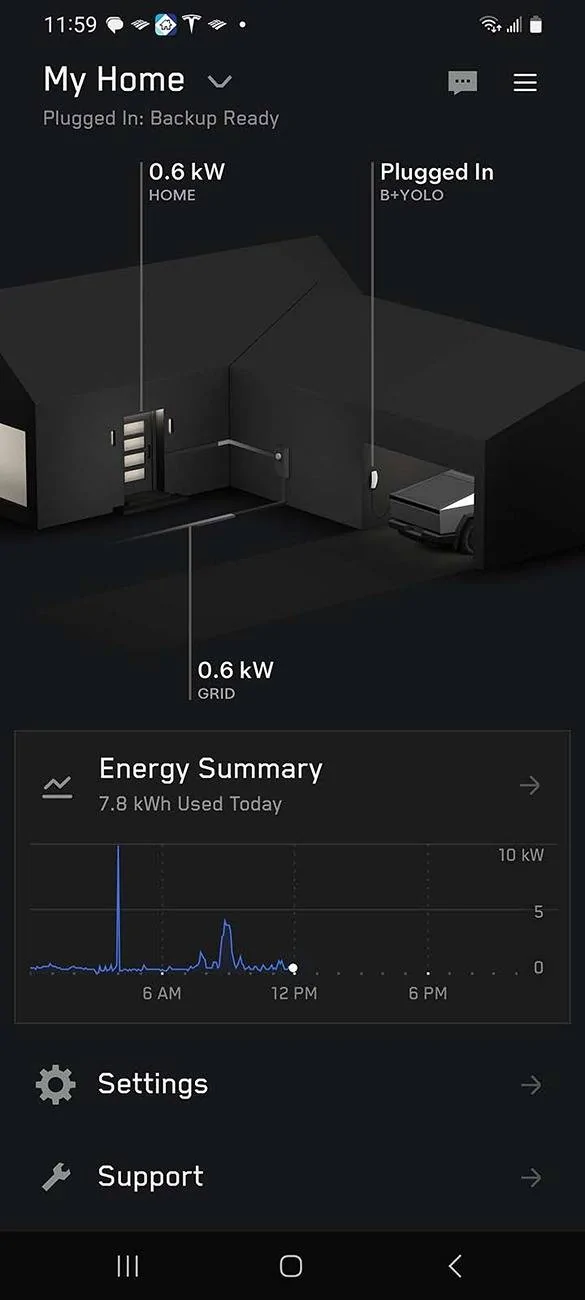
Here are pictures of my Powershare from the phone app. It shows the power flow animation in white from grid to house, with the truck not being charged (the line connecting the truck to the univeral charger is black). When the truck is being charged, there's a green power flow animation from the universal charger to the truck.

Tesla Cybertruck Tesla Powershare Gateway and Universal Charger only - is this normal? Screenshot_20241120_115921_Tesla sm


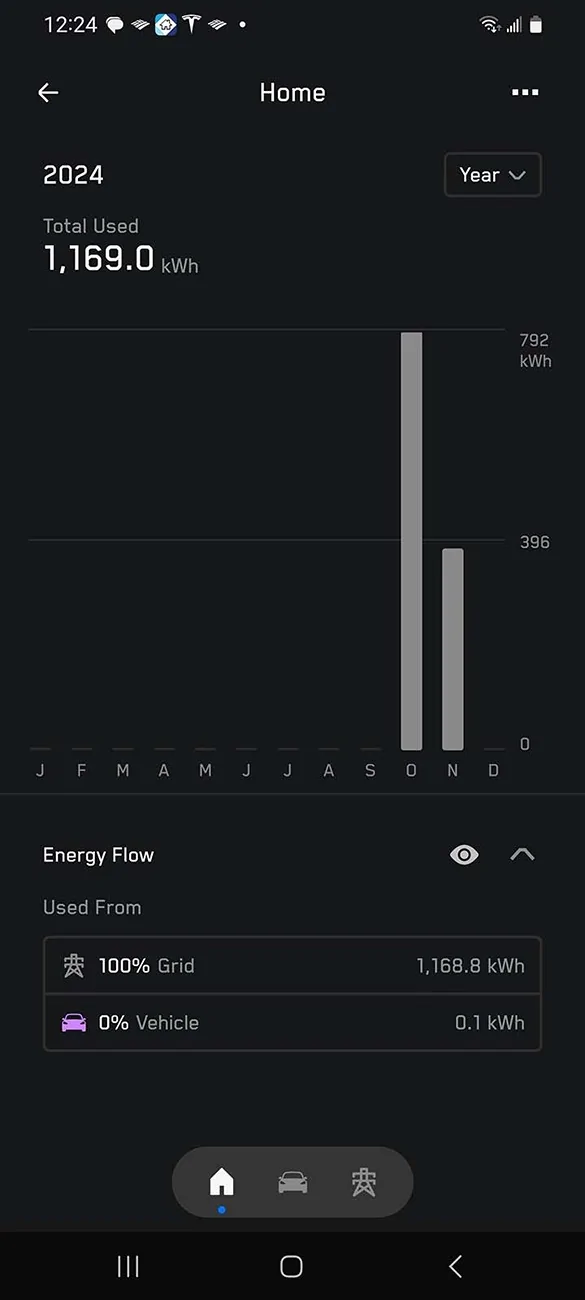
This picture shows 0.1 kWh used from the vehicle, which was when the truck powered the house during my Powershare test.

Tesla Cybertruck Tesla Powershare Gateway and Universal Charger only - is this normal? Screenshot_20241120_122419_Tesla sm


I made a couple of videos on my Powershare test here:


RickJ19Zeta8

Well-known member
Joined
Mar 25, 2024
Threads
0
Messages
130
Reaction score
361
Location
Wisconsin
Vehicles
Tri-Motor Cybertruck (soon_TM), Model 3
Country flag
I don't think your Gateway is on / active. It should at minimum be showing you energy consumption of the house. And it should also show you when the truck is plugged in.

The Wall charger needs to be configured for powershare so that it sends power back to the Gateway (not from the truck, just normal operation when the truck is disconnected). I had that issue briefly during the install, when they couldnt figure out why the Gateway wouldn't power on.

Then there is a QR code inside the Gateway cover, and another one if you remove the Gateway face panel (but be careful as you're exposing open mains connectors), that you can scan and "add" to your app.

I'm still waiting for actual Powershare to be enabled, since I have solar in my back-up circuit. Tesla said by the end of the year. But if I plug in the truck, I can see the green bi-direction arrow which says its communicating with the Gateway. I just don't have the option to enable powershare yet.


nicnguye

Well-known member
First Name
Nick
Joined
Jun 1, 2024
Threads
1
Messages
100
Reaction score
174
Location
Salem, NH
Vehicles
FS AWD Cybertruck
Country flag
Here's a picture of a working Powershare setup while the truck is charging. Sorry the power flow animation between the universal charger and the Cybertruck is white, and not green as I previously stated.
Tesla Cybertruck Tesla Powershare Gateway and Universal Charger only - is this normal? Screenshot_20241120_142719_Tesla sm


To the OP, I think your gateway and universal charger have never been online because the installer did not set them up correctly. If they had ever been connected to the Internet at all, you would have had some power usage data in the app, and there would have been a message about the system being offline and actions to be taken to reconnect them.
 
OP
OP
Technigogo

Technigogo

Well-known member
First Name
Steve
Joined
Dec 11, 2023
Threads
8
Messages
67
Reaction score
179
Location
Austin, TX
Vehicles
'24 Ford F450 Limited, '24 Cyberbeast FS
Occupation
IT
Country flag
I did some troubleshooting tonight.

I was trying to see and connect to the TeslaGW SSID. I never got it to show.

  1. Power cycled my main circuit at the meter – looked for connectivity to Gateway – none. Looked for the Tesla temp wifi – none.
  2. Pressed the orange reset button for 10 seconds - looked for connectivity to Gateway – none. Looked for the Tesla temp wifi – none.
  3. I removed the inner panel and connected a CAT 6 ethernet cable from the enterprise switch in my office to the ethernet port A – nothing, the ethernet port is dead, no connection. Tried port B – same nothing, port dead, no connection
So, I have no wireless or wired connection working on the Gateway. It's no wonder it does not register any data in my app.

I sent another email to the installer tonight. I will update you as this goes on.
 

nicnguye

Well-known member
First Name
Nick
Joined
Jun 1, 2024
Threads
1
Messages
100
Reaction score
174
Location
Salem, NH
Vehicles
FS AWD Cybertruck
Country flag
Did they ask for your email address (the same one you used for your Tesla app) and your wifi password during installation?

Part of the setup process was to connect the gateway to the internet via wifi then download some software. My installers had trouble getting my gateway connected at first. Once they got it online, it took close to 3 hours to download the software to setup the gateway. They told me the Tesla server was usually slow. By the way, the Universal charger has to be connected to wifi as well. My installers had an app on their phone to verify that my Powershare system (gateway and universal charger) was online and in communication with a Tesla server somewhere. That was what they told me before they left. Your installers must have skipped this configuration and setup step and left you with a non-functional system.
 
OP
OP
Technigogo

Technigogo

Well-known member
First Name
Steve
Joined
Dec 11, 2023
Threads
8
Messages
67
Reaction score
179
Location
Austin, TX
Vehicles
'24 Ford F450 Limited, '24 Cyberbeast FS
Occupation
IT
Country flag
Did they ask for your email address (the same one you used for your Tesla app) and your wifi password during installation?
Yes. The Wall Charger is connected fine. I found this information in this thread https://www.cybertruckownersclub.co...-no-wifi-broadcasted.20081/page-3#post-367836 - so I removed the Wall Charger and then added it back earlier tonight. It still did not fix the gateway issue. Summary - the Gateway is entirely unresponsive, there is an LED light lit on the board, so I don't think it is dead.
 

Geebz

Well-known member
Joined
Aug 16, 2024
Threads
2
Messages
65
Reaction score
103
Location
Texas
Vehicles
Cybertruck
Occupation
Engineer
Country flag
The PowerShare gateway needs to be enabled using the “Tesla One” app. My contractors left and was trying to figure out why in my Tesla app the home was greyed out and power was not being monitored. I watched the Tesla contractors tutorial video of commissioning the gateway and stumbled onto using the Tesla contractor app called “Tesla One”. Digging around in the app, I found that my gateway was not enabled to the grid. Executing the enable command resulted in an error message saying the gateway needed to be updated first. In the “Tesla One” I found the check for updates button and then it downloaded the update and updated itself. I then enabled the gateway to the grid. After a couple minutes the Tesla App showed power from the grid going to the home.

Now I’m stuck at getting the Cybertruck to show PowerShare Home Back options under Controls > Charge > PowerShare Home Backup. Truck is on v12.5.5.2. Anybody have any thoughts on getting this PowerShare to work on the CT?


nicnguye

Well-known member
First Name
Nick
Joined
Jun 1, 2024
Threads
1
Messages
100
Reaction score
174
Location
Salem, NH
Vehicles
FS AWD Cybertruck
Country flag
...
Summary - the Gateway is entirely unresponsive, there is an LED light lit on the board, so I don't think it is dead.
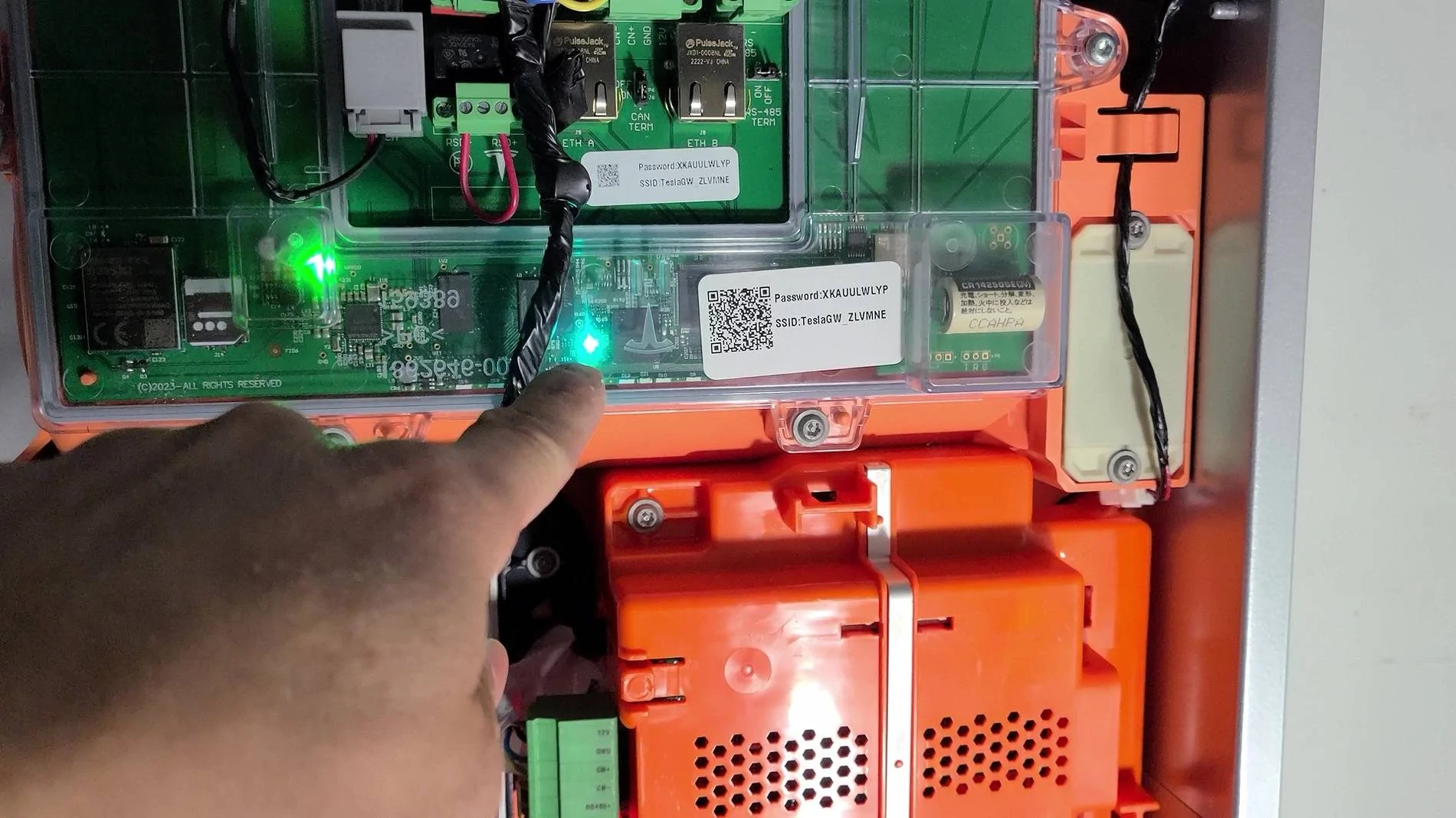
Watch my video. There should be 3 LEDs that light up: green, blue, and red. Do your three LEDs light up the same way as mine?
 

Geebz

Well-known member
Joined
Aug 16, 2024
Threads
2
Messages
65
Reaction score
103
Location
Texas
Vehicles
Cybertruck
Occupation
Engineer
Country flag
I have 3 lights. 2 solid green lights on the upper board and a flashing red light in the center orange covered main switch mechanism.

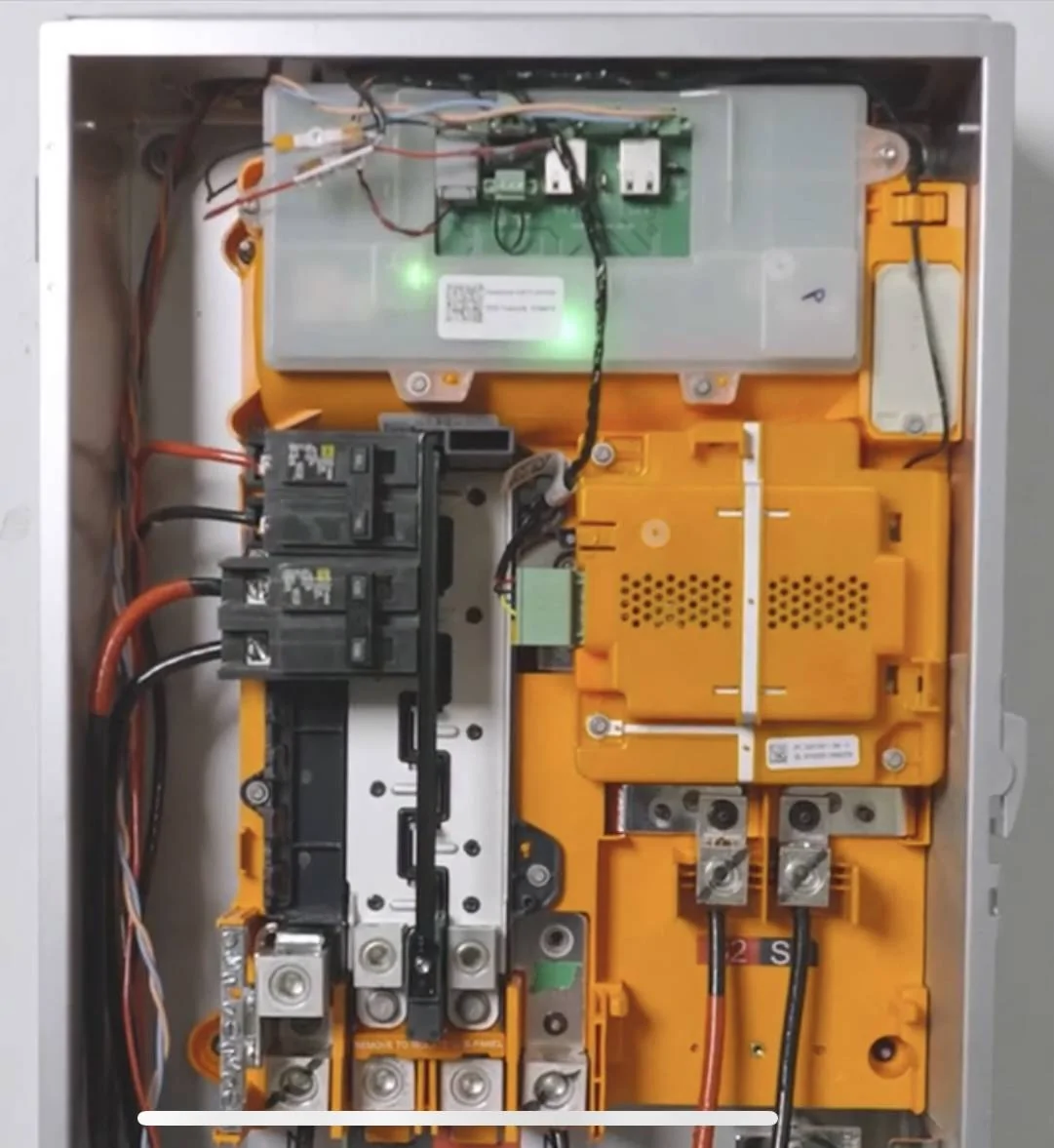
I don’t see the blue light. The below is photo from tesla video for reference.


Tesla Cybertruck Tesla Powershare Gateway and Universal Charger only - is this normal? IMG_1183
 
Last edited:

nicnguye

Well-known member
First Name
Nick
Joined
Jun 1, 2024
Threads
1
Messages
100
Reaction score
174
Location
Salem, NH
Vehicles
FS AWD Cybertruck
Country flag
I have 3 lights. 2 solid green lights on the upper board and a flashing red light in the center orange covered main switch mechanism.

I don’t see the blue light. The below is photo from tesla video for reference.

...
The Tesla Training video and my YouTube video showed a blue LED. In your system, this LED is green, which indicates your gateway status is not correct to be functional. Also, my red LED was solid, and not flashing like yours.

It appeared you were doing this yourself. Maybe you don't have the right credentials to activate your Powershare system (?). I don't know. Mine was installed by QMerit contractors. It's their obligation to verify my system works before leaving the site.

Tesla Cybertruck Tesla Powershare Gateway and Universal Charger only - is this normal? vlcsnap-2024-11-21-20h11m06s651
 

Geebz

Well-known member
Joined
Aug 16, 2024
Threads
2
Messages
65
Reaction score
103
Location
Texas
Vehicles
Cybertruck
Occupation
Engineer
Country flag
The Tesla Training video and my YouTube video showed a blue LED. In your system, this LED is green, which indicates your gateway status is not correct to be functional. Also, my red LED was solid, and not flashing like yours.

It appeared you were doing this yourself. Maybe you don't have the right credentials to activate your Powershare system (?). I don't know. Mine was installed by QMerit contractors. It's their obligation to verify my system works before leaving the site.

vlcsnap-2024-11-21-20h11m06s651.jpg
My contractors for Qmerit said to wait for Tesla to update the software. The guy was new, I think first day with this company. I figured he didn’t know what he was talking about or maybe he is right and I just need to wait for Tesla to enable it.

In the Tesla One App I see that a close out form wasn’t completed so maybe my contractor didn’t complete it. I do recall him saying he had a tuff time getting a cell signal to his iPad, so maybe the form didn’t get sent fully. I do recall him filling out the form and taking the pictures but maybe it didn’t get sent. Or maybe Tesla just has to review the form before enabling PowerShare.

I think I will process the form again myself and see if it goes through.
 
First Name
Lee
Joined
Jul 30, 2024
Threads
3
Messages
23
Reaction score
41
Location
Atlanta GA
Vehicles
Tesla Model 3, Rivian R1T x 2
Occupation
Electrician
Country flag
Guys, our team has installed over 50 of these systems and struggled with this issue on our first few jobs. For us, this error was usually:
1) The 4 conductor communication wire either has a loose connection or is not landed properly in the Universal Wall Connector or Getaway. Common when using 16/4 stranded wire, but 16/4 solid wire fixed it. The issue is that the wire terminals on the rear of the Wall Connector housing is a “stab in” pressure connection, and using stranded wire is like pushing wet spaghetti into a power outlet…
2)The installer has not completed PowerShare training with Tesla, and does not have access to the proper firmware update for the Universal Wall Connector.

Have them come check the connections!
Sponsored


Top