Sponsored

SGAstros

Well-known member
First Name
Ryan
Joined
Mar 4, 2024
Threads
6
Messages
64
Reaction score
147
Location
St George, UT
Vehicles
Ram 1500, GR86, Bronco
Occupation
Tech
Country flag
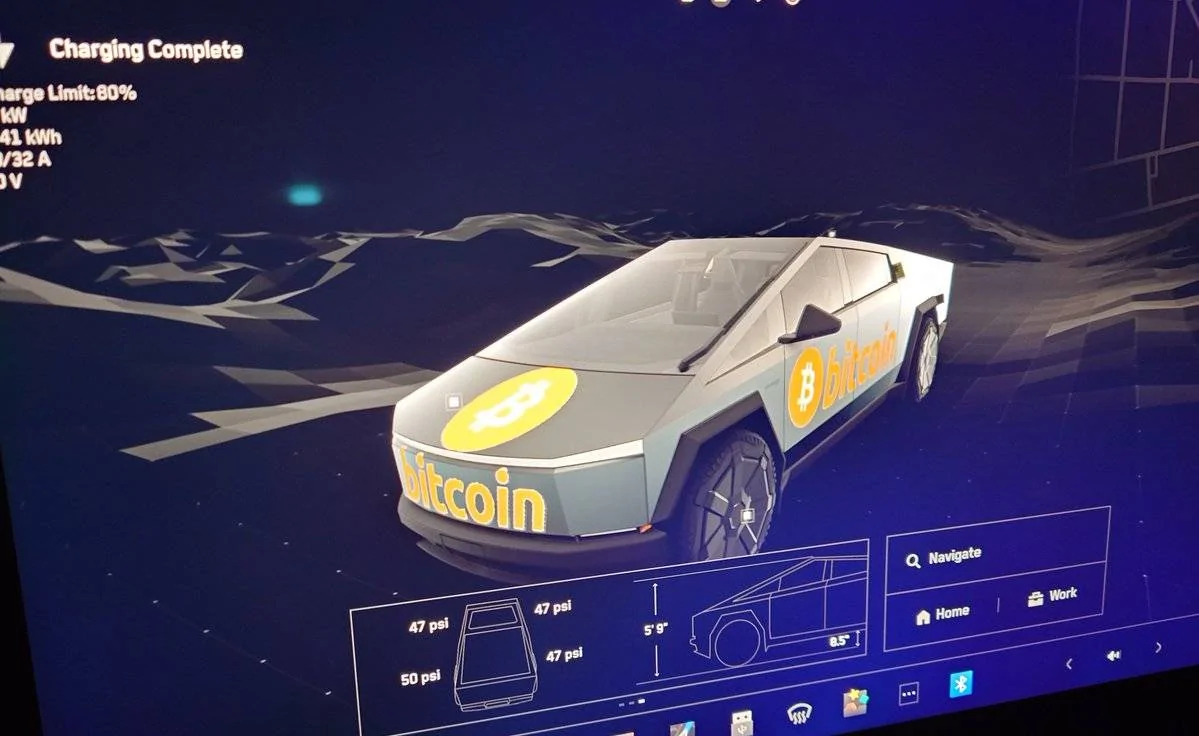
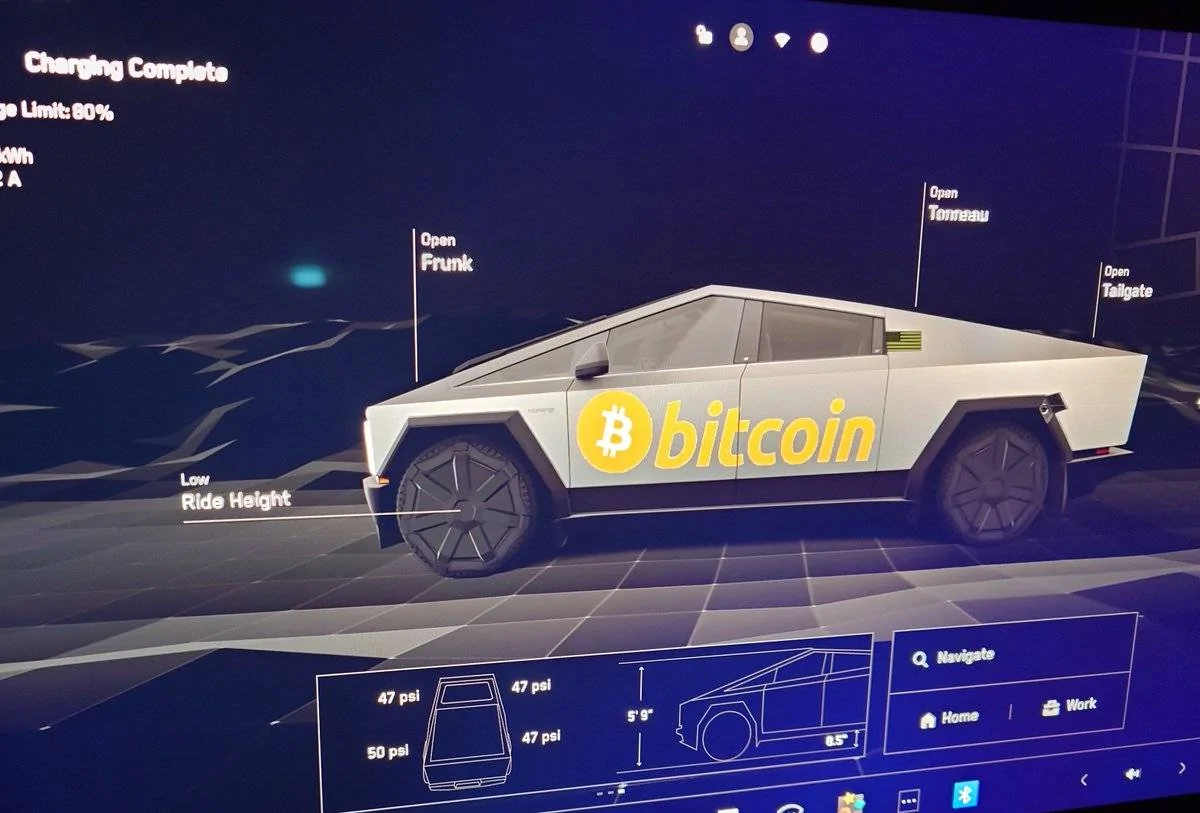
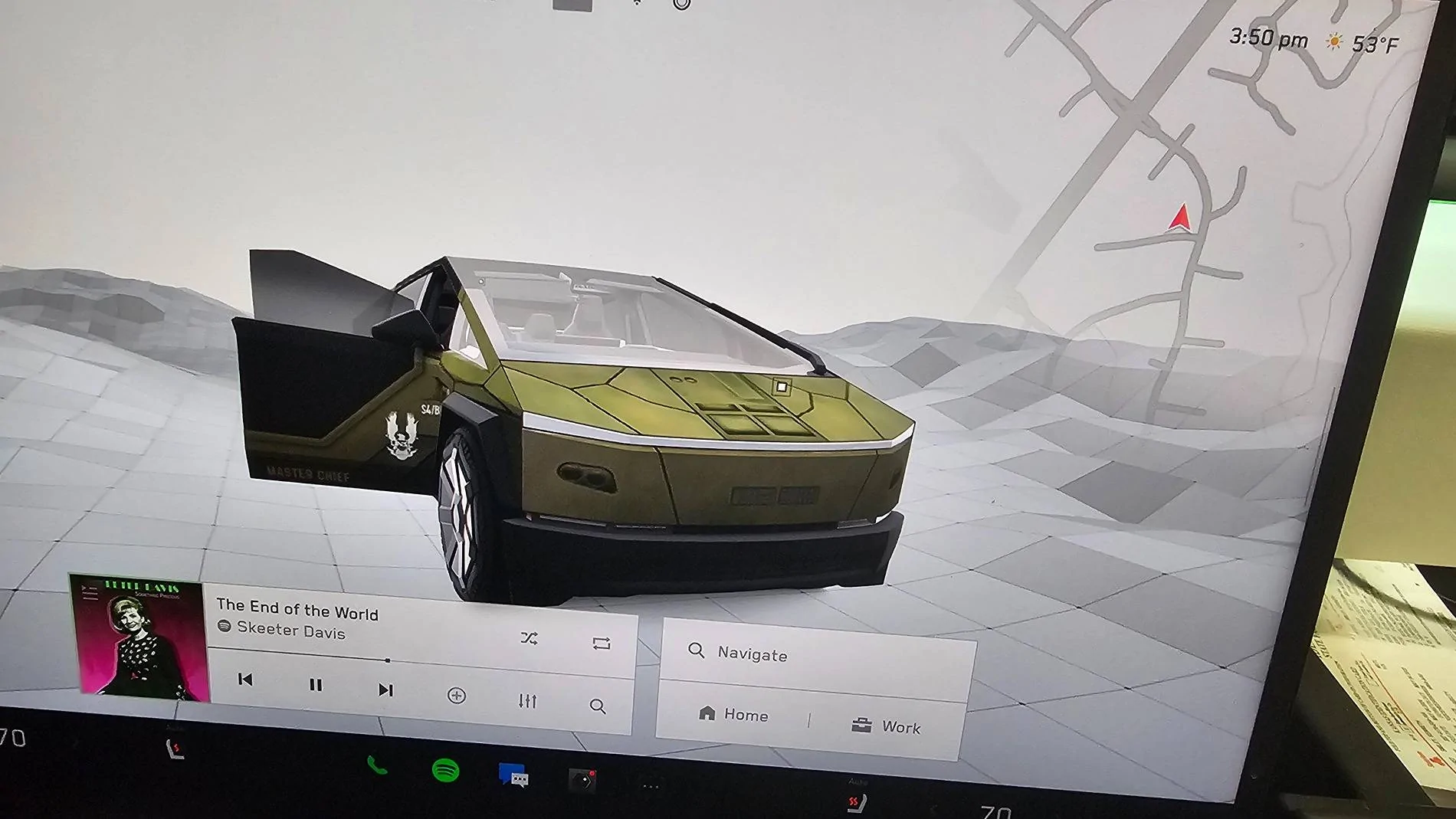
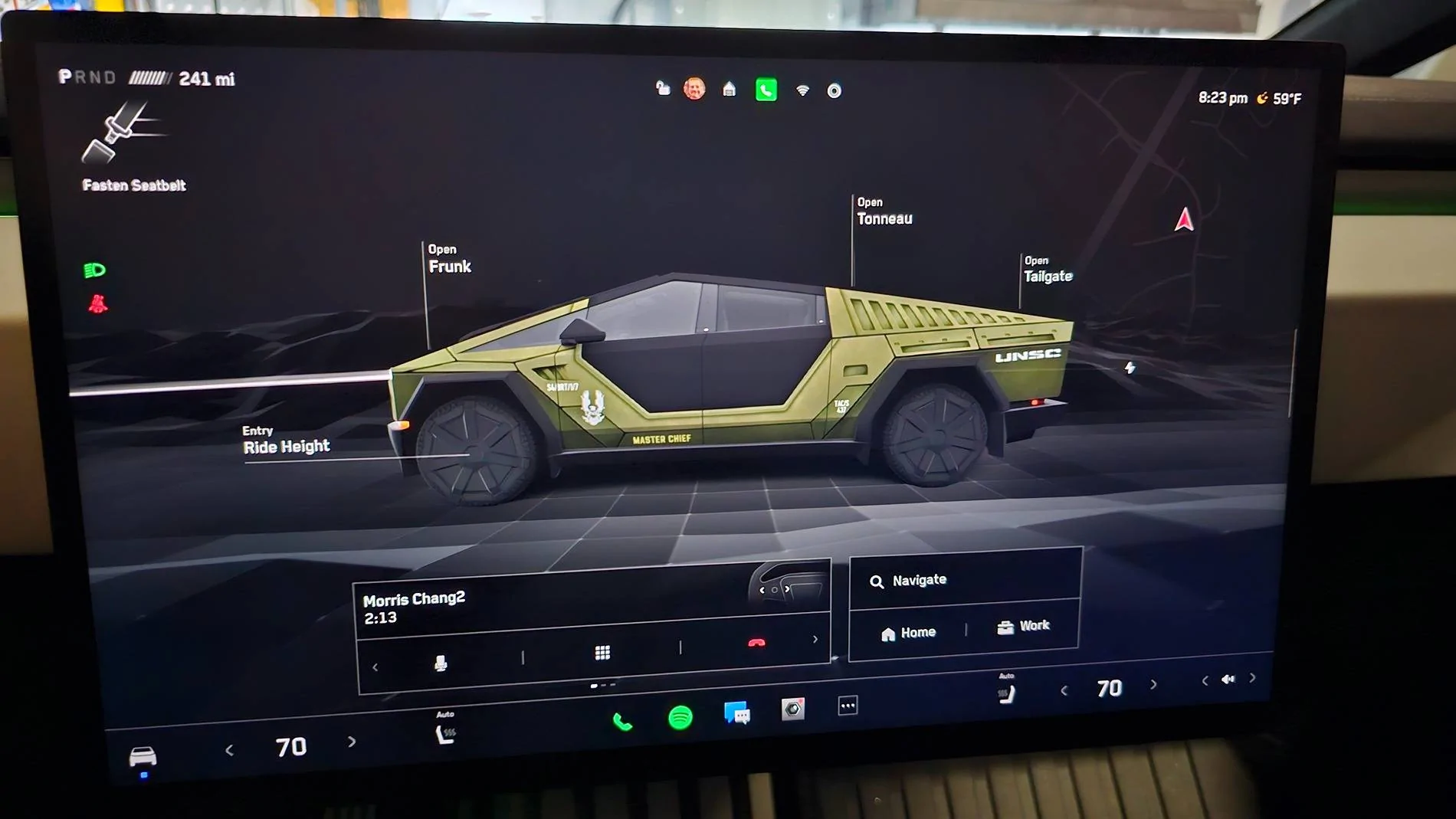
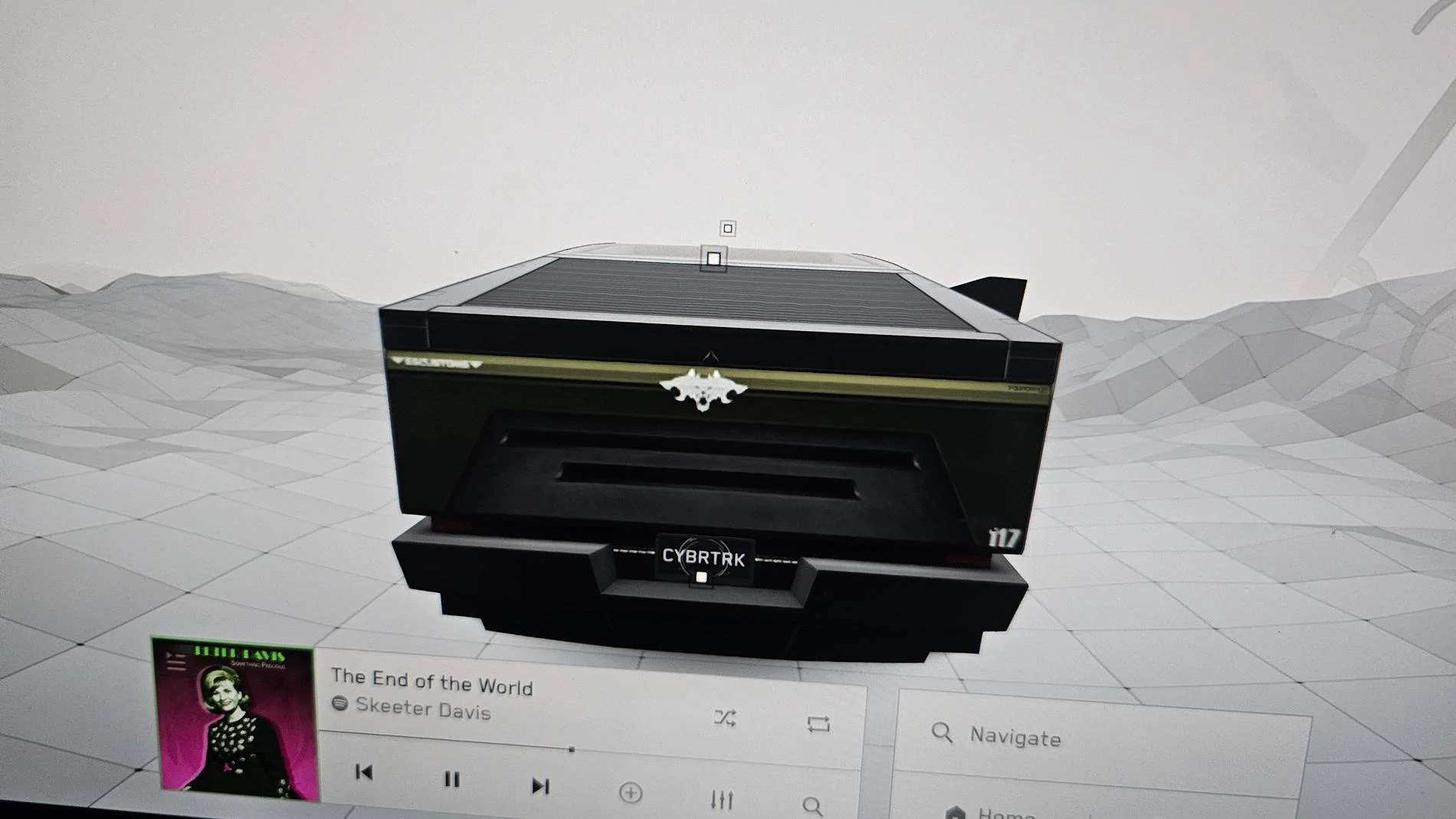
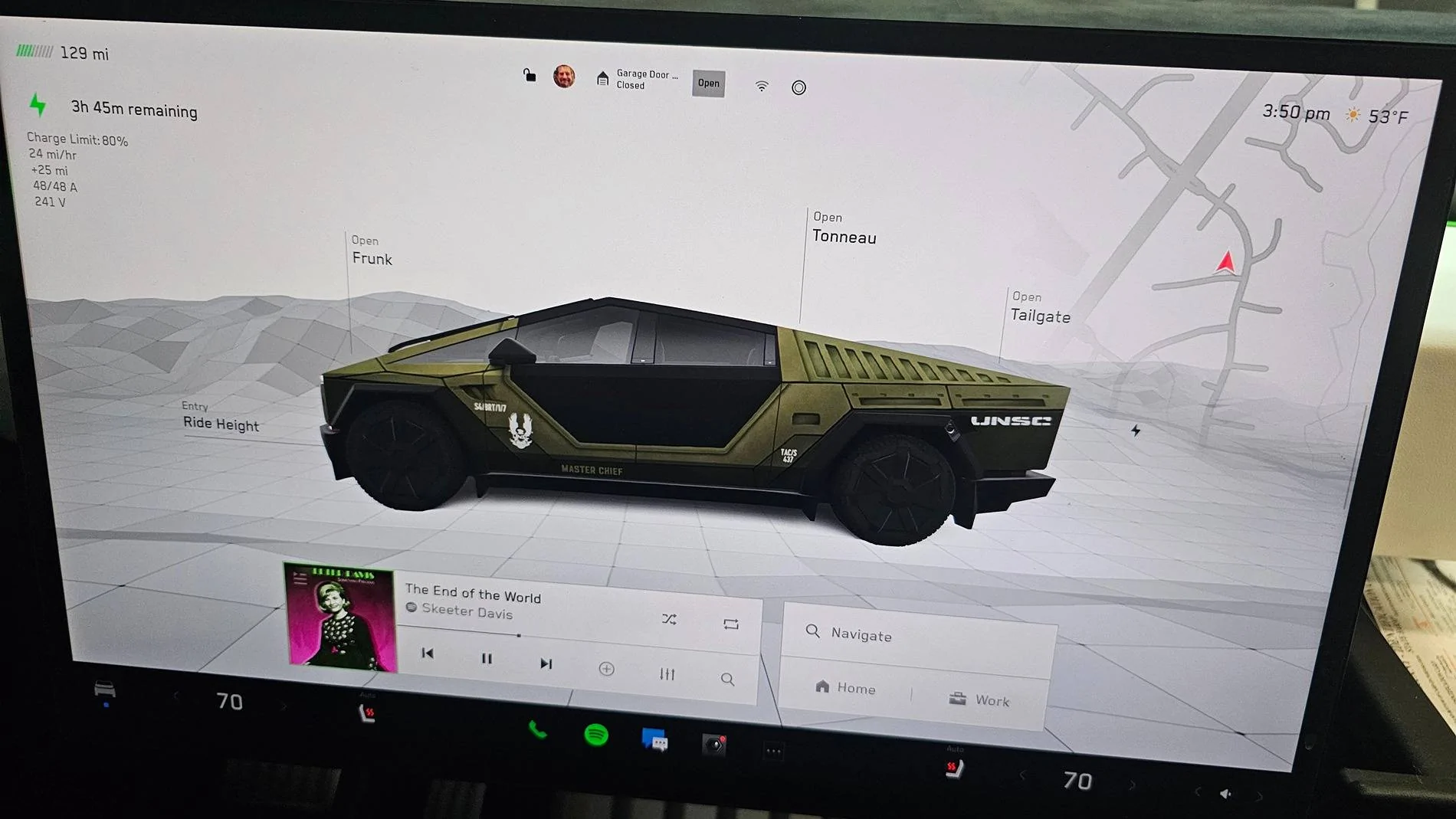
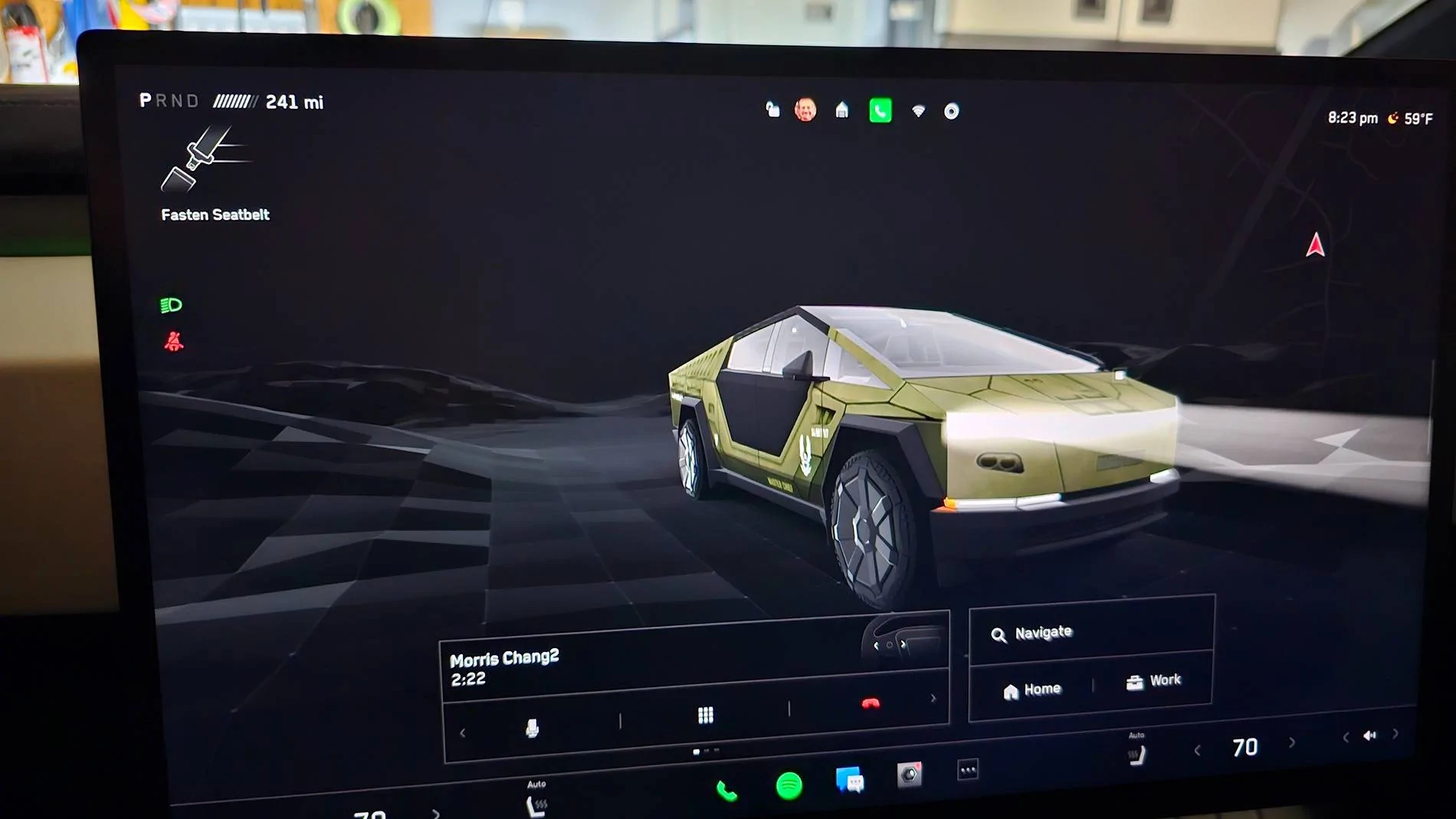
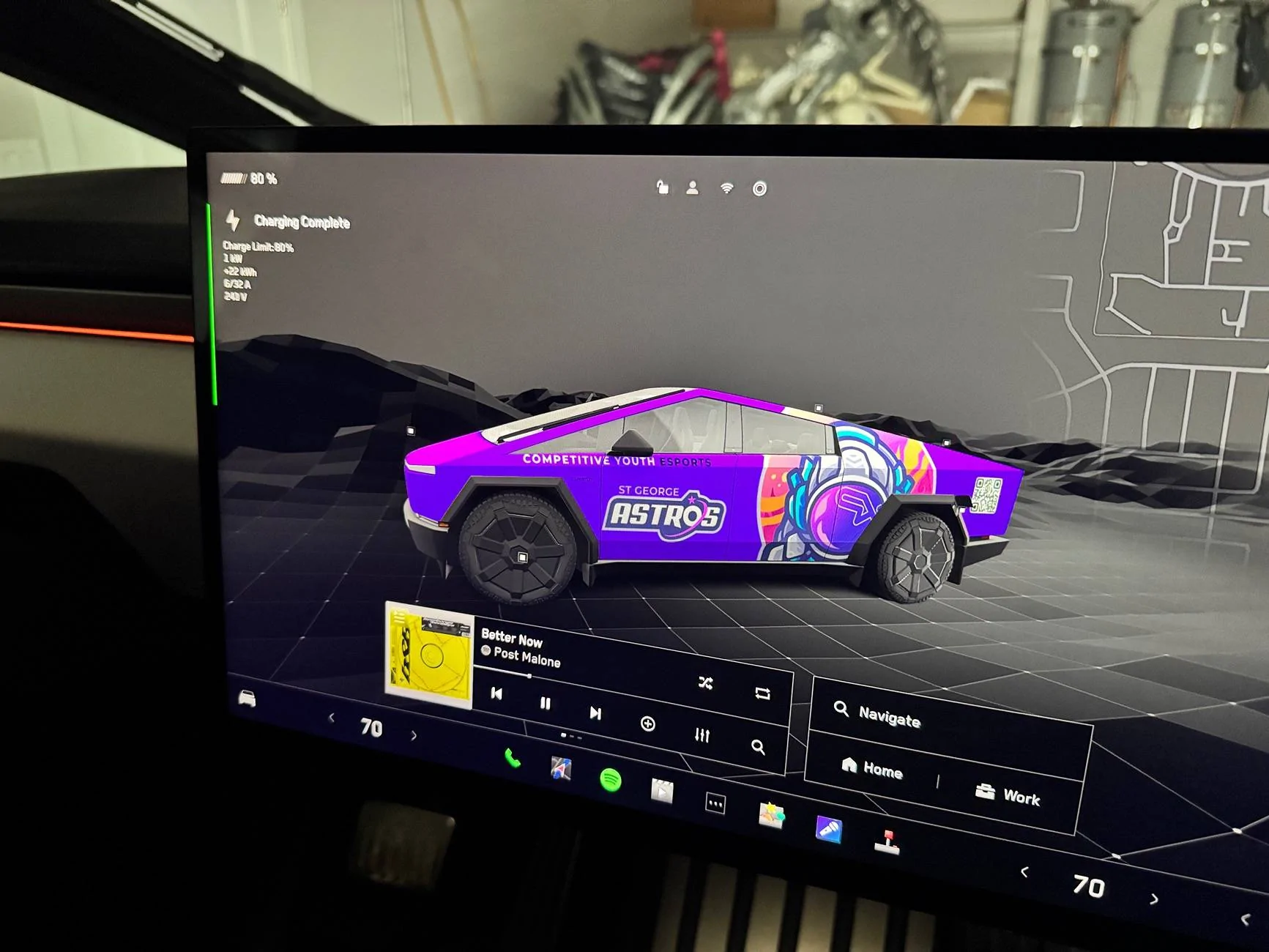
I haven’t actually gotten a wrap yet, but I’ve designed several for the youth esports program I run, so I was pumped to see that you could create your own designs for how the truck is displayed on the screen.

Gives a better feel for how it might look than in flat design files like I’ve had.

The Instructions made it easy, just modified their template in Figma. It says no special characters in name, which includes _ (underscore) - only mistake I made first try.

Tesla Cybertruck New Custom Wraps Images on Screen Feature Works Great! - Show Yours! IMG_0465
Sponsored


ItsDrew

Active member
First Name
Drew
Joined
Mar 26, 2024
Threads
5
Messages
25
Reaction score
66
Location
Arizona
Vehicles
MYLR, M3LR, M3LR, CT
Occupation
Self Employed
Country flag
What instructions?
 

bentoncalder

Well-known member
First Name
Benton
Joined
Oct 24, 2024
Threads
18
Messages
123
Reaction score
201
Location
Vancouver BC
Vehicles
Cyberbeast, Model Y
Country flag
I noticed when I played with the paint shop app that it deleted my CyberBeast and Foundation Series badges in the GUI, even if I go back to the default “paint.” Has anyone else had this issue? Has anyone resolved this?


CTSoFL

Well-known member
Joined
Jun 13, 2024
Threads
18
Messages
452
Reaction score
643
Location
South Florida
Vehicles
2024 AWD Foundation Series Cybertruck
Country flag

Jhodgesatmb

Well-known member
First Name
Jack
Joined
Dec 1, 2019
Threads
89
Messages
6,490
Reaction score
9,025
Location
San Francisco Bay area
Website
www.arbor-studios.com
Vehicles
Tesla Cybertruck FS AWD, Tesla Model Y LR
Occupation
Retired AI researcher
Country flag
I haven’t actually gotten a wrap yet, but I’ve designed several for the youth esports program I run, so I was pumped to see that you could create your own designs for how the truck is displayed on the screen.

Gives a better feel for how it might look than in flat design files like I’ve had.

The Instructions made it easy, just modified their template in Figma. It says no special characters in name, which includes _ (underscore) - only mistake I made first try.
IMG_0465.webp
I have to disagree. For one, they never said that an underscore is a special character, but it isn’t in normal parlance. Second, they say to fill the white spaces but not what will happen if you don’t (spoiler alert, the area will be white). Third, if you draw bezier objects like I do, they never say how close you can get to the grid lines. If you use a paint app then maybe you are better off. Fourth, if you want to have most of the truck be the stainless color good luck because the grid lines are gray. I still haven’t figured that one out. All of these result in multiple trips to the editor and truck. I still haven’t gotten it perfect. Fifth, every time you put new content onto the drive you have to reboot the car. Sixth, I have 5 images on the drive but only 2 are being seen at present. Maybe I need to scale the other 3. They have numbers in their file names … maybe numbers are special characters now :)
 
Last edited:

bentoncalder

Well-known member
First Name
Benton
Joined
Oct 24, 2024
Threads
18
Messages
123
Reaction score
201
Location
Vancouver BC
Vehicles
Cyberbeast, Model Y
Country flag
I noticed when I played with the paint shop app that it deleted my CyberBeast and Foundation Series badges in the GUI, even if I go back to the default “paint.” Has anyone else had this issue? Has anyone resolved this?
Btw I found a fix for this if anyone else experiences this. Simply reset the truck by holding down both scroll wheels for a few seconds until the screen goes black. Car reboots and the badges reappeared.
 
OP
OP
SGAstros

SGAstros

Well-known member
First Name
Ryan
Joined
Mar 4, 2024
Threads
6
Messages
64
Reaction score
147
Location
St George, UT
Vehicles
Ram 1500, GR86, Bronco
Occupation
Tech
Country flag
I have to disagree. For one, they never said that an underscore is a special character, but it isn’t in normal parlance. Second, they say to fill the white spaces but not what will happen if you don’t (spoiler alert, the area will be white). Third, if you draw bezier objects like I do, they never say how close you can get to the grid lines. If you use a paint app then maybe you are better off. Fourth, if you want to have most of the truck be the stainless color good luck because the grid lines are gray. I still haven’t figured that one out. All of these result in multiple trips to the editor and truck. I still haven’t gotten it perfect. Fifth, every time you put new content onto the drive you have to reboot the car. Sixth, I have 5 images on the drive but only 2 are being seen at present. Maybe I need to scale the other 3. They have numbers in their file names … maybe numbers are special characters now :)
By grid lines, do you mean the black borders of each shape? If so, you can paint over them and outside the black lines and it will just crop at the lines when it applies it to the model. So for my astronaut graphic, I didn’t even crop it, just laid it over and it auto crops at the lines. Does that help?

Also, fwiw I’ve never had to reboot the truck as I’ve added and removed Wraps to the folder of my usb, not sure why it’s making you.


Jhodgesatmb

Well-known member
First Name
Jack
Joined
Dec 1, 2019
Threads
89
Messages
6,490
Reaction score
9,025
Location
San Francisco Bay area
Website
www.arbor-studios.com
Vehicles
Tesla Cybertruck FS AWD, Tesla Model Y LR
Occupation
Retired AI researcher
Country flag
By grid lines, do you mean the black borders of each shape? If so, you can paint over them and outside the black lines and it will just crop at the lines when it applies it to the model. So for my astronaut graphic, I didn’t even crop it, just laid it over and it auto crops at the lines. Does that help?

Also, fwiw I’ve never had to reboot the truck as I’ve added and removed Wraps to the folder of my usb, not sure why it’s making you.
That would never another undocumented issue. If you can add content over the wheel wells and it gets cropped they should say so. They should also say whether the USB drive is read w/o reboot if true. I can tell you from experience that it is unclear whether it is a requirement. The grid lines (did I really call them that?) are the borders/edges of the white areas (e.g., a door).

I redid my images (several versions). I removed the numbers in the file names and scaled to make sure that they were no larger than 1024 pixels wide. I loaded the images onto the USB drive and put them in the glove box port. Four of the 7 showed up without rebooting, and I doubt that any others were going to show up so I didn't reboot. I selected one of them and removed the USB drive. The only one that still shows up in the wraps folder is the one that was selected/installed, so only one is uploaded from the drive into permanent storage.
 
Last edited:

btcrealm

Well-known member
First Name
Brian
Joined
Aug 28, 2024
Threads
7
Messages
757
Reaction score
985
Location
Virginia-ish, USA
Vehicles
cybertruck
Occupation
NOC
Country flag
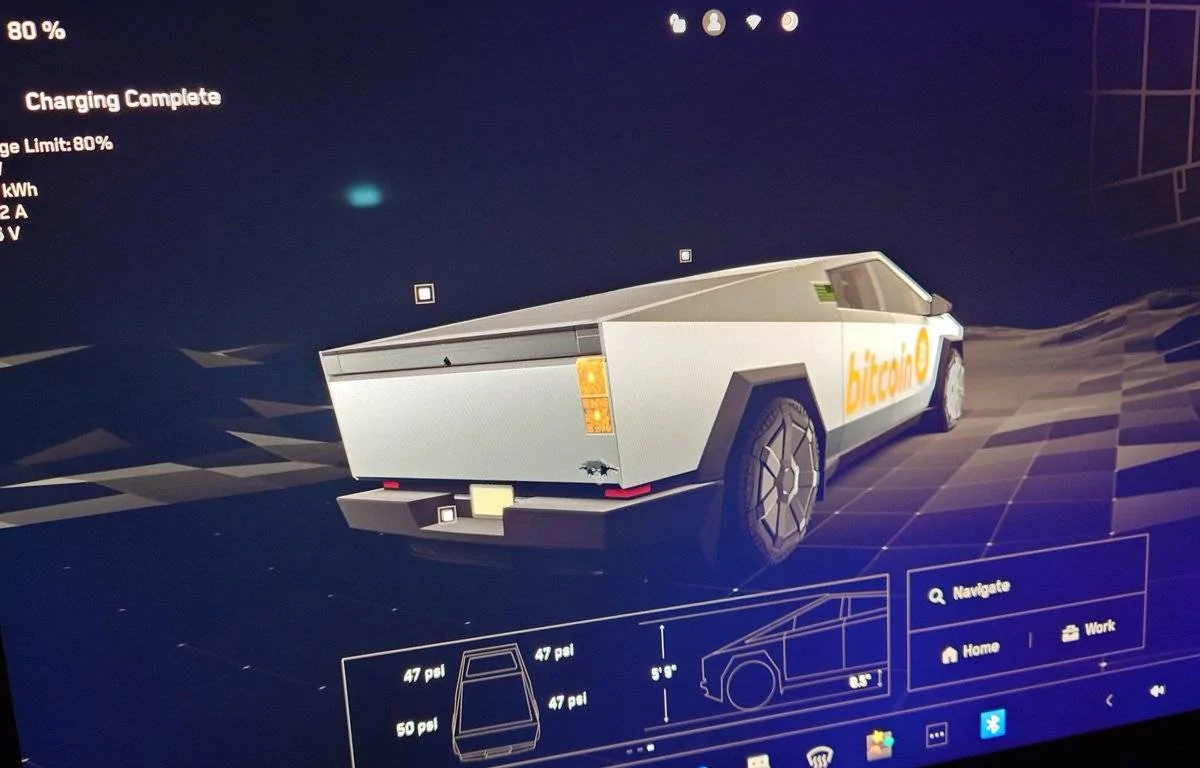
Works great and is a lot of fun.
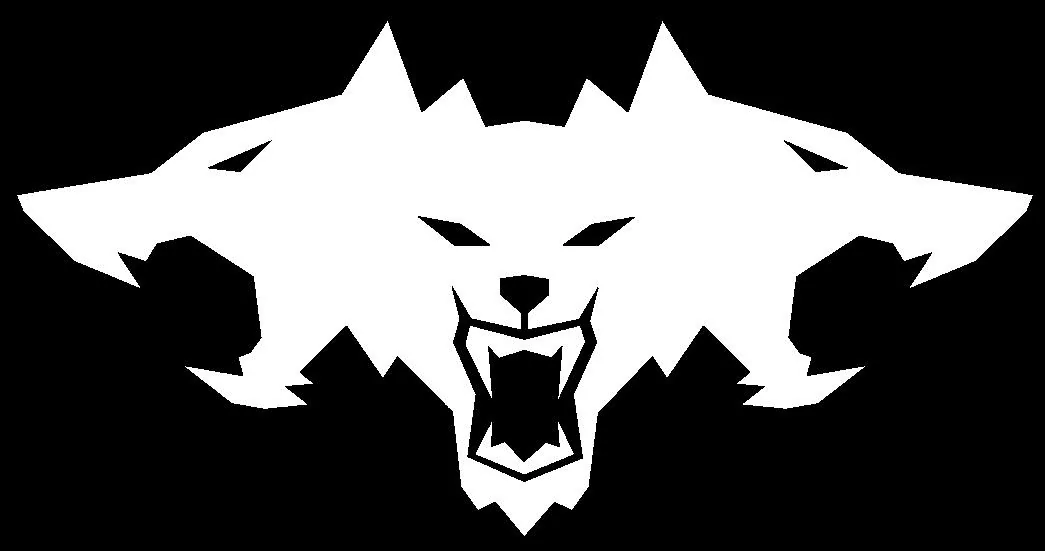
I didn't trust it to have the cyberbeast cerberus logo so I added my own that I had made as an emoji for my discord server ; ]
Tesla Cybertruck New Custom Wraps Images on Screen Feature Works Great! - Show Yours! GfyFMUOWQAAqYzH?format=jpg
Tesla Cybertruck New Custom Wraps Images on Screen Feature Works Great! - Show Yours! GfyFMUOWoAAxJ-Y?format=jpg
Tesla Cybertruck New Custom Wraps Images on Screen Feature Works Great! - Show Yours! GfyFMUqWoAAdL9L?format=jpg


white png
Tesla Cybertruck New Custom Wraps Images on Screen Feature Works Great! - Show Yours! cyberbeast


[EDIT]
Looks like it converted my PNGs with no background to JPEGs with a black background.
If you need the cerberus logo for this dm me and I'll figure out how to get it to you as a PNG
I have black, red, and white but can convert to other colors if needed.
[/EDIT]
 
Last edited:

btcrealm

Well-known member
First Name
Brian
Joined
Aug 28, 2024
Threads
7
Messages
757
Reaction score
985
Location
Virginia-ish, USA
Vehicles
cybertruck
Occupation
NOC
Country flag
@RedlineRory your skin is done.
Tesla Cybertruck New Custom Wraps Images on Screen Feature Works Great! - Show Yours! redlinerory


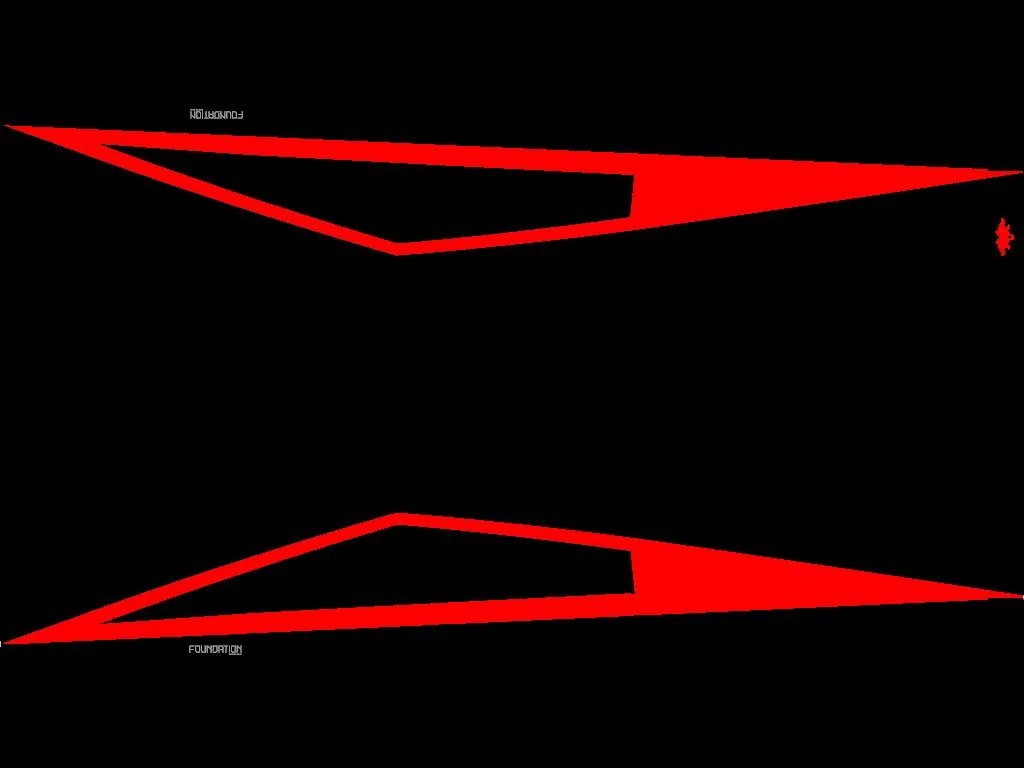
I also did a foundation series that can be used on it.
Tesla Cybertruck New Custom Wraps Images on Screen Feature Works Great! - Show Yours! foundation
 
Last edited:

furbyland

Well-known member
First Name
Michael
Joined
Dec 1, 2024
Threads
14
Messages
172
Reaction score
200
Location
Lexington, KY
Vehicles
2023 Model S LR, 2024 CT AWD
Occupation
I.T.
Country flag
I have to disagree. For one, they never said that an underscore is a special character, but it isn’t in normal parlance. Second, they say to fill the white spaces but not what will happen if you don’t (spoiler alert, the area will be white). Third, if you draw bezier objects like I do, they never say how close you can get to the grid lines. If you use a paint app then maybe you are better off. Fourth, if you want to have most of the truck be the stainless color good luck because the grid lines are gray. I still haven’t figured that one out. All of these result in multiple trips to the editor and truck. I still haven’t gotten it perfect. Fifth, every time you put new content onto the drive you have to reboot the car. Sixth, I have 5 images on the drive but only 2 are being seen at present. Maybe I need to scale the other 3. They have numbers in their file names … maybe numbers are special characters now :)
Sounds like TOO much effort for the end result. Most passengers would probably yawn or just roll eyes. Nice UI tweak for owners, but I think I will wait til the process is more efficient.
Sponsored


Top