Sponsored

Sentry Mode - no recordings…

bakes

New member
First Name
Tim
Joined
Sep 30, 2024
Threads
1
Messages
4
Reaction score
0
Location
new jersey
Vehicles
cybertruck awd
Country flag
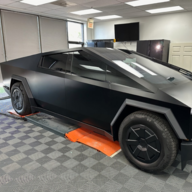
New owner of a cybertruck. I got it 3 weeks ago and sent it to get wrapped. I’ve enabled sentry mode and the dash cam. I’ve tried powering off. I’ve formatted the usb from both the truck and from a computer. It records dashcam footage when I manually enable the dashcam. I’ve read all the threads I can get my hands on. Most say format the USB or wait for a software update. Some say the get notifications but no video. I’m not even getting notifications. I have about 200 miles on the truck. Any other ideas? I watched from a distance as 10 little twelve year olds crawled all over it, hugged it, and laid on top of the frunk but still no notifications and no video. I’m worried maybe the kid who wrapped it didn’t reconnect something? Any ideas here?
Sponsored

 

UberNoob

Well-known member
Joined
Jun 5, 2024
Threads
5
Messages
1,043
Reaction score
1,599
Location
Florida
Vehicles
CyberBeast & M3P
Occupation
Desktop Security Engineer
Country flag
Original Tesla thumb drive? In replaced mine with a Samsung (something)7 2tb drive. The wire it come with was garbage. Replaced the wire and it worked as it should. When it’s not working correctly there is a red X on the icon. It goes away when it detects the drive is good.
 

Redfire

Well-known member
Joined
Sep 13, 2024
Threads
31
Messages
171
Reaction score
184
Location
Atlanta, ga
Vehicles
Cyber Beast
Country flag
When you enable sentry mode can you view your cameras from the app? If so then there is a problem with the USB. I'm still using the one that came with the CT. If you formatted it be sure to follow the instructions in the manual to set it up properly. You have to plug it in to a computer first and make a base level folder for it to record properly.
Honestly, you should not have formatted it. That's where you went wrong. It's already set up for you from the dealership, but when you formatted the drive you erased EVERYTHING on the drive so you have to set it up again as though you just bought a new drive. Read the manual carefully to set it back up and try again. If that doesn't work get another usb and try that one or take it to the SC.
 
OP
OP

bakes

New member
First Name
Tim
Joined
Sep 30, 2024
Threads
1
Messages
4
Reaction score
0
Location
new jersey
Vehicles
cybertruck awd
Country flag
Thanks. Will give this a try. It worked only for a few days from the factory and then stopped so I formatted it through the car. That didnt work so I formatted on a computer. May just buy a new one. Any suggestions?
 
OP
OP

bakes

New member
First Name
Tim
Joined
Sep 30, 2024
Threads
1
Messages
4
Reaction score
0
Location
new jersey
Vehicles
cybertruck awd
Country flag
Ok. So I followed what you all said and added the folder and now I’m getting notifications in my truck when I have a sentry mode notification, but not on my phone. Two questions… 1) do you keep sentry mode on all the time or only turn it on when you leave the car and 2) how do I get the notifications on my phone.


jimnycricket65

Well-known member
Joined
Jun 13, 2024
Threads
23
Messages
470
Reaction score
251
Location
CA
Country flag
When you enable sentry mode can you view your cameras from the app? If so then there is a problem with the USB. I'm still using the one that came with the CT. If you formatted it be sure to follow the instructions in the manual to set it up properly. You have to plug it in to a computer first and make a base level folder for it to record properly.
Honestly, you should not have formatted it. That's where you went wrong. It's already set up for you from the dealership, but when you formatted the drive you erased EVERYTHING on the drive so you have to set it up again as though you just bought a new drive. Read the manual carefully to set it back up and try again. If that doesn't work get another usb and try that one or take it to the SC.
I got a buffalo usb https://a.co/d/1Xp9lVz
I am curious to see if this usb went bad on me.
Which one did you get?
I formatted directly in the truck and they did not cue me for anything. Can you explain "make a base level folder"?
 

Jack27

Well-known member
First Name
Randy
Joined
Aug 13, 2024
Threads
16
Messages
1,283
Reaction score
1,462
Location
Los Angeles
Vehicles
BMX Mongoose/tony hawk skate board/ roller blades
Occupation
None
Country flag
You know, I’m 2k miles in and haven’t once got a notification of a recording and it makes me wonder, really no one had came close to it in all that time ? maybe it doesn’t work like yours
 

M0unt41nm4n

Well-known member
Joined
Jan 23, 2024
Threads
20
Messages
1,236
Reaction score
2,136
Location
Durango, CO and Moab, UT
Vehicles
23 Ford F350 Plat, 22 F150 Plat, 20 Jeep Gladiator, CT-AWD
Country flag
Original Tesla thumb drive? In replaced mine with a Samsung (something)7 2tb drive. The wire it come with was garbage. Replaced the wire and it worked as it should. When it’s not working correctly there is a red X on the icon. It goes away when it detects the drive is good.
+1 on the Samsung SSD. I got a 1TB. It’s fast and smooth. It records a ton of video. Those USB keys included with Tesla are crap and burn out quickly. SSD is the way to go.
 

jimnycricket65

Well-known member
Joined
Jun 13, 2024
Threads
23
Messages
470
Reaction score
251
Location
CA
Country flag
How about a link to this Samsung ssd that does work well. Buffalo one I think died on me and this no sentry recording.


Joined
Apr 15, 2025
Threads
1
Messages
8
Reaction score
5
Location
Illinois
Vehicles
Cybertruck
Country flag
Hey @bakes, did you get this resolved?

I think I'm having the same issue--new truck (about 3 weeks). First week or so, sentry mode would record and save dashcam clips, which I could view on my phone. 2 weeks ago, I 1) updated software and 2) deleted some clips, and since then, there have been no new recordings. I've turned sentry mode off/on a few times on the phone and dashboard.

Did formatting the drive in the truck, or anything else, help?
 
OP
OP

bakes

New member
First Name
Tim
Joined
Sep 30, 2024
Threads
1
Messages
4
Reaction score
0
Location
new jersey
Vehicles
cybertruck awd
Country flag
Yes. I formatted the USB and created a folder. Took a few days but after that it started working. I still don’t get phone pop ups but overall I get all the sentry events in the truck. Hope this helps.
 

SCTesla

Well-known member
Joined
Jun 11, 2024
Threads
6
Messages
2,470
Reaction score
3,685
Location
USA
Vehicles
22 Model S, 24 CT
Country flag
Ok. So I followed what you all said and added the folder and now I’m getting notifications in my truck when I have a sentry mode notification, but not on my phone. Two questions… 1) do you keep sentry mode on all the time or only turn it on when you leave the car and 2) how do I get the notifications on my phone.
If it's enabled, you will only get a push notification for a sentry event if the alarm goes off.

Otherwise, just view the sentry recordings in your phone.
 

Outlaw1

Well-known member
First Name
RS
Joined
Jun 20, 2020
Threads
1
Messages
98
Reaction score
173
Location
Missouri
Vehicles
Cybertruck DM, 2021 Tesla Model Y
Country flag
+1 on this drive. Been working like a champ for 8 months. I just got an alert that there was an error on the drive. This was after my wife opened the glove box and did something. I unplugged it and plugged it back in. It's working again. I'll probably replace the cord anyway.

To make sure I was getting the phone alerts I previously did my own test to set off the alarm following the directions from another thread and I got the alert to my phone and the clip was saved.
Sponsored


Top