mmmmmb
Active member
- Joined
- Dec 11, 2023
- Threads
- 6
- Messages
- 28
- Reaction score
- 32
- Location
- Rapid City, SD
- Vehicles
- Signature Model S, Performance Model 3 2018

- Thread starter
- #1
All,
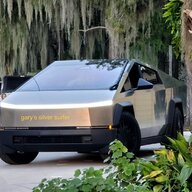
I would like to report to you that I drove over 9,000 miles recently with the FSD 12.5.5 (and its variants) in my new CyberBeast. Here are some details:
10/09 : Started in Palo Alto and drove to Los Angeles (CyberCab event) : 400 miles.
10/11: From Los Angeles to Phoenix : 400 miles
10/14: Drove to Satellite Beach Florida: 2300 miles
10/22: Drove to Richmond, VA: 800 miles
10/26: Drove back Phoenix, AZ: 2300 miles
10/28: Drove to Las Vegas, NV: 300 miles
10/30: Drove to UC Santa Barbara: 400 miles
11/03: Drove back to Palo Alto: 300 miles
11/05: Drove to Portland, OR : 700 miles
11/09: Drove back Palo Alto, CA: 700 miles
Miscellaneous driving at each of the places: 500 miles (may be even more)
Total miles: 9,100 miles.

This entire time, I was all alone in the Beast along with my little pug puppy! I used the FSD for almost all the time. It is amazing, of course. It makes driving so much easier, I was able to drive through the night (without checking into a hotel) twice, once on my way to Florida, and once on my way back to Phoenix. Just to be sure, most of the drive is on the first release of FSD for CyberTruck, and a little on FSD 12.5.5.2.
I am not sure if there are any critical interventions at all during this entire experience. While this is obviously amazing, I also knew its limitations, so I would act accordingly before it would need an intervention. Here are some of those things I have done:
Speed
Since I drove many 1000’s of miles in a very short period, I got to notice lots of behaviors and was able to think about possible reasons behind them. Here are some observations that still baffle my mind and I would like to discuss them here to see your reactions. Would love to hear from your points of view to see what I am missing.
CyberTruck doesn’t have driver profiles such as chill, standard, and hurry. Not sure how it decides to change lanes when the traffic is slow. Here are some examples:
Charging
When I am doing charging at the super charger, it tells me that it is ready to go when it has enough charge to reach the next destination. It seems the algorithm wants me to get there with a charge of 10-20% left. However, there seems to be some confusion, at least in my head. Here are some examples:
One of my mudguards broke off, and the Tesla service decided to charge me for the replacement. Didn’t seem right, but, of course, Tesla Service seems to think that they don’t even need to talk to the customer.
Still no communication from Tesla sales when I may be getting the hub caps, the light bar, and the super-charger miles in lieu of power-share.
FSD would occasionally put up big-red-hot-steering on the screen with a lot of beeping and ask me to take over immediately. This method was used to tell me that I was getting a strike-out in the past versions of FSD – so, I would almost panic. However, with this new software, it tells me that FSD quit because of System Error. This happened more than 10 times during this long drive, but not sure why. When the weather is bad (raining or direct sunlight), it seems to happen a lot more. But, it also happened when everything seems normal.
Conclusion
After driving 25,000 plus miles since the end of May when I picked up the CyberTruck, it handily surpassed my Signature Model S from 2012, and my Model 3 Performance from 2018 in terms of driving pleasure. (Of course, I drove X and Y at various times when I picked up the loaners.) The truck is smooth and comfortable.
FSD is amazing. Even with all the observations listed here, I would say the number of significant interventions over 9,000 miles are less than a handful (not counting giving signals, tapping on the accelerator pedals, and parking lots). I have to say I am actually less comfortable driving without FSD turned on, vs having it on.
Not having the steering nag is amazing! With the old software when the steering nag was the main safety, I used to get a strike every 500 miles easily. With the vision based attention monitoring, I only had one strike out in 9,000 miles. In that case, I am not sure why, however. Wish it told me how I screwed up!
Sorry for the long post. Would love to hear your feedback from you all!
Best,
Mohan

I would like to report to you that I drove over 9,000 miles recently with the FSD 12.5.5 (and its variants) in my new CyberBeast. Here are some details:
10/09 : Started in Palo Alto and drove to Los Angeles (CyberCab event) : 400 miles.
10/11: From Los Angeles to Phoenix : 400 miles
10/14: Drove to Satellite Beach Florida: 2300 miles
10/22: Drove to Richmond, VA: 800 miles
10/26: Drove back Phoenix, AZ: 2300 miles
10/28: Drove to Las Vegas, NV: 300 miles
10/30: Drove to UC Santa Barbara: 400 miles
11/03: Drove back to Palo Alto: 300 miles
11/05: Drove to Portland, OR : 700 miles
11/09: Drove back Palo Alto, CA: 700 miles
Miscellaneous driving at each of the places: 500 miles (may be even more)
Total miles: 9,100 miles.
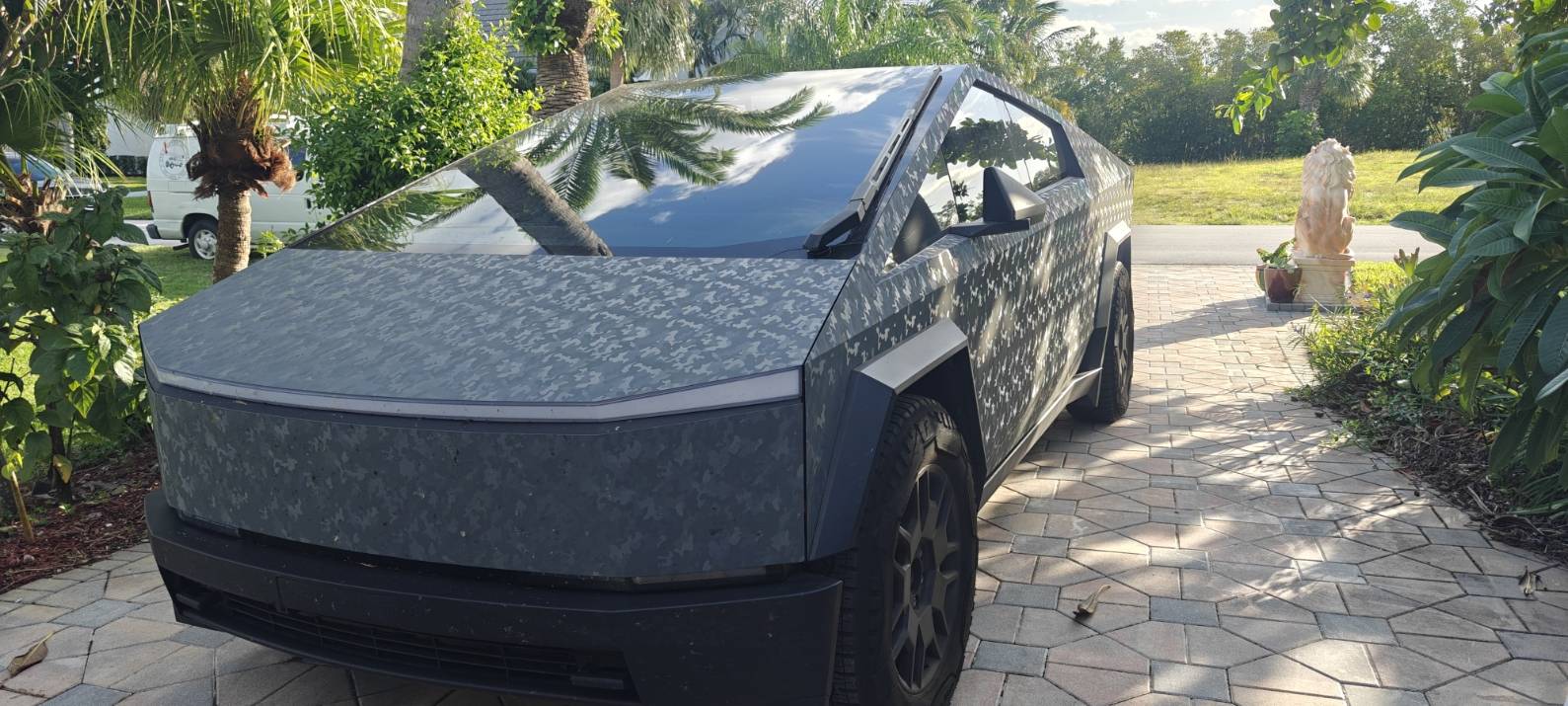
This entire time, I was all alone in the Beast along with my little pug puppy! I used the FSD for almost all the time. It is amazing, of course. It makes driving so much easier, I was able to drive through the night (without checking into a hotel) twice, once on my way to Florida, and once on my way back to Phoenix. Just to be sure, most of the drive is on the first release of FSD for CyberTruck, and a little on FSD 12.5.5.2.
I am not sure if there are any critical interventions at all during this entire experience. While this is obviously amazing, I also knew its limitations, so I would act accordingly before it would need an intervention. Here are some of those things I have done:
- I would give a signal to make it change lanes so that it doesn't wait until the last minute to make lane change (for example. to exit the freeway).
- I took over completely as soon as the car drove into a super-charger parking lot. It seems to make a lot of mistakes once it is in the parking lot.
- I started off using Auto Max Speed, but I ran into a problem. In one stretch, I got the warning saying that I needed to stay below 70mph (to make it to the next charger), but FSD is happy driving over 70MPH. At the time, I didn't realize I could simply switch over to User Max Speed, so I ended up turning off FSD. After that stretch of about 100 miles, I drove the rest of the time with User Max Speed. In this process, I learned that even if I am using User Max Speed (mine is Speed Limit + 10%), it seems like the truck would drive at lower speeds anyway. It seems Auto Max is still in play even though User Max Speed is displayed.
- Whenever it was driving too slow, I would press the accelerator pedal to make it go faster. It seems to understand my need, and it stays at a faster speed even after I stopped pushing the accelerator pedal.
- It does go into the wrong lanes (to the left of the yellow lines) a few times, especially when there are no other cars around. In those cases, I would take over – so, in theory, it is not a critical intervention.
Speed
Since I drove many 1000’s of miles in a very short period, I got to notice lots of behaviors and was able to think about possible reasons behind them. Here are some observations that still baffle my mind and I would like to discuss them here to see your reactions. Would love to hear from your points of view to see what I am missing.
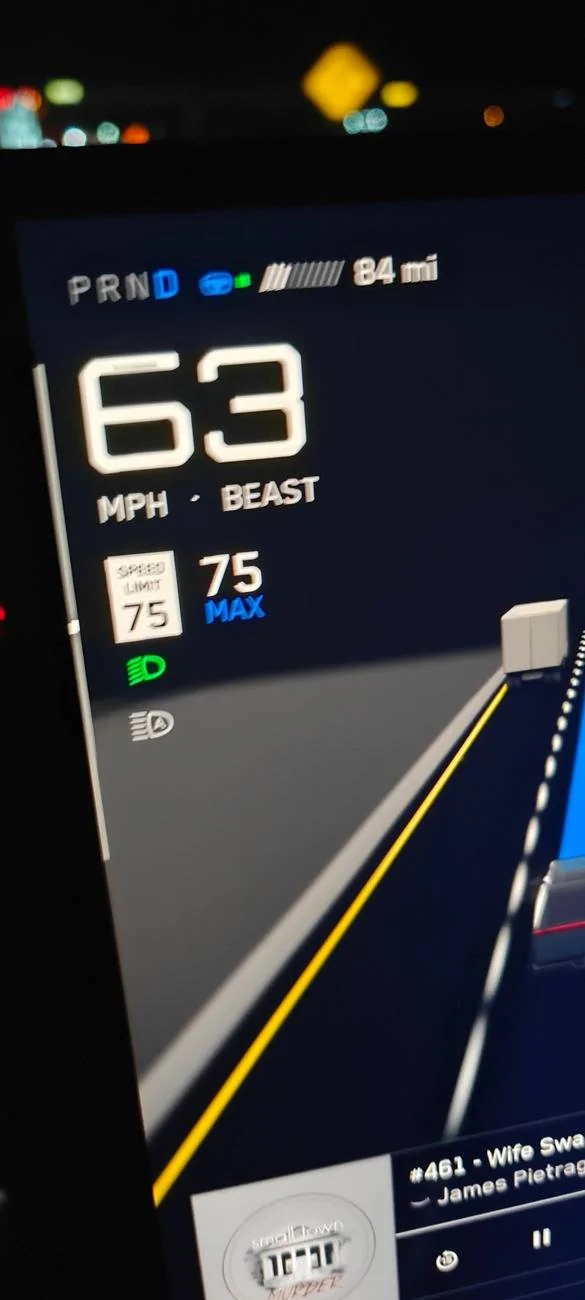
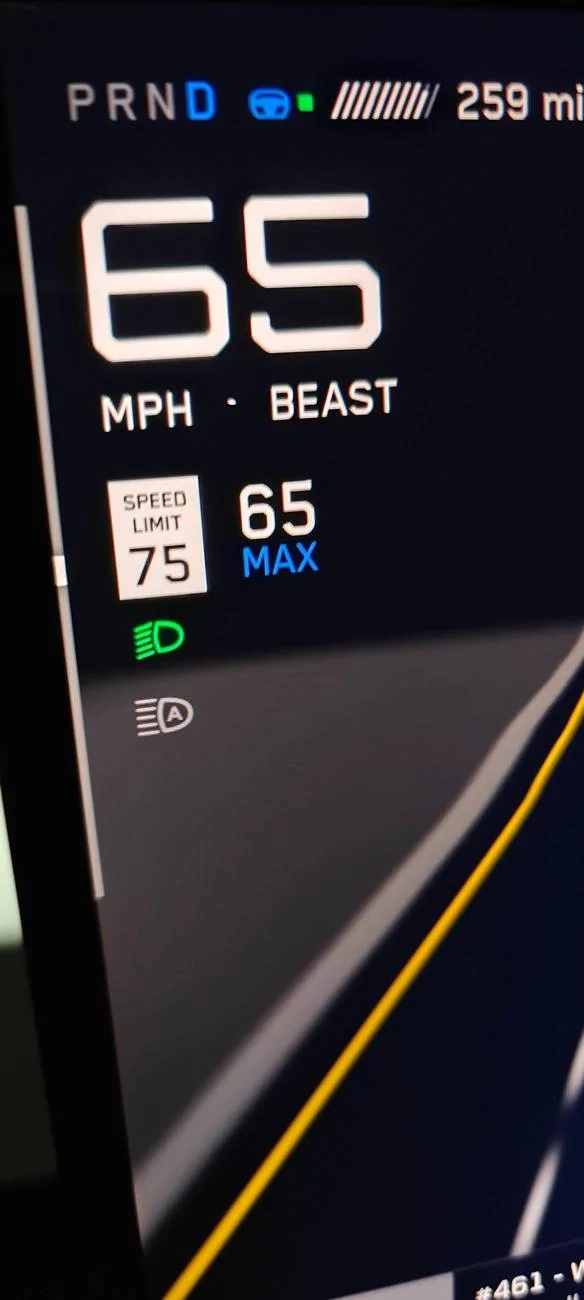
- Others have documented it, but the car seems to be too slow most of the time. But, I can’t figure out the reason. The car almost always wants to go slower independent of what road conditions are, the nearby traffic, day vs night, good weather vs bad weather, the actual speed limit, the max speed limit, and the Auto Max whether it is explicitly set or not.
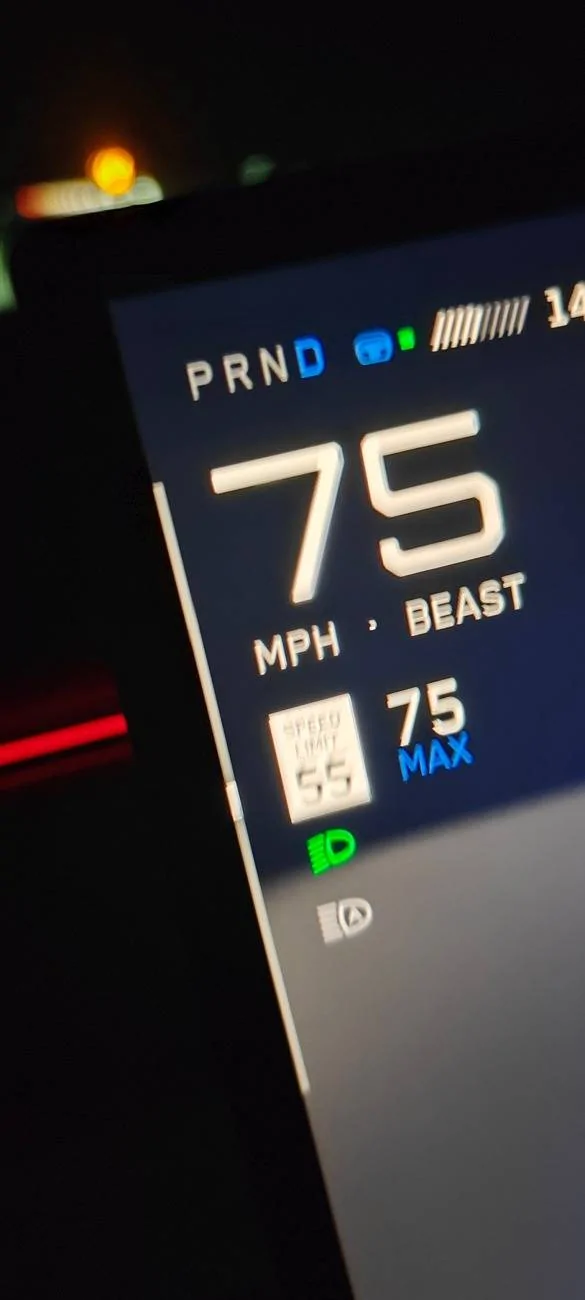
Here are some examples:

- Actual speed limit is 65, Max is set to 75, and the car drives at 62 for extended periods of time. By changing 75 up to 80 didn’t make any difference, but changing it below 65 would make a difference. Tapping the gas pedal will bringing it up to 75 and wants to remain there, it seems.
- My automatic offset is set to 10% more. But, many times, the max speed is not adjusted, even though it sometimes adjusts it. For example, I am driving with 70 speed limit, Max is set to 77, and the car is driving at 75. Speed limit changes to 55 and the screen reflects it. However, at times, the car speed remains at 75 and Max is still set to 77. At other times, the speed limit and the max change to 55 and 60, respectively, and the car slows down right away. This inconsistent behavior bothered me.
- There are other times, for example, when I am taking the exit, the speed limit numbers seem to be confusing. I have seen on the screen the speed limit is 70, but the max speed changes to 40 or 30 as I am exiting. While this may make sense, I don’t remember the older software did that. The car simply slowed down without adjusting the numbers on the screen. That may be better for UI.
CyberTruck doesn’t have driver profiles such as chill, standard, and hurry. Not sure how it decides to change lanes when the traffic is slow. Here are some examples:
- Some of the times, especially, when it is nearing an exit, the car seems to want to change to a left lane from the right lane even within 0.5 miles from the exit.
- Other times, it would drive very slowly behind a truck for extended period of time even when the next lane is empty or moving a lot faster.
- When I give a signal manually, it takes a long time for it to initiate the lane change it seems.
- Sometimes it takes more than 10 seconds for it to complete the change even if there are no other cars in the next lane.
- Sometimes, the blinker is on, but FSD seems to ignore it.
Charging
When I am doing charging at the super charger, it tells me that it is ready to go when it has enough charge to reach the next destination. It seems the algorithm wants me to get there with a charge of 10-20% left. However, there seems to be some confusion, at least in my head. Here are some examples:
- When I disconnect from the super charger, it will show me that the charge expected at the end of the next stretch would be, say, 15%. As soon as I start driving, within a mile or two, it would jump up to 25%. Not sure what changed in that minute or so driving.
- I also noticed that if I forced it navigate again, the expected charge at the destination will change. In the above example, after it jumps to 25%, if I stop the navigation and restart the navigation, it will drop back down to 15%. Weird!
- In one case, I only had one charger (explicitly set) which is reachable with the current charge, and the final destination that is more than a 1000 miles away after the charger. The navigation system shows that charger is reachable with the charge level left at 15%, but the charge at the final destination is set to 5%, even though it is obvious that there is no way the car can get there without any further charging.
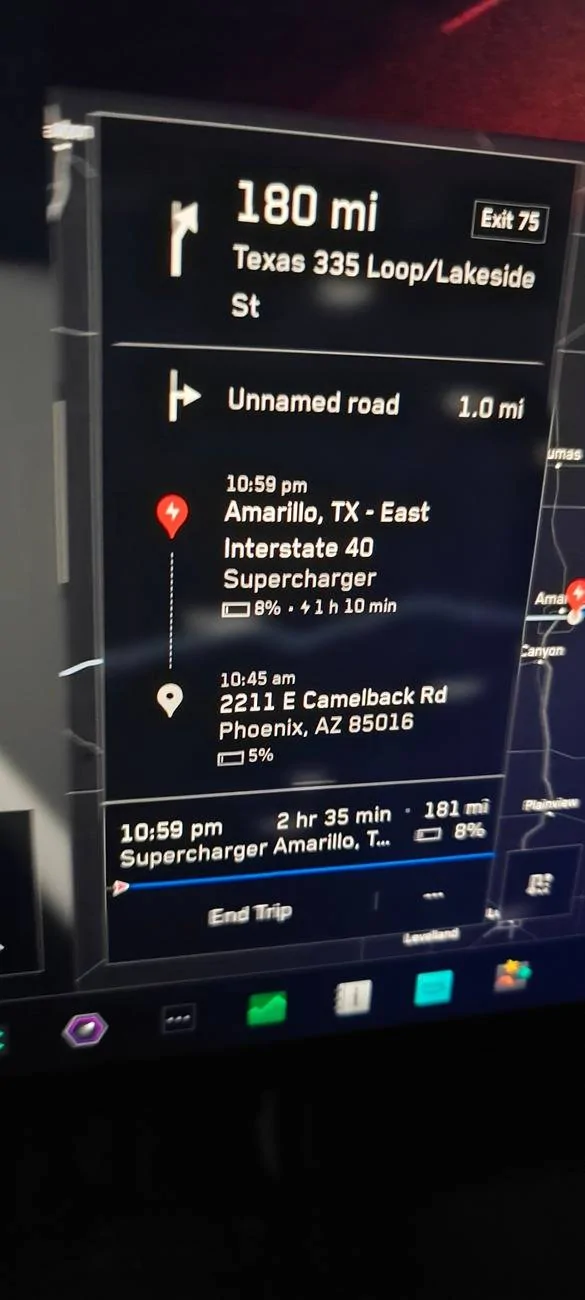
- Which speeds does it use to calculate the charge levels? Does it use the speed limits based on the navigation system or does it use the offset (+10%) to make that calculation? This is pretty important, it seems, but not sure how it is used.
- Why does the calculation change suddenly from at the supercharger to when I am driving.
One of my mudguards broke off, and the Tesla service decided to charge me for the replacement. Didn’t seem right, but, of course, Tesla Service seems to think that they don’t even need to talk to the customer.
Still no communication from Tesla sales when I may be getting the hub caps, the light bar, and the super-charger miles in lieu of power-share.
FSD would occasionally put up big-red-hot-steering on the screen with a lot of beeping and ask me to take over immediately. This method was used to tell me that I was getting a strike-out in the past versions of FSD – so, I would almost panic. However, with this new software, it tells me that FSD quit because of System Error. This happened more than 10 times during this long drive, but not sure why. When the weather is bad (raining or direct sunlight), it seems to happen a lot more. But, it also happened when everything seems normal.
Conclusion
After driving 25,000 plus miles since the end of May when I picked up the CyberTruck, it handily surpassed my Signature Model S from 2012, and my Model 3 Performance from 2018 in terms of driving pleasure. (Of course, I drove X and Y at various times when I picked up the loaners.) The truck is smooth and comfortable.
FSD is amazing. Even with all the observations listed here, I would say the number of significant interventions over 9,000 miles are less than a handful (not counting giving signals, tapping on the accelerator pedals, and parking lots). I have to say I am actually less comfortable driving without FSD turned on, vs having it on.
Not having the steering nag is amazing! With the old software when the steering nag was the main safety, I used to get a strike every 500 miles easily. With the vision based attention monitoring, I only had one strike out in 9,000 miles. In that case, I am not sure why, however. Wish it told me how I screwed up!
Sorry for the long post. Would love to hear your feedback from you all!
Best,
Mohan

Sponsored