Sponsored

Phone Key Not Detected In Cabin - Even when it IS connected

H2joe

Member
First Name
Joe
Joined
Oct 28, 2023
Threads
5
Messages
20
Reaction score
5
Location
Huntington Beach
Vehicles
Model 3
Country flag
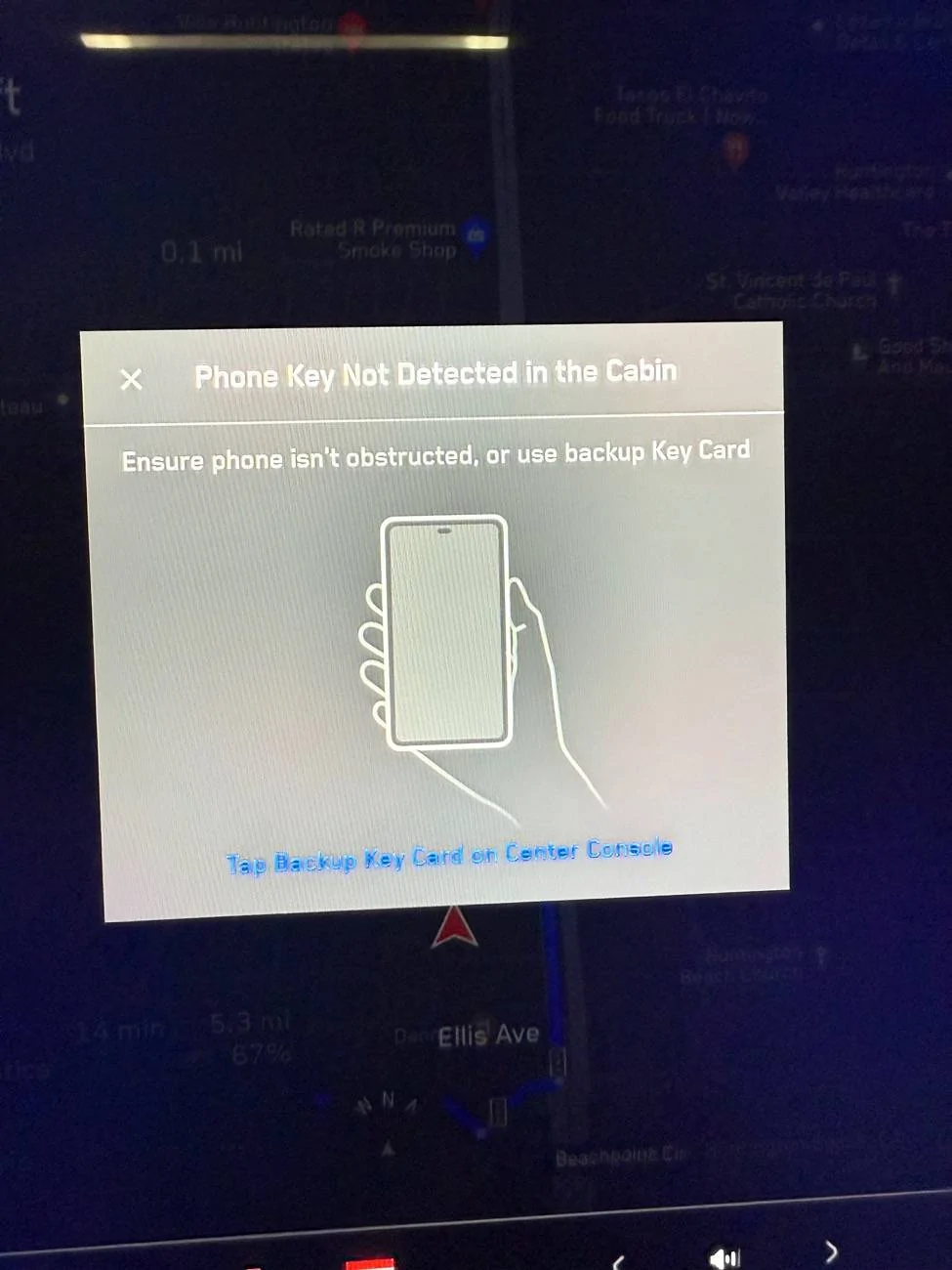
Recently I started getting a message, every single time I get into my CT, to setup a phone key OR Phone key not detected in cabin...EVEN though I am connected and everything works. I have to dismiss it every time.

  1. I deleted all phone keys and Apple Watch
  2. I removed all bluetooth instance on my iPhone
  3. I did a hard reset on the CT
  4. I did a hard reset on my iPhone
  5. I'm on 2024.45.32.20
  6. iPhone is fully updated
Nothing at all works.

Has anyone had this issue and solved it?

Thanks!

Tesla Cybertruck Phone Key Not Detected In Cabin - Even when it IS connected tempImageANfsX4
Sponsored


koolio

Well-known member
Joined
Dec 4, 2024
Threads
3
Messages
1,046
Reaction score
1,104
Location
Greater Boston, MA
Vehicles
2024 Cybertruck, 2024 Model 3 (former: 2020 Model Y)
Country flag
Not sure this is helpful since you didn’t I did, but sharing just in case.

This happened to me last night (not on my CT) but on my wife’s 2024 Model 3. I hadn’t driven her car in a while (maybe 1 month or so) and I got in it and had this exact same issue. Her vehicle showed my profile at the top of the screen. Her vehicle was on the same firmware as yours: 2024.45.xx.

I fixed it by: (while sitting in her car)
1. Deleting my phone key from her car (Settings > Locks)
2. Delete the Bluetooth pairing of her car on my iPhone
3. In the Tesla app, it instantly showed “setup phone key”.
4. I tapped setup and paired it to her car. All was fixed. The interesting part was when I added the phone key, it didn’t ask me to tap my key card (which it does when first setting up a phone key).
 

CapheDa

Well-known member
First Name
Dustin
Joined
Dec 25, 2023
Threads
19
Messages
194
Reaction score
412
Location
Brea, California
Vehicles
2018 M3, 2023 M3P, 2024 CTFS
Occupation
Investor
Country flag
Recently I started getting a message, every single time I get into my CT, to setup a phone key OR Phone key not detected in cabin...EVEN though I am connected and everything works. I have to dismiss it every time.

  1. I deleted all phone keys and Apple Watch
  2. I removed all bluetooth instance on my iPhone
  3. I did a hard reset on the CT
  4. I did a hard reset on my iPhone
  5. I'm on 2024.45.32.20
  6. iPhone is fully updated
Nothing at all works.

Has anyone had this issue and solved it?

Thanks!
tempImageANfsX4.jpg
I am having the same issue which started about a week ago. It’s a real pain. I have taken none of the steps to fix it (delete everything in CT and phone and start over) because it takes time. I was hoping this last update would fix it but it didn’t.

My truck no longer recognizes me. I have to unlock the truck from my phone, then get in and simply close restart my Tesla app (iPhone) OR simply turn off Bluetooth on the phone and turn it back on. Then the request for a keycard goes away and I can drive away.


Cyberham

Well-known member
Joined
Jan 20, 2025
Threads
11
Messages
145
Reaction score
207
Location
Penticton BC
Vehicles
Cybertruck
Country flag
I've been having odd things happening as well, for example it will go into sleep mode while I am sitting in the truck after just a minute or so(not 30 minutes like it use to) or it will pop into park if I'm driving without my seat belt on(for example in a parking lot to the pick up bay)
 
OP
OP
H2joe

H2joe

Member
First Name
Joe
Joined
Oct 28, 2023
Threads
5
Messages
20
Reaction score
5
Location
Huntington Beach
Vehicles
Model 3
Country flag
I had the same issue --> UPDATED the Tesla app and it seems to be resolved. ??
Coincidentally, I got an app update today. I updated. I did a hard reset on the phone and the truck.

Disappointingly, it didn't fix it
 

CapheDa

Well-known member
First Name
Dustin
Joined
Dec 25, 2023
Threads
19
Messages
194
Reaction score
412
Location
Brea, California
Vehicles
2018 M3, 2023 M3P, 2024 CTFS
Occupation
Investor
Country flag
So far, simply deleting and reinstalling the Tesla app from the iPhone worked.
 
OP
OP
H2joe

H2joe

Member
First Name
Joe
Joined
Oct 28, 2023
Threads
5
Messages
20
Reaction score
5
Location
Huntington Beach
Vehicles
Model 3
Country flag
So far, simply deleting and reinstalling the Tesla app from the iPhone worked.
I will try deleting it again. Also, I just reset network settings on my iPhone too. I will report back. Thank you all


rudedawg78

Well-known member
First Name
Ernie
Joined
Jun 8, 2020
Threads
46
Messages
1,814
Reaction score
3,019
Location
South Carolina
Vehicles
2024 AWD Cybertruck (Foundation Series) "Wraith"
Occupation
Retired USAF, Emergency Manager
Country flag
Recently I started getting a message, every single time I get into my CT, to setup a phone key OR Phone key not detected in cabin...EVEN though I am connected and everything works. I have to dismiss it every time.

  1. I deleted all phone keys and Apple Watch
  2. I removed all bluetooth instance on my iPhone
  3. I did a hard reset on the CT
  4. I did a hard reset on my iPhone
  5. I'm on 2024.45.32.20
  6. iPhone is fully updated
Nothing at all works.

Has anyone had this issue and solved it?

Thanks!

tempImageANfsX4.jpg
Have the exact same issue and logged in to make a thread about it. You beat me to it! So freaking frustrating. A fix I found is to restart my phone...every freaking day... for my Cybertruck to detect the key again.

I thought maybe the recent Android OS update on my phone could have screwed things up or one of the Tesla OTA updates? I dunno. I have had my Cybertruck for a long time now and this issue has showed itself to me within the last few weeks. Deleted and readded the keys, hard and soft reset... Only temporary fix for me is to restart my phone, but like I said, I have to do this everyday as it only works for a bit after a phone restart.

Ugh....
 

rudedawg78

Well-known member
First Name
Ernie
Joined
Jun 8, 2020
Threads
46
Messages
1,814
Reaction score
3,019
Location
South Carolina
Vehicles
2024 AWD Cybertruck (Foundation Series) "Wraith"
Occupation
Retired USAF, Emergency Manager
Country flag
Not sure this is helpful since you didn’t I did, but sharing just in case.

This happened to me last night (not on my CT) but on my wife’s 2024 Model 3. I hadn’t driven her car in a while (maybe 1 month or so) and I got in it and had this exact same issue. Her vehicle showed my profile at the top of the screen. Her vehicle was on the same firmware as yours: 2024.45.xx.

I fixed it by: (while sitting in her car)
1. Deleting my phone key from her car (Settings > Locks)
2. Delete the Bluetooth pairing of her car on my iPhone
3. In the Tesla app, it instantly showed “setup phone key”.
4. I tapped setup and paired it to her car. All was fixed. The interesting part was when I added the phone key, it didn’t ask me to tap my key card (which it does when first setting up a phone key).
I have the same issue... I have done what you suggested a few times. Either it doesn't help, or it fixes the issue temporarily and have the same issue the next day. Restarting my phone helps re-establish the phone key link, but works for a bit and the next day I have to restart my phone again to establish the link again. So frustrating. WTH man. :(
 

rudedawg78

Well-known member
First Name
Ernie
Joined
Jun 8, 2020
Threads
46
Messages
1,814
Reaction score
3,019
Location
South Carolina
Vehicles
2024 AWD Cybertruck (Foundation Series) "Wraith"
Occupation
Retired USAF, Emergency Manager
Country flag
Coincidentally, I got an app update today. I updated. I did a hard reset on the phone and the truck.

Disappointingly, it didn't fix it
Yeah, updating or reinstalling the app doesn't help me either. Only a phone restart helps me... and then I have to do it again the next day.. and the next day... so frustrating of why my phone key isn't permanently linked to my CT like it used to be. :(
 
OP
OP
H2joe

H2joe

Member
First Name
Joe
Joined
Oct 28, 2023
Threads
5
Messages
20
Reaction score
5
Location
Huntington Beach
Vehicles
Model 3
Country flag
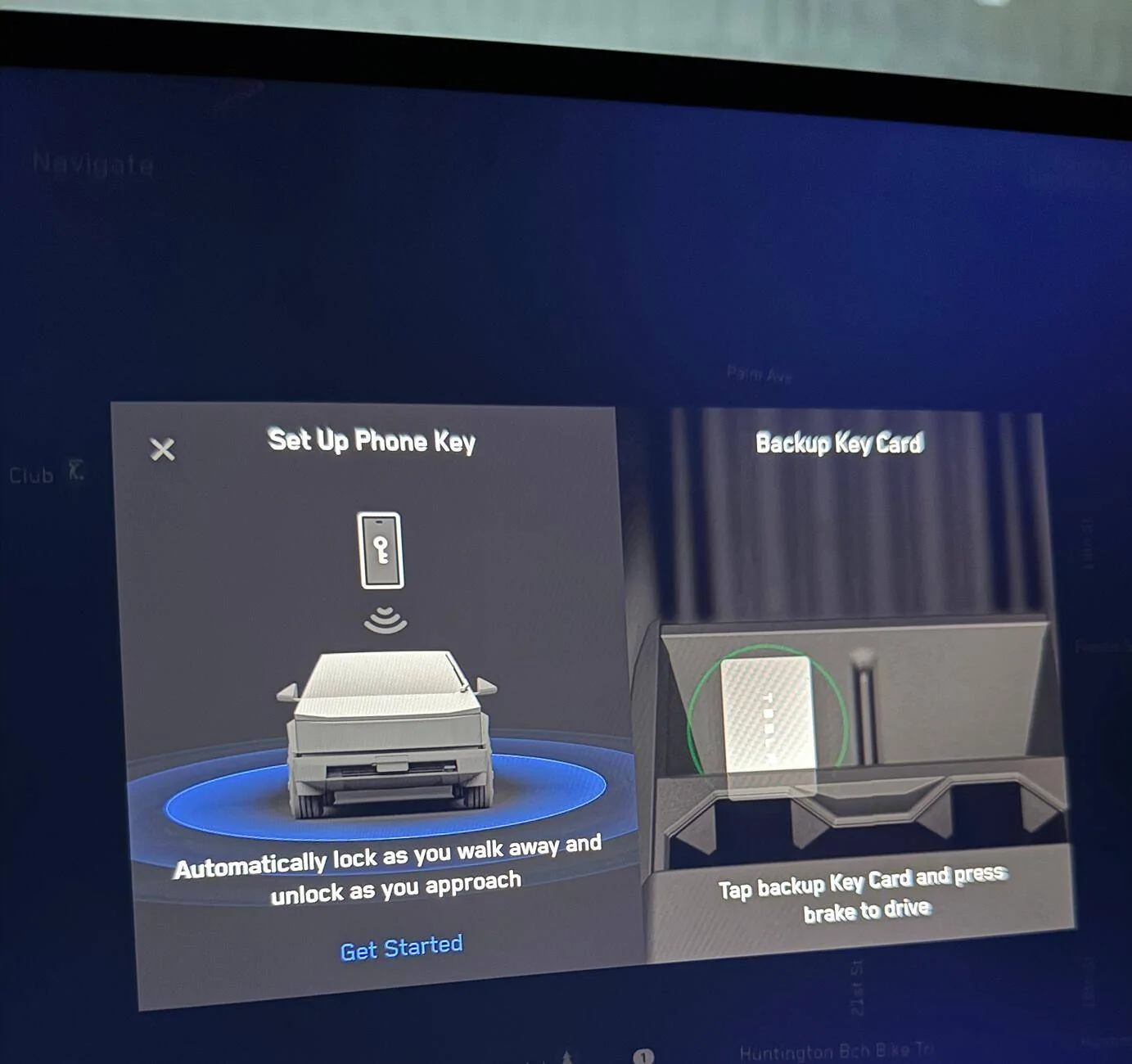
The message alternates between the first one I posted and this one

Tesla Cybertruck Phone Key Not Detected In Cabin - Even when it IS connected IMG_9412
Sponsored


Top