Sponsored

Forward cameras inoperative after getting wrap

DavidL

Active member
First Name
David
Joined
Dec 30, 2019
Threads
7
Messages
38
Reaction score
46
Location
Orange County, CA
Vehicles
Tesla Model 3
Occupation
Pilot
Country flag
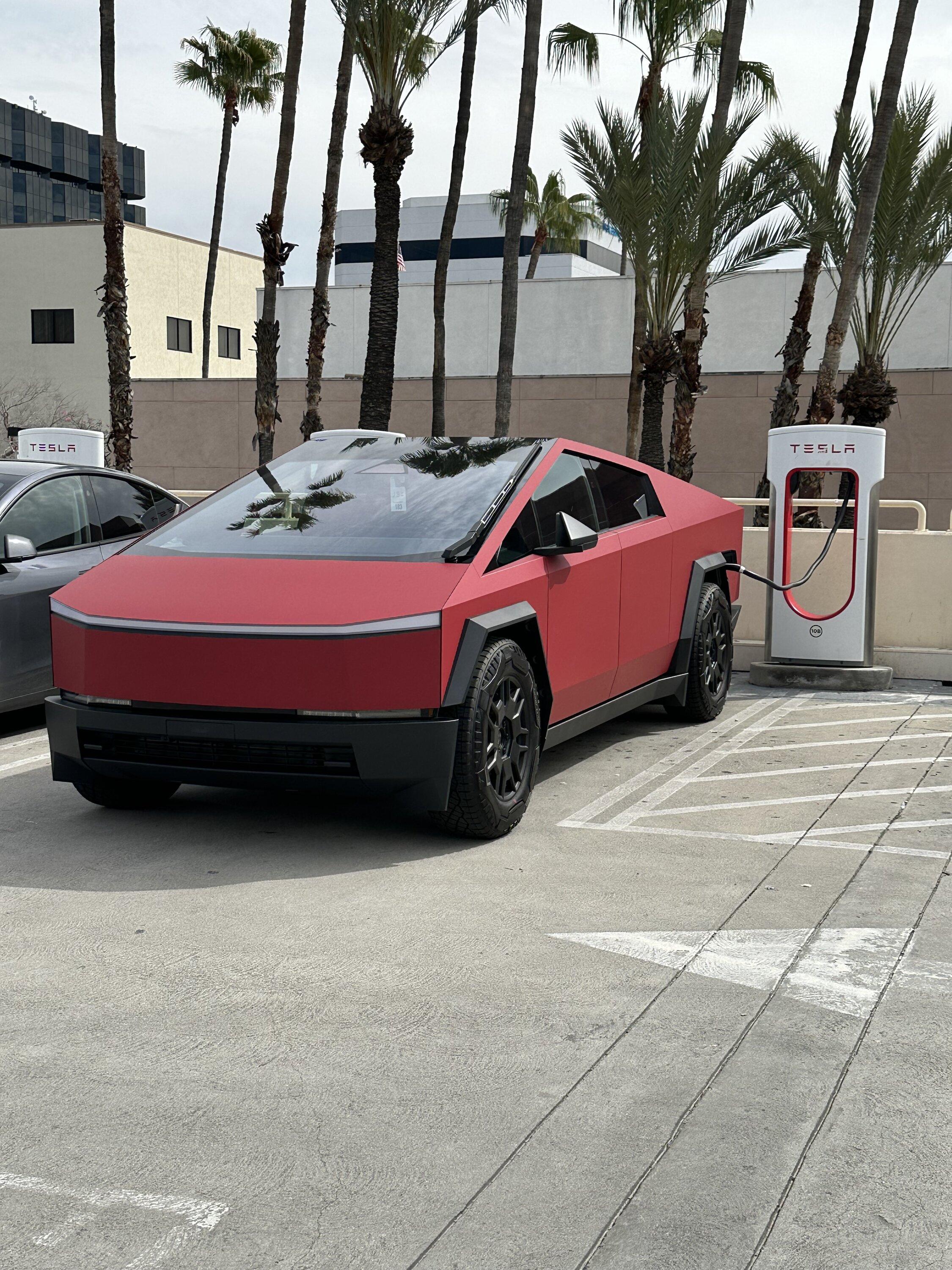
Got my truck wrapped (see photo) and now my forward cameras don’t work, even though they are plugged in correctly. Wrap guy said it can take a while for system to reset. Anybody know how to do a hard reset to get them going?

Tesla Cybertruck Forward cameras inoperative after getting wrap IMG_2272


Tesla Cybertruck Forward cameras inoperative after getting wrap IMG_2270
Sponsored


Gigahorse

Well-known member
Joined
Dec 19, 2023
Threads
17
Messages
2,820
Reaction score
3,172
Location
USA
Vehicles
AWD
Check that there is not something covering the cameras, if unplugged some users have reported that it takes time for them to come back online and a couple of restarts
 
OP
OP

DavidL

Active member
First Name
David
Joined
Dec 30, 2019
Threads
7
Messages
38
Reaction score
46
Location
Orange County, CA
Vehicles
Tesla Model 3
Occupation
Pilot
Country flag
Yeah they are plug and clear. Couple of restarts I guess. Thanks!
 

truck

Well-known member
Joined
Sep 23, 2023
Threads
26
Messages
194
Reaction score
272
Location
Texas
Vehicles
Tesla Model X 2017 100D LR/S 2015 P85D/Cyberbeast
Country flag
Did a mod rename your thread? Felt like it used to have a funnier name.


ProtectaClear

Well-known member
First Name
Jackie
Joined
Jan 24, 2024
Threads
15
Messages
172
Reaction score
348
Location
Rancho Cordova, CA
Vehicles
S
Country flag
Got my truck wrapped (see photo) and now my forward cameras don’t work, even though they are plugged in correctly. Wrap guy said it can take a while for system to reset. Anybody know how to do a hard reset to get them going?
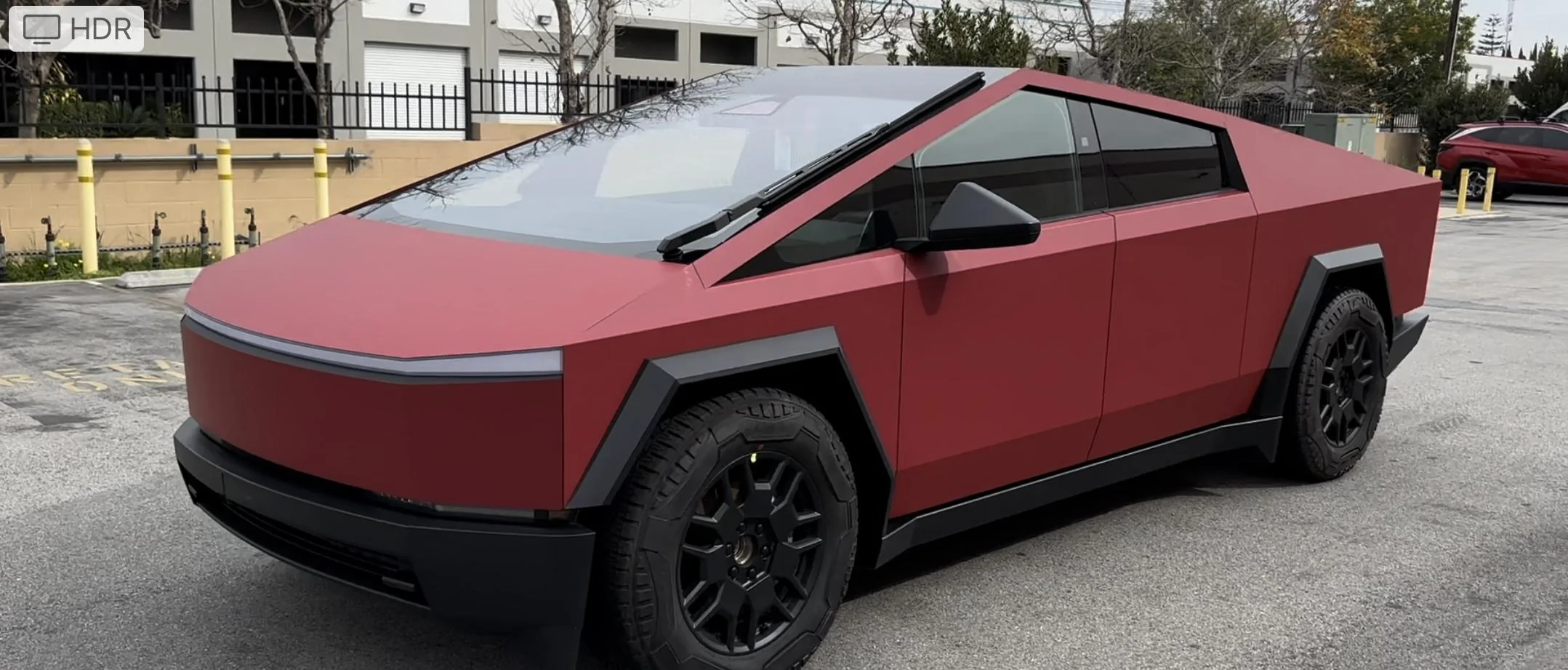
IMG_2272.jpeg


IMG_2270.jpeg
Love the red!!
 

edc

Well-known member
First Name
C
Joined
Dec 12, 2023
Threads
15
Messages
242
Reaction score
464
Location
CA
Vehicles
Tesla Model X, Y, Cybertruck
Country flag
You get it fixed? Secret service menu can see if its unplugged and what the issue is
 
OP
OP

DavidL

Active member
First Name
David
Joined
Dec 30, 2019
Threads
7
Messages
38
Reaction score
46
Location
Orange County, CA
Vehicles
Tesla Model 3
Occupation
Pilot
Country flag
Not fixed yet but going to do a few
Starts and see how it goes.
 

Crissa

Well-known member
First Name
Crissa
Joined
Jul 8, 2020
Threads
138
Messages
19,571
Reaction score
31,475
Location
Santa Cruz
Vehicles
2014 Zero S, 2013 Mazda 3
Country flag
Dirty Tesla said it was the number of miles you've driven, but that was for using the cameras with Autopilot.

Does the views not come up on the screen?

-Crissa
 
OP
OP

DavidL

Active member
First Name
David
Joined
Dec 30, 2019
Threads
7
Messages
38
Reaction score
46
Location
Orange County, CA
Vehicles
Tesla Model 3
Occupation
Pilot
Country flag
Correct, views do not come up on the screen (and they did before). When they wrapped it, they remove the black wheel surrounds and unplug the cameras. When they didn’t work, I took it back, and he removed the surrounds again and reconfirmed that the cameras were plug in.


edc

Well-known member
First Name
C
Joined
Dec 12, 2023
Threads
15
Messages
242
Reaction score
464
Location
CA
Vehicles
Tesla Model X, Y, Cybertruck
Country flag
go to secret service menu and reset the das.
software
hold cybertruck with your finger
password is service:
cameras: they should all be green. but click on reset DAS
 
OP
OP

DavidL

Active member
First Name
David
Joined
Dec 30, 2019
Threads
7
Messages
38
Reaction score
46
Location
Orange County, CA
Vehicles
Tesla Model 3
Occupation
Pilot
Country flag
How to get to the secret service menu?
 

Tony stank

Well-known member
Joined
Dec 26, 2023
Threads
14
Messages
182
Reaction score
337
Location
San Jose
Vehicles
CT AWD, X3 M Comp, GT3 RS
Occupation
Ex Tesla, ADAS whisperer
Country flag
go to secret service menu and reset the das.
software
hold cybertruck with your finger
password is service:
cameras: they should all be green. but click on reset DAS

That’s how u go to the service menu.
Sponsored


Top