Sponsored

Outlets menu gone? 2025.20.6

jimbaum

Well-known member
First Name
jim
Joined
Feb 8, 2025
Threads
9
Messages
84
Reaction score
114
Location
Plano, TX
Vehicles
Cybertruck, Model 3
Country flag
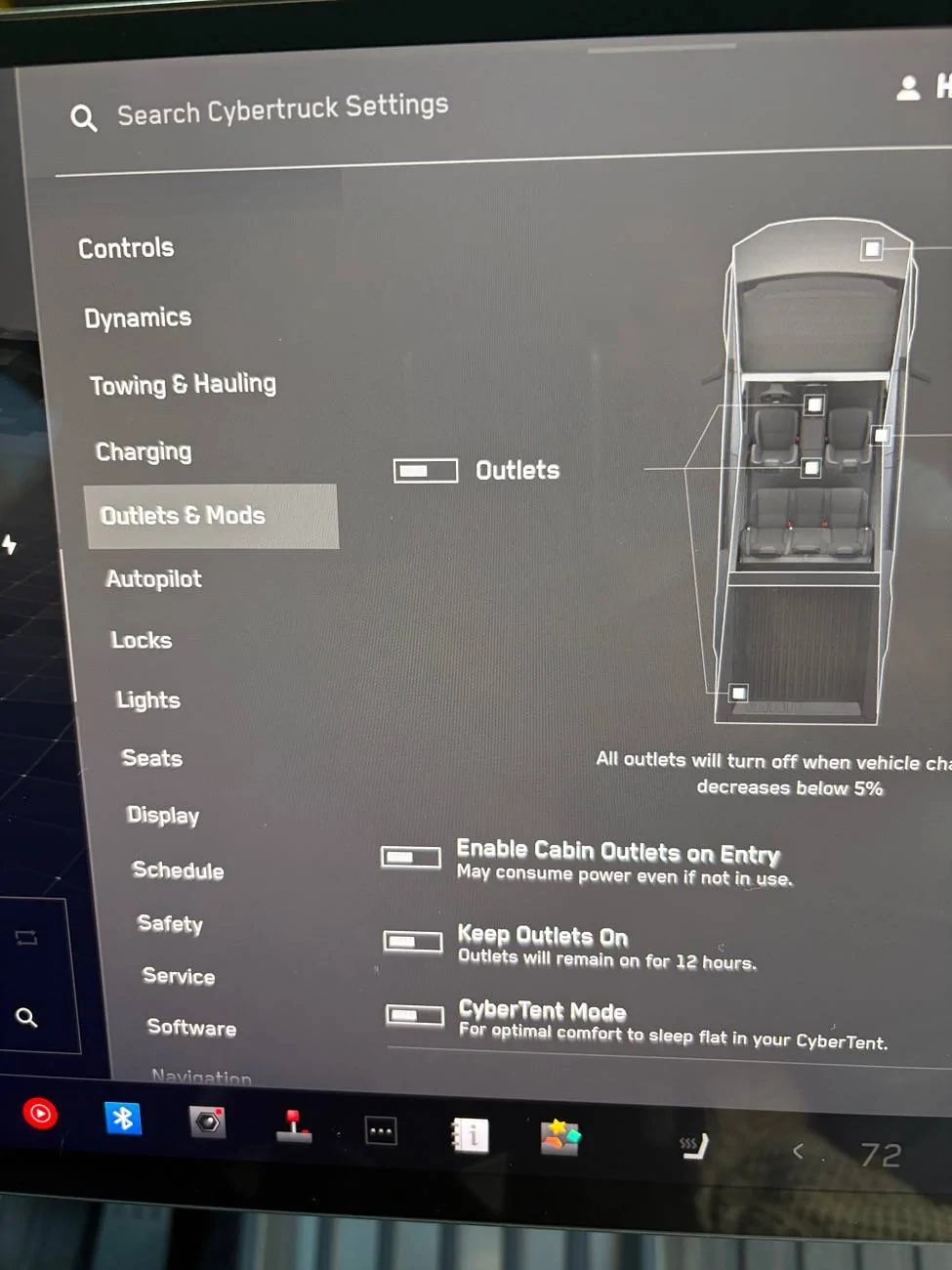
I noticed my batteries for my camera were not charging this morning (I have it plugged into my 110V in my console). I went to look for the Outlets menu to turn the outlets on, but could not find the menu anywhere.... the search function does not bring it up either.

Anyone else having this issue, or am I missing something?
Sponsored
 
OP
OP
jimbaum

jimbaum

Well-known member
First Name
jim
Joined
Feb 8, 2025
Threads
9
Messages
84
Reaction score
114
Location
Plano, TX
Vehicles
Cybertruck, Model 3
Country flag
btw - I did get the 2025.20.6 update last night
 

heems

Well-known member
Joined
Dec 17, 2023
Threads
14
Messages
314
Reaction score
656
Location
San Diego
Vehicles
2023 Model Y AWD, 2024 Cybertruck FS AWD
Country flag
Still here for me on 2025.20.6:

Tesla Cybertruck Outlets menu gone?  2025.20.6 IMG_7531
 
OP
OP
jimbaum

jimbaum

Well-known member
First Name
jim
Joined
Feb 8, 2025
Threads
9
Messages
84
Reaction score
114
Location
Plano, TX
Vehicles
Cybertruck, Model 3
Country flag
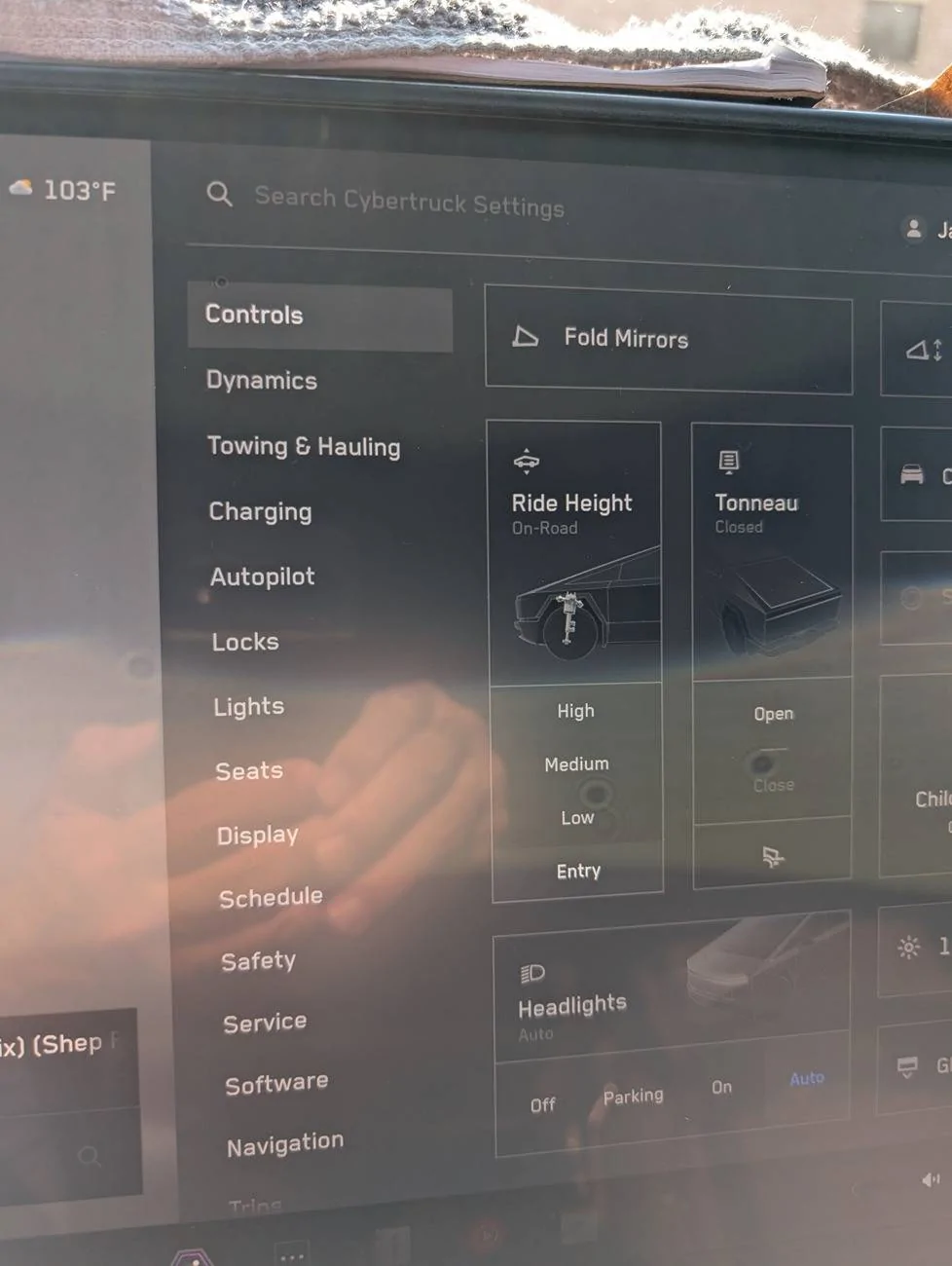
Well, I am missing the Outlets menu and my outlet does not come on :(

How do I get the menu back? Any suggestions?
Tesla Cybertruck Outlets menu gone?  2025.20.6 PXL_20250708_221022520
 

Mal

Well-known member
First Name
Mal
Joined
Feb 13, 2024
Threads
31
Messages
636
Reaction score
1,617
Location
WA
Vehicles
'24 CB "Rocinante"
Country flag
Still here for me, too. Man, that's a weird one.

If you haven't, try a reboot.

Touchscreen Restart:
- Shift the Cybertruck into Park.
- Press and hold both scroll buttons on the steering wheel simultaneously.
- Continue holding until the touchscreen goes black and the Tesla T logo appears.
- Release the buttons and allow the touchscreen to reboot.
- The touchscreen should be responsive again.

Power Cycling the Vehicle:
- Shift the Cybertruck into Park.
- On the touchscreen, navigate to Controls > Safety > Power Off.
- Wait for at least two minutes without touching the vehicle (no opening doors, touching the brake pedal, etc.).
- After two minutes, open a door to wake the vehicle.


OP
OP
jimbaum

jimbaum

Well-known member
First Name
jim
Joined
Feb 8, 2025
Threads
9
Messages
84
Reaction score
114
Location
Plano, TX
Vehicles
Cybertruck, Model 3
Country flag
That worked!
I just restarted the screen (no red Tesla logo appeared, and it remained dark, so I released the buttons). And after a while, the CT logo appeared, and the Outlets menu is now back.

Thanks for your help.
 

Ri22

Well-known member
First Name
George
Joined
Dec 19, 2023
Threads
3
Messages
134
Reaction score
190
Location
Land of Entrapment
Vehicles
M3 CT
Occupation
Cinematographer
Country flag
That's an interesting bug. By any chance were the outlets on and you battery charger running during the update? I know the power feed and outlets check for electrical anomalies during their initiation.
 
OP
OP
jimbaum

jimbaum

Well-known member
First Name
jim
Joined
Feb 8, 2025
Threads
9
Messages
84
Reaction score
114
Location
Plano, TX
Vehicles
Cybertruck, Model 3
Country flag
That's an interesting bug. By any chance were the outlets on and you battery charger running during the update? I know the power feed and outlets check for electrical anomalies during their initiation.
The household outlet was the only one that was not working. The USB ports were fine, so I temporarily switched to those.
Sponsored


Top