Sponsored

Where are FSD cameras? Got the following error

kbrown415

Member
First Name
kathy
Joined
Dec 23, 2024
Threads
9
Messages
24
Reaction score
20
Location
las vegas
Vehicles
Tesla Y, Tesla X (2 of these), Cybertruck and a Chrysler mini van
Occupation
retired
Country flag
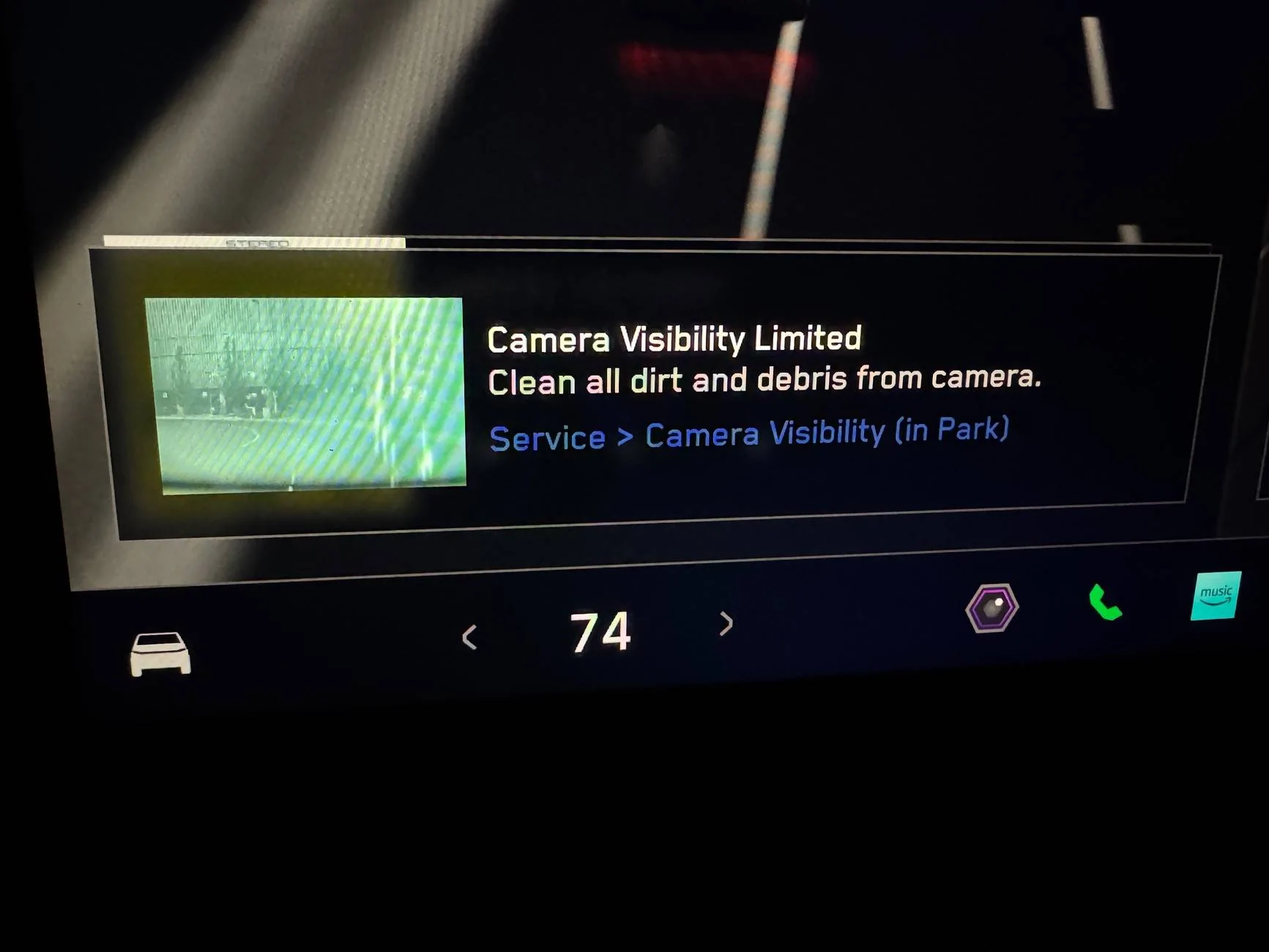
I just had my CT washed, so it was not dirty, but I got the attached error when I did FSD…”Camera Visibility Limited” Clean all dirt and debris from camera.

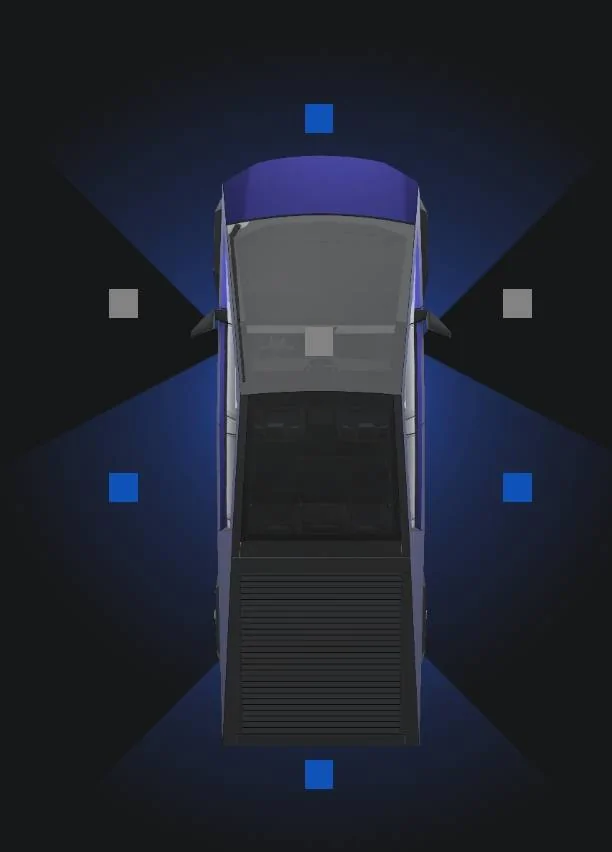
I don’t know which camera or where they are. There is a photo through the camera, but it is so blurry, I cannot tell anything. How are we supposed to know which camera needs cleaning?

Tesla Cybertruck Where are FSD cameras? Got the following error IMG_7331
Sponsored


REM

Well-known member
Joined
Dec 9, 2023
Threads
14
Messages
3,583
Reaction score
6,662
Location
NC
Vehicles
2020 Model 3 Standard Range++ & Diet Cybertruck, Dual Motor
Occupation
Professional Retard
Country flag
Did you visit the link in blue that it's pointing you to? It will tell you which one(s) lol.

Most of the time this popup will present when there was an extended period of sunflare; at least in my experience. But then again, I ceramic coated all my cameras.
 

acuransx

Well-known member
First Name
Tom
Joined
Jan 9, 2025
Threads
1
Messages
48
Reaction score
19
Location
95926
Vehicles
cybertruck
Country flag
Off the topic. Do the cameras for FSD have poor vision at nighttime like an old man driving at night? Because I always have a message every time I use FSD at night.
 
OP
OP

kbrown415

Member
First Name
kathy
Joined
Dec 23, 2024
Threads
9
Messages
24
Reaction score
20
Location
las vegas
Vehicles
Tesla Y, Tesla X (2 of these), Cybertruck and a Chrysler mini van
Occupation
retired
Country flag
Yes, I was driving at night. Interesting……
 

cybercricket

Well-known member
Joined
Oct 31, 2024
Threads
13
Messages
659
Reaction score
798
Location
Oregon
Vehicles
Cybertruck
Country flag
Yeah, when driving on unlit roads at night it complains about the visibility even with perfectly clean cameras.


acuransx

Well-known member
First Name
Tom
Joined
Jan 9, 2025
Threads
1
Messages
48
Reaction score
19
Location
95926
Vehicles
cybertruck
Country flag
I just had my CT washed, so it was not dirty, but I got the attached error when I did FSD…”Camera Visibility Limited” Clean all dirt and debris from camera.

I don’t know which camera or where they are. There is a photo through the camera, but it is so blurry, I cannot tell anything. How are we supposed to know which camera needs cleaning?
IMG_7331.jpeg

That is a sun glaze. I have the same message.
 

mongo

Well-known member
Joined
May 27, 2024
Threads
5
Messages
4,531
Reaction score
5,512
Location
SE Michigan
Vehicles
Cyberbeast
Country flag
I just had my CT washed, so it was not dirty, but I got the attached error when I did FSD…”Camera Visibility Limited” Clean all dirt and debris from camera.

I don’t know which camera or where they are. There is a photo through the camera, but it is so blurry, I cannot tell anything. How are we supposed to know which camera needs cleaning?

IMG_7331.jpeg
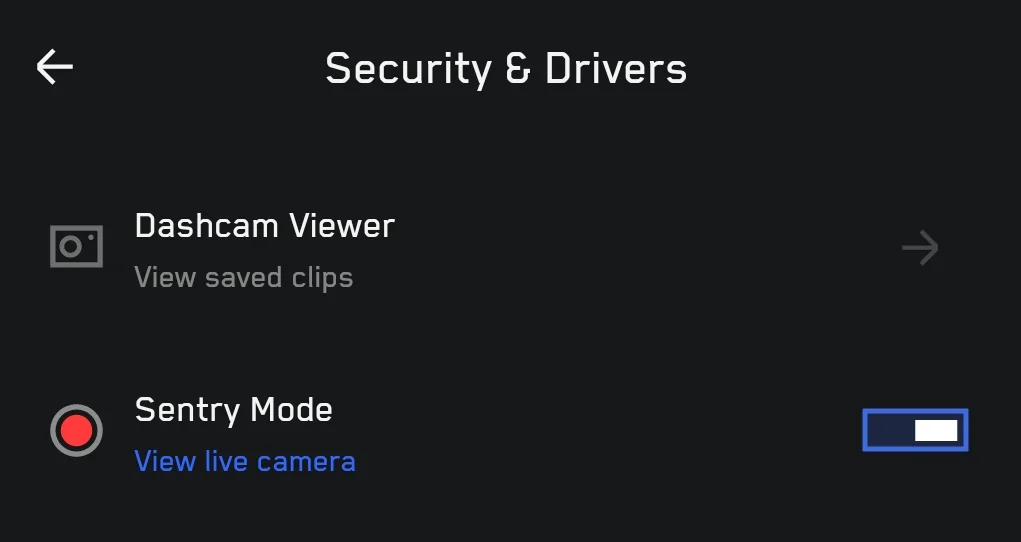
You can view each camera in the app or center console .
Looks like front camera so the inside surface of windshield is likely hazed over.
 
OP
OP

kbrown415

Member
First Name
kathy
Joined
Dec 23, 2024
Threads
9
Messages
24
Reaction score
20
Location
las vegas
Vehicles
Tesla Y, Tesla X (2 of these), Cybertruck and a Chrysler mini van
Occupation
retired
Country flag
I looked at the app on my phone & iPad and do not see where you can see each of the cameras.
 
OP
OP

kbrown415

Member
First Name
kathy
Joined
Dec 23, 2024
Threads
9
Messages
24
Reaction score
20
Location
las vegas
Vehicles
Tesla Y, Tesla X (2 of these), Cybertruck and a Chrysler mini van
Occupation
retired
Country flag
Wow! Thanks so much. I was looking at my iPad and not my phone. I don’t have those options on my iPad. I guess because I don’t have it paired as a key.


HaulingAss

Well-known member
Joined
Oct 3, 2020
Threads
28
Messages
10,336
Reaction score
20,760
Location
Western Washington, USA
Vehicles
Cybertruck DM, 2010 F-150, 2018 Performance Model 3, 2024 Performance Model 3
Country flag
Off the topic. Do the cameras for FSD have poor vision at nighttime like an old man driving at night? Because I always have a message every time I use FSD at night.
Not if your glass is clean. The cameras used by FSD can see in near total darkness, better than a young human.

New cars off-gas plastic vapors when you park them in the sun and those vapors can and will condense on the inside of the windshield, as well as on the camera lenses in the windshield binnacle that houses them. I got the same message while driving into the setting sun and the image was very washed out. Checking the link in the warning message I could see it was my forward facing camera(s). I took the binnacle apart, carefully cleaned the lenses and the inside of the glass they look through and experienced 100% improvement.

I also cleaned the black flocking that surrounds the cameras and is intended to absorb stray light. It had some light-colored dust and debris stuck to it such that it would scatter light back into the cameras.

Disassembling the camera binnacle is not a job for the faint of heart, so if you are not adept at working in awkward positions and figuring things out on your own, you will want to have a technician at the Service Center do it. The procedure is outlined in the Service Manual but it can be finicky, given the awkward location and the way you need to contort your body to see what you're doing.
 

acuransx

Well-known member
First Name
Tom
Joined
Jan 9, 2025
Threads
1
Messages
48
Reaction score
19
Location
95926
Vehicles
cybertruck
Country flag
Not if your glass is clean. The cameras used by FSD can see in near total darkness, better than a young human.

New cars off-gas plastic vapors when you park them in the sun and those vapors can and will condense on the inside of the windshield, as well as on the camera lenses in the windshield binnacle that houses them. I got the same message while driving into the setting sun and the image was very washed out. Checking the link in the warning message I could see it was my forward facing camera(s). I took the binnacle apart, carefully cleaned the lenses and the inside of the glass they look through and experienced 100% improvement.

I also cleaned the black flocking that surrounds the cameras and is intended to absorb stray light. It had some light-colored dust and debris stuck to it such that it would scatter light back into the cameras.

Disassembling the camera binnacle is not a job for the faint of heart, so if you are not adept at working in awkward positions and figuring things out on your own, you will want to have a technician at the Service Center do it. The procedure is outlined in the Service Manual but it can be finicky, given the awkward location and the way you need to contort your body to see what you're doing.
Great. Thanks!
Sponsored


Top