Sponsored

Wireless Baby Cam Options

kingcrow23

Active member
First Name
Nick
Joined
Apr 1, 2025
Threads
5
Messages
28
Reaction score
20
Location
Austin, TX
Vehicles
‘23 Model Y LR, 24 Cybertruck Foundation Series AWD
Occupation
IT
Country flag
Any parents in here that have solved the problem of putting a baby cam in the CT? The issue I am running into is the charging ports are inconveniently located in the glovebox (where my sentry usb is) or the center console where is a huge gap between the dash. I’m looking for a way to put a cam on the dash without having wires dangling.
Sponsored


 
OP
OP

kingcrow23

Active member
First Name
Nick
Joined
Apr 1, 2025
Threads
5
Messages
28
Reaction score
20
Location
Austin, TX
Vehicles
‘23 Model Y LR, 24 Cybertruck Foundation Series AWD
Occupation
IT
Country flag
Wife prefers camera… happy wife, happy life


DJAlan2000

Well-known member
First Name
Alan
Joined
Jul 9, 2024
Threads
4
Messages
504
Reaction score
397
Location
Oxnard, CA
Vehicles
Tesla Model Y-LR and our CyberTruck FS
Country flag
Just remember, camera's can 'freeze up'... Mirrors can't... I knew a gal who was using one to watch her 2 yr old in the back and didn't realize that she was NOT asleep like she thought she was and had gotten ahold of a marker and, well, you can imagine the rest...

So, I would still keep your child somewhere you can 'view' or see them easily either by turning your head (behind passenger seat?) or using your mirror...

Just in case...
 

UberNoob

Well-known member
Joined
Jun 5, 2024
Threads
5
Messages
1,052
Reaction score
1,609
Location
Florida
Vehicles
CyberBeast & M3P
Occupation
Desktop Security Engineer
Country flag
Any parents in here that have solved the problem of putting a baby cam in the CT? The issue I am running into is the charging ports are inconveniently located in the glovebox (where my sentry usb is) or the center console where is a huge gap between the dash. I’m looking for a way to put a cam on the dash without having wires dangling.
this doesn’t make much sense to me unless the cam and display your view the footage on is the same piece. Which also doesn’t make sense. Because you could turn your head and look like we did in the 90s.
all dependent of they type of cam your trying to use, However if you insist, Mount the cam on the back of the seat and use the 110 outlet in the back, if you need usb then just get a regular 110 to usb block to power it. As for viewing I’m guessing using your phone, which there are several different phone mounts and cable solutions to mount on dash.

for charging my phone, I have a display mount, a 10 foot 240watt capable usb c cable, powered by the 110 to usb C outlet. With some creative work you can run the cable so it’s not just dangling, mine dangles and wraps around the right side of the display to my phone holder.
I did burn up one of the trucks USBC ports by it getting too hot and melting / fusing. That port is now unusable which is why I switched to the 110.
 

bigmoose70

Well-known member
First Name
Thomas
Joined
Jan 12, 2024
Threads
8
Messages
244
Reaction score
376
Location
Colorado
Vehicles
Cybertruck, 23' Model X
Occupation
Engineer
Country flag
Honestly the best option would be able to use the cabin camera within Tesla Software to see. Call it baby mode and you can always keep up a little iframe within the big screen of the Tesla. As long as it can see past the chairs of course.
 
OP
OP

kingcrow23

Active member
First Name
Nick
Joined
Apr 1, 2025
Threads
5
Messages
28
Reaction score
20
Location
Austin, TX
Vehicles
‘23 Model Y LR, 24 Cybertruck Foundation Series AWD
Occupation
IT
Country flag
Honestly the best option would be able to use the cabin camera within Tesla Software to see. Call it baby mode and you can always keep up a little iframe within the big screen of the Tesla. As long as it can see past the chairs of course.
This maybe the best option with a mirror. Mirror was just limited in visibility during the night so that’s why we were looking at a cam like we had with our Y that was flawless.
 

hemiarch

Well-known member
First Name
Ace
Joined
Jan 22, 2025
Threads
116
Messages
8,372
Reaction score
9,623
Location
Arizona
Vehicles
2024 foundation AWD, 2024 model x
Occupation
Trauma Surgeon
Country flag
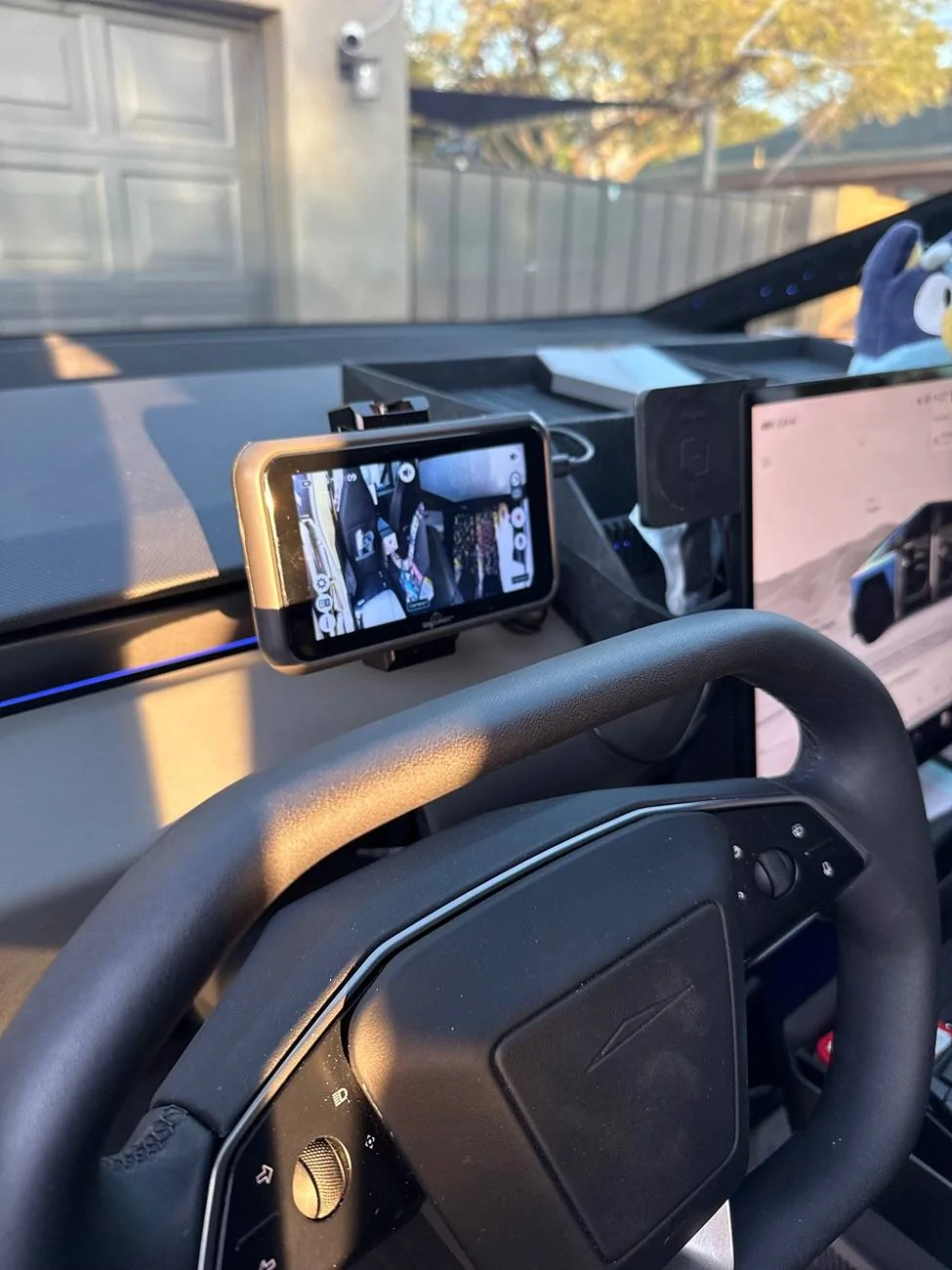
I have done a fair amount of trial and error with this. In my opinion this is your best option.

Tesla Cybertruck Wireless Baby Cam Options IMG_1751

Product is called tiny traveler. In this configuration I have it set so one camera looks at my rear facing infant and the other looks down at my two forward facing kids.
Split screen is quite useful. Night vision is pretty good too.
If you mount it in front of your face like this you can have genuine interactions with your kids without pissing off fsd.


hemiarch

Well-known member
First Name
Ace
Joined
Jan 22, 2025
Threads
116
Messages
8,372
Reaction score
9,623
Location
Arizona
Vehicles
2024 foundation AWD, 2024 model x
Occupation
Trauma Surgeon
Country flag
The other option is if you get one of those electronic rearview mirrors, you can mount the front cam as a baby cam.
I have both and far prefer the tiny traveler.
 

hemiarch

Well-known member
First Name
Ace
Joined
Jan 22, 2025
Threads
116
Messages
8,372
Reaction score
9,623
Location
Arizona
Vehicles
2024 foundation AWD, 2024 model x
Occupation
Trauma Surgeon
Country flag
Another fringe benefit I forgot to mention for all the camera haters out there, it has a memory card so you can capture still or video of whatever cute thing you happen to see in the car at the touch of a “right by your hands and face” button.
 
OP
OP

kingcrow23

Active member
First Name
Nick
Joined
Apr 1, 2025
Threads
5
Messages
28
Reaction score
20
Location
Austin, TX
Vehicles
‘23 Model Y LR, 24 Cybertruck Foundation Series AWD
Occupation
IT
Country flag
I have done a fair amount of trial and error with this. In my opinion this is your best option.

IMG_1751.jpeg

Product is called tiny traveler. In this configuration I have it set so one camera looks at my rear facing infant and the other looks down at my two forward facing kids.
Split screen is quite useful. Night vision is pretty good too.
If you mount it in front of your face like this you can have genuine interactions with your kids without pissing off fsd.
Nice. See something like this is exactly what I’m looking to do. Thanks, I’ll check this out. My guess is you just ran the power cord into the USB inside the glovebox? Maybe with a splitter?
 

hemiarch

Well-known member
First Name
Ace
Joined
Jan 22, 2025
Threads
116
Messages
8,372
Reaction score
9,623
Location
Arizona
Vehicles
2024 foundation AWD, 2024 model x
Occupation
Trauma Surgeon
Country flag
Nice. See something like this is exactly what I’m looking to do. Thanks, I’ll check this out. My guess is you just ran the power cord into the USB inside the glovebox? Maybe with a splitter?
Thanks.
To answer your question, no actually.
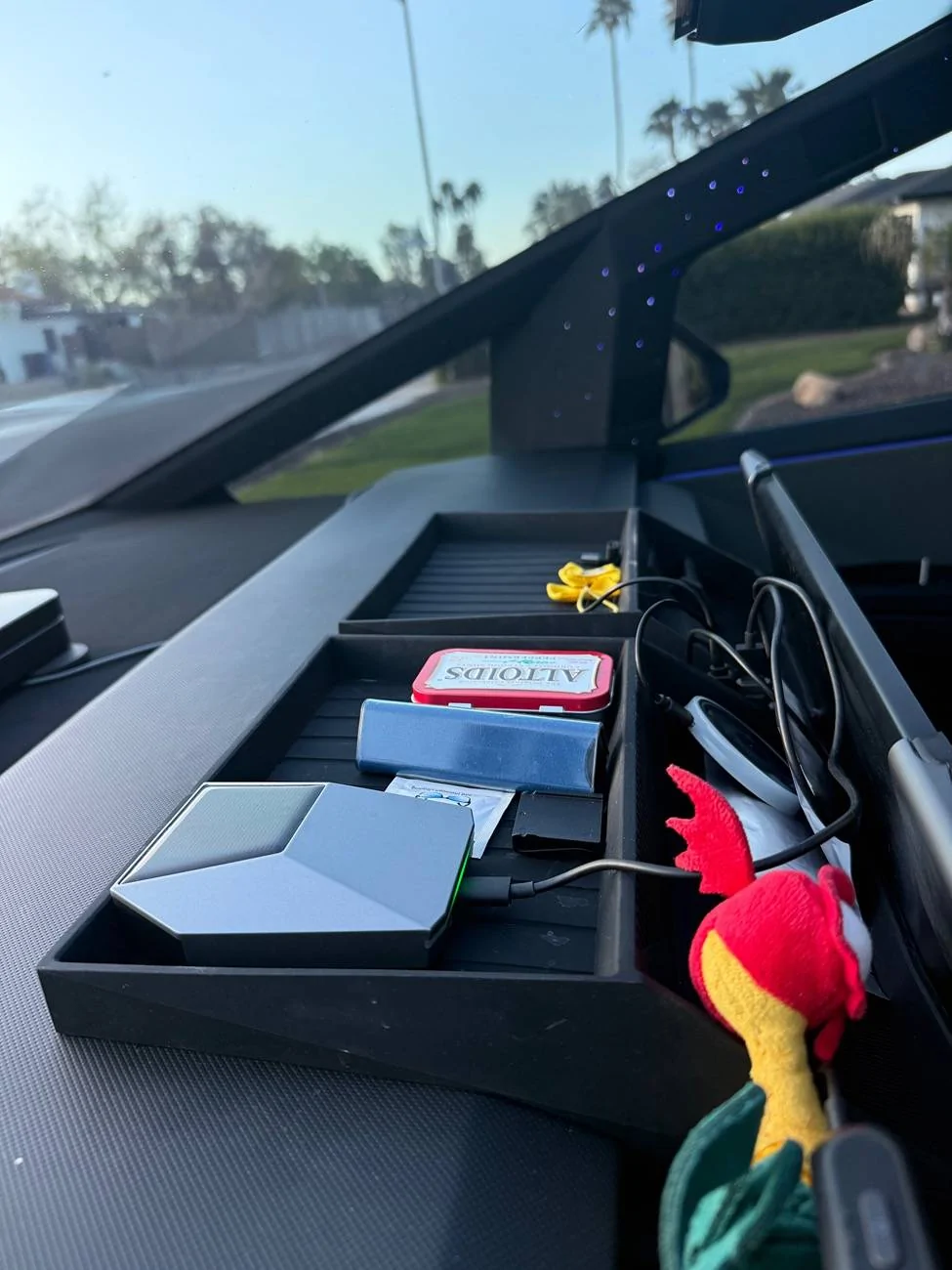
I have one of these clipped to my “behind the screen” trays. (Minus the lighter part. Cable dives down behind the screen and is hidden by my “under the screen” tray thingy.
then to the floor behind the trim and ultimately a usb-c port ( power bank in mine but can be one of the rears or the center console one)
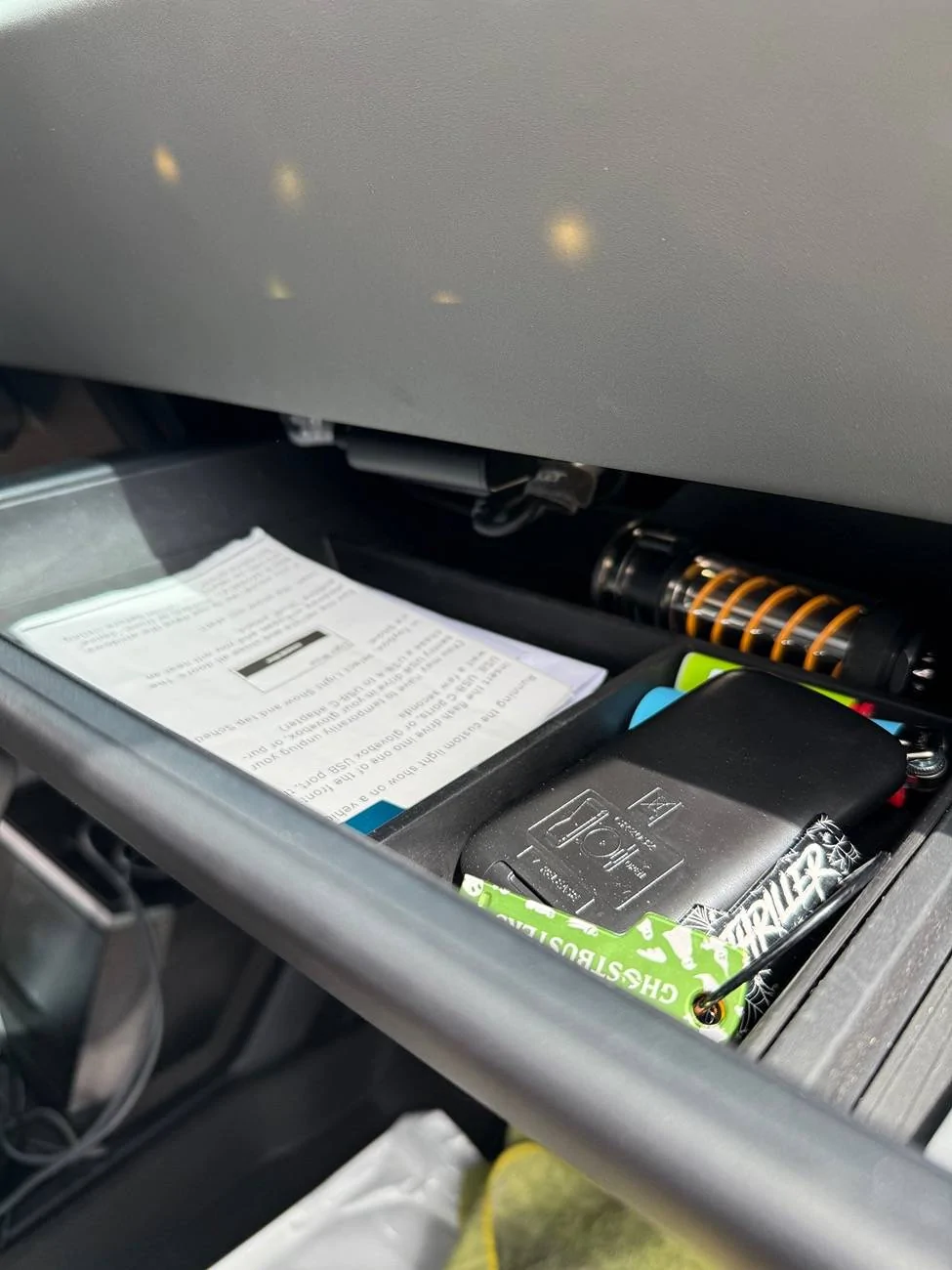
So I have power behind the screen and that serves several purposes. Electronic supply for air freshener if you want it, plug for anything you want to charge in the dashboard tray like AirPods or headlamps, and then this baby monitor.
Will snap some more photos later.
https://a.co/d/g2pPE5K
 
Last edited:

hemiarch

Well-known member
First Name
Ace
Joined
Jan 22, 2025
Threads
116
Messages
8,372
Reaction score
9,623
Location
Arizona
Vehicles
2024 foundation AWD, 2024 model x
Occupation
Trauma Surgeon
Country flag
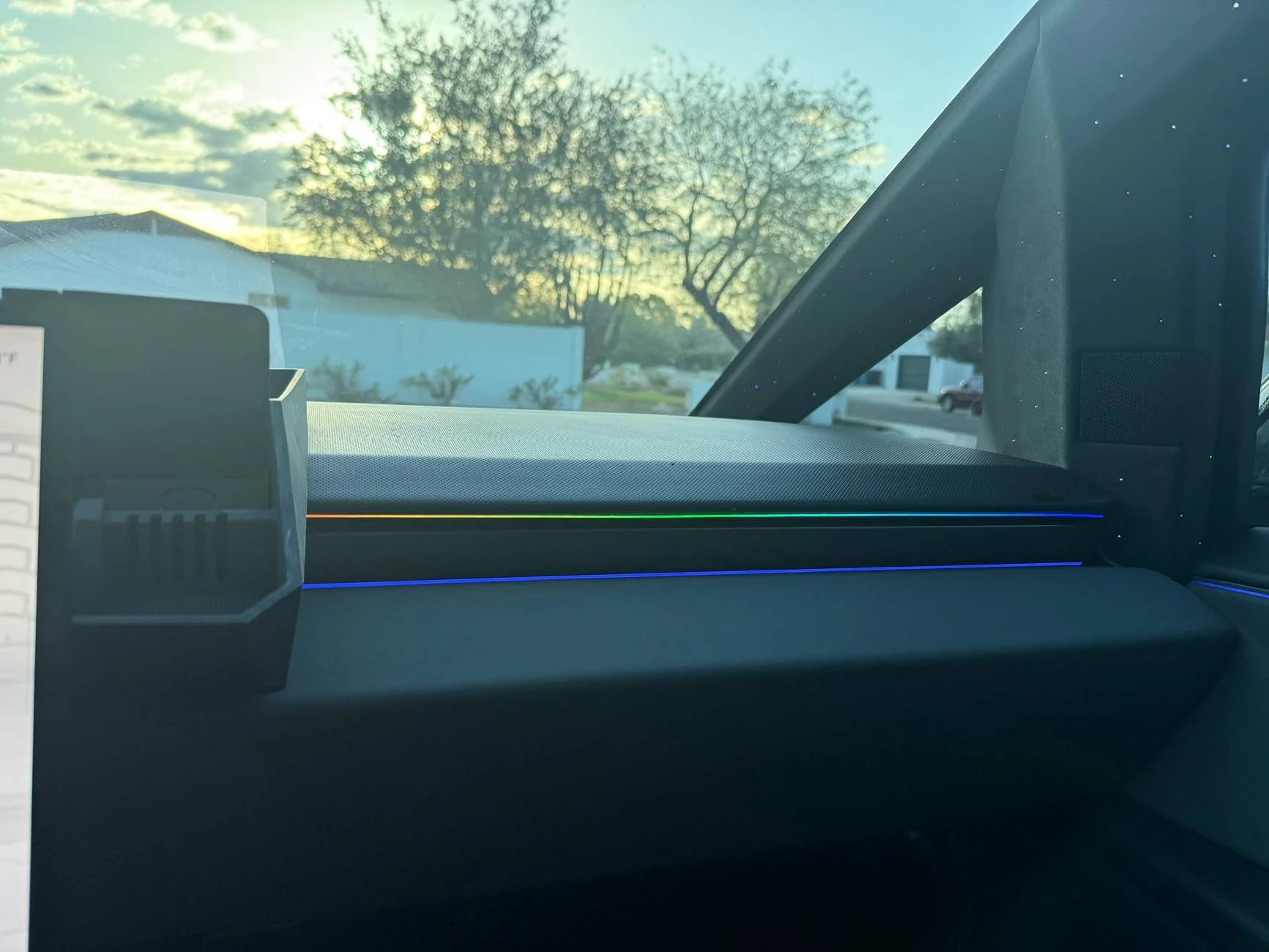
Ok. More photos. Sorry for the mess.
The glovebox usb is a perfectly logical place to power the monitor from and easily concealable.
In my case that plug already powers a 1tb ssd, two gaming controller dongles, the caraoke (or truck-e-oke in this case) microphone receiver and the led light strip pictured. It already took some creative positioning and Velcroing to keep it neat and off the mobile glove box floor so the center dashboard got its own hub. This is btw also a nice place to charge a GoPro because you can shoot your journey from the dash while charging.
As for the monitor mounting, that took a little thought too. The mounting stuff that comes with the tiny traveler which is an otherwise great product is cheap crap. I bought a phone holder which is a nice piece of metal hardware designed to fit in the vent and hold a phone. it’s very solid.
Also added an extra camera “knuckle” to it because I wanted it as low as possible but not in the way of the vent. Not necessary just the type of thing I tend to do which my wife would say makes me a little “extra”.?

Tesla Cybertruck Wireless Baby Cam Options IMG_2289


Tesla Cybertruck Wireless Baby Cam Options IMG_2290


Tesla Cybertruck Wireless Baby Cam Options IMG_2211
Sponsored


Top