Sponsored

Mounting a 3rd party Digital Rearview Right above the display?

cadamo001

Well-known member
First Name
Chris
Joined
May 16, 2024
Threads
4
Messages
172
Reaction score
287
Location
Jackson, NJ
Vehicles
Model 3 Highland, Cyberbeast
Occupation
Sales
Country flag
So I've had the Hannshow mounted in the traditional spot but definitely had GPS issues and the mounting SUCKS and I've basically stripped the screw that holds it and the actual thing it screws into. So I've removed the mirror for now and GPS is working perfectly again.

Has anyone mounted this or a similar mirror directly above the display? It would be awesome if there was a 3D printed mount that held the mirror there with VHB tape to the display or a mount that snapped into the dash right behind the display. You'd have to run the wire there but I don't think that would be that difficult but not sure if anyone has done the work on this or am I going to try and do it? (don't hold your breath)
Sponsored
 

Tech-Savvy

Well-known member
First Name
John
Joined
Mar 20, 2024
Threads
4
Messages
56
Reaction score
109
Location
Chisago City, MN
Vehicles
17 Santa Fe Ultimate, 17 Q50, 2024 FS AWD CT
Occupation
Controls Engineer / Inventor of the Volt Vet
Country flag
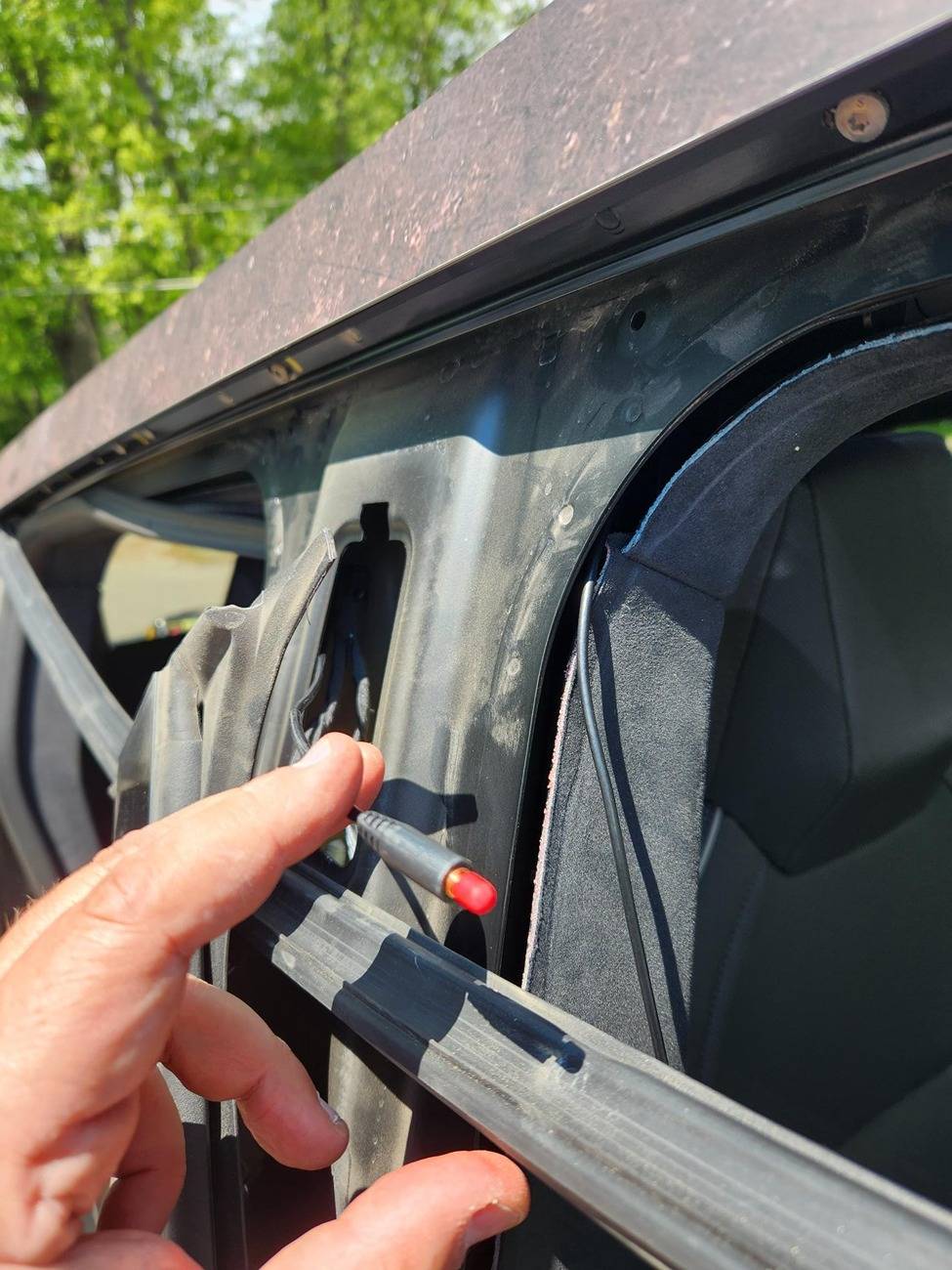
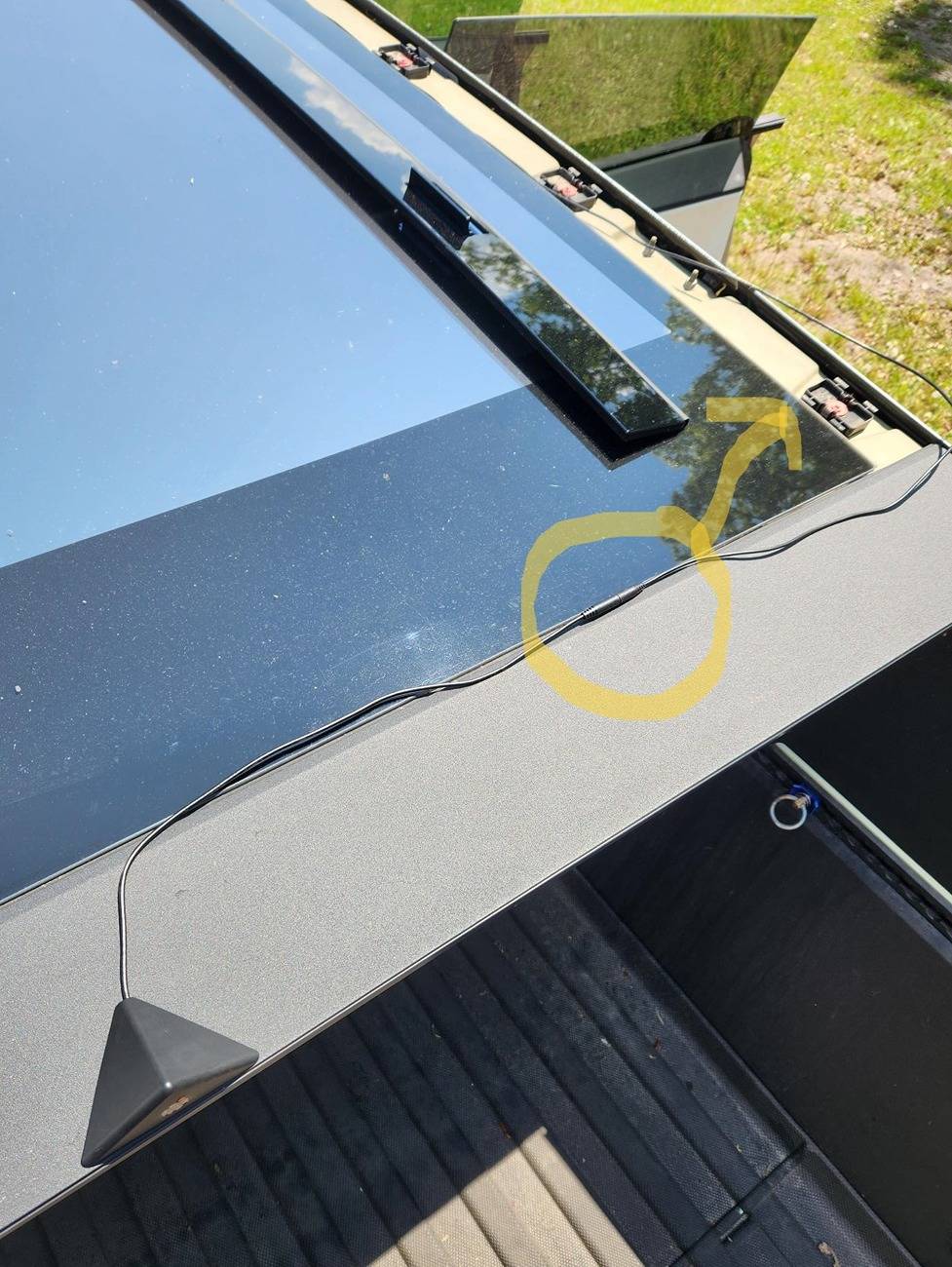
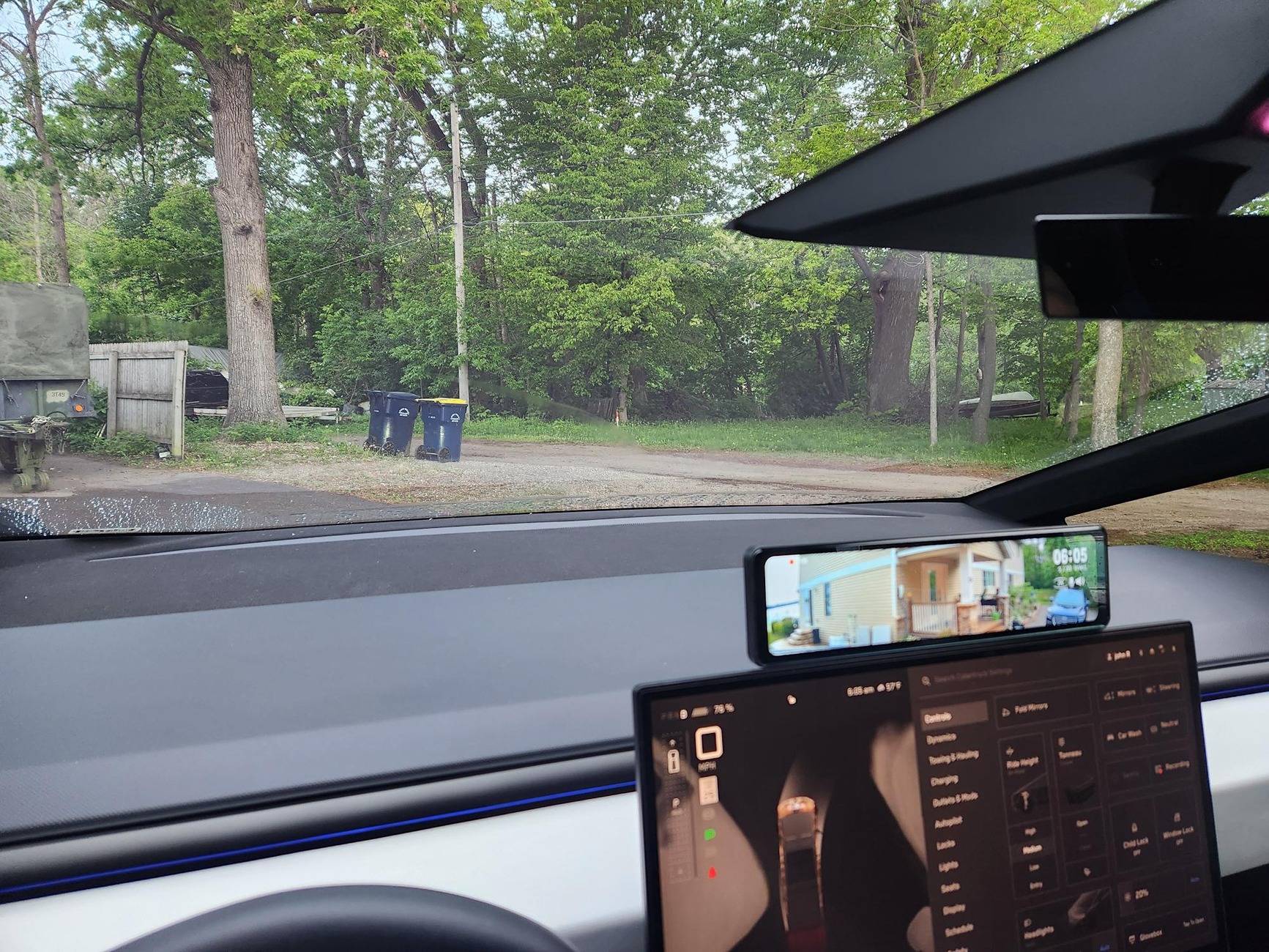
I did the latest Hannshow digital rearview mirror 2.0 like that. I prefer the location due to it not blocking the windshield at my driving eye height. I took the picture of the screen with the phone in front of my eyes to show it doesn't block your view. Install took a couple hours, I will be removing the original rear view mirror soon. The cable on the camera needs to be a foot longer to hide the connector under the roof trim piece. By the way pulling the secondary door gasket down as seen in the one pic was unnecessary.
Tesla Cybertruck Mounting a 3rd party Digital Rearview Right above the display? Rearview mounted pic
Tesla Cybertruck Mounting a 3rd party Digital Rearview Right above the display? Mount
Tesla Cybertruck Mounting a 3rd party Digital Rearview Right above the display? Mount sticky
Tesla Cybertruck Mounting a 3rd party Digital Rearview Right above the display? Passenger Wire run
Tesla Cybertruck Mounting a 3rd party Digital Rearview Right above the display? Short camera cable
 
Last edited:

EWELON

Well-known member
First Name
Rori
Joined
May 21, 2025
Threads
29
Messages
567
Reaction score
623
Location
Wynnewood,PA
Vehicles
2021 Model 3, 2025 Cybertruck AWD
Country flag
Interesting! Are you getting this audio error that many people get with these mirrors?
 

Tech-Savvy

Well-known member
First Name
John
Joined
Mar 20, 2024
Threads
4
Messages
56
Reaction score
109
Location
Chisago City, MN
Vehicles
17 Santa Fe Ultimate, 17 Q50, 2024 FS AWD CT
Occupation
Controls Engineer / Inventor of the Volt Vet
Country flag
I saw something about it, what are they saying that a speaker on the passenger door stops working? I will have to check, I have only been listening to podcasts since I installed it on Sunday and haven't noticed anything off.
 
OP
OP

cadamo001

Well-known member
First Name
Chris
Joined
May 16, 2024
Threads
4
Messages
172
Reaction score
287
Location
Jackson, NJ
Vehicles
Model 3 Highland, Cyberbeast
Occupation
Sales
Country flag
I saw something about it, what are they saying that a speaker on the passenger door stops working? I will have to check, I have only been listening to podcasts since I installed it on Sunday and haven't noticed anything off.
That's exactly what I want to do.
Where did you get the power for it? Or is the 2.0 version different from the 1.0 version? I have the 1.0 version that has power and a cable for the cameras.
How exactly did it mount? I have the 1.0 which comes with the standard mount but I don't see a great way to mount the rearview to the display.


Tech-Savvy

Well-known member
First Name
John
Joined
Mar 20, 2024
Threads
4
Messages
56
Reaction score
109
Location
Chisago City, MN
Vehicles
17 Santa Fe Ultimate, 17 Q50, 2024 FS AWD CT
Occupation
Controls Engineer / Inventor of the Volt Vet
Country flag
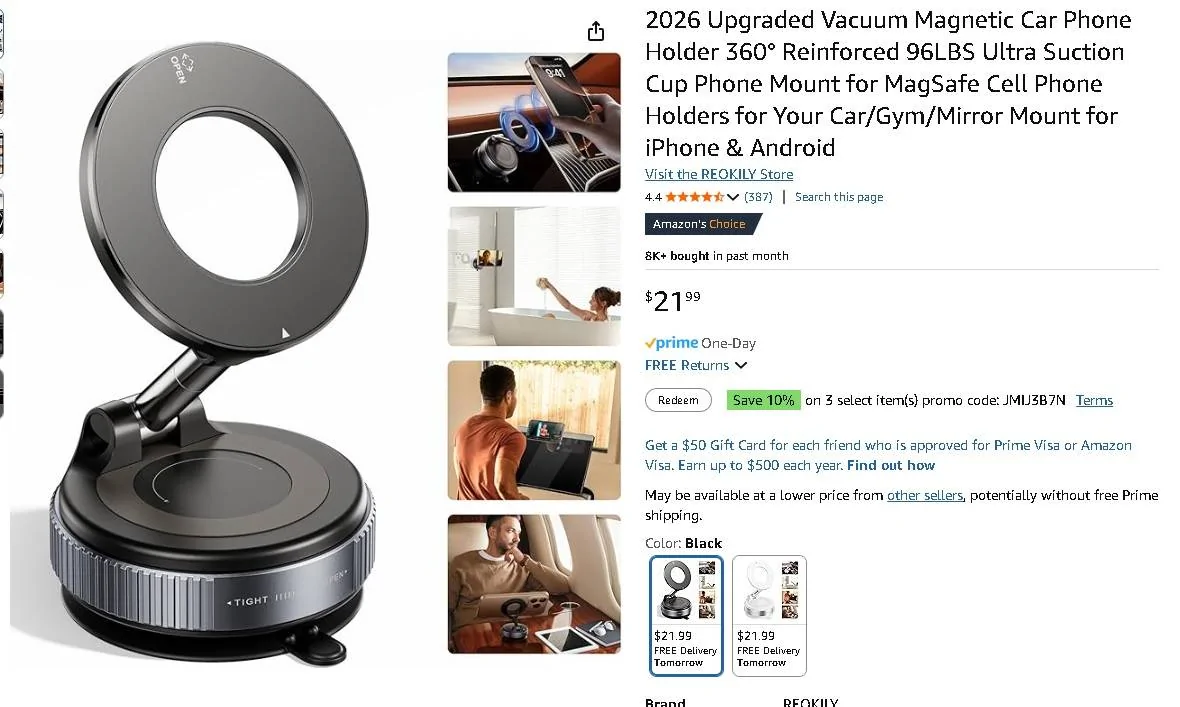
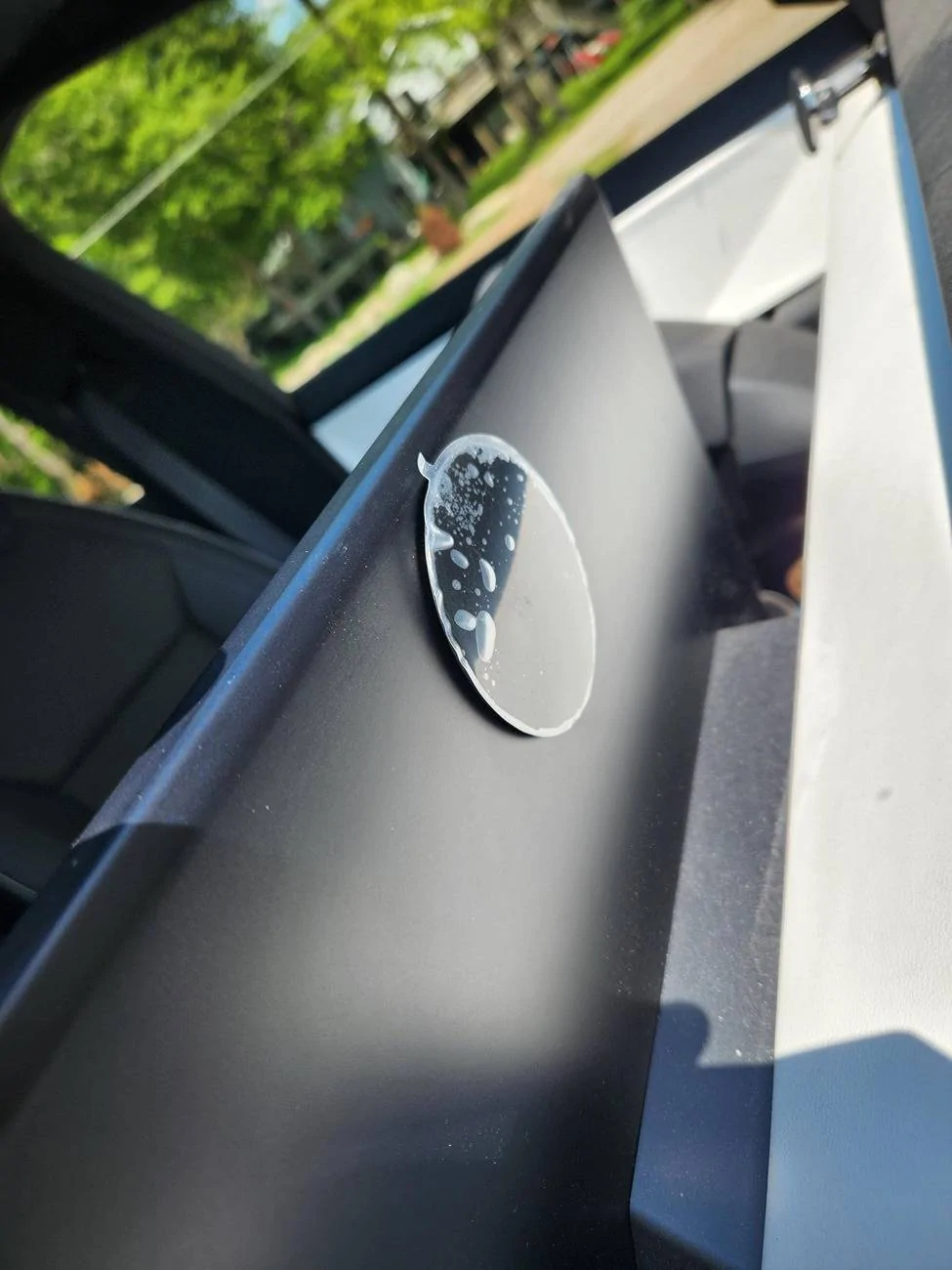
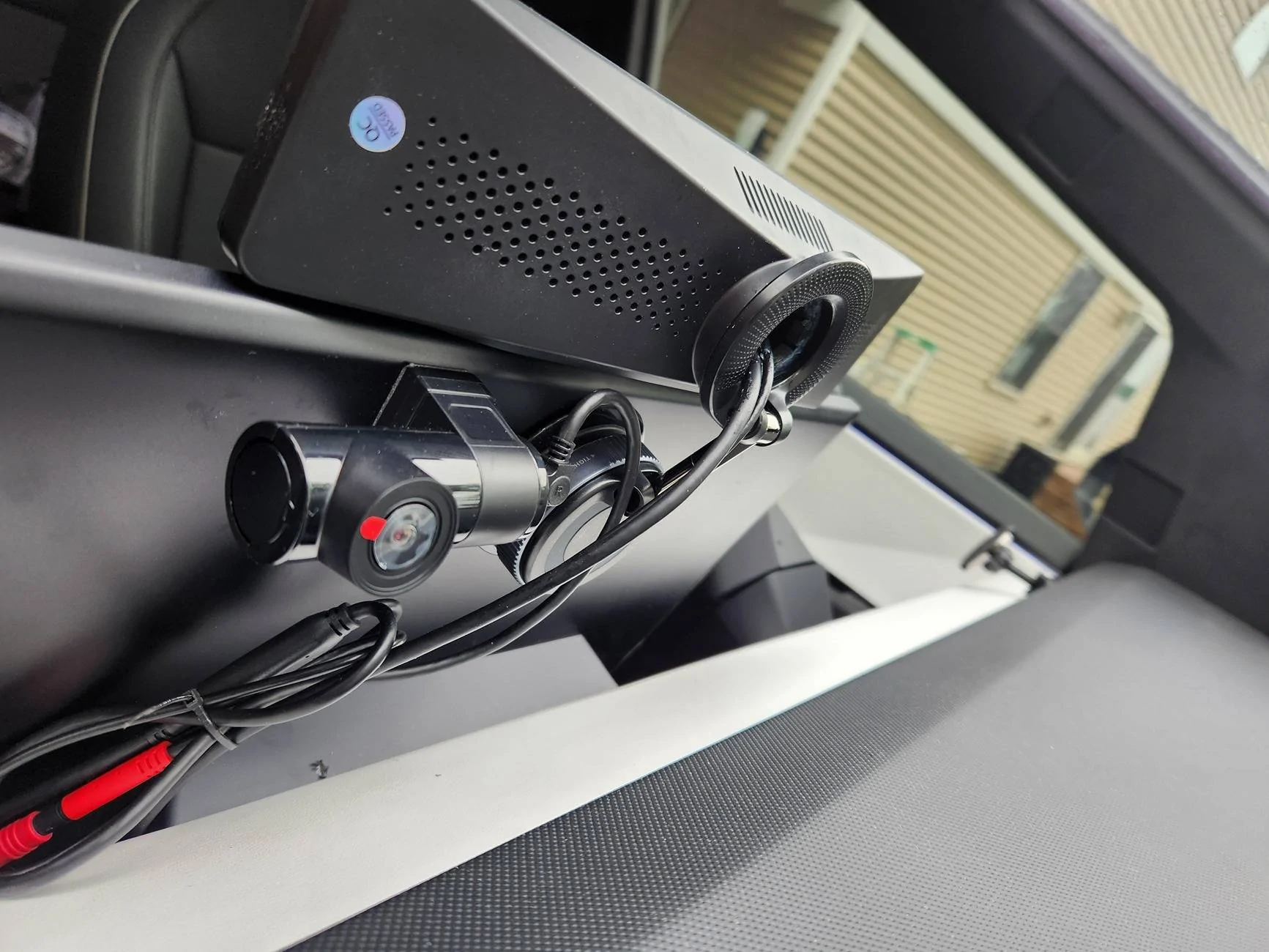
The 2.0 has a harness that is basically just piggybacking into one connector on the computer in the passenger footwell and one connector to the right of it next to the door. The mount I used as shown in the pix, comes with a magnetic ring which I just attached to the back of the mirror after popping the ceiling mount out of it. Few drops of super glue along the top and bottom of the magnetic ring held it on to the mirror, the magnetic ring then sticks to the main suction cup mount magnetically which is then attached to the disc on the back of the monitor as shown in pix. It would pop off after about 6 or 7 hours until I got the suction cup a little wet and it has now been on for more than 24 hours without issue. I like the fact it doesn't vibrate at all while driving either.
 
OP
OP

cadamo001

Well-known member
First Name
Chris
Joined
May 16, 2024
Threads
4
Messages
172
Reaction score
287
Location
Jackson, NJ
Vehicles
Model 3 Highland, Cyberbeast
Occupation
Sales
Country flag
The 2.0 has a harness that is basically just piggybacking into one connector on the computer in the passenger footwell and one connector to the right of it next to the door. The mount I used as shown in the pix, comes with a magnetic ring which I just attached to the back of the mirror after popping the ceiling mount out of it. Few drops of super glue along the top and bottom of the magnetic ring held it on to the mirror, the magnetic ring then sticks to the main suction cup mount magnetically which is then attached to the disc on the back of the monitor as shown in pix. It would pop off after about 6 or 7 hours until I got the suction cup a little wet and it has now been on for more than 24 hours without issue. I like the fact it doesn't vibrate at all while driving either.
Ok thanks again for sharing.
Don't think I'm going to go for the 2.0 right now so I may just try and make the 1.0 work. I love the view of where I have the camera installed and really want the mirror to work but like you it blocked too much of the windshield (I'm 6'3" tall) and the interference with the GPS was annoying. Not to mention the mounting of the 1.0 sucked big time.
So I need to re-route the camera wire from the top to behind the display, find power somewhere in the car for the mirror, and figure out how to mount the 1.0 mirror. The mounting for me is the only part I haven't figured out yet. I do own a 3D printer though :)
 

EWELON

Well-known member
First Name
Rori
Joined
May 21, 2025
Threads
29
Messages
567
Reaction score
623
Location
Wynnewood,PA
Vehicles
2021 Model 3, 2025 Cybertruck AWD
Country flag
The 2.0 has a harness that is basically just piggybacking into one connector on the computer in the passenger footwell and one connector to the right of it next to the door. The mount I used as shown in the pix, comes with a magnetic ring which I just attached to the back of the mirror after popping the ceiling mount out of it. Few drops of super glue along the top and bottom of the magnetic ring held it on to the mirror, the magnetic ring then sticks to the main suction cup mount magnetically which is then attached to the disc on the back of the monitor as shown in pix. It would pop off after about 6 or 7 hours until I got the suction cup a little wet and it has now been on for more than 24 hours without issue. I like the fact it doesn't vibrate at all while driving either.
Can you take a pic of the backside of the mirror so we can see what that looks like? Also with that mount I imagine that you could swivel the “mirror” screen towards the driver (or the passenger) correct?
 

Tech-Savvy

Well-known member
First Name
John
Joined
Mar 20, 2024
Threads
4
Messages
56
Reaction score
109
Location
Chisago City, MN
Vehicles
17 Santa Fe Ultimate, 17 Q50, 2024 FS AWD CT
Occupation
Controls Engineer / Inventor of the Volt Vet
Country flag
I would get a different swivel mount, something with more articulation points, because the one I'm using isn't exactly straight up and is tilted back a little bit, when you swivel it it leans funny. I just had to pull the trigger on something when I ordered it and figured I would see if I could make it work.
Tesla Cybertruck Mounting a 3rd party Digital Rearview Right above the display? 1000007001
 

EWELON

Well-known member
First Name
Rori
Joined
May 21, 2025
Threads
29
Messages
567
Reaction score
623
Location
Wynnewood,PA
Vehicles
2021 Model 3, 2025 Cybertruck AWD
Country flag
Not bad! Esp if it avoids gps/audio shenanigans. Looks like you need to take the protective film off of the front facing dash cam (if that’s what that is)

you’d get a lot of hits from a you tube vid of this build - it’s unique!
Sponsored


Top