Sponsored

Mark V

Well-known member
First Name
Mark
Joined
Jun 18, 2025
Threads
2
Messages
138
Reaction score
97
Location
Allentown, PA
Vehicles
2025 Cybertruck
Occupation
Family Physician
Country flag

hemiarch

Well-known member
First Name
Ace
Joined
Jan 22, 2025
Threads
116
Messages
8,380
Reaction score
9,635
Location
Arizona
Vehicles
2024 foundation AWD, 2024 model x
Occupation
Trauma Surgeon
Country flag
Gotcha. Several points/usage.
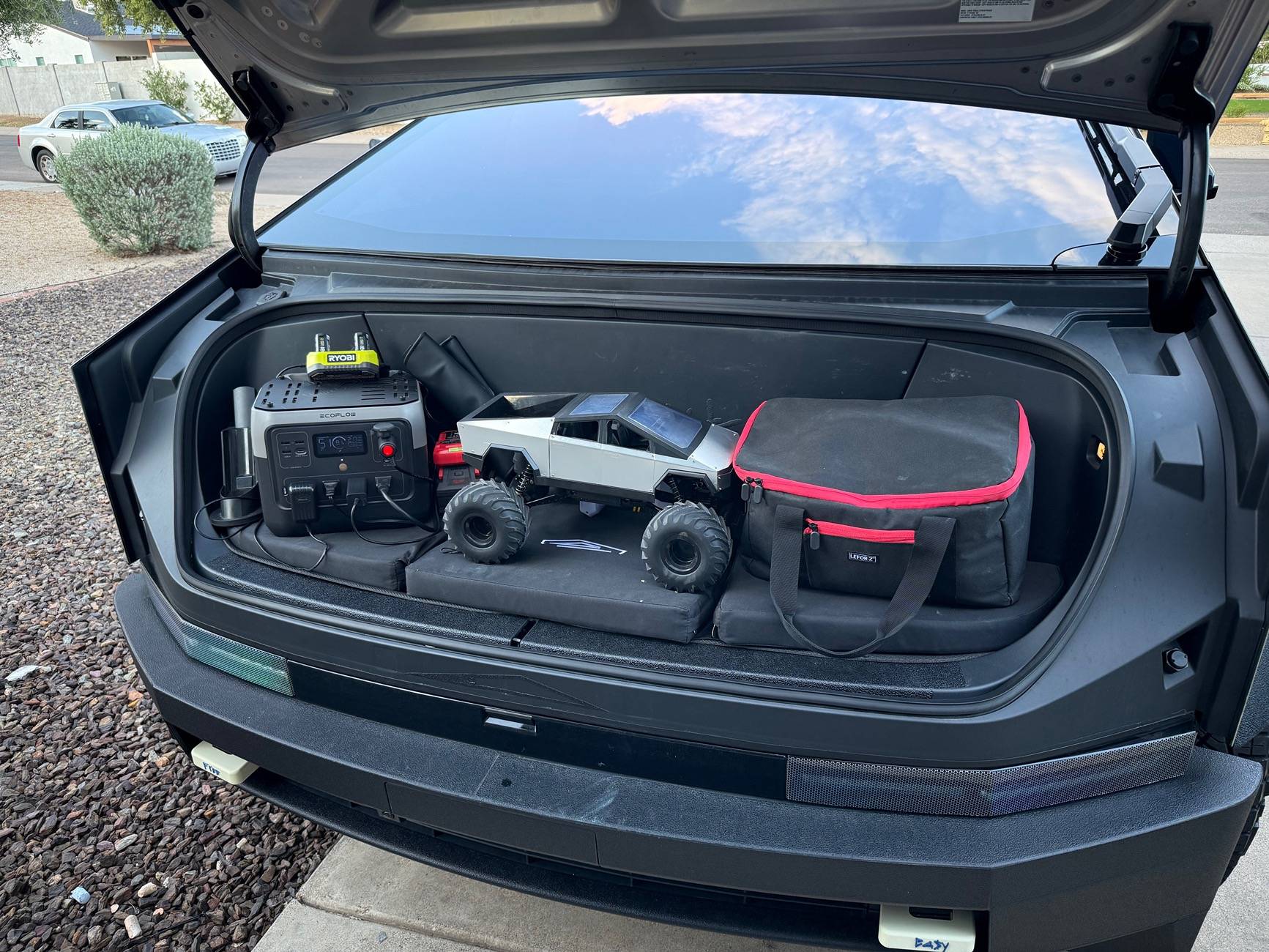
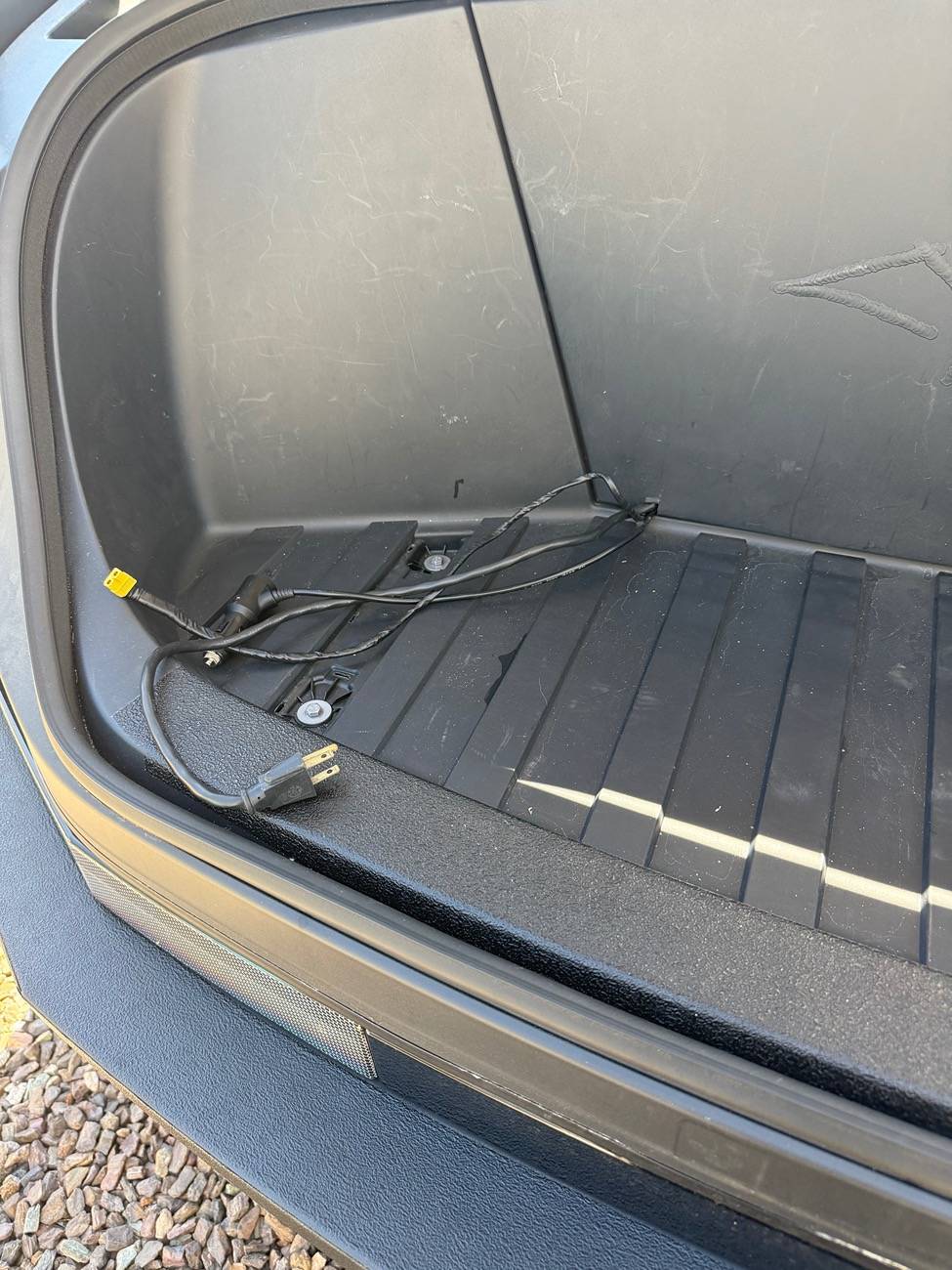
Perhaps most importantly, this is the source of power for continuously running items like my fridge and Starlink mini. The power station runs on the frunk power supply that’s controlled from the screen. I have an xt60 connector on that power feed and that plugs directly into the solar input of the power station. That power station is unlikely to ever overload the frunk feed digital breaker because its max solar input is 220w which is a good ways away from the 400w the frunk power feed is rated for.
When the truck is plugged in to level 2 charging or the overall state of charge is quite low or it’s doing an update or whatever, the fridge and Starlink still run on the battery and most of the time the feed stays active but it occasionally turns itself off for reasons I haven’t figured out yet. So I also have a usb-c plugged from one of the cabin usb-c’s to the two way usb-c port in the power station as a backup and I check the “leave aux power on” box in the menu screen. Its now reliable enough as a system that I feel confident leaving insulin and baby formula/breast milk in there in Phoenix and the Starlink means that I can monitor the whole thing from afar too unless it’s in a parking garage.
The net result is the truck can be allowed to go to sleep whenever it wants without hurting the fridge and Starlink and this saves a LOT of energy.
Also, now I have plugs in the frunk which I use to charge my tool batteries, kids toys etc. I can also cook up there and it kind of doubles as my work bench for most mobile projects. If I need real electrical heft I go to the vault plugs but keeping that huge inverter on for any length of time drinks a lot of juice.
 

hemiarch

Well-known member
First Name
Ace
Joined
Jan 22, 2025
Threads
116
Messages
8,380
Reaction score
9,635
Location
Arizona
Vehicles
2024 foundation AWD, 2024 model x
Occupation
Trauma Surgeon
Country flag
Btw….anyone seen this champagne promo?
I laughed so hard I almost aspirated.
Or maybe that’s martinellis?

Tesla Cybertruck Installed CyberGear Refrigerator (review video added) IMG_3919
 

Mark V

Well-known member
First Name
Mark
Joined
Jun 18, 2025
Threads
2
Messages
138
Reaction score
97
Location
Allentown, PA
Vehicles
2025 Cybertruck
Occupation
Family Physician
Country flag
Gotcha. Several points/usage.
Perhaps most importantly, this is the source of power for continuously running items like my fridge and Starlink mini. The power station runs on the frunk power supply that’s controlled from the screen. I have an xt60 connector on that power feed and that plugs directly into the solar input of the power station. That power station is unlikely to ever overload the frunk feed digital breaker because its max solar input is 220w which is a good ways away from the 400w the frunk power feed is rated for.
When the truck is plugged in to level 2 charging or the overall state of charge is quite low or it’s doing an update or whatever, the fridge and Starlink still run on the battery and most of the time the feed stays active but it occasionally turns itself off for reasons I haven’t figured out yet. So I also have a usb-c plugged from one of the cabin usb-c’s to the two way usb-c port in the power station as a backup and I check the “leave aux power on” box in the menu screen. Its now reliable enough as a system that I feel confident leaving insulin and baby formula/breast milk in there in Phoenix and the Starlink means that I can monitor the whole thing from afar too unless it’s in a parking garage.
The net result is the truck can be allowed to go to sleep whenever it wants without hurting the fridge and Starlink and this saves a LOT of energy.
Also, now I have plugs in the frunk which I use to charge my tool batteries, kids toys etc. I can also cook up there and it kind of doubles as my work bench for most mobile projects. If I need real electrical heft I go to the vault plugs but keeping that huge inverter on for any length of time drinks a lot of juice.
Excellent.
I am getting the general idea of it all. As I don't have a starlink or a fridge(yet), I don't think it need a serup like that at this point. Perhaps in the future. If I do, I know who to ask for the shopping list.
I still haven't quite figured out why so many feel they need a Starlink. Is internet reception that bad? I am in eastern PA and internet doesn't really seem to be an issue here. Maybe we're just lucky?
Edit: I forgot to say thanks for taking the time to write that up.
 

hemiarch

Well-known member
First Name
Ace
Joined
Jan 22, 2025
Threads
116
Messages
8,380
Reaction score
9,635
Location
Arizona
Vehicles
2024 foundation AWD, 2024 model x
Occupation
Trauma Surgeon
Country flag
Excellent.
I am getting the general idea of it all. As I don't have a starlink or a fridge(yet), I don't think it need a serup like that at this point. Perhaps in the future. If I do, I know who to ask for the shopping list.
I still haven't quite figured out why so many feel they need a Starlink. Is internet reception that bad? I am in eastern PA and internet doesn't really seem to be an issue here. Maybe we're just lucky?
No. For me it’s about being able to be remote. It’s an adventure vehicle. I camp with very young kids in the Arizona desert and being able to call for help anywhere is pivotal.
pretty pointless in town in my opinion.


Mark V

Well-known member
First Name
Mark
Joined
Jun 18, 2025
Threads
2
Messages
138
Reaction score
97
Location
Allentown, PA
Vehicles
2025 Cybertruck
Occupation
Family Physician
Country flag
No. For me it’s about being able to be remote. It’s an adventure vehicle. I camp with very young kids in the Arizona desert and being able to call for help anywhere is pivotal.
pretty pointless in town in my opinion.
That makes sense. So mostly is the campers who use the Starlink. I totally get that. I probably would too if I was a camping person.
 

rbrdky

Member
First Name
Ric
Joined
Feb 14, 2025
Threads
1
Messages
5
Reaction score
2
Location
Oklahoma City
Vehicles
2025 Cyberbeast, 2021 RAM TRX, 2024 Porsche Cayenne, 1976 Porsche 914
Occupation
Physician
Country flag
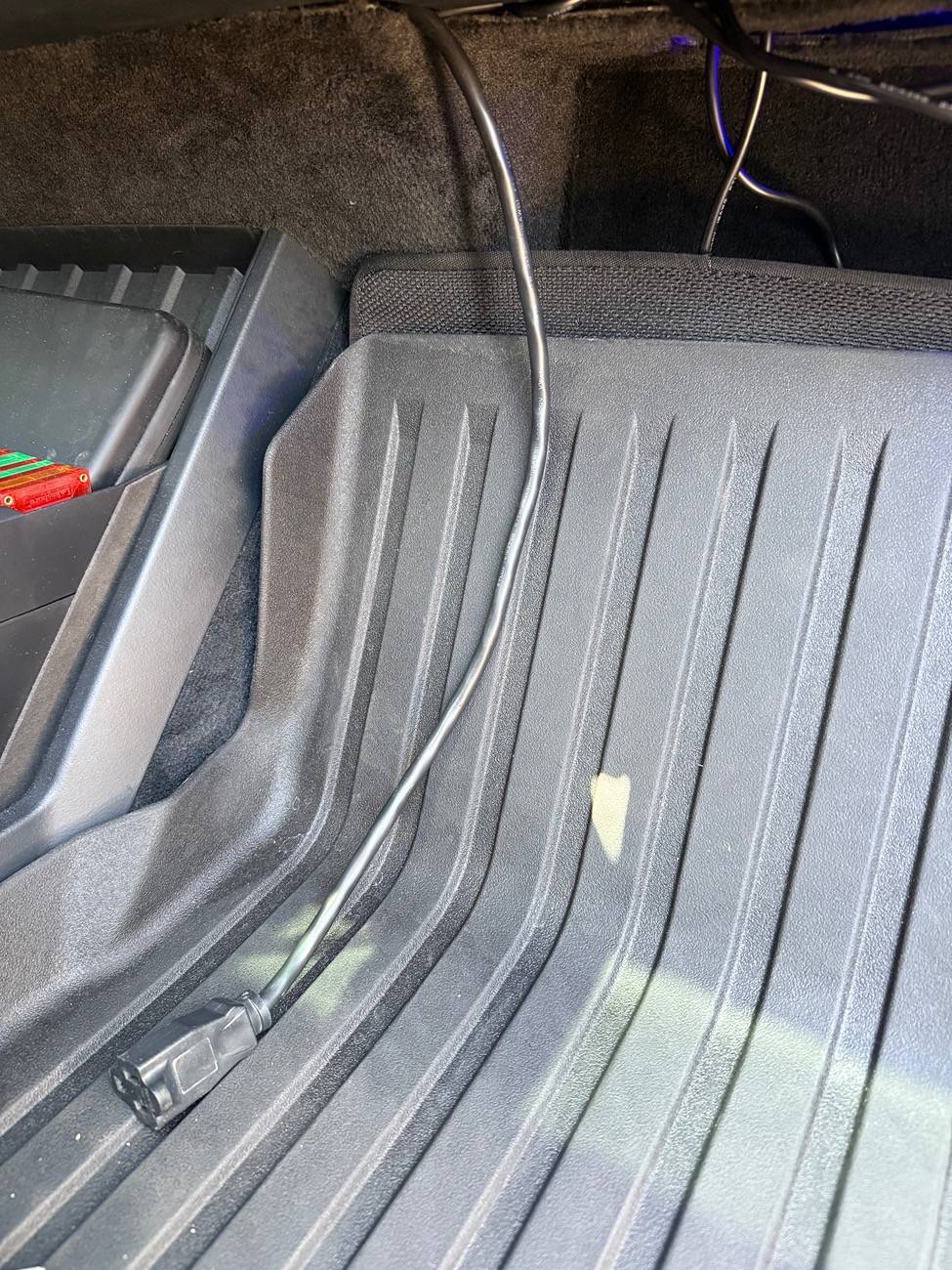
Thank you. Awesome video. Answered all my questions. Mine just got here too. Very pumped. I have a bit of a different plan for powering it. I have a power station in the frunk that runs on the frunk dc feed which doesn’t turn off. I have fed an extension cord from it inside the cabin to plug the fridge into. I also ran a 12v dc cable along with it for other needs.
more on that once it’s all installed and wires have been tucked away nicely.
DC fridges which this is just with an attached and nicely designed charger brick, are much better at maintaining temps than getting to them. I don’t want mine turning off every time I plug the car in.

IMG_2334.jpeg


IMG_3420.jpeg


IMG_3535.jpeg


IMG_3534.jpeg


IMG_3533.jpeg
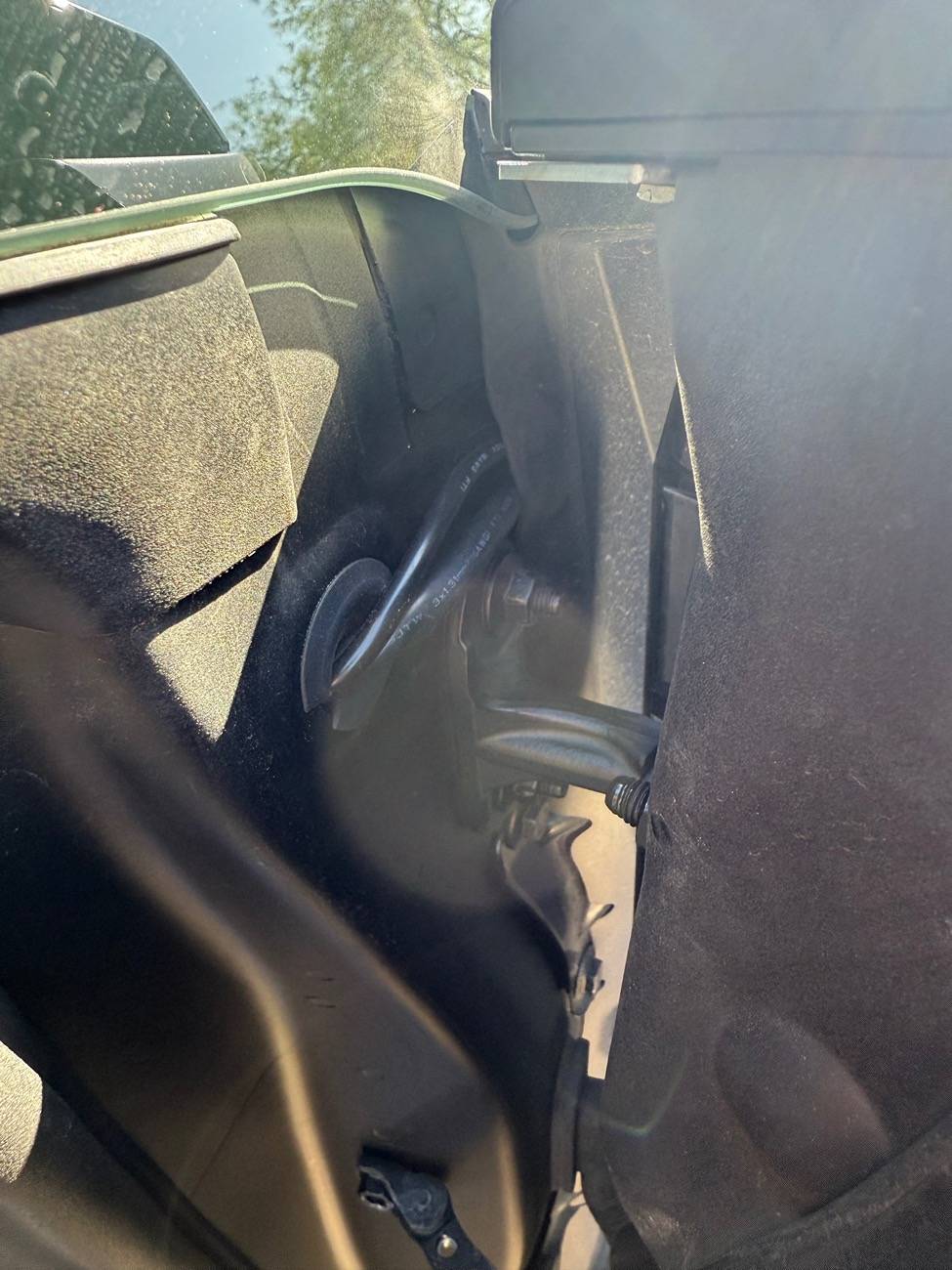
Hemiarch, THANKS SO MUCH for solving this incredibly annoying problem. STRONG WORK. And thank you for sharing with the rest of us. I am having trouble figuring out what i'm looking at in the first picture in your post. I'm trying to wrap my head around all the cable routing and I admit i'm somewhat daft.

I am an avid FPV drone pilot by hobby, and my cybertruck has been the perfect vehicle for this. i have the vault set up with a lipo battery charger running off the outlet to the left of the tailgate, and it's been really annoying when it shuts off for charging. I'm gonna try to figure out a way to run a power lead from the powerstation in the frunk to the very rear of the truck for this purpose as well. Given your experience with all of this, do you have any recommendations for routing for that purpose? Thanks again for all the info.
 

hemiarch

Well-known member
First Name
Ace
Joined
Jan 22, 2025
Threads
116
Messages
8,380
Reaction score
9,635
Location
Arizona
Vehicles
2024 foundation AWD, 2024 model x
Occupation
Trauma Surgeon
Country flag
Hemiarch, THANKS SO MUCH for solving this incredibly annoying problem. STRONG WORK. And thank you for sharing with the rest of us. I am having trouble figuring out what i'm looking at in the first picture in your post. I'm trying to wrap my head around all the cable routing and I admit i'm somewhat daft.

I am an avid FPV drone pilot by hobby, and my cybertruck has been the perfect vehicle for this. i have the vault set up with a lipo battery charger running off the outlet to the left of the tailgate, and it's been really annoying when it shuts off for charging. I'm gonna try to figure out a way to run a power lead from the powerstation in the frunk to the very rear of the truck for this purpose as well. Given your experience with all of this, do you have any recommendations for routing for that purpose? Thanks again for all the info.
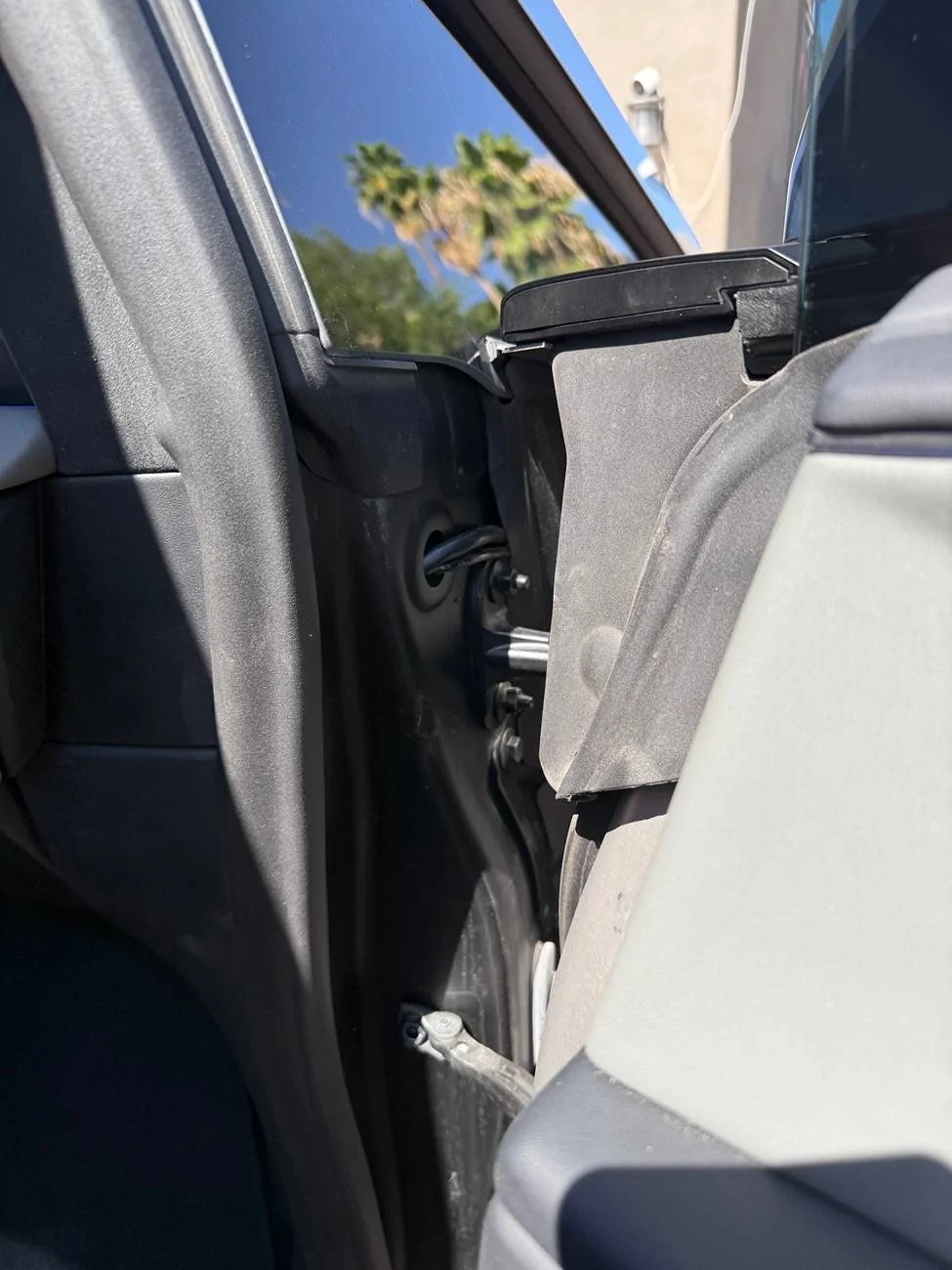
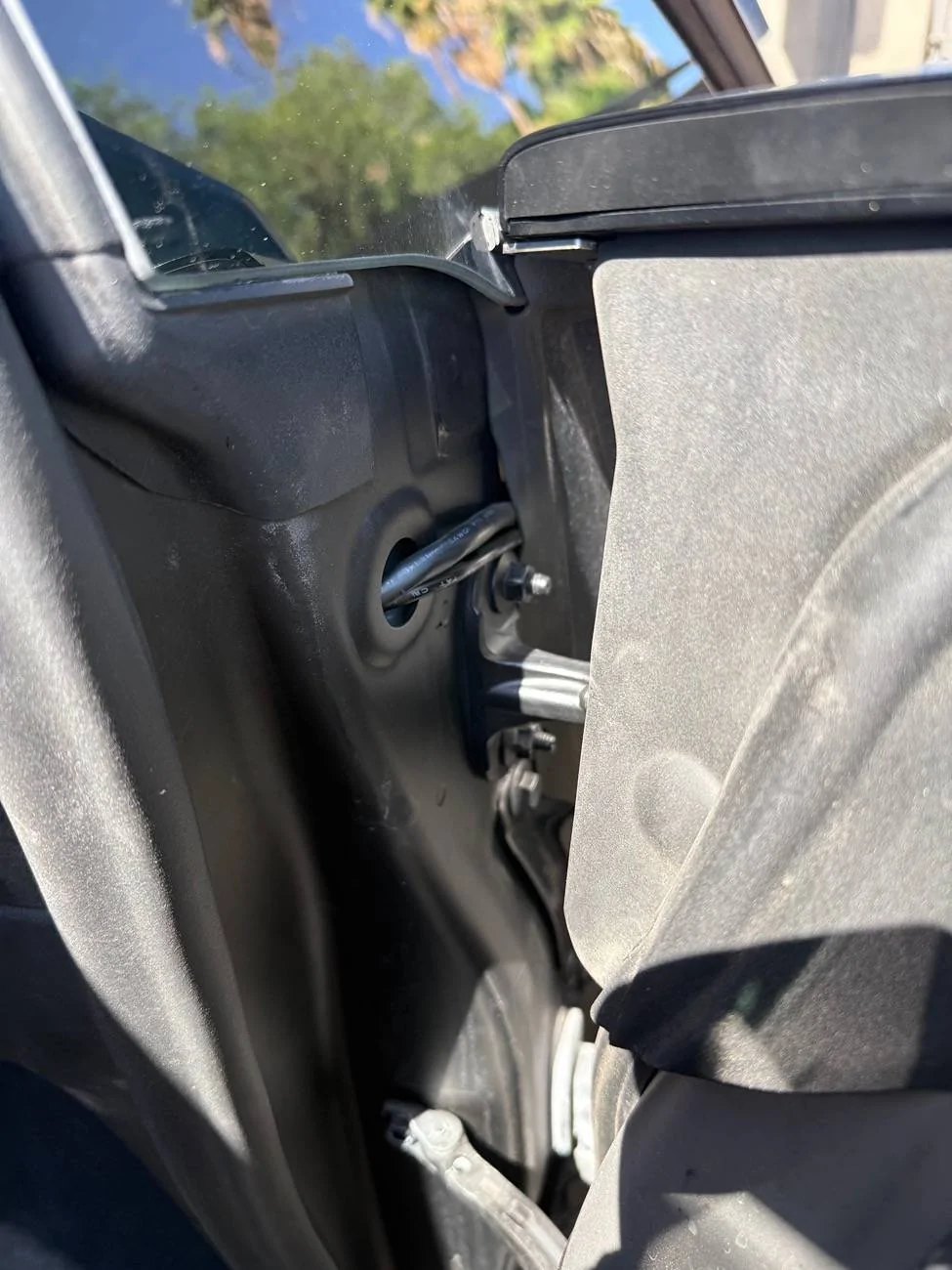
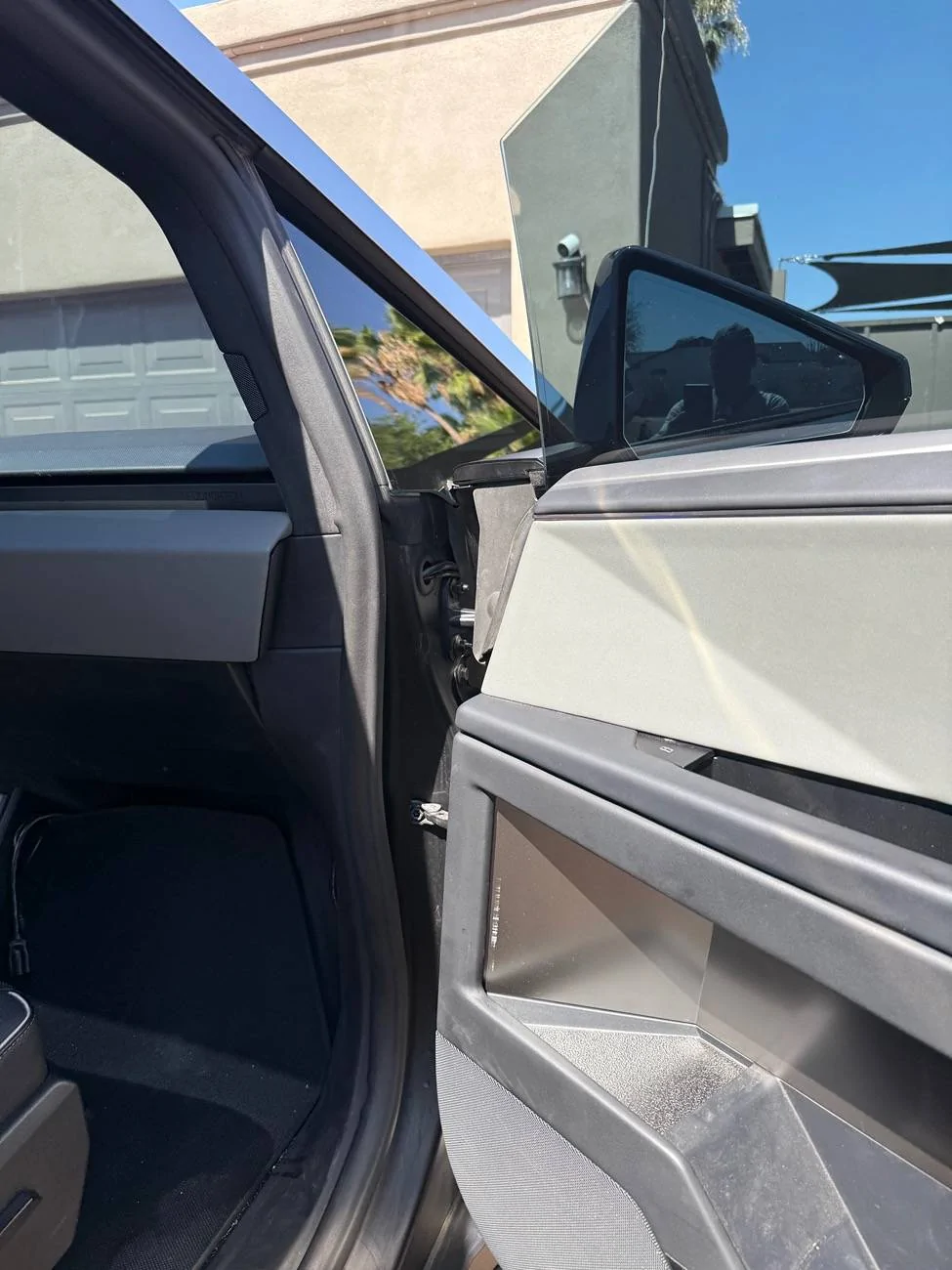
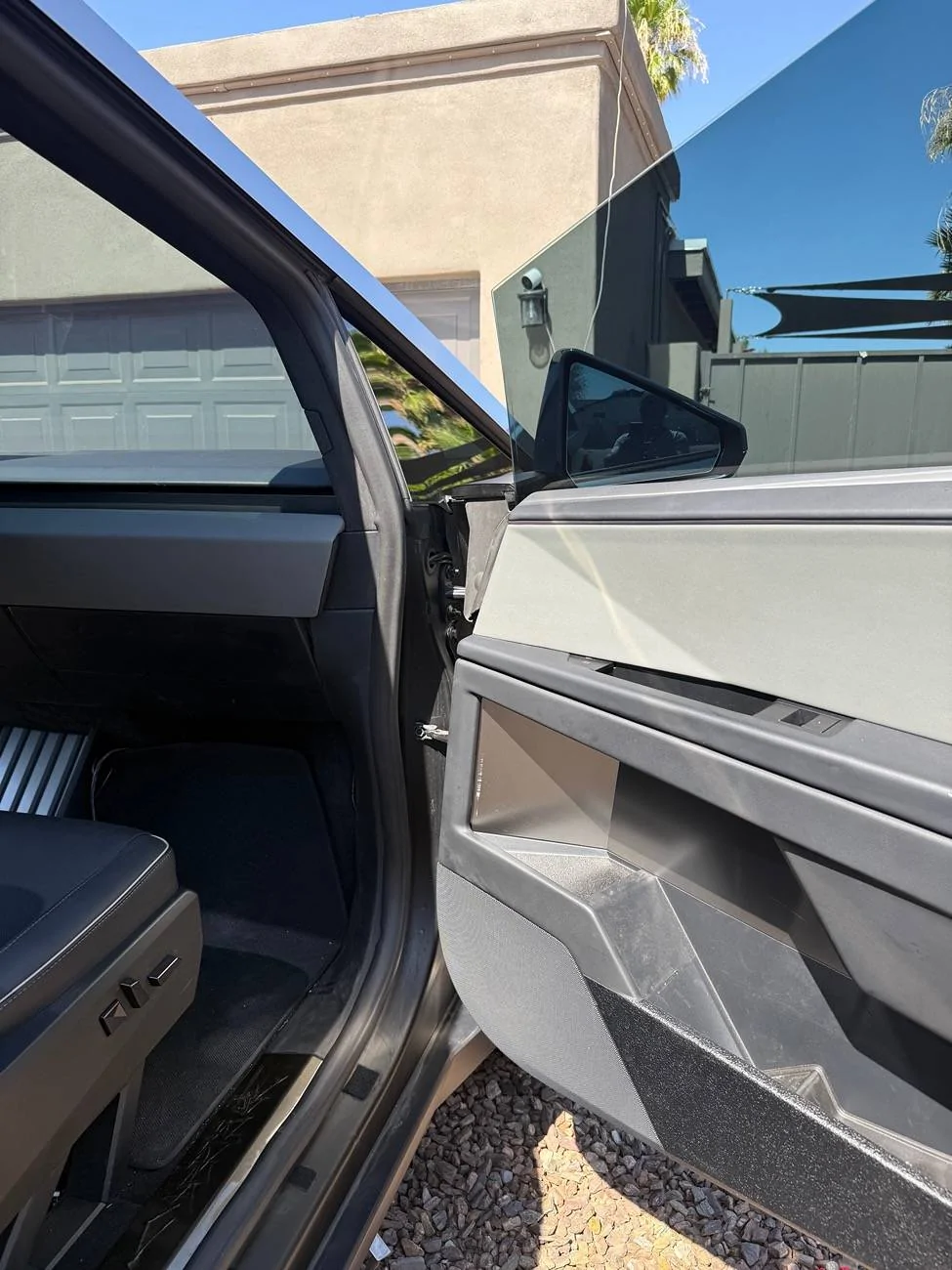
Thanks for the kind words. It’s actually much easier than it looks. If you open the passenger door and look where the sideview mirror is with the door closed, you will see a grommet. Remove it and there is a hole that goes to the cabin interior that’s where I ran the wiring and that’s what is in the first picture.
Once you’re through the grommet hole from the interior, it’s easy access into the passenger side fender and behind the frunk tub.
One more thought, now that there is also a keep aux power on option for the USB’s, you could also charge a power bank off as long as it accepts usb charging.
Something like this for example:
https://a.co/d/aqcb9zb
Just presenting other options for your consideration.

Tesla Cybertruck Installed CyberGear Refrigerator (review video added) IMG_4584


Tesla Cybertruck Installed CyberGear Refrigerator (review video added) IMG_4585


Tesla Cybertruck Installed CyberGear Refrigerator (review video added) IMG_4583


Tesla Cybertruck Installed CyberGear Refrigerator (review video added) IMG_4582


Tesla Cybertruck Installed CyberGear Refrigerator (review video added) IMG_4586
 
Last edited:

Cbirkmeyer

Member
First Name
Chris
Joined
Jul 17, 2025
Threads
3
Messages
12
Reaction score
10
Location
St Augustine, FL
Vehicles
2024 cybertruck fs awd, 2017 mercedes gle
Occupation
Healthcare data analyst
Country flag
Just got my @Cybergear fridge and installed it within 10 min. Easy install for 1 person. Manual says to let it sit for 4 hours before operating. Will chime back in once I get some use out of it. But if it works as intended, it'll be a great addition with summer coming around.


IMG_2409.jpeg
Great summary. Any thoughts on plug being in way for rear seat passengers (i have 3 active boys)? It seems like a 90 degree plug would be better.
 

jahansolu

Well-known member
First Name
Jahan
Joined
Oct 17, 2024
Threads
43
Messages
365
Reaction score
913
Location
Vancouver
Vehicles
M3, Cybertruck
Country flag
Great summary. Any thoughts on plug being in way for rear seat passengers (i have 3 active boys)? It seems like a 90 degree plug would be better.
You could always cut the cord, then solder a right angle plug - don't forget to also use heat shrink jackets.


pkauf01

Well-known member
First Name
Paul
Joined
Mar 12, 2025
Threads
3
Messages
136
Reaction score
264
Location
Florida
Vehicles
Tesla Model Y, Cybertruck AWD
Country flag
Gotcha. Several points/usage.
Perhaps most importantly, this is the source of power for continuously running items like my fridge and Starlink mini. The power station runs on the frunk power supply that’s controlled from the screen. I have an xt60 connector on that power feed and that plugs directly into the solar input of the power station. That power station is unlikely to ever overload the frunk feed digital breaker because its max solar input is 220w which is a good ways away from the 400w the frunk power feed is rated for.
When the truck is plugged in to level 2 charging or the overall state of charge is quite low or it’s doing an update or whatever, the fridge and Starlink still run on the battery and most of the time the feed stays active but it occasionally turns itself off for reasons I haven’t figured out yet. So I also have a usb-c plugged from one of the cabin usb-c’s to the two way usb-c port in the power station as a backup and I check the “leave aux power on” box in the menu screen. Its now reliable enough as a system that I feel confident leaving insulin and baby formula/breast milk in there in Phoenix and the Starlink means that I can monitor the whole thing from afar too unless it’s in a parking garage.
The net result is the truck can be allowed to go to sleep whenever it wants without hurting the fridge and Starlink and this saves a LOT of energy.
Also, now I have plugs in the frunk which I use to charge my tool batteries, kids toys etc. I can also cook up there and it kind of doubles as my work bench for most mobile projects. If I need real electrical heft I go to the vault plugs but keeping that huge inverter on for any length of time drinks a lot of juice.
I know this is an older post, but I'm really interested in your setup of the console refrigerator as I am going to get one and would like to not worry about it shutting off. Can you (or have you) in a single post described the parts/the "power station" you have, etc to get this setup.? I'd really like to mimic what you've done as I like your description about power usages, etc. Would really appreciate it!

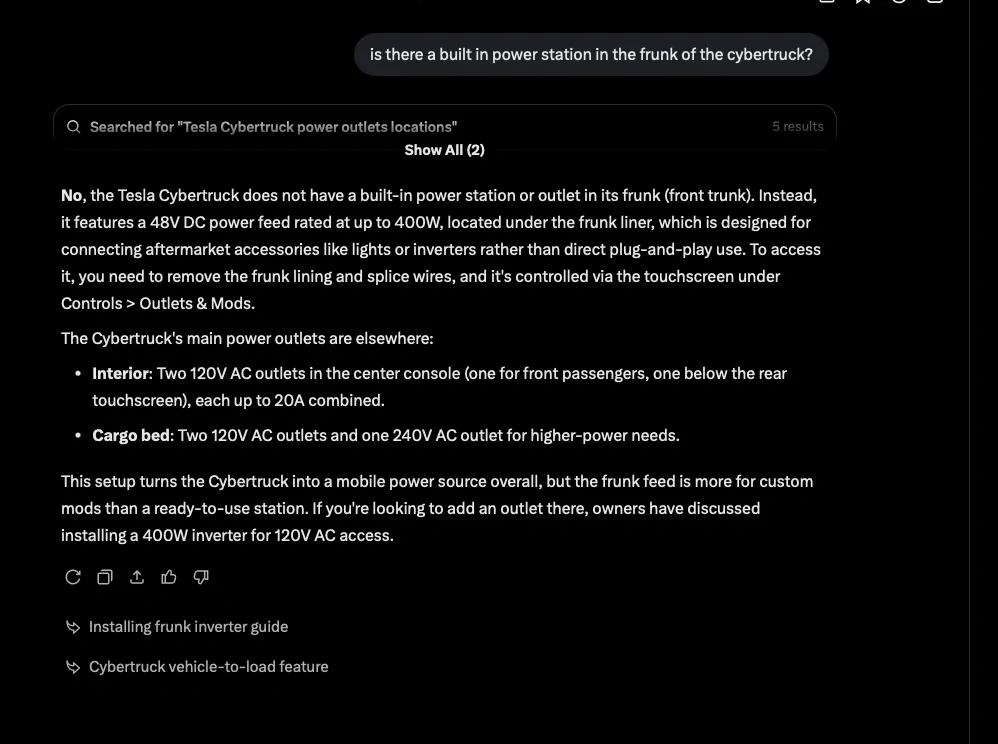
***EDIT*** Grok is my friend. I didn't realize about the power station already being in the frunk behind the liner. So does this allow a "direct connect" for the refrigerator (I think you said DC?) via some sort of adapter? Just curious exactly what you did to connect the refrigerator to it.
Tesla Cybertruck Installed CyberGear Refrigerator (review video added) 1760990018826-6


***EDIT****
More from Grok - is this how you did it via a 48V to 12V "Buck Converter" or I think you mentioned the solar power station . . .

z
Standard Installation (Plug-and-Play)


The Cybergearco (often stylized as CyberGear) 18L Center Console Floor Refrigerator is designed for the Cybertruck's center console, not the frunk, but it can be powered via the vehicle's electrical system. It's a compressor-based fridge that typically runs on 12V DC (around 45-60W draw) and comes with a built-in power supply housing that includes a DC input for direct connection. The simplest setup uses the truck's interior AC outlets, but to tie into the frunk's 48V DC feed (as referenced in your query), you'll need a buck converter for efficiency. This avoids AC conversion losses and keeps the fridge running even during AC charging (when interior outlets shut off).


Here's a step-by-step guide based on owner installs and the product's specs:


  1. Prepare the Fridge and Space:
    • Unbox the fridge—it fits precisely in the forward center console floor area (replaces the stock storage bin).
    • Ensure the Cybertruck is off and parked safely.
    • Remove the center console trim: Pull rearward on the panel near the passenger footwell to unclip and hinge it toward the driver's side. No tools needed.
  2. Access the Frunk 48V Feed:
    • Open the frunk.
    • Lift and remove the frunk liner (it's clipped in—pull gently from the edges).
    • Locate the shrink-wrapped wires under the liner (positive red, negative black). This is the 48V DC accessory feed (up to 400W max).
    • Carefully cut away ~1-2 inches of shrink wrap to expose the wires. Safety note: Always assume wires are energized—work with the truck off and use insulated tools.
  3. Wire the Buck Converter:
    • Purchase a 48V-to-12V DC buck converter (e.g., 48V-12V 30A module, ~$20-30 on Amazon; rated for at least 60W to match the fridge).
    • Solder or use crimp connectors to splice:
      • Converter's input positive (+) to the frunk's red wire.
      • Converter's input negative (-) to the frunk's black wire.
    • Route the converter's 12V output cable through the frunk grommet (firewall pass-through near the bulkhead) into the cabin. Seal with RTV silicone to prevent rattles or water ingress.
    • Secure the converter in the frunk with zip ties or adhesive mounts.
  4. Connect to the Fridge:
    • Plug the fridge's DC cable directly into the 12V output on the Cybergearco's power supply housing (located under the unit).
    • Slide the fridge into the console space—it mates flush with the housing.
    • Reinstall the console trim and frunk liner.
  5. Enable and Test Power:
    • On the touchscreen: Go to Controls > Outlets & Mods and toggle the frunk feed on. Enable Keep Outlets On (under Controls > Safety) to run continuously after exiting (up to ~12 hours before auto-shutoff for safety).
    • Power on the fridge via its touch panel (modes: Extreme for rapid cool to 21°F/-6°C, Standard, or ECO for ~30% less draw).
    • Test: It should cool from 77°F to 32°F in ~1-1.5 hours. Monitor draw via the truck's energy app—expect 30-50W average.

Tools/Materials Needed


ItemPurposeApprox. Cost
48V-to-12V Buck Converter (30A)Steps down frunk voltage to fridge's 12V$20-30
Solder Iron + Solder, or Crimp ConnectorsSecure wiring splices$10-15
Heat Shrink Tubing & Zip TiesInsulate/secure wires$5
RTV Silicone SealantSeal grommet$8
MultimeterVerify connections (optional)$15

Alternative: Solar Generator for Simpler Setup


If splicing feels too involved, store a portable solar generator (e.g., EcoFlow River 2, ~$200) in the frunk and power it from the 48V feed (via buck converter to its 12V input). Then plug the fridge into the generator's AC outlet. This adds flexibility for off-grid use and avoids direct cabin routing.


Tips and Warnings


  • Power Draw: The fridge sips ~8% battery over 12 hours in ECO mode—negligible for the Cybertruck's 123kWh pack.
  • Warranty: Splicing the frunk feed is DIY-friendly per Tesla's manual but could void aspects if damaged. Use heat-shrink for clean, reversible connections.
  • Cooling Performance: Dual-layer insulation holds temps well; add the included drain plug for condensation.
  • Owners report seamless integration—it looks factory and fits 24 cans or 6 wine bottles. For video guides, check Cybertruck Owners Club forums or YouTube searches like "Cybergearco fridge DC install."

If this isn't the exact "Cyberco" product you meant (e.g., a different brand), share more details for tailored advice!

***Final Edit*** I Fat fingered CyberGear. Told Grok, said that was what it thought I meant. :)
 
Last edited:

hemiarch

Well-known member
First Name
Ace
Joined
Jan 22, 2025
Threads
116
Messages
8,380
Reaction score
9,635
Location
Arizona
Vehicles
2024 foundation AWD, 2024 model x
Occupation
Trauma Surgeon
Country flag
So the fridge I was taking about is sold by multiple of the purveyors of Chinese goodies.
It’s the 18l center console fridge but this works for any type of fridge.
Here is an example:
https://a.co/d/6sDT9ma
I like shopping through Amazon with these kind of guys because it adds a crease of less painful if you want to return for any reason but get the best deal you can find on one.
I’ve learned there is a signicant margin made on them so don’t feel like anyone is doing you a favor.
I stand behind the idea that there isn’t a single good reason to run the fridge on ac power like the marketers want but I’ve since found a more logical way to run this thing so I’ll start with that.
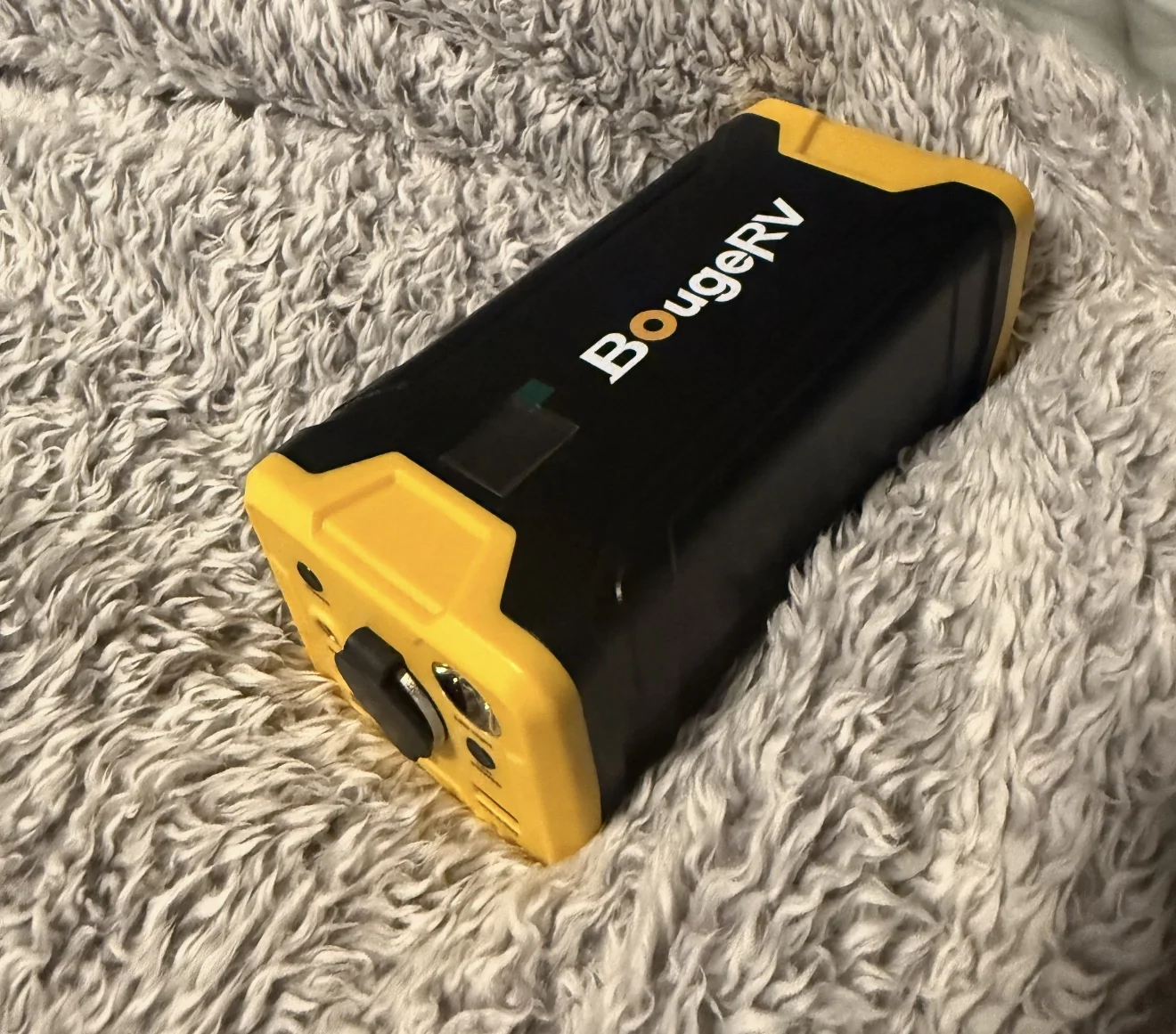
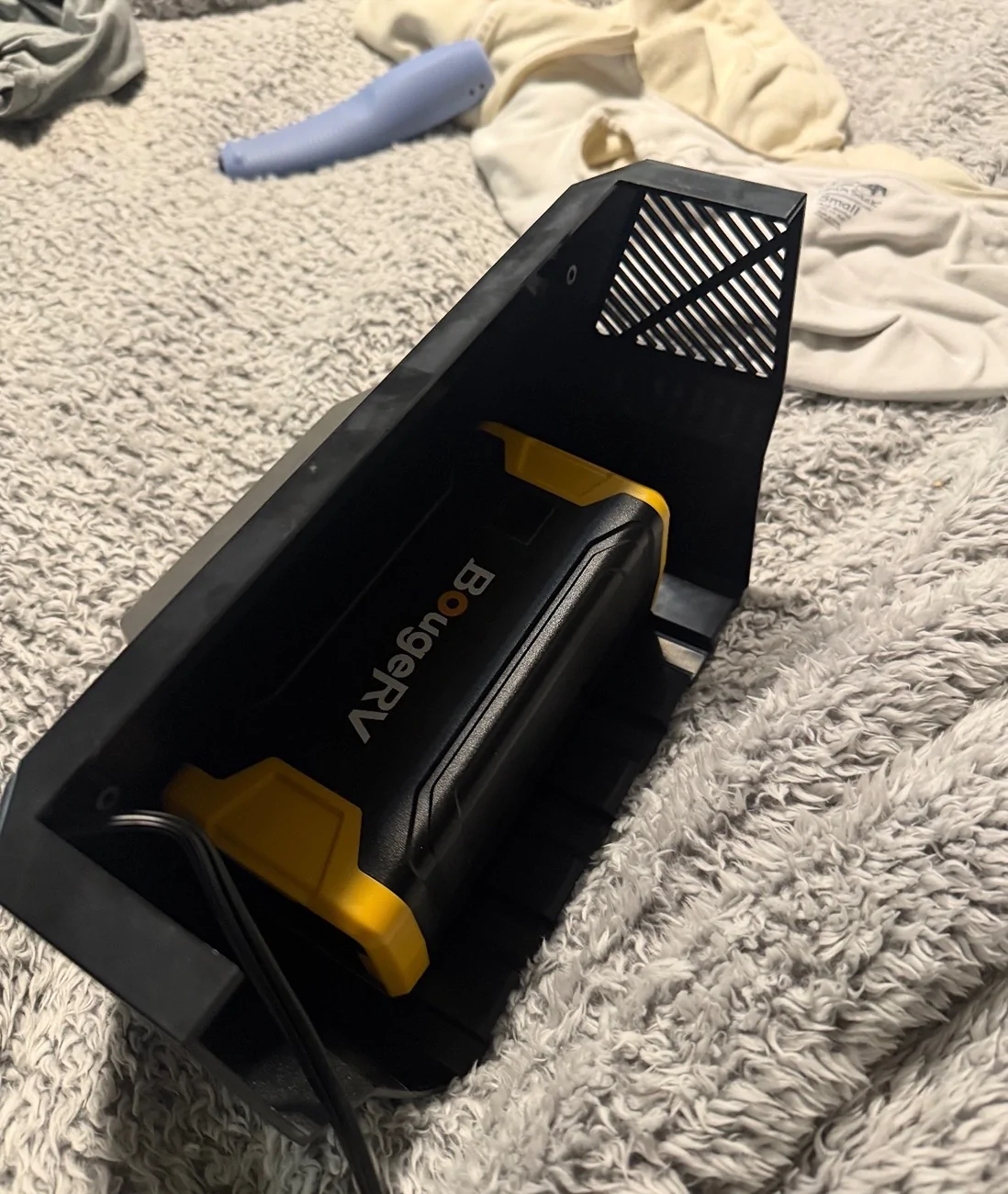
I bought one of these batteries:
https://a.co/d/d3gt6LH
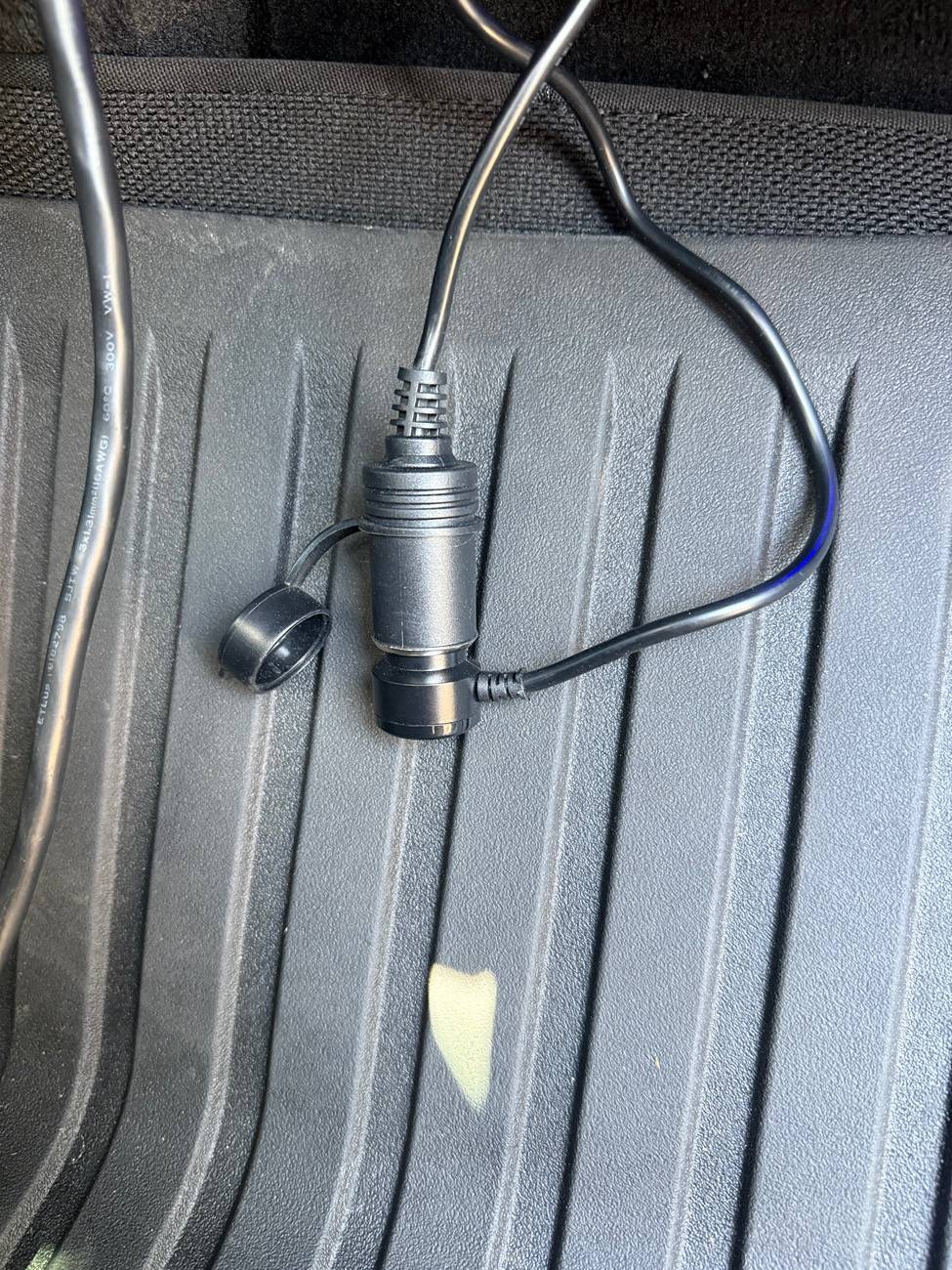
And a basic 12 v fridge cable like this but ideally with some kind of locking plug: I just cut one off and added a locking plug to mine.:
https://a.co/d/b7WUVog
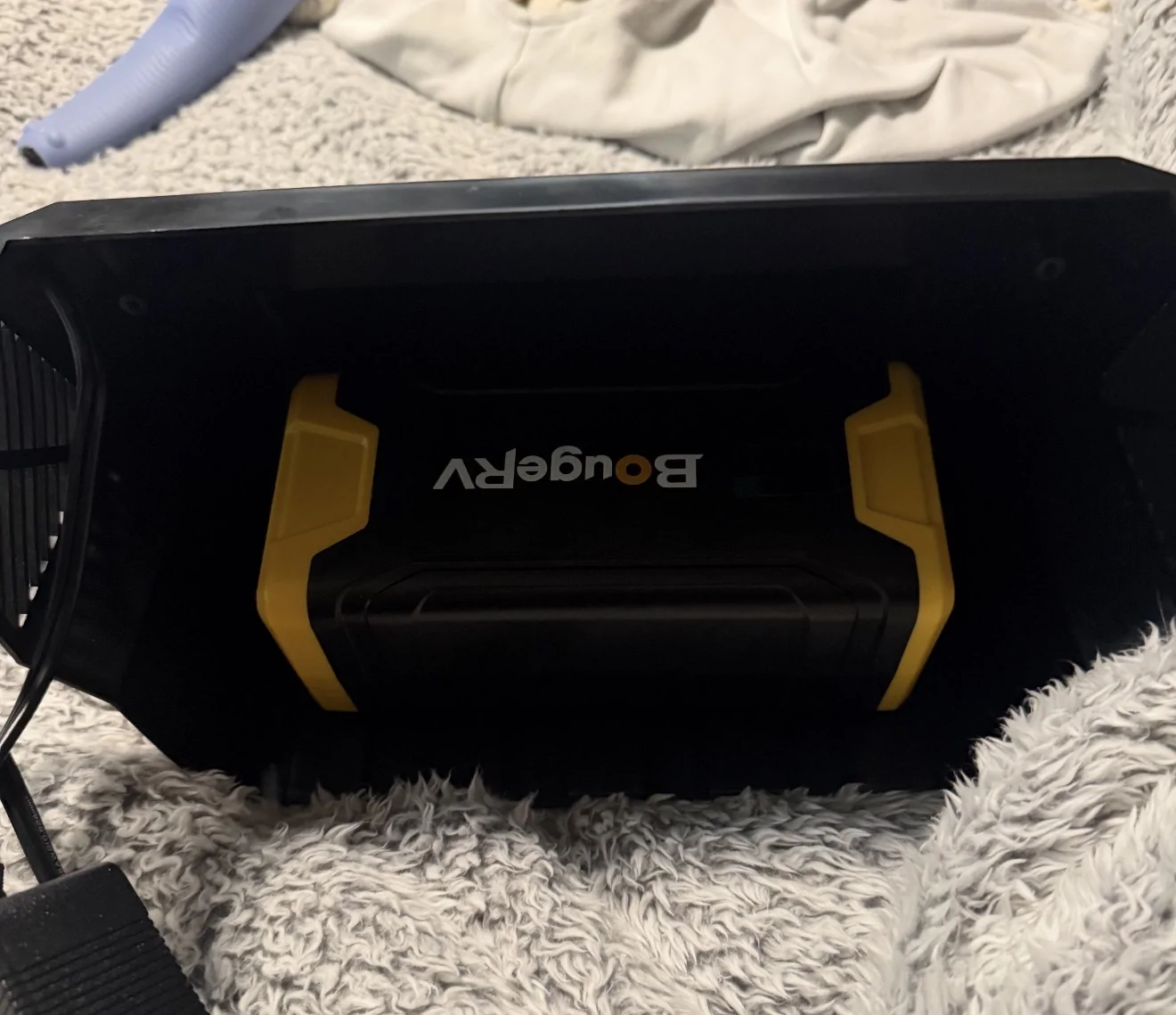
Anyway, when you remove the little black plastic “power section” of the fridge, there are three screws in it and when you open those you realize they just have an unnecessary power brick in there to run the dc fridge off of AC.
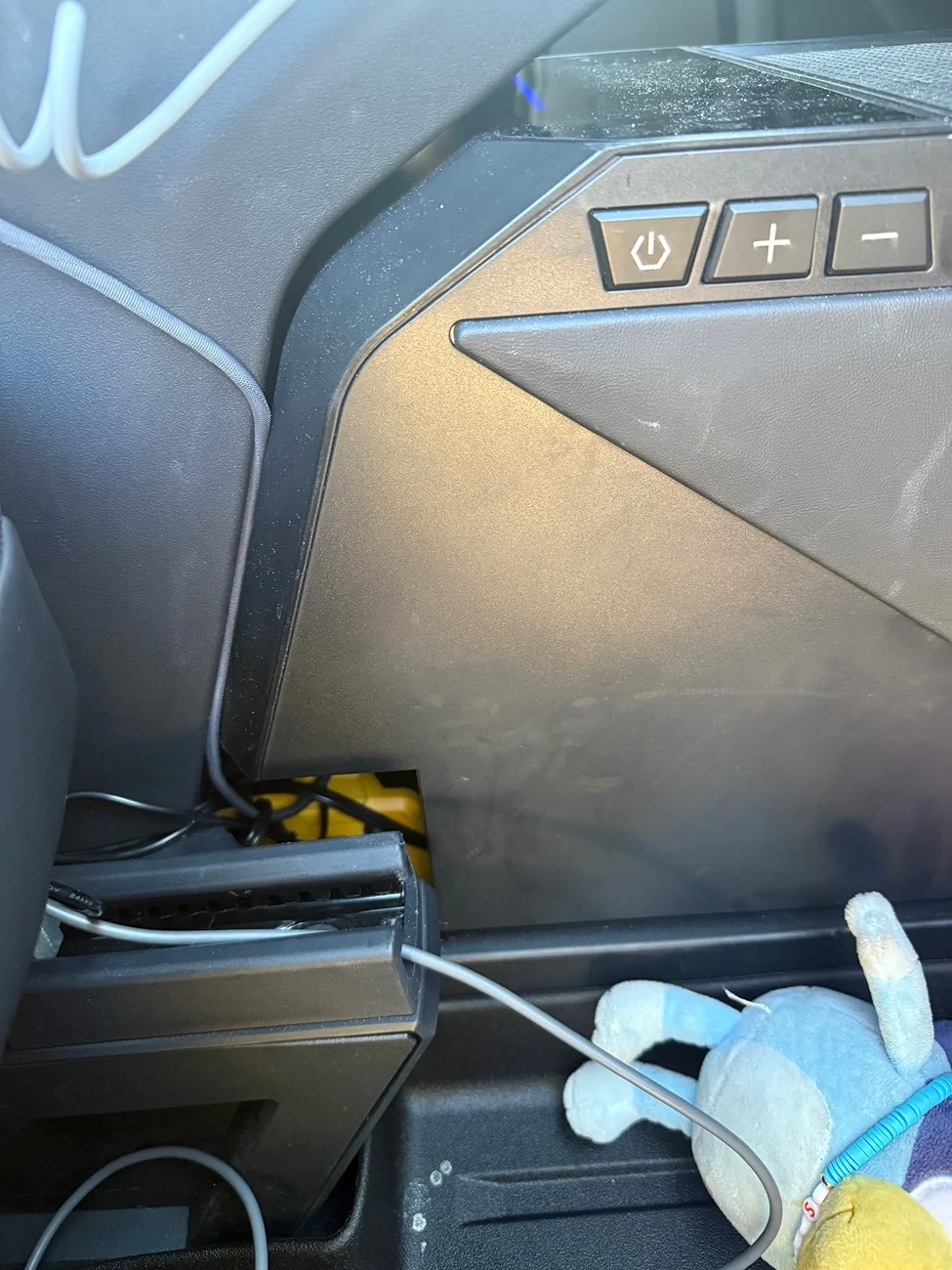
the battery linked above is small enough to install in that little housing but there is no point, I just left mine off because where it sits is such that you have to move the seat all the way back to even see it and access it. It’s invisible, breaths better and is easier to access without the plastic cover.
So this battery sits in the tunnel behind the fridge and powers the fridge but can accept usb-c charge. So, you just plug into either the rear or center console usb-c and then check the “keep aux power on” box in your UI. Presto…fridge that runs 24hrs a day without burning massive mileage off your truck.

Tesla Cybertruck Installed CyberGear Refrigerator (review video added) IMG_6674


Tesla Cybertruck Installed CyberGear Refrigerator (review video added) IMG_6677


Tesla Cybertruck Installed CyberGear Refrigerator (review video added) IMG_6678


Tesla Cybertruck Installed CyberGear Refrigerator (review video added) IMG_6675

Been running it like this for several months and it’s flawless. Never turns off. Car can still sleep.
In my prior setup I ran the fridge off the dc out of an Ecoflow river 2 pro that was fed off the frunk feed in the frunk.
I just ran a DC fridge cable into the cabin to do this.
happier with my current solution honestly.
takes zero footprint. That battery sits somewhere that was dead space anyway after installing the fridge.
A frunk battery power bank is hella useful though. Still recommend it.
 
Last edited:

pkauf01

Well-known member
First Name
Paul
Joined
Mar 12, 2025
Threads
3
Messages
136
Reaction score
264
Location
Florida
Vehicles
Tesla Model Y, Cybertruck AWD
Country flag
So the fridge I was taking about is sold by multiple of the purveyors of Chinese goodies.
It’s the 18l center console fridge but this works for any type of fridge.
Here is an example:
https://a.co/d/6sDT9ma
I like shopping through Amazon with these kind of guys because it adds a crease of less painful if you want to return for any reason but get the best deal you can find on one.
I’ve learned there is a signicant margin made on them so don’t feel like anyone is doing you a favor.
I stand behind the idea that there isn’t a single good reason to run the fridge on ac power like the marketers want but I’ve since found a more logical way to run this thing so I’ll start with that.
I bought one of these batteries:
https://a.co/d/d3gt6LH
And a basic 12 v fridge cable like this but ideally with some kind of locking plug: I just cut one off and added a locking plug to mine.:
https://a.co/d/b7WUVog
Anyway, when you remove the little black plastic “power section” of the fridge, there are three screws in it and when you open those you realize they just have an unnecessary power brick in there to run the dc fridge off of AC.
the battery linked above is small enough to install in that little housing but there is no point, I just left mine off because where it sits is such that you have to move the seat all the way back to even see it and access it. It’s invisible, breaths better and is easier to access without the plastic cover.
So this battery sits in the tunnel behind the fridge and powers the fridge but can accept usb-c charge. So, you just plug into either the rear or center console usb-c and then check the “keep aux power on” box in your UI. Presto…fridge that runs 24hrs a day without burning massive mileage off your truck.

IMG_6674.webp


IMG_6677.webp


IMG_6678.webp


IMG_6675.webp

Been run I flown this for several months and it’s flawless. Never turns off. Car can still sleep.
Oh, I thought you ran the power via the 48V in the frunk. I have seen they make power converters to take the 48v to 12v. I might think that would be cleaner to run the 12v from the battery to the frunk, and then to the battery you specified. So I'm assuming the battery is getting constant power (if you choose to leave the usb or frunk accessory power always on) and will only really drain on the CT if the fridge is turned on? And of course, I can always kill the constant power from the app/screen.

Oh, and THANKS SO MUCH. You are incredibly helpful!
 

hemiarch

Well-known member
First Name
Ace
Joined
Jan 22, 2025
Threads
116
Messages
8,380
Reaction score
9,635
Location
Arizona
Vehicles
2024 foundation AWD, 2024 model x
Occupation
Trauma Surgeon
Country flag
Correct. The reason I used the river 2 pro in the frunk is because it can accept up to 50v in its solar input which not many small power stations can do.it charges at 220w from the frunk feed using that. That means I could charge it without a buck convertor which physics dictates has to generate heat. Something I don’t live for anything continuously running.
 

pkauf01

Well-known member
First Name
Paul
Joined
Mar 12, 2025
Threads
3
Messages
136
Reaction score
264
Location
Florida
Vehicles
Tesla Model Y, Cybertruck AWD
Country flag
Correct. The reason I used the river 2 pro in the frunk is because it can accept up to 50v in its solar input which not many small power stations can do.it charges at 220w from the frunk feed using that. That means I could charge it without a buck convertor which physics dictates has to generate heat. Something I don’t live for anything continuously running.
Understood. The river 2 pro is probably overkill for my usage, but I think I would like to use the power from the frunk supply for a cleaner install. I'll use the battery setup you describe but will mount the buck converter in space behind the frunk and run a lead for the battery into the cabin. I've seen things that state there is a grommet in the firewall to allow access, but I think your pictures showed going via the door jamb. Any reason why?
Sponsored


Top