pae1andonly
Well-known member
- First Name
- Paul
- Joined
- Apr 29, 2025
- Threads
- 19
- Messages
- 322
- Reaction score
- 327
- Location
- ? ??
- Vehicles
- 2024 RAM 2500
- Occupation
- Retired

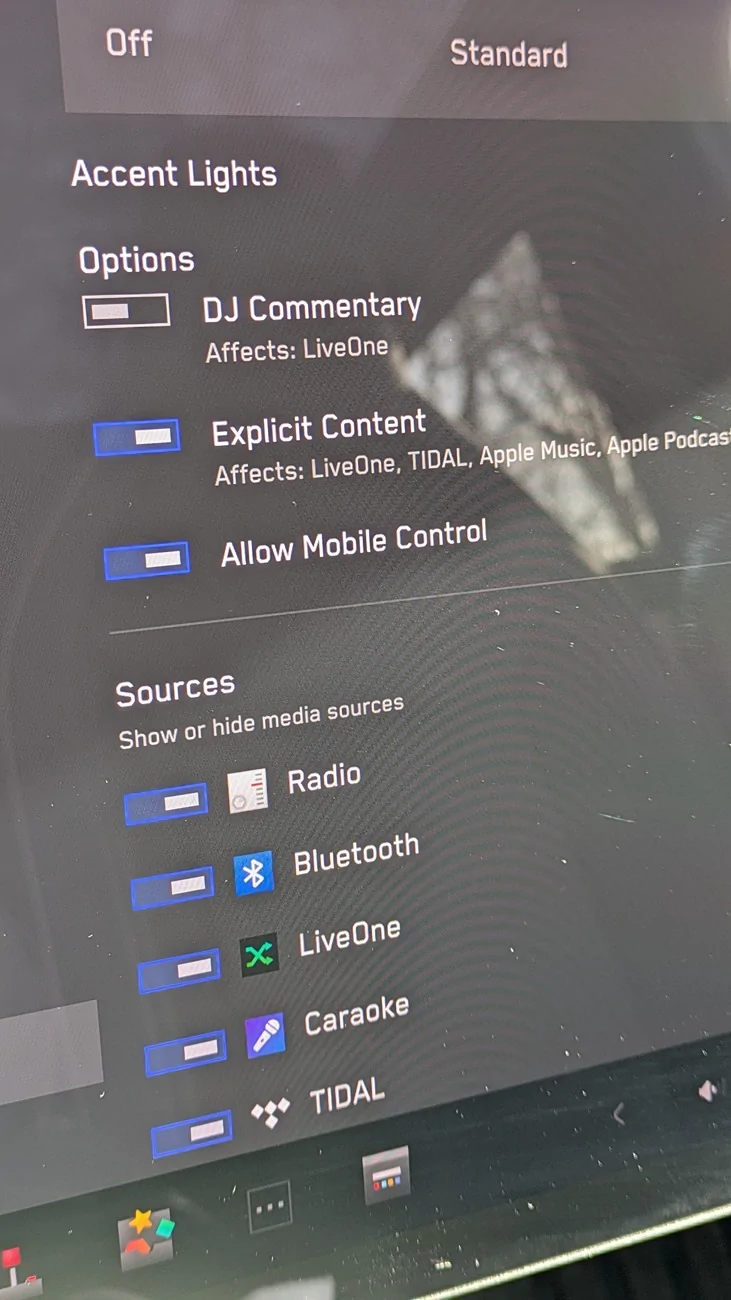
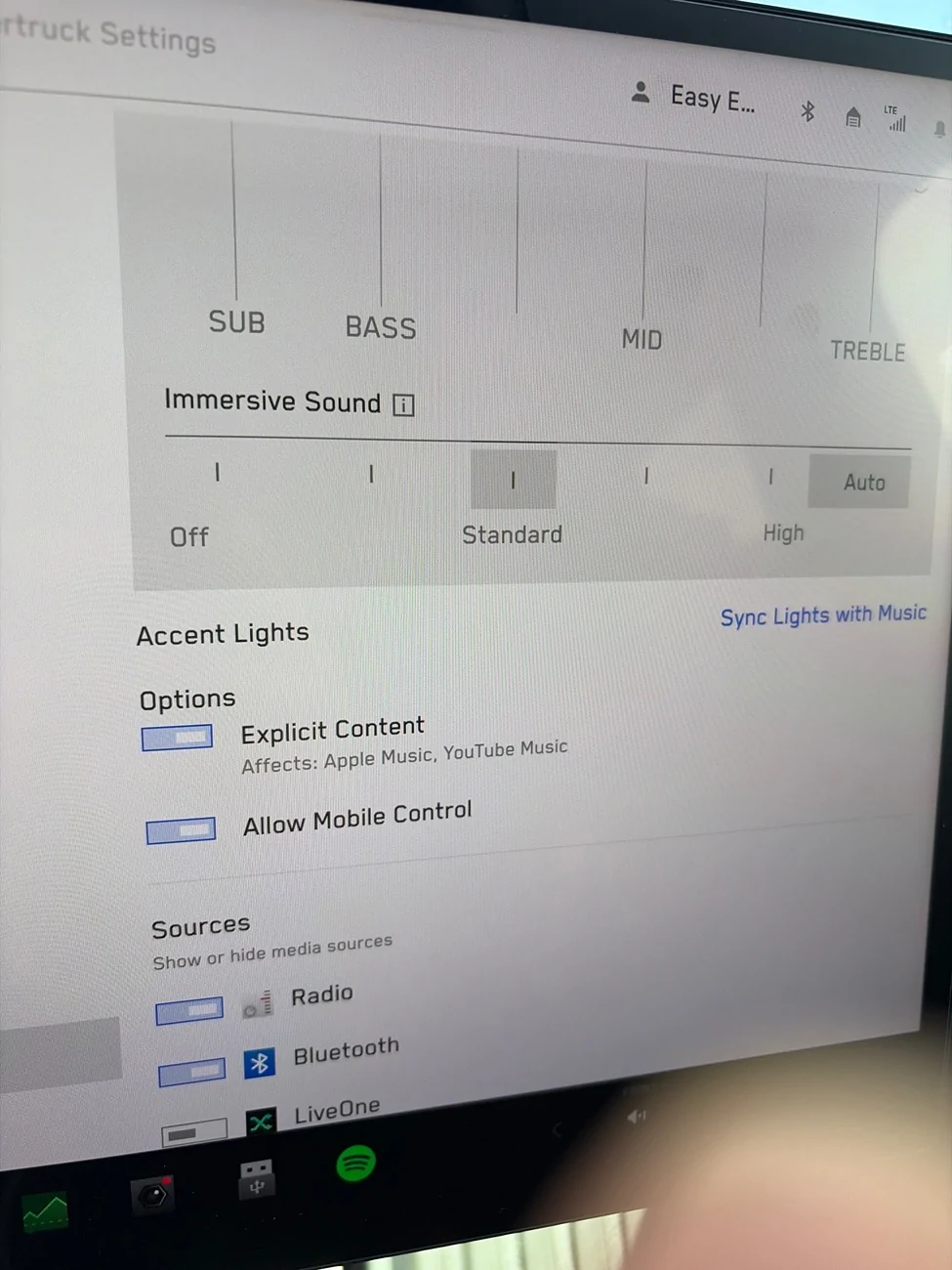
Grok short version: we're waiting on server-side rollout
Long Version:
Cybertruck audio system features
ANC activation troubleshooting steps
Thought for 18s
If your Cybertruck meets the eligibility criteria (Premium All-Wheel Drive or Cyberbeast trim on software version 2026.2.9.1 or later), but Active Road Noise Reduction (ANC) isn't appearing or activating, follow these troubleshooting steps in order. These are based on common owner reports and Tesla's phased rollout process, where the feature is often enabled server-side after the update installs.
tr.tesery.com
For any persistent issues, refer to the owner's manual troubleshooting section for general alerts.
tesla.com
Long Version:
Cybertruck audio system features
ANC activation troubleshooting steps
Thought for 18s
If your Cybertruck meets the eligibility criteria (Premium All-Wheel Drive or Cyberbeast trim on software version 2026.2.9.1 or later), but Active Road Noise Reduction (ANC) isn't appearing or activating, follow these troubleshooting steps in order. These are based on common owner reports and Tesla's phased rollout process, where the feature is often enabled server-side after the update installs.
- Verify the software update: Open the Tesla app or go to Controls > Software on the vehicle's touchscreen to confirm you're on 2026.2.9.1 (or a subsequent version). If not, connect to Wi-Fi and check for updates—tap the car icon in the app and select "Software Update" to force a check.
cybertruckownersclub.com - Check for the ANC toggle: Navigate to Controls > Audio on the touchscreen. Look for "Active Road Noise Reduction" in the settings. If it's there, toggle it on and test by driving at highway speeds or over rough surfaces to notice reduced cabin noise.
notateslaapp.com +1 - Perform a soft reboot: If the toggle doesn't appear, park the vehicle safely and hold down both scroll wheels on the steering yoke until the touchscreen goes black and restarts (about 10-30 seconds). This can refresh the system and trigger feature activation.
cybertruckownersclub.com +1 - Drive the vehicle: Take a short drive, ideally on varied surfaces like highways or bumpy roads, as some owners report the feature "wakes up" after detecting road noise. Park and check the Audio settings again afterward.
cybertruckownersclub.com - Wait for server-side rollout: ANC is deployed in waves, so it may take 1-2 days (or up to a week) for Tesla to flip the switch remotely for your specific vehicle. Keep the truck connected to Wi-Fi when parked to allow any backend updates.
cybertruckownersclub.com - Power cycle the vehicle: If the above doesn't work, turn off the truck completely via Controls > Safety > Power Off, wait 2-5 minutes, then press the brake pedal to restart. This can resolve deeper software glitches.
tesla.com - Contact Tesla support: If ANC still isn't available after a week, use the Tesla app to request service (under Service > Request Service) or call 1-877-798-3752. Provide your VIN and mention the ANC feature flag—support can often verify or enable it remotely.
tesla.com +1
tr.tesery.com
For any persistent issues, refer to the owner's manual troubleshooting section for general alerts.
tesla.com
Sponsored


 )
)