Sponsored

Custom Lightshows no longer show up

TeslaKen

Well-known member
First Name
Ken
Joined
Apr 26, 2024
Threads
108
Messages
1,242
Reaction score
1,695
Location
Overland Park
Website
www.halocybertruck.com
Vehicles
Cyberbeast, M3PD+, GT4, XK140OTS
Occupation
Currently Occupied
Country flag
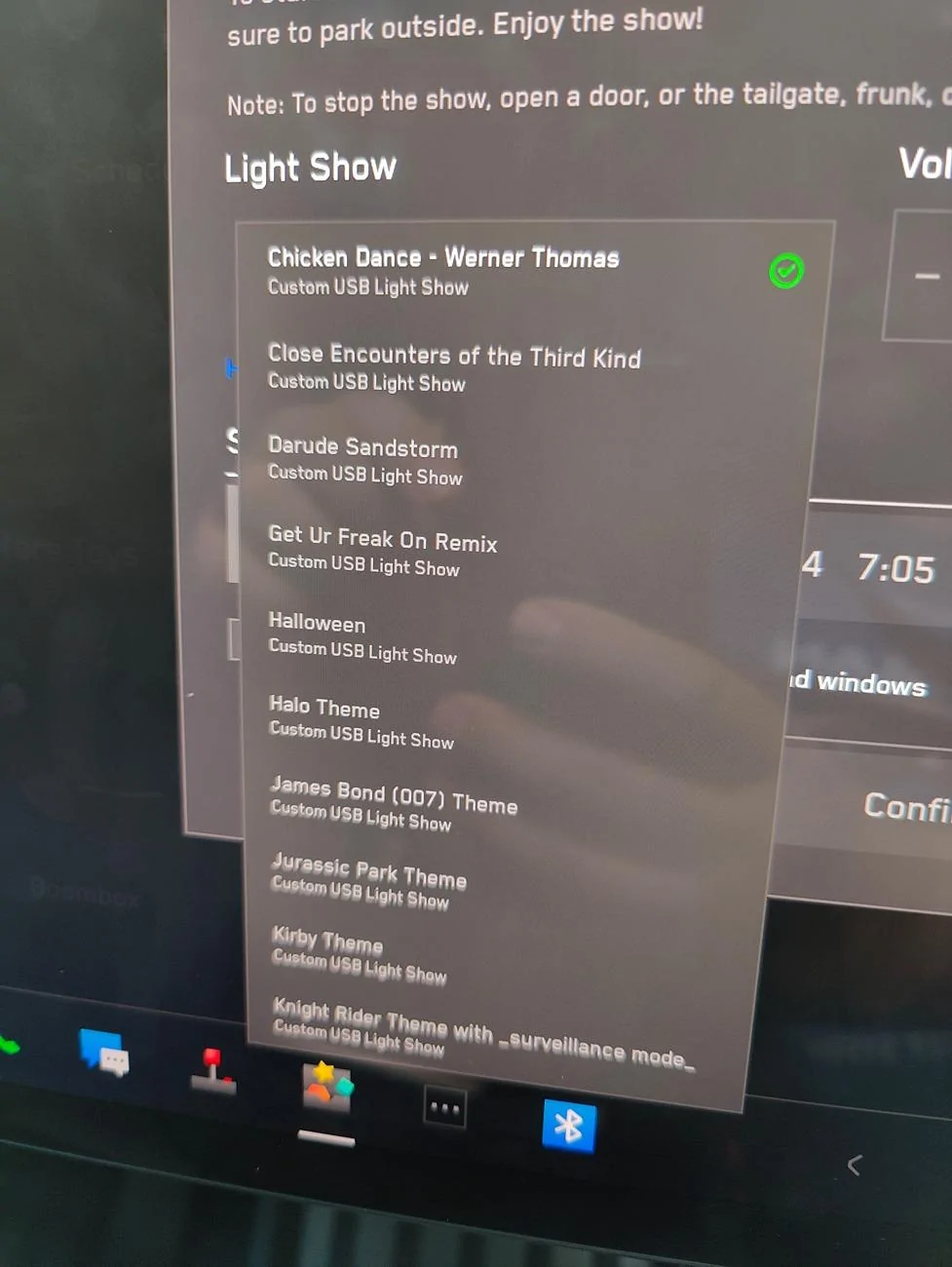
I'm at a carshow today and went to play some of my custom light shows (Really wanted to play my HALO ones!) only to find that they don't show up in the drop down list. We took the usb drive out and plugged it into 2 other Teslas, 1 Cybertruck and 1 model Y and it showed up and played in both. Then we brought another usb stick from the model Y owner that has his custom shows on it and plugged it into my Cybertruck and nothing showed up, just the default built in shows like the Arrival, Carol of the Bells and Old Ange Syne. We've rebooted multiple times and still nothing. I'm on the latest .9 release as was the other Cybertruck owner, the only difference between our truck is that his is AWD and mine is a Beast but I have a hard time believing that should be the issue. The dash cam and security cam features of my truck work just fine and the USB sticks show power to them as they have mini led lights that show activity/power. That makes me believe my USB port in the glovebox is working just fine, but that suddenly, for whatever reason, my Cybertruck no longer wants to show custom lightshows from any USB source I plug in to try. Custom light shows showed up as recently as last week and yes, I did add the .9 update a few days ago, but again the other Cybertruck owner was also on the same software version as I am.

Bug? Gremlins? Thoughts?
Sponsored
 

bradyquick1

Member
Joined
Jun 13, 2024
Threads
0
Messages
12
Reaction score
8
Location
Sarasota, FL
Vehicles
cybertruck, model y
Country flag
My custom light shows stopped working on my Foundation CyberTruck after the 2nd to last update. Was hoping it would get fixed with last update but to no avail.
 
OP
OP
TeslaKen

TeslaKen

Well-known member
First Name
Ken
Joined
Apr 26, 2024
Threads
108
Messages
1,242
Reaction score
1,695
Location
Overland Park
Website
www.halocybertruck.com
Vehicles
Cyberbeast, M3PD+, GT4, XK140OTS
Occupation
Currently Occupied
Country flag
Please make sure to create Service tickets so engineering knows that this is an issue
I just opened up a service ticket in the app, soonest I can get in is September 2nd. At least I opened a ticket... :)


rudedawg78

Well-known member
First Name
Ernie
Joined
Jun 8, 2020
Threads
46
Messages
1,814
Reaction score
3,019
Location
South Carolina
Vehicles
2024 AWD Cybertruck (Foundation Series) "Wraith"
Occupation
Retired USAF, Emergency Manager
Country flag
I just hooked up my 2TB hard drive into the glove box to replace the Tesla thumb drive. All of my custom light shows that were on the drive transferred over just fine. I partitioned my hard drive and have a separate partition for dashcam, music, boombox, and light shows. For light shows, make sure you have a root folder named "LightShow" and then put your light shows in that folder. Hope this helps.
Tesla Cybertruck Custom Lightshows no longer show up IMG20240716185850
 

bradyquick1

Member
Joined
Jun 13, 2024
Threads
0
Messages
12
Reaction score
8
Location
Sarasota, FL
Vehicles
cybertruck, model y
Country flag
I just hooked up my 2TB hard drive into the glove box to replace the Tesla thumb drive. All of my custom light shows that were on the drive transferred over just fine. I partitioned my hard drive and have a separate partition for dashcam, music, boombox, and light shows. For light shows, make sure you have a root folder named "LightShow" and then put your light shows in that folder. Hope this helps.
IMG20240716185850.jpg
Thank you I have done this but will try again. I have a service ticket open just in case
 

rudedawg78

Well-known member
First Name
Ernie
Joined
Jun 8, 2020
Threads
46
Messages
1,814
Reaction score
3,019
Location
South Carolina
Vehicles
2024 AWD Cybertruck (Foundation Series) "Wraith"
Occupation
Retired USAF, Emergency Manager
Country flag
Thank you I have done this but will try again. I have a service ticket open just in case
I named the partition "LightShow" as well. Unsure if that will help you.
 
OP
OP
TeslaKen

TeslaKen

Well-known member
First Name
Ken
Joined
Apr 26, 2024
Threads
108
Messages
1,242
Reaction score
1,695
Location
Overland Park
Website
www.halocybertruck.com
Vehicles
Cyberbeast, M3PD+, GT4, XK140OTS
Occupation
Currently Occupied
Country flag
I named the partition "LightShow" as well. Unsure if that will help you.
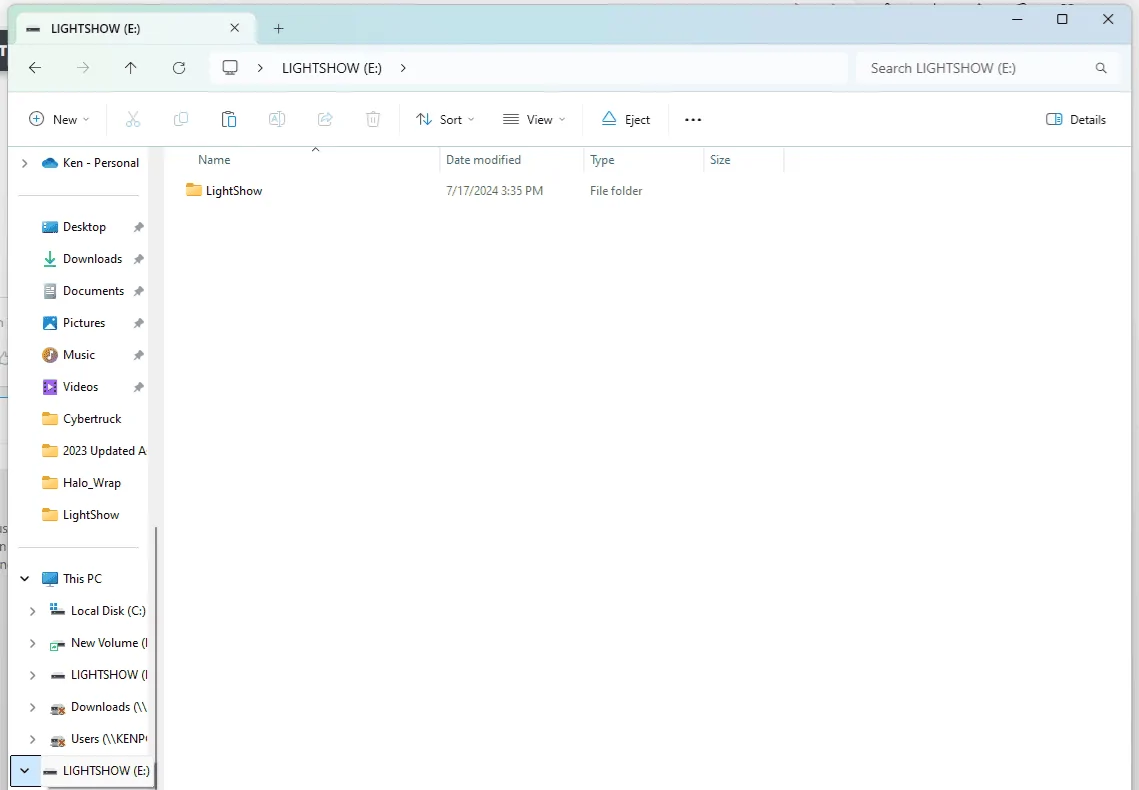
I named the partition LightShow but it makes it all caps for the name of the partition, or maybe that is the Volume name. Anyway in this image you can see I have 1 folder in the root of the his USB stick and it says LightShow and in that folder are my lightshow files. I noticed yesterday with the old USB stick inserted that USB music showed up and was showing the contents of the lightshow folder as if they were USB music songs to be played. I am wondering if the recent addition of USB Music capability to the Cybertruck has jacked up the LightShows in some way. Going to try the brand new USB stick now and see if it makes any difference...
Tesla Cybertruck Custom Lightshows no longer show up LightShowFolderPic
 

rudedawg78

Well-known member
First Name
Ernie
Joined
Jun 8, 2020
Threads
46
Messages
1,814
Reaction score
3,019
Location
South Carolina
Vehicles
2024 AWD Cybertruck (Foundation Series) "Wraith"
Occupation
Retired USAF, Emergency Manager
Country flag
I named the partition LightShow but it makes it all caps for the name of the partition, or maybe that is the Volume name. Anyway in this image you can see I have 1 folder in the root of the his USB stick and it says LightShow and in that folder are my lightshow files. I noticed yesterday with the old USB stick inserted that USB music showed up and was showing the contents of the lightshow folder as if they were USB music songs to be played. I am wondering if the recent addition of USB Music capability to the Cybertruck has jacked up the LightShows in some way. Going to try the brand new USB stick now and see if it makes any difference...
LightShowFolderPic.png
Yeah, the name of the partition is capitalized for me also. Your root folder is named correctly. Each lightshow requires two different files, one .FSEQ file and one .MP3. Is that what you have for your light shows?


OP
OP
TeslaKen

TeslaKen

Well-known member
First Name
Ken
Joined
Apr 26, 2024
Threads
108
Messages
1,242
Reaction score
1,695
Location
Overland Park
Website
www.halocybertruck.com
Vehicles
Cyberbeast, M3PD+, GT4, XK140OTS
Occupation
Currently Occupied
Country flag
Yeah, the name of the partition is capitalized for me also. Your root folder is named correctly. Each lightshow requires two different files, one .FSEQ file and one .MP3. Is that what you have for your light shows?
Yes and the same thing happens when I plug in this new USB drive, it doesn't see it under light shows but does see the 4 audio files (I have 4 custom light shows with 8 files (2 each the audio file and the sequencer file)) as music that can be played off of USB. I see no way to turn off USB music, oh wait, that SHOULD be a check box... let me go look for that checkbox, just like you can turn off and off other music sources... standby...
 
OP
OP
TeslaKen

TeslaKen

Well-known member
First Name
Ken
Joined
Apr 26, 2024
Threads
108
Messages
1,242
Reaction score
1,695
Location
Overland Park
Website
www.halocybertruck.com
Vehicles
Cyberbeast, M3PD+, GT4, XK140OTS
Occupation
Currently Occupied
Country flag
Yeah, the name of the partition is capitalized for me also. Your root folder is named correctly. Each lightshow requires two different files, one .FSEQ file and one .MP3. Is that what you have for your light shows?
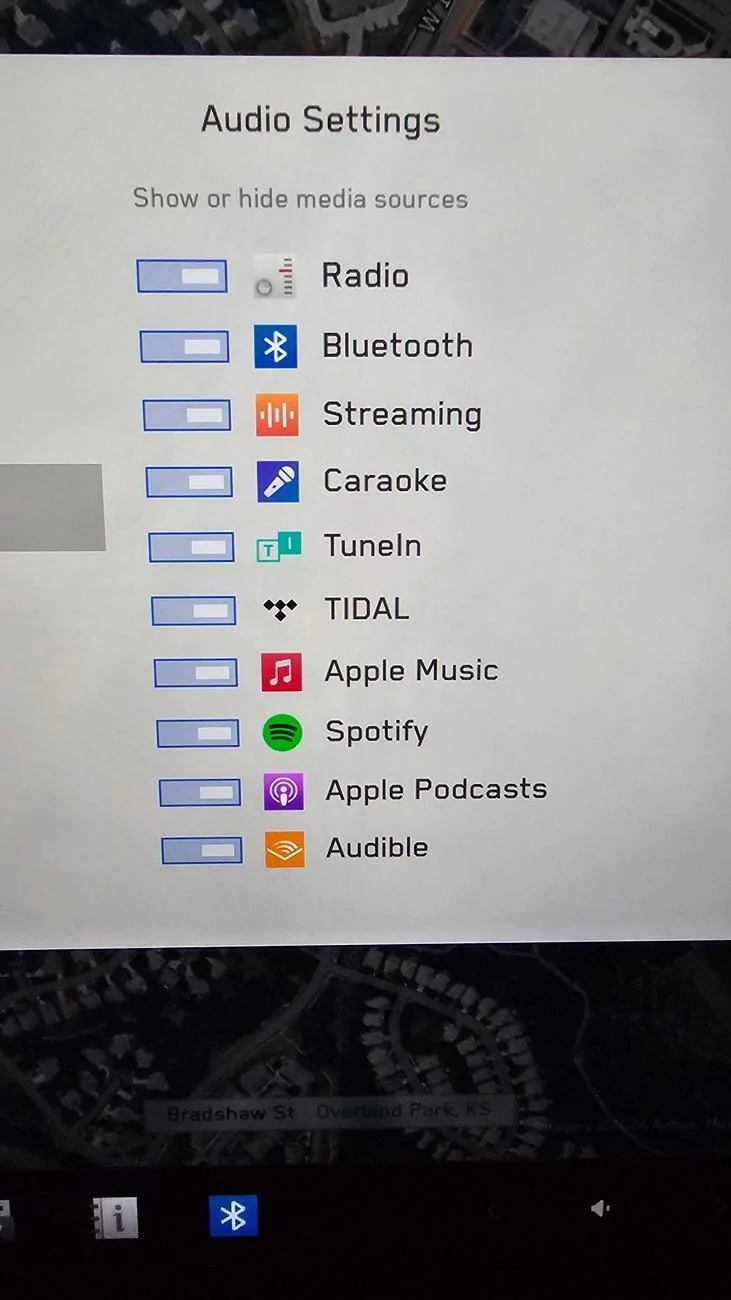
Dangit the sources don't currently list USB as an option to turn on or off...
Tesla Cybertruck Custom Lightshows no longer show up 20240717_160327
 
OP
OP
TeslaKen

TeslaKen

Well-known member
First Name
Ken
Joined
Apr 26, 2024
Threads
108
Messages
1,242
Reaction score
1,695
Location
Overland Park
Website
www.halocybertruck.com
Vehicles
Cyberbeast, M3PD+, GT4, XK140OTS
Occupation
Currently Occupied
Country flag
Yeah, the name of the partition is capitalized for me also. Your root folder is named correctly. Each lightshow requires two different files, one .FSEQ file and one .MP3. Is that what you have for your light shows?
A thought occurred to me that maybe my configuration is saved from my model 3 and as it moves over to the cybertruck. Maybe there's something that's not interpreted correctly about listening to USB music. I'm gonna check the model 3 when I get back home and see if I can turn on or off USB music as a source in the model 3...
 

rudedawg78

Well-known member
First Name
Ernie
Joined
Jun 8, 2020
Threads
46
Messages
1,814
Reaction score
3,019
Location
South Carolina
Vehicles
2024 AWD Cybertruck (Foundation Series) "Wraith"
Occupation
Retired USAF, Emergency Manager
Country flag
A thought occurred to me that maybe my configuration is saved from my model 3 and as it moves over to the cybertruck. Maybe there's something that's not interpreted correctly about listening to USB music. I'm gonna check the model 3 when I get back home and see if I can turn on or off USB music as a source in the model 3...
Is your USB drive formatted as exFAT?
 

Jabman

Well-known member
First Name
John
Joined
Dec 3, 2023
Threads
3
Messages
619
Reaction score
1,070
Location
New Jersey
Vehicles
Tesla Model S, Ram 1500
Country flag
I just hooked up my 2TB hard drive into the glove box to replace the Tesla thumb drive. All of my custom light shows that were on the drive transferred over just fine. I partitioned my hard drive and have a separate partition for dashcam, music, boombox, and light shows. For light shows, make sure you have a root folder named "LightShow" and then put your light shows in that folder. Hope this helps.
IMG20240716185850.webp
Can you please explain how you did this? I have a bunch of separate usb sticks, one for each light show. I didn’t know you could have them all show up on the drop down list. That is so much better. Also, how did you set up the partition for the sentry and dash cam? Do they each need a separate root folder? Thanks in advance
Sponsored


Top