
Sponsored

App - how to set default car

WichitaDad

Well-known member
First Name
Rick
Joined
Feb 7, 2024
Threads
14
Messages
59
Reaction score
49
Location
Kansas
Vehicles
Model S
Occupation
USB C
Country flag
This is for those of you who have more than one Tesla in the app. I can't figure out how to get the Cybertruck to be the default car on my profile.
Sponsored
 

bwilliam79

Well-known member
First Name
Brandon
Joined
Dec 26, 2022
Threads
7
Messages
148
Reaction score
340
Location
Prosper, TX
Vehicles
CT DM, Tesla MY LR, Tesla MY SR, Rivian R1S
Country flag
Default for what purposes? For things like sending an address from Google Maps or Apple Maps, it will send it to whatever car was last displayed in the Tesla App. I always leave mine on my Cybertruck because that's my daily driver. It should stay as your default vehicle unless you swipe to another vehicle, but the phone as a key should work for any of your Tesla's, regardless of which one is currently displayed in the app.
 
OP
OP

WichitaDad

Well-known member
First Name
Rick
Joined
Feb 7, 2024
Threads
14
Messages
59
Reaction score
49
Location
Kansas
Vehicles
Model S
Occupation
USB C
Country flag
I have an S which was my daily driver for a couple of years, but just recently switched to the truck. I still have the S but now daily drive the truck. When I pull up the app (or look at the widget on my Galaxy phone) to vent the windows or check range, the S is the first to pull up. This is, both in the app and with the widget.

It doesn't affect entry into the vehicle, but would be nice to pull it up as default.
 

bwilliam79

Well-known member
First Name
Brandon
Joined
Dec 26, 2022
Threads
7
Messages
148
Reaction score
340
Location
Prosper, TX
Vehicles
CT DM, Tesla MY LR, Tesla MY SR, Rivian R1S
Country flag
I have an S which was my daily driver for a couple of years, but just recently switched to the truck. I still have the S but now daily drive the truck. When I pull up the app (or look at the widget on my Galaxy phone) to vent the windows or check range, the S is the first to pull up. This is, both in the app and with the widget.

It doesn't affect entry into the vehicle, but would be nice to pull it up as default.
Interesting. I don't know if the Tesla app for Android behaves differently from iOS, but for me, whatever car or product (e.g. Tesla Electric) was last selected in the app is the one that pulls up when I reopen the app, even if I close the app and restart it.

I haven't messed around with the widgets, so I don't have any input on that front.
 

bwilliam79

Well-known member
First Name
Brandon
Joined
Dec 26, 2022
Threads
7
Messages
148
Reaction score
340
Location
Prosper, TX
Vehicles
CT DM, Tesla MY LR, Tesla MY SR, Rivian R1S
Country flag
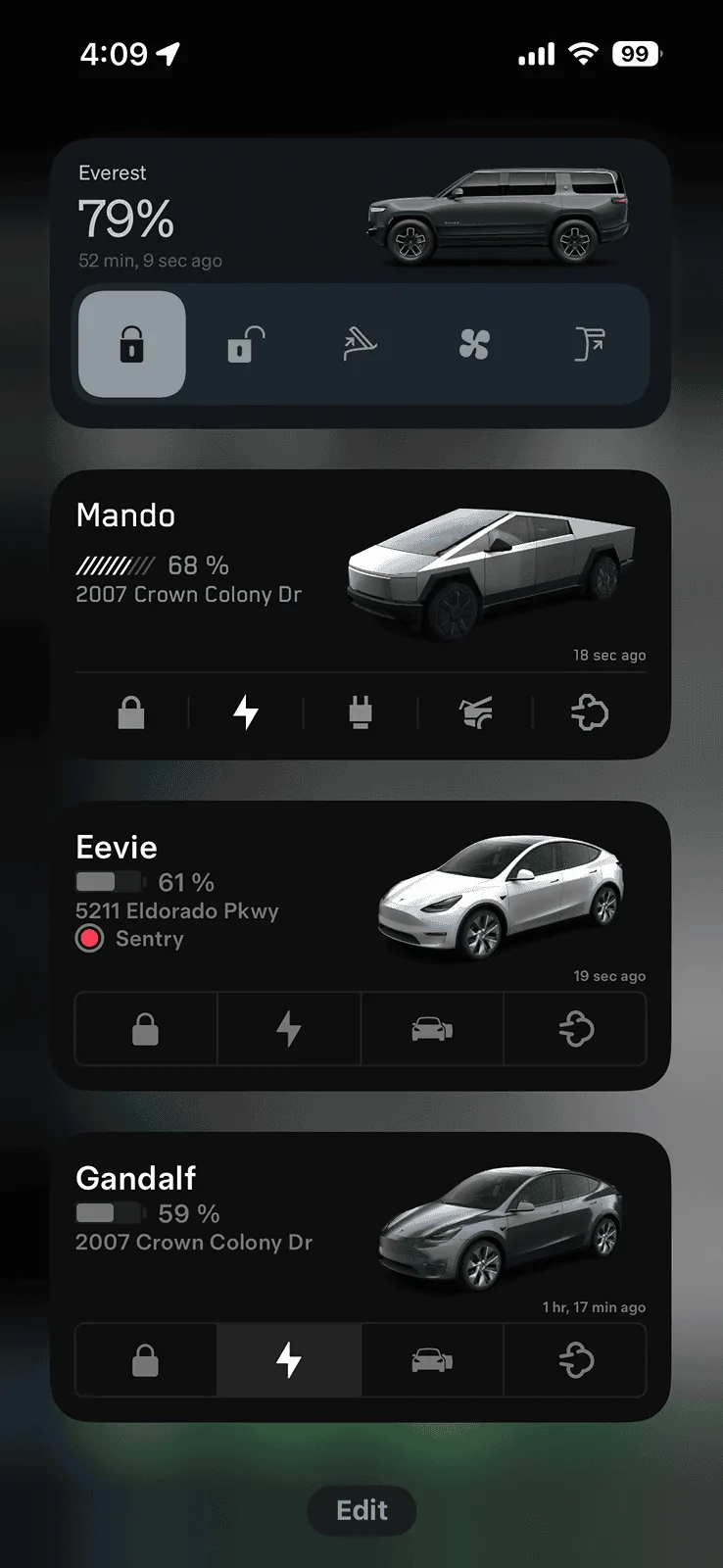
I was able to add each of my vehicles as a widget on my phone. I'm not sure if the Android widgets work different from iOS, but after adding a widget to my screen and before saving the changes, I had to tap the widget to select a different vehicle.

Tesla Cybertruck App - how to set default car 1716412322909-sh


Top