Mini2nut
Well-known member
- Joined
- Apr 2, 2020
- Threads
- 138
- Messages
- 4,255
- Reaction score
- 7,785
- Location
- Planet Earth
- Vehicles
- $49,900 DM reserved on 11/22/2019. $59k DM delivered 6/26/2026

Nothing beats an OEM factory accessory.
Sponsored
What you did is was my next step as well. A little 90 deg connector should do the trick, it's just a matter of securing it and the shrink tubing is a great idea. Thanks for your feedback! I was just waiting to have time to take the screen back of and seeing what angle connector will actually work best. I've posted a pic above but will switch to a sideways design like you've linked above.This is what worked for me. I didn't reinstall the clip and, instead, put shrink tubing around the connector (once I verified I had it in in the correct orientation)
https://www.amazon.com/dp/B0CQ56R5CC
I agree but there is no OEM swivel...yet. I'll make it work but it's a design flaw and they are sitting on thousands of these I bet.Nothing beats an OEM factory accessory.
Great Video! Thanks for sharing! I liked and subscribed.I just did this install about a month ago. I did not have any trouble in terms of mounting.
I agree and thanks for your reply.About the only thing you can do at this point is return it. If you search the other threads the tolerance issue is repetitive. Obviously,the product across many vendors is made by one manufacturer in China. The vendors need to press the issue with them.
Did you not use the USB extender?Great Video! Thanks for sharing! I liked and subscribed.
I'm not too keen on bending this connector. Maybe you got lucky it not snapping off or pulling out of the motherboard. Putting this much stress on things can really mess with the pcb over time. I wonder if Tesla has modified any part of the screen at some point...not likely this early on. Do you happen to know what your serial number ends with? Mine is an October build ending in 41857. Bought from inventory new.
Thanks!

I just used the heat shrink tubing to connect the right-angle dongle to the cybertruck USB cable. The connection to the screen just relies on the standard USBC retention mechanism. Hasn't failed yet.What you did is was my next step as well. A little 90 deg connector should do the trick, it's just a matter of securing it and the shrink tubing is a great idea. Thanks for your feedback! I was just waiting to have time to take the screen back of and seeing what angle connector will actually work best. I've posted a pic above but will switch to a sideways design like you've linked above.
If it's not too much trouble can you explain a bit what you did to secure the adapter cable to the screen using heat shrink tubing?
Thanks a bunch!
Yes...I'm around 41000. That extender actually is a good design at this point as the old one came apart. Now it has a tight rubber sleeve that grabs the end of the original cable.Did you not use the USB extender?
I'm about 27000
Great to hear it's holding so far. I'll do the same. I may rig up a 3D printed safety clip.I just used the heat shrink tubing to connect the right-angle dongle to the cybertruck USB cable. The connection to the screen just relies on the standard USBC retention mechanism. Hasn't failed yet.
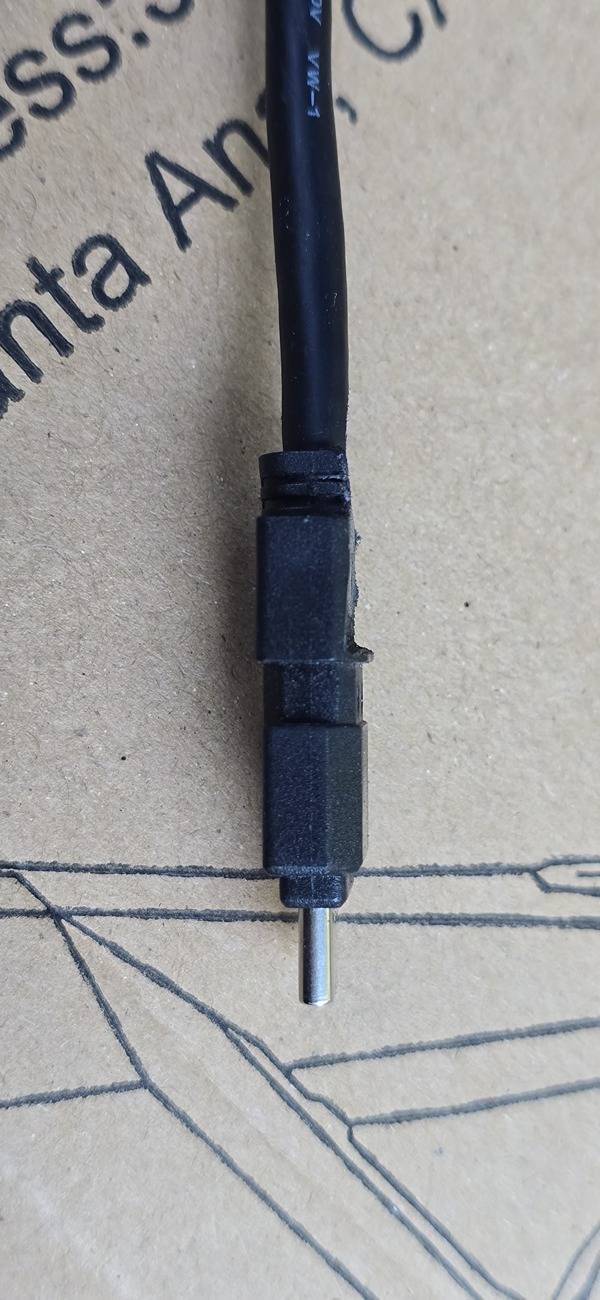
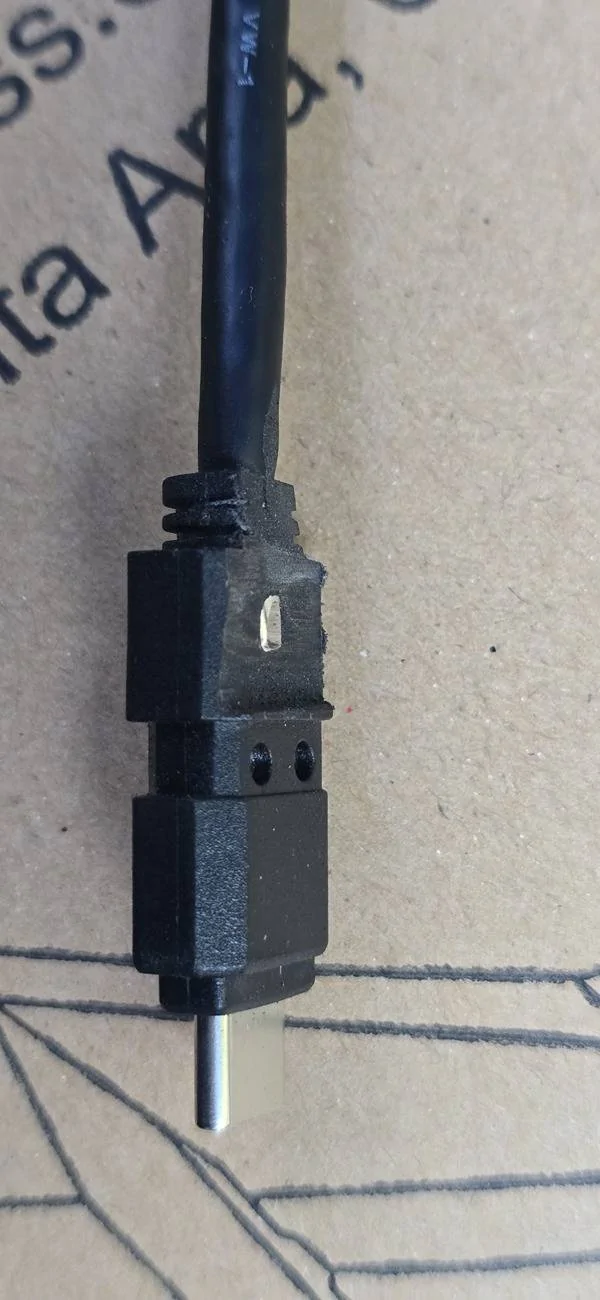
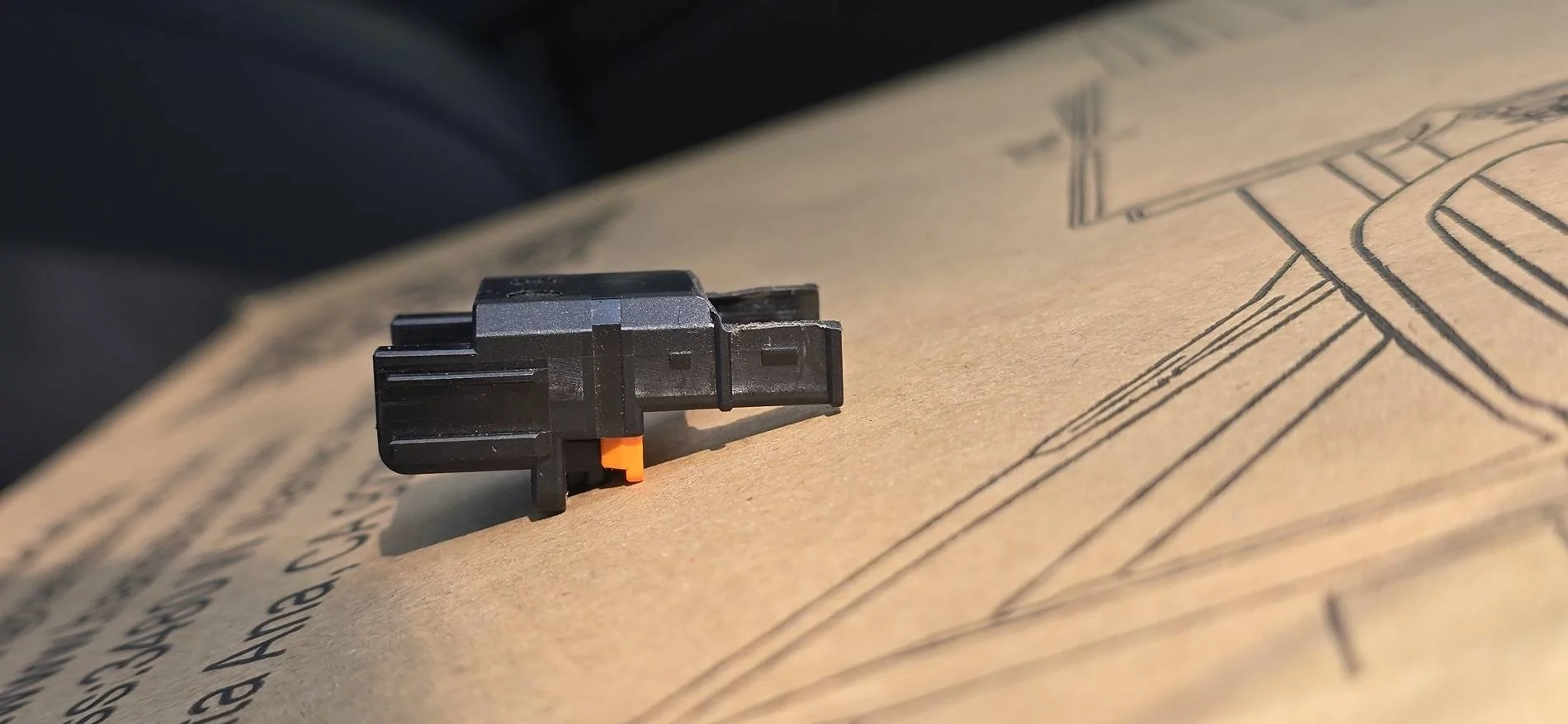
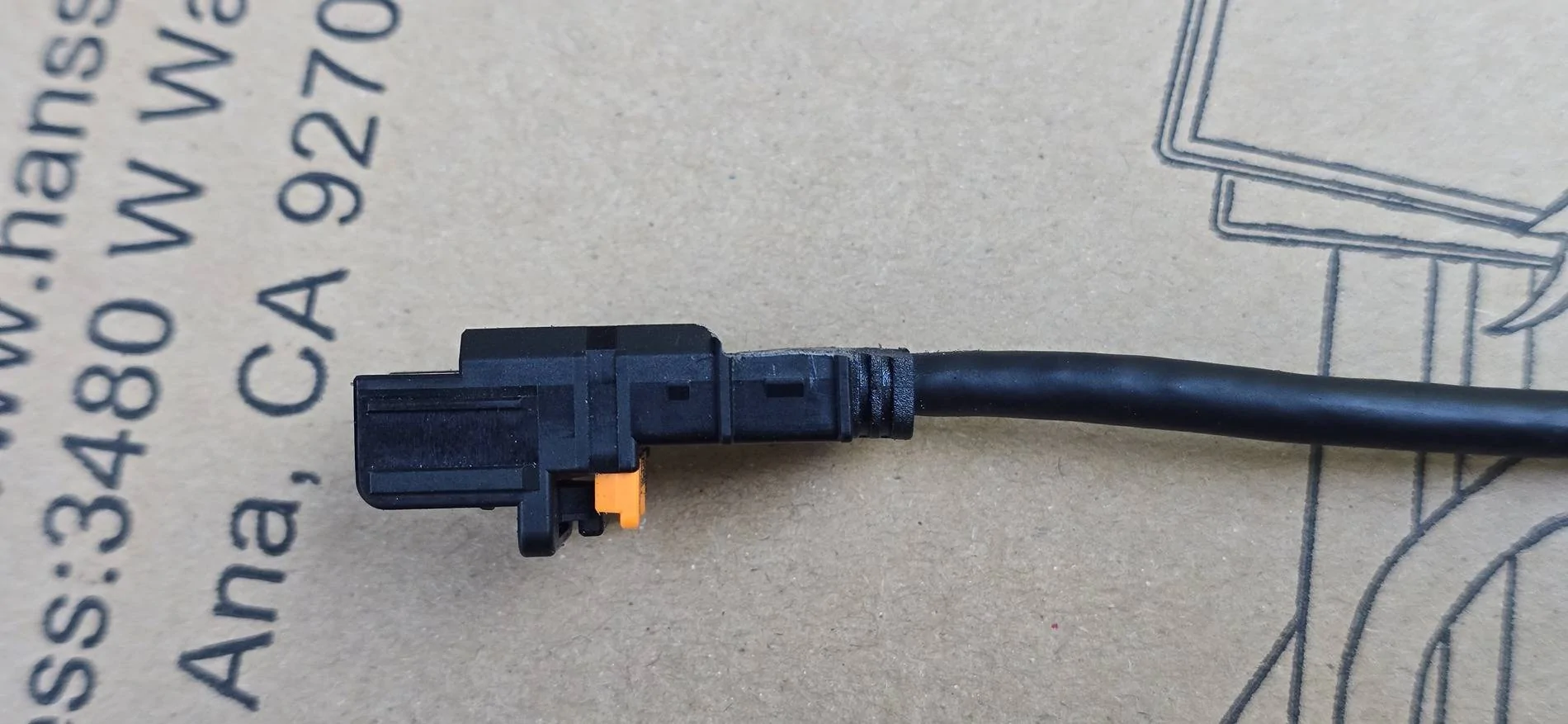
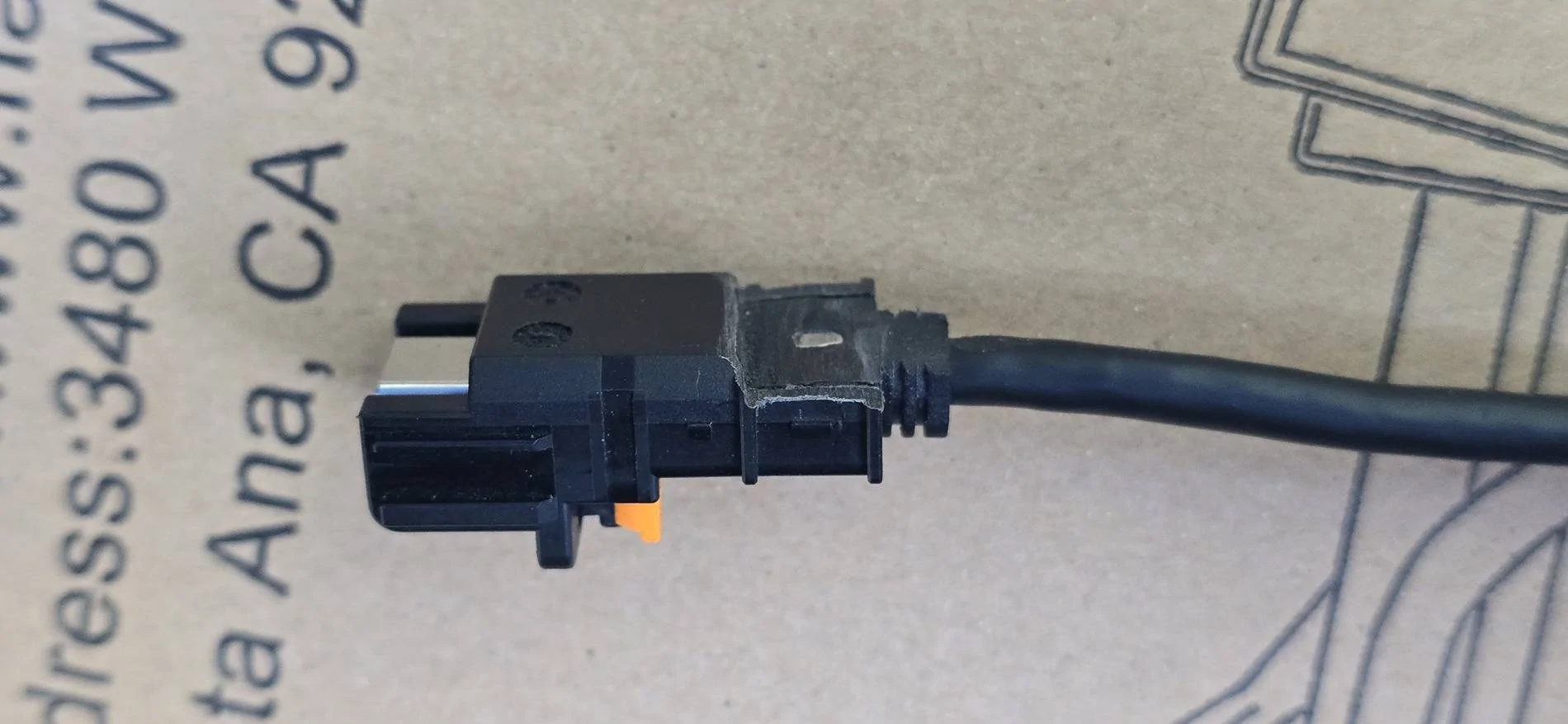
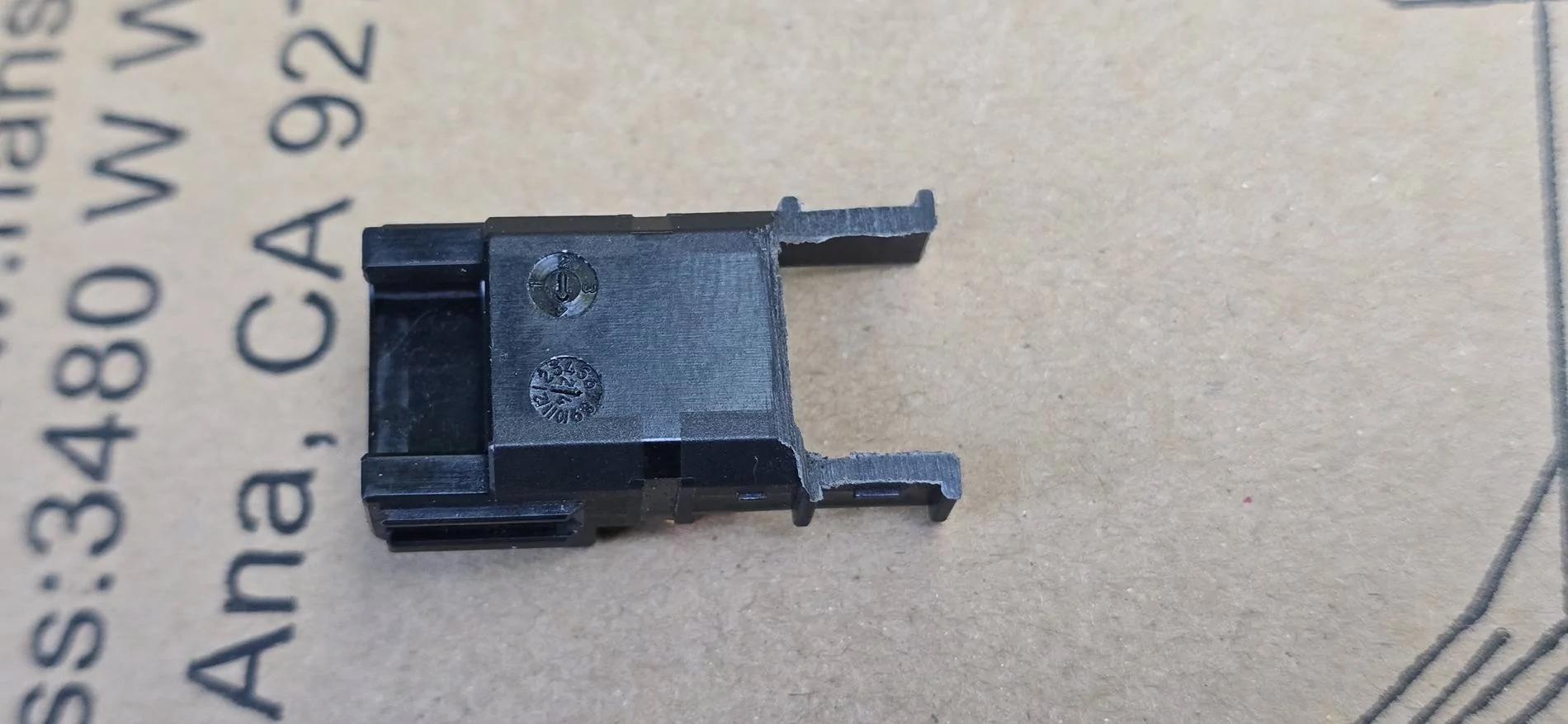
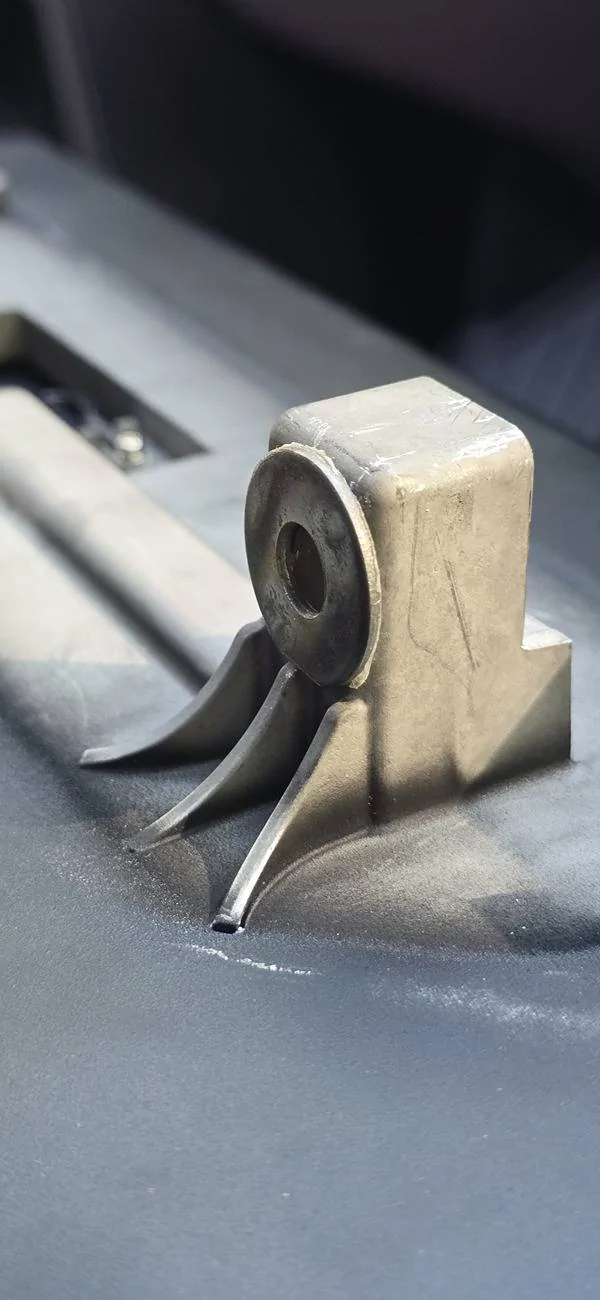
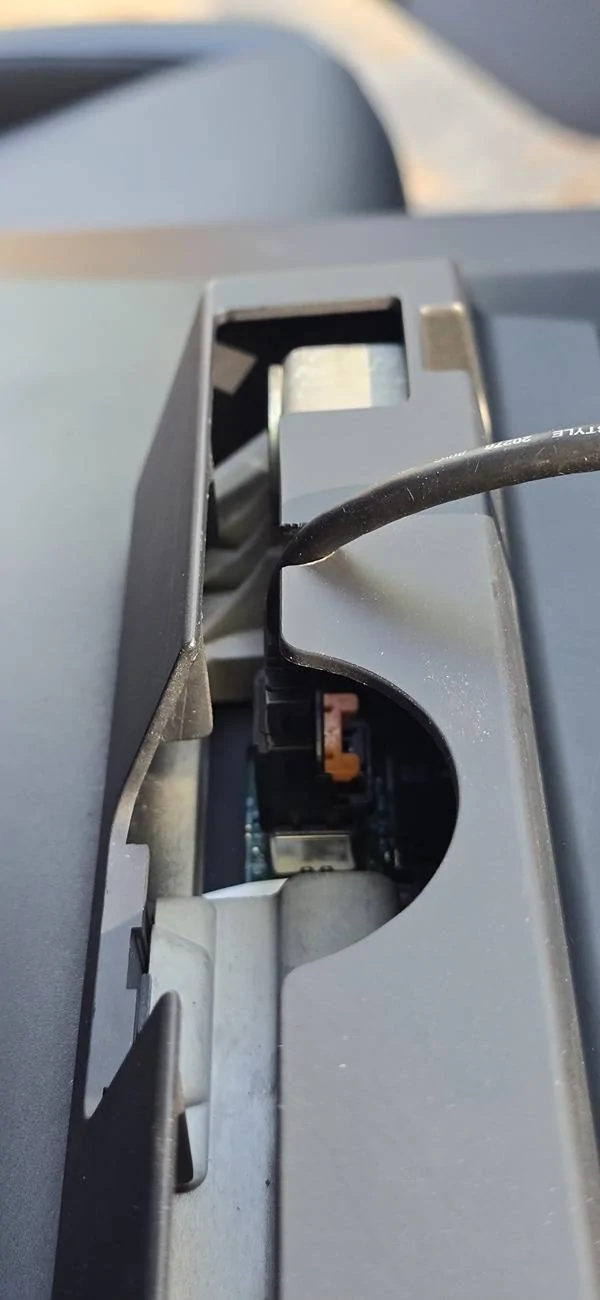
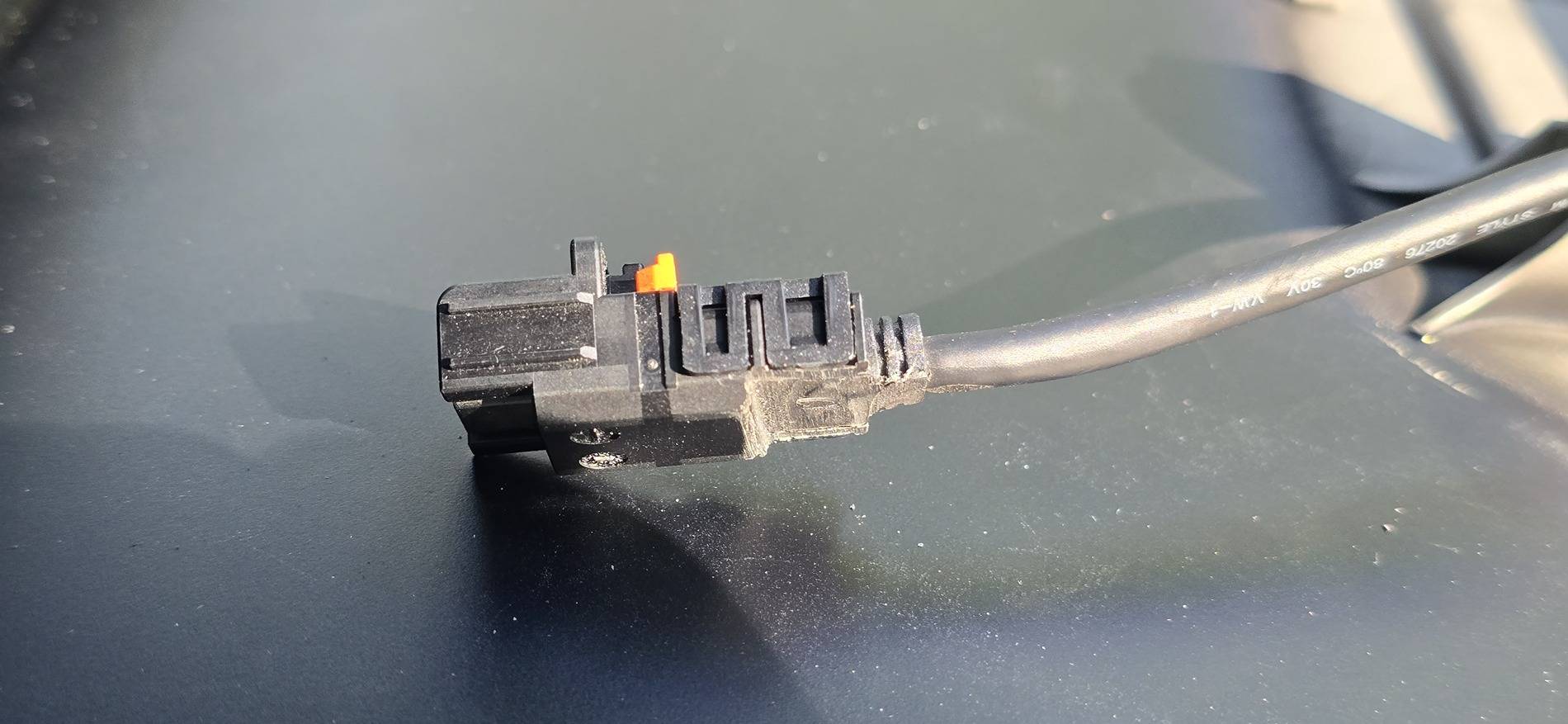
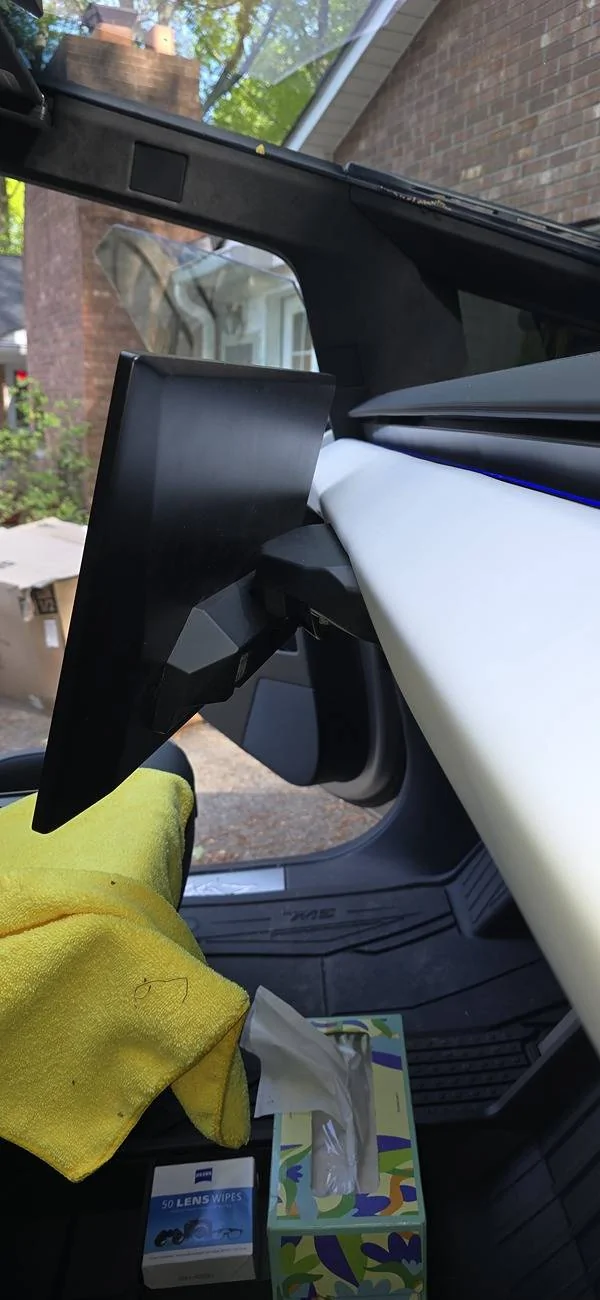
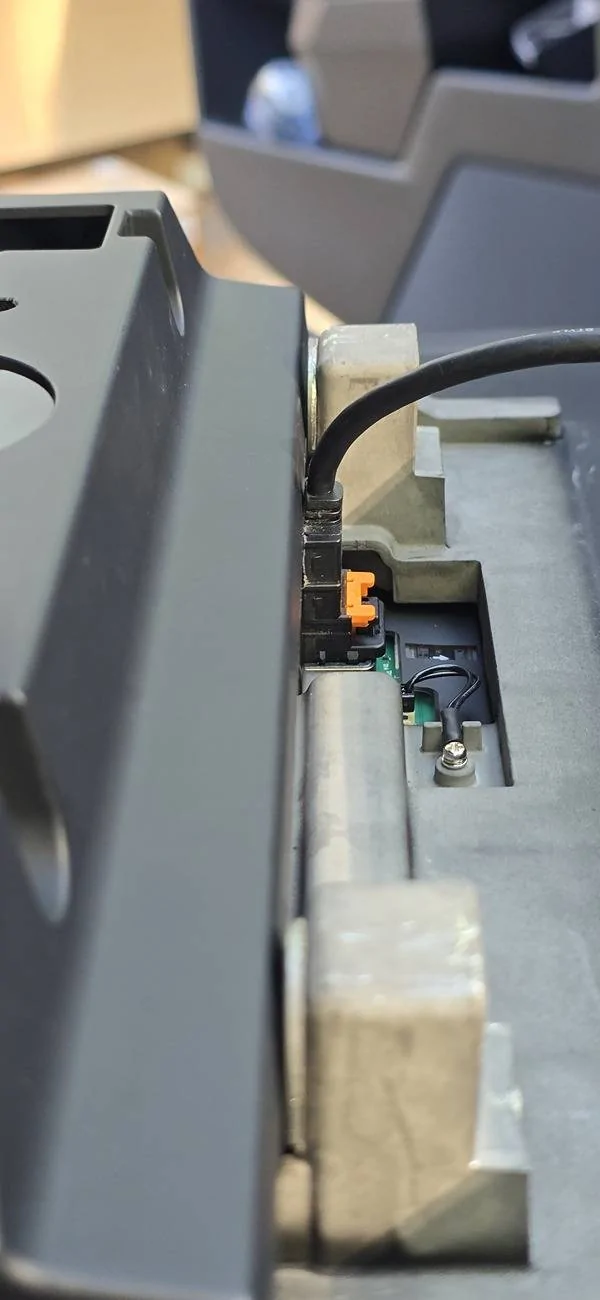
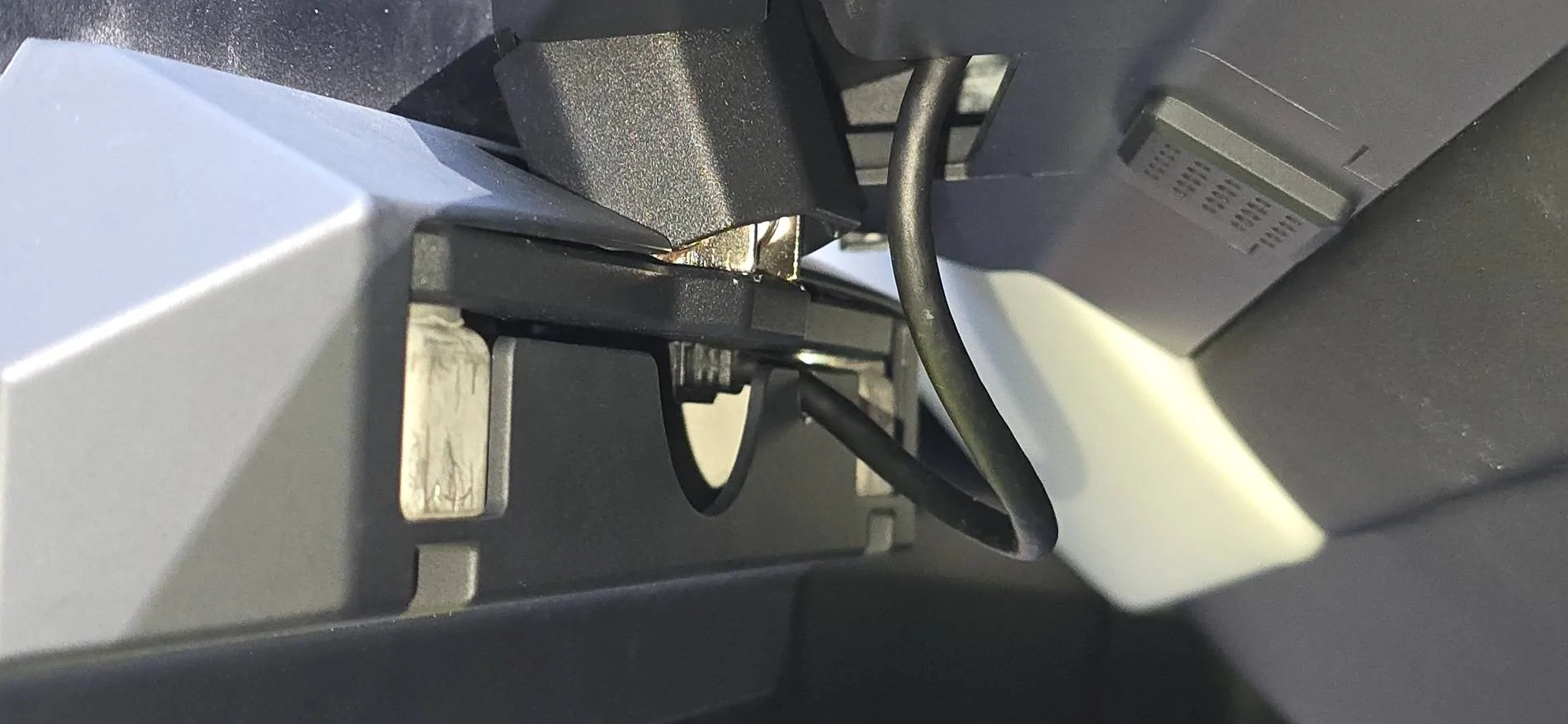
Look further down in this thread. I've come up with a good fix.Thanks for the pics. There is definitely too much interference to seat the right mount in your picture. Your bolts are definitely different than mine.
This is a good pic of how much in plane interference there is.


So here's what I've ended up doing:
Grind the plug and the housing down per the pictures. You will modify the plug cage this way but if you are careful it will still serve its function to hold the cable in place.
You only need to grind back the first 1/4 inch or so, just enough to clear the metal bracket.
Apply a 3/32" washer with a little thin double adhesive tape to the bolt holes.
Notch the shroud for the back of the screen to allow the cable to come straight out the back of it, right under the metal bracket.
Study the pictures closely and you'll see what I did.
I've used a bench grinder and an upside down belt sander to grind down the plug assembly. Everything clips back together, including the flimsy safety clip you likely broke when taking that bug cage off the first time.
The rear shroud will just fit. It's snug and bends up just a bit but it has enough give.
Grinding the plug only will not work. You will need a washer also.
I hope this helps!
Peter

Could really use some help in bit of a pickle....
I was trying to install Tesstudio's v2 swivel mount, unscrewed both bolts and pulled the screen out. I flipped the orange tab up on the screen connector's shroud, but when I pressed the black tab in, it practically exploded. I can't remove the connector it seems because of not being able to press the black tab down to unplug the connector... Was researching how to alternatively get the connector disengaged, and it looks based on your photos that I might be able to order a new cable through service catalog and just replace the shroud surrounding the connector?
Hopefully makes sense and fingers crossed I don't need to go ripping up the dash to replace the whole cable.