koolio
Well-known member
- Joined
- Dec 4, 2024
- Threads
- 3
- Messages
- 1,043
- Reaction score
- 1,103
- Location
- Greater Boston, MA
- Vehicles
- 2024 Cybertruck, 2024 Model 3 (former: 2020 Model Y)

- Thread starter
- #1
Ever since I installed 2024.45.32.15 (w/FSD 13.2.7) the night of Feb 13, I've had issues with my frunk. Specifically:
Anyone else have this issue? If so, how did you fix it?
I'm tempted to use the Service Menu to reinstall software (using the CAN ECU option; I've been told by a very reputable and knowledgeable person that's the correct option to use).
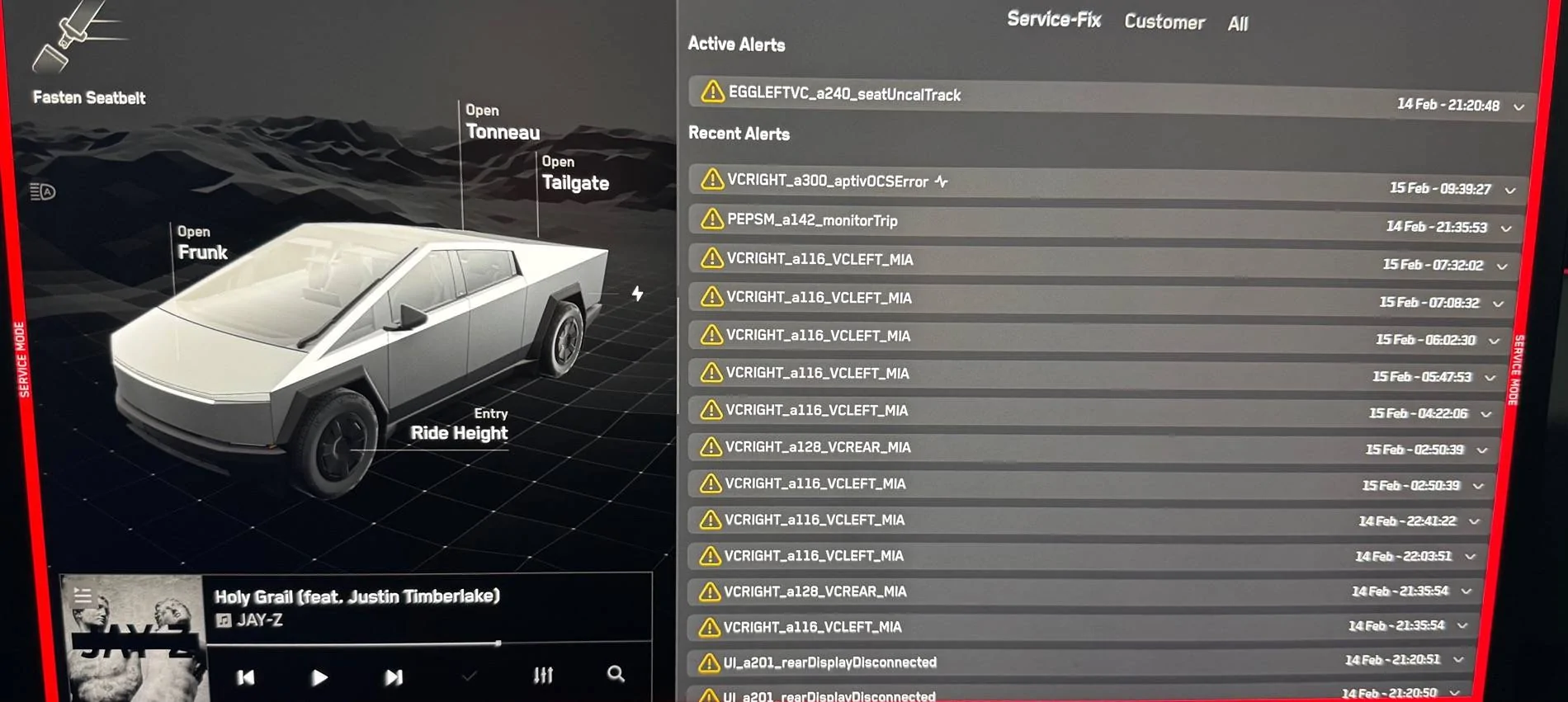
If it's of any help, here's a screenshot of the service alerts from this morning:

- My frunk automatically opened 4 times yesterday
- I've never enabled the auto-opn frunk setting, and I double-checked it's disabled.
- Luckily, the frunk did not hit my garage door when it auto opened (it was 1-2 mm away from hitting the door hinge). Only way I got it to stop last night was by locking my vehicle.
- Today, I noticed the physical frunk button no longer works. It will not open the frunk. The close button (from inside the frunk) works.
- Only way I can open the frunk is via the touch screen or the app (iOS).
Anyone else have this issue? If so, how did you fix it?
I'm tempted to use the Service Menu to reinstall software (using the CAN ECU option; I've been told by a very reputable and knowledgeable person that's the correct option to use).
If it's of any help, here's a screenshot of the service alerts from this morning:
Sponsored
Last edited: