Sponsored

Installing dash screen and streaming rearview mirror

First Name
Russell
Joined
Nov 13, 2025
Threads
1
Messages
22
Reaction score
15
Location
Illinois
Vehicles
2025 Cybertruck
Occupation
IT Sales
Country flag
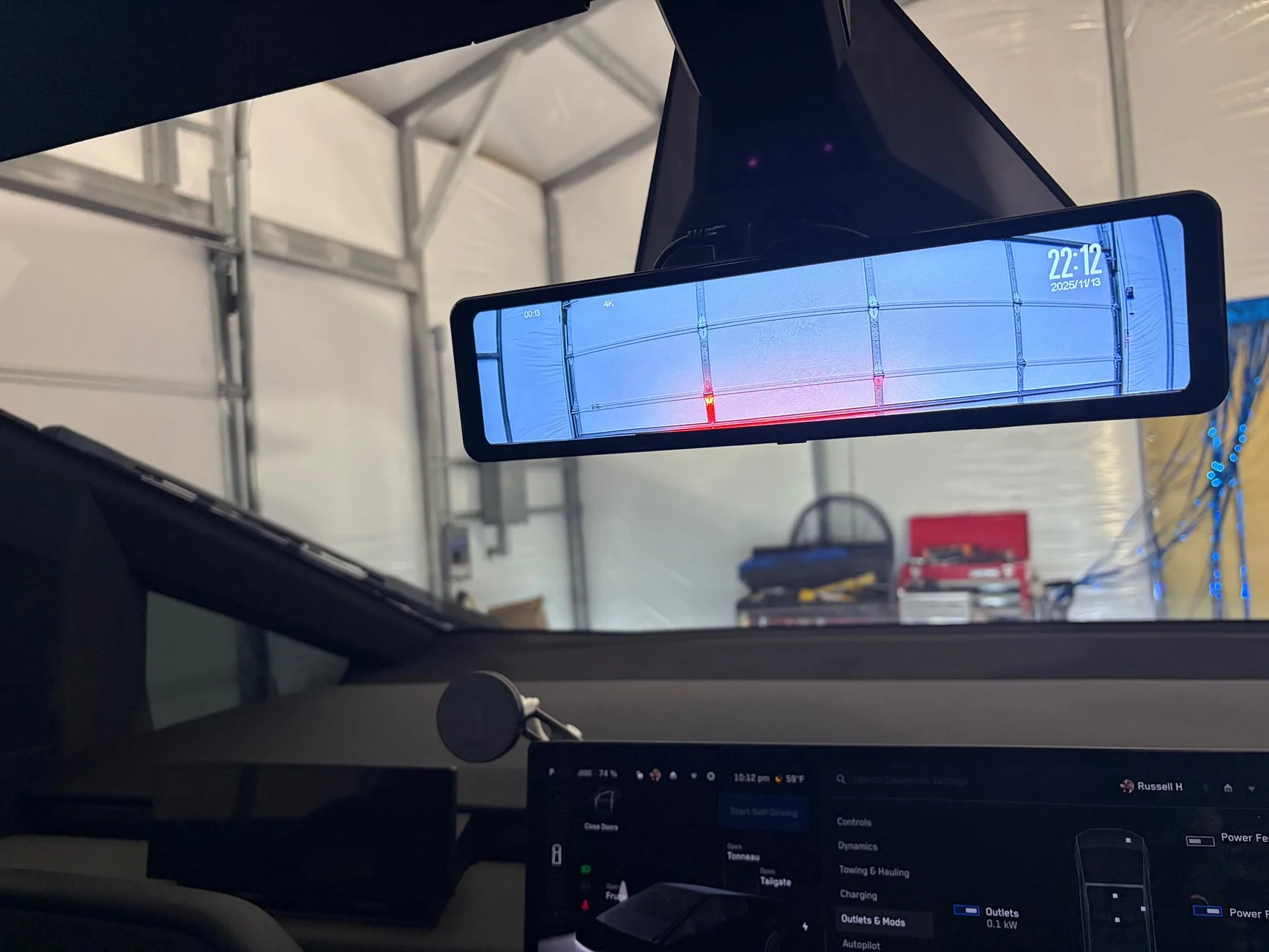
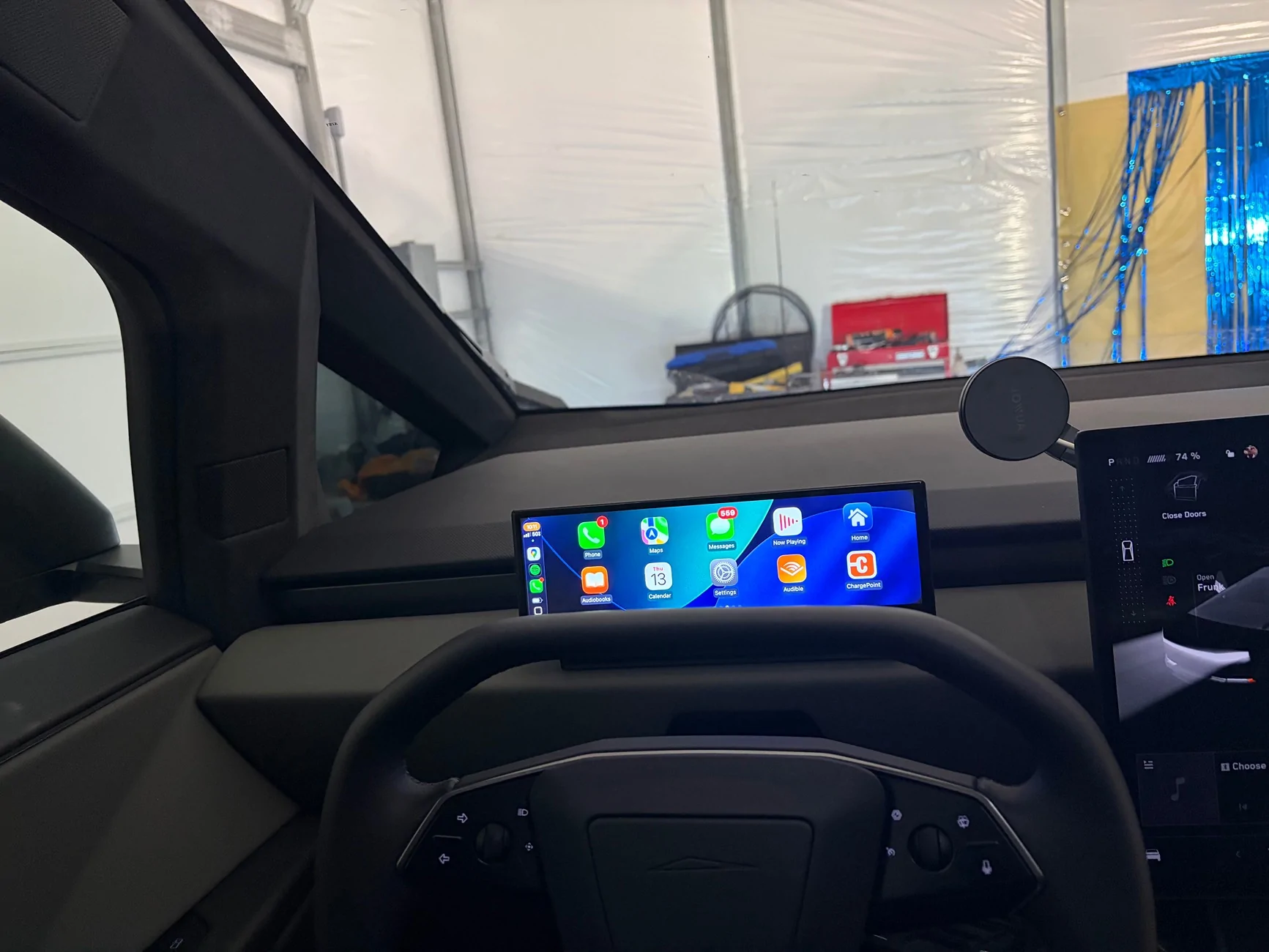
I have the 10.88" screen installed on my dash and I just installed the Hansshow V2 rear view mirror. I have hit a problem and hoping someone could point me in the right direction.

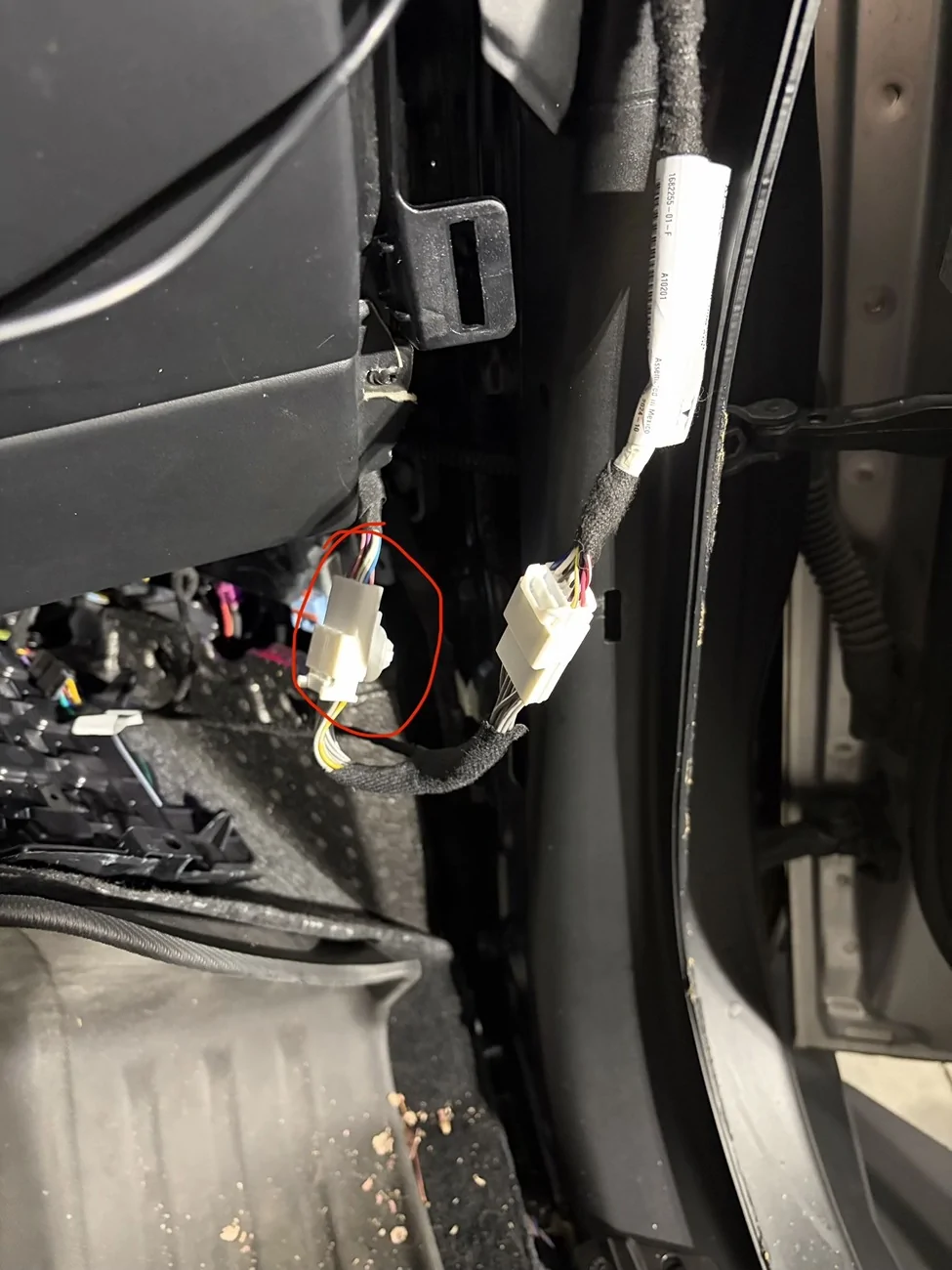
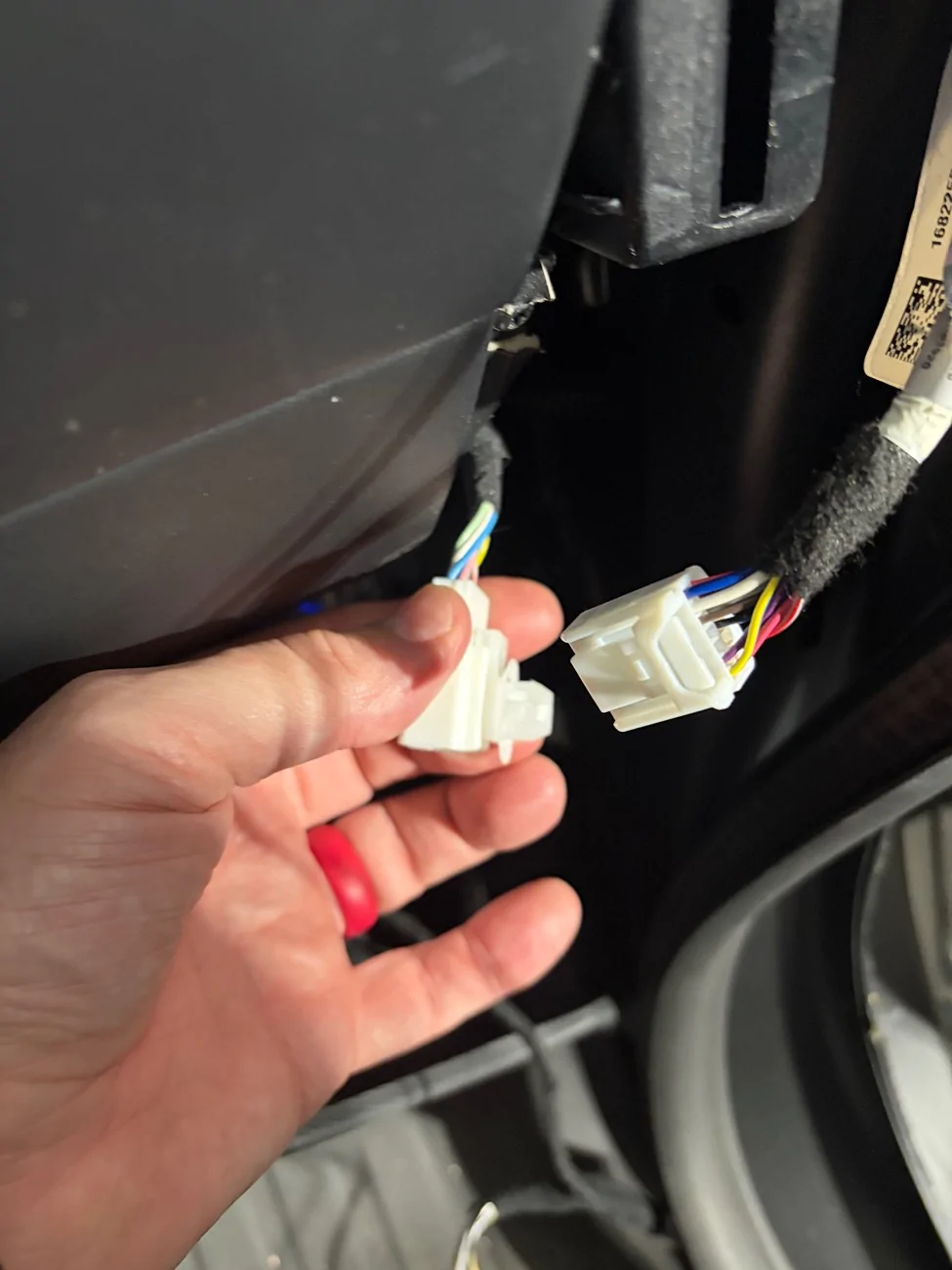
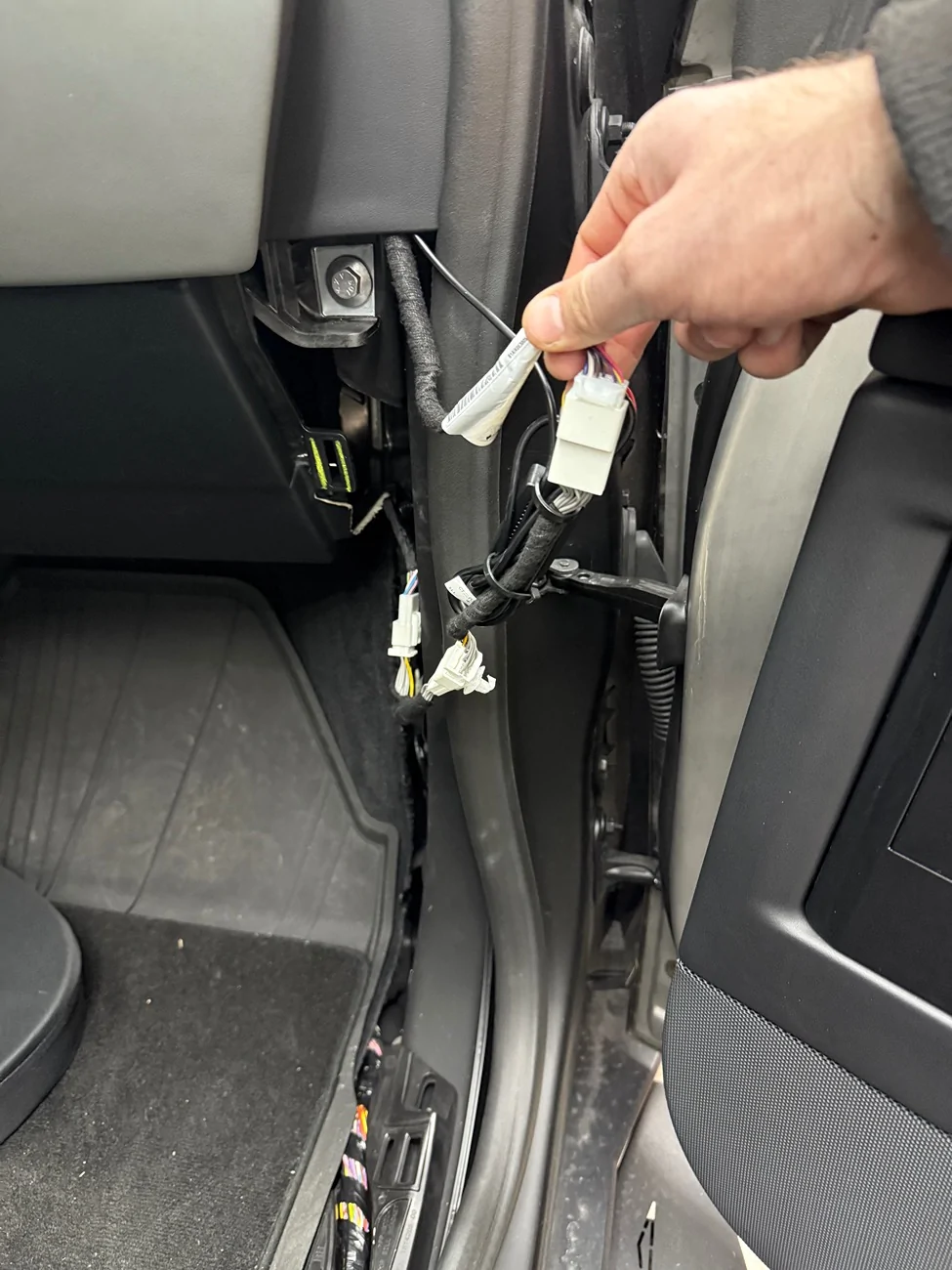
1. Both devices have a wiring harness that connects on the passenger side floor/door. In the picture below, I have the screen connected. The circled plug is providing the power. If I disconnect the screen and connect the mirror, the mirror will have power but the screen will not.

Originally, I plugged in the screen then for the connectors that are not circled, I connected the mirror connections.

What am I missing? How can I run both accessories?

Tesla Cybertruck Installing dash screen and streaming rearview mirror wired connection
Sponsored


MotoX9928

Well-known member
Joined
Feb 1, 2024
Threads
13
Messages
87
Reaction score
132
Location
North Carolina
Vehicles
Cybertruck
Country flag
Im abut to go down the same path myself and have been doing a bit of research as well. From what Ive seen and folks ive talked to, each adaptor should have a male and female version of the connector allowing you to daisy chain them together. Maybe im wrong, and please let me know if thats not the case. I was looking at the Yeslak version of the rearview mirror as I think it has a more clean cut look and I dont really care for the optional front facing camera.

https://www.yeslak.com/products/yeslak-cybertruck-media-rearview-mirror-dashcam

Also check out Rick Zoerb on YT. He has some very thorough install videos that may address your questions. He's active on here as well and post quite frequently.

https://www.youtube.com/@MrZoerb1/videos
 

MotoX9928

Well-known member
Joined
Feb 1, 2024
Threads
13
Messages
87
Reaction score
132
Location
North Carolina
Vehicles
Cybertruck
Country flag
Also, please post some photos or video if possible of the 11 inch display. I'm very on the fence about it and with the news of Tesla potentially offering CarPlay/Android Auto in the near future, im kinda thinking of waiting. Would hate to lose out on these BF deals though.

Im abut to go down the same path myself and have been doing a bit of research as well. From what Ive seen and folks ive talked to, each adaptor should have a male and female version of the connector allowing you to daisy chain them together. Maybe im wrong, and please let me know if thats not the case. I was looking at the Yeslak version of the rearview mirror as I think it has a more clean cut look and I dont really care for the optional front facing camera.

https://www.yeslak.com/products/yeslak-cybertruck-media-rearview-mirror-dashcam

Also check out Rick Zoerb on YT. He has some very thorough install videos that may address your questions. He's active on here as well and post quite frequently.

https://www.youtube.com/@MrZoerb1/videos
 
OP
OP
First Name
Russell
Joined
Nov 13, 2025
Threads
1
Messages
22
Reaction score
15
Location
Illinois
Vehicles
2025 Cybertruck
Occupation
IT Sales
Country flag
Im abut to go down the same path myself and have been doing a bit of research as well. From what Ive seen and folks ive talked to, each adaptor should have a male and female version of the connector allowing you to daisy chain them together. Maybe im wrong, and please let me know if thats not the case. I was looking at the Yeslak version of the rearview mirror as I think it has a more clean cut look and I dont really care for the optional front facing camera.

https://www.yeslak.com/products/yeslak-cybertruck-media-rearview-mirror-dashcam

Also check out Rick Zoerb on YT. He has some very thorough install videos that may address your questions. He's active on here as well and post quite frequently.

https://www.youtube.com/@MrZoerb1/videos
From what I can tell, Yeslak is the same mirror.

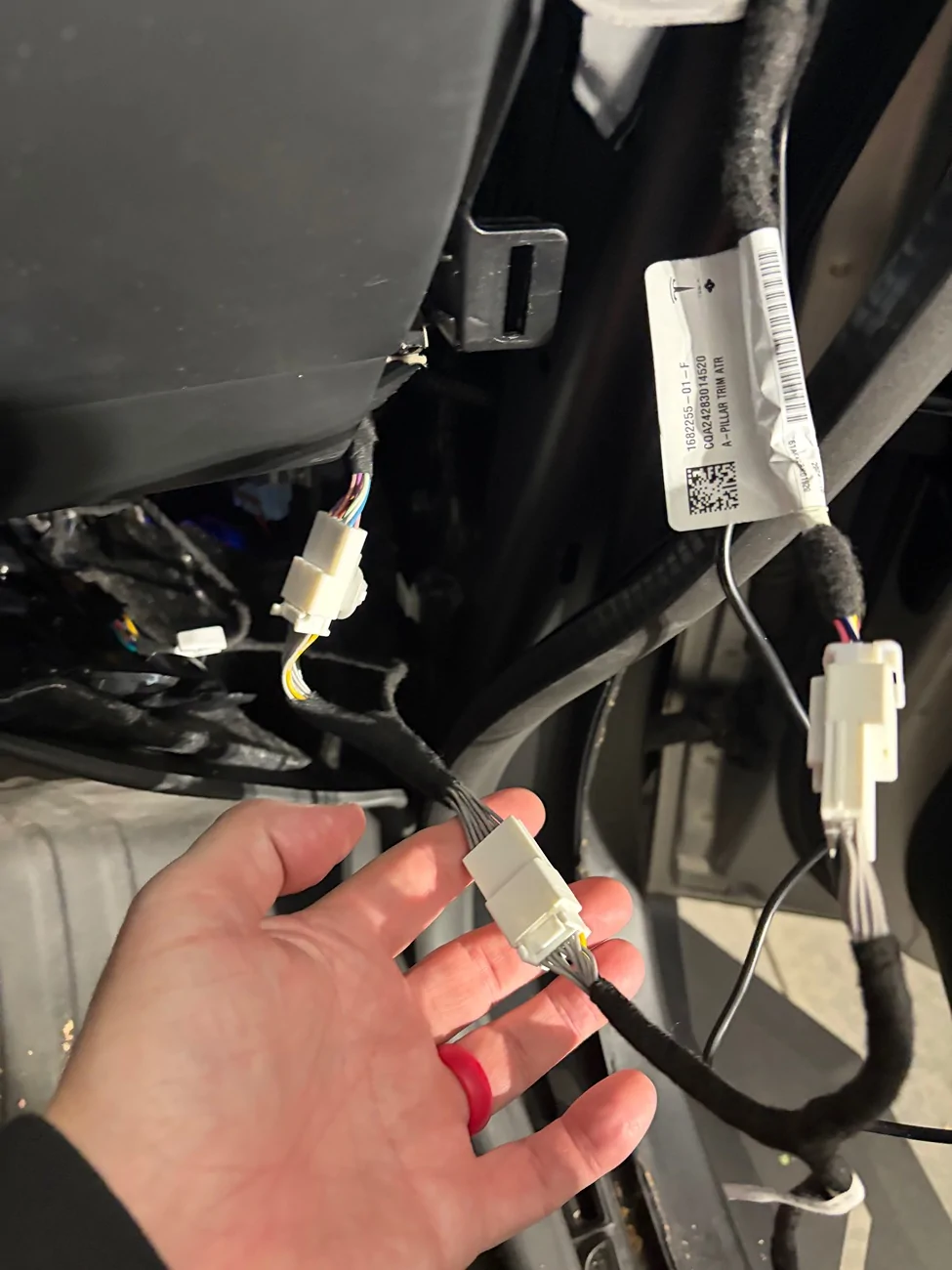
The issue is, on the right side, there is one plug that carries power. The two wiring harnesses both have male and female connectors. Whichever plug I connect to the original plug with power, lights up.

The second item down line doesn’t get power. That tells me the wiring harness, has both data and power feeds. The power runs into th side connected to the hot conector…and runs back to the display (mirror or display). Then the other side is just carrying data.

as a result, I can’t daisy chain to get both on.

I need to find a way to get power to the second display. I also have the refrigerator in the floor…but that just plugs into the under console outlet.

Tesla Cybertruck Installing dash screen and streaming rearview mirror IMG_4356


Tesla Cybertruck Installing dash screen and streaming rearview mirror IMG_4355


Tesla Cybertruck Installing dash screen and streaming rearview mirror IMG_4359


Tesla Cybertruck Installing dash screen and streaming rearview mirror IMG_4358
 
Last edited:
OP
OP
First Name
Russell
Joined
Nov 13, 2025
Threads
1
Messages
22
Reaction score
15
Location
Illinois
Vehicles
2025 Cybertruck
Occupation
IT Sales
Country flag
From what I can tell, Yeslak is the same mirror.

The issue is, on the right side, there is one plug that carries power. The two wiring harnesses both have male and female connectors. Whichever pug I connect to the original plug with power, lights up.

The second item down line doesn’t get power. That tells me the wiring harness, has both data and power feeds. The power runs into th side connected to the hot conector…and runs back to the display (mirror or display). Then the other side is just carrying data.

as a result, I can’t daisy chain to get both on.

I need to find a way to get power to the second display. I also have the refrigerator in the floor…but that just plugs into the under console outlet.

IMG_4356.webp


IMG_4355.webp


IMG_4359.webp


IMG_4358.webp
The last picture, the plug with the extra part on back is the plug that carries the power. Whichever male plug goes into that will turn on.


YukonJack

Well-known member
First Name
Mark
Joined
Aug 10, 2024
Threads
3
Messages
95
Reaction score
144
Location
Greenville, SC
Vehicles
‘06 Tacoma, '24 CyberBeast
Country flag
Has anyone confirmed the power that is being spliced into by the V2 Mirror? Would like to know if they are tapping into the 48v or something lower. I like the idea that the v2 mirror will now power off when powering off the vehicle and would like to tie into this supply for my radar detector.

It apears that the Hanshow V2 has an inline voltage converter for 5v USB power but would like to know the input voltage to the converter that its pulling from.
 
OP
OP
First Name
Russell
Joined
Nov 13, 2025
Threads
1
Messages
22
Reaction score
15
Location
Illinois
Vehicles
2025 Cybertruck
Occupation
IT Sales
Country flag
I figured out a way to make this work. I will have to get more pictures after I am done running wires. I got a 2-port surge protector for the 110 outlet under the rear screen. My refrigerator is plugged into one outlet. The other outlet, I used a 12v DC converter plugged into a cigarette charger plug with a USB and a USB-C plug. Using a USB to USB-C wire, I have routed the wire under the driver seat up to the dash behind the center console. Then routed the USB cable up the A-pillar and headliner to the mirror.

Using a USB voltmeter, I confirmed that the mirror needs 5a of constant power.

If I had this to do over again, I would probably have just got a MagSafe mount, placed it in the center dash behind the wheel and used an iPad mini as my dash screen. Instead of a screen primarily used for CarPlay. Regardless, this will work and the screen looks really nice. It’s a 10.88” screen
 
Last edited:
OP
OP
First Name
Russell
Joined
Nov 13, 2025
Threads
1
Messages
22
Reaction score
15
Location
Illinois
Vehicles
2025 Cybertruck
Occupation
IT Sales
Country flag
Has anyone confirmed the power that is being spliced into by the V2 Mirror? Would like to know if they are tapping into the 48v or something lower. I like the idea that the v2 mirror will now power off when powering off the vehicle and would like to tie into this supply for my radar detector.

It apears that the Hanshow V2 has an inline voltage converter for 5v USB power but would like to know the input voltage to the converter that its pulling from.
I was told the standard wiring harness they use is a 12v DC connection. I was originally going to simply splice into that power because I am sure that the circuit would support both the mirror and the dash screen. However, since I don’t know what’s upline or where the power flows, I didn’t want to mess with splicing into the power if I could simply run another 12v line in the cabin.
 

Cyber Colt

New member
Joined
Sep 26, 2025
Threads
0
Messages
1
Reaction score
0
Location
Texas
Vehicles
2025 Cybertruck AWD
Occupation
Real Estate Developer
Country flag
I figured out a way to make this work. I will have to get more pictures after I am done running wires. I got a 2-port surge protector for the 110 outlet under the rear screen. My refrigerator is plugged into one outlet. The other outlet, I used a 12v DC converter plugged into a cigarette charger plug with a USB and a USB-C plug. Using a USB to USB-C wire, I have routed the wire under the driver seat up to the dash behind the center console. Then routed the USB cable up the A-pillar and headliner to the mirror.

Using a USB voltmeter, I confirmed that the mirror needs 5a of constant power.

If I had this to do over again, I would probably have just got a MagSafe mount, placed it in the center dash behind the wheel and used an iPad mini as my dash screen. Instead of a screen primarily used for CarPlay. Regardless, this will work and the screen looks really nice. It’s a 10.88” screen
I’m experiencing the exact same issue, and unfortunately Hansshow hasn’t responded to my emails or WhatsApp messages. Would you mind sharing links to all the products you used to resolve this, as well as any photos you may have taken during the process? I was honestly on the verge of uninstalling one of the units, so I’m really glad I came across this thread.

Tesla Cybertruck Installing dash screen and streaming rearview mirror IMG_8943
Sponsored


Top