Sponsored

Just wrapped - side cameras not working

BrokenAxle

Member
Joined
Oct 11, 2024
Threads
4
Messages
16
Reaction score
37
Location
Texas
Vehicles
Cybertruck
Country flag
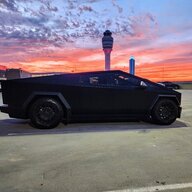
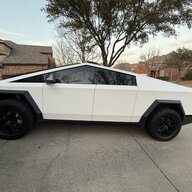
Just picked up feom the wrap shop and noticed the side cameras weren’t working. Owner said we needed to reboot, so I decided to wait until I got home to start a reboot. Unfortunately afterward, the side cameras still aren’t working. it seems the front and back ones are fine.

Am I missing something obvious here?
Sponsored

 

JUSTICEQD

Well-known member
First Name
Benjamin
Joined
Oct 2, 2024
Threads
10
Messages
266
Reaction score
470
Location
Johns Creek, GA
Vehicles
Cybertruck Cyberbeast, Model Y
Occupation
Doer of IT stuff
Country flag
Door pillar or the front wheel/fender sides?
 

Husky_man

Active member
Joined
Jan 21, 2024
Threads
5
Messages
36
Reaction score
51
Location
SoCal
Vehicles
Cyber Truck
Country flag
They probably forgot to hook it up. Just picked mine up from being wrapped at Acceler8 Wraps and the passenger mirror wasn’t working. Checked it out and they didn’t reconnect the electrical. Plus they left all screws loose. I had to go through and tighten everything. Sloppy work for sure.
 

2me

Active member
First Name
Jim
Joined
Sep 15, 2024
Threads
1
Messages
29
Reaction score
21
Location
central Florida
Vehicles
MYP, Cybertruck
Occupation
retired
Country flag
Ditto
Check all connections.


OP
OP
BrokenAxle

BrokenAxle

Member
Joined
Oct 11, 2024
Threads
4
Messages
16
Reaction score
37
Location
Texas
Vehicles
Cybertruck
Country flag
After I posted I found instructions online to “Clear Calibration” of the cameras.

Controls > Service > Camera Calibration > Clear Calibration.

I did this process and the next time I drove the cameras were working again. Apparently this is required after they’ve been disconnected or replaced.
 

Tecyber1

Well-known member
First Name
Tony
Joined
Aug 1, 2024
Threads
2
Messages
594
Reaction score
706
Location
Dallas
Vehicles
Cybertruck AWD
Country flag
Shit like this makes me appreciate my guys at the wrap shop, they are constantly working on high-end luxury and sport vehicles and are absolutely meticulous about everything. Zero issues!

I'd have rebooted in front of them, why wait until you get home? Cameras are needed for safety etc.
 
OP
OP
BrokenAxle

BrokenAxle

Member
Joined
Oct 11, 2024
Threads
4
Messages
16
Reaction score
37
Location
Texas
Vehicles
Cybertruck
Country flag
I'd have rebooted in front of them, why wait until you get home? Cameras are needed for safety etc.
I learned to drive when we just had to depend on old fashioned mirrors. Since the CT has those same old fashioned mirrors, I was able to survive. ;)

I see you're also in the Dallas area - curious who you used for your wrap?
 

mbbaumer

Member
First Name
Michael
Joined
Jul 26, 2024
Threads
3
Messages
7
Reaction score
3
Location
Anchorage
Vehicles
Toyota Tundra
Country flag
After I posted I found instructions online to “Clear Calibration” of the cameras.

Controls > Service > Camera Calibration > Clear Calibration.

I did this process and the next time I drove the cameras were working again. Apparently this is required after they’ve been disconnected or replaced.
This fixed my problem after wrap..
 

TESBROS

Well-known member
Site Sponsor
First Name
Ji
Joined
Jan 15, 2024
Threads
27
Messages
119
Reaction score
404
Location
Chattanooga, TN
Vehicles
Cybertruck, Model S, Model X, Model 3, Model Y
Occupation
CEO at TESBROS
Country flag
Another way to avoid this is for wrap shops to put it in service mode when they wrap. To do that, you click on the Foundation and hold it for 5 seconds and put service. This will get it to a mode where it won't freak out when they remove cameras. If for some reason it still causes issues, you can go to the Service mode settings and reset ADAS and that will immediately get camera back into action. Glad it worked out!


Top