Sponsored

igoreka

Active member
First Name
Igor
Joined
Jun 7, 2020
Threads
2
Messages
41
Reaction score
105
Location
Colorado
Vehicles
Model 3
Country flag
For me, My Q has not been working for many reasons, WI-FI wasn't strong, I tried extenders, Truck would loose GPS signal in the garage and so it wouldn't Auto-close and MyQ would have server issues, it was a never ending problem. So I always carried a garage door opener with me. Finally, I decided to do something small and discrete to open/close the garage door. And I thought the best place to locate a button would be on the overhead PRND console. I wanted it to look as small as possible. Heck it just needs to be a tiny button. So amazon has this little remote for $15. and of all remotes it has the smallest chip footprint.
https://www.amazon.com/dp/B0F1N3P9KQ?ref=ppx_yo2ov_dt_b_fed_asin_title&th=1
Tesla Cybertruck A Discrete Permanent Garage Door Remote install DIY 1776706369696-t4


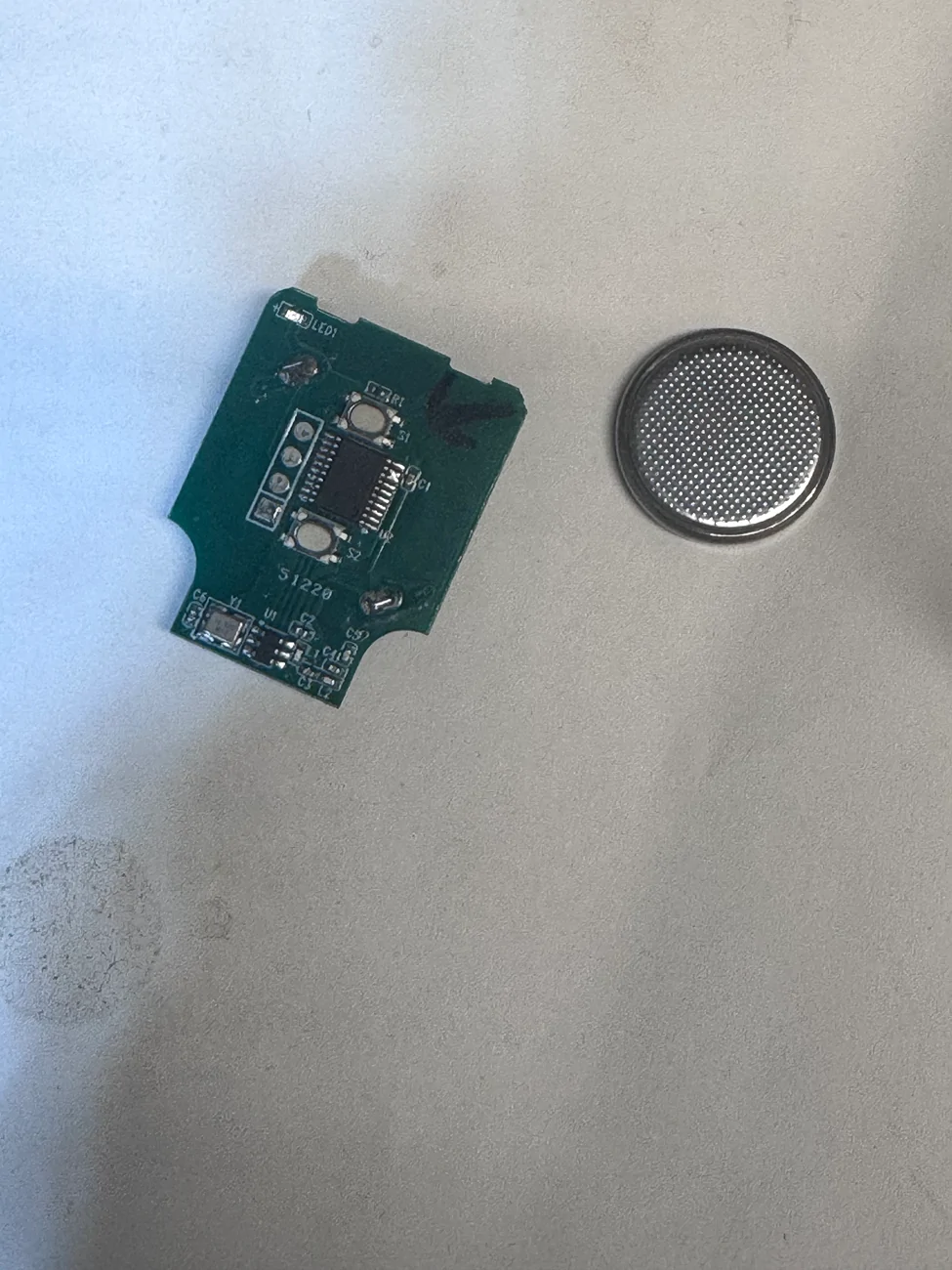
Here is what it looks like on the inside. This remote has two buttons, I only used one, but if you need a second for the gate or something - it can do that.

Tesla Cybertruck A Discrete Permanent Garage Door Remote install DIY tempImagefuc4ta
Tesla Cybertruck A Discrete Permanent Garage Door Remote install DIY tempImage7vYTe9


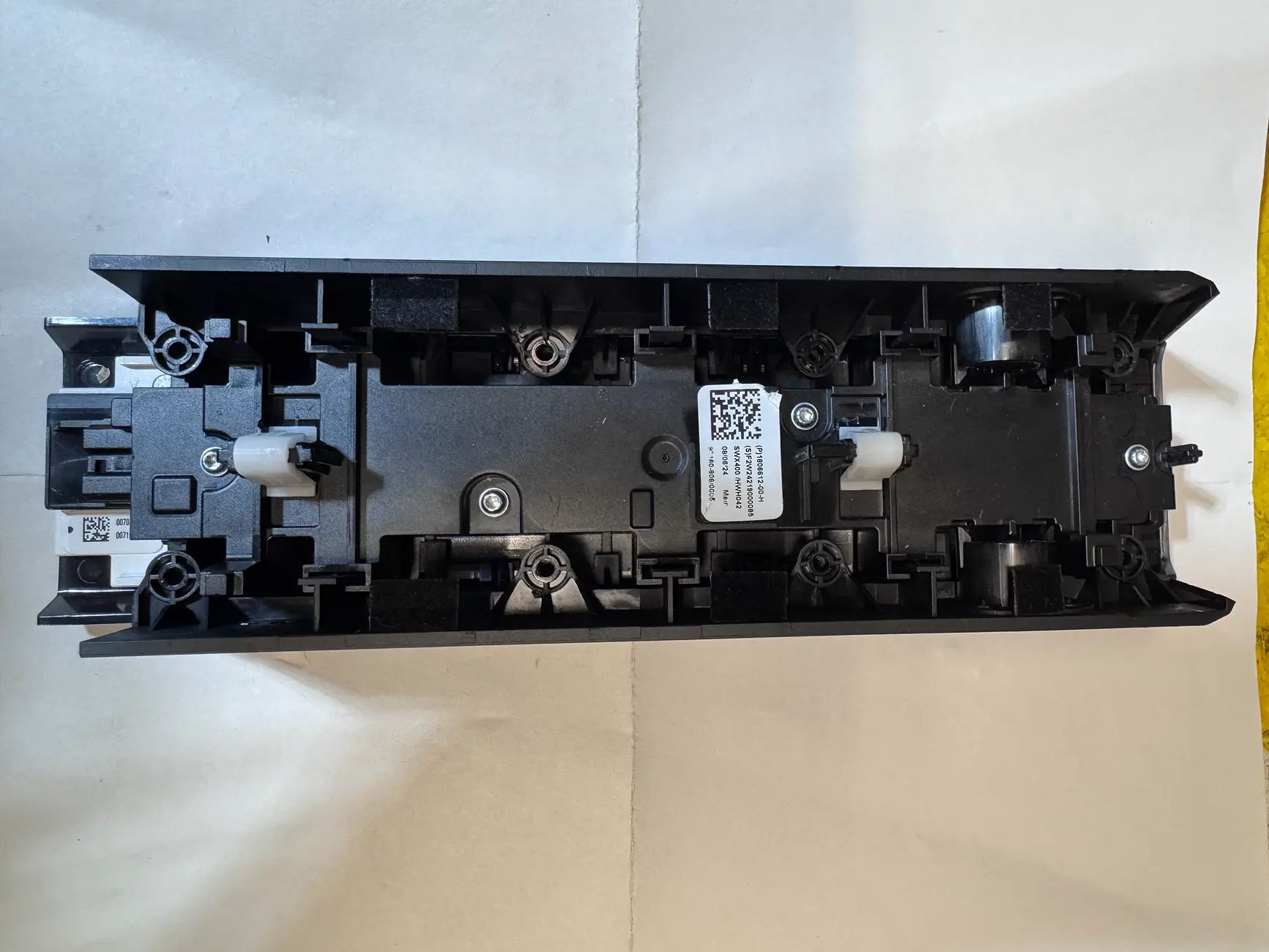
Her are the pics of the other side of the PRND console, the side screws are removed. to allow the side plastics to slide in and out, that helped me get an idea of where to place the chip.

Tesla Cybertruck A Discrete Permanent Garage Door Remote install DIY tempImagewT5Dzk


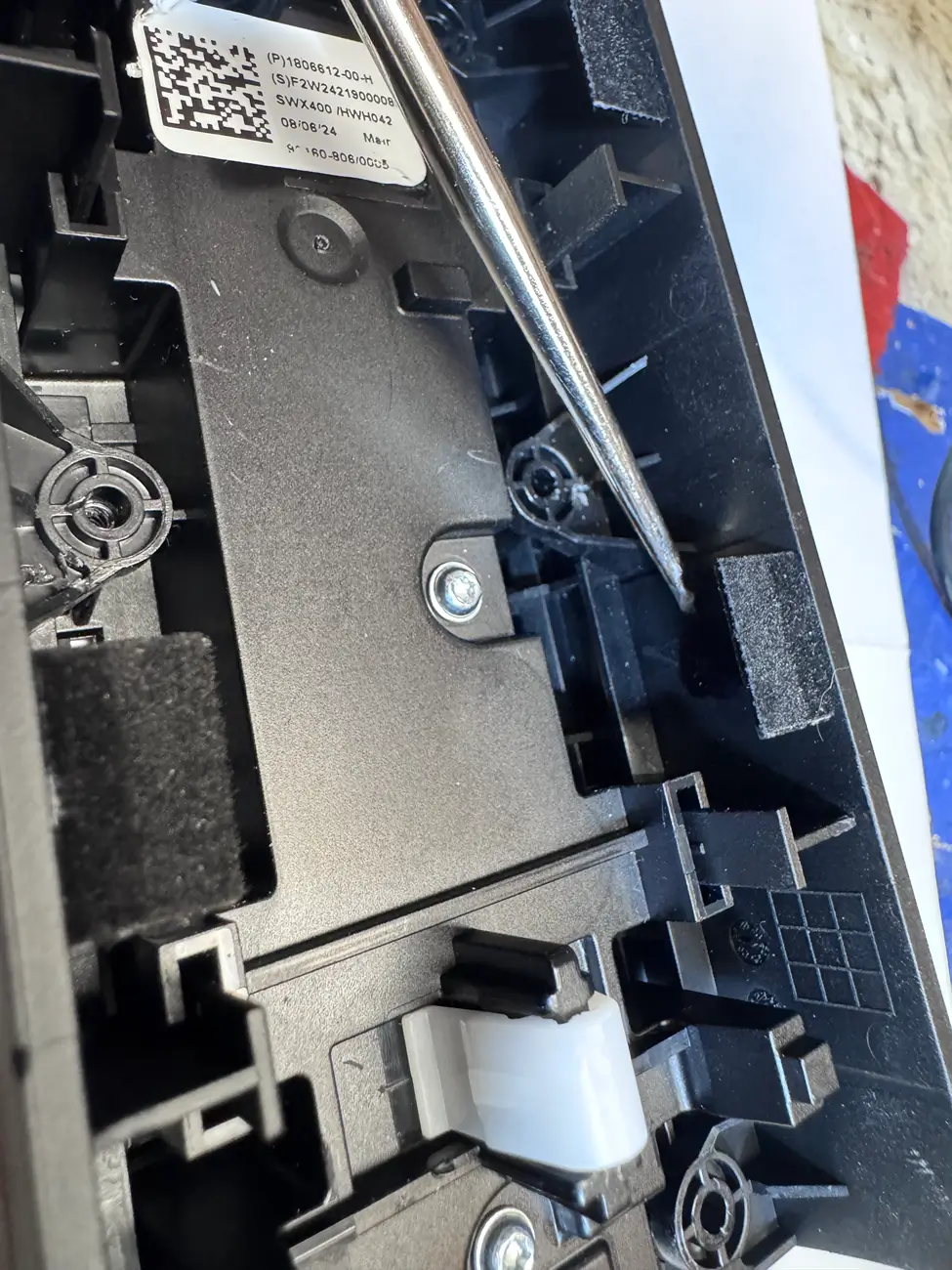
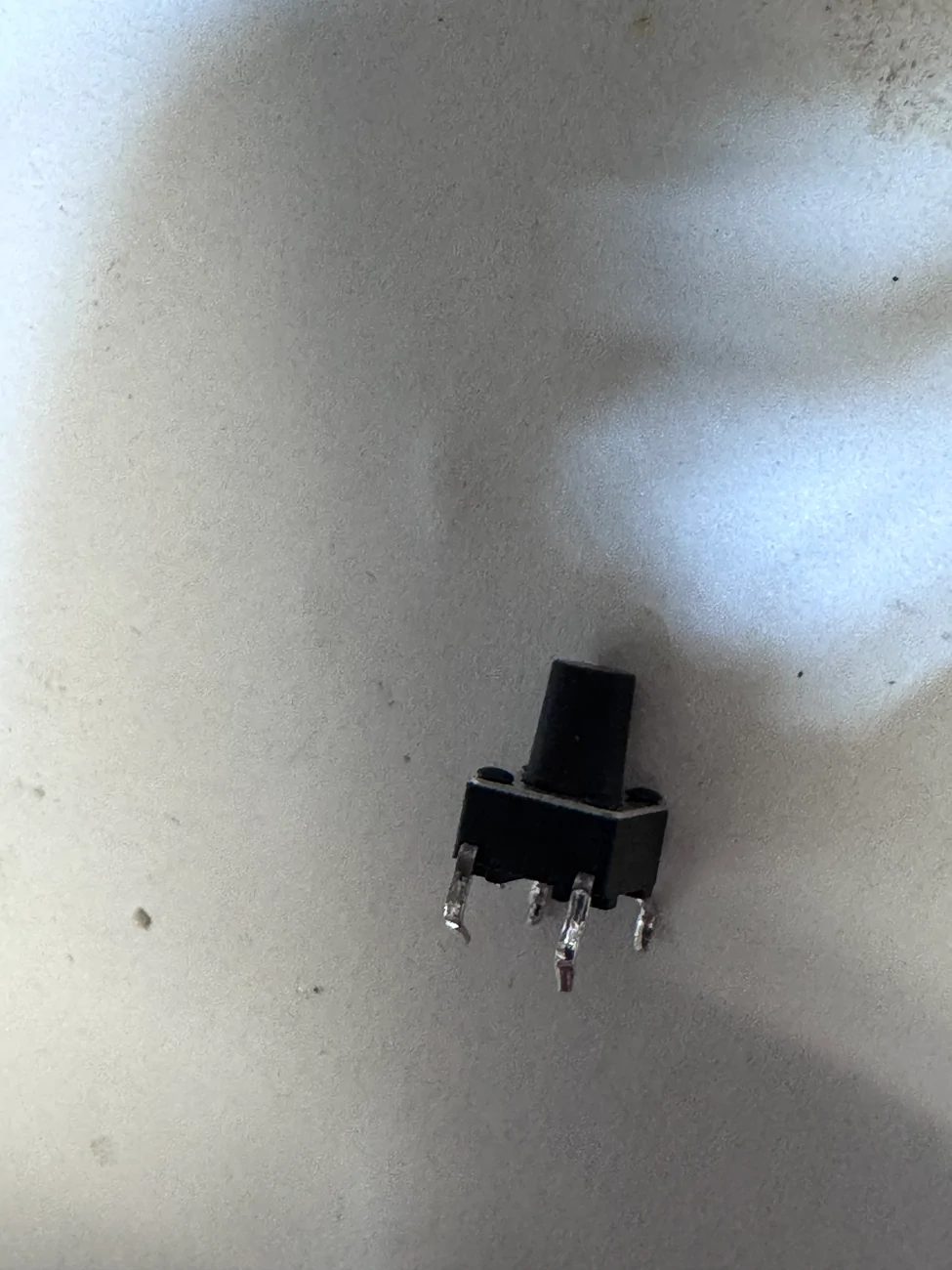
Right there is where I wanted to place the button. And here is the pic of the button. This button has a long push button thingy, long enough to pass through the plastic and protrude a few millimeters.

Tesla Cybertruck A Discrete Permanent Garage Door Remote install DIY tempImageWdOaAz
Tesla Cybertruck A Discrete Permanent Garage Door Remote install DIY tempImageeKNRu0


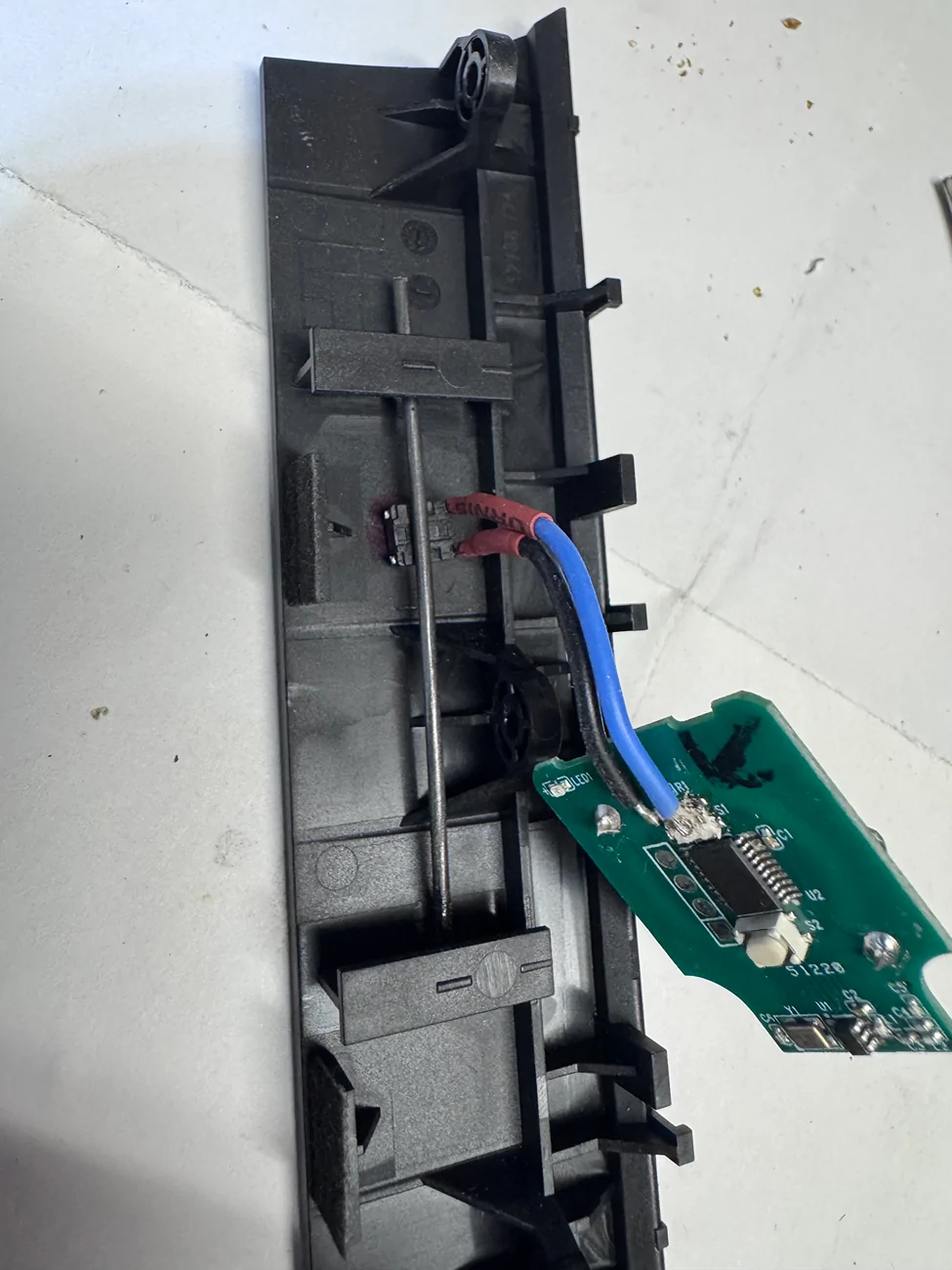
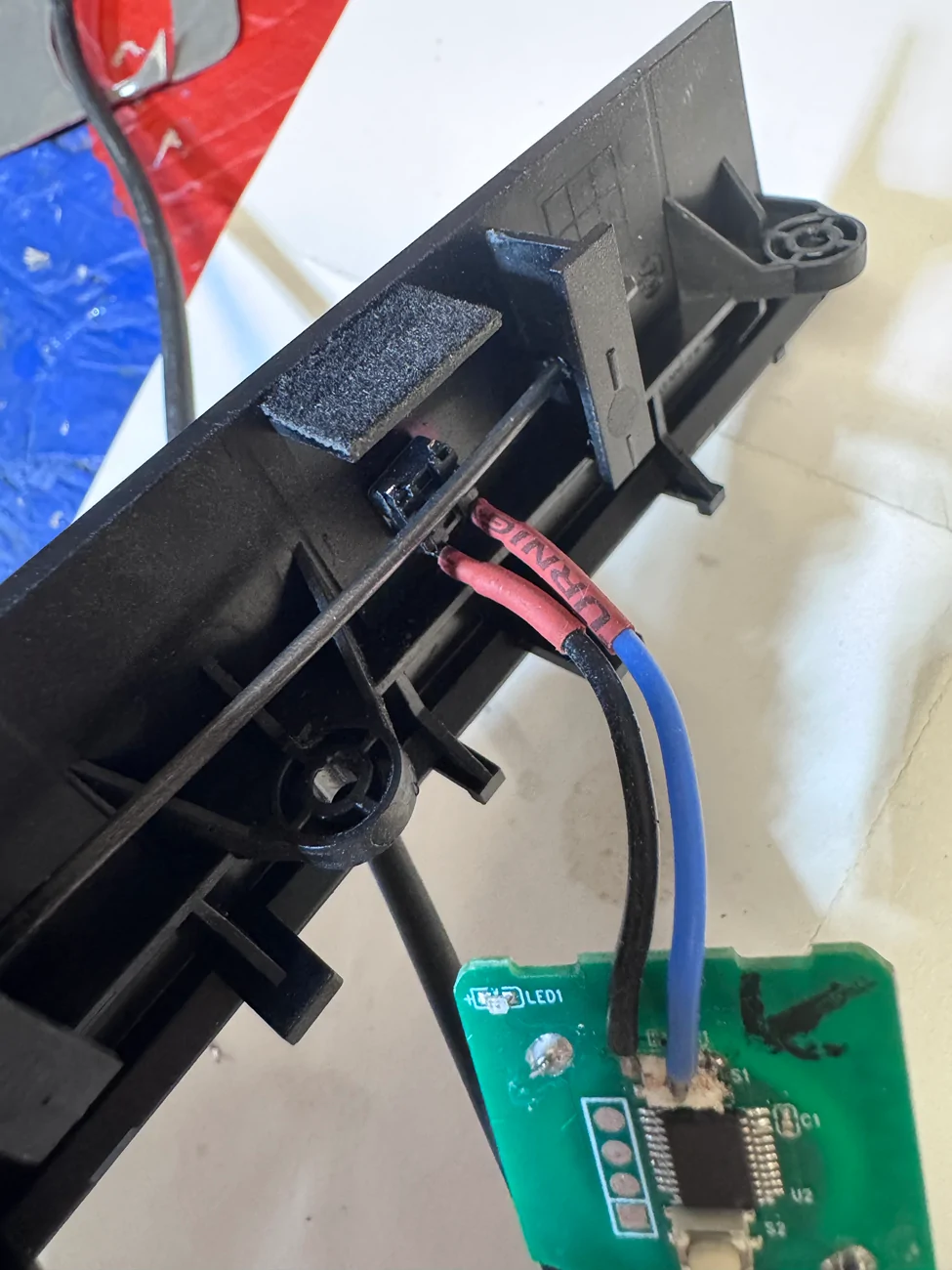
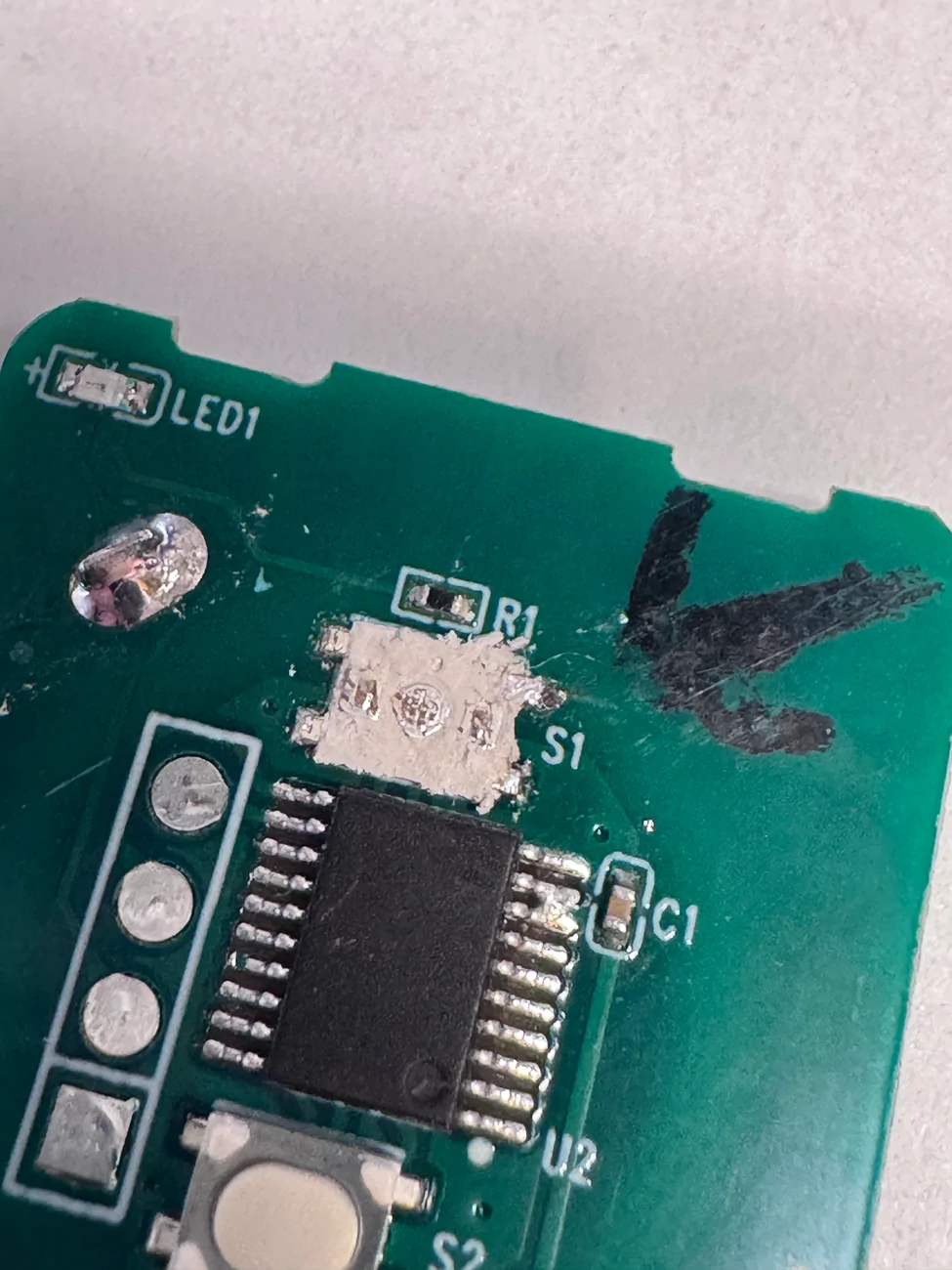
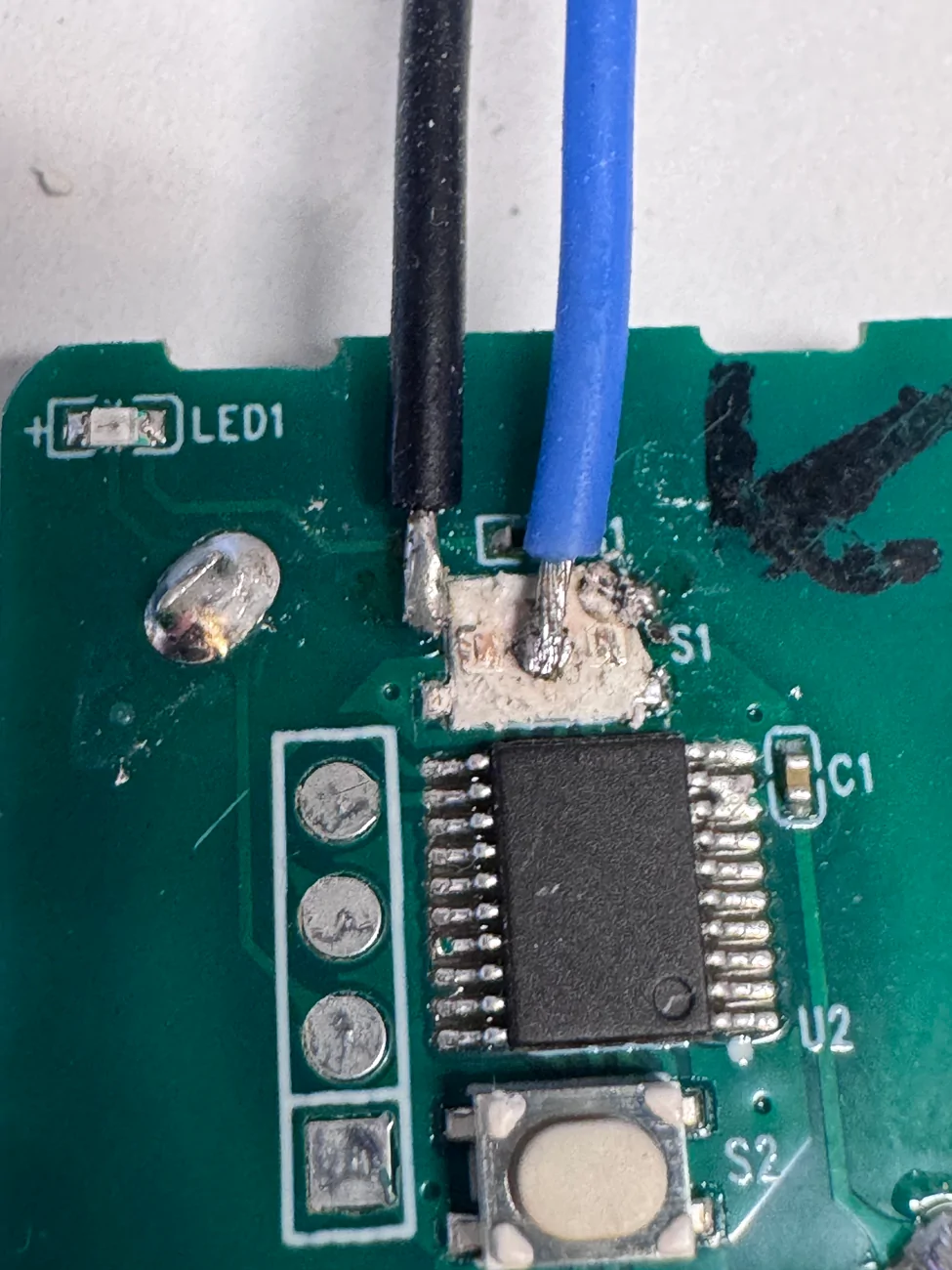
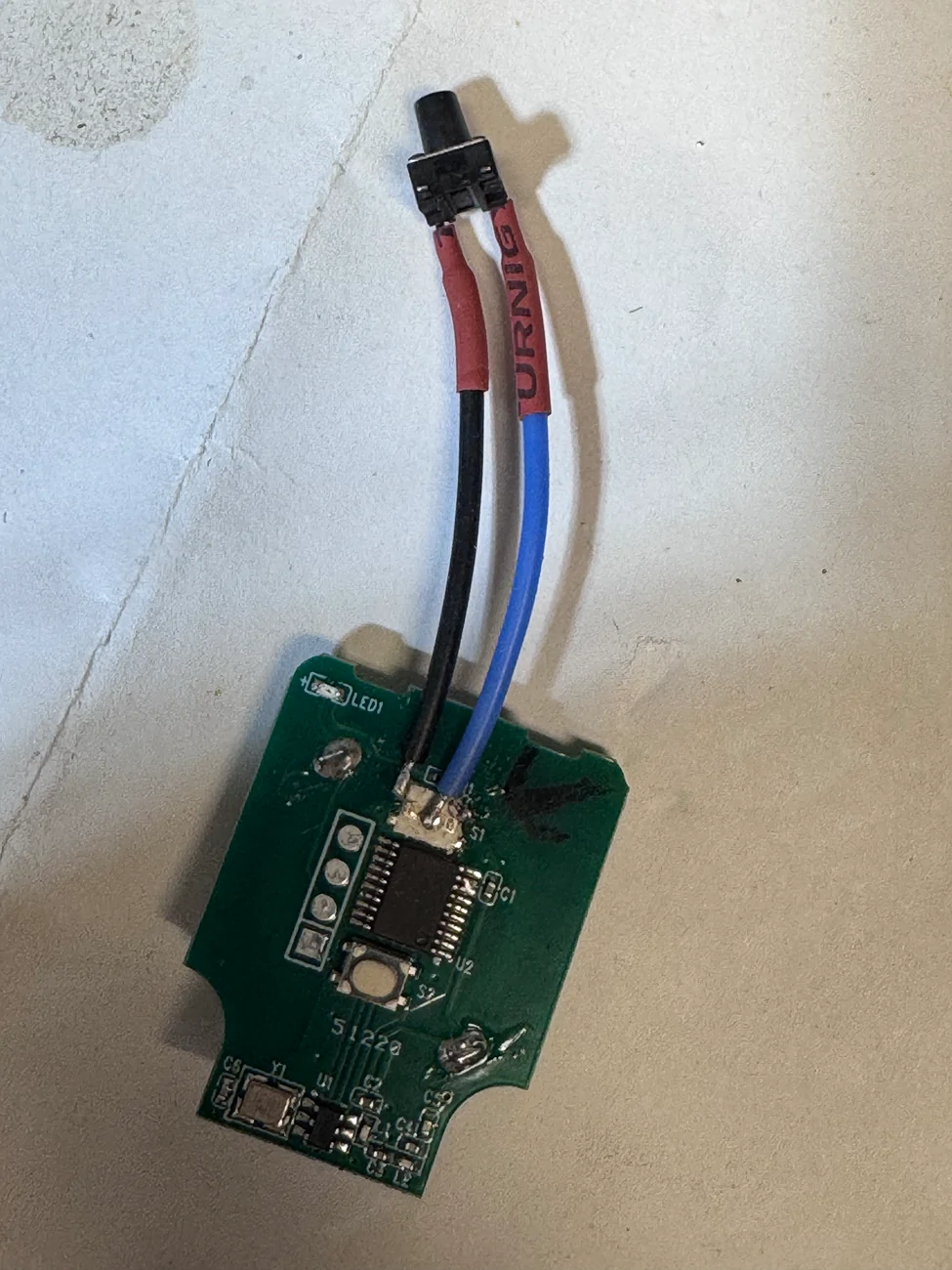
After destroying the OG push button, I have attached a couple of wires. It may not look pretty but it works and nothing is shorting and it is solid.

Tesla Cybertruck A Discrete Permanent Garage Door Remote install DIY tempImagePDKTt5
Tesla Cybertruck A Discrete Permanent Garage Door Remote install DIY tempImageL8odjj
Tesla Cybertruck A Discrete Permanent Garage Door Remote install DIY tempImagezJFnt9


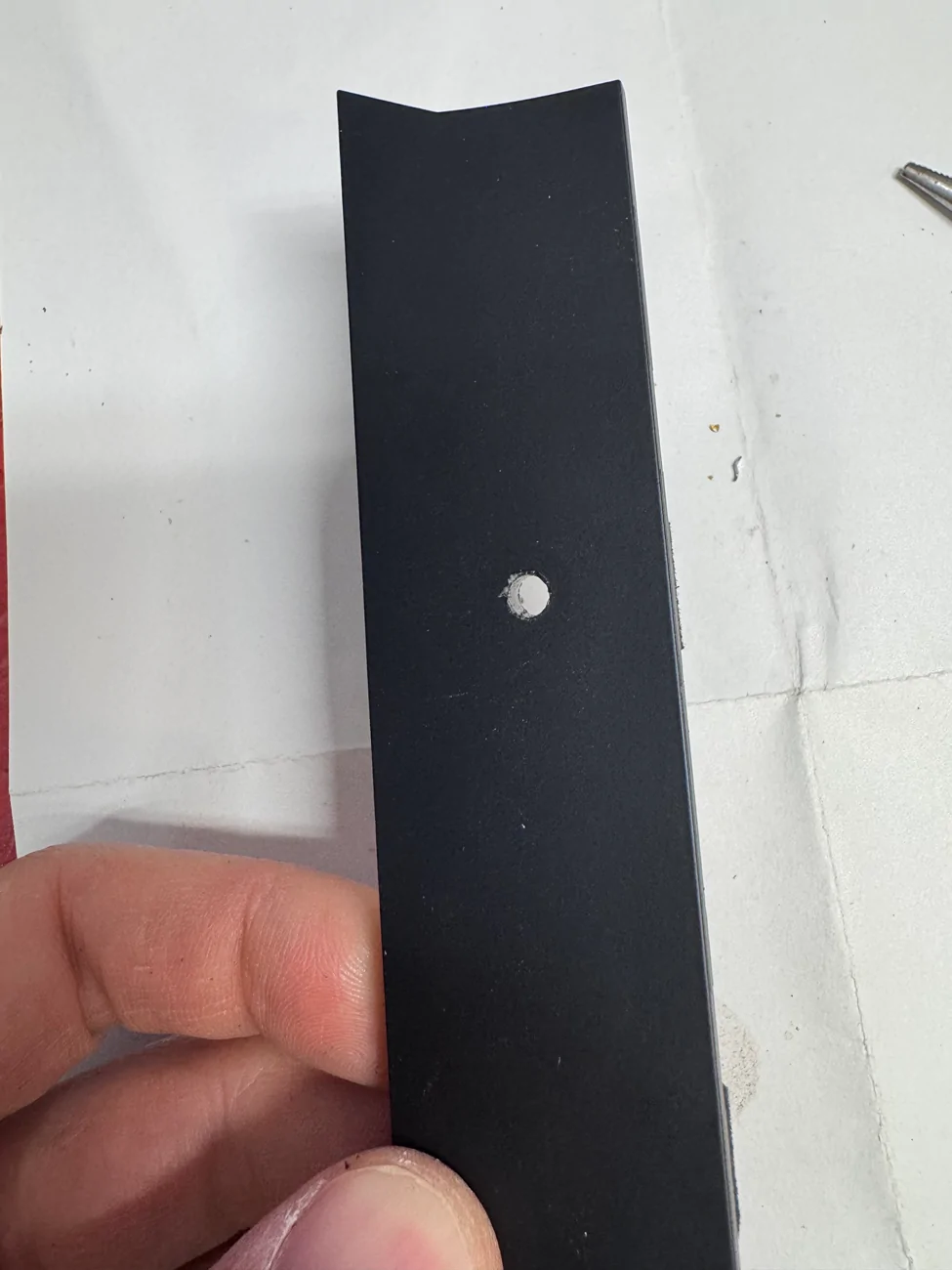
Obviously you need a hole. It's not that easy to make a super clean hole, but that’s my best. I think the hard part here is fixating the push button. I used a metal rod to press it against the plastic. It was heated and just pushed through the plastic. It's solid and does not move.
Tesla Cybertruck A Discrete Permanent Garage Door Remote install DIY tempImageYauUDz

Tesla Cybertruck A Discrete Permanent Garage Door Remote install DIY tempImage5hZ0Ex
Tesla Cybertruck A Discrete Permanent Garage Door Remote install DIY tempImageKwAhk7
Tesla Cybertruck A Discrete Permanent Garage Door Remote install DIY tempImagehZs0Vg


Double sided tape to glue the chip and put the rest back together. The position is also important, that’s the only spot it will clear.

Tesla Cybertruck A Discrete Permanent Garage Door Remote install DIY tempImageIo3s6
Tesla Cybertruck A Discrete Permanent Garage Door Remote install DIY tempImagefyhGD8


This is what it looks like in the car. I did have to remove a couple of tabs that hold the console but it is still sturdy. You can barely see it, fully functional.

Tesla Cybertruck A Discrete Permanent Garage Door Remote install DIY 117853-a5195c6a0e854b9729735a29d24dffc1 (1)
Sponsored

 
Last edited:

vandytom

Well-known member
First Name
Tom
Joined
Oct 9, 2024
Threads
16
Messages
522
Reaction score
764
Location
Nashville
Vehicles
cybertruck
Country flag
For me, My Q has not been working for many reasons, WI-FI wasn't strong, I tried extenders, Truck would loose GPS signal in the garage and so it wouldn't Auto-close and MyQ would have server issues, it was a never ending problem. So I always carried a garage door opener with me. Finally, I decided to do something small and discrete to open/close the garage door. And I thought the best place to locate a button would be on the overhead PRND console. I wanted it to look as small as possible. Heck it just needs to be a tiny button. So amazon has this little remote for $15. and of all remotes it has the smallest chip footprint.
https://www.amazon.com/dp/B0F1N3P9KQ?ref=ppx_yo2ov_dt_b_fed_asin_title&th=1
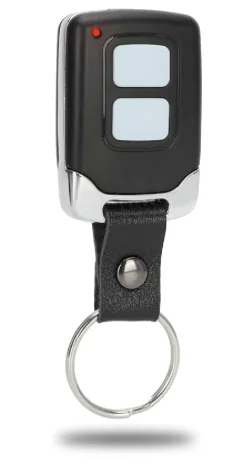
1776706369696-t4.webp


Here is what it looks like on the inside. This remote has two buttons, I only used one, but if you need a second for the gate or something - it can do that.
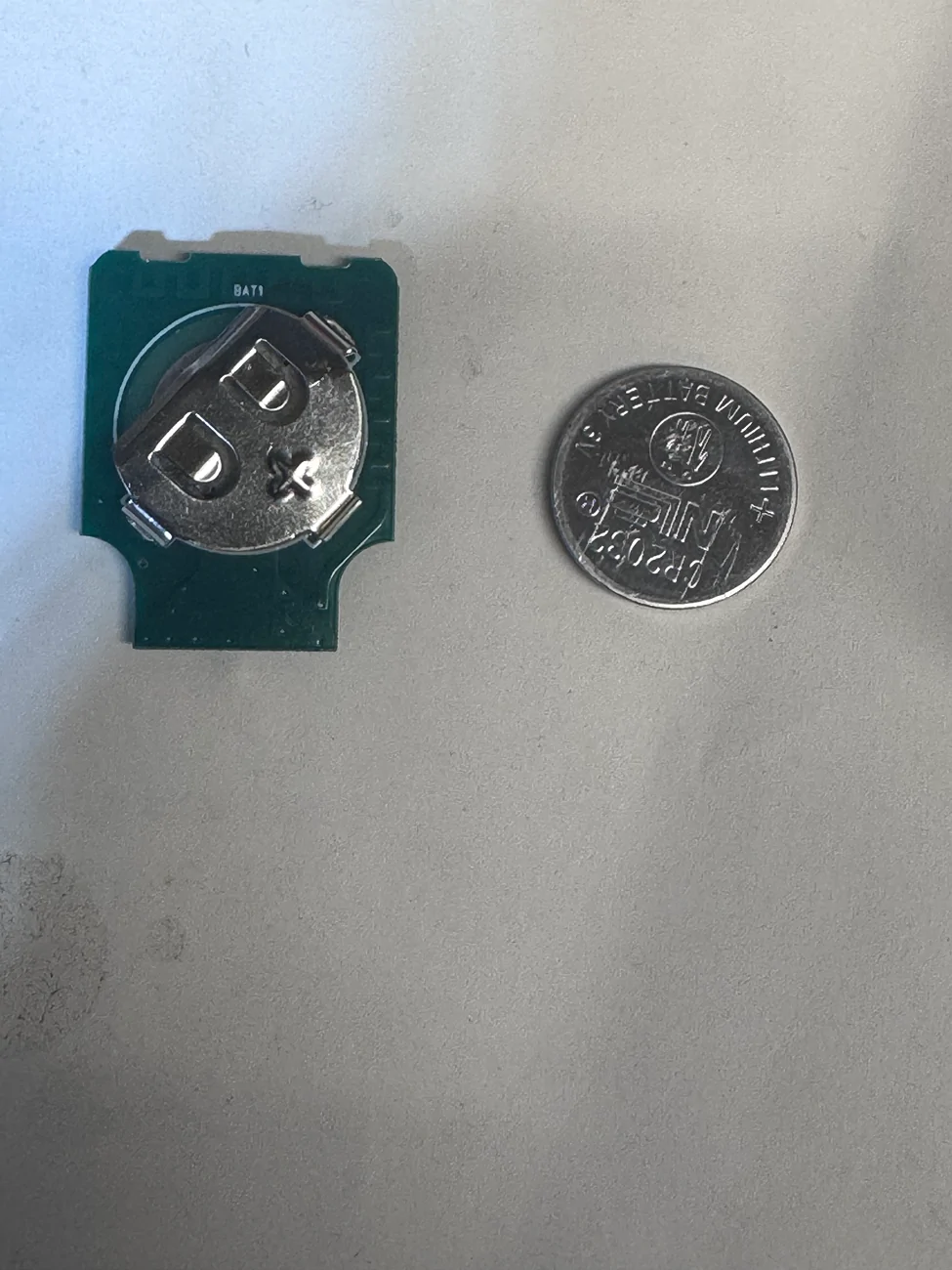
tempImagefuc4ta.webp
tempImage7vYTe9.webp


Her are the pics of the other side of the PRND console, the side screws are removed. to allow the side plastics to slide in and out, that helped me get an idea of where to place the chip.
tempImagewT5Dzk.webp


Right there is where I wanted to place the button. And here is the pic of the button. This button has a long push button thingy, long enough to pass through the plastic and protrude a few millimeters.
tempImageWdOaAz.webp
tempImageeKNRu0.webp


After destroying the OG push button, I have attached a couple of wires. It may not look pretty but it works and nothing is shorting and it is solid.
tempImagePDKTt5.webp
tempImageL8odjj.webp
tempImagezJFnt9.webp


Obviously you need a hole. It's not that easy to make a super clean hole, but that’s my best. I think the hard part here is fixating the push button. I used a metal rod to press it against the plastic. It was heated and just pushed through the plastic. It's solid and does not move.
tempImageYauUDz.webp

tempImage5hZ0Ex.webp
tempImageKwAhk7.webp
tempImagehZs0Vg.webp


Double sided tape to glue the chip and put the rest back together. The position is also important, that’s the only spot it will clear.

tempImageIo3s6w.webp
tempImagefyhGD8.webp


This is what it looks like in the car. I did have to remove a couple of tabs that hold the console but it is still sturdy. You can barely see it, fully functional.

117853-a5195c6a0e854b9729735a29d24dffc1 (1).webp
This McGyver is hardcore. I might try a button on that hole right there. Simple drill and attach.
 

Eka

Well-known member
First Name
Ekaterine
Joined
Feb 20, 2026
Threads
1
Messages
209
Reaction score
200
Location
The land between two rivers.
Vehicles
Model Y, Cybertruck
Occupation
disabled
Country flag
I wonder if that set of square pad and three round pads is for allowing the buttons to be located remotely?
 

mitch9

Well-known member
First Name
Mitch
Joined
Apr 19, 2021
Threads
2
Messages
211
Reaction score
370
Location
Boston, MA
Vehicles
2025 Dual Motor Cybertruck
Occupation
Engineer
Country flag
I have MyQ, and used it for the 30 day trial, I was going to buy it for the Tesla, but there "purchase" option would never go through on my credit card, I even had a case with a senior engineer, and when they had the %50 off sale, I was really aggravated with them (I think the 10 year plan was down to $150).. They could never get it going, so I bought this (no fee's at all)

https://gotailwind.com/collections/all

I have not installed it yet, for now I just have the 3 button remote on the visor.. But the tailwind is good, it interfaces to most digital garage door openers, and does have a proximity open/close that uses just your phone, if you use an Android, or your iPhone and their H2 vehicle sensor , to close and open the garage with geo-fencing. I can still use the MyQ as well, via the iPhone app (they don't charge for that)


dalton108

Well-known member
First Name
Dalton
Joined
Oct 17, 2020
Threads
130
Messages
3,947
Reaction score
7,869
Location
USA
Vehicles
‘24 FS/CB; ‘24 MX; ‘23 MS PLAID (Prior: ‘20-MY; ‘21-M3P) (Also: ‘14-FJ; ‘21-C8)
Occupation
Lawyer
Country flag
Kudos for having the will and the means to make this happen. It’s way more effort than I’m willing to put into something that Tesla should’ve given us from the factory on $120,000 car.

My bitterness aside, one question where it’s positioned it seems like it would be pretty easy to activate the hazards as you reach around to open the garage. It seems like anytime I go near the center stack I somehow activate the hazards. What’s your experience been on that front?
 

T3s1a

Well-known member
Joined
Aug 20, 2024
Threads
2
Messages
84
Reaction score
147
Location
Orlando, FL
Vehicles
Cyberbeast
Country flag
Cool mod! I’ve been using the same remote in my truck for about 1.5 years. I keep it in a tray behind the front screen.

I had the idea to mount the electronics in the small recess where the rear view mirror is attached but it is too big to fit. I didn’t think about soldering in a remote switch. Maybe I’ll tackle this in the future. Nice work!
 
Last edited:

TarheelCT

Well-known member
Joined
Feb 20, 2026
Threads
3
Messages
234
Reaction score
415
Location
🇺🇸
Vehicles
26 Dual AWD - Pending 👊
Country flag
I went with the same remote, but just used double sided tape. It’s so small that you would never notice it if you didn’t know it was there

IMG_4289.webp
Exactly. I 3m taped it to the back lower left corner of the screen on my MY. works great and hidden.


RadoRage

Well-known member
First Name
Peter
Joined
Nov 29, 2023
Threads
5
Messages
77
Reaction score
173
Location
California
Vehicles
2024 CyberTruck AWD Dual Motor
Occupation
Military
Country flag
For me, My Q has not been working for many reasons, WI-FI wasn't strong, I tried extenders, Truck would loose GPS signal in the garage and so it wouldn't Auto-close and MyQ would have server issues, it was a never ending problem. So I always carried a garage door opener with me. Finally, I decided to do something small and discrete to open/close the garage door. And I thought the best place to locate a button would be on the overhead PRND console. I wanted it to look as small as possible. Heck it just needs to be a tiny button. So amazon has this little remote for $15. and of all remotes it has the smallest chip footprint.
https://www.amazon.com/dp/B0F1N3P9KQ?ref=ppx_yo2ov_dt_b_fed_asin_title&th=1
1776706369696-t4.webp


Here is what it looks like on the inside. This remote has two buttons, I only used one, but if you need a second for the gate or something - it can do that.

tempImagefuc4ta.webp
tempImage7vYTe9.webp


Her are the pics of the other side of the PRND console, the side screws are removed. to allow the side plastics to slide in and out, that helped me get an idea of where to place the chip.

tempImagewT5Dzk.webp


Right there is where I wanted to place the button. And here is the pic of the button. This button has a long push button thingy, long enough to pass through the plastic and protrude a few millimeters.

tempImageWdOaAz.webp
tempImageeKNRu0.webp


After destroying the OG push button, I have attached a couple of wires. It may not look pretty but it works and nothing is shorting and it is solid.
tempImagePDKTt5.webp
tempImageL8odjj.webp
tempImagezJFnt9.webp


Obviously you need a hole. It's not that easy to make a super clean hole, but that’s my best. I think the hard part here is fixating the push button. I used a metal rod to press it against the plastic. It was heated and just pushed through the plastic. It's solid and does not move.
tempImageYauUDz.webp

tempImage5hZ0Ex.webp
tempImageKwAhk7.webp
tempImagehZs0Vg.webp


Double sided tape to glue the chip and put the rest back together. The position is also important, that’s the only spot it will clear.

tempImageIo3s6w.webp
tempImagefyhGD8.webp


This is what it looks like in the car. I did have to remove a couple of tabs that hold the console but it is still sturdy. You can barely see it, fully functional.

117853-a5195c6a0e854b9729735a29d24dffc1 (1).webp
Haha, I use the exact same clicker for my regular mail box key ring. Very useful small clicker!
 

That Beast Mode

Well-known member
First Name
Phil
Joined
Mar 15, 2025
Threads
14
Messages
1,349
Reaction score
1,799
Location
New Jersey
Vehicles
Cybertruck
Country flag
For me, My Q has not been working for many reasons, WI-FI wasn't strong, I tried extenders, Truck would loose GPS signal in the garage and so it wouldn't Auto-close and MyQ would have server issues, it was a never ending problem. So I always carried a garage door opener with me. Finally, I decided to do something small and discrete to open/close the garage door. And I thought the best place to locate a button would be on the overhead PRND console. I wanted it to look as small as possible. Heck it just needs to be a tiny button. So amazon has this little remote for $15. and of all remotes it has the smallest chip footprint.
https://www.amazon.com/dp/B0F1N3P9KQ?ref=ppx_yo2ov_dt_b_fed_asin_title&th=1
1776706369696-t4.webp


Here is what it looks like on the inside. This remote has two buttons, I only used one, but if you need a second for the gate or something - it can do that.

tempImagefuc4ta.webp
tempImage7vYTe9.webp


Her are the pics of the other side of the PRND console, the side screws are removed. to allow the side plastics to slide in and out, that helped me get an idea of where to place the chip.

tempImagewT5Dzk.webp


Right there is where I wanted to place the button. And here is the pic of the button. This button has a long push button thingy, long enough to pass through the plastic and protrude a few millimeters.

tempImageWdOaAz.webp
tempImageeKNRu0.webp


After destroying the OG push button, I have attached a couple of wires. It may not look pretty but it works and nothing is shorting and it is solid.

tempImagePDKTt5.webp
tempImageL8odjj.webp
tempImagezJFnt9.webp


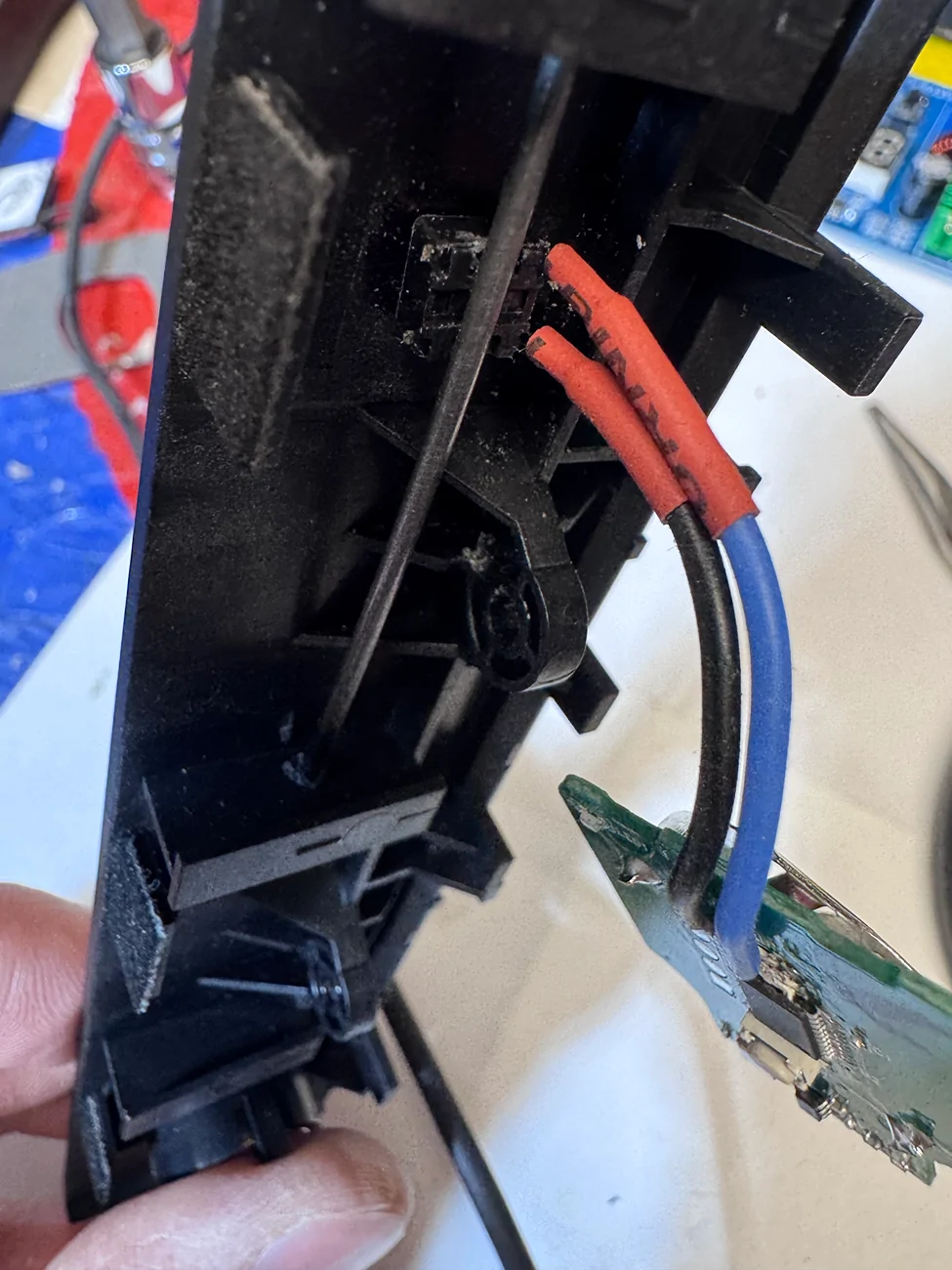
Obviously you need a hole. It's not that easy to make a super clean hole, but that’s my best. I think the hard part here is fixating the push button. I used a metal rod to press it against the plastic. It was heated and just pushed through the plastic. It's solid and does not move.
tempImageYauUDz.webp

tempImage5hZ0Ex.webp
tempImageKwAhk7.webp
tempImagehZs0Vg.webp


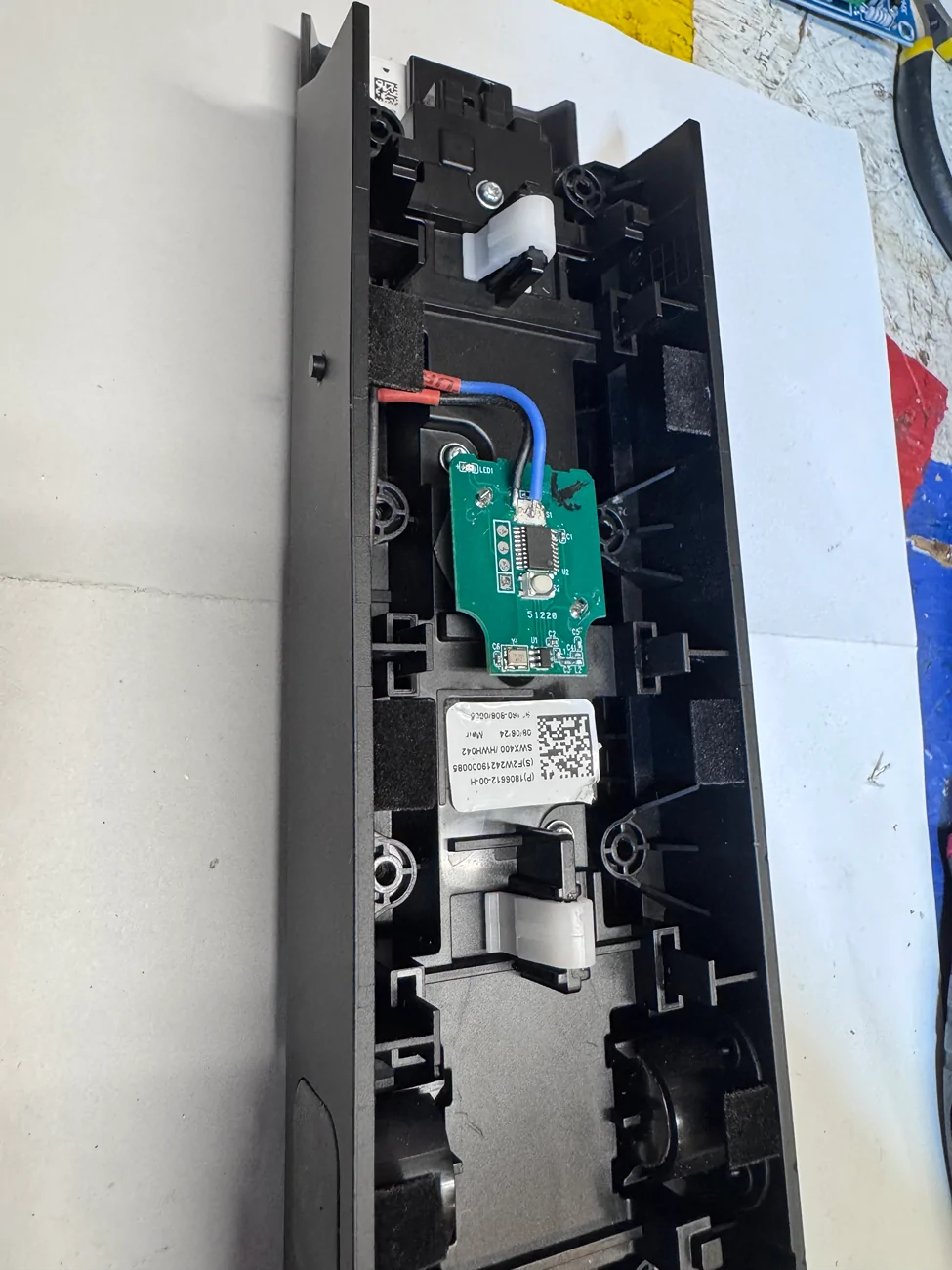
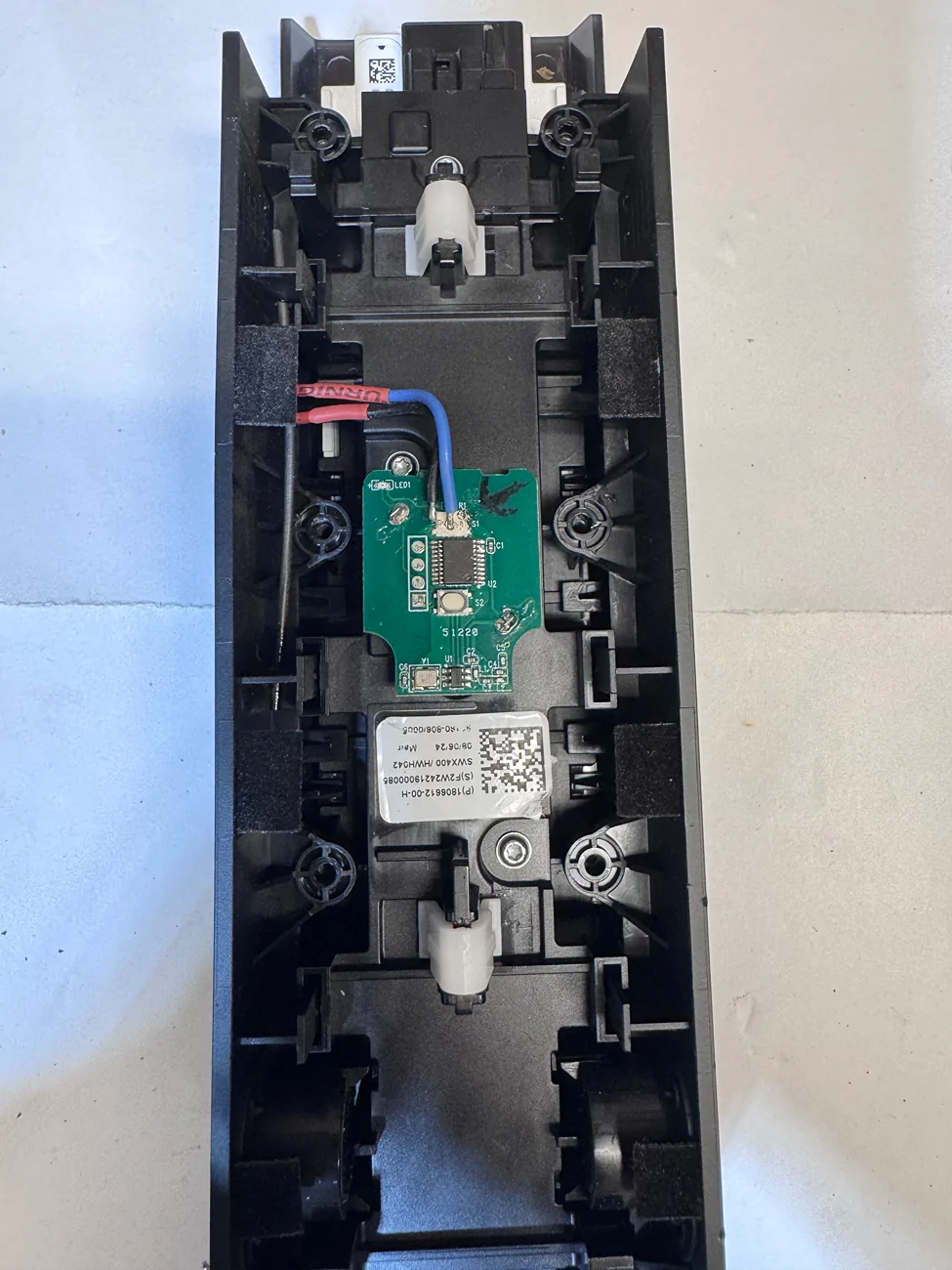
Double sided tape to glue the chip and put the rest back together. The position is also important, that’s the only spot it will clear.
tempImageIo3s6w.webp
tempImagefyhGD8.webp


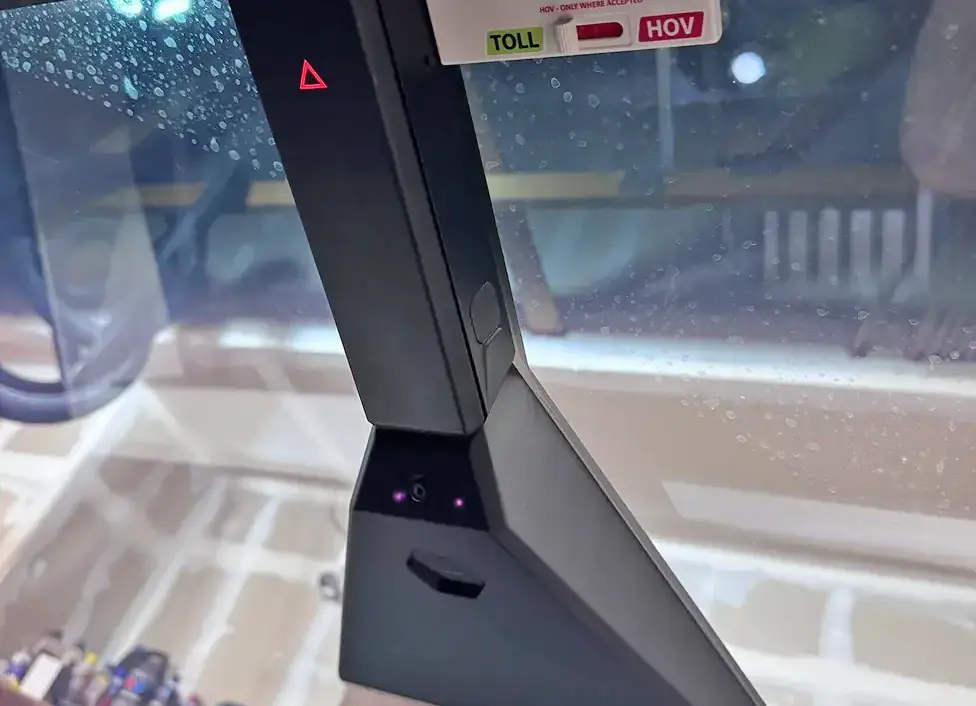
This is what it looks like in the car. I did have to remove a couple of tabs that hold the console but it is still sturdy. You can barely see it, fully functional.
117853-a5195c6a0e854b9729735a29d24dffc1 (1).webp
Nice job Leo.. pretty well thought out and executed plan. Gonna be a pain in the ass to change the battery tho.
 

mitch9

Well-known member
First Name
Mitch
Joined
Apr 19, 2021
Threads
2
Messages
211
Reaction score
370
Location
Boston, MA
Vehicles
2025 Dual Motor Cybertruck
Occupation
Engineer
Country flag
OP
OP
igoreka

igoreka

Active member
First Name
Igor
Joined
Jun 7, 2020
Threads
2
Messages
41
Reaction score
105
Location
Colorado
Vehicles
Model 3
Country flag
Kudos for having the will and the means to make this happen. It’s way more effort than I’m willing to put into something that Tesla should’ve given us from the factory on $120,000 car.

My bitterness aside, one question where it’s positioned it seems like it would be pretty easy to activate the hazards as you reach around to open the garage. It seems like anytime I go near the center stack I somehow activate the hazards. What’s your experience been on that front?
I agree this should’ve been a thing from the factory!
And yeah the hazard button is pretty sensitive but I haven’t had an issue with it.


Top