Sponsored

Best digital rearview mirror recommendations?

dpoll995

Well-known member
Joined
Mar 15, 2025
Threads
5
Messages
211
Reaction score
369
Location
USA
Vehicles
cybertruck
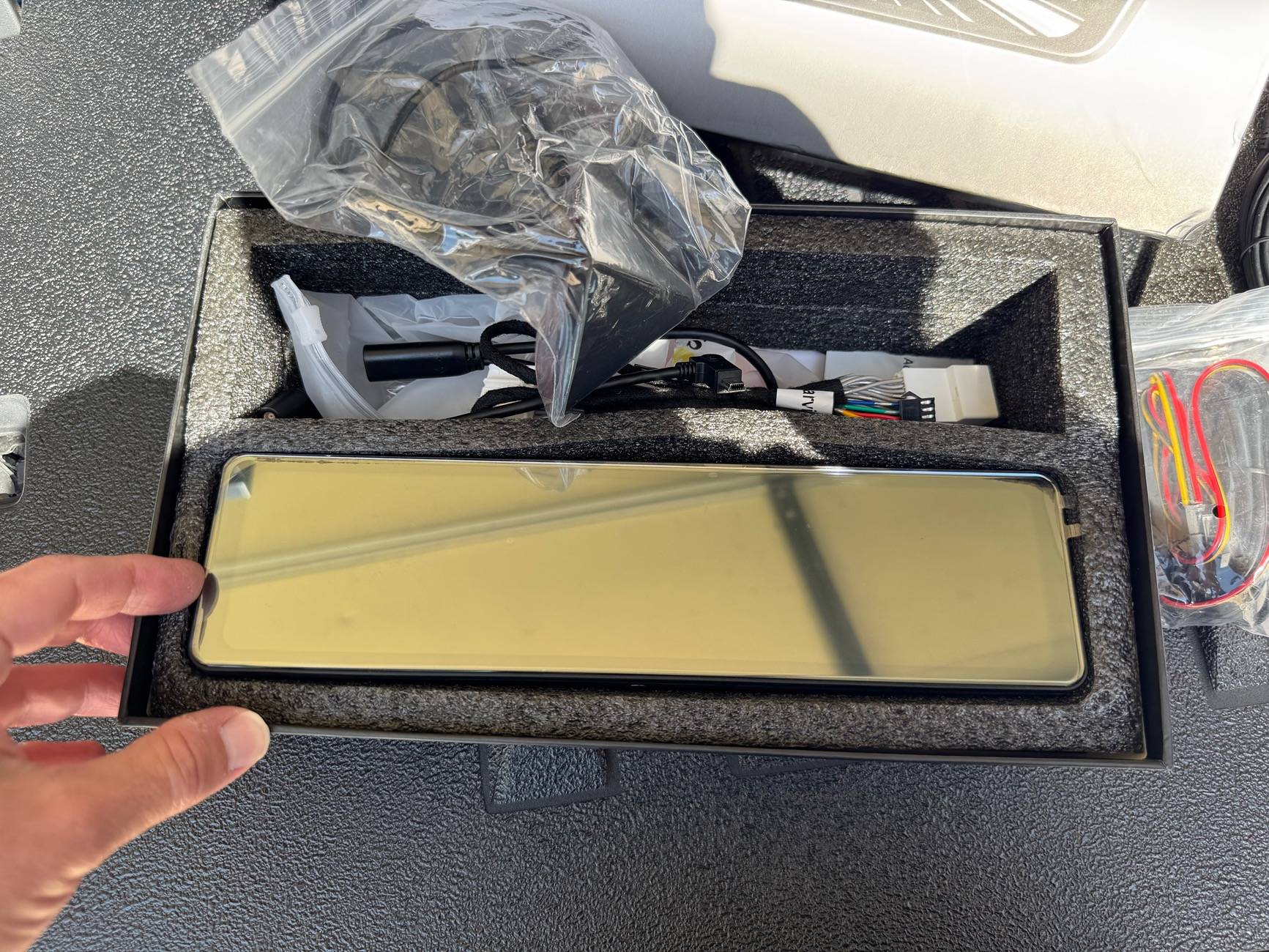
Hansshow sent me the new 2.0 Mirror and I received it today. Not sure how I feel about installing another one of these to test. If I do, I’ll probably not do a permanent install and just test it for a couple of weeks first. Anyway, this thing is HUGE! About 1ft long. I think it might look too gigantic in the Cybertruck
IMG_6394.jpeg
to be honest.
How did you get the 2.0 mirror? I don’t see that one on the website. I’m also curious how the installation goes and if it works well.
Sponsored


jameskk

Well-known member
First Name
James
Joined
Apr 1, 2024
Threads
19
Messages
287
Reaction score
458
Location
Moore, SC
Vehicles
Cybertruck FS AWD, Ford F150 Lightning, Tesla Model Y Juniper
Country flag
Would love to see your install And see how it works!
Update on this......

I pulled back the passenger side carpet to install the wiring harness and test out this new mirror today prior to doing a full install. First thing that I noticed is the lower passenger side front speaker on the A Pillar did not function, this is the same behavior I experienced with the Tes Studio/CT Mods mirror. I decided mainly for this reason not to do the full install, but I will probably find someone else locally who wants it and do the install on their Cybertruck for a video. Anyone in the Upstate area of South Carolina who wants it can reach out to me about it. Here is some other thoughts that I have on it:

Pros:
-Great design looks like the oem rear view mirror but bigger
-it is very big (about a foot wide)
-very lightweight mirror despite its size
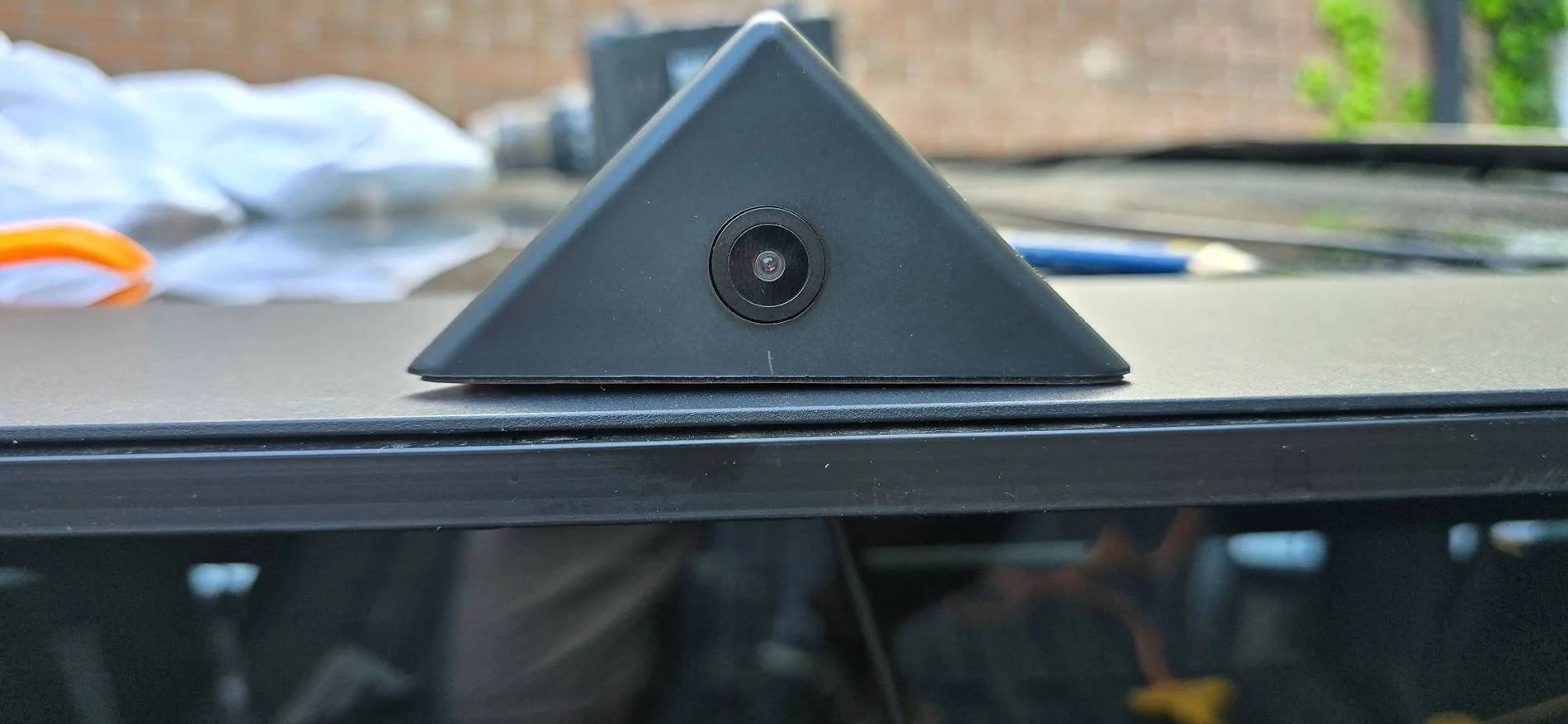
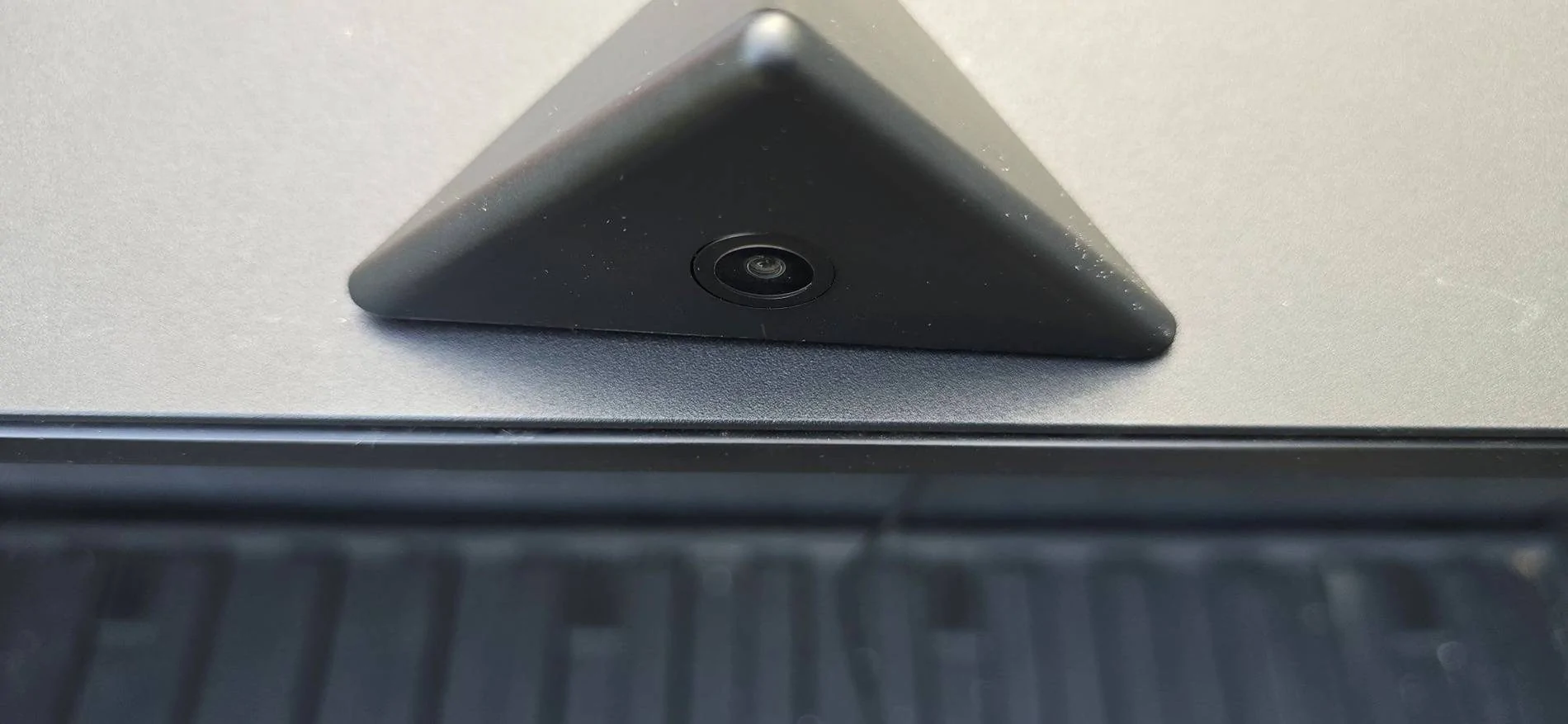
-camera housing that mounts on top of tonneau is very stylish and has no visible seams

Cons:
-still causes minor power issues plugged into CT wiring (see above)
-no sensor or auto brightness control that I can tell (can change easily on screen)
-no way to remove the time from being displayed on mirror
-scrolling up and down of video feed is slow and choppy
-camera cannot be mounted on license plate area easily
 

TebisYang

Member
First Name
OldYang
Joined
Apr 17, 2025
Threads
1
Messages
24
Reaction score
10
Location
Jangsu China
Vehicles
Cybertruck Foundation
Occupation
designer
Country flag
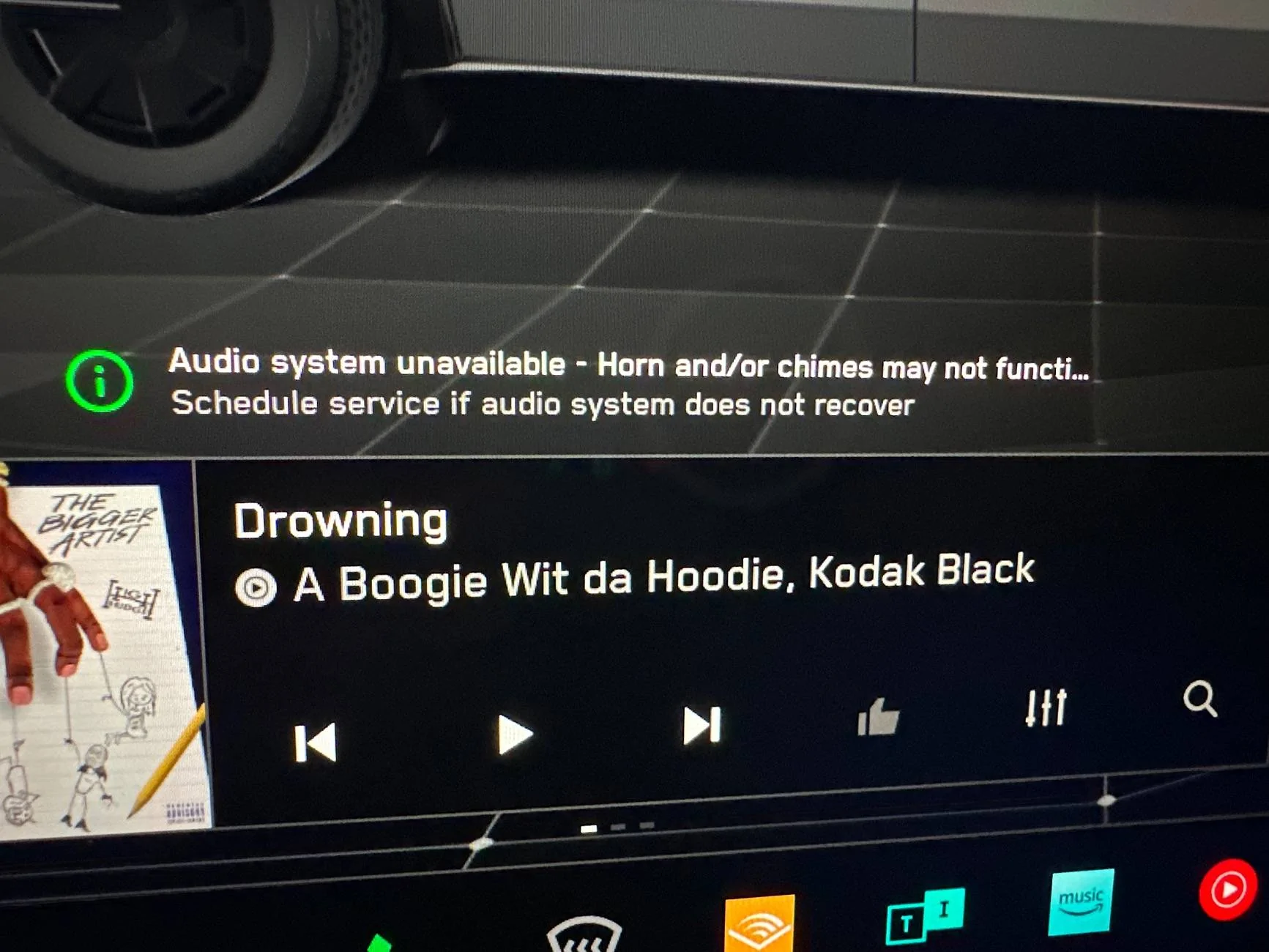
Similiar issue here. I had same error on screen and my phone bluetooth microphone stopped working. I can hear people, but they can't hear me. Unplugged the harness from oem computer and everything is back to normal, but obvisouly no rearvew camera currently. Very annoying.
I have the TesStudio one that @ShockAuto posted and it’s great except for the “Audio system” error that many people are experiencing. The right speaker on the passenger side is not working due to the wiring harness.

image.jpg


I spoke with the TesStudio team and they are expecting to fix this via a software update at some point. But it’s still pretty annoying.
Replacing the 12V+ power source for the media player will fix it—I've already tested it.


TebisYang

Member
First Name
OldYang
Joined
Apr 17, 2025
Threads
1
Messages
24
Reaction score
10
Location
Jangsu China
Vehicles
Cybertruck Foundation
Occupation
designer
Country flag
“malinecentral, post: 30551712, member: 22173” said:
我猜原因是这样它可以在卡车启动时打开,但我对可以关闭的东西没问题,因为有一个传感器可以确定卡车是否在移动或有人在其中,或者即使我必须手动关闭它。对我来说,一个只有电源的封闭系统似乎很好。
[/引用]
一个
I think I’m in the same boat. I do not want to break a 100k truck for a 200 dollar accessory
Find the ACC 12V+, very close to the speaker wires.
 

mindstatements

Active member
First Name
Haseeb
Joined
Feb 13, 2025
Threads
3
Messages
37
Reaction score
26
Location
Connecticut
Vehicles
Cybertruck
Country flag
Update on this......

I pulled back the passenger side carpet to install the wiring harness and test out this new mirror today prior to doing a full install. First thing that I noticed is the lower passenger side front speaker on the A Pillar did not function, this is the same behavior I experienced with the Tes Studio/CT Mods mirror. I decided mainly for this reason not to do the full install, but I will probably find someone else locally who wants it and do the install on their Cybertruck for a video. Anyone in the Upstate area of South Carolina who wants it can reach out to me about it. Here is some other thoughts that I have on it:

Pros:
-Great design looks like the oem rear view mirror but bigger
-it is very big (about a foot wide)
-very lightweight mirror despite its size
-camera housing that mounts on top of tonneau is very stylish and has no visible seams

Cons:
-still causes minor power issues plugged into CT wiring (see above)
-no sensor or auto brightness control that I can tell (can change easily on screen)
-no way to remove the time from being displayed on mirror
-scrolling up and down of video feed is slow and choppy
-camera cannot be mounted on license plate area easily
This is a great update and thank you for trying it out for us. I am probably in the same boat as you and I do not think I could install something that will continue to give me the audio issues.
 

Edelstahl

Member
First Name
Peter
Joined
Dec 29, 2023
Threads
0
Messages
21
Reaction score
7
Location
Clemmons, NC
Vehicles
Model S Longrange
Country flag
Replacing the 12V+ power source for the media player will fix it—I've already tested it.
I've just installed Hansshow 2.0.
Here are my impressions:

Positive:
Clear picture
Large screen
Coax cable for clearer image
Exposure value can be adjusted
Good range horizontally
Not much distortion for such a wide angle camera.
Good integration into system wiring overall, but see below.
Nice housing for rear camera, but see below.

Negative:
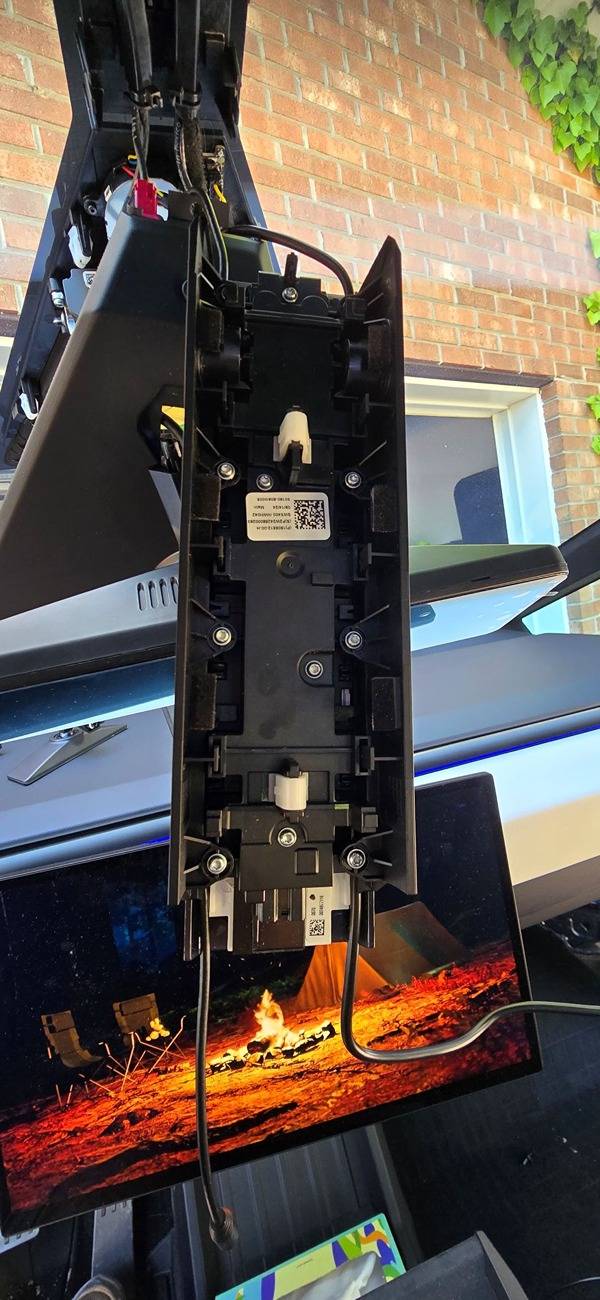
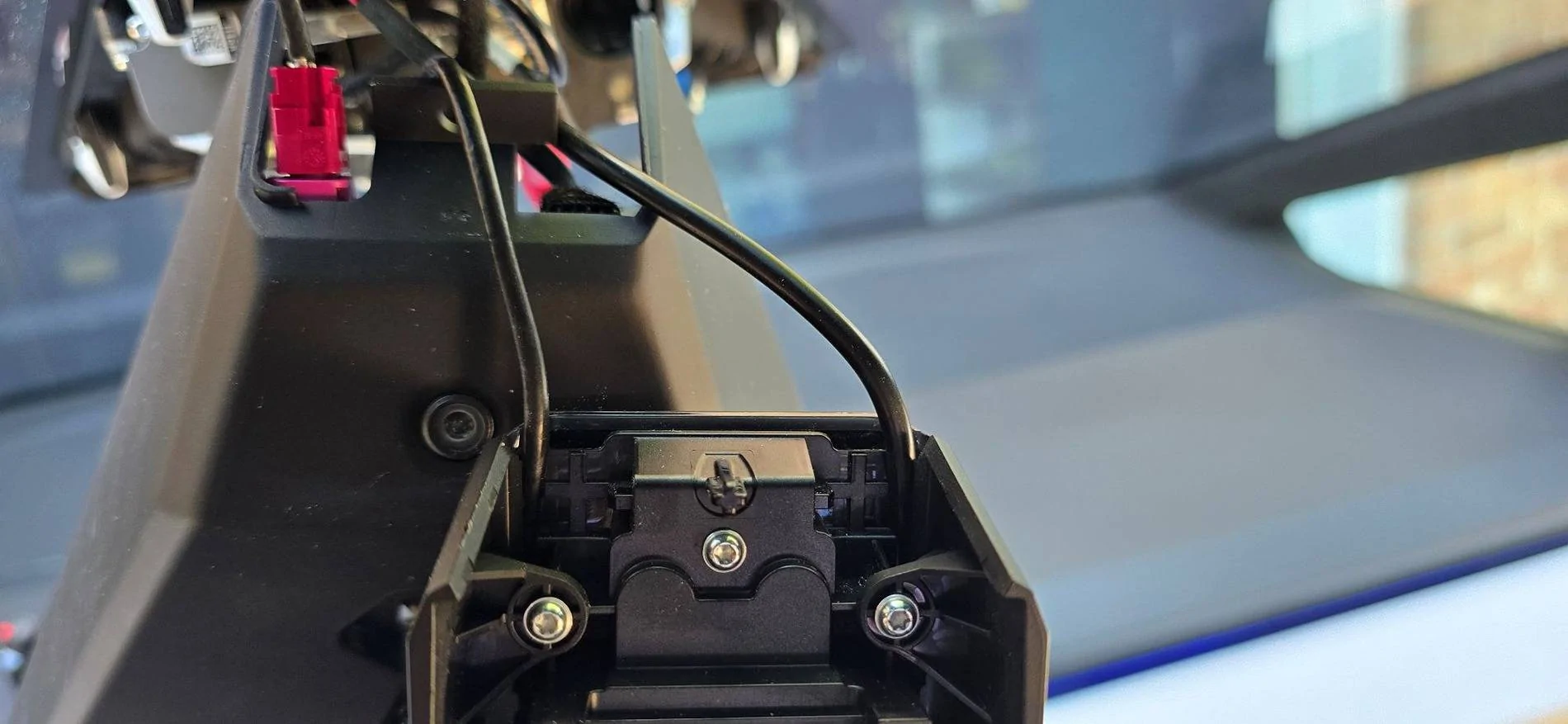
Install is very tricky. Took me 6 hours to figure out how to run this without showing cables. Found a way to get the cables to pass through the gear selector bridge piece by taking the side covers off and tucking the cables into the space/grove available on each side. I'll upload pics soon. This process makes the reinstall very hard however.

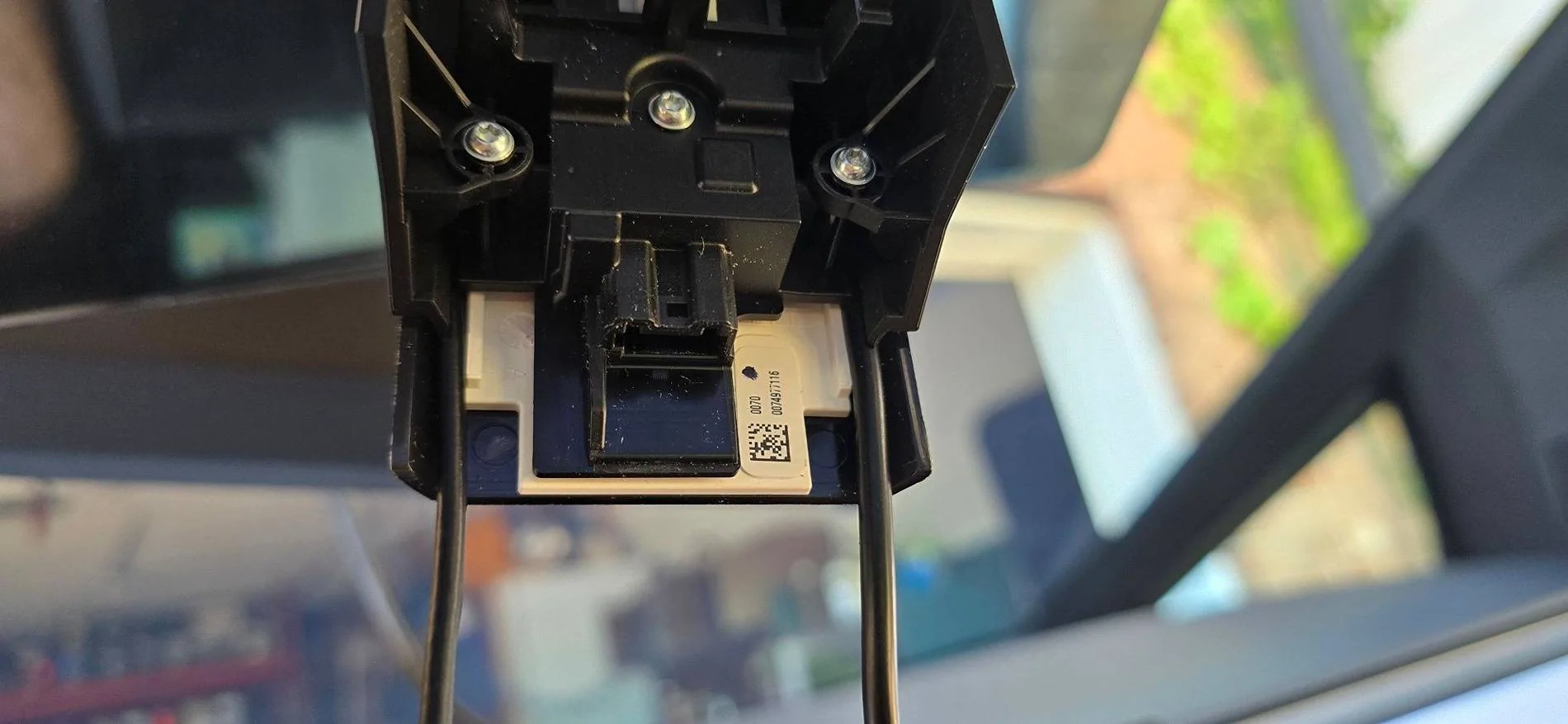
No space for the front camera cable to pass out from the cover. Had to notch the beauty cover of the GPS/camera housing.

Front camera is quite redundant.

Mirror is very unstable once mounted. The flimsy plastic arm that holds the mirror has a rediculous amount of flex. Needs to be metal. This is my biggest gripe so far.

The rear camera was neither mounted square nor level in its triangular housing. The image is several degree off and had to mount the housing crooked on the truck to get a straight view out the back

One of the tweeters on the right seems to be off after install. Need to do more testing but it sounds 'off'. I hope I can fix this...thanks for some of the previous posts here.

White balance of the display is way off. It's quite blue.

Overall a great improvement but that plastic arm is a joke.
Makes the whole thing look like a $50.00 part. Not sure what the designers/engineers where thinking here. I have to 1.0 mirror...maybe its metal bracket will work but I'm not looking forward to taking this back apart.

I hope a Firmware Update will fix the white balance and enable some way to take off the time display.

I hope this helps someone. Overall a good mirror and looks quite 'OEM' with its square design.

Peter
 

mindstatements

Active member
First Name
Haseeb
Joined
Feb 13, 2025
Threads
3
Messages
37
Reaction score
26
Location
Connecticut
Vehicles
Cybertruck
Country flag
I've just installed Hansshow 2.0.
Here are my impressions:

Positive:
Clear picture
Large screen
Coax cable for clearer image
Exposure value can be adjusted
Good range horizontally
Not much distortion for such a wide angle camera.
Good integration into system wiring overall, but see below.
Nice housing for rear camera, but see below.

Negative:
Install is very tricky. Took me 6 hours to figure out how to run this without showing cables. Found a way to get the cables to pass through the gear selector bridge piece by taking the side covers off and tucking the cables into the space/grove available on each side. I'll upload pics soon. This process makes the reinstall very hard however.

No space for the front camera cable to pass out from the cover. Had to notch the beauty cover of the GPS/camera housing.

Front camera is quite redundant.

Mirror is very unstable once mounted. The flimsy plastic arm that holds the mirror has a rediculous amount of flex. Needs to be metal. This is my biggest gripe so far.

The rear camera was neither mounted square nor level in its triangular housing. The image is several degree off and had to mount the housing crooked on the truck to get a straight view out the back

One of the tweeters on the right seems to be off after install. Need to do more testing but it sounds 'off'. I hope I can fix this...thanks for some of the previous posts here.

White balance of the display is way off. It's quite blue.

Overall a great improvement but that plastic arm is a joke.
Makes the whole thing look like a $50.00 part. Not sure what the designers/engineers where thinking here. I have to 1.0 mirror...maybe its metal bracket will work but I'm not looking forward to taking this back apart.

I hope a Firmware Update will fix the white balance and enable some way to take off the time display.

I hope this helps someone. Overall a good mirror and looks quite 'OEM' with its square design.

Peter
thanks for the in depth review. I am assuming you are getting the audio issue warning on your screen also?


jameskk

Well-known member
First Name
James
Joined
Apr 1, 2024
Threads
19
Messages
287
Reaction score
458
Location
Moore, SC
Vehicles
Cybertruck FS AWD, Ford F150 Lightning, Tesla Model Y Juniper
Country flag
I've just installed Hansshow 2.0.
Here are my impressions:

Positive:
Clear picture
Large screen
Coax cable for clearer image
Exposure value can be adjusted
Good range horizontally
Not much distortion for such a wide angle camera.
Good integration into system wiring overall, but see below.
Nice housing for rear camera, but see below.

Negative:
Install is very tricky. Took me 6 hours to figure out how to run this without showing cables. Found a way to get the cables to pass through the gear selector bridge piece by taking the side covers off and tucking the cables into the space/grove available on each side. I'll upload pics soon. This process makes the reinstall very hard however.

No space for the front camera cable to pass out from the cover. Had to notch the beauty cover of the GPS/camera housing.

Front camera is quite redundant.

Mirror is very unstable once mounted. The flimsy plastic arm that holds the mirror has a rediculous amount of flex. Needs to be metal. This is my biggest gripe so far.

The rear camera was neither mounted square nor level in its triangular housing. The image is several degree off and had to mount the housing crooked on the truck to get a straight view out the back

One of the tweeters on the right seems to be off after install. Need to do more testing but it sounds 'off'. I hope I can fix this...thanks for some of the previous posts here.

White balance of the display is way off. It's quite blue.

Overall a great improvement but that plastic arm is a joke.
Makes the whole thing look like a $50.00 part. Not sure what the designers/engineers where thinking here. I have to 1.0 mirror...maybe its metal bracket will work but I'm not looking forward to taking this back apart.

I hope a Firmware Update will fix the white balance and enable some way to take off the time display.

I hope this helps someone. Overall a good mirror and looks quite 'OEM' with its square design.

Peter
I noticed, when I was playing around with it, that the camera image was not level even though I had it lined up even in the back.... so I can confirm what you are saying about mounting it crooked to get the image straight.
 

Edelstahl

Member
First Name
Peter
Joined
Dec 29, 2023
Threads
0
Messages
21
Reaction score
7
Location
Clemmons, NC
Vehicles
Model S Longrange
Country flag
thanks for the in depth review. I am assuming you are getting the audio issue warning on your screen also?
Thanks. No warning. Everything works it's just that one of the tweeters on the passenger side is not working correctly I believe as I was driving for the first time with it today (about 250 miles). I've noticed that the highs on the right side were not as present as they are on the left.
 

Edelstahl

Member
First Name
Peter
Joined
Dec 29, 2023
Threads
0
Messages
21
Reaction score
7
Location
Clemmons, NC
Vehicles
Model S Longrange
Country flag
Loosen the eight T8 torx screws and lift the sides of the pinnacle shifter block. It will give enough room to stuff the coax and the power cable into them. Use the driver side for the skinnier one of the two, get your length as short as you can then mount again.
The triangular gps cover is a pain to get back in place. I've hot glued the excess wire around the metal shield. Wires must not cross that metal shield as it will interfere with GPS reception.
My cover did not entirely seat against the windshield but That might be due to not having notched the front of it sufficiently to pass the front camera cable out.

Mounting the camera:
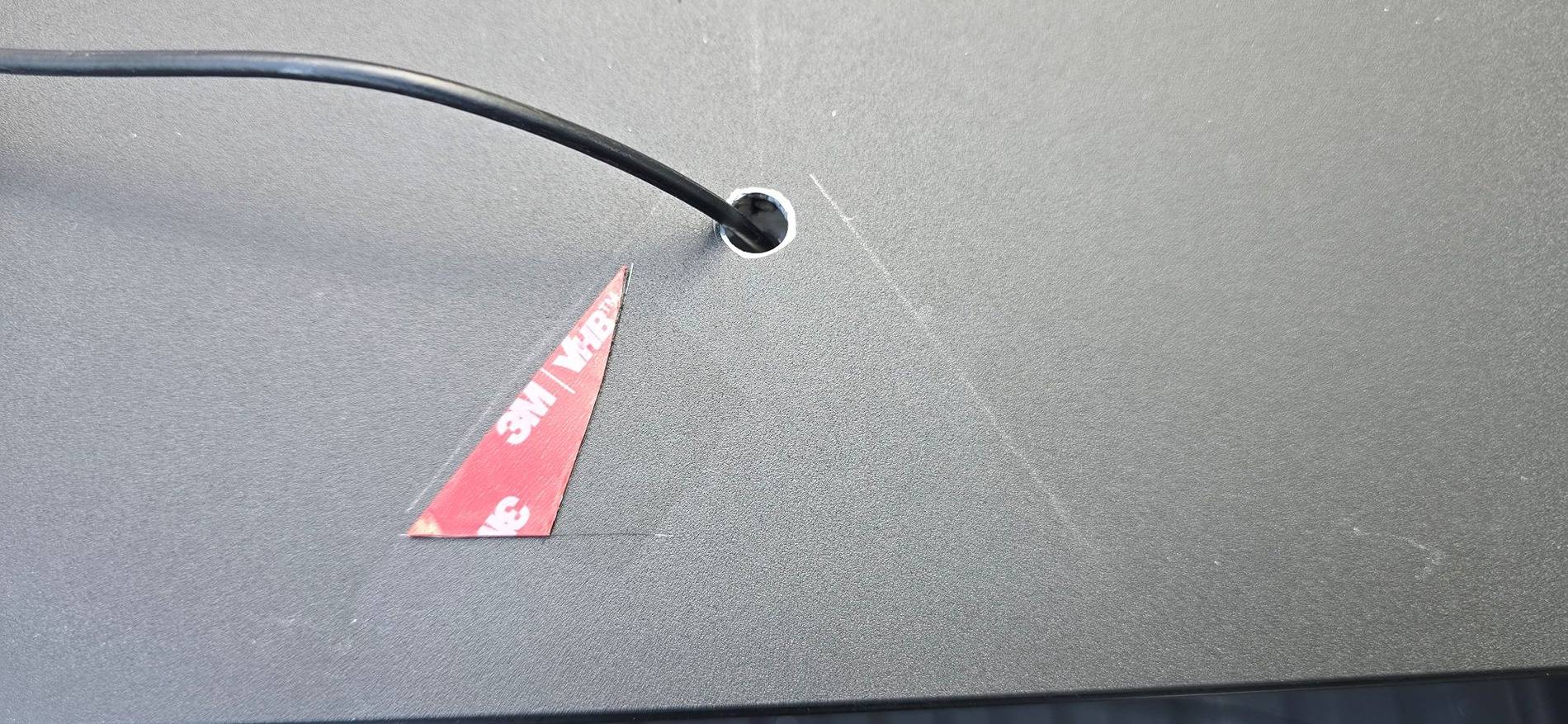
I've drilled the hole through the aluminum. The tonneau will still work as it does not touch the cable as it comes up from below. You'll need to kink the cable tight against the underside. I've used hot glue to secure it. Need to see if that holds up in hot weather. There is room enough though to get the cable not to touch the tonneau.
With the extra mounting tape (3M High Bond Tape) the angel is just a bit too high. I'll take it back off and make the triangle shape less. That should get it just right. Right now I see about a 3/4" different in the screen image from left to right looking at the truck bed corners.
I've used some hot clue to seal the cable hole and the opening at the rear of the camera cover to keep water from getting under the camera. That may need to be done with a UV rated automotive sealant but I didn't have any at hand.

I've used the rubber grommet of the light bar cable to make the transition from the inside to the outside. There's a good YouTube video out there showing how to take the passenger side entry button panel off. It's just a bit tricky to the get it installed again as the hook near the top that engages with the chassis is hard to engage.
Look up Reid Tomasko. He has a lot of good centent. https://www.youtube.com/@reidtomasko3857
I've routed the cable to the rear door via the joint of the head liner and B pillar then through the hole in the pillar and took the light bar cable out. Takes a bit of messing around. Best to roll it off like a condom then you can pull the bulky end through.
 

Edelstahl

Member
First Name
Peter
Joined
Dec 29, 2023
Threads
0
Messages
21
Reaction score
7
Location
Clemmons, NC
Vehicles
Model S Longrange
Country flag
The arm holding the mirror is way too weak.
I still have the version one mirror and will see if its metal arm works.

Sponsored


Top