Sponsored

PowerShare installed. Now what??

tbeasley77

Member
First Name
Thomas
Joined
Feb 15, 2024
Threads
1
Messages
6
Reaction score
4
Location
Oswego IL
Vehicles
Cybertruck
Country flag
I had my PowerShare installed about a month ago and was told that I needed to wait for the system to be registered by Tesla. I believe that is now done but I haven’t been able to get the installer back out to test the system.

I tried killing the main power inside of the Tesla gateway that was installed and nothing happened. Any suggestions?
Sponsored


 

ABILISK

Well-known member
Joined
Nov 6, 2024
Threads
22
Messages
2,133
Reaction score
3,864
Location
DFW
Website
ts.la
Vehicles
‘24 Beast
Country flag
Switch all your breakers off and see if plugging in the truck provides power to the home
 

eswimm

Well-known member
Joined
Jun 6, 2024
Threads
3
Messages
556
Reaction score
995
Location
Charlotte, NC
Vehicles
Model Y, Cybertruck
Country flag
I had my PowerShare installed about a month ago and was told that I needed to wait for the system to be registered by Tesla. I believe that is now done but I haven’t been able to get the installer back out to test the system.

I tried killing the main power inside of the Tesla gateway that was installed and nothing happened. Any suggestions?
In your Tesla app, Cybertruck page, choose Controls and slide up the bottom section. Scroll down and enable the Powershare Home Backup section and set your discharge limit.

From there, it should be as simple as switching off the main breaker in the gateway.
 

Incense

Well-known member
First Name
Michael
Joined
Aug 21, 2024
Threads
2
Messages
46
Reaction score
29
Location
Idaho
Vehicles
Cybertruck SLK
Occupation
Retired
Country flag
I am not a powershare expert. But I had powershare installed a couple weeks ago. When you say you tried killing the power inside the Tesla Gateway. That is interesting. I haven’t tried messing with that.

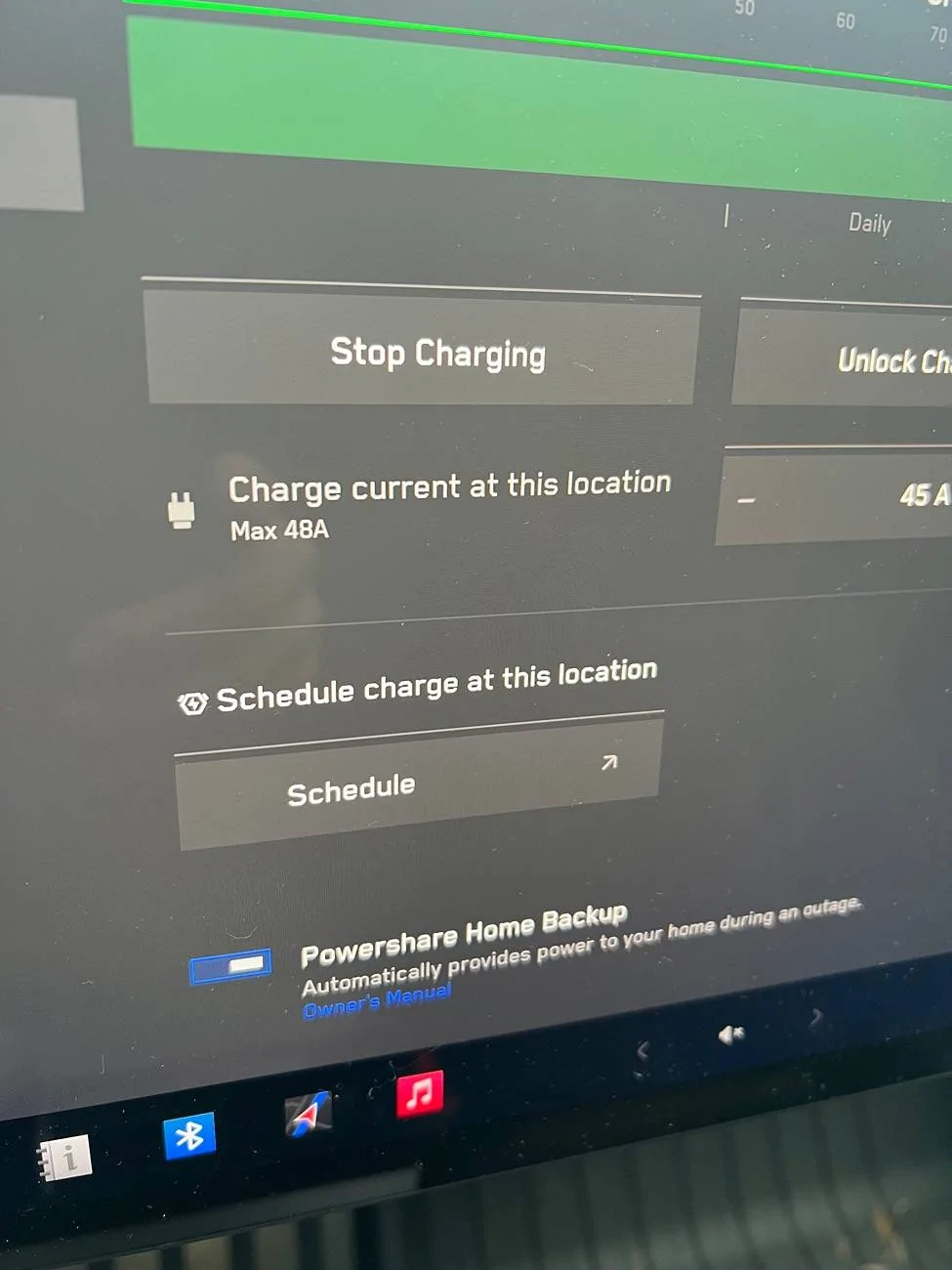
Okay. Here’s a couple things to look for. In your CT, do you see a place where you can enable powershare? See in my second image, there is a toggle at the bottom of the photo?
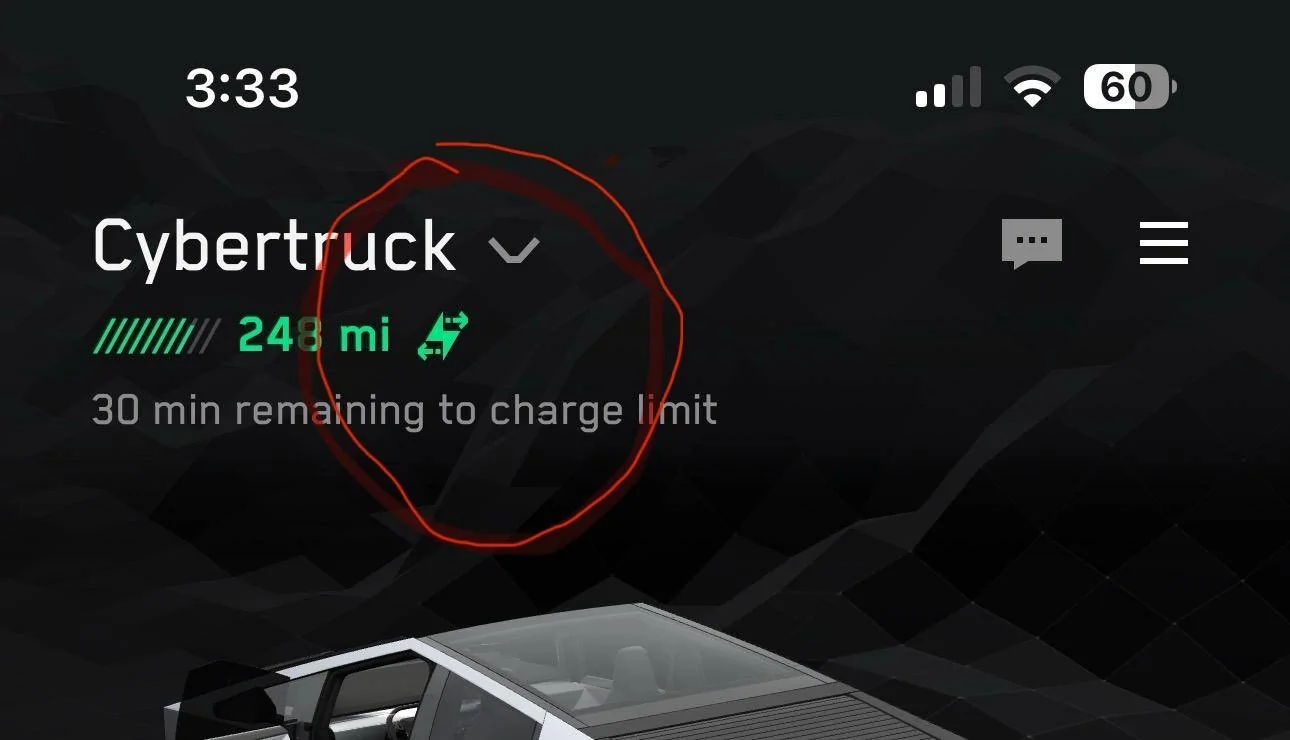
When you look at your CT charging, do you see a small bidirectional charging icon?

The power that comes to my home is controlled by a breaker outside the home.
When I throw that breaker, the home gets now juice.
If my CT is connected through the wall charger, juice the starts flowing to the house (green bars flowing toward the house).

When setup had not been finalized. The wall charger would show red.

You have no convenient way to shut off power to the house? You think what you are doing inside the gateway is correct?
Tesla Cybertruck PowerShare installed.  Now what?? 1733755135687-zk

Tesla Cybertruck PowerShare installed.  Now what?? 1733755082994-8u
 
OP
OP

tbeasley77

Member
First Name
Thomas
Joined
Feb 15, 2024
Threads
1
Messages
6
Reaction score
4
Location
Oswego IL
Vehicles
Cybertruck
Country flag
In your Tesla app, Cybertruck page, choose Controls and slide up the bottom section. Scroll down and enable the Powershare Home Backup section and set your discharge limit.

From there, it should be as simple as switching off the main breaker in the gateway.
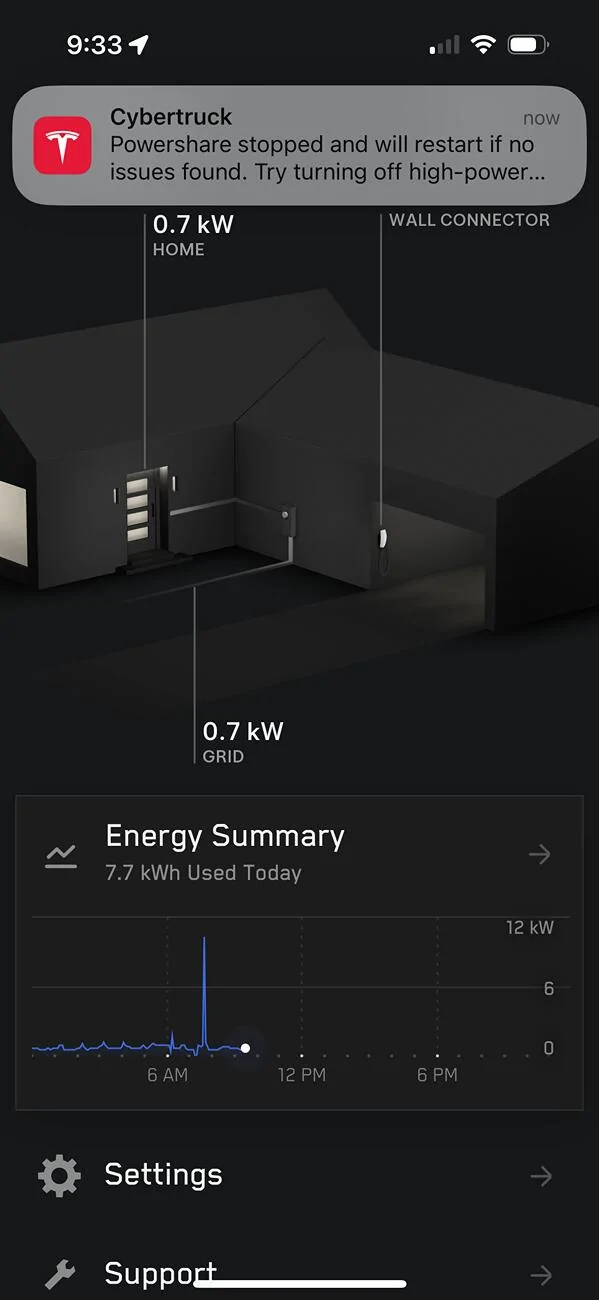
I thought so too but the backup doesn’t work. I get an error to reduce the load. I tried turning off almost everything and still doesn’t switch to battery.

Tesla Cybertruck PowerShare installed.  Now what?? IMG_2555


rjheld

Member
Joined
Dec 30, 2023
Threads
7
Messages
24
Reaction score
28
Location
MO
Vehicles
Cyberbeast
Country flag
I don't have the powershare option in the charging section of my cyberbeast at all, and when I pull up the controls portion of the app there are no options for it. What am I missing?
 

eswimm

Well-known member
Joined
Jun 6, 2024
Threads
3
Messages
556
Reaction score
995
Location
Charlotte, NC
Vehicles
Model Y, Cybertruck
Country flag
There are different types of Powershare installs, so I can only speak to the Main Breaker Separation method done for my install.

The gateway becomes the main service panel and a 200A main disconnect breaker was installed in the gateway. My old main panel became a sub-panel of the gateway.

Unless you have a main disconnect on your meter box, you simulate a power failure by tripping the main 200A breaker inside the Tesla gateway. If your vehicle is plugged in with Powershare enabled, it should fail over within a minute or so. If your draw exceeds what the CT is capable of delivering (11.5kW) then it will stop and you'll need to manually shed load and reset the connection.

If it's not working, then it's possible something was setup incorrectly.
 

eswimm

Well-known member
Joined
Jun 6, 2024
Threads
3
Messages
556
Reaction score
995
Location
Charlotte, NC
Vehicles
Model Y, Cybertruck
Country flag
I don't have the powershare option in the charging section of my cyberbeast at all, and when I pull up the controls portion of the app there are no options for it. What am I missing?
Your installer has to complete a commissioning process after install and submit installation paperwork to Tesla (via the Tesla One app) before Tesla will enable the functionality in your vehicle. It can take Tesla a couple weeks to actually turn the functionality on, but if it's been longer than that I would reach out to my installer to make sure that all the steps were completed properly.
 

rjbonds

Well-known member
First Name
Randy
Joined
Jun 4, 2021
Threads
1
Messages
74
Reaction score
90
Location
Brea, CA
Vehicles
CyberTruck Tri-Motor
Occupation
PA
Country flag
I had my PowerShare installed about a month ago and was told that I needed to wait for the system to be registered by Tesla. I believe that is now done but I haven’t been able to get the installer back out to test the system.

I tried killing the main power inside of the Tesla gateway that was installed and nothing happened. Any suggestions?

Do you have a solar system connected to your house?


OP
OP

tbeasley77

Member
First Name
Thomas
Joined
Feb 15, 2024
Threads
1
Messages
6
Reaction score
4
Location
Oswego IL
Vehicles
Cybertruck
Country flag
Your installer has to complete a commissioning process after install and submit installation paperwork to Tesla (via the Tesla One app) before Tesla will enable the functionality in your vehicle. It can take Tesla a couple weeks to actually turn the functionality on, but if it's been longer than that I would reach out to my installer to make sure that all the steps were completed properly.
The installer is going to come out next Monday and check it out. Hopefully just something that they need to complete on their end.
 

Jhodgesatmb

Well-known member
First Name
Jack
Joined
Dec 1, 2019
Threads
89
Messages
6,486
Reaction score
9,022
Location
San Francisco Bay area
Website
www.arbor-studios.com
Vehicles
Tesla Cybertruck FS AWD, Tesla Model Y LR
Occupation
Retired AI researcher
Country flag
I had my PowerShare installed about a month ago and was told that I needed to wait for the system to be registered by Tesla. I believe that is now done but I haven’t been able to get the installer back out to test the system.

I tried killing the main power inside of the Tesla gateway that was installed and nothing happened. Any suggestions?
I have both non-Tesla solar and a whole-home generator. No power walls. I was told by my Powershare installer that it won't work on my system until the end of the year. Its all on Tesla now.
 
First Name
Chadwick
Joined
Sep 3, 2024
Threads
2
Messages
18
Reaction score
6
Location
Orange, Texas
Vehicles
Lexus GX460, GMX Yukon XL
Occupation
Attorney
Country flag
I don't have the powershare option in the charging section of my cyberbeast at all, and when I pull up the controls portion of the app there are no options for it. What am I missing?
Same here. Did you start working?


Top