LDRHAWKE
Well-known member
- First Name
- John
- Joined
- Dec 24, 2019
- Threads
- 43
- Messages
- 525
- Reaction score
- 717
- Location
- Saint Augustine, Fl
- Vehicles
- Cyber Beast, GTS1000,FJR1300, Aprillia Scarabeo,
- Occupation
- Retired Engineer

- Thread starter
- #1
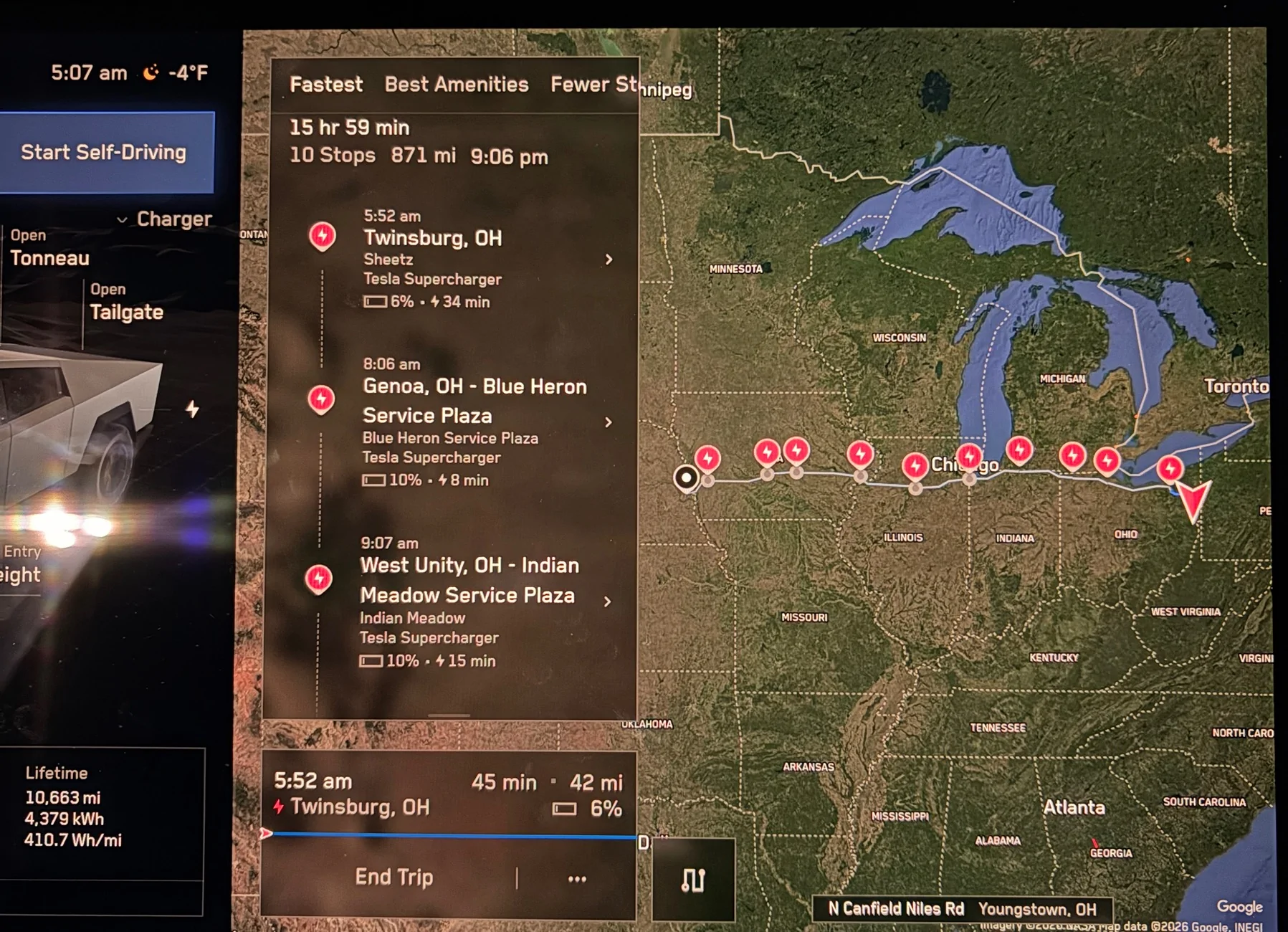
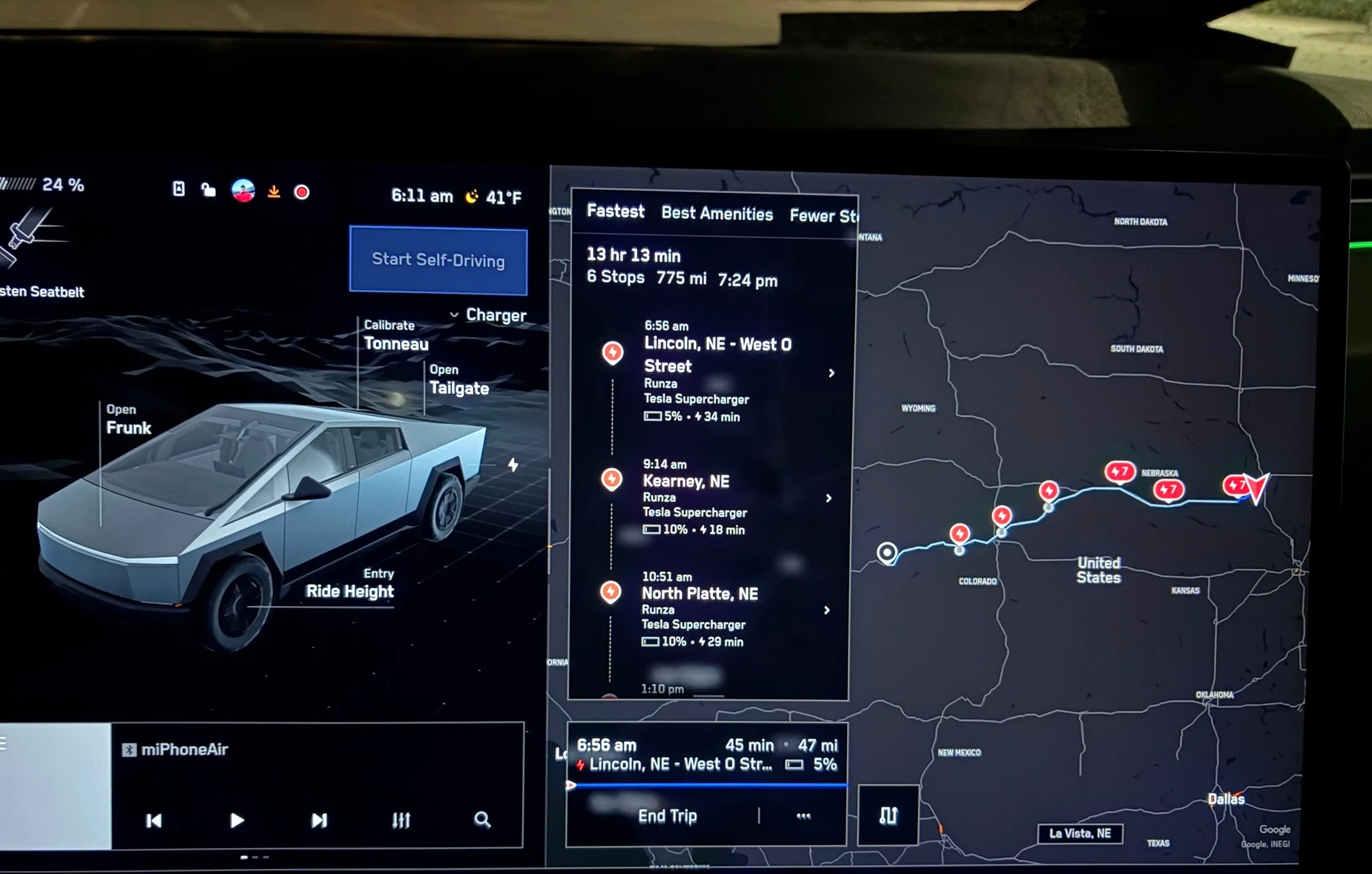
CHARGING THE BEAST ….11 stops in 1,000 miles.
I know many of you that do long distance drives with the Cybertruck understand how optimum charging works, but it was an education for me the first time. On my 1,000 mile return from Dallas to Florida.
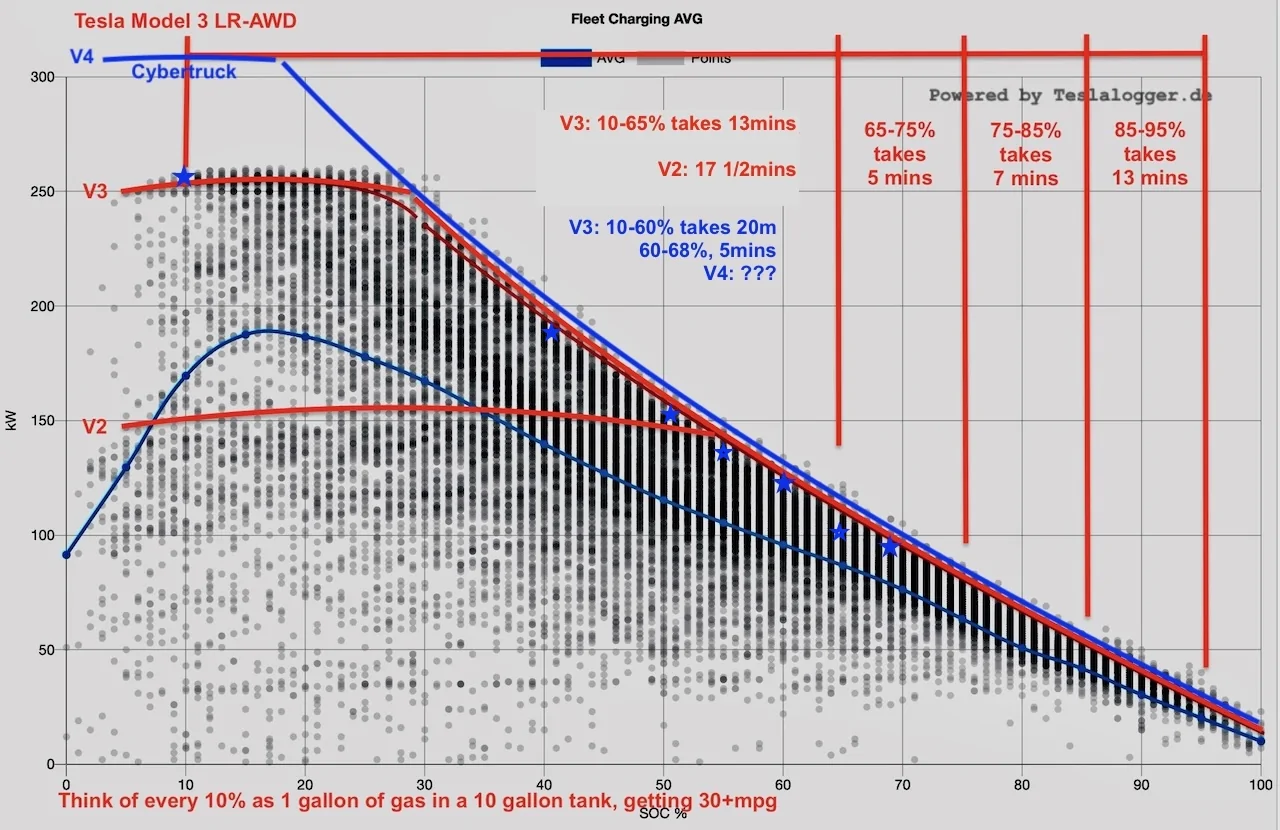
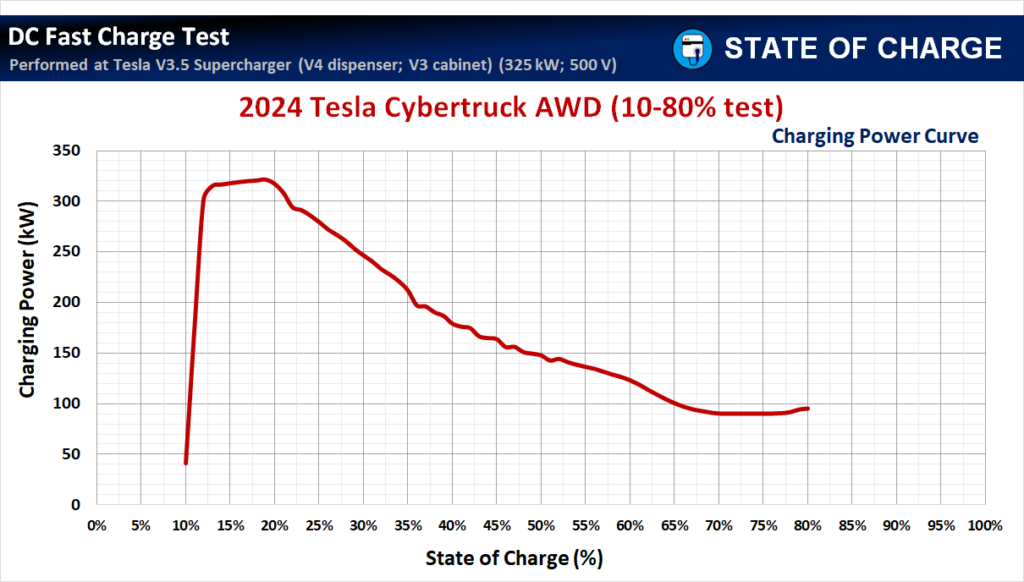
At the start I simply asked Grok to plan the shortest fastest route and all Tesla Super Charging stops. I planned to drive straight through. It all makes sense now, but it didn’t at first. It only charges the battery between 5% to 50% to optimize charging rates for the fastest charging time. Which over a 1000 miles that is plus or minus 11 stops to charge. Some stops are only 10 minutes and others are up to 40 minutes.
At first it was a little frustrating, but once I understood why, I relaxed and enjoyed the ride. It probably adds an extra hour to the trip compared to ICE, but it is more relaxing.
More detailed explanations…….
How Long To Add Driving Range
Alternatively, we could ask how long it would take to add a certain number of miles. In the test at a V3.5 Supercharger, the Tesla Cybertruck needed 4.2 minutes to add 50 miles of range (out of 325 miles estimated at full charge). Adding 100 miles of range required 9.3 minutes. To add another 100 miles of range, one would have to sit at a charger three times longer (over 27 minutes).
According to specs, the Tesla Cybertruck AWD can replenish up to 137 miles of range in 15 minutes. In our case, it was 14.8 minutes, so we can confirm the specs.
Because charging power decreases through the session, there is not much value in charging longer than necessary to reach the destination or another charging point.

I know many of you that do long distance drives with the Cybertruck understand how optimum charging works, but it was an education for me the first time. On my 1,000 mile return from Dallas to Florida.
At the start I simply asked Grok to plan the shortest fastest route and all Tesla Super Charging stops. I planned to drive straight through. It all makes sense now, but it didn’t at first. It only charges the battery between 5% to 50% to optimize charging rates for the fastest charging time. Which over a 1000 miles that is plus or minus 11 stops to charge. Some stops are only 10 minutes and others are up to 40 minutes.
At first it was a little frustrating, but once I understood why, I relaxed and enjoyed the ride. It probably adds an extra hour to the trip compared to ICE, but it is more relaxing.
More detailed explanations…….
How Long To Add Driving Range
Alternatively, we could ask how long it would take to add a certain number of miles. In the test at a V3.5 Supercharger, the Tesla Cybertruck needed 4.2 minutes to add 50 miles of range (out of 325 miles estimated at full charge). Adding 100 miles of range required 9.3 minutes. To add another 100 miles of range, one would have to sit at a charger three times longer (over 27 minutes).
According to specs, the Tesla Cybertruck AWD can replenish up to 137 miles of range in 15 minutes. In our case, it was 14.8 minutes, so we can confirm the specs.
Because charging power decreases through the session, there is not much value in charging longer than necessary to reach the destination or another charging point.
Sponsored