Sponsored

2025 Holiday Software Update Wishlist

Cybertruck26

Well-known member
First Name
Chris 🇺🇸 🇮🇪 🇨🇦
Joined
Apr 10, 2023
Threads
31
Messages
1,168
Reaction score
1,588
Location
Bay Area, CA
Vehicles
Cyberbeast (07/2024 delivery)
Occupation
Veteran, Engineer, Space 🤓
Country flag
I was reading an article which had a list of possible inclusions to the Holiday Update, with Summon for Cybertruck being on the list. What are some things you're hoping to get with this years update?


"Future features: The official Holiday Update is expected to include more significant upgrades, with potential features based on the community wishlist including:

Apple CarPlay support

New media streaming services (e.g., HBO Max, Paramount+)

Summon for the Cybertruck

One-tap route editing on the map

Grok integration for climate and navigation commands

More FSD capabilities

Rear touchscreen support for Bluetooth headsets

High Fidelity Park Assist visualizations

Expanded charging visualizations

New games in the Tesla Arcade "
Sponsored

 

hemiarch

Well-known member
First Name
Ace
Joined
Jan 22, 2025
Threads
116
Messages
8,357
Reaction score
9,589
Location
Arizona
Vehicles
2024 foundation AWD, 2024 model x
Occupation
Trauma Surgeon
Country flag
Real time ability to edit speed limits for crowd sourced corrections like on Waze.
People will complain way less about the loss of the speed control if the limits get more accurate.

Maybe a bigger visualization for Tron mode that makes it easier to see parking. Imagining that a full size truck is the size of a Vespa isn’t helpful for parking

Back to the future mode? Ghostbusters mode?
 

rovert43

Well-known member
First Name
Trevor
Joined
Sep 17, 2024
Threads
9
Messages
160
Reaction score
186
Location
Covina, CA
Vehicles
2024 Cybertruck Foundation AWD
Occupation
IT Mamager
Country flag
I was reading an article which had a list of possible inclusions to the Holiday Update, with Summon for Cybertruck being on the list. What are some things you're hoping to get with this years update?


"Future features: The official Holiday Update is expected to include more significant upgrades, with potential features based on the community wishlist including:

Apple CarPlay support

New media streaming services (e.g., HBO Max, Paramount+)

Summon for the Cybertruck

One-tap route editing on the map

Grok integration for climate and navigation commands

More FSD capabilities

Rear touchscreen support for Bluetooth headsets

High Fidelity Park Assist visualizations

Expanded charging visualizations

New games in the Tesla Arcade "
Plex App
ASS
And garage parking.


hemiarch

Well-known member
First Name
Ace
Joined
Jan 22, 2025
Threads
116
Messages
8,357
Reaction score
9,589
Location
Arizona
Vehicles
2024 foundation AWD, 2024 model x
Occupation
Trauma Surgeon
Country flag
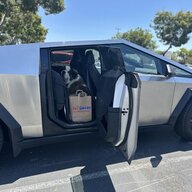
ability to shut off seat belt reminders for times when we haul pets.
I would add that sudden stopping when you try and drive without a seatbelt through a parking lot/carwash etc . It’s condescending and downright dangerous. An alarm, even a loud one is perfectly adequate.
 
OP
OP
Cybertruck26

Cybertruck26

Well-known member
First Name
Chris 🇺🇸 🇮🇪 🇨🇦
Joined
Apr 10, 2023
Threads
31
Messages
1,168
Reaction score
1,588
Location
Bay Area, CA
Vehicles
Cyberbeast (07/2024 delivery)
Occupation
Veteran, Engineer, Space 🤓
Country flag
I would add that sudden stopping when you try and drive without a seatbelt through a parking lot/carwash etc . It’s condescending and downright dangerous. An alarm, even a loud one is perfectly adequate.
Is this the roll away stop? This used to happen to me in my Model Y, hasn't happened in my CT. I would also have to manually pair my phone during certain times be it wouldn't automatically connect. It turns out that Tesla's have notoriously shitty seat sensors and my seat wouldn't recognize when i was seated in the driver's seat, hence the roll away (sudden stop) and phone issues. Not sure if it's supposed to abruptly brake without a seatbelt by design. I would check your seat sensor functionality. Good luck.
 

hemiarch

Well-known member
First Name
Ace
Joined
Jan 22, 2025
Threads
116
Messages
8,357
Reaction score
9,589
Location
Arizona
Vehicles
2024 foundation AWD, 2024 model x
Occupation
Trauma Surgeon
Country flag
Is this the roll away stop? This used to happen to me in my Model Y, hasn't happened in my CT. I would also have to manually pair my phone during certain times be it wouldn't automatically connect. It turns out that Tesla's have notoriously shitty seat sensors and my seat wouldn't recognize when i was seated in the driver's seat, hence the roll away (sudden stop) and phone issues. Not sure if it's supposed to abruptly brake without a seatbelt by design. I would check your seat sensor functionality. Good luck.
I do t know but if I try drive with my seatbelt off it gets pissed off and jams the brakes. Our x does not do that.
 
OP
OP
Cybertruck26

Cybertruck26

Well-known member
First Name
Chris 🇺🇸 🇮🇪 🇨🇦
Joined
Apr 10, 2023
Threads
31
Messages
1,168
Reaction score
1,588
Location
Bay Area, CA
Vehicles
Cyberbeast (07/2024 delivery)
Occupation
Veteran, Engineer, Space 🤓
Country flag
I do t know but if I try drive with my seatbelt off it gets pissed off and jams the brakes. Our x does not do that.
Any issues with phone pairing? Maybe go into service mode and verify sensor looks good (if it's there). If the screen shows a "rollaway stop" or something like that, I would probably suggest getting a service ticket for the sensor, should clear your issues up.


OP
OP
Cybertruck26

Cybertruck26

Well-known member
First Name
Chris 🇺🇸 🇮🇪 🇨🇦
Joined
Apr 10, 2023
Threads
31
Messages
1,168
Reaction score
1,588
Location
Bay Area, CA
Vehicles
Cyberbeast (07/2024 delivery)
Occupation
Veteran, Engineer, Space 🤓
Country flag
Never had any issues with phone pairing before but maybe that’s the only symptom?
Context:


The "roll away" issue in a Tesla is often caused by the driver's seat occupancy sensor malfunctioning, making the car believe the driver is no longer in the seat. When the vehicle detects the driver is gone, a safety feature automatically engages the park brake to prevent rollaway, which can happen when you are driving slowly, unbuckle your seatbelt, or get out of the vehicle in "Hold" mode. The fix involves replacing the faulty seat sensor, which can often be a simple part replacement.

Why the "roll away" warning happens
  • Seat sensor failure: The driver's seat has an occupancy sensor to detect if a person is sitting in it. If this sensor is faulty, the car may interpret that the driver has left, even if they are still there.
  • Safety feature: To prevent rollaway in case a driver gets out while the vehicle is in Drive, Reverse, or Neutral, a safety feature automatically engages the parking brake. This can happen when you're "creeping" down a driveway or in slow-moving traffic.
  • Other triggers: The automatic parking feature can also be triggered when you connect a charge cable or open the door while the car is in Drive.

How to fix it
  • Contact Tesla Service: The most reliable solution is to have the driver's seat occupancy sensor replaced. Tesla Service can replace the faulty part.
  • DIY replacement (if comfortable): If you are comfortable working on cars, some users on Facebook and Reddit have reported success with replacing the sensor themselves, which can be a cheaper option.
  • Check wiring: In some cases, a faulty wiring harness or connector to the sensor may be the issue, rather than the sensor itself
 

That Beast Mode

Well-known member
First Name
Phil
Joined
Mar 15, 2025
Threads
14
Messages
1,349
Reaction score
1,799
Location
New Jersey
Vehicles
Cybertruck
Country flag
Have the browser remember where you left off... Like if you're listening to a podcast on a long drive through the browser via YouTube and you get out of the truck for whatever reason you can't just resume where you were. I have to go back to the browser and find whatever it was then find where I left off manually.
 

hemiarch

Well-known member
First Name
Ace
Joined
Jan 22, 2025
Threads
116
Messages
8,357
Reaction score
9,589
Location
Arizona
Vehicles
2024 foundation AWD, 2024 model x
Occupation
Trauma Surgeon
Country flag
Context:


The "roll away" issue in a Tesla is often caused by the driver's seat occupancy sensor malfunctioning, making the car believe the driver is no longer in the seat. When the vehicle detects the driver is gone, a safety feature automatically engages the park brake to prevent rollaway, which can happen when you are driving slowly, unbuckle your seatbelt, or get out of the vehicle in "Hold" mode. The fix involves replacing the faulty seat sensor, which can often be a simple part replacement.

Why the "roll away" warning happens
  • Seat sensor failure: The driver's seat has an occupancy sensor to detect if a person is sitting in it. If this sensor is faulty, the car may interpret that the driver has left, even if they are still there.
  • Safety feature: To prevent rollaway in case a driver gets out while the vehicle is in Drive, Reverse, or Neutral, a safety feature automatically engages the parking brake. This can happen when you're "creeping" down a driveway or in slow-moving traffic.
  • Other triggers: The automatic parking feature can also be triggered when you connect a charge cable or open the door while the car is in Drive.

How to fix it
  • Contact Tesla Service: The most reliable solution is to have the driver's seat occupancy sensor replaced. Tesla Service can replace the faulty part.
  • DIY replacement (if comfortable): If you are comfortable working on cars, some users on Facebook and Reddit have reported success with replacing the sensor themselves, which can be a cheaper option.
  • Check wiring: In some cases, a faulty wiring harness or connector to the sensor may be the issue, rather than the sensor itself
Wow. Thank you. I’ll do that
 

hemiarch

Well-known member
First Name
Ace
Joined
Jan 22, 2025
Threads
116
Messages
8,357
Reaction score
9,589
Location
Arizona
Vehicles
2024 foundation AWD, 2024 model x
Occupation
Trauma Surgeon
Country flag
Have the browser remember where you left off... Like if you're listening to a podcast on a long drive through the browser via YouTube and you get out of the truck for whatever reason you can't just resume where you were. I have to go back to the browser and find whatever it was then find where I left off manually.
Absolutely. At least make that an option


Top