Sponsored

GPS gets messed up when second USB attached

Oceanwolf

Active member
First Name
Onur
Joined
Dec 19, 2024
Threads
2
Messages
33
Reaction score
41
Location
California
Vehicles
Cybertruck AWD, Model 3, Model X (transferred to kids)
Occupation
Not Sure
Country flag
I bought one of those USB A hubs to be able to add a second USB with my music files. It is a lexar 128Gb and I have the Tesla Dashcam USB on one of the other ports. They work fine and at one point something happens and GPS is either gone or following the road with a huge offset. The USB app on the screen starts to show the dashcam files instead of MP3 files. I pull out the Music USB Drive all goes back to normal, USB App also disappears. I just don't understand why GPS gets impacted by a USB drive.
Sponsored

 

65SoYoLO

Well-known member
First Name
Keith
Joined
Feb 9, 2021
Threads
51
Messages
1,978
Reaction score
2,575
Location
Long Island NY
Vehicles
2024 CyberTruck
Occupation
Retired truck driver
Country flag
they do say you cannot use a port splitter and, at the same time, I have one but the only thing plugged in is the flash drive for the cameras, music and lightshows.
 
OP
OP

Oceanwolf

Active member
First Name
Onur
Joined
Dec 19, 2024
Threads
2
Messages
33
Reaction score
41
Location
California
Vehicles
Cybertruck AWD, Model 3, Model X (transferred to kids)
Occupation
Not Sure
Country flag
they do say you cannot use a port splitter and, at the same time, I have one but the only thing plugged in is the flash drive for the cameras, music and lightshows.
I saw another thread that someone was using an SSD and partitioned the drive. I'll try that option.
 

The Tesla Guy

Well-known member
First Name
Daniel
Joined
Mar 15, 2024
Threads
7
Messages
438
Reaction score
393
Location
Washington
Website
youtubeteslaguy.com
Vehicles
23MS Plaid, 23MY, LR,Order-FoundationCyberTruck DM
Occupation
Retired
Country flag
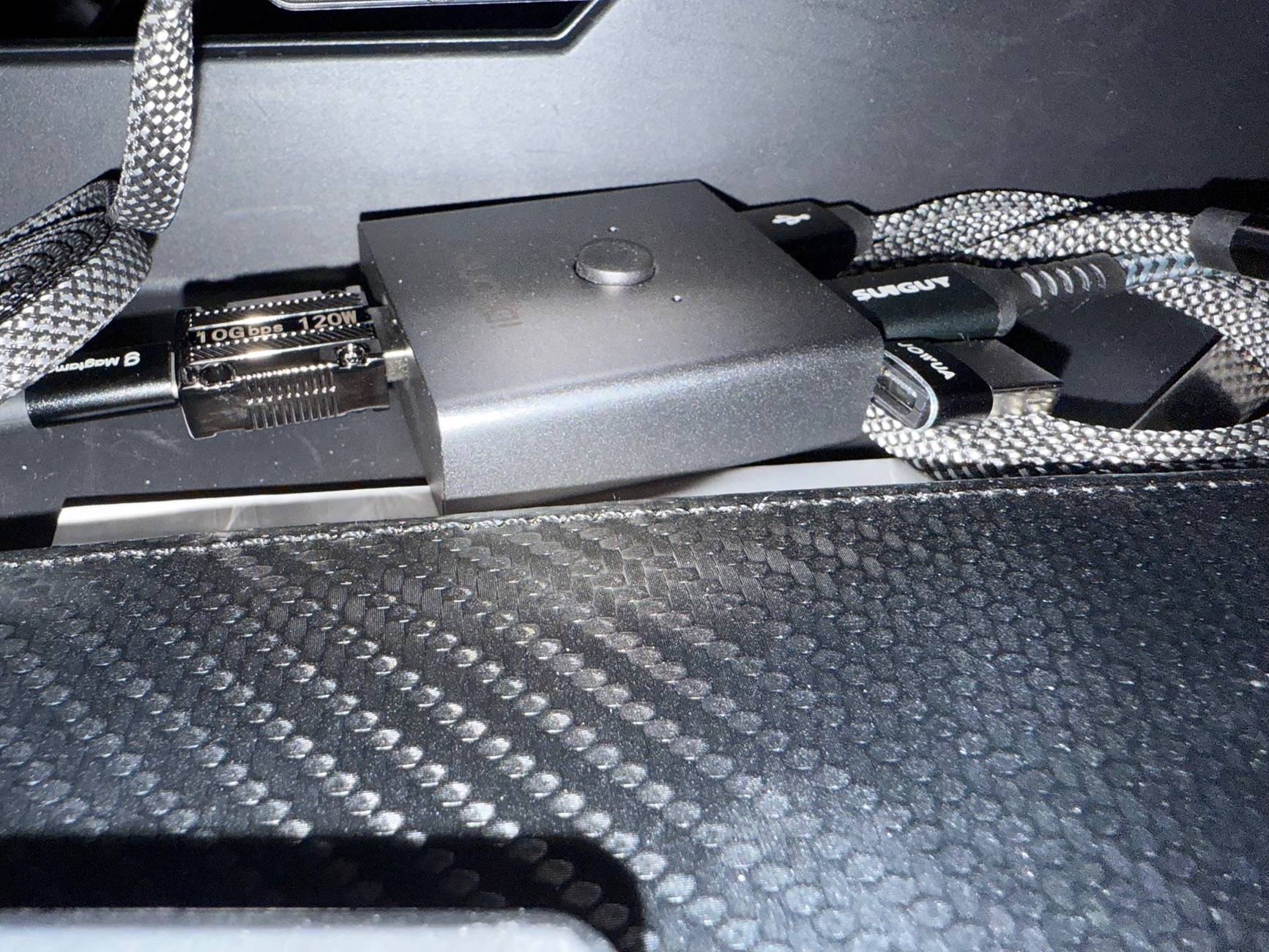
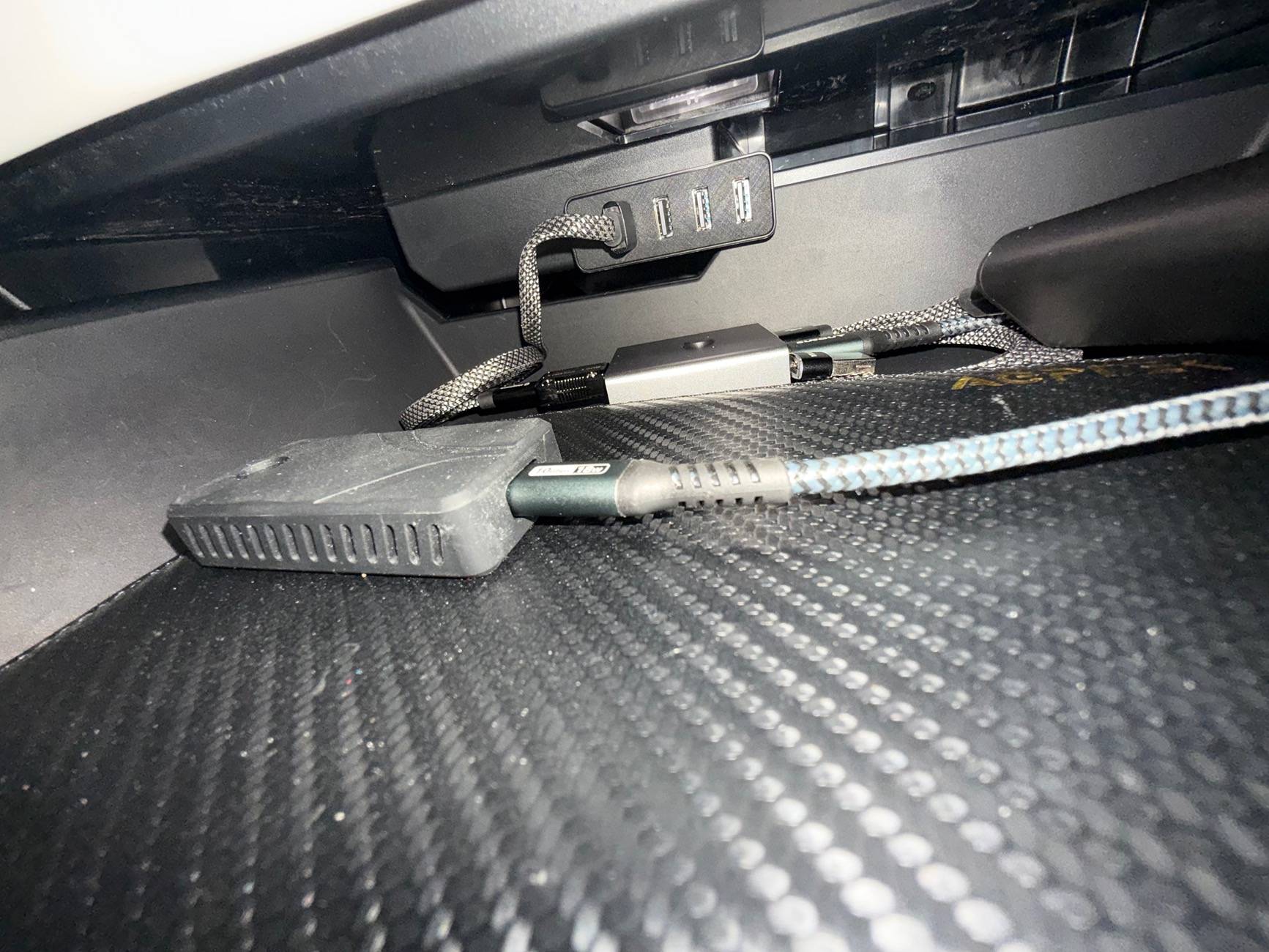
I’m using the switch so I can plug the Caraoke microphone transceiver dongle and my SSD in simultaneously and switch between them.

iDsonix USB 3.0 Switch Aluminum,... https://www.amazon.com/dp/B0CRNKGQPV?ref=ppx_pop_mob_ap_share

They do not function properly if attached directly to my hub (from Hanshow)

The switch is plugged into the hub

Tesla Cybertruck GPS gets messed up when second USB attached IMG_0933


Tesla Cybertruck GPS gets messed up when second USB attached IMG_0932
 

Gigahorse

Well-known member
Joined
Dec 19, 2023
Threads
17
Messages
2,820
Reaction score
3,170
Location
USA
Vehicles
AWD
I saw another thread that someone was using an SSD and partitioned the drive. I'll try that option.
Formatted SSD is the way to go, videos on youtube how to do it and gives you the $60 piece of mind that you are not going to run out of sentry mode clip space.


OP
OP

Oceanwolf

Active member
First Name
Onur
Joined
Dec 19, 2024
Threads
2
Messages
33
Reaction score
41
Location
California
Vehicles
Cybertruck AWD, Model 3, Model X (transferred to kids)
Occupation
Not Sure
Country flag
I found one my old SSD drives for 500Gb. Partitioned to 3, TeslaCam, Music and Lightshows, I'll test it out
 

HornedHelmet

Active member
Joined
Apr 6, 2020
Threads
1
Messages
34
Reaction score
55
Location
Virginia, USA
Vehicles
2017 MX100D, 2019 M3P, 2024 CB
Occupation
Publishing Manager
Country flag
I bought one of those USB A hubs to be able to add a second USB with my music files. It is a lexar 128Gb and I have the Tesla Dashcam USB on one of the other ports. They work fine and at one point something happens and GPS is either gone or following the road with a huge offset. The USB app on the screen starts to show the dashcam files instead of MP3 files. I pull out the Music USB Drive all goes back to normal, USB App also disappears. I just don't understand why GPS gets impacted by a USB drive.
I was having the same GPS problem, and removing the USB splitter and additional USB thumb drive appeared to do the trick. I was using a USB port splitter (dock) so I could plug in a thumb drive with various light shows. I rarely do light shows, so removing the dock and additional USB drive was the best solution.

Before I tried this solution, I was fixing the problem with a two-thumbwheel reset. Upon screen re-boot, GPS agreement was better, but not perfect.

Deep sleep remedy (allow the truck to deep sleep by not charging and disabling Sentry Mode) did not work for me. Same errors.

Thank you to those who proposed the USB splitter removal solution.

Cheers!
 
OP
OP

Oceanwolf

Active member
First Name
Onur
Joined
Dec 19, 2024
Threads
2
Messages
33
Reaction score
41
Location
California
Vehicles
Cybertruck AWD, Model 3, Model X (transferred to kids)
Occupation
Not Sure
Country flag
I was having the same GPS problem, and removing the USB splitter and additional USB thumb drive appeared to do the trick. I was using a USB port splitter (dock) so I could plug in a thumb drive with various light shows. I rarely do light shows, so removing the dock and additional USB drive was the best solution.

Before I tried this solution, I was fixing the problem with a two-thumbwheel reset. Upon screen re-boot, GPS agreement was better, but not perfect.

Deep sleep remedy (allow the truck to deep sleep by not charging and disabling Sentry Mode) did not work for me. Same errors.

Thank you to those who proposed the USB splitter removal solution.

Cheers!
My SSD (500Gb) with 3 Partitions is working great. No issues with GPS and everything is working fine.
 

btcrealm

Well-known member
First Name
Brian
Joined
Aug 28, 2024
Threads
7
Messages
748
Reaction score
973
Location
Virginia-ish, USA
Vehicles
cybertruck
Occupation
NOC
Country flag
I've never had issues with the SSD and know a few others that are the same. Partitioning with a large drive is by far the way to go!
 

SeasonedTech

Well-known member
First Name
Wilmer
Joined
Jan 13, 2024
Threads
6
Messages
51
Reaction score
56
Location
Bay Area
Vehicles
3,Y,CT VIN-12XX
Country flag
I was having the same GPS problem, and removing the USB splitter and additional USB thumb drive appeared to do the trick. I was using a USB port splitter (dock) so I could plug in a thumb drive with various light shows. I rarely do light shows, so removing the dock and additional USB drive was the best solution.

Before I tried this solution, I was fixing the problem with a two-thumbwheel reset. Upon screen re-boot, GPS agreement was better, but not perfect.

Deep sleep remedy (allow the truck to deep sleep by not charging and disabling Sentry Mode) did not work for me. Same errors.

Thank you to those who proposed the USB splitter removal solution.

Cheers!
***100% my USB hub (inside the glove drawer) was causing the issue "Poor GPS location accuracy", preventing my FSD from operating. Once I disconnected the hub, the issue went away. Appreciate this forum!***


Eka

Well-known member
First Name
Ekaterine
Joined
Feb 20, 2026
Threads
1
Messages
209
Reaction score
199
Location
The land between two rivers.
Vehicles
Model Y, Cybertruck
Occupation
disabled
Country flag
I use a high endurance micro SD card formatted with 2 partitions in a card reader.
 

The Tesla Guy

Well-known member
First Name
Daniel
Joined
Mar 15, 2024
Threads
7
Messages
438
Reaction score
393
Location
Washington
Website
youtubeteslaguy.com
Vehicles
23MS Plaid, 23MY, LR,Order-FoundationCyberTruck DM
Occupation
Retired
Country flag
***100% my USB hub (inside the glove drawer) was causing the issue "Poor GPS location accuracy", preventing my FSD from operating. Once I disconnected the hub, the issue went away. Appreciate this forum!***
Can you actually confirm that the cause is the hub itself or the multiple drives/devices connected to it.
 

SeasonedTech

Well-known member
First Name
Wilmer
Joined
Jan 13, 2024
Threads
6
Messages
51
Reaction score
56
Location
Bay Area
Vehicles
3,Y,CT VIN-12XX
Country flag
Can you actually confirm that the cause is the hub itself or the multiple drives/devices connected to it.
It was only the USB hub (simple 4 port ANKER brand with no lights) and a USB thumb drive for Sentry - the other 3 USB ports were empty.
Sponsored


Top