Casper
Member
- First Name
- Casper
- Joined
- Jul 5, 2024
- Threads
- 1
- Messages
- 18
- Reaction score
- 25
- Location
- Ohio
- Vehicles
- Model x, Cyber Beast, Jeep Grand Cherokee, C177 ;)
- Occupation
- Pilot

- Thread starter
- #1
2024 Cyberbeast
Dropped off at Akon for 1 day to have lightbar installed.
THEY DO NOT tell you that you need to finish the install after you pick it up.
NO DIRECTIONs - nothing.
I have discovered -
State law says you cant have the lightbar turned on while driving on state roads.
Tesla lawyers work around is to have the owner actually connect the wire so they are not responsible when you blind 20 drivers on the highway.
So I jump on youtube - two videos i watched don't match my situation / wire arraignments.
ON MY TRUCK...
No need to solder wires.
No need to disconnect main power.
On pax side open both doors
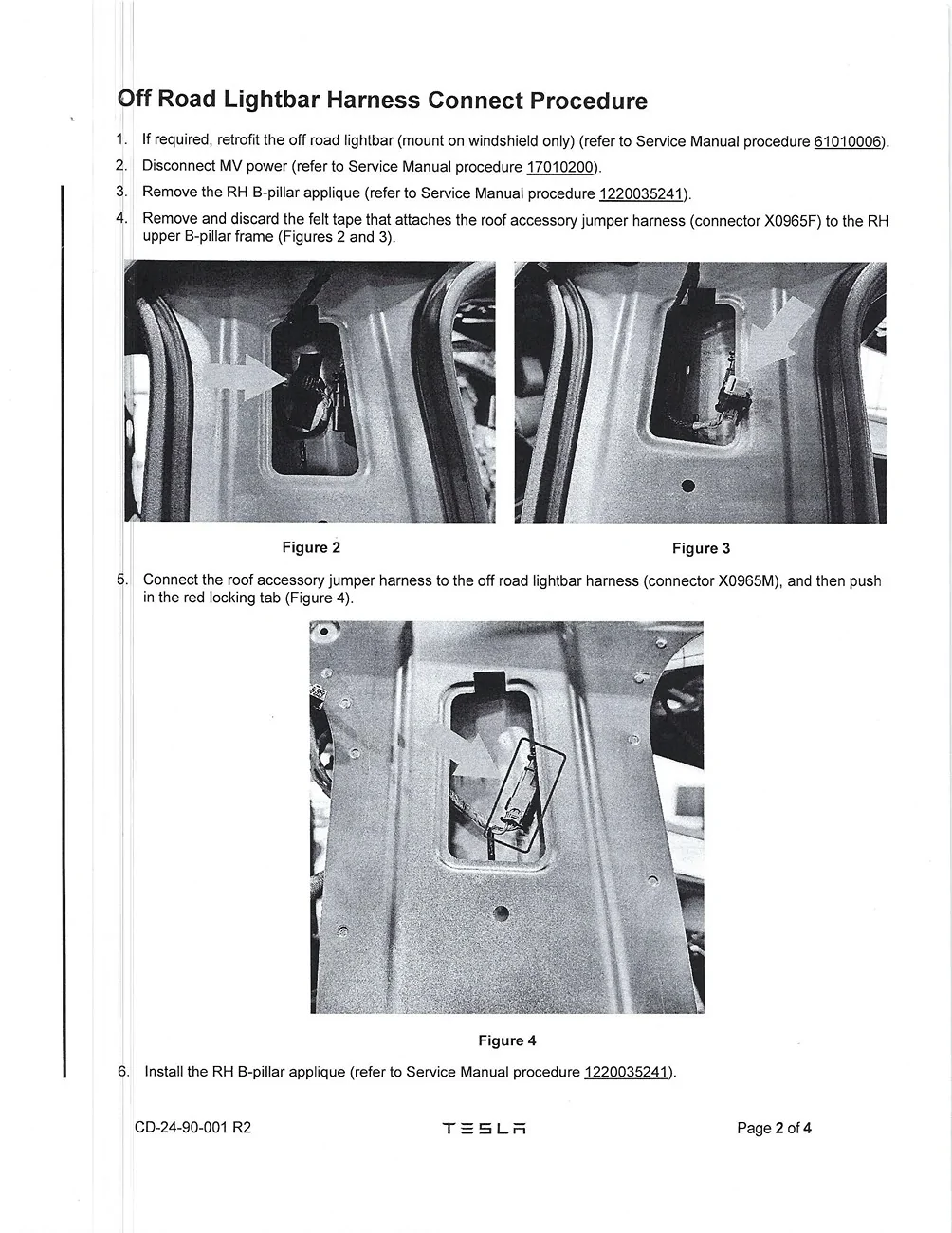
Pop the black plastic piece positioned horizontally below the section with the camera
Go at it from both sides
once removed you will see a 10mm bolt - remove.
pull section with camera away from truck to undo both "tree" connectors.
There are two more"tree" connectors in the camera section at the top - i unsnapped only the right one.
MY TRUCK HAD
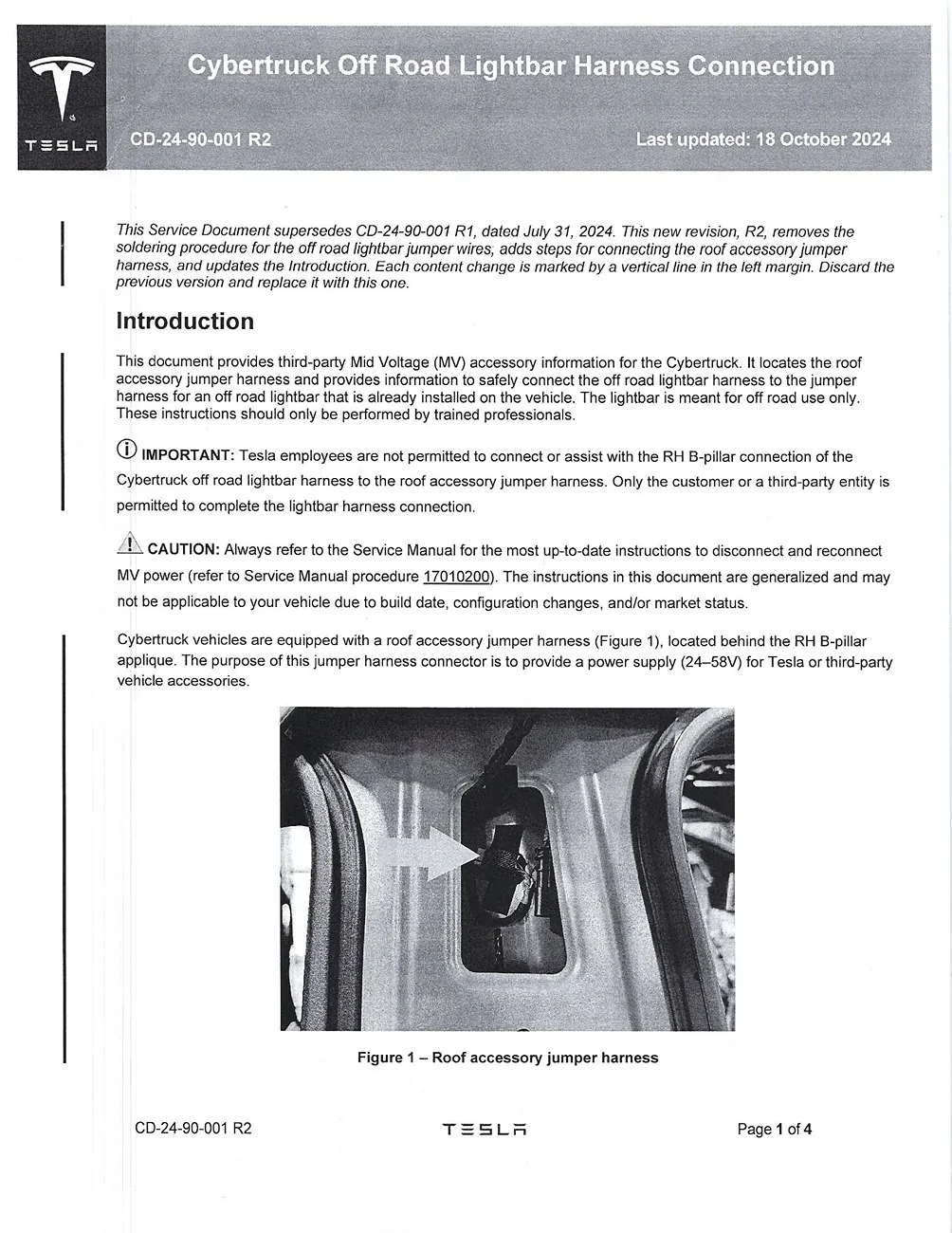
A connector that was on a slide off (upwards) connector
now its easier to disconnect
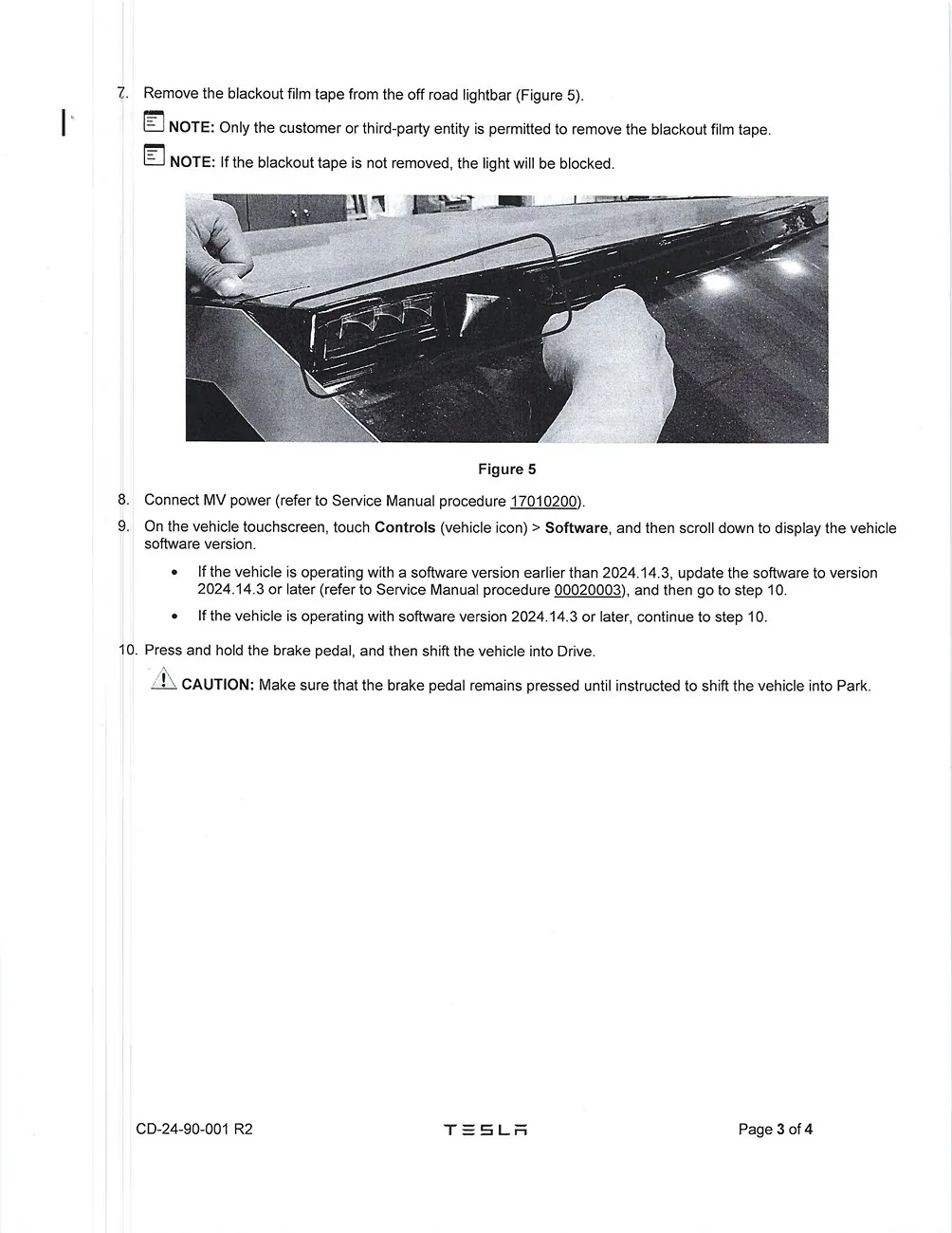
Slide the RED piece to loosen the connection.
separated the two parts
plug in the connector that the tech left dangling in this space.
Before Replacing everything I tested
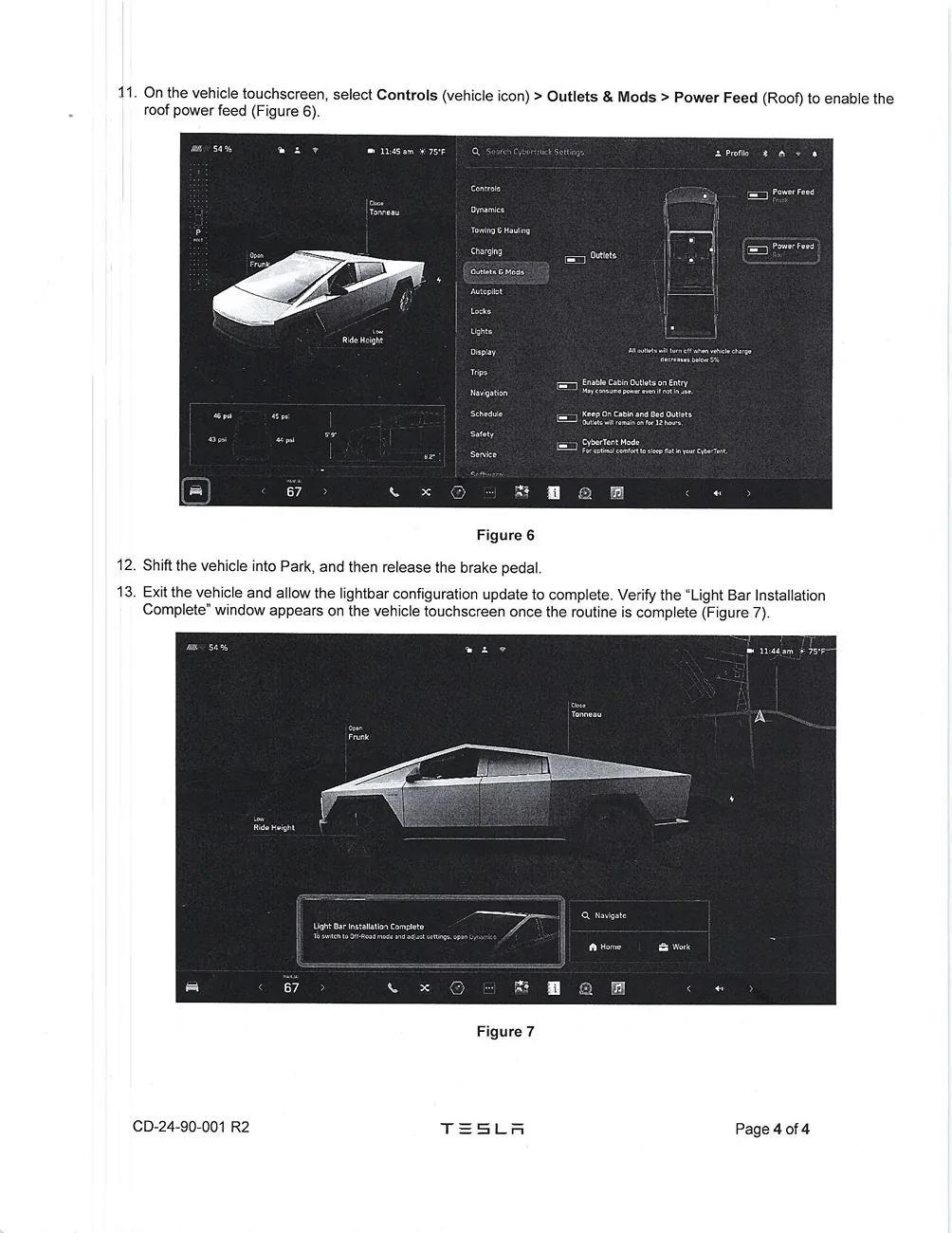
In truck turn on "power to roof"
software updated and added the lightbar interface in the "Lighting" section
test
Reassemble
Dropped off at Akon for 1 day to have lightbar installed.
THEY DO NOT tell you that you need to finish the install after you pick it up.
NO DIRECTIONs - nothing.
I have discovered -
State law says you cant have the lightbar turned on while driving on state roads.
Tesla lawyers work around is to have the owner actually connect the wire so they are not responsible when you blind 20 drivers on the highway.
So I jump on youtube - two videos i watched don't match my situation / wire arraignments.
ON MY TRUCK...
No need to solder wires.
No need to disconnect main power.
On pax side open both doors
Pop the black plastic piece positioned horizontally below the section with the camera
Go at it from both sides
once removed you will see a 10mm bolt - remove.
pull section with camera away from truck to undo both "tree" connectors.
There are two more"tree" connectors in the camera section at the top - i unsnapped only the right one.
MY TRUCK HAD
A connector that was on a slide off (upwards) connector
now its easier to disconnect
Slide the RED piece to loosen the connection.
separated the two parts
plug in the connector that the tech left dangling in this space.
Before Replacing everything I tested
In truck turn on "power to roof"
software updated and added the lightbar interface in the "Lighting" section
test
Reassemble
Sponsored