Sponsored

Anyone able to play music from UBSC in center console?

TickTock

Well-known member
Joined
Jul 27, 2023
Threads
41
Messages
867
Reaction score
1,840
Location
Phoenix, AZ
Vehicles
`11 Nissan Leaf; '18 Model 3; '18 Model S; '24 Beast
Occupation
Electrical Engineer
Country flag
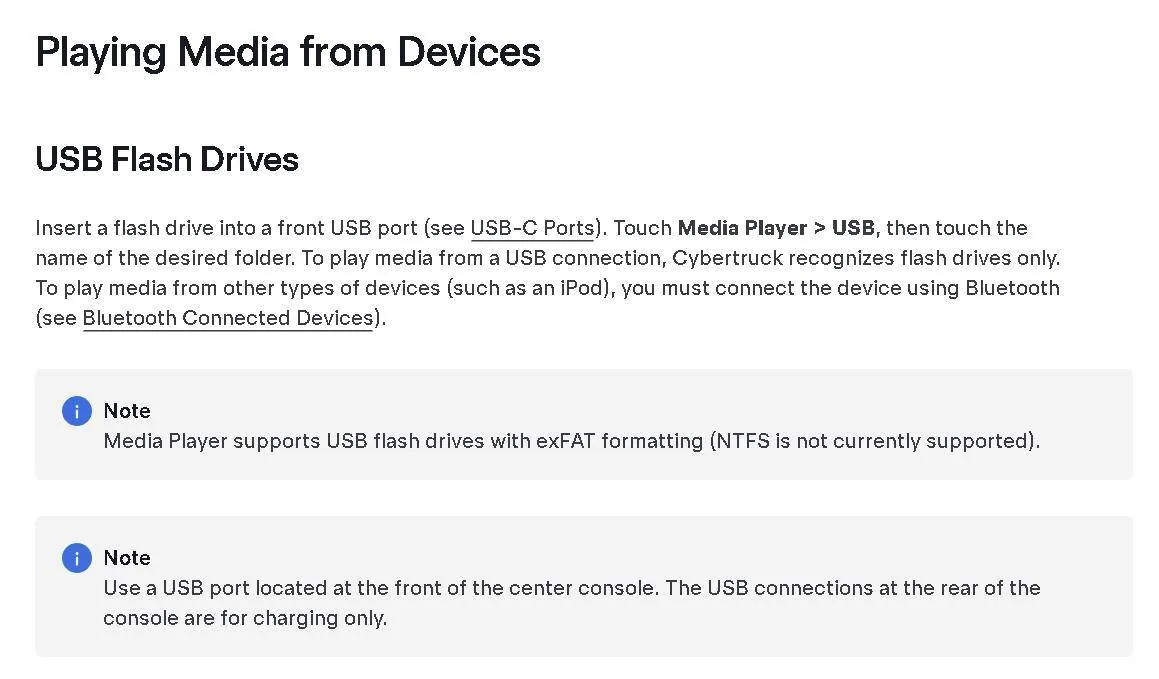
Owners manual says the ports in the back are for power only but the one in the front of the center console can be used for media as well as the one in the glovebox. Doesn't work in my truck and the rep at the local Tesla service center says the one inside is also only for power. If he is right then there is a mistake in the owners manual (and that was their resolution to my service ticket - send notice to Tesla to correct the owners manual [eyeroll]). However I seem to recall others indicating they used it for media (such as light shows, etc). Can any please confirm if you are able to use it for media (anything other than just power)? The one in my glovebox works but I want to reserve that for TeslaCam.
Sponsored


 

HaulingAss

Well-known member
Joined
Oct 3, 2020
Threads
28
Messages
10,350
Reaction score
20,801
Location
Western Washington, USA
Vehicles
Cybertruck DM, 2010 F-150, 2018 Performance Model 3, 2024 Performance Model 3
Country flag
I use Tidal music and all my HiFi downloaded tracks go automatically into Cybertruck's internal memory, so I've never tired to play music from the USB (at least not on the Cybertruck).

I bet it works though, just like on our other Tesla vehicles. We have Samsung SSD's in each one rather than USB memory sticks because the SSD holds so much more.
 

mongo

Well-known member
Joined
May 27, 2024
Threads
6
Messages
4,562
Reaction score
5,545
Location
SE Michigan
Vehicles
Cyberbeast
Country flag
Owners manual says the ports in the back are for power only but the one in the front of the center console can be used for media as well as the one in the glovebox. Doesn't work in my truck and the rep at the local Tesla service center says the one inside is also only for power. If he is right then there is a mistake in the owners manual (and that was their resolution to my service ticket - send notice to Tesla to correct the owners manual [eyeroll]). However I seem to recall others indicating they used it for media (such as light shows, etc). Can any please confirm if you are able to use it for media (anything other than just power)? The one in my glovebox works but I want to reserve that for TeslaCam.
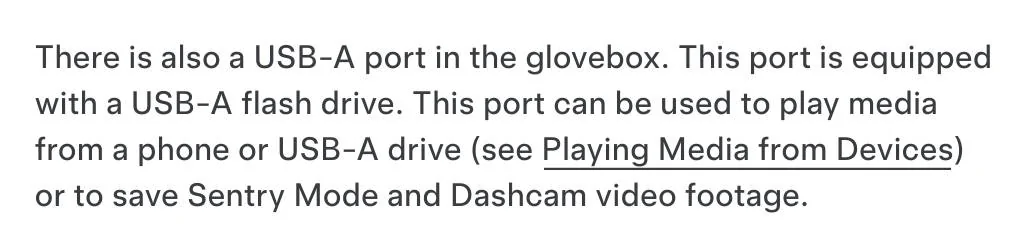
I'm looking at the manual and it says only the glovebox USB-A plays media. You can do media and sentry/ dashcam with one drive.
 
OP
OP
TickTock

TickTock

Well-known member
Joined
Jul 27, 2023
Threads
41
Messages
867
Reaction score
1,840
Location
Phoenix, AZ
Vehicles
`11 Nissan Leaf; '18 Model 3; '18 Model S; '24 Beast
Occupation
Electrical Engineer
Country flag
Where does it say that? I found one section where it said the glovebox did but it did not say it was the only one. In the media section, it clearly states the one in the front of the center console can be used for that.
Tesla Cybertruck Anyone able to play music from UBSC in center console? 1738360207701-6q
 

mongo

Well-known member
Joined
May 27, 2024
Threads
6
Messages
4,562
Reaction score
5,545
Location
SE Michigan
Vehicles
Cyberbeast
Country flag


OP
OP
TickTock

TickTock

Well-known member
Joined
Jul 27, 2023
Threads
41
Messages
867
Reaction score
1,840
Location
Phoenix, AZ
Vehicles
`11 Nissan Leaf; '18 Model 3; '18 Model S; '24 Beast
Occupation
Electrical Engineer
Country flag
Yeah, I saw that. It just says you can play if from the glovebox. Doesn't say *only* the glovebox. If you follow the "Playing Media from Devices" link, you can see what I shared where is says you can use the one in the center console, too.
 
OP
OP
TickTock

TickTock

Well-known member
Joined
Jul 27, 2023
Threads
41
Messages
867
Reaction score
1,840
Location
Phoenix, AZ
Vehicles
`11 Nissan Leaf; '18 Model 3; '18 Model S; '24 Beast
Occupation
Electrical Engineer
Country flag
Things is it *has* to work since the one in the glovebox can only be used for media *or* TeslaCam - not both. If there is a TeslaCam folder on it, you cannot play music from it. Noone is willing to give up TeslaCam - especially these days with all the vandalism - so our only option is to put music in the other stated port in the center console.
 

mongo

Well-known member
Joined
May 27, 2024
Threads
6
Messages
4,562
Reaction score
5,545
Location
SE Michigan
Vehicles
Cyberbeast
Country flag
Things is it *has* to work since the one in the glovebox can only be used for media *or* TeslaCam - not both. If there is a TeslaCam folder on it, you cannot play music from it. Noone is willing to give us TeslaCam - especially these days with all the vandalism - so our only option is to put music in the other stated port in the center console.
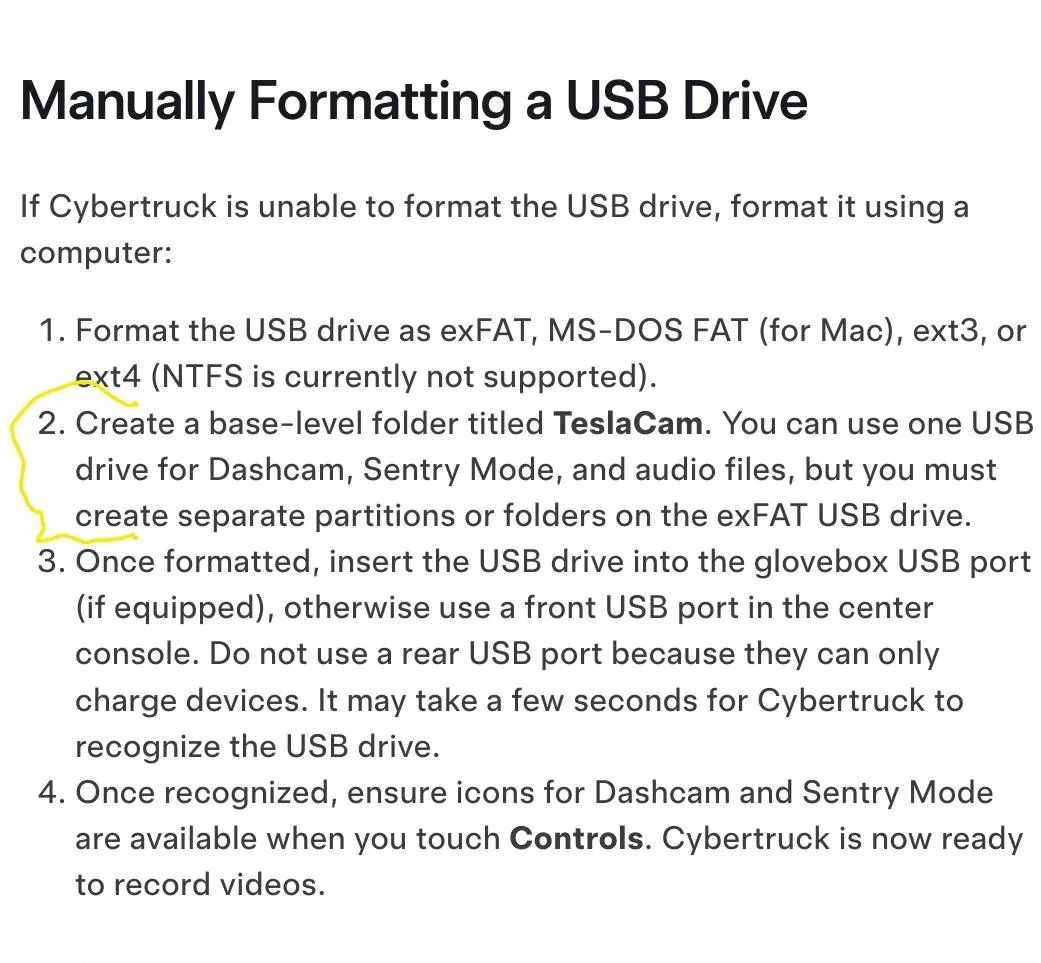
You can do both, but you need two partitions on the drive (3 if also doing light show).
One portion gets the TeslaCam folder
One gets Music and Boombox
One gets LightShow
https://www.tesla.com/ownersmanual/cybertruck/en_us/GUID-F311BBCA-2532-4D04-B88C-DBA784ADEE21.html
Tesla Cybertruck Anyone able to play music from UBSC in center console? Screenshot_20250131_171423_Samsung captur
 
OP
OP
TickTock

TickTock

Well-known member
Joined
Jul 27, 2023
Threads
41
Messages
867
Reaction score
1,840
Location
Phoenix, AZ
Vehicles
`11 Nissan Leaf; '18 Model 3; '18 Model S; '24 Beast
Occupation
Electrical Engineer
Country flag


cybercricket

Well-known member
Joined
Oct 31, 2024
Threads
13
Messages
663
Reaction score
800
Location
Oregon
Vehicles
Cybertruck
Country flag
I want to expand my question. Has anyone tried to play music from the center console usbc and it *not* work? (besides me)
I tested it just now with a USB drive and Android phone, and it doesn't seem to work. Plugging in a USB drive didn't result in any changes in the infotainment system. Also plugging in Android device didn't give the USB mode selection in the phone, which suggests no USB Host was detected. It's very likely that port is setup purely as a USB PD, and doesn't have the data lines connected to anything.
 
OP
OP
TickTock

TickTock

Well-known member
Joined
Jul 27, 2023
Threads
41
Messages
867
Reaction score
1,840
Location
Phoenix, AZ
Vehicles
`11 Nissan Leaf; '18 Model 3; '18 Model S; '24 Beast
Occupation
Electrical Engineer
Country flag
I tested it just now with a USB drive and Android phone, and it doesn't seem to work. Plugging in a USB drive didn't result in any changes in the infotainment system. Also plugging in Android device didn't give the USB mode selection in the phone, which suggests no USB Host was detected. It's very likely that port is setup purely as a USB PD, and doesn't have the data lines connected to anything.
Thanks! I guess maybe the service center resolution was correct - fix the owners manual. Odd thing is, the technician showed me the USB module they replaced. It has two connectors - both with over 20 conductors. Seems like a lot just for PD... The only visible feature was the USBC port but probably has some wireless functions.
 

btcrealm

Well-known member
First Name
Brian
Joined
Aug 28, 2024
Threads
8
Messages
770
Reaction score
1,007
Location
Virginia-ish, USA
Website
btcrealm.com
Vehicles
cybertruck
Occupation
NOC
Country flag
Thanks! I guess maybe the service center resolution was correct - fix the owners manual. Odd thing is, the technician showed me the USB module they replaced. It has two connectors - both with over 20 conductors. Seems like a lot just for PD... The only visible feature was the USBC port but probably has some wireless functions.
Yes, there are multiple things they need to fix in the owners manual. This is one of them. Another I believe is vertical tongue weight of the hitch. Both were likely copied from the Y or X.
 

rlhamil

Well-known member
First Name
Richard
Joined
Apr 1, 2020
Threads
6
Messages
553
Reaction score
603
Location
Glen Burnie, Maryland
Vehicles
2002 Trans Am WS6, 2018 Kia Sportage, 2024 Cyberbeast FS
Occupation
retired
Country flag
Things is it *has* to work since the one in the glovebox can only be used for media *or* TeslaCam - not both. If there is a TeslaCam folder on it, you cannot play music from it. Noone is willing to give up TeslaCam - especially these days with all the vandalism - so our only option is to put music in the other stated port in the center console.
No, the glovebox port will work fine for both. You need at least two partitions, one named TeslaCam, the other Music. Some people have at least one more partition, for lightshows. Set up the contents of the TeslaCam partition and Music partition separately according to the respective instructions for those. If you google a little, you can find more complete instructions, or even search here, as someone posted a link at least once already.

Works fine, although on an older firmware I had trouble getting it to consistently read the lightshows.

As of now, the only thing I haven't gotten to work is a license plate image (yes, proper format, dimensions, size limitation, etc) which is a tweaked photo of my actual plate. Just doesn't recognize that at all. Not bothering with the wrap image because mine isn't wrapped.

The likely reason you need at least two partitions is that TeslaCam has to be read/write, while all the rest can be read-only.

Using a fast, long life USB stick, or better, a USB SSD drive, performance is not a problem.
 

btcrealm

Well-known member
First Name
Brian
Joined
Aug 28, 2024
Threads
8
Messages
770
Reaction score
1,007
Location
Virginia-ish, USA
Website
btcrealm.com
Vehicles
cybertruck
Occupation
NOC
Country flag
No, the glovebox port will work fine for both. You need at least two partitions, one named TeslaCam, the other Music. Some people have at least one more partition, for lightshows. Set up the contents of the TeslaCam partition and Music partition separately according to the respective instructions for those. If you google a little, you can find more complete instructions, or even search here, as someone posted a link at least once already.

Works fine, although on an older firmware I had trouble getting it to consistently read the lightshows.

As of now, the only thing I haven't gotten to work is a license plate image (yes, proper format, dimensions, size limitation, etc) which is a tweaked photo of my actual plate. Just doesn't recognize that at all. Not bothering with the wrap image because mine isn't wrapped.

The likely reason you need at least two partitions is that TeslaCam has to be read/write, while all the rest can be read-only.

Using a fast, long life USB stick, or better, a USB SSD drive, performance is not a problem.
@TickTock
I think this is the best example of how to setup the thumb drive or ssd drive.
https://www.cybertruckownersclub.co...r-to-allow-image-captures.33680/post-23173198
Sponsored


Top