

Sponsored

Can’t add my phone as a key

Killlbox

Well-known member
First Name
Stacy
Joined
Apr 12, 2024
Threads
29
Messages
643
Reaction score
1,215
Location
Cheyenne, Wy
Vehicles
Foundation Cyberbeast, Model Y
Occupation
I do what I want
Country flag
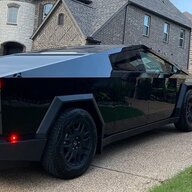
We brought home our CyberBeast today (it’s incredible) and I can’t use my phone as a key. I have a new iPhone.

I have a profile in the truck
I Bluetooth pair
Go to Locks then Add Key on the truck
In the app I can press Set up Phone Key or Phone key and it does nothing.

The two keys we got work great and so does my husband’s Android. I just can’t get my iPhone working.

has anyone else had this issue, did you fix it?
Sponsored
 

vinsk

Well-known member
First Name
Vin
Joined
Apr 19, 2023
Threads
3
Messages
215
Reaction score
278
Location
FL
Vehicles
MYP, Cybertruck FS AWD
Occupation
SW
Country flag
Did you place the key card in the holder?
 

panthar

Well-known member
First Name
RS
Joined
Apr 11, 2024
Threads
21
Messages
357
Reaction score
343
Location
Texas
Vehicles
Model Y , CyberTruck
Country flag
Follow the instructions, go to Locks menu and delete everything, do same thing in Tesla app, then try adding all over again.

For me, CT was parked in a lot, I did not even talk to any delivery or sales person, I went, paired my CT from phone , unlocked CT, drove home ...
 
OP
OP
Killlbox

Killlbox

Well-known member
First Name
Stacy
Joined
Apr 12, 2024
Threads
29
Messages
643
Reaction score
1,215
Location
Cheyenne, Wy
Vehicles
Foundation Cyberbeast, Model Y
Occupation
I do what I want
Country flag
Follow the instructions, go to Locks menu and delete everything, do same thing in Tesla app, then try adding all over again.

For me, CT was parked in a lot, I did not even talk to any delivery or sales person, I went, paired my CT from phone , unlocked CT, drove home ...
We’re way far away from a SC. Deleting everything is too scary


OP
OP
Killlbox

Killlbox

Well-known member
First Name
Stacy
Joined
Apr 12, 2024
Threads
29
Messages
643
Reaction score
1,215
Location
Cheyenne, Wy
Vehicles
Foundation Cyberbeast, Model Y
Occupation
I do what I want
Country flag
When configuring a new phone key, the key card must be placed in the tray (wireless charger )
Oh! That makes a lot of sense. The keys were on the deck when we were trying to pair the phone.
 
OP
OP
Killlbox

Killlbox

Well-known member
First Name
Stacy
Joined
Apr 12, 2024
Threads
29
Messages
643
Reaction score
1,215
Location
Cheyenne, Wy
Vehicles
Foundation Cyberbeast, Model Y
Occupation
I do what I want
Country flag
Oh! That makes a lot of sense. The keys were on the deck when we were trying to pair the phone.
Never mind, that didn’t work. We’ll take it to Loveland tomorrow.
 

HaulingAss

Well-known member
Joined
Oct 3, 2020
Threads
28
Messages
10,338
Reaction score
20,776
Location
Western Washington, USA
Vehicles
Cybertruck DM, 2010 F-150, 2018 Performance Model 3, 2024 Performance Model 3
Country flag
Never mind, that didn’t work. We’ll take it to Loveland tomorrow.
It's really easy to do yourself. But you have to follow the instructions. Also, make sure the "Phone as Key" is enabled in (I believe) the Security Menu.


OP
OP
Killlbox

Killlbox

Well-known member
First Name
Stacy
Joined
Apr 12, 2024
Threads
29
Messages
643
Reaction score
1,215
Location
Cheyenne, Wy
Vehicles
Foundation Cyberbeast, Model Y
Occupation
I do what I want
Country flag
It's really easy to do yourself. But you have to follow the instructions. Also, make sure the "Phone as Key" is enabled in (I believe) the Security Menu.
Figured it out!!

The settings in the Tesla app itself had Bluetooth off. It was on everywhere else, the phone was paired and I had no idea that setting existed.

That was crazy making because everything else was set correctly.
 

Woodrick

Well-known member
First Name
Ed
Joined
Dec 30, 2023
Threads
6
Messages
4,786
Reaction score
4,762
Location
Gainesville Ga
Vehicles
Model 3, Model Y, Cybertruck AWD
Occupation
Consultant
Country flag
Don't start with the vehicle, start with the phones.

Do not have card keys sitting in the center console.

Start with the phone and follow directions.
Sponsored


Top
