Cybergirl
Well-known member
- Joined
- Jul 3, 2020
- Threads
- 40
- Messages
- 874
- Reaction score
- 2,942
- Location
- Illinois and Arizona
- Vehicles
- Tesla Model Y LR, Model Y SR, Cybertruck AWD FS

- Thread starter
- #1
After removing the side mirrors on my Cybertruck, I found that using the left, right, and rear multi-camera display feature that's available on the stock Cybertruck problematic for the following reasons:
1) The multi-camera display has to be manually (or verbally) called up on the center screen, then a swipe up on the screen to view the rear camera.
2) The multi-camera display covers up the navigation map.
3) When the multi-camera display is active, the turn signal side view displays with red bar warnings are not displayed.
4) Checking the left lane by looking right at the center screen display I found to be unnatural, especially when it needs to be done quickly.
5) Switching between the multi-camera display and the map display with voice commands is too slow ( e.g., when navigating in an unfamiliar city).
To mitigate these issues, I installed an independent side camera monitoring system. A small camera was mount on each side of the truck:

The cameras are inexpensive 720p AHD (analog high def) cameras wired to a cellphone-size (6.25") split screen color monitor:

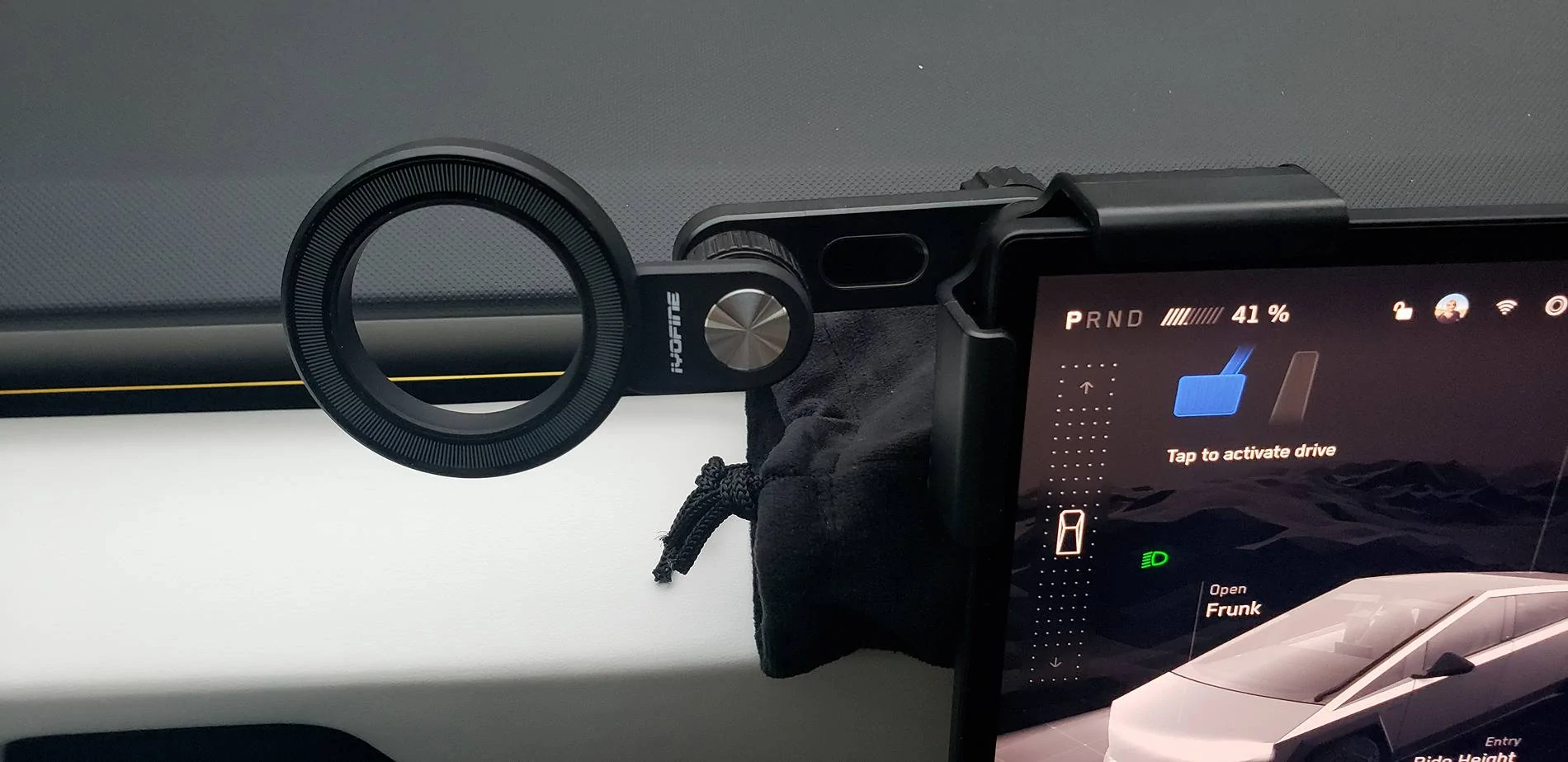
The monitor is mounted above the steering wheel using an adjustable, magnetic mount, clamped onto the center display:
The color display quality is adequate for the purpose. It has a time-based day/night brightness setting.
A button on the top of the monitor will turn off the display (e.g., at night if head light glare is bothersome).
The monitor is strongly attached to the mount magnetically. It can be unplugged and removed if necessary.
I can check the side lanes to the rear before activating a turn signal.
The regular rear view display is nicely located to the right on the center screen.
The navigation maps are not obscured.
The cameras and monitor are powered from the truck's OBDII port under the dash on the driver's side.
Power to the monitor is automatically removed 5 minutes after leaving the truck (unless Sentry Mode is turned on).
The cameras and monitor draw 6 watts when powered (insignificant compared to when Sentry Mode is turned on).
Camera and power wiring is hidden behind the white dash panel which is not difficult to remove.
One can also insert a micro SD card into the monitor to record video (I'm not using this feature).
The only negative that I've found is that vehicles are much closer than they appear on the display because of the fish eye camera lenses (same as the stock cameras).
I purchased the camera system from AliExpress and the Mount from Amazon. Cost was less than $200.
I prefer this set up to using side mirrors.
1) The multi-camera display has to be manually (or verbally) called up on the center screen, then a swipe up on the screen to view the rear camera.
2) The multi-camera display covers up the navigation map.
3) When the multi-camera display is active, the turn signal side view displays with red bar warnings are not displayed.
4) Checking the left lane by looking right at the center screen display I found to be unnatural, especially when it needs to be done quickly.
5) Switching between the multi-camera display and the map display with voice commands is too slow ( e.g., when navigating in an unfamiliar city).
To mitigate these issues, I installed an independent side camera monitoring system. A small camera was mount on each side of the truck:
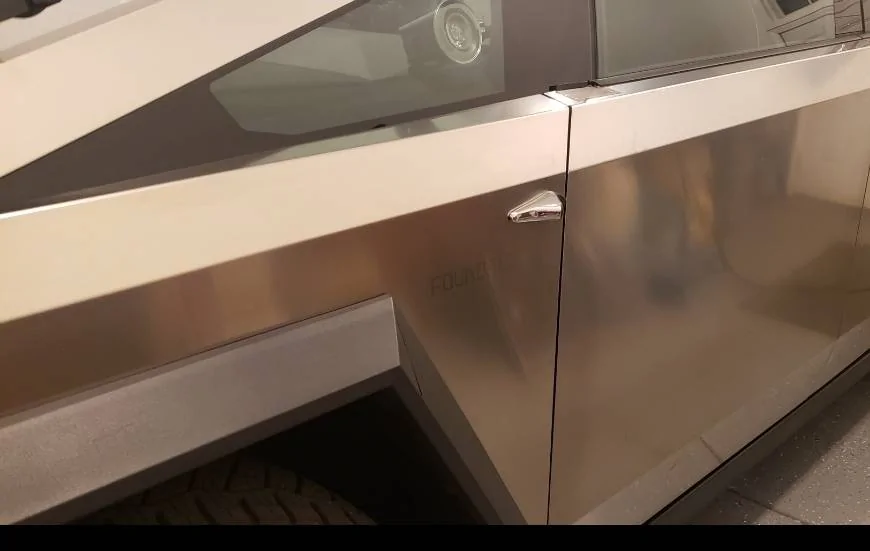
The cameras are inexpensive 720p AHD (analog high def) cameras wired to a cellphone-size (6.25") split screen color monitor:
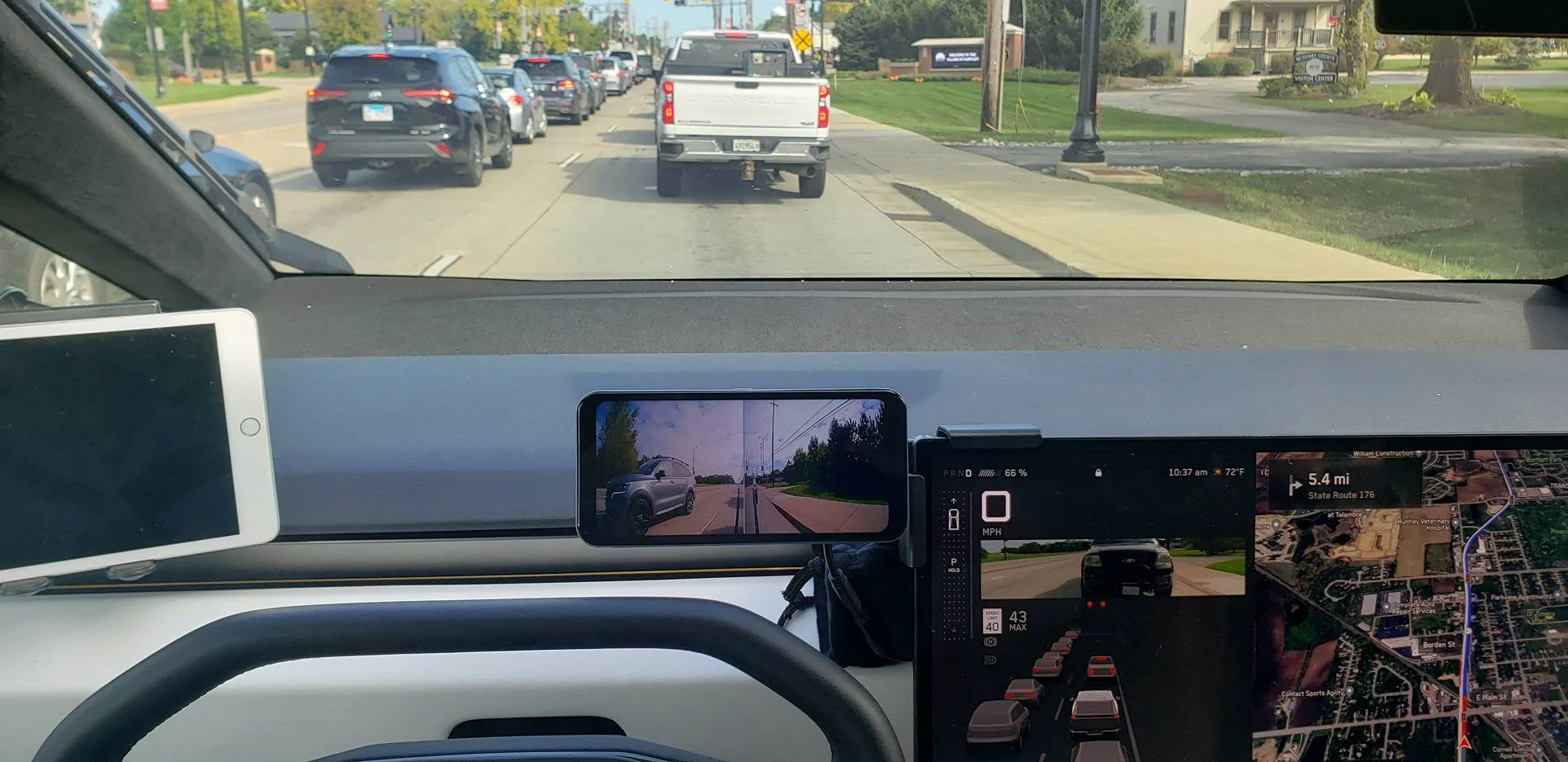
The monitor is mounted above the steering wheel using an adjustable, magnetic mount, clamped onto the center display:
The color display quality is adequate for the purpose. It has a time-based day/night brightness setting.
A button on the top of the monitor will turn off the display (e.g., at night if head light glare is bothersome).
The monitor is strongly attached to the mount magnetically. It can be unplugged and removed if necessary.
I can check the side lanes to the rear before activating a turn signal.
The regular rear view display is nicely located to the right on the center screen.
The navigation maps are not obscured.
The cameras and monitor are powered from the truck's OBDII port under the dash on the driver's side.
Power to the monitor is automatically removed 5 minutes after leaving the truck (unless Sentry Mode is turned on).
The cameras and monitor draw 6 watts when powered (insignificant compared to when Sentry Mode is turned on).
Camera and power wiring is hidden behind the white dash panel which is not difficult to remove.
One can also insert a micro SD card into the monitor to record video (I'm not using this feature).
The only negative that I've found is that vehicles are much closer than they appear on the display because of the fish eye camera lenses (same as the stock cameras).
I purchased the camera system from AliExpress and the Mount from Amazon. Cost was less than $200.
I prefer this set up to using side mirrors.
Sponsored
Last edited: