Sponsored

CyberBeast Delivered and a couple of questions

mmmmmb

Active member
Joined
Dec 11, 2023
Threads
6
Messages
28
Reaction score
32
Location
Rapid City, SD
Vehicles
Signature Model S, Performance Model 3 2018
Country flag
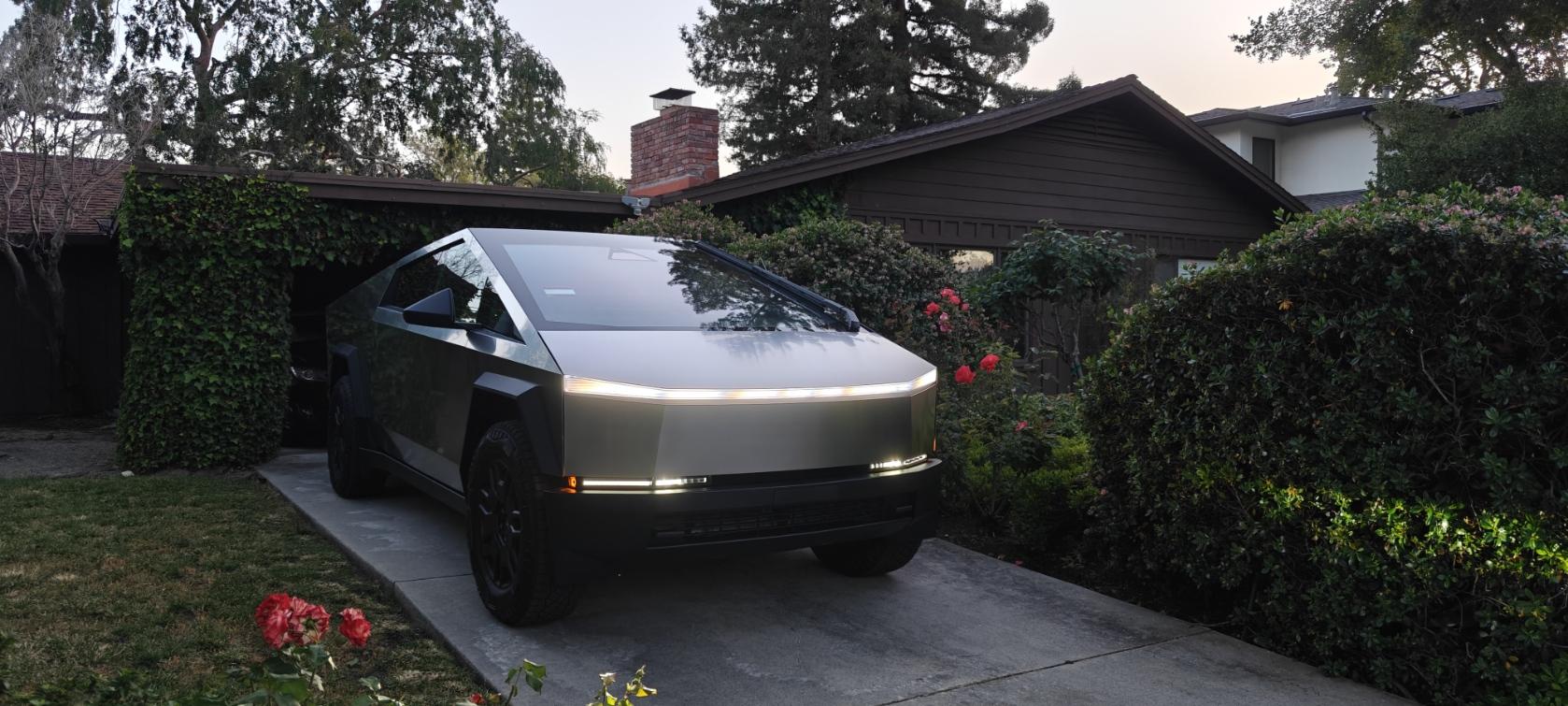
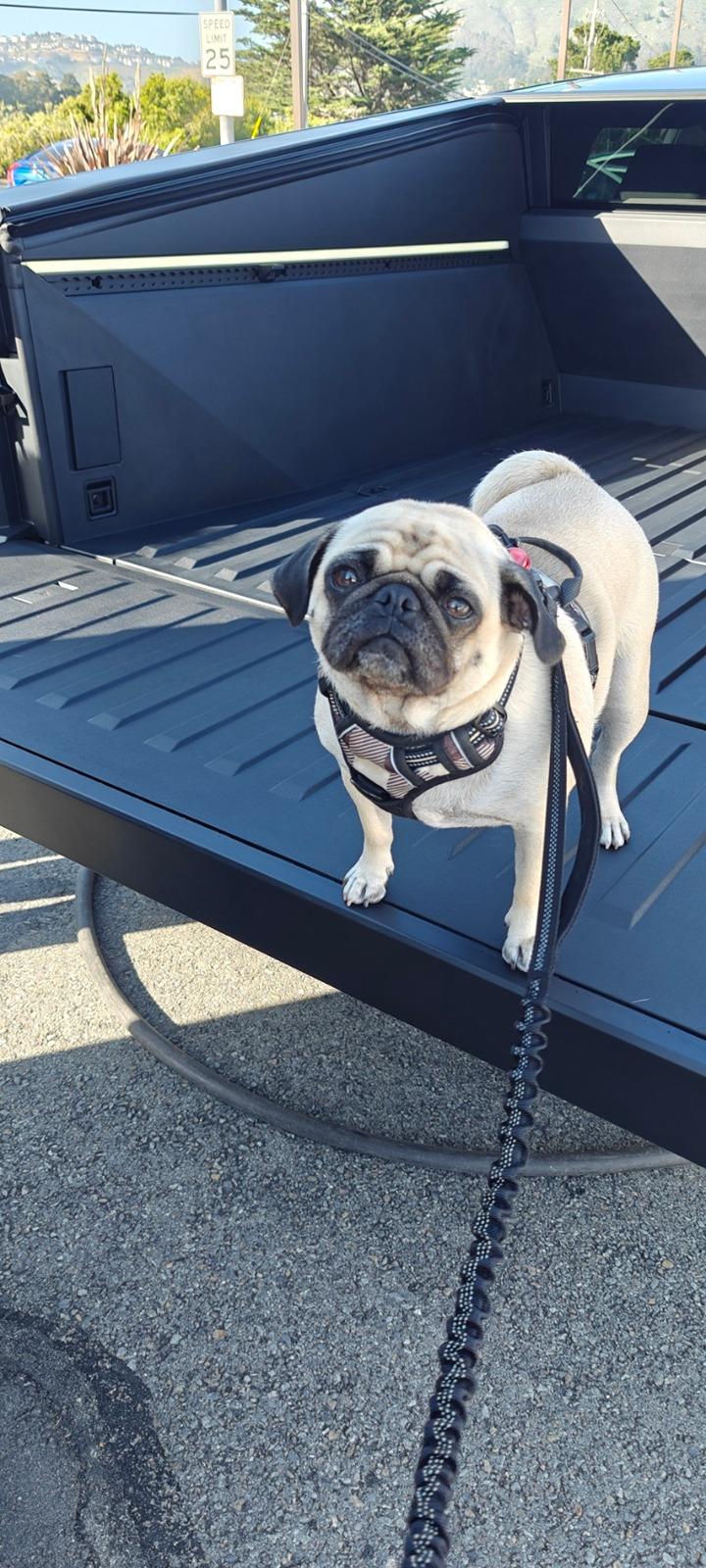
Picked up my CyberBeast (VIN 10465) on Sunday 05/26. Was available for pick up for more than 10 days, but I have been travelling. Here are some specifics:
Delivery Center - Colma in SF Bay area
Delivery Date - 05/26 (Order Date 12/11/23) I don't think my early shareholder status helped at all.
Delivery person - Kevin - nice guy and spent the time with us
Delivery quality - The Beast is awesome. Drives very well. No rattles or sounds. Good build quality.

Tesla Cybertruck CyberBeast Delivered and a couple of questions 1717022219455-rl


Tesla Cybertruck CyberBeast Delivered and a couple of questions 1717022268736-15


A couple of questions:
1. I have had a Tesla home charger installed in 2012 when I got my Model S (Signature). It was the original Dual Charger version (Model S has a dual charger system at the time). It works with 2018 Model 3P fine. But, when I plugged in the CyberTruck, it simply turned red. Any ideas on what I should do?

2. Now that I am left with getting the Beast charging at the Super Chargers, it is costing me money (I pay nothing for both Model S and Model 3 even after all these years). I read somewhere that these Foundation Series versions come with some free super charging miles. Who do I ask and how do I get it turned on?

Thank you in advance.

Best,
M
Sponsored
 

Wolfgram

Well-known member
First Name
Joseph
Joined
May 26, 2020
Threads
11
Messages
201
Reaction score
607
Location
Florida
Vehicles
Model 3 Performance
Occupation
CTO
Country flag
1. Red light on charger is an error. Try on another level-2 charger to determine if it’s the handle or the internal charger.

2. No free charging unless you refuse the home power share installation. Few cases of limited free charging (1-2 months) if power share install is delayed by Tesla.
 
OP
OP

mmmmmb

Active member
Joined
Dec 11, 2023
Threads
6
Messages
28
Reaction score
32
Location
Rapid City, SD
Vehicles
Signature Model S, Performance Model 3 2018
Country flag
Thank you for your answers.

Yes, my home charger is still working with both my Model S and Model 3. So, I'm assuming that the newer cars probably can't deal with the older chargers. Your suggestion of trying a different charger is a good one, but may be difficult to find one that was the same version.

Anyway, thank you again.
 

RoboTaxi

Well-known member
Joined
Mar 24, 2024
Threads
25
Messages
662
Reaction score
1,080
Location
Kansas
Vehicles
Beast when the gods bless me
Country flag
1 year of free supercharging if you can’t install home power share. How you get that ball rolling is a waiting game. Supposedly you will get a email in 2 weeks but some have been slightly ghosted. Enjoy the beast!
 

Stuck4ger

Well-known member
Joined
Dec 6, 2019
Threads
54
Messages
1,373
Reaction score
2,549
Location
Cape Canaveral, FL
Vehicles
Cyberbeast
Occupation
Aerospace
Country flag
Thank you for your answers.

Yes, my home charger is still working with both my Model S and Model 3. So, I'm assuming that the newer cars probably can't deal with the older chargers. Your suggestion of trying a different charger is a good one, but may be difficult to find one that was the same version.

Anyway, thank you again.
I’ve installed Gen 2 and 3 wall connectors in my own homes and it was straightforward with Tesla app. The last time I did it I used the Tesla One app which has more options for the installer. Perhaps the CT is trying to draw more than the charger is artificially capped at. There’s a lot of good info on changing limits here:

https://www.tesla.com/support/charging/wall-connector/power-management


Speedr

Well-known member
Joined
Dec 17, 2023
Threads
15
Messages
665
Reaction score
1,401
Location
Florida
Vehicles
Dual Motor Cybertruck
Country flag
Thank you for your answers.

Yes, my home charger is still working with both my Model S and Model 3. So, I'm assuming that the newer cars probably can't deal with the older chargers. Your suggestion of trying a different charger is a good one, but may be difficult to find one that was the same version.

Anyway, thank you again.
I have either a Gen 1 or Gen 2 wall charger from 2017 that used to charge my 2017 Model S 100D at 78 amps (sigh, those were the days). It charges my Cybertruck just fine, no issues. Have you tried lowering the amps to only pull, say 32 amps instead of 48? Just throwing out ideas.

Ironically, I'm replace it with a Universal Charger so I can Powershare (I already have Solar and Powerwalls, so no gateway needed).

Good luck!
 

Cam Salazar

Well-known member
First Name
John
Joined
Dec 12, 2023
Threads
1
Messages
140
Reaction score
126
Location
Vista
Vehicles
Cybertruck
Country flag
OP
OP

mmmmmb

Active member
Joined
Dec 11, 2023
Threads
6
Messages
28
Reaction score
32
Location
Rapid City, SD
Vehicles
Signature Model S, Performance Model 3 2018
Country flag
Thank you all! CT seems to work at my work, which is probably a lot newer version of the charger. No luck at home, however, with Tesla Home Charger (V1) even after adjusting the Amps. Not sure what else I can try and do!
 

carsly

Well-known member
First Name
Vin
Joined
Dec 13, 2023
Threads
95
Messages
1,547
Reaction score
2,933
Location
Princeton, NJ
Vehicles
LR Defender, CT AWD
Country flag
Can always reset the breaker, if you haven't already, and see if it kick-starts it.

Did you adjust the charging amperage in the truck, charger or both? I think given the error you want to try changing the charger first to limit at a lower amperage and see what happens.
 

M0unt41nm4n

Well-known member
Joined
Jan 23, 2024
Threads
21
Messages
1,242
Reaction score
2,185
Location
Durango, CO and Moab, UT
Vehicles
23 Ford F350 Plat, 22 F150 Plat, 20 Jeep Gladiator, CT-AWD
Country flag
Thank you all! CT seems to work at my work, which is probably a lot newer version of the charger. No luck at home, however, with Tesla Home Charger (V1) even after adjusting the Amps. Not sure what else I can try and do!
Haha, that L1 home charger is misery, no? I take my truck into town, then it gets to charge for 2-3 days to get from 68-80%. Luckily I have an electrician coming over on Sunday to get me up to 10kw with a 14/50 install. Im still waiting for Tesla to contact me with my "free Universal Charger". At that point I will swap out the 14/50 and get that up to 11-12Kw.


OP
OP

mmmmmb

Active member
Joined
Dec 11, 2023
Threads
6
Messages
28
Reaction score
32
Location
Rapid City, SD
Vehicles
Signature Model S, Performance Model 3 2018
Country flag
Mine is not an L1 charger. It happened to be Tesla's Version 1 Home Charger that can output 240v 50A on two lines (so a total of 100A). My Signature Model S charges at more than 60 miles per hour. My 2018 M3P also charges on it with no issues but only takes 48A, with no changes at all to either charger or the car.

CyberTruck, however, when I plug it in, the blue light turns red almost immediately. It looks like it decided that it is not even worth negotiating any connection. (Previously on other cars, I have seen some blinking and eventually turn into a different color).

BTW, this charger is soooo old (installed in 2012) that it doesn't have any display (other than LEDs floating up and down), no internet connection or no OTA updates that I know of.

Don't even know who to ask at Tesla :) !

Best,
M
 

Stuck4ger

Well-known member
Joined
Dec 6, 2019
Threads
54
Messages
1,373
Reaction score
2,549
Location
Cape Canaveral, FL
Vehicles
Cyberbeast
Occupation
Aerospace
Country flag
Mine is not an L1 charger. It happened to be Tesla's Version 1 Home Charger that can output 240v 50A on two lines (so a total of 100A). My Signature Model S charges at more than 60 miles per hour. My 2018 M3P also charges on it with no issues but only takes 48A, with no changes at all to either charger or the car.

CyberTruck, however, when I plug it in, the blue light turns red almost immediately. It looks like it decided that it is not even worth negotiating any connection. (Previously on other cars, I have seen some blinking and eventually turn into a different color).

BTW, this charger is soooo old (installed in 2012) that it doesn't have any display (other than LEDs floating up and down), no internet connection or no OTA updates that I know of.

Don't even know who to ask at Tesla :) !

Best,
M
I had a Gen 3 charger start flashing red and I called Tesla and they looked at it in real-time and sent me a new one.
 

MTTNYC

New member
First Name
Myles
Joined
Apr 8, 2024
Threads
0
Messages
1
Reaction score
2
Location
Bronx, NY
Vehicles
Tesla Model Y
Country flag
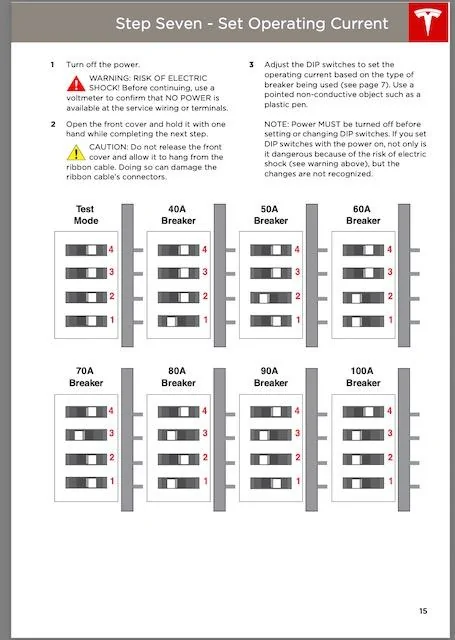
GOOD NEWS! Cyberbeast owner here. 6/30/2024 I am a Gen1 charger owner with a 100AMP circuit. I was able to DOWNGRADE my unit from 100AMP dip switches to the 70AMP 4/ON, 3/OFF, 2/ON, 1/ON setting. I flipped my breaker 3 times in a row and it reset the Gen1 charger. (per tesla instructions) I tried every dip switch setting. By downgrading to 70 AMP the Cybertruck was able to hand shake with my charger. Hope this helps. Charges now at 48 AMPs and did not need to downgrade settings. If 70 AMP does not work - try 80 AMPS. But important to power cycle the breaker 3 times before testing.

charging AMPs in App.
Tesla Cybertruck CyberBeast Delivered and a couple of questions Untitled
Sponsored


Top