Sponsored

Cybertruck Gateway Universal Charger Powershare Issue

CyberRasta

Active member
Joined
Jun 8, 2024
Threads
0
Messages
30
Reaction score
25
Location
North Carolina
Vehicles
Cybertruck
Country flag
Technician came and removed the PowerShare this morning. In addition to the cable being under loaded, there was an issue with the PowerShare unit itself. Challenging time, that is the risk of new technology, happy to see the back only this one. Will definitely give it some time before being open to revisiting PowerShare.
Sponsored
 

PungoteagueDave

Well-known member
First Name
David
Joined
Mar 2, 2025
Threads
2
Messages
909
Reaction score
999
Location
Boynton Beach
Vehicles
ā€˜25 Tesla Cybertruck, ā€˜26 Tesla MY Launch, ā€˜13 Porsche C4S, ā€˜26 BMW R1300 GSA
Occupation
retired
Country flag
My screen looks just like yours. I had an electrician come out and look at it, they said the wire that was used from the panel to the charger was a 6 gauge instead of a 4 gauge, and that the PowerShare unit appeared to have a fault inside. At this point I am done. Told they to come and take it.
Why not just fix it to spec? You seem to want to quit. This is all cutting edge and we are all beta testers. Maybe allow them to get it right first? Full disclosure: I did make Ford remove my bidirectional charging system for the Lightning after nine months of concerted effort on their part and a final admission that it couldn’t be fixed in my case due to site conditions (interference from too many WiFi routers in adjacent homes). I am now installing a full Tesla Gateway/solar/powerwall system for the CT that replaced the Lightning.
 

CyberRasta

Active member
Joined
Jun 8, 2024
Threads
0
Messages
30
Reaction score
25
Location
North Carolina
Vehicles
Cybertruck
Country flag
There are 2 reasons why I did not have them try to fix it again:
1. It was near impossible to get someone to the house to resolve the issue while under warrantee. Imagine how hard it would be post warrantee?
2. When the PowerShare went down, it took down current for all the critical electronics (Fridge/ AC / etc.). This occurred at random, sometimes multiple times/day. Sometimes I could not get it back up, and when I finally get a Technition in he had to adjust a switch in the PowerShare itself to get us power. It was quickly disrupting my household and ability to be productive. It had to go.
 
First Name
Anthony
Joined
Nov 28, 2024
Threads
3
Messages
21
Reaction score
36
Location
NY
Vehicles
Cybertruck Beast | Model Y Performance
Occupation
IT
Country flag
I have No recent data available as well. It will work for a bit after a power cycle to the Gateway, but eventually go dark. I had the entire Gateway replaced this past week, and the problem persists. Tesla needs to sort this out. I have been dealing with this for like 9 months now.
 

sys700

Well-known member
First Name
Rod
Joined
Jul 19, 2020
Threads
9
Messages
367
Reaction score
627
Location
Portage, MI
Vehicles
Foundation Series Cyberbeast (August 2024 - 26###)
Country flag
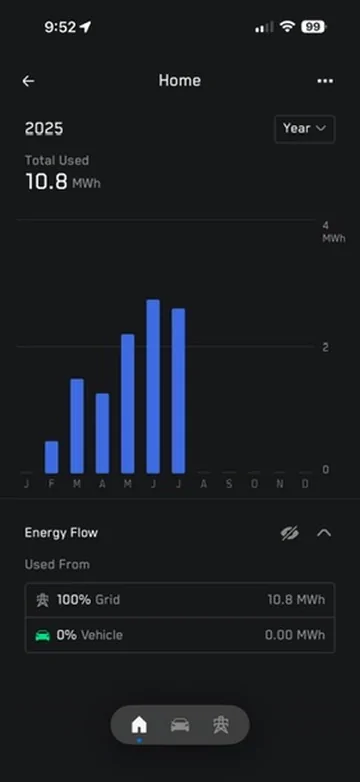
I also have no recent data available. Reaching Tesla for support is a nightmare. After waiting on the phone for an hour, they accidentally disconnected me, then didn't call me back. I called the next day, and got someone after an hour wait. They ran some tests on their end, and said it was an electrical wiring issue. Funny that it worked fine from February to August (see photo below). They said it should be under warranty, and to contact the installer.

So I did - they came out - the installer switched off my home power, switched it back on - said it wasn't a wiring issue, and a week later sent me a bill for $230, half of which was an out of service area charge! I refused to pay since it's under warranty and they are bringing it up with QMerit.

I contacted Tesla again, and they said they would escalate it and to watch my app for a message from Tesla tech support to schedule a visit. That never happened.

So I called them again - waited again - they escalated it again. Still nothing.

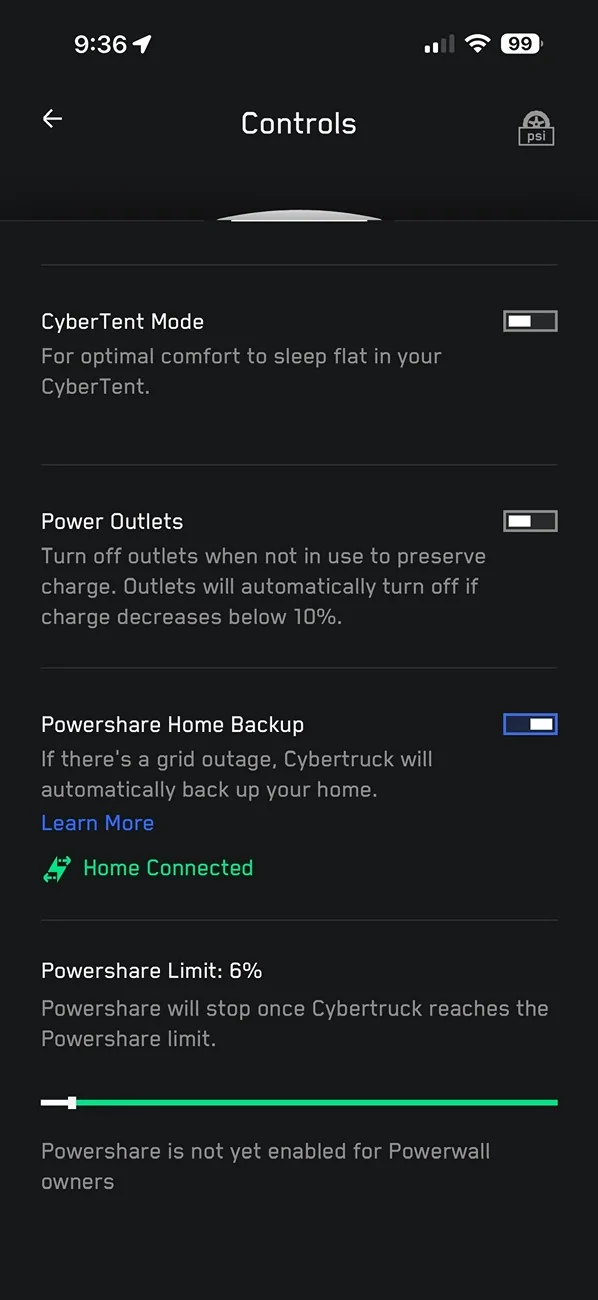
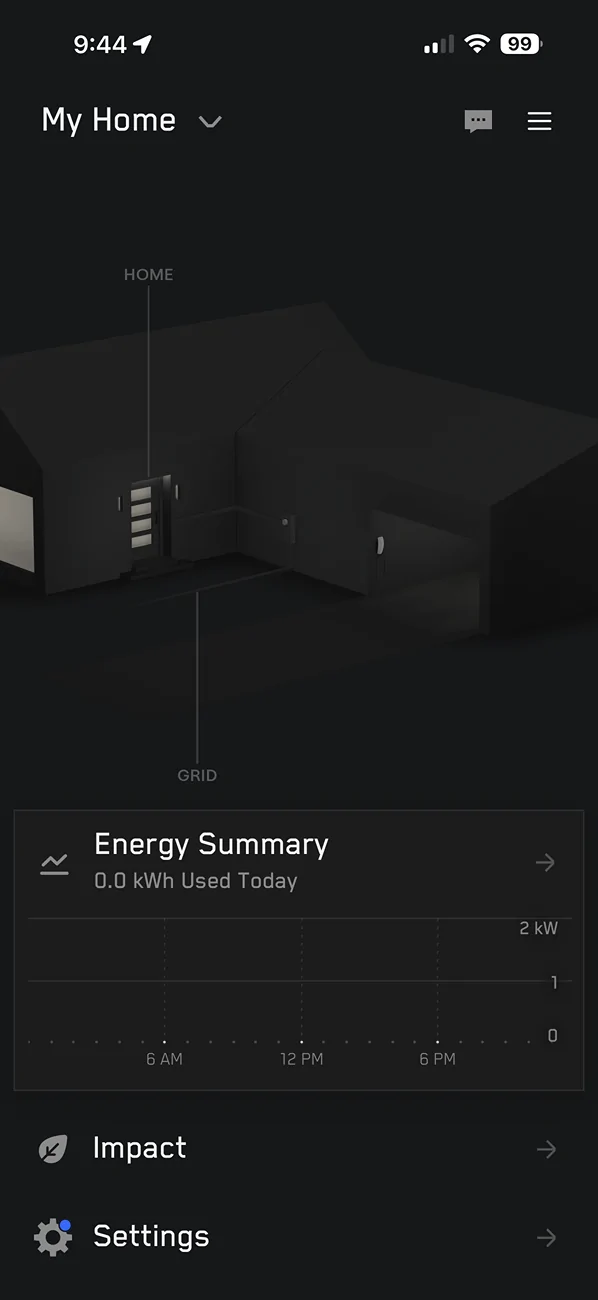
The customer support is really lacking. Not impressed with Tesla. On the bright side, it does show that Powershare is connected to my home in case the power goes out, I just can't connect my phone to the Powershare wall unit no matter what I try. I don't get any grid info at all (since August):

Tesla Cybertruck Cybertruck Gateway Universal Charger Powershare Issue 111F9E87-7692-4D61-8554-8F89F81439DA_1_102_o


Tesla Cybertruck Cybertruck Gateway Universal Charger Powershare Issue 9FDB7382-728F-4268-A6AE-535FE5A06ED5


Tesla Cybertruck Cybertruck Gateway Universal Charger Powershare Issue 6B500DC7-305F-4D54-88E7-6F311D1D918C_4_5005_c
 
Last edited:


sys700

Well-known member
First Name
Rod
Joined
Jul 19, 2020
Threads
9
Messages
367
Reaction score
627
Location
Portage, MI
Vehicles
Foundation Series Cyberbeast (August 2024 - 26###)
Country flag
I wanted to follow up on my earlier post about my Powershare gateway suddenly going offline—no grid data in the app for months (it had been working flawlessly from my February install through July).

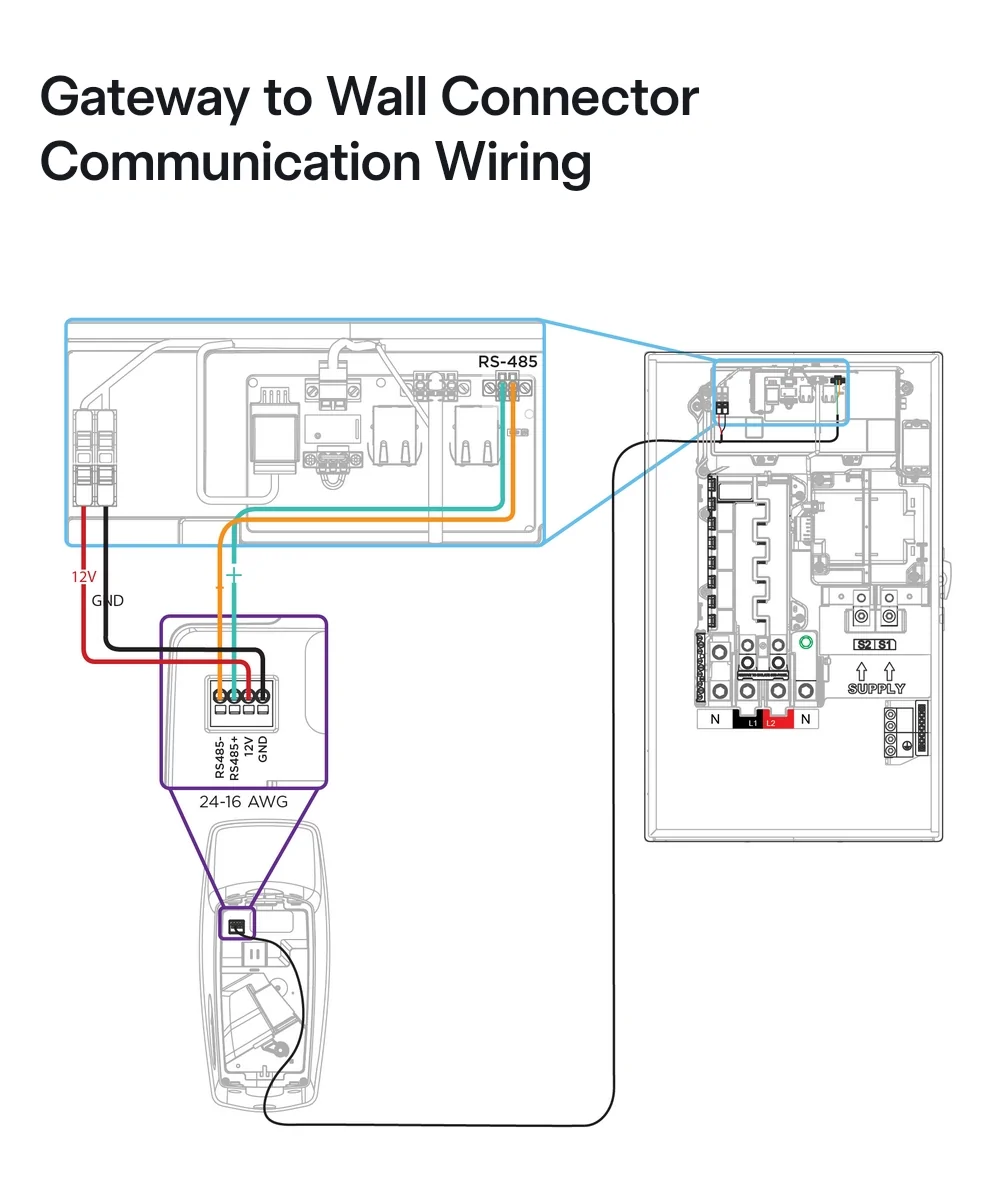
I couldn't connect my phone to it, no QR code, and Tesla's diagnostics kept pointing to an RS-485/communication wiring fault. Support was a nightmare—lots of runaround between Tesla, Qmerit, and my installer.

After escalating directly to Qmerit (CC'ing the installer and Tesla), my electrician came back out on December 12, and we finally nailed it down.

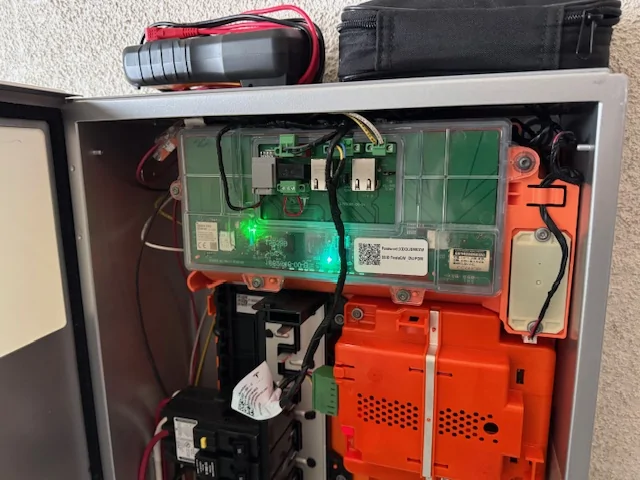
What we saw on the gateway:
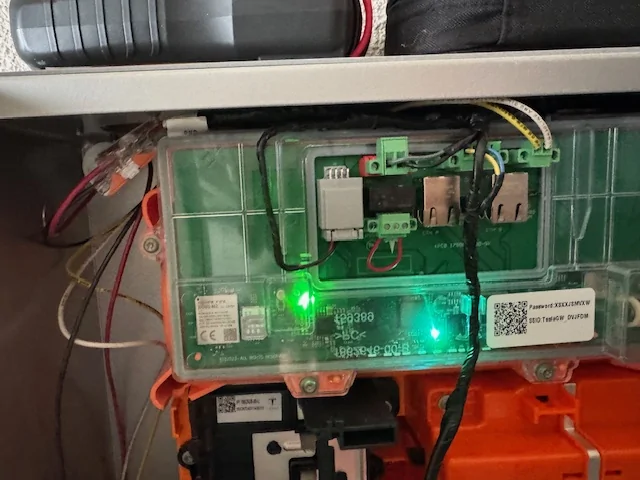
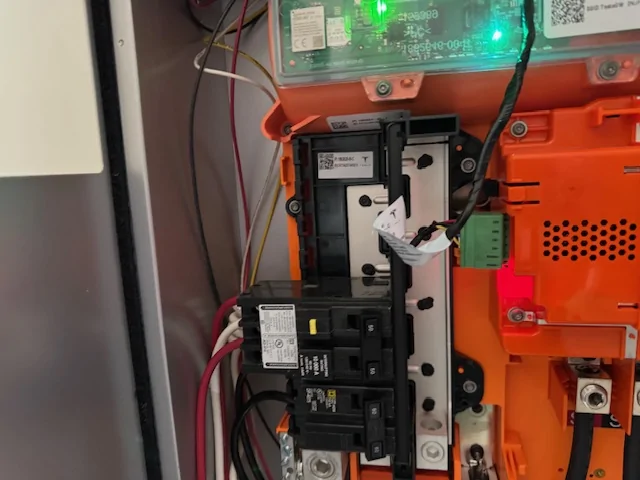
  • Flashing orange light on the contactor (that lower middle square).
  • WiFi/comms light off or red—no connection possible.
He checked every external connection and field wiring—everything was perfect.

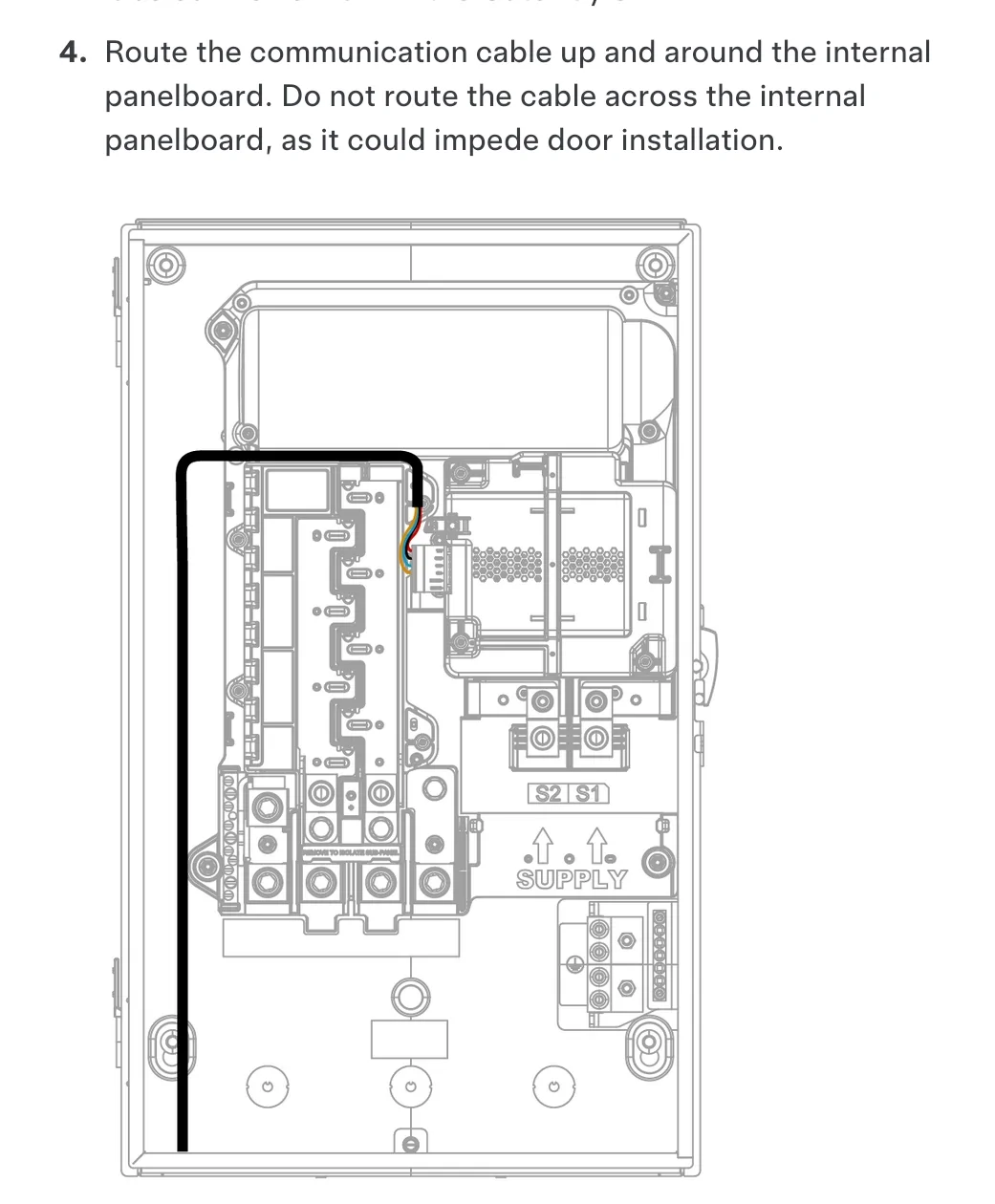
Then the breakthrough: When the internal dead front cover is screwed on, its top lip presses right against the factory wiring harness (which is routed "up and around" the panelboard exactly as the install manual says, using the tabs and avoiding any crossing). That pressure causes the comms to drop—the orange light starts flashing, WiFi light goes out, and the whole system goes offline again. But as soon as you loosen the cover, jiggle the harness a bit, or leave the dead front off/loose... everything lights up properly (green → blue/white for WiFi), the QR code becomes scannable, I reconnect my phone, and full grid data and functionality come right back.

The system is running perfectly now—but only because the dead front isn't fully installed (it's sitting loose for clearance, which obviously isn't a safe long-term setup). The electrician took video of the whole thing, saw no visible damage to the harness, and requested a replacement from Tesla/Qmerit just in case. In addition, suddenly all of my grid data from September through December is showing up in the Tesla app. I'm only missing August data.

This really feels like a design clearance issue in the Gateway enclosure—the required routing path puts the harness right where the cover lip can pinch it. If anyone else is dealing with the "gateway offline / no grid data" problem plus a flashing orange contactor light, definitely have your installer check for this internal cover interference first. It could save you weeks of frustration.

Hoping Tesla approves the new harness quickly and maybe comes up with a permanent fix (spacer? revised cover?) before my warranty runs out in February.

Has anyone else run into this exact behavior? Thanks for all the earlier advice in the thread—persistence paid off!
 

mongo

Well-known member
Joined
May 27, 2024
Threads
5
Messages
4,520
Reaction score
5,496
Location
SE Michigan
Vehicles
Cyberbeast
Country flag
Then the breakthrough: When the internal dead front cover is screwed on, its top lip presses right against the factory wiring harness (which is routed "up and around" the panelboard exactly as the install manual says, using the tabs and avoiding any crossing).
Apologies in advance if I am misunderstanding.
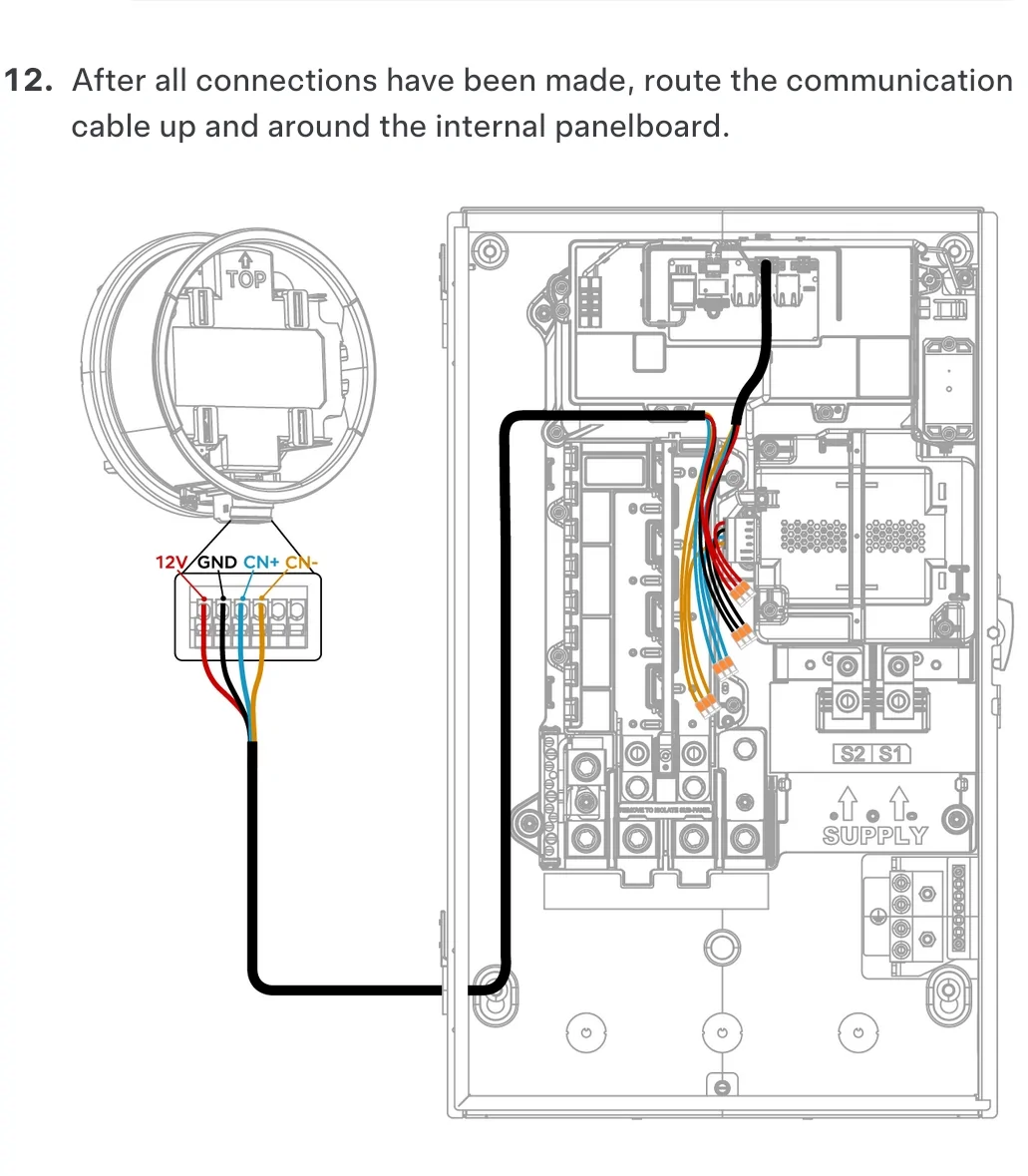
If the top of the dead front is pinching, it sounds like the cables are being routed up and around the entire Gateway (panelboard), not the "internal panel board". Unless its the pre-wired cabling that is getting pinched. The top groove isn't a wiring channel.

Installation steps:
Tesla Cybertruck Cybertruck Gateway Universal Charger Powershare Issue AISelect_20251213_073805_Firefox
Tesla Cybertruck Cybertruck Gateway Universal Charger Powershare Issue AISelect_20251213_073733_Firefox


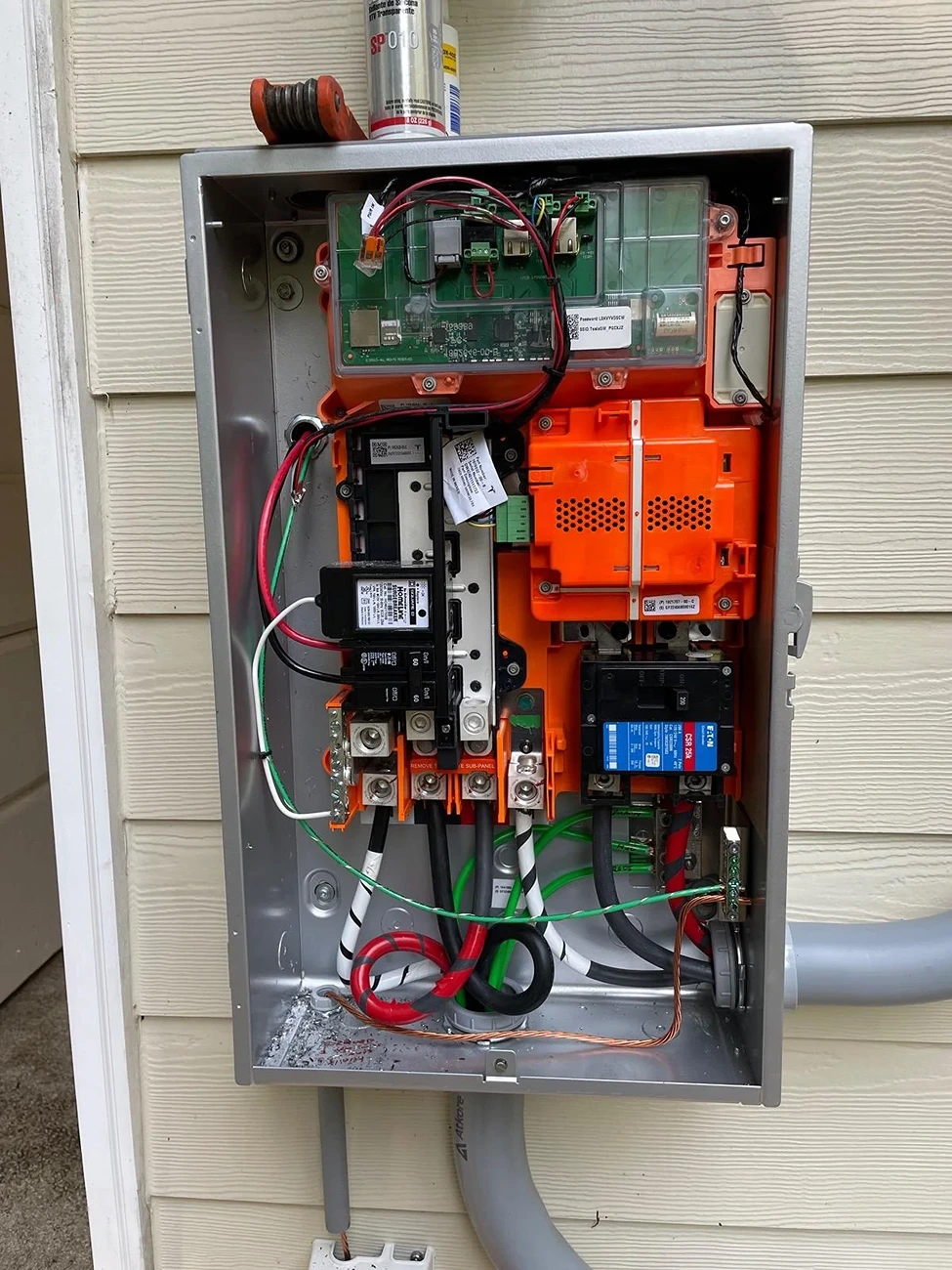
@Eyesore's install showing wire routing:
Tesla Cybertruck Cybertruck Gateway Universal Charger Powershare Issue 42879-5cd861f86c3eceb7b65cf943046bebd1


@Cybrtr808's install photo showing front mounting groove:
Tesla Cybertruck Cybertruck Gateway Universal Charger Powershare Issue 96721-e4f9d97e430bbf1aedded90b07abeaeb
 

sys700

Well-known member
First Name
Rod
Joined
Jul 19, 2020
Threads
9
Messages
367
Reaction score
627
Location
Portage, MI
Vehicles
Foundation Series Cyberbeast (August 2024 - 26###)
Country flag
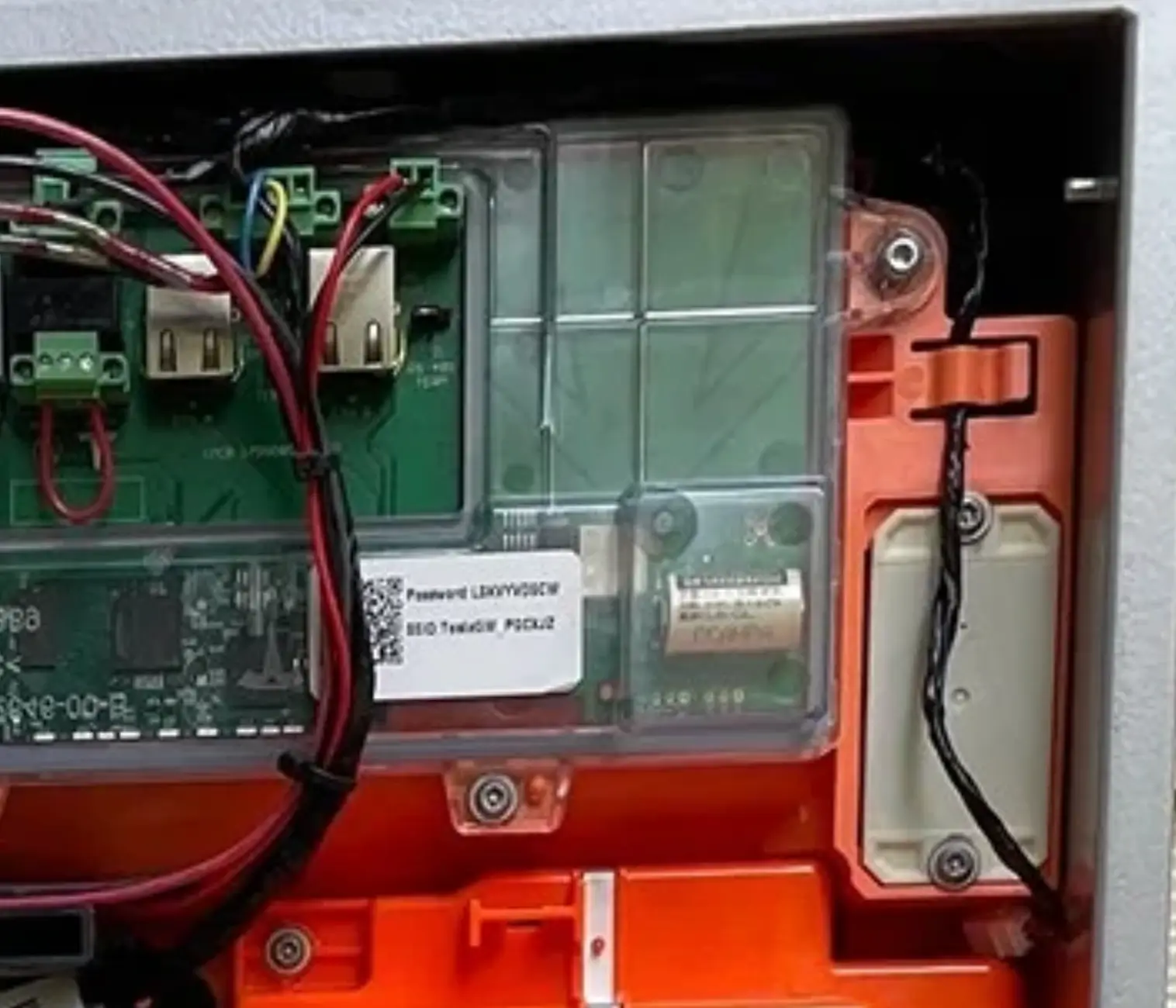
The black taped wire that runs through the orange clip at the far right, and goes up top in the gap is the harness with the issue:
Tesla Cybertruck Cybertruck Gateway Universal Charger Powershare Issue 1765630929660-ik
 

mongo

Well-known member
Joined
May 27, 2024
Threads
5
Messages
4,520
Reaction score
5,496
Location
SE Michigan
Vehicles
Cyberbeast
Country flag
The black taped wire that runs through the orange clip at the far right, and goes up top in the gap is the harness with the issue:
1765630929660-ik.webp
Weird, based on the side hinge pin location, it seems like fully closing it would give more room (unless the door sloted in behind the harness). The harness looks undamaged but squished? I would have expected the problem to be at the connectors.
Note to others: that image was a zoom of the photo I posted, not the problem system.
 

sys700

Well-known member
First Name
Rod
Joined
Jul 19, 2020
Threads
9
Messages
367
Reaction score
627
Location
Portage, MI
Vehicles
Foundation Series Cyberbeast (August 2024 - 26###)
Country flag
This is not my panel. It's from your images. The dead panel (not the front door, the inner dead panel) actually has a lip that can pinch the harness. Poor design.

Here's a video of the electrician testing it out...


Tesla Cybertruck Cybertruck Gateway Universal Charger Powershare Issue Untitled


Tesla Cybertruck Cybertruck Gateway Universal Charger Powershare Issue Untitled2


Tesla Cybertruck Cybertruck Gateway Universal Charger Powershare Issue Untitled3
 
Last edited:


mongo

Well-known member
Joined
May 27, 2024
Threads
5
Messages
4,520
Reaction score
5,496
Location
SE Michigan
Vehicles
Cyberbeast
Country flag
This is not my panel. It's from your images. The dead panel (not the front door, the inner dead panel) actually has a lip that can pinch the harness. Poor design.

Here's a video of the electrician testing it out...


Untitled.webp


Untitled2.webp


Untitled3.webp
Yep, sure looks like power is dropping out to the TACO. I'd still lean toward a bad connection from the UWC versus a short circuit, but either is possible. It did seem like the dropouts only occurred when the upper left portion of tte harness moved, but it's hard to tell from the video.

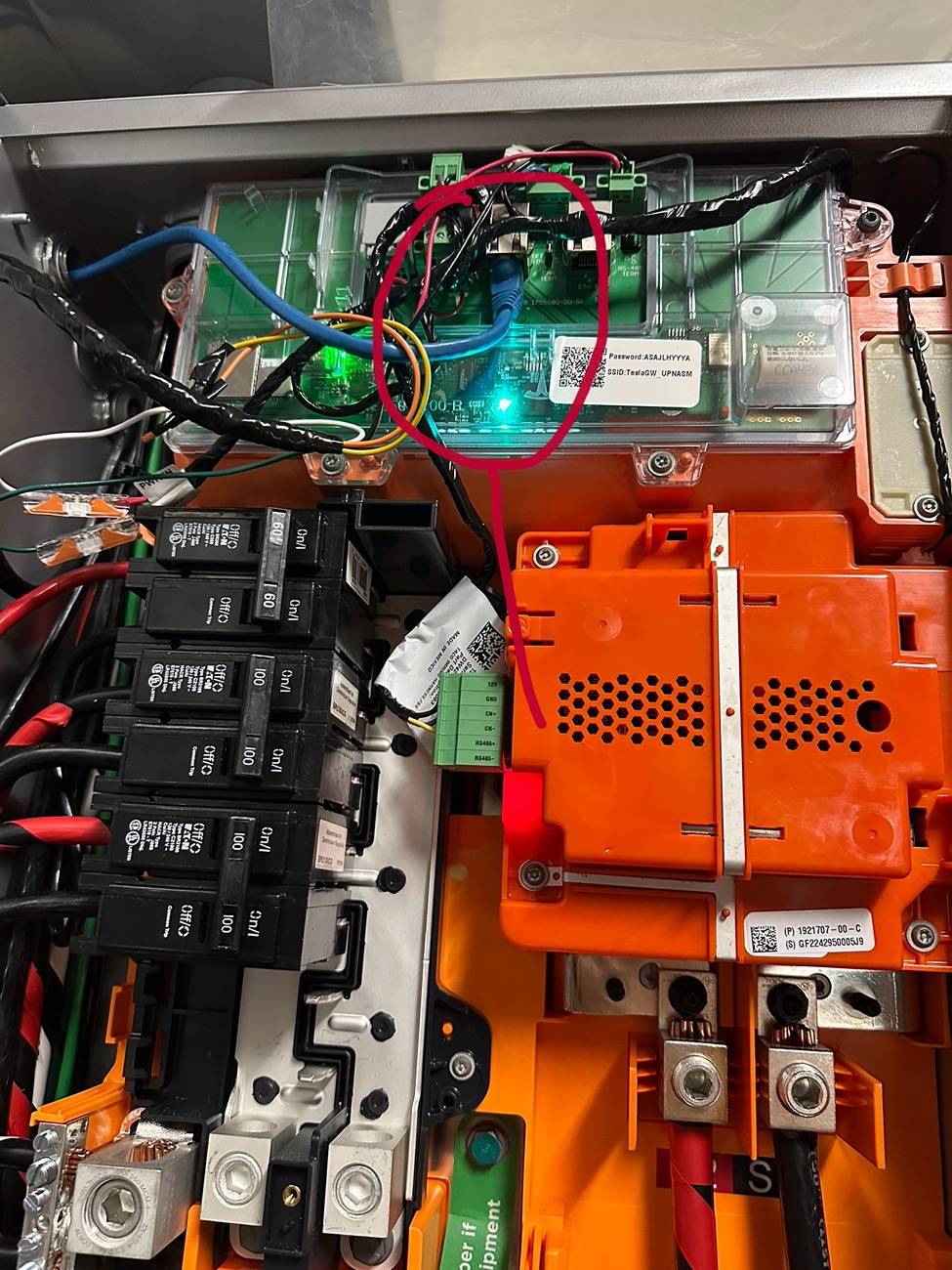
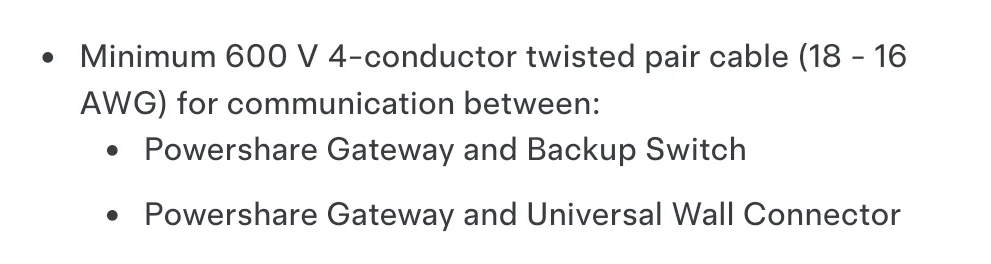
How long is the run to the UWC? That doesn't look like the correct communication cable (not that I expect it's the issue). The photos (if these are your setup) also show the wires tucked above the TACO rather than running down and then sideways.
Tesla Cybertruck Cybertruck Gateway Universal Charger Powershare Issue AISelect_20251213_091113_Firefox
Tesla Cybertruck Cybertruck Gateway Universal Charger Powershare Issue AISelect_20251213_093805_Firefox
 

sys700

Well-known member
First Name
Rod
Joined
Jul 19, 2020
Threads
9
Messages
367
Reaction score
627
Location
Portage, MI
Vehicles
Foundation Series Cyberbeast (August 2024 - 26###)
Country flag
QMerit told me they are sending a completely new panel to the installer for installation.
 

96Kopper02

Well-known member
Joined
Nov 3, 2021
Threads
0
Messages
155
Reaction score
335
Location
Iowa
Vehicles
Tesla Model S
Occupation
Physician
Country flag
I’ve had exactly the same issue. I can’t see any data on my phone. I toggle the breaker inside the Gateway and it works for a few hours/days then drops it again. Unable to reconnect to the Gateway unless I retoggle the breaker. Tesla replaced the entire Gateway and guess what…it still happens. Been dealing with this for about a year now. I think my electrician has given up. Tesla keeps telling me to contact them. May try leaving the entire front off the unit and see what happens.
Sponsored


Top