Sponsored

Spacenoddle

Well-known member
First Name
Nan
Joined
Jan 21, 2024
Threads
25
Messages
758
Reaction score
1,098
Location
kenmore
Vehicles
Cybertruck
Occupation
IT
Country flag
Question to the group,
I am definitely interested in a Starlink, however it is hard for me to justify the monthly cost. I purely want it for the "end of the world" situation and all other comms is down.

Can I purchase the starlink and deactivate the service and activate it only when needed? Is there a cost I still have to pay even though I am not using it/deactivated?
You can pause the service till next time you need it. No cost for that.
Sponsored


Stuck4ger

Well-known member
Joined
Dec 6, 2019
Threads
54
Messages
1,372
Reaction score
2,545
Location
Cape Canaveral, FL
Vehicles
Cyberbeast
Occupation
Aerospace
Country flag
Question to the group,
I am definitely interested in a Starlink, however it is hard for me to justify the monthly cost. I purely want it for the "end of the world" situation and all other comms is down.

Can I purchase the starlink and deactivate the service and activate it only when needed? Is there a cost I still have to pay even though I am not using it/deactivated?
Yes, you can buy it and never activate the service until you want to begin using it.
 

rudedawg78

Well-known member
First Name
Ernie
Joined
Jun 8, 2020
Threads
46
Messages
1,814
Reaction score
3,019
Location
South Carolina
Vehicles
2024 AWD Cybertruck (Foundation Series) "Wraith"
Occupation
Retired USAF, Emergency Manager
Country flag
Yes, you can buy it and never activate the service until you want to begin using it.
I just purchased it. Thanks for the info, guys!
 

Stuck4ger

Well-known member
Joined
Dec 6, 2019
Threads
54
Messages
1,372
Reaction score
2,545
Location
Cape Canaveral, FL
Vehicles
Cyberbeast
Occupation
Aerospace
Country flag
I have enough 18v and 40v Ryobi batteries sitting around that I plan to get a Ryobi inverter (that also has DC, including 20w USB-C output) for a lot less than a Renology.
 

TeslaKen

Well-known member
First Name
Ken
Joined
Apr 26, 2024
Threads
107
Messages
1,239
Reaction score
1,695
Location
Overland Park
Website
www.halocybertruck.com
Vehicles
Cyberbeast, M3PD+, GT4, XK140OTS
Occupation
Currently Occupied
Country flag
TLDR; The StarLink Mini is made for Cybertruck internet connections off grid. Amazing speed, easy setup and ability to run off battery makes this THE optimal solution to remote internet access.


Finally got some time to play with my SLM (StarLink Mini) and here are my notes:

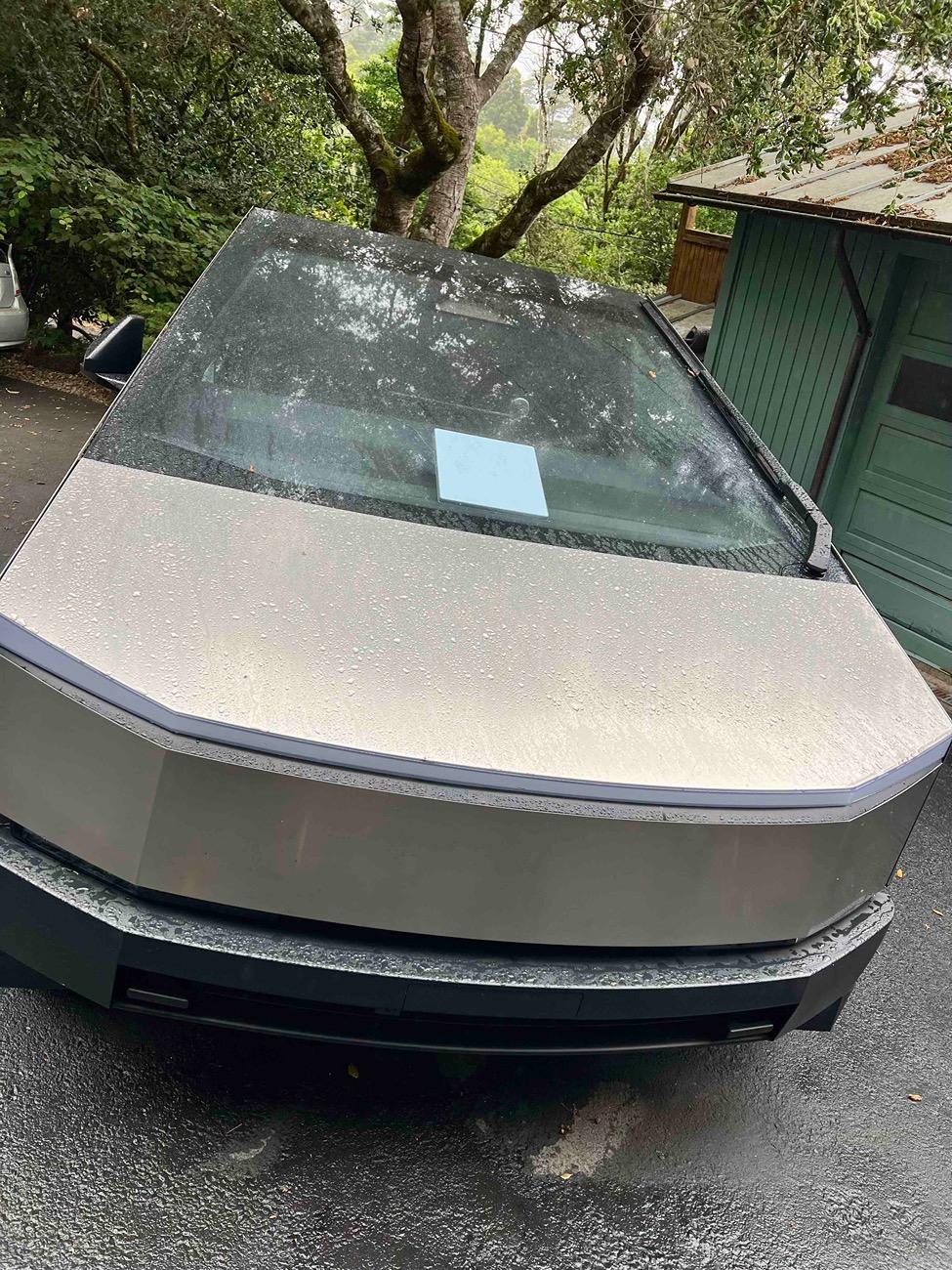
1) Initially tested in my CyberBeast (CB) against the front windshield (it fits perfectly, almost like someone engineered it to fit there -mmm). Powered off the CB AC plug in the back seat.
2) Make sure your phone is set to never turn off the display. At least with an iPhone once the display stopped the WiFi connection was terminated.
3) Establishing the connection is straightforward and easy, especially from a stationary position with a clear view of the sky. However during testing I was able to do this while moving (just takes longer). And remember that if your CB is AC plugged in (whether charging or not) the AC plugs are NOT available.
4) For testing you should turn off cellular and rely solely on SLM. In real life, depending on your phone it may select whatever is best at the time.
5) I live in an area with little to no cell coverage and made a 60 mile round trip through rural roads with lots of obstructions to clear sky views. SLM worked amazingly well with only a couple of complete drop outs. Usually it would be Optimizing/Orienting (meaning it had acquired a satellite and was trying to figure out which way the dish was pointed (tough when moving) as well as selecting new satellites). I am astounded that it worked as well as it did while moving.
5) On the way back I selected a long YouTube video and it played without hiccups. Buffering was fantastic.
6) I was going to try mounting the SLM on the inside of the roof (Extra strong Velco), but my results having it in the front windshield were so good it is actually more convenient there.
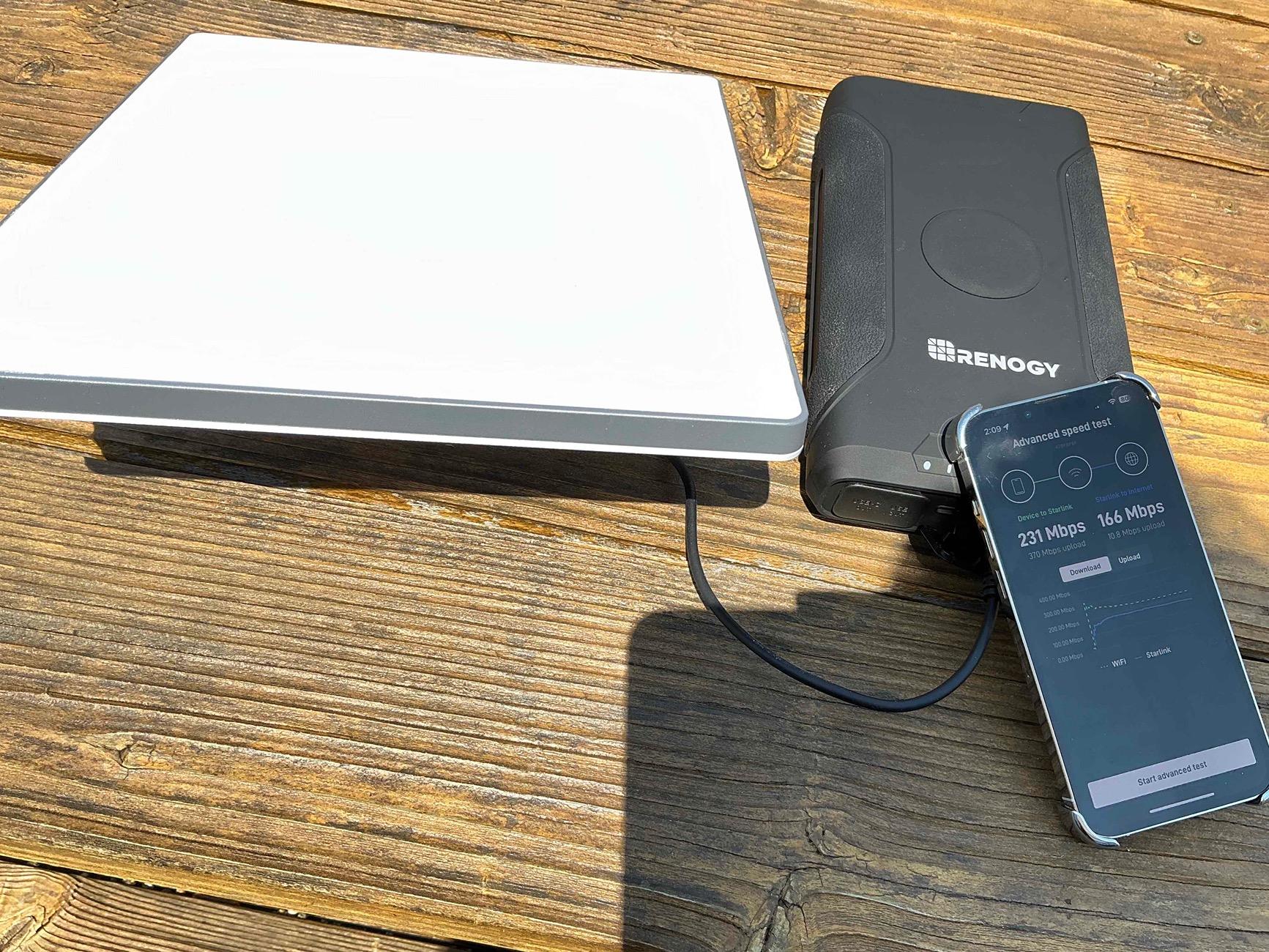
7) After dozens of Speed Tests (and Advanced Speed tests) both via the Starlink app on my iPhone and Ookala Speediest via Safari the downloads varied from 80 Mbs to over 200 Mbs, averaging about 100 Mbs. Uploads were 4Mbs to over 20Mbs averaging 17 Mbs. About as fast or faster than my local ISP. Most test done while driving around.
8) I also tested the Renology battery the OP has recommended. It works perfectly (the standard barrel connection works, no need to use any of the adaptors) but I found that boosting the voltage from 12V to 20V helped cut the initial acquisition time considerably.
9) The WiFi range that SLM creates is about 1200 sq ft. The app has a handy way to map out your space give you a visual map of where coverage is best. Starlink also sells separately a mesh box to connect their other Starlink products together (I didn't test that). I also has an ethernet connection on the dish to attach to other routers (I haven't tried or test that yet).
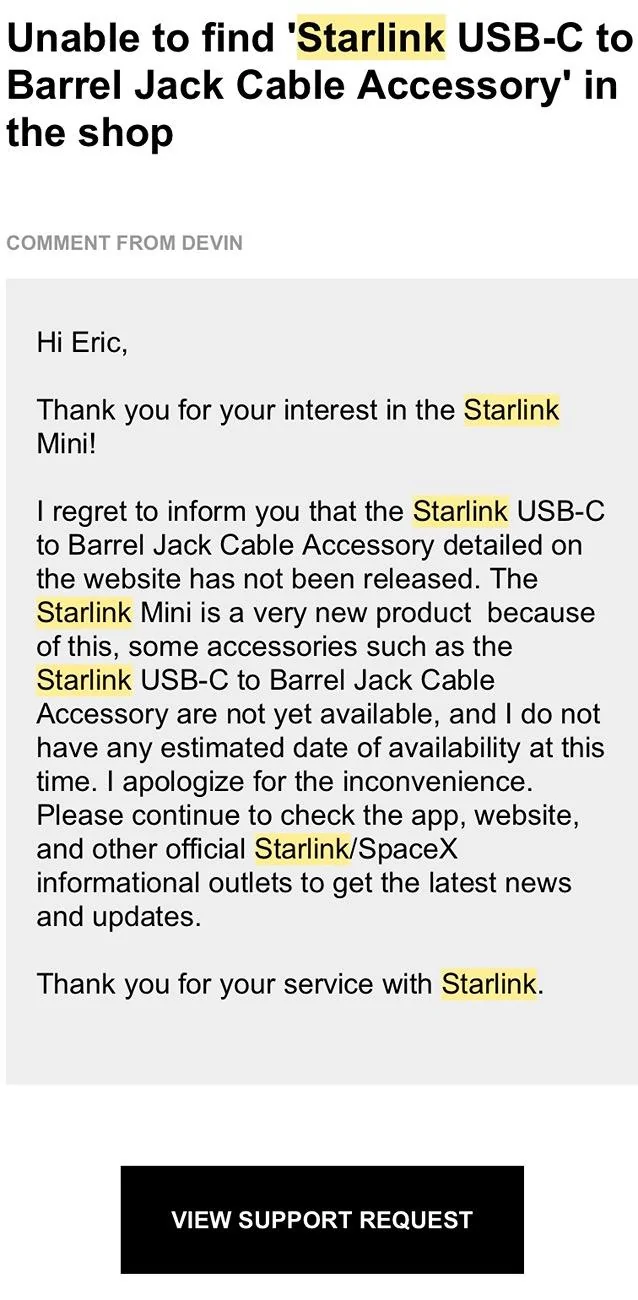
10) SLM technical specs refer to a "Starlink USB-C to Barrel Jack Cable Assembly" but it is not listed in their store. Below is a photo their response when I tried to order one.

I'll be using SLM for camping and Burning Man this year. But it is nice to know that it fits and works very well in my CB for offloading and remote areas.

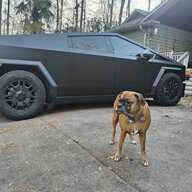
Below are a couple of photos...

IMG_8676.jpg


IMG_0006.jpg


SLM USB-C to Barrel Note.webp
A couple of follow up questions as I just ordered a Starlink mini tonight with the 50gb roaming plan. We have a trip coming up labor day weekend.

How long did it take to receive yours? (Website says 1-2 weeks so I'm hoping closer to 1 than 2)

I see you went with the battery. If I decide just to plug it in below the screen in the back does the included cord reach the dash so I can simply lay it on the dash or will I need a cord extender or else the battery?

Can multiple devices connect to the wifi network that the SLM establishes? Say a couple of laptops and a phone without issue? I would assume so, obviously more devices means more data usage.

If you connect the truck to the SLM wifi does the trucks browser work any faster than when on LTE cellular? I suppose if the FSD update arrives while we are in the mountains I could download that using the SLM wifi couldn't I?

Thanks in advance to answers to these newbie questions! ???


rudedawg78

Well-known member
First Name
Ernie
Joined
Jun 8, 2020
Threads
46
Messages
1,814
Reaction score
3,019
Location
South Carolina
Vehicles
2024 AWD Cybertruck (Foundation Series) "Wraith"
Occupation
Retired USAF, Emergency Manager
Country flag
How long did it take to get yours? See questions in prior post if you can help answer any of them. Tia!
It took about 9 days to receive mine once ordered.

I haven't had a chance to set it up yet and it is still in the box. I ordered me a pelican case also to store it in and havent set that up yet either.
 
OP
OP

loki

Well-known member
Joined
Mar 3, 2021
Threads
36
Messages
269
Reaction score
414
Location
localhost
Vehicles
Cybertruck
Country flag
A couple of follow up questions as I just ordered a Starlink mini tonight with the 50gb roaming plan. We have a trip coming up labor day weekend.

How long did it take to receive yours? (Website says 1-2 weeks so I'm hoping closer to 1 than 2)

I see you went with the battery. If I decide just to plug it in below the screen in the back does the included cord reach the dash so I can simply lay it on the dash or will I need a cord extender or else the battery?

Can multiple devices connect to the wifi network that the SLM establishes? Say a couple of laptops and a phone without issue? I would assume so, obviously more devices means more data usage.

If you connect the truck to the SLM wifi does the trucks browser work any faster than when on LTE cellular? I suppose if the FSD update arrives while we are in the mountains I could download that using the SLM wifi couldn't I?

Thanks in advance to answers to these newbie questions! ???
The cord definitely can reach the console outlet. The starlink mini also supports multiple devices. Speed will depend on many factors such as your orientation, congestion etc
 

TeslaKen

Well-known member
First Name
Ken
Joined
Apr 26, 2024
Threads
107
Messages
1,239
Reaction score
1,695
Location
Overland Park
Website
www.halocybertruck.com
Vehicles
Cyberbeast, M3PD+, GT4, XK140OTS
Occupation
Currently Occupied
Country flag
It took about 9 days to receive mine once ordered.

I haven't had a chance to set it up yet and it is still in the box. I ordered me a pelican case also to store it in and havent set that up yet either.
I didn't know Pelican made a case for it. ?
 

rudedawg78

Well-known member
First Name
Ernie
Joined
Jun 8, 2020
Threads
46
Messages
1,814
Reaction score
3,019
Location
South Carolina
Vehicles
2024 AWD Cybertruck (Foundation Series) "Wraith"
Occupation
Retired USAF, Emergency Manager
Country flag


TeslaKen

Well-known member
First Name
Ken
Joined
Apr 26, 2024
Threads
107
Messages
1,239
Reaction score
1,695
Location
Overland Park
Website
www.halocybertruck.com
Vehicles
Cyberbeast, M3PD+, GT4, XK140OTS
Occupation
Currently Occupied
Country flag

EMoeller

Well-known member
First Name
Eric
Joined
Aug 23, 2023
Threads
6
Messages
261
Reaction score
398
Location
West Marin, California
Vehicles
Porsches (992 Turbo S, 993 Turbo, 993 Targa)
Occupation
Geologist
Country flag
A couple of follow up questions as I just ordered a Starlink mini tonight with the 50gb roaming plan. We have a trip coming up labor day weekend.

How long did it take to receive yours? (Website says 1-2 weeks so I'm hoping closer to 1 than 2)

I see you went with the battery. If I decide just to plug it in below the screen in the back does the included cord reach the dash so I can simply lay it on the dash or will I need a cord extender or else the battery?

Can multiple devices connect to the wifi network that the SLM establishes? Say a couple of laptops and a phone without issue? I would assume so, obviously more devices means more data usage.

If you connect the truck to the SLM wifi does the trucks browser work any faster than when on LTE cellular? I suppose if the FSD update arrives while we are in the mountains I could download that using the SLM wifi couldn't I?

Thanks in advance to answers to these newbie questions! ???
It took less than two weeks for mine, but I ordered early when they first were announced.

Power cord is very long (16 ft I think?) so no worries about plugging into the plugs in the back. And yes, I simply lay the cord across the dash and then down under the seats. Also note how tightly the Mini fits against the front windshield. So it doesn't move unless you are really driving aggressively or off road. I've found that a little piece of velcro will keep in from moving even in the most aggressive of driving..

The WiFi covers a range of about 1200 sq ft and any number of devices can connect. Obviously there is only so much bandwidth so more devices on the same bandwidth can slow things down.

The CyberTruck can NOT access this WiFi at this time so if you are hoping to get the truck's system to improve in remote areas with Mini that is not possible until Tesla upgrades their systems to recognize it.

FYI from my initial post above I did test out attaching the Mini directly to the inside of the glass roof (via Velcro etc) to see if that would improve signal acquisition - result is that it did NOT. In my limited experience the front windshield using the little kick stand seems to be the best position for use when driving around and when stationary.
 

TeslaKen

Well-known member
First Name
Ken
Joined
Apr 26, 2024
Threads
107
Messages
1,239
Reaction score
1,695
Location
Overland Park
Website
www.halocybertruck.com
Vehicles
Cyberbeast, M3PD+, GT4, XK140OTS
Occupation
Currently Occupied
Country flag
It took less than two weeks for mine, but I ordered early when they first were announced.

Power cord is very long (16 ft I think?) so no worries about plugging into the plugs in the back. And yes, I simply lay the cord across the dash and then down under the seats. Also note how tightly the Mini fits against the front windshield. So it doesn't move unless you are really driving aggressively or off road. I've found that a little piece of velcro will keep in from moving even in the most aggressive of driving..

The WiFi covers a range of about 1200 sq ft and any number of devices can connect. Obviously there is only so much bandwidth so more devices on the same bandwidth can slow things down.

The CyberTruck can NOT access this WiFi at this time so if you are hoping to get the truck's system to improve in remote areas with Mini that is not possible until Tesla upgrades their systems to recognize it.

FYI from my initial post above I did test out attaching the Mini directly to the inside of the glass roof (via Velcro etc) to see if that would improve signal acquisition - result is that it did NOT. In my limited experience the front windshield using the little kick stand seems to be the best position for use when driving around and when stationary.
Thanks for the update! Weird that the truck wifi won't connect to the starlink wifi. Can you not rename the access point?
 
  • Like
Reactions: 2me

EMoeller

Well-known member
First Name
Eric
Joined
Aug 23, 2023
Threads
6
Messages
261
Reaction score
398
Location
West Marin, California
Vehicles
Porsches (992 Turbo S, 993 Turbo, 993 Targa)
Occupation
Geologist
Country flag
Thanks for the update! Weird that the truck wifi won't connect to the starlink wifi. Can you not rename the access point?
Got the Beast to recognize and now stay on the StarLink Mini WiFi by entering the WiFi credentials and then flipping a switch to tell it to stay connected while driving. Not sure if I missed this before it is new with the software update?

As expected it works well, although download speeds have settled in the 40+Mbs while driving. Still plenty fast for what I wanted to do - which was mostly music. Where I live cell coverage is terrible and so far Starlink WiFi has stopped the dreaded "Unable to Fetch" in Apple Music while Im truckin'

Off the Burning Man next week and while the Beast will stay clean at home, I'll be taking the Mini out for testing....
 

Friday

Well-known member
Joined
Jan 26, 2020
Threads
21
Messages
825
Reaction score
1,729
Location
Grover's Mill, NJ
Vehicles
CyberBête;CyberTier;CiberBestia;電脳獣;赛博兽;КиберЗверь;CiberFera;사이버비스트;CyberBeast
Please share pics if anyone at BM brings a CT. Also report on the attendee reactions...................?
Sponsored


Top