Sponsored

Starlink mini set up & 3D print request!

J.Graham

Well-known member
Joined
Jan 1, 2021
Threads
10
Messages
251
Reaction score
625
Location
BC
Vehicles
FS AWD & Model Y LR & 993
Country flag
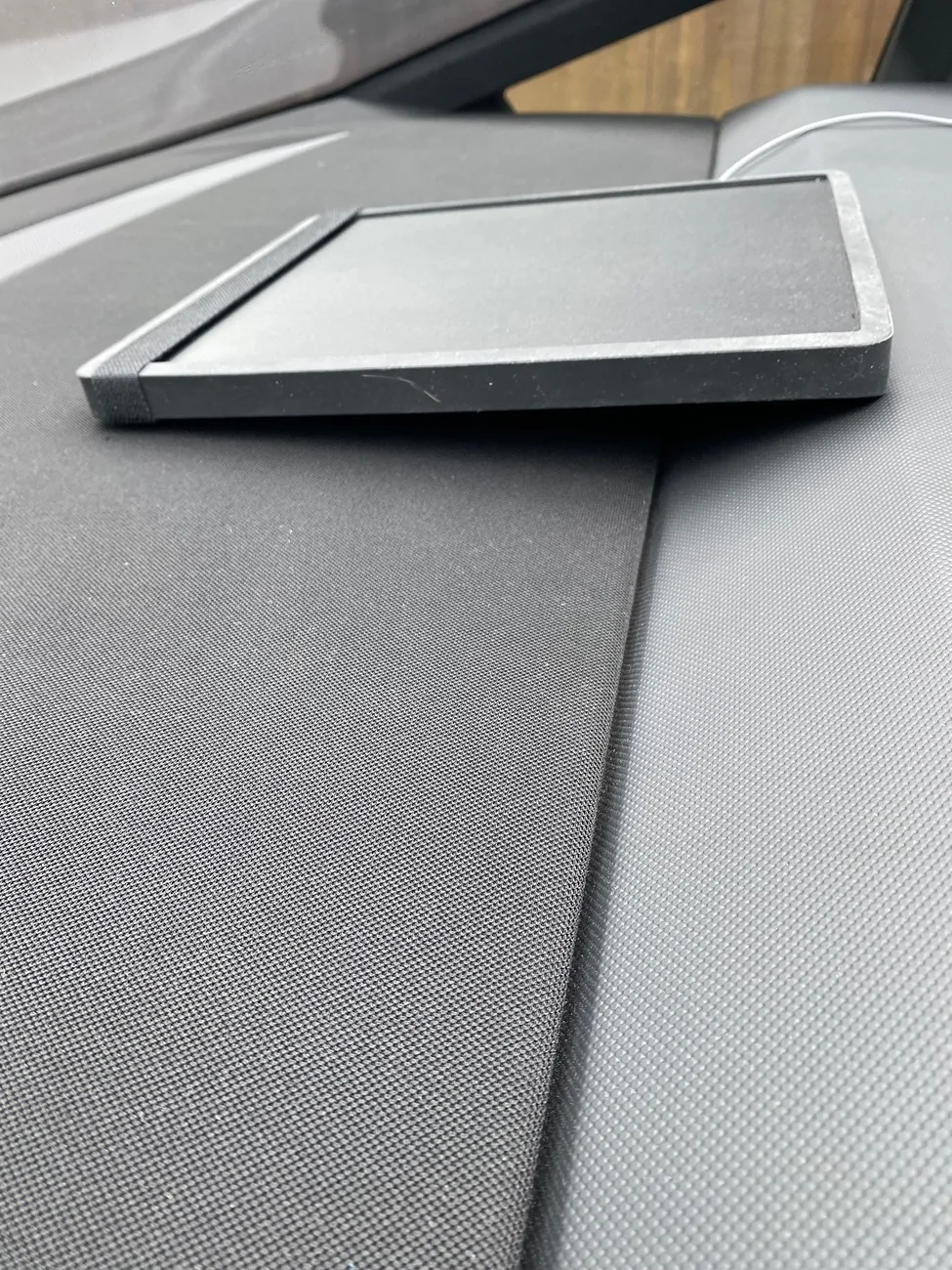
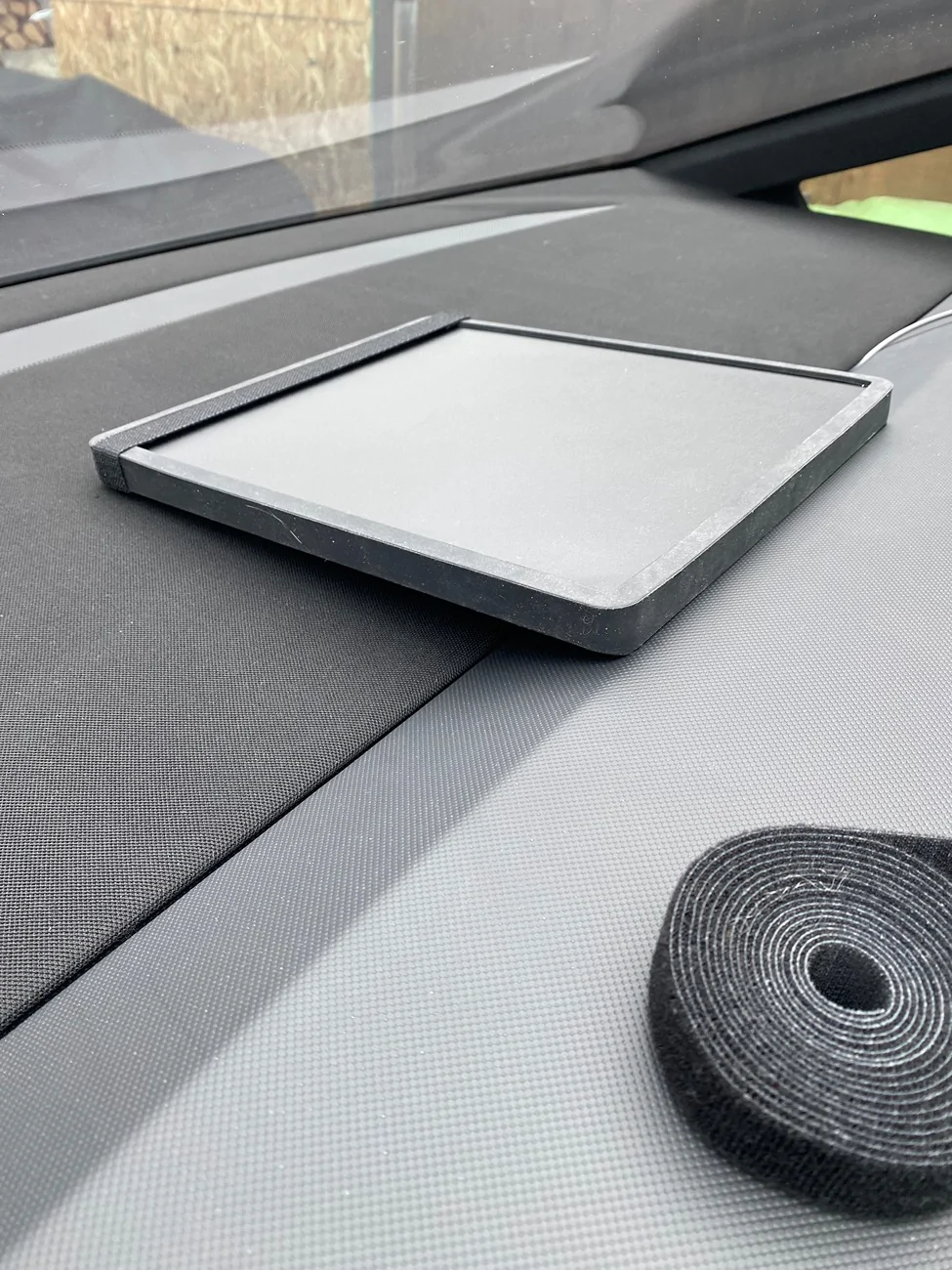
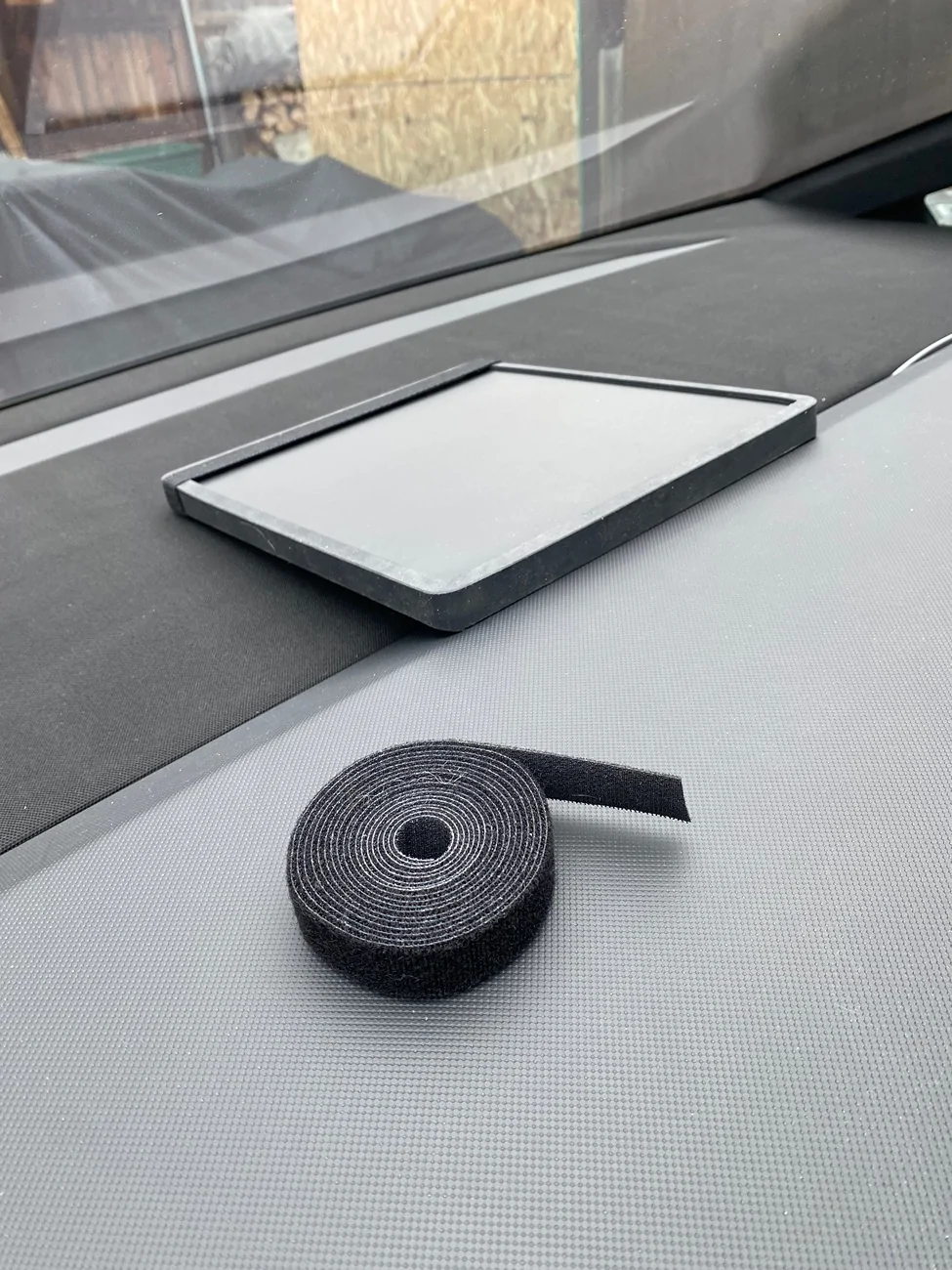
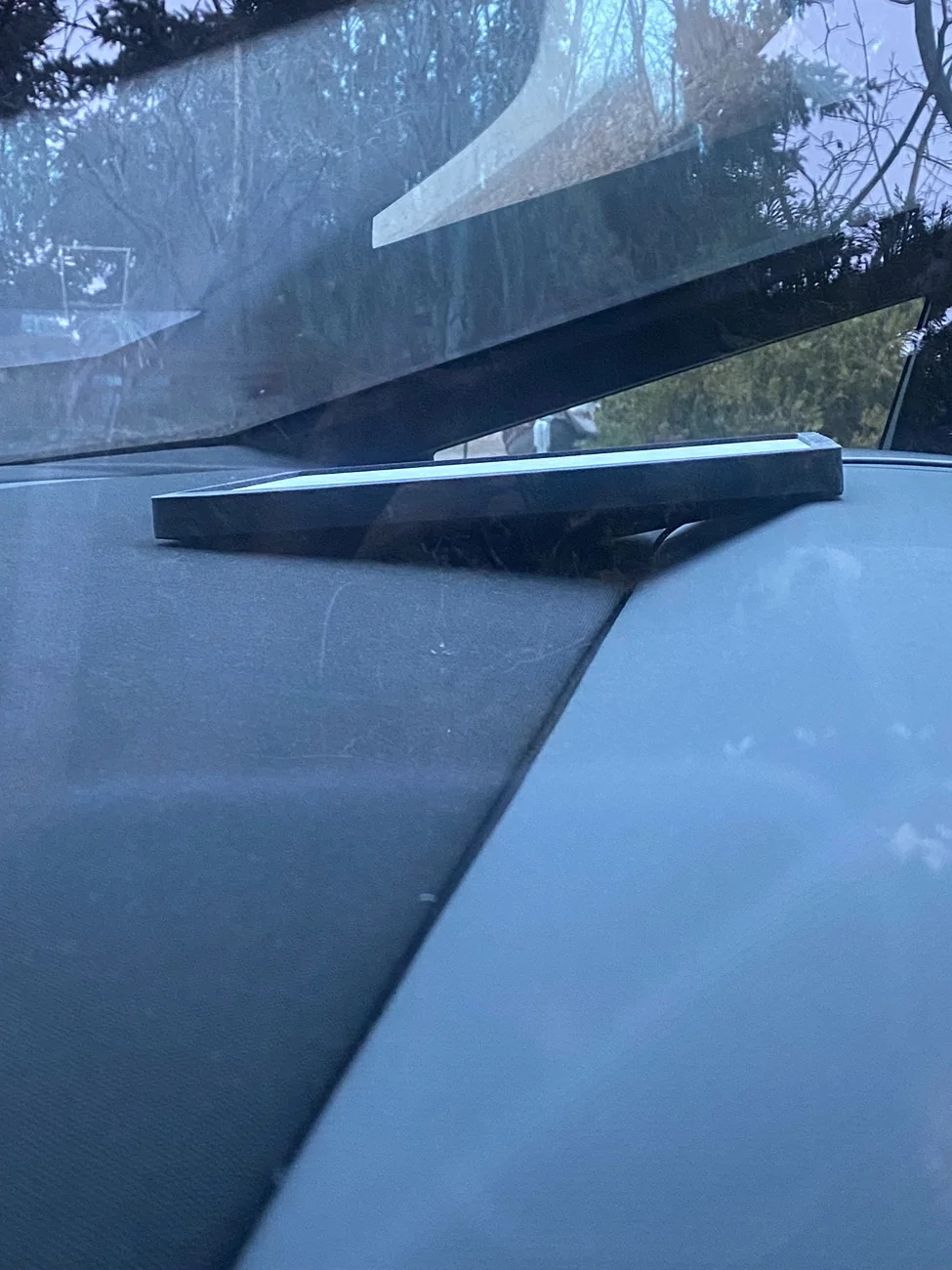
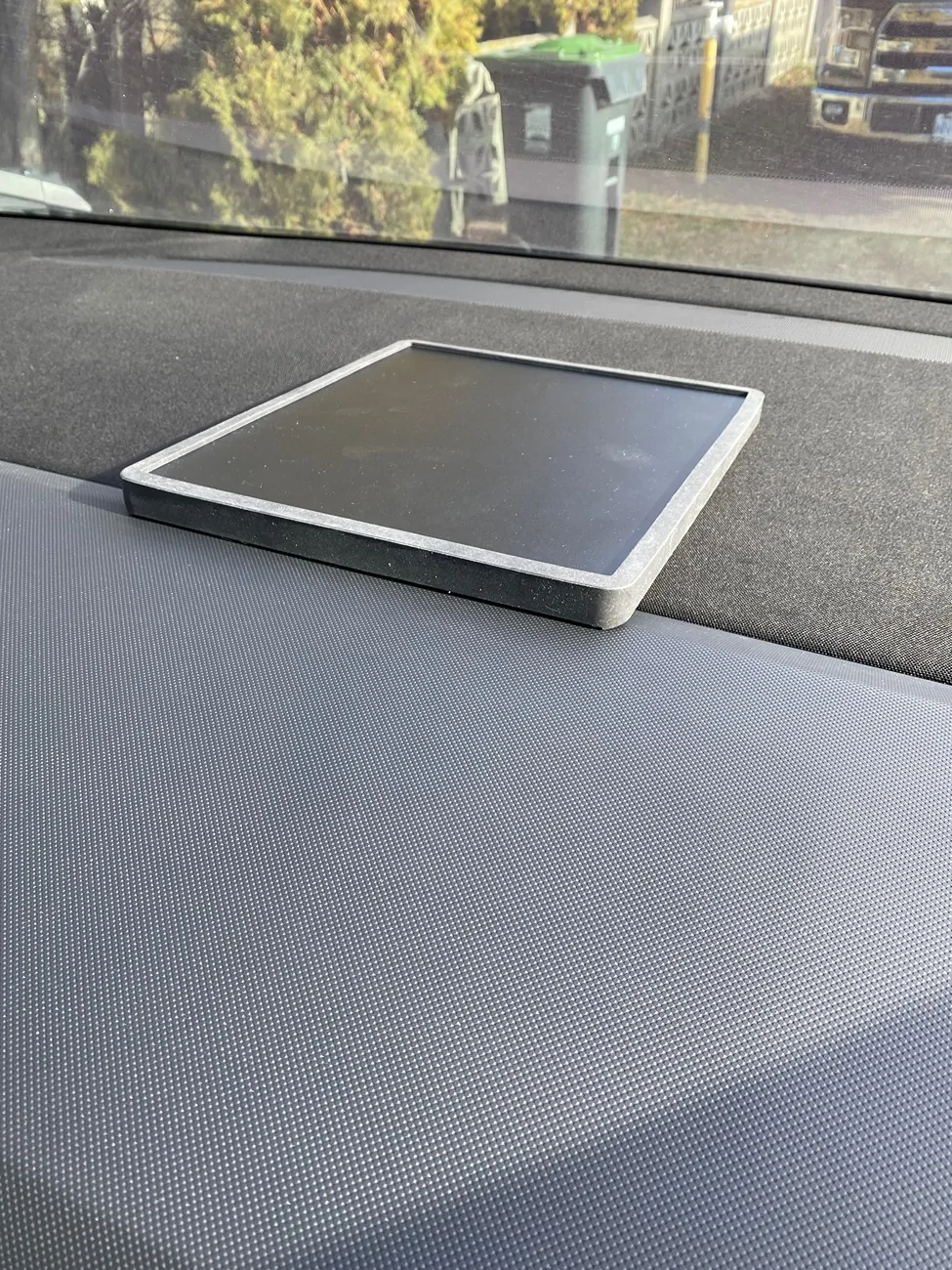
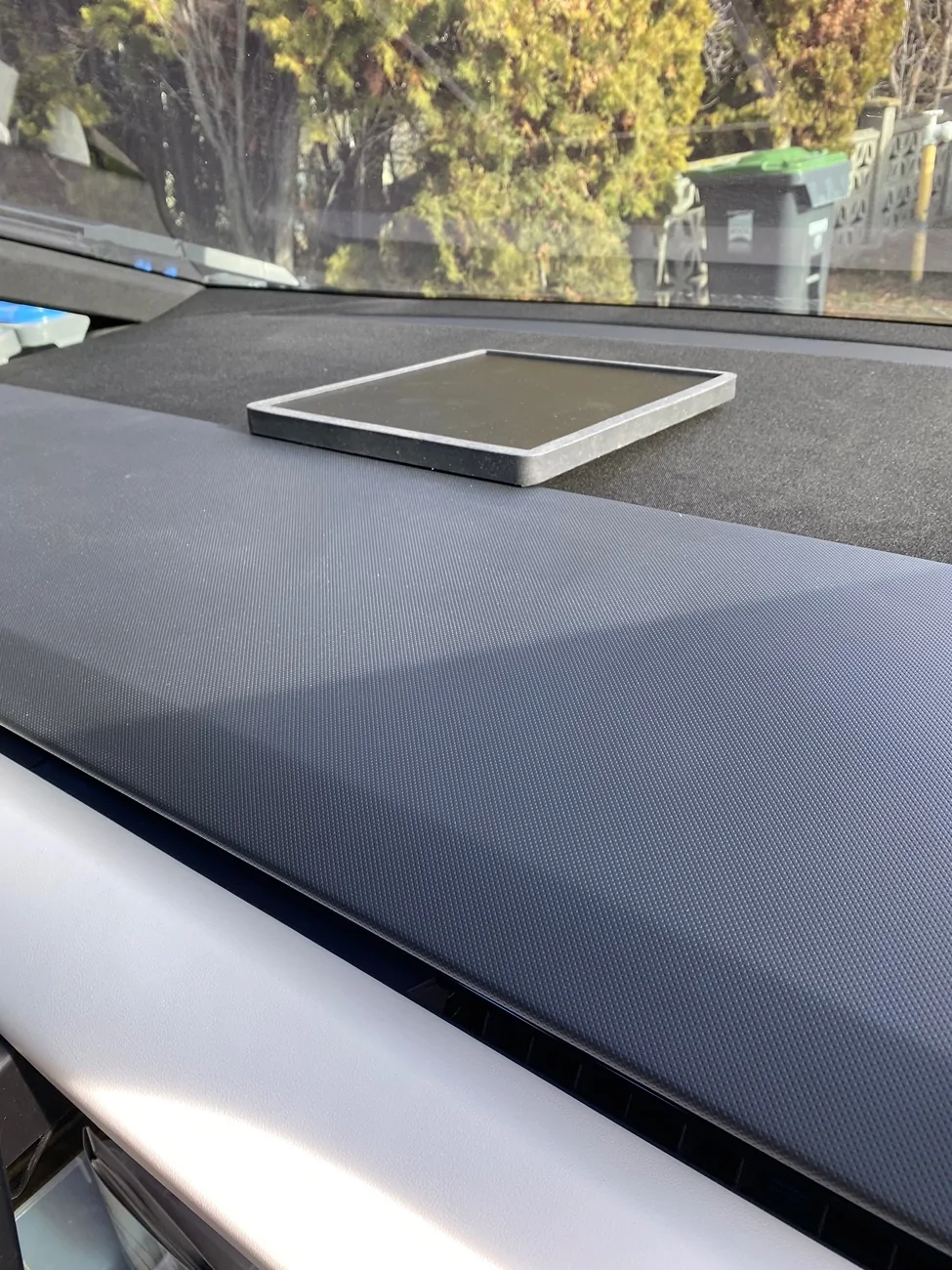
I finally pulled the trigger on a Starlink mini. Stuck it on the front dash with a strip of double sided Velcro and ran it through some mountain roads at high speeds over wash boards and through some technical sections that required extract mode with both lockers. The mini didn't budge, so I'm content with my set up at the moment. Still waiting for a USBC cord to tuck the wires away, but this held up perfectly!
The silicone case I purchased also came with a matte black sticker for the top of the dish which eliminates the reflection in the windshield.
All that being said, it would be great if one of you 3-D print gurus could make a silicone case with grippy knobs on the bottom that fits perfectly into the angle where the dash meets the cloth in the front windshield.

Tesla Cybertruck Starlink mini set up & 3D print request! IMG_6975
Tesla Cybertruck Starlink mini set up & 3D print request! IMG_6974
Tesla Cybertruck Starlink mini set up & 3D print request! IMG_6972
Tesla Cybertruck Starlink mini set up & 3D print request! IMG_6969
Tesla Cybertruck Starlink mini set up & 3D print request! IMG_6965
Tesla Cybertruck Starlink mini set up & 3D print request! IMG_6976
Sponsored


Fugue

Well-known member
Joined
Nov 28, 2022
Threads
4
Messages
420
Reaction score
1,100
Location
Kentucky
Vehicles
Cybertruck AWD FSD, Model Y LR FSD
Occupation
Tech Industry Grunt
Country flag
The silicone case I purchased also came with a matte black sticker for the top of the dish which eliminates the reflection in the windshield.
Would you mind sharing a link?
 
OP
OP
J.Graham

J.Graham

Well-known member
Joined
Jan 1, 2021
Threads
10
Messages
251
Reaction score
625
Location
BC
Vehicles
FS AWD & Model Y LR & 993
Country flag
https://a.co/d/0djm8LKX

If your already having success with velcro could you not use this to secure top and bottom?
Probably but I like where its sitting now, at the edge of the dash. A custom case that sits right there and fills the space underneath with little nubs to grab the fabric would lock it in and be very sleek.


OP
OP
J.Graham

J.Graham

Well-known member
Joined
Jan 1, 2021
Threads
10
Messages
251
Reaction score
625
Location
BC
Vehicles
FS AWD & Model Y LR & 993
Country flag
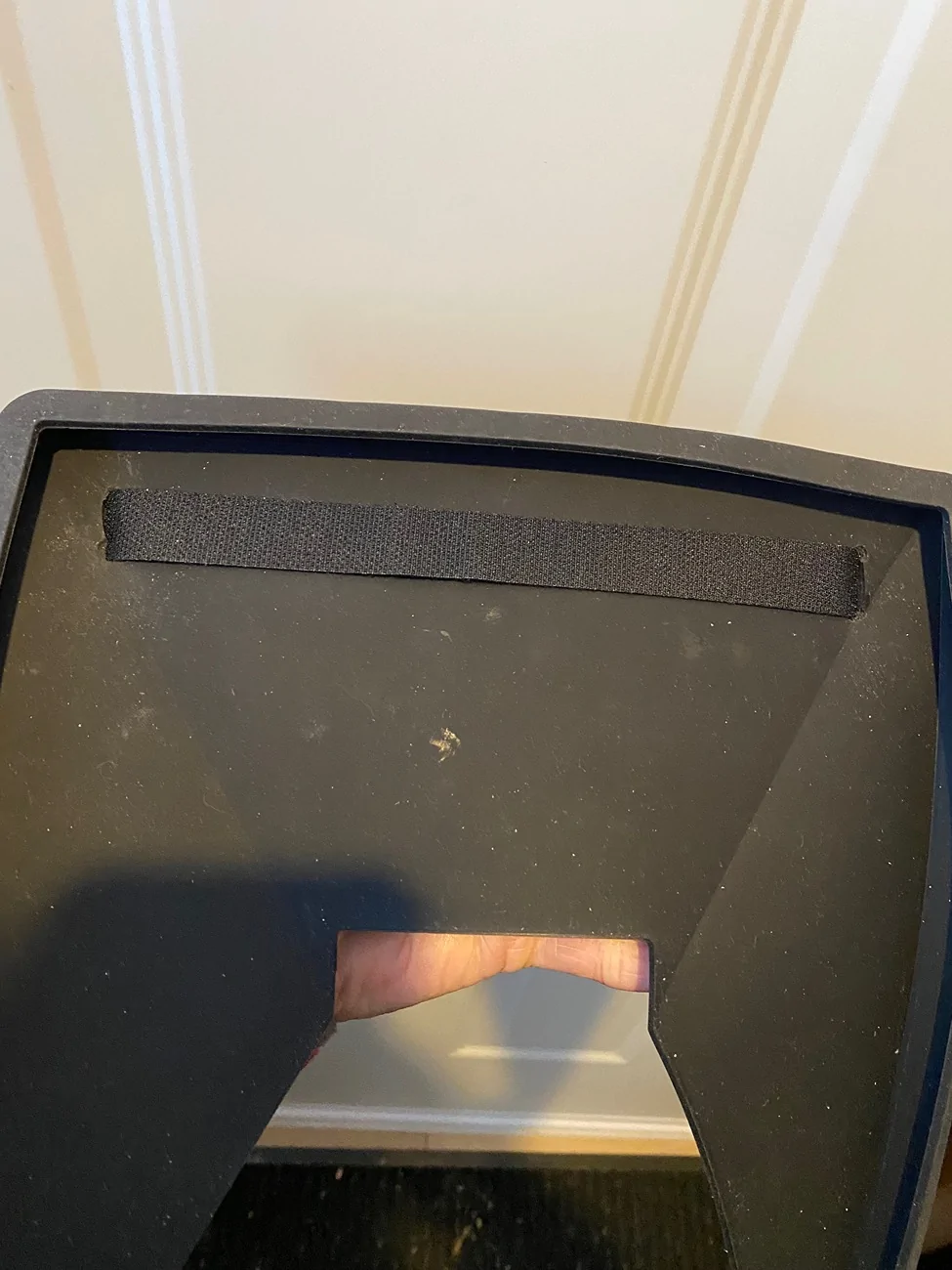
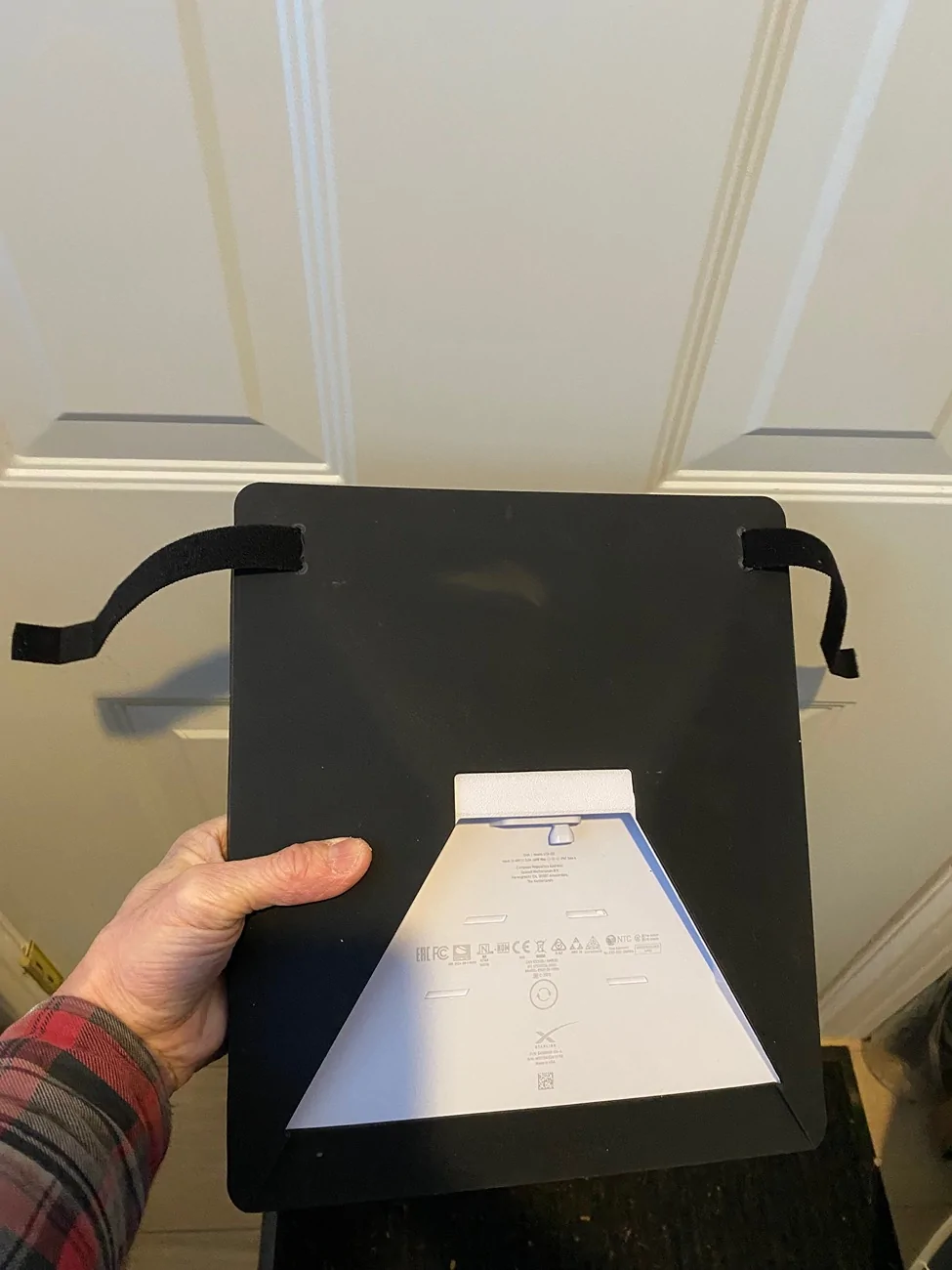
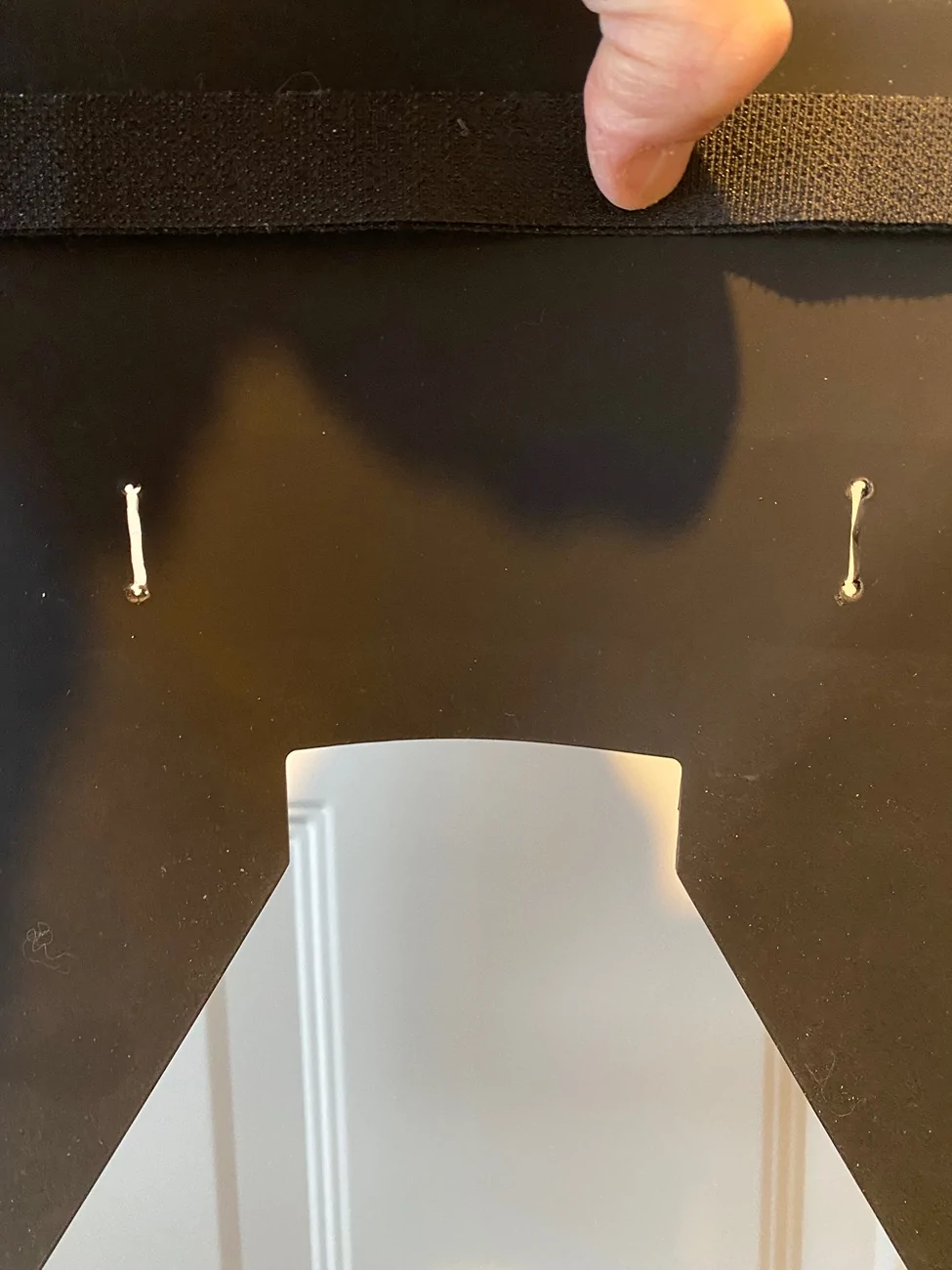
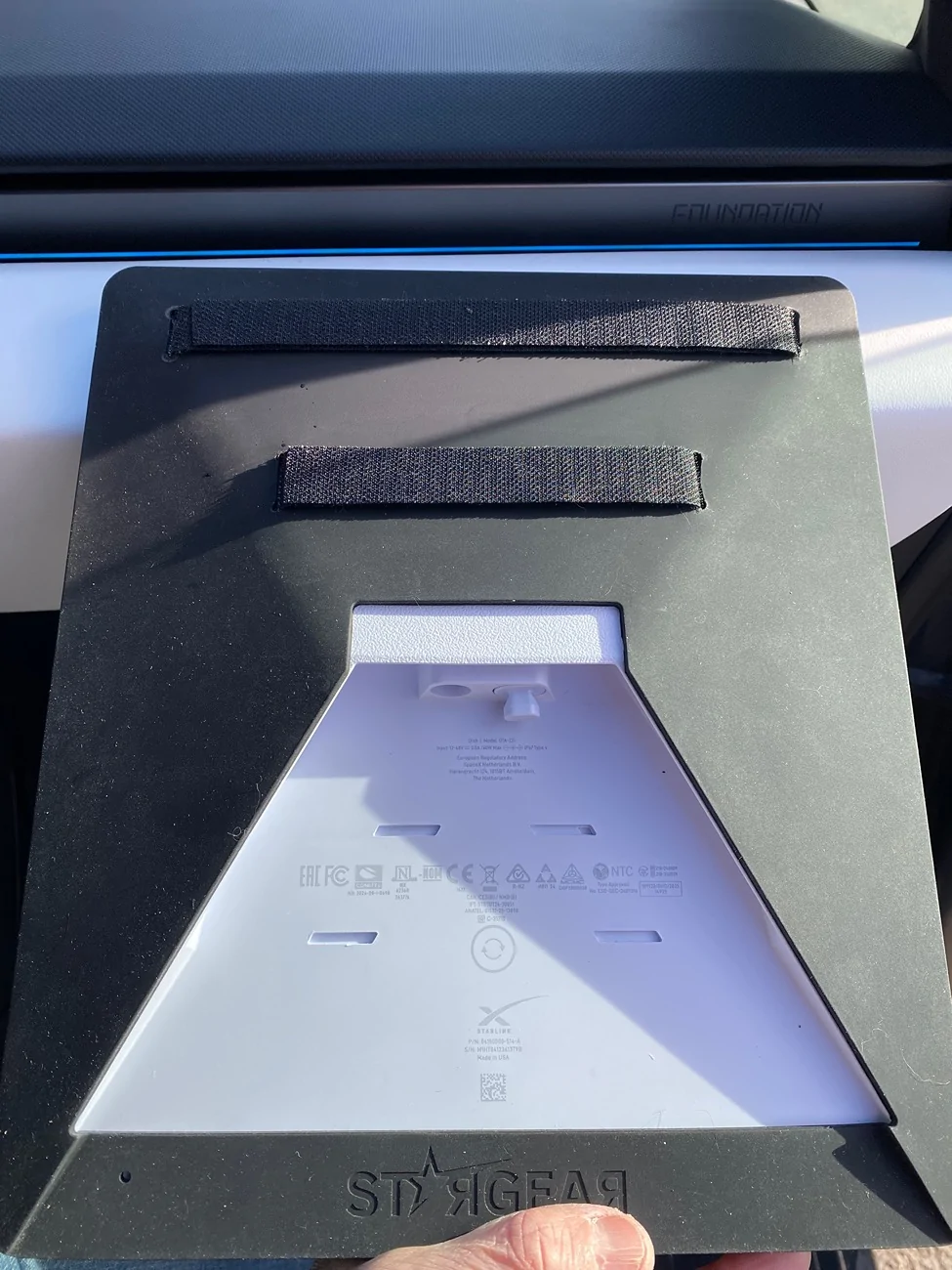
Improvement to original install. I decided to cut 4 slits in the case and run the velcro under the mini so it's completely hidden. Turned out great and sits very solid on the dash. Also drilled holes at each end of the 1" slits before cutting the silicone. Thought about positioning the mini to the passangers side but chose the center of the dash for full exposure, better security (harder to reach in and grab it), and probably a little more stable when off-roading (although this thing doesn't budge!). Changed the 110 plug to a 16.4 ft usbc cable and routed along the dash to the pasangers side down the inside of the door frame to the foot sill and under the rear floor mat. Completely hidden cable. Small plastic pry tool came in handy!

Tesla Cybertruck Starlink mini set up & 3D print request! IMG_6981


Tesla Cybertruck Starlink mini set up & 3D print request! IMG_6980


Tesla Cybertruck Starlink mini set up & 3D print request! IMG_6985


Tesla Cybertruck Starlink mini set up & 3D print request! IMG_6988


Tesla Cybertruck Starlink mini set up & 3D print request! IMG_6989


Tesla Cybertruck Starlink mini set up & 3D print request! IMG_6990
 

mfqfgc

Member
First Name
Nathan
Joined
Aug 6, 2025
Threads
0
Messages
9
Reaction score
2
Location
victorville
Vehicles
cybertruck
Country flag
Can you link the USB you used? And where are you plugging in to?
 
OP
OP
J.Graham

J.Graham

Well-known member
Joined
Jan 1, 2021
Threads
10
Messages
251
Reaction score
625
Location
BC
Vehicles
FS AWD & Model Y LR & 993
Country flag
Can you link the USB you used? And where are you plugging in to?
I went with a 16.4FT usbc cable and tucked it along the dash down around the passengers side along the inside of the door jam along the floor to the back and plugged it in one of the rear outlets behind the center console.

Starlink Mini USB C Power Cable, 100W 16.4FT/5M Power Cable for Starlink Mini DC Male to Type-C Male Waterproof Starlink Mini Accessories https://a.co/d/0dxGgrRd


mfqfgc

Member
First Name
Nathan
Joined
Aug 6, 2025
Threads
0
Messages
9
Reaction score
2
Location
victorville
Vehicles
cybertruck
Country flag
I went with a 16.4FT usbc cable and tucked it along the dash down around the passengers side along the inside of the door jam along the floor to the back and plugged it in one of the rear outlets behind the center console.

Starlink Mini USB C Power Cable, 100W 16.4FT/5M Power Cable for Starlink Mini DC Male to Type-C Male Waterproof Starlink Mini Accessories https://a.co/d/0dxGgrRd
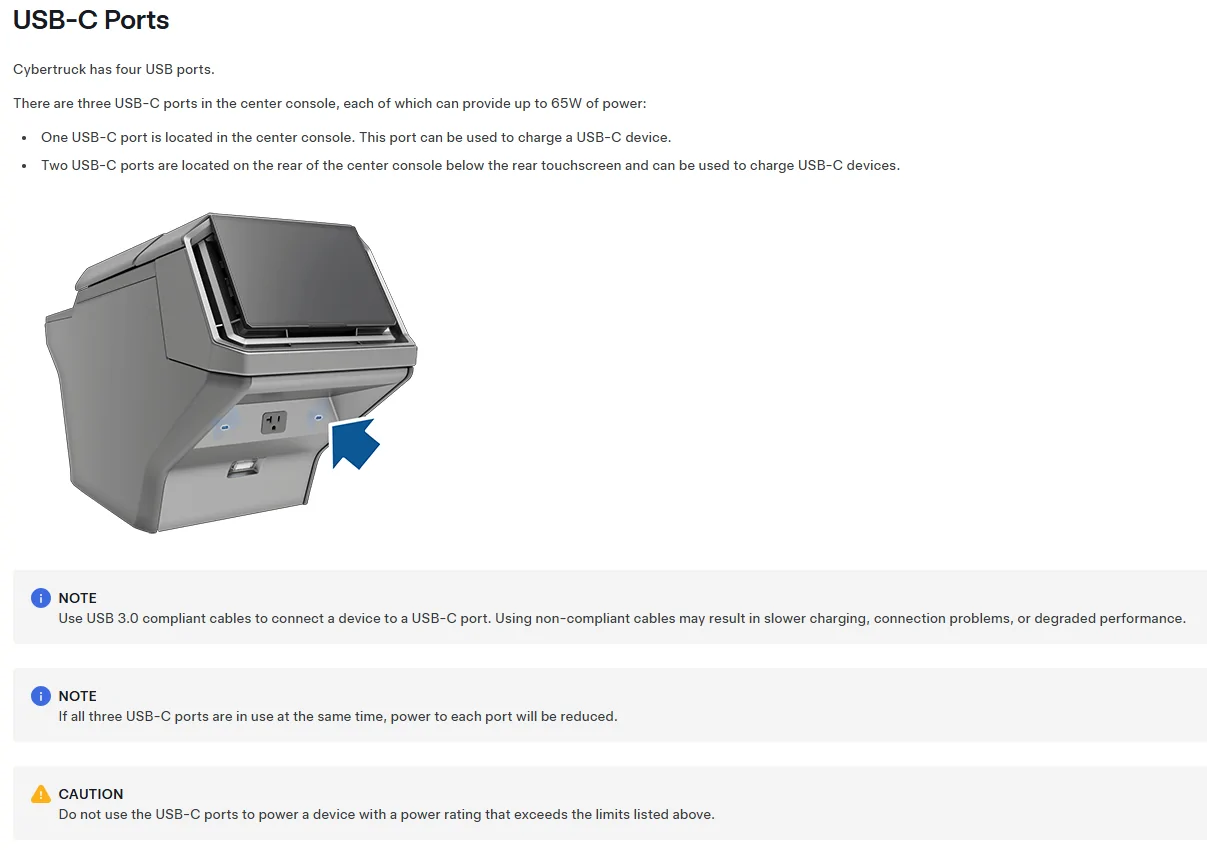
thats 45watts those back USB plugs have. think the one under the center console is 100 watts. Thanks for linking it. i will do the same. ordered
 

CyberT

Well-known member
Joined
May 18, 2020
Threads
23
Messages
673
Reaction score
1,416
Location
Orange County, CA
Vehicles
2024 Cybertruck AWD and 2018 Model 3 LR RWD
Occupation
Service Technician
Country flag
thats 45watts those back USB plugs have. think the one under the center console is 100 watts. Thanks for linking it. i will do the same. ordered
Technicaly all 3 USB-C ports are 65w. But if multiple outlets are being used at the same time, then the power output will be reduced.
Tesla Cybertruck Starlink mini set up & 3D print request! 1771594079980-2d
 

hemiarch

Well-known member
First Name
Ace
Joined
Jan 22, 2025
Threads
116
Messages
8,357
Reaction score
9,588
Location
Arizona
Vehicles
2024 foundation AWD, 2024 model x
Occupation
Trauma Surgeon
Country flag
Improvement to original install. I decided to cut 4 slits in the case and run the velcro under the mini so it's completely hidden. Turned out great and sits very solid on the dash. Also drilled holes at each end of the 1" slits before cutting the silicone. Thought about positioning the mini to the passangers side but chose the center of the dash for full exposure, better security (harder to reach in and grab it), and probably a little more stable when off-roading (although this thing doesn't budge!). Changed the 110 plug to a 16.4 ft usbc cable and routed along the dash to the pasangers side down the inside of the door frame to the foot sill and under the rear floor mat. Completely hidden cable. Small plastic pry tool came in handy!

IMG_6981.webp


IMG_6980.webp


IMG_6985.webp


IMG_6988.webp


IMG_6989.webp


IMG_6990.webp
 

hemiarch

Well-known member
First Name
Ace
Joined
Jan 22, 2025
Threads
116
Messages
8,357
Reaction score
9,588
Location
Arizona
Vehicles
2024 foundation AWD, 2024 model x
Occupation
Trauma Surgeon
Country flag
Does the Velcro stick well to that dash covering? The loop side directly to the material?
 
OP
OP
J.Graham

J.Graham

Well-known member
Joined
Jan 1, 2021
Threads
10
Messages
251
Reaction score
625
Location
BC
Vehicles
FS AWD & Model Y LR & 993
Country flag
Does the Velcro stick well to that dash covering? The loop side directly to the material?
Yes it does! I was quite surprised. And I've put it to the test several times now...it doesn't budge!!!
(Insert me in Baja mode 95%R/5%F doing crazy doughnuts on rutted out open dirt area in the mountains behind my house) 😎🤘😝
Sponsored


Top