Sponsored

WiFi issues.

Qixer01

Well-known member
First Name
Joshua
Joined
Jan 9, 2021
Threads
10
Messages
220
Reaction score
252
Location
Hope Mills, NC
Vehicles
CyberTruck
Country flag
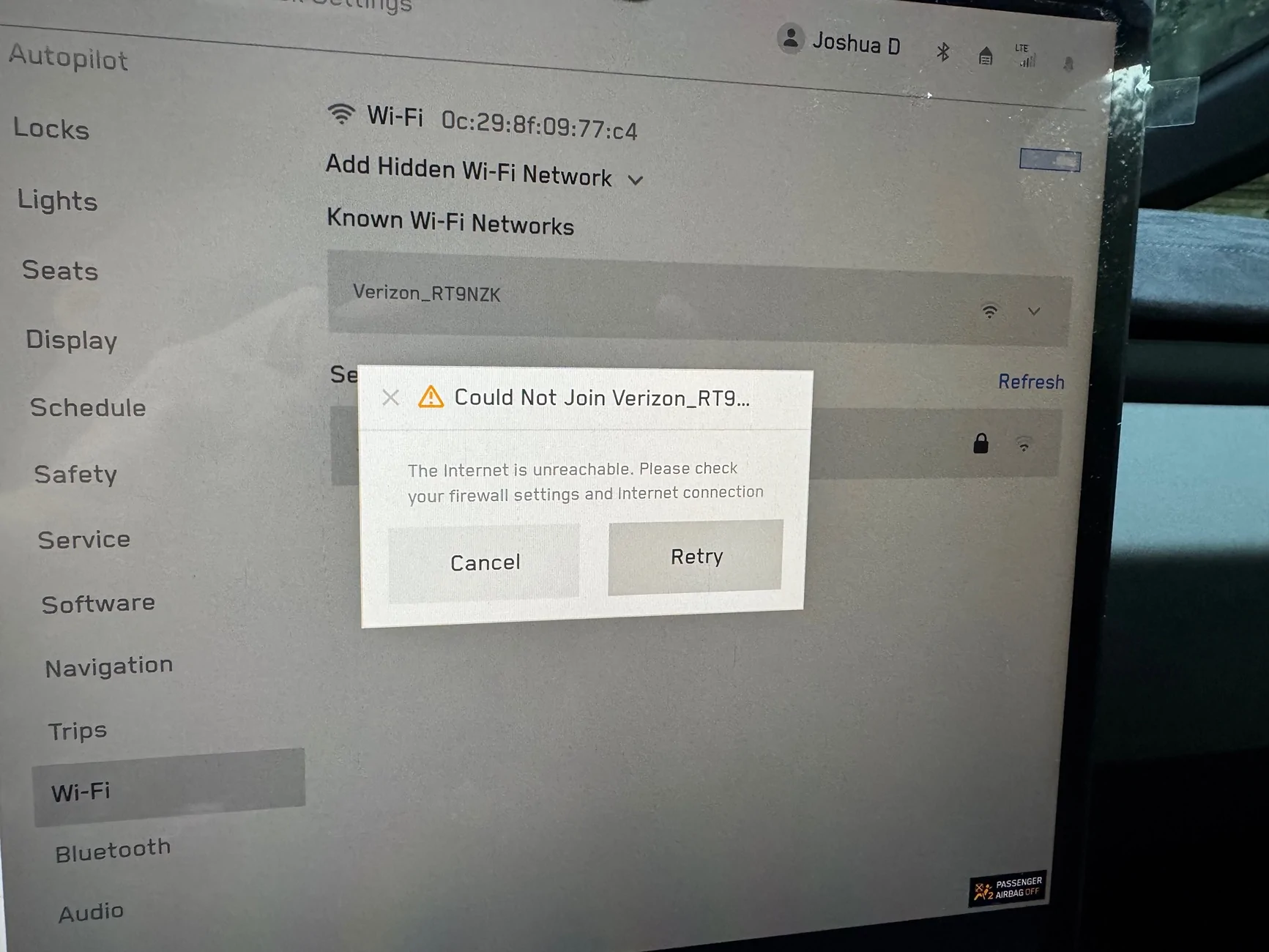
Since day one I have had issues getting my FSCB to connect to WiFi. The last update I had to download at the supercharger and install at home.
I have tried my iPhone hotspot, my home internet, the neighbors internet. It just will not connect.

any clue as to where the WiFi antenna is?

anyone else having WiFi connection issues?

I have reset using both thumb wheels several times.
Tesla Cybertruck WiFi issues. IMG_4691
Sponsored


JCERRN

Well-known member
First Name
J
Joined
May 3, 2021
Threads
33
Messages
1,226
Reaction score
1,409
Location
Around
Vehicles
Yeah
Country flag
You should be able to go into service menu and see the status of your wifi signal. Are you able to connect to a mobile hotspot or is it just some networks?
 
  • Like
Reactions: REM

CyberGus

Well-known member
First Name
Gus
Joined
May 22, 2021
Threads
91
Messages
10,236
Reaction score
33,889
Location
Austin, TX
Vehicles
1981 DeLorean, 2024 Cybertruck
Occupation
IT Specialist
Country flag
any clue as to where the WiFi antenna is?
I checked the Service Guide, EPC, and wiring diagram, none of which reference the WiFi nor Cellular antennas. Hmmm.

In the Model S and early 3/Y, those antennas were in the RH mirror housing. They were later moved to the headliner.

The Cybertruck lists no such antennas in the headliner, but there is a "Telematics Control Unit" there. I presume this houses the WiFi/Cellular radios and antennas within an integrated assembly.

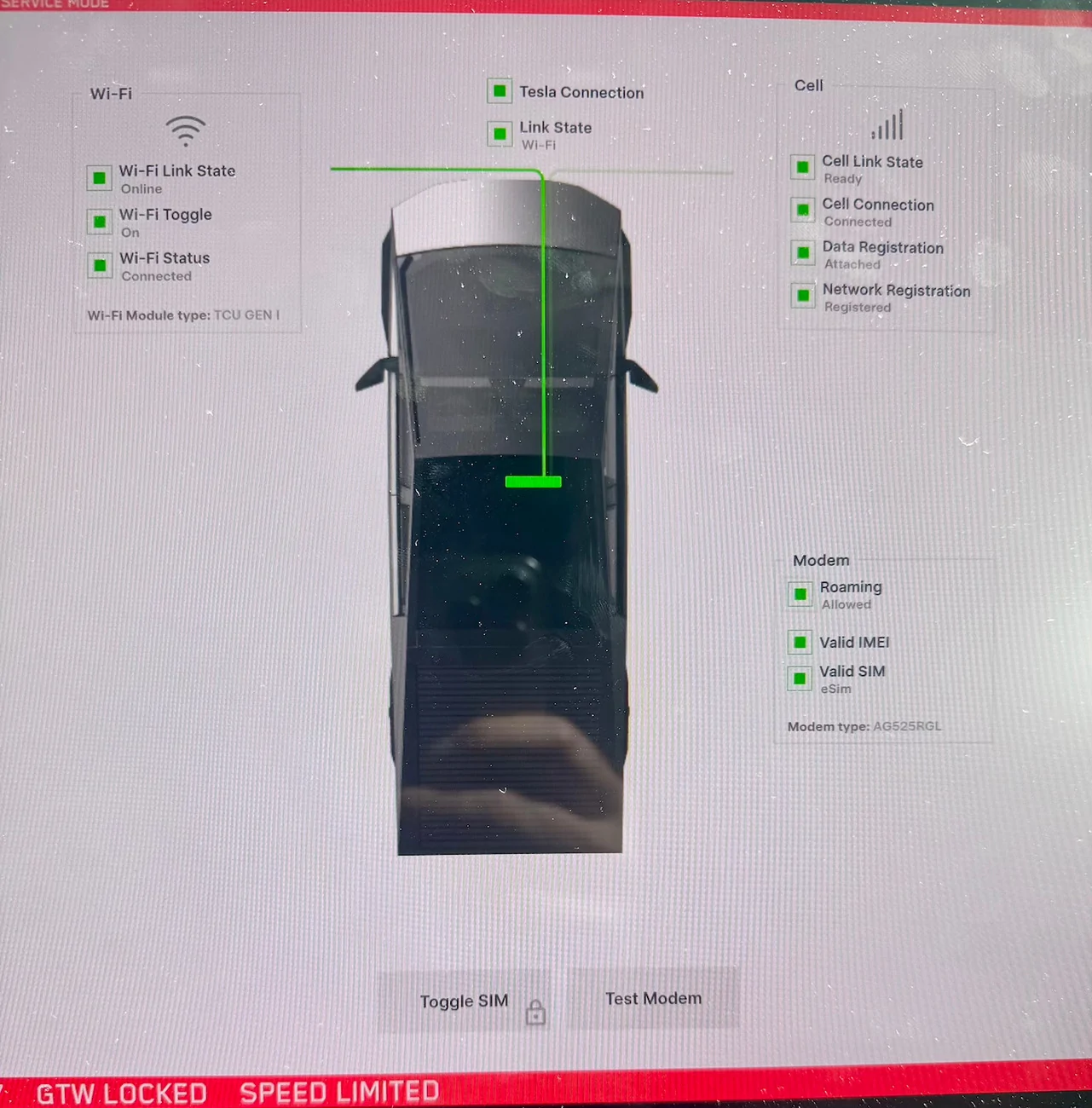
In Service Mode, the "Connectivity" block diagram shows the WiFi and Cellular connected to the TCU:


Tesla Cybertruck WiFi issues. IMG_1346


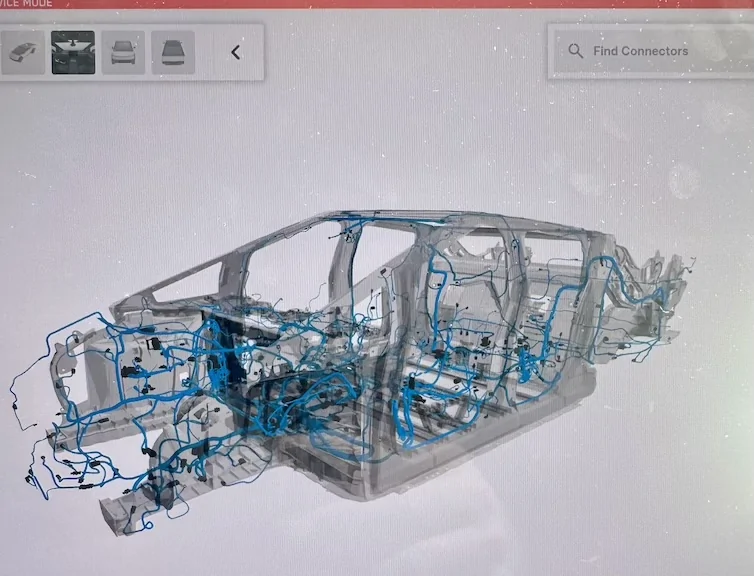
So, the TCU may need replacing if WiFi is not working, although it could be as simple as a loose connector. You can find it using Service Mode's "Interactive Wiring Diagram", which is pretty cool:

Tesla Cybertruck WiFi issues. IMG_1347


There are also images with the R&R procedure in the Service Guide:

https://service.tesla.com/docs/Cybe...UID-92242BB9-667A-4844-AAB8-F777DEB7D34E.html
 
OP
OP

Qixer01

Well-known member
First Name
Joshua
Joined
Jan 9, 2021
Threads
10
Messages
220
Reaction score
252
Location
Hope Mills, NC
Vehicles
CyberTruck
Country flag
I checked the Service Guide, EPC, and wiring diagram, none of which reference the WiFi nor Cellular antennas. Hmmm.

In the Model S and early 3/Y, those antennas were in the RH mirror housing. They were later moved to the headliner.

The Cybertruck lists no such antennas in the headliner, but there is a "Telematics Control Unit" there. I presume this houses the WiFi/Cellular radios and antennas within an integrated assembly.

In Service Mode, the "Connectivity" block diagram shows the WiFi and Cellular connected to the TCU:


IMG_1346.jpg


So, the TCU may need replacing if WiFi is not working, although it could be as simple as a loose connector. You can find it using Service Mode's "Interactive Wiring Diagram", which is pretty cool:

IMG_1347.jpg


There are also images with the R&R procedure in the Service Guide:

https://service.tesla.com/docs/Cybe...UID-92242BB9-667A-4844-AAB8-F777DEB7D34E.html
Thanks for that in depth response. I’ll look further into it.
Sponsored


Top