Loudness
Well-known member
- First Name
- Jay
- Joined
- Mar 11, 2024
- Threads
- 23
- Messages
- 356
- Reaction score
- 1,230
- Location
- Atlanta
- Vehicles
- Cybertruck (AWD)

- Thread starter
- #1
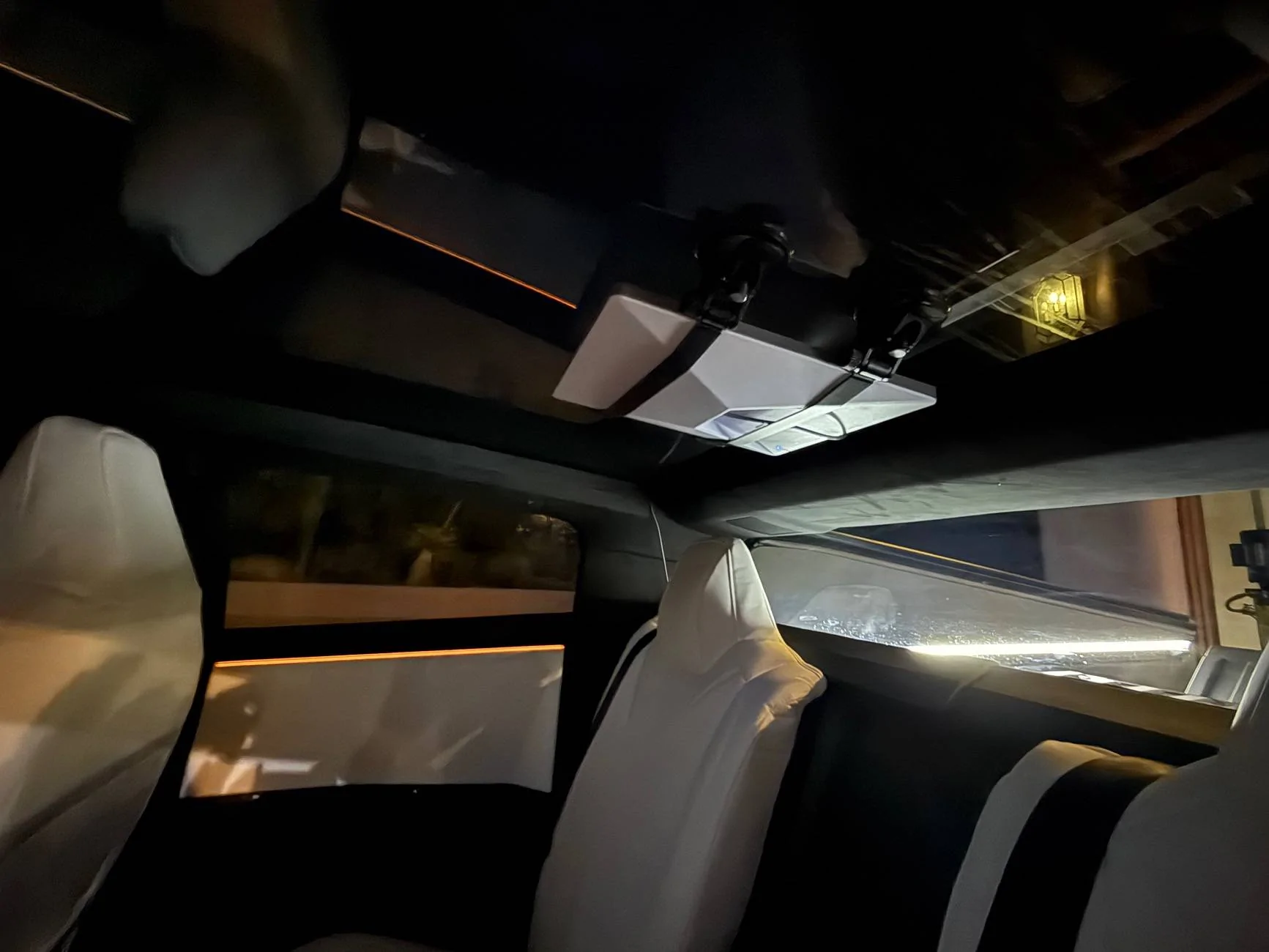
I recently took advantage of the $299 deal for the Starlink Mini, and decided to mount it to the inside of the Cybertruck’s panoramic roof glass. It's super clean, no wire visible (except a short bit between the dish and the trim) and fits beautifully under the OEM sunshade.
After a little research, I chose a suction cup mount from ContronX, which promised a secure hold without damaging the glass. The challenge was to route the power cable cleanly to the Cybertruck’s power outlet. Here’s how I made it happen.
I chose to mount it just behind the front seats, leaving enough room to slide it out of the mount if I want to use it without the CT. The ContronX mount makes it easy to remove the Mini without unlatching the suction cups. It would have been a little bit cleaner on the wiring if I lined it up next to the rear trim, but I didn't want to shrink the headroom for a middle seat occupant.

Running the power cable was the trickiest part, as I wanted a clean, factory-like look. Starting at the Starlink Mini, I tucked the cable under the interior trim along the back edge of the roof glass. The Cybertruck’s trim is flexible enough to gently pry up with a plastic trim tool, allowing me to hide the cable without damaging anything.
From there, I tucked the cable down along the rear seat edge, using a spudger to tuck it deep and hide it completely. To keep things seamless, I ran the cable across to the the center under the rear seats and then under the floor mat. Finally, I brought the cable up to the Cybertruck’s power outlet near the center console. You can see the white brick under there. I have an option to convert it to USB-C and use one of those plugs, but I already have another accessory there, and I'm not using the 120v for anything else at the moment. The entire process took about 15 minutes.
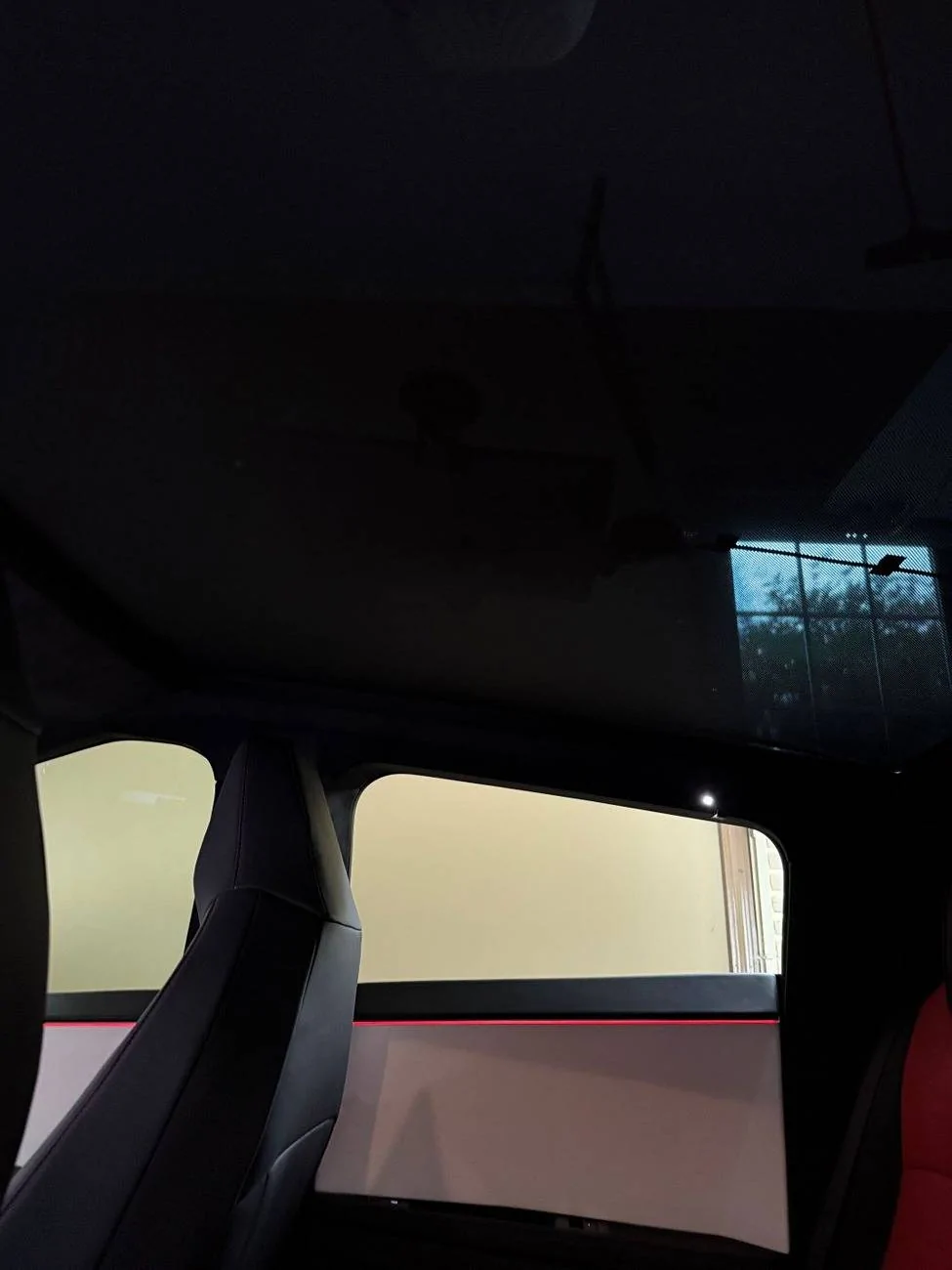
With the sunshade installed, you can't really see it unless you're looking for it, especially at night.
The connectivity is great, I'm hitting about ~150Mbps up and ~14Mbps down with a 20ms ping while driving around. For me, something like this isn't really needed 90% of the time, since 5G on my phone is faster and the Foundation CT has lifetime premium connectivity over 4G (which works great), but it's nice to have for those times when I'm out in the boonies. Plus, it's fun being a 3.5 ton rolling hotspot ?
After a little research, I chose a suction cup mount from ContronX, which promised a secure hold without damaging the glass. The challenge was to route the power cable cleanly to the Cybertruck’s power outlet. Here’s how I made it happen.
I chose to mount it just behind the front seats, leaving enough room to slide it out of the mount if I want to use it without the CT. The ContronX mount makes it easy to remove the Mini without unlatching the suction cups. It would have been a little bit cleaner on the wiring if I lined it up next to the rear trim, but I didn't want to shrink the headroom for a middle seat occupant.
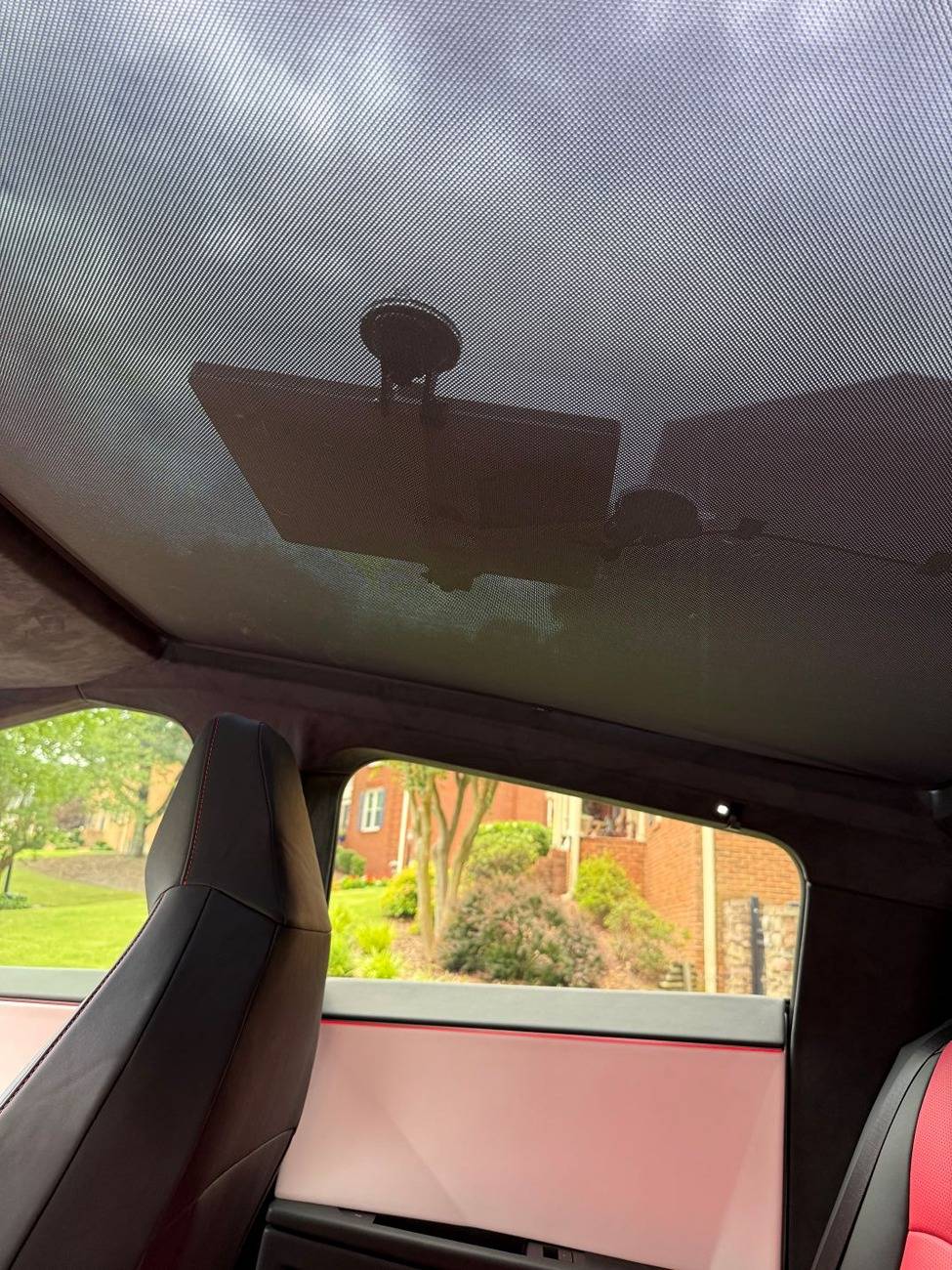
Running the power cable was the trickiest part, as I wanted a clean, factory-like look. Starting at the Starlink Mini, I tucked the cable under the interior trim along the back edge of the roof glass. The Cybertruck’s trim is flexible enough to gently pry up with a plastic trim tool, allowing me to hide the cable without damaging anything.
From there, I tucked the cable down along the rear seat edge, using a spudger to tuck it deep and hide it completely. To keep things seamless, I ran the cable across to the the center under the rear seats and then under the floor mat. Finally, I brought the cable up to the Cybertruck’s power outlet near the center console. You can see the white brick under there. I have an option to convert it to USB-C and use one of those plugs, but I already have another accessory there, and I'm not using the 120v for anything else at the moment. The entire process took about 15 minutes.
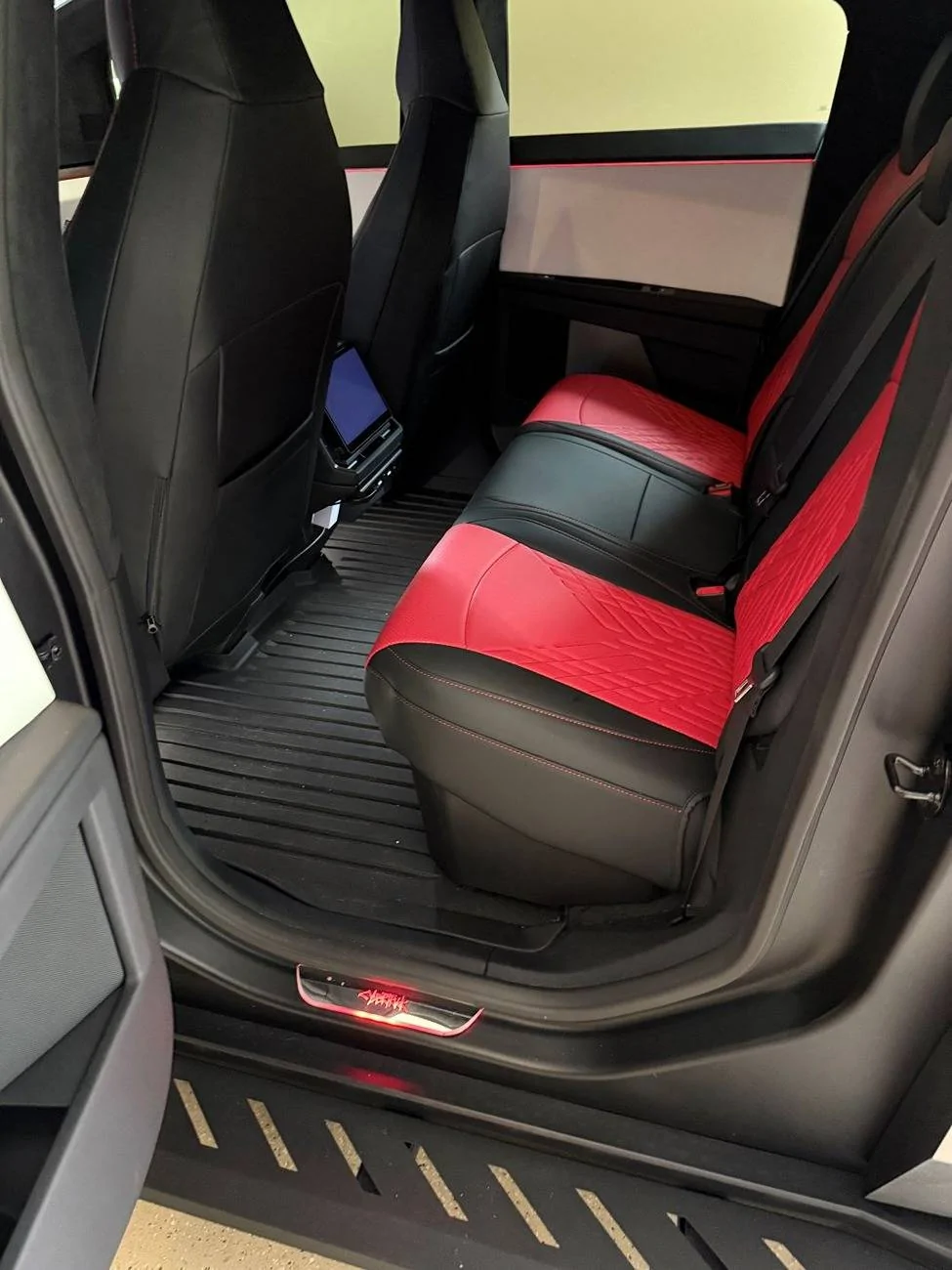
With the sunshade installed, you can't really see it unless you're looking for it, especially at night.
The connectivity is great, I'm hitting about ~150Mbps up and ~14Mbps down with a 20ms ping while driving around. For me, something like this isn't really needed 90% of the time, since 5G on my phone is faster and the Foundation CT has lifetime premium connectivity over 4G (which works great), but it's nice to have for those times when I'm out in the boonies. Plus, it's fun being a 3.5 ton rolling hotspot ?
Sponsored