Sponsored

Speed and lane centering in FSD 12.5.5 ??

tcmeyers

Well-known member
First Name
Troy
Joined
Feb 18, 2020
Threads
14
Messages
174
Reaction score
154
Location
Washington State
Vehicles
2024 Cybertruck Foundation AWD, 2018 Tesla Model X 100D
Occupation
Botanist
Country flag
I received the 2024.32.20 update. FSD 12.5.5.

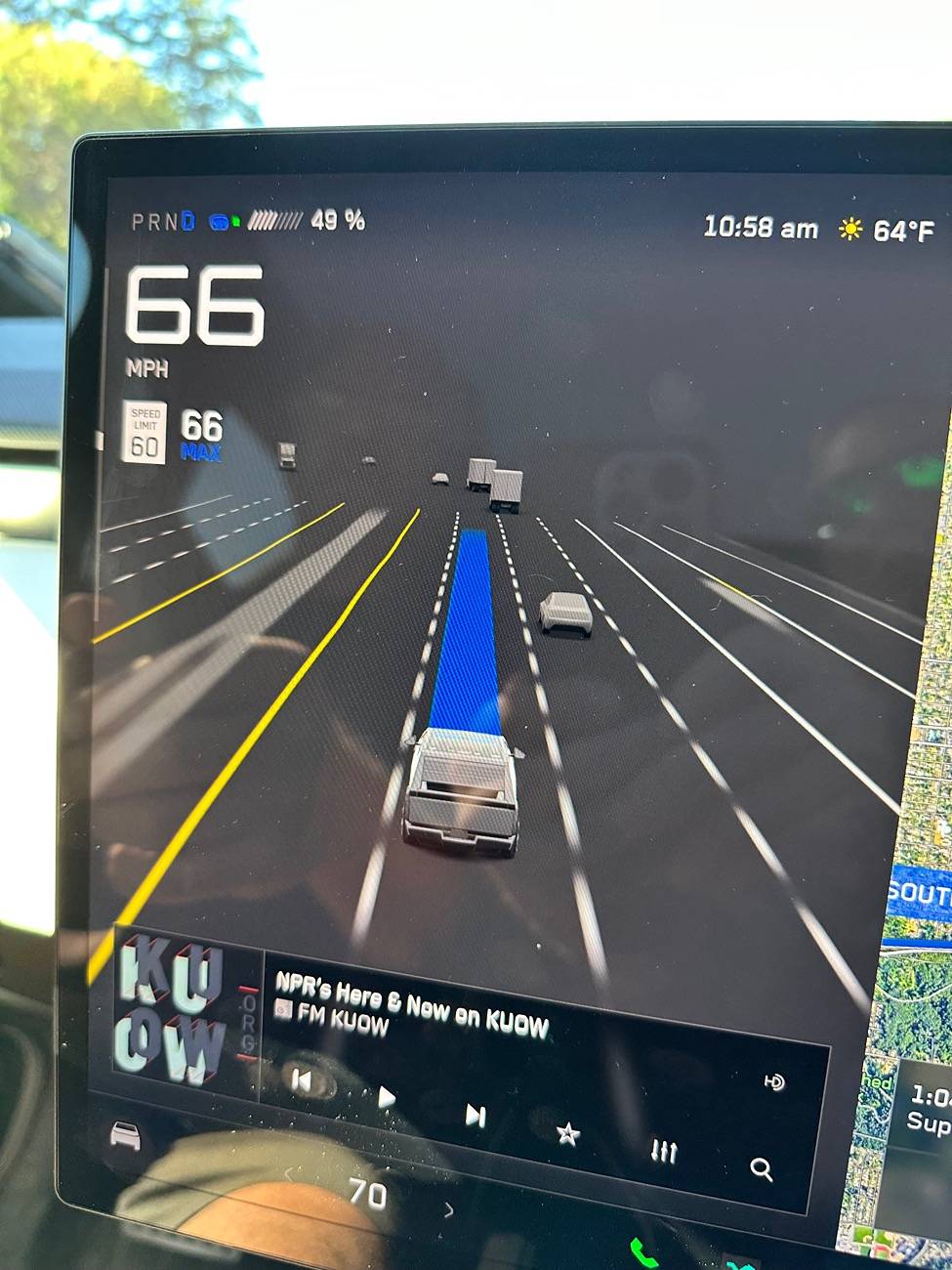
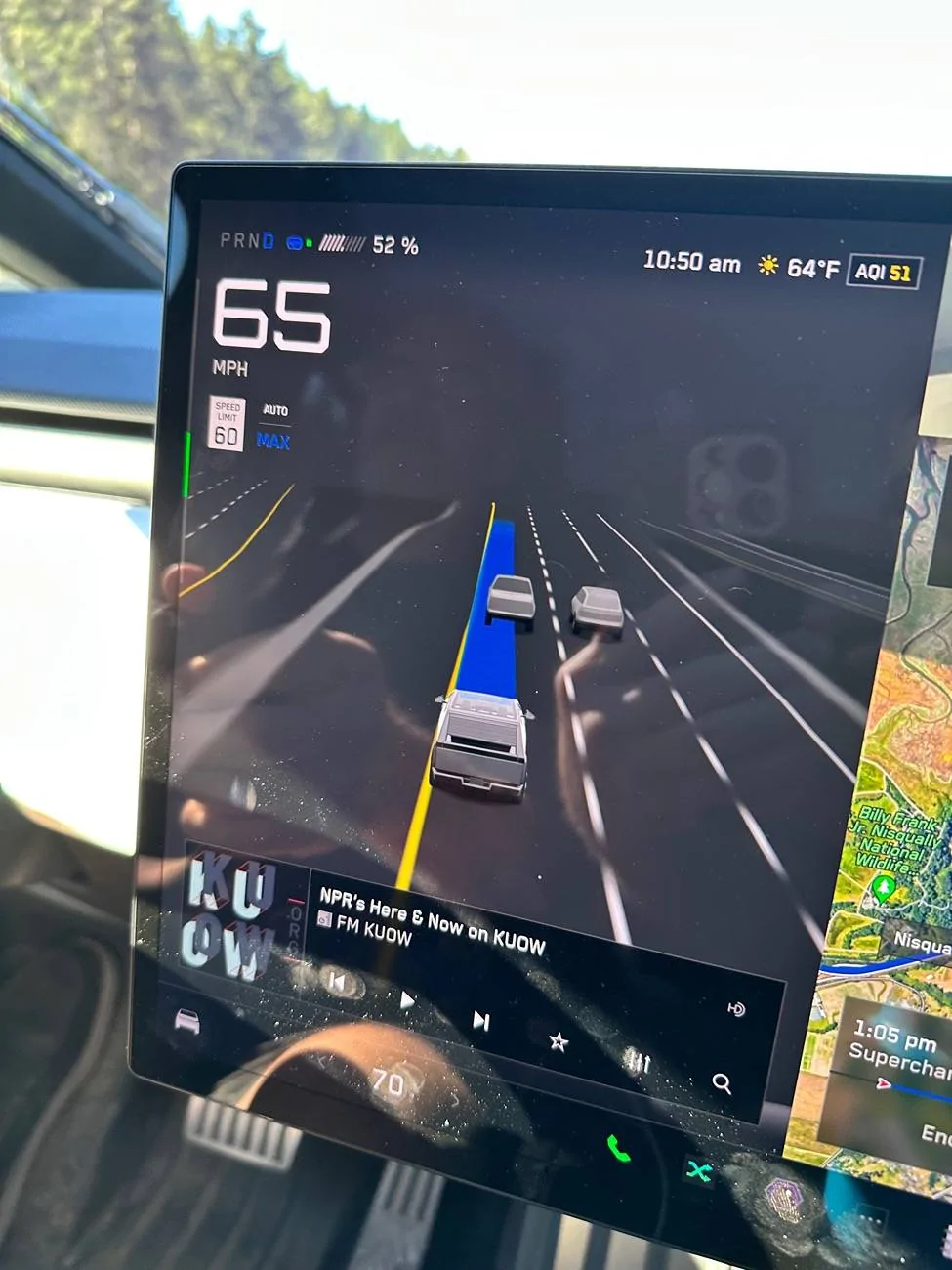
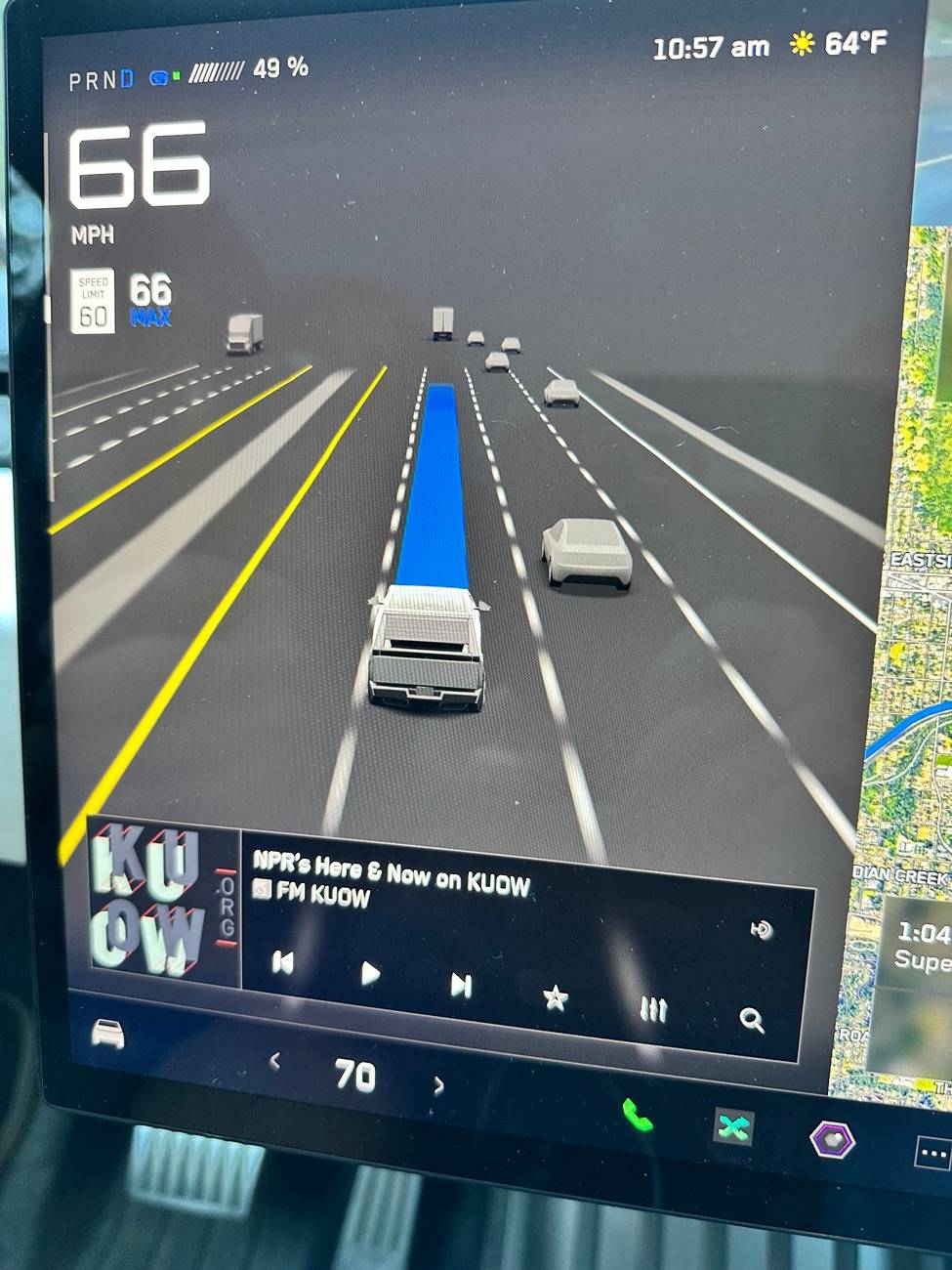
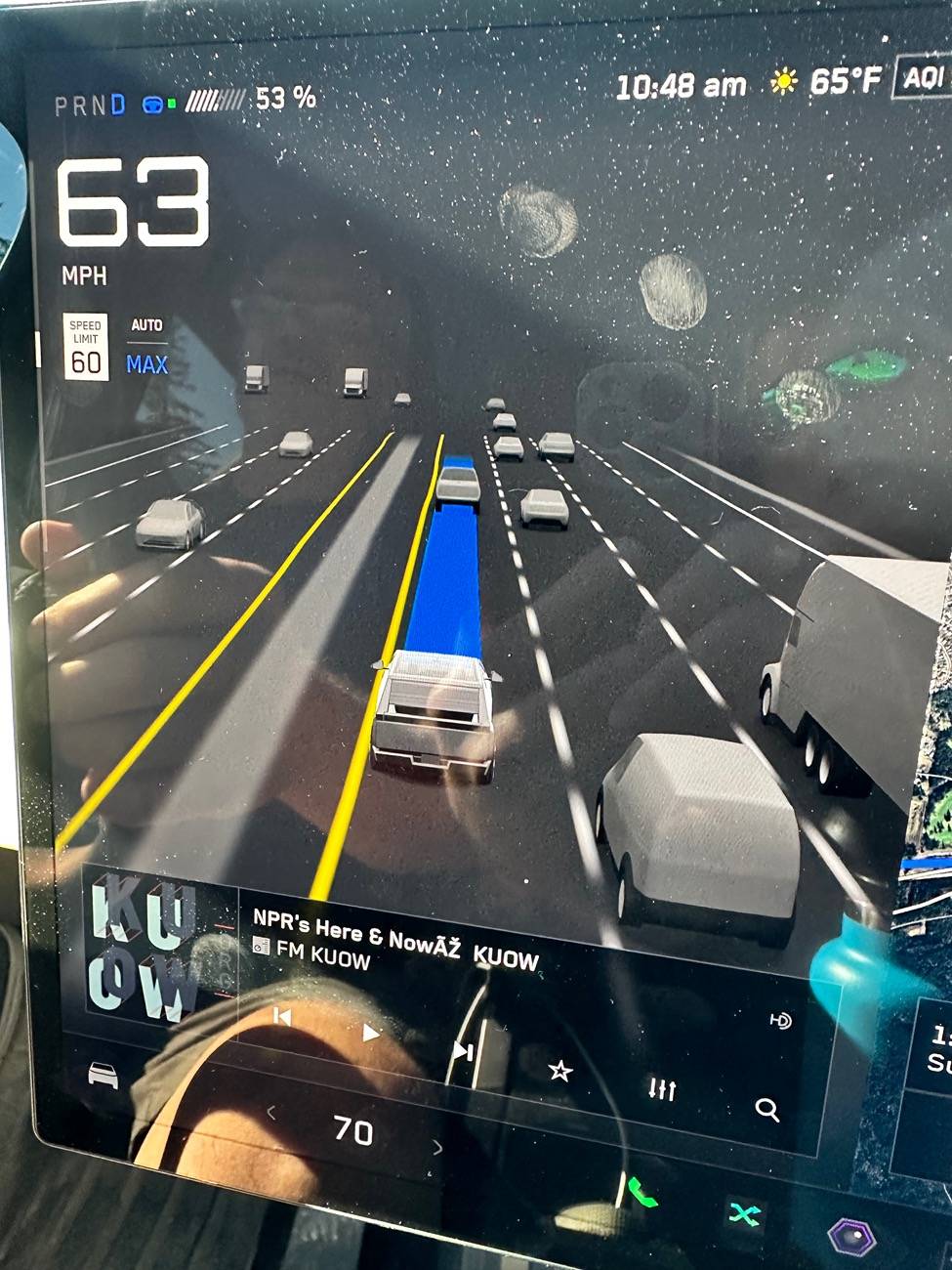
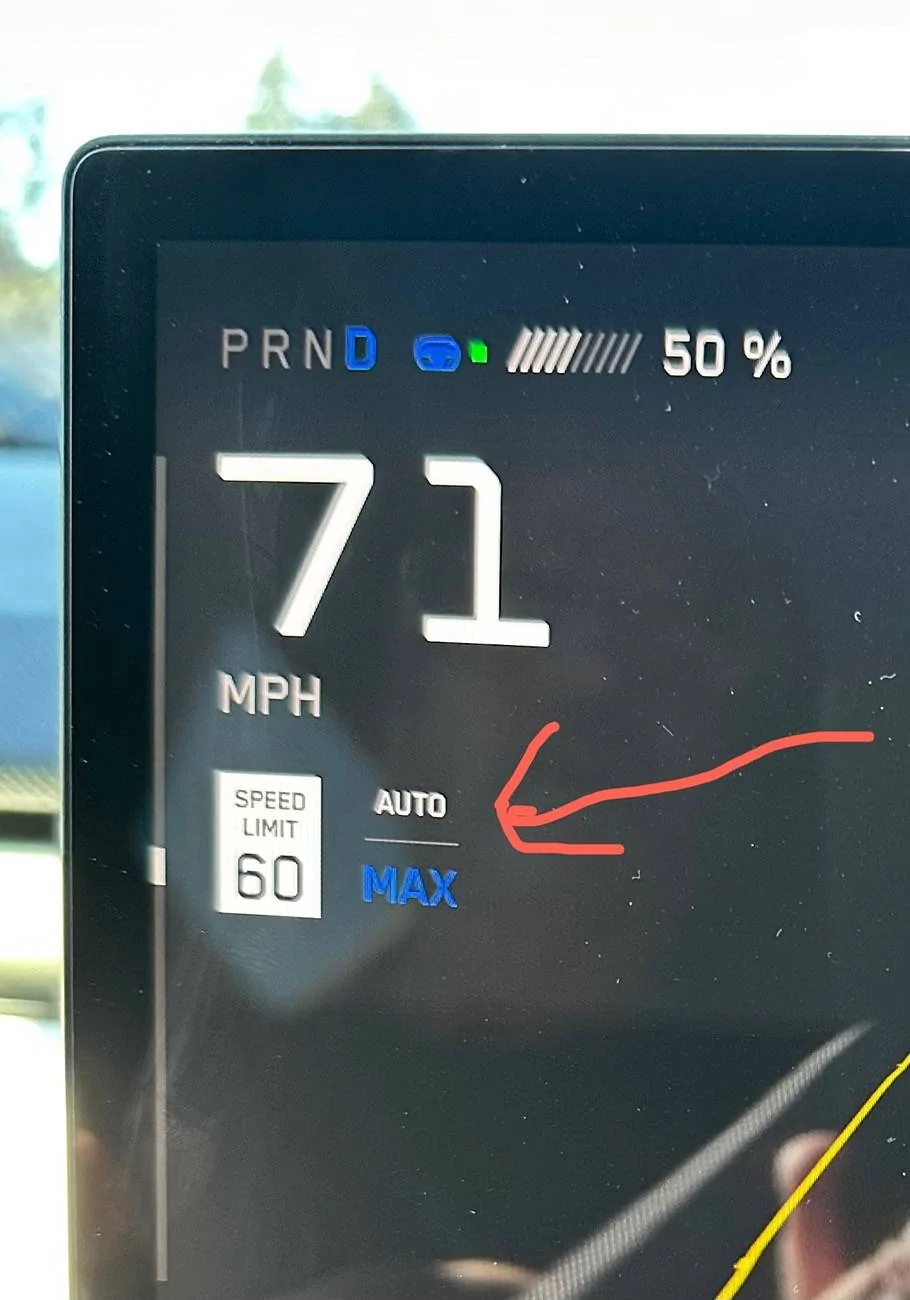
It seems good but I don’t understand how the speed control works. There is one setting switch that makes the maximum speed control NOT pay attention to the thumb wheel, and gladly speeds a lot over the speed limit… displays “AUTO MAX” where the usual max speed is displayed. How is this supposed to be functioning?

The other odd thing is that on the freeway it constantly hugs the left side of the lane, sometimes actually on the lane line.

Anyone understand these things?
Sponsored

 

SCTesla

Well-known member
Joined
Jun 11, 2024
Threads
6
Messages
2,485
Reaction score
3,699
Location
USA
Vehicles
22 Model S, 24 CT
Country flag
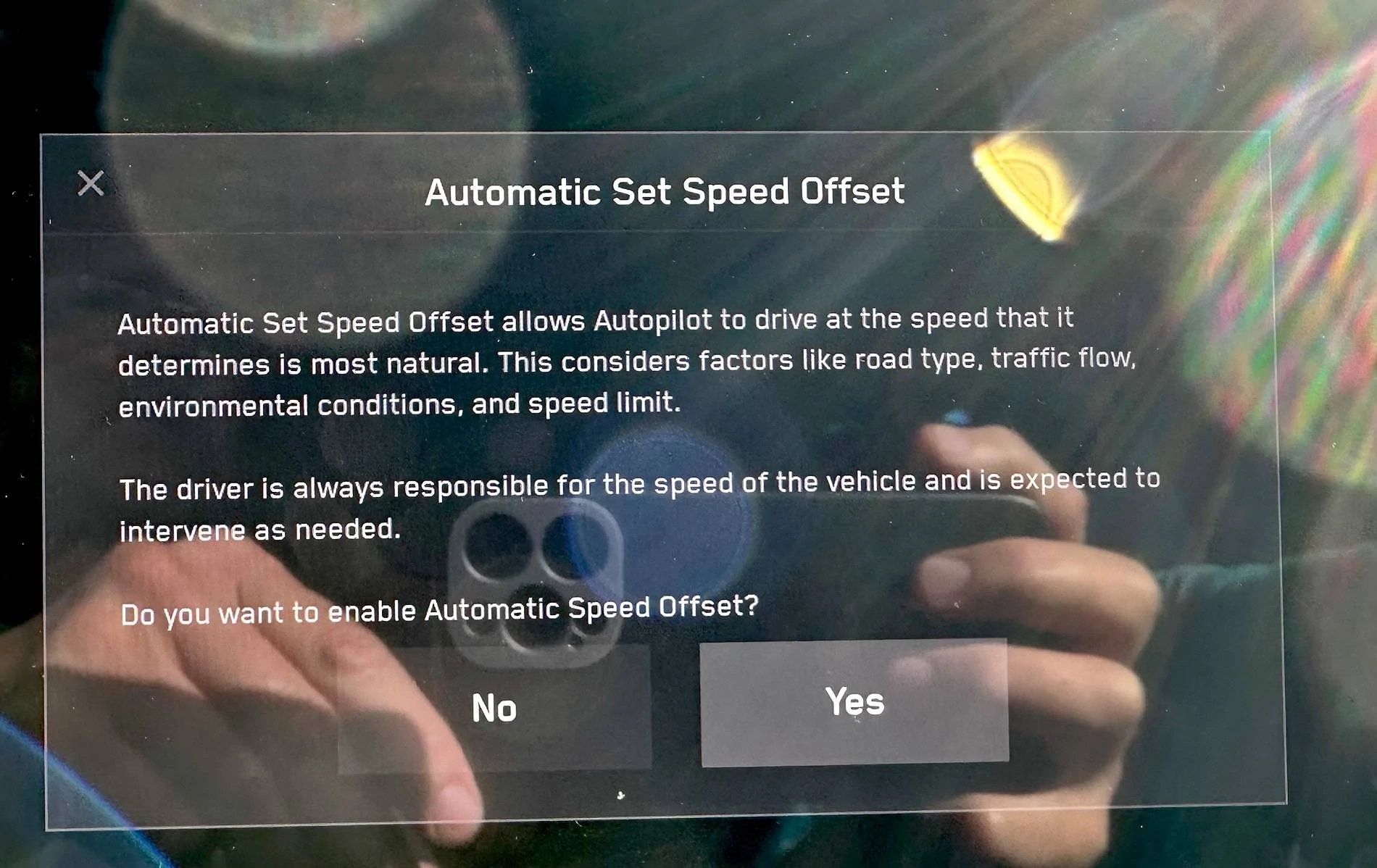
ASSO or Automatic Set Speed Offset is supposed to take your car to the right speed based on conditions. This means your car can speed or go under the speed limit depending on traffic, weather, road type, etc. You can turn this off in the FSD menu, but in V12 the manual speed control still follows ASSO a bit, if the car believes the conditions are not great it can still go under the speed limit, but generally won't go over your set max speed (which you can set as an offset % of the speed limit and change manually with the scroll wheel).

Lane position isn't adjustable. If your vehicle is over the line and it shows it's in the line, a camera recalibration may help.
 

Sorin

Member
First Name
Sorin
Joined
May 7, 2024
Threads
1
Messages
7
Reaction score
11
Location
Idaho
Vehicles
24 CT AWD foundation series, 25 CT AWD
Country flag
I also got my FSD last night and tried it out this morning.

Overall, it worked well.

The speed control is my only complaint.

I wish you could use the scroll wheel to adjust the speed. It was doing 11 over in a 65. I prefer to keep it 5-7 over. I keep disengaging it to slow it down.

Also, when I left early this morning, in the dark, it was 7 under the speed limit. Maybe that makes sense because that's all FSD felt comfortable with in the dark? It was a highway with 60MPH speed limit.

I'm sure they will work things out, but Tesla, how about making the right scroll wheel control the speed on FSD?
 

SSonnentag

Well-known member
First Name
Shawn
Joined
Feb 24, 2020
Threads
12
Messages
623
Reaction score
1,229
Location
Arizona
Vehicles
2018 MX and 2023 MYP
Occupation
IT Specialist
Country flag
FSD doen't seem to accelerate to the set speed if you engage FSD while driving slower than the set speed or if FSD slows down for some reason other than an intersection. It will gladly poke along at 10-20 mph under the set speed until you press the accelerator to attain said speed, after which it will maintain the set speed for a while. This is not limited to the Cybertruck though. This bug has been in the past several versions of FSD.
 
OP
OP
tcmeyers

tcmeyers

Well-known member
First Name
Troy
Joined
Feb 18, 2020
Threads
14
Messages
174
Reaction score
154
Location
Washington State
Vehicles
2024 Cybertruck Foundation AWD, 2018 Tesla Model X 100D
Occupation
Botanist
Country flag
I also got my FSD last night and tried it out this morning.

Overall, it worked well.

The speed control is my only complaint.

I wish you could use the scroll wheel to adjust the speed. It was doing 11 over in a 65. I prefer to keep it 5-7 over. I keep disengaging it to slow it down.

Also, when I left early this morning, in the dark, it was 7 under the speed limit. Maybe that makes sense because that's all FSD felt comfortable with in the dark? It was a highway with 60MPH speed limit.

I'm sure they will work things out, but Tesla, how about making the right scroll wheel control the speed on FSD?
I didn’t drive in the dark yet, but yes, it was going 71 or 72 in a 60 mph zone, and the scroll wheel did nothing. This is when the display shows “AUTO MAX”. I discovered toggling a switch off in the controls screen stops that and restores the scroll wheel control. Until I figured that out I was fearing a speeding ticket.

I have not found the aggressiveness control yet, BTW.


CYBERUN

Well-known member
First Name
Mark
Joined
Mar 13, 2024
Threads
30
Messages
287
Reaction score
368
Location
Palm Springs California
Vehicles
Tesla S, Tesla X and Cybertruck
Country flag
I received the 2024.32.20 update. FSD 12.5.5.

It seems good but I don’t understand how the speed control works. There is one setting switch that makes the maximum speed control NOT pay attention to the thumb wheel, and gladly speeds a lot over the speed limit… displays “AUTO MAX” where the usual max speed is displayed. How is this supposed to be functioning?

The other odd thing is that on the freeway it constantly hugs the left side of the lane, sometimes actually on the lane line.

Anyone understand these things?
I always drive speed limit and works perfect for me. Second day on FSD and impressive job on 4 way stops, slowing/stoping for pedestrian jaywalking or accelerating when speed changes…
 

TruckGenio

Well-known member
Joined
Dec 12, 2019
Threads
4
Messages
112
Reaction score
101
Location
Boston
Vehicles
Cybertruck
Country flag
I’m also having problems with lane change and can’t find the setint to limit it. My drive home from work the truck was all over the place I usually pick the left or middle and stay on it the entire drive I kept trying to override it with the turn signals it must have looked like I’m insane.


mark555055c

Well-known member
Joined
Dec 1, 2020
Threads
2
Messages
928
Reaction score
2,107
Location
Buffalo, NY
Vehicles
2024 Cybertruck AWD FS, 2019 Silverado Trail Boss
Country flag
I received the 2024.32.20 update. FSD 12.5.5.

It seems good but I don’t understand how the speed control works. There is one setting switch that makes the maximum speed control NOT pay attention to the thumb wheel, and gladly speeds a lot over the speed limit… displays “AUTO MAX” where the usual max speed is displayed. How is this supposed to be functioning?

The other odd thing is that on the freeway it constantly hugs the left side of the lane, sometimes actually on the lane line.

Anyone understand these things?
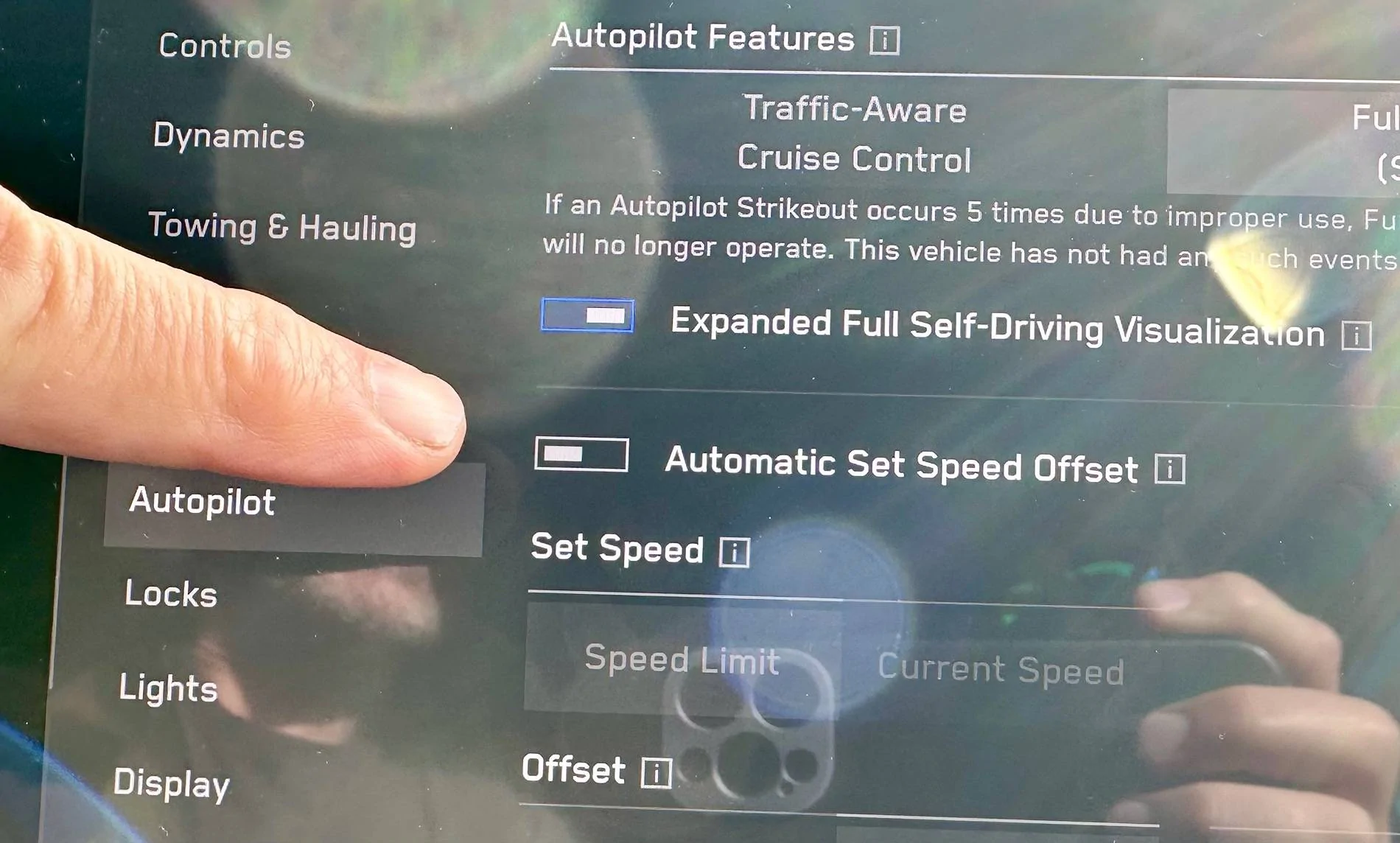
Currently the auto set speed offset chooses a speed based on detected or known speed limit on a road in conjunction with road conditions. To use scroll wheel speed, you need to disable 'auto set speed offset'. Note that even if you do this, and use the scroll wheel to bump speed, it still may choose a lower speed.

The are no selectable FSD driving modes yet(like assertive) as on other Tesla vehicles, which would allow it to be more assertive and likely to make lane changes back and forth. I expect this will come very soon in a future update.

With this being the first public build, expect some funky behavior and be extra cautions.
 
Last edited:

Woodrick

Well-known member
First Name
Ed
Joined
Dec 30, 2023
Threads
6
Messages
4,786
Reaction score
4,762
Location
Gainesville Ga
Vehicles
Model 3, Model Y, Cybertruck AWD
Occupation
Consultant
Country flag
I also got my FSD last night and tried it out this morning.

Overall, it worked well.

The speed control is my only complaint.

I wish you could use the scroll wheel to adjust the speed. It was doing 11 over in a 65. I prefer to keep it 5-7 over. I keep disengaging it to slow it down.

Also, when I left early this morning, in the dark, it was 7 under the speed limit. Maybe that makes sense because that's all FSD felt comfortable with in the dark? It was a highway with 60MPH speed limit.

I'm sure they will work things out, but Tesla, how about making the right scroll wheel control the speed on FSD?
If the vehicle is going too slow, all you have to do is to press the accelerator to get you to the speed you want and then release it. It will maintain this speed until the next curve where it has to slow down.
 
OP
OP
tcmeyers

tcmeyers

Well-known member
First Name
Troy
Joined
Feb 18, 2020
Threads
14
Messages
174
Reaction score
154
Location
Washington State
Vehicles
2024 Cybertruck Foundation AWD, 2018 Tesla Model X 100D
Occupation
Botanist
Country flag
ASSO or Automatic Set Speed Offset is supposed to take your car to the right speed based on conditions. This means …. (Cut)

Lane position isn't adjustable. If your vehicle is over the line and it shows it's in the line, a camera recalibration may help.
The lane position issue doesn’t seem to be the cameras. The FSD display clearly shows the truck riding the lane lines, so it is aware of the off-center position. Or am I wrong?


Tesla Cybertruck Speed and lane centering in FSD 12.5.5 ?? IMG_9960
Tesla Cybertruck Speed and lane centering in FSD 12.5.5 ?? IMG_9953
Tesla Cybertruck Speed and lane centering in FSD 12.5.5 ?? IMG_9958
Tesla Cybertruck Speed and lane centering in FSD 12.5.5 ?? IMG_9952
 
  • Like
Reactions: 2me

Zane Edwards

Well-known member
First Name
ZMAN
Joined
Feb 18, 2024
Threads
21
Messages
422
Reaction score
568
Location
California
Vehicles
Audi R8, BMW 4 Conv. MB GLS, Tesla CT AWD
Occupation
Exec
Country flag
I didn’t drive in the dark yet, but yes, it was going 71 or 72 in a 60 mph zone, and the scroll wheel did nothing. This is when the display shows “AUTO MAX”. I discovered toggling a switch off in the controls screen stops that and restores the scroll wheel control. Until I figured that out I was fearing a speeding ticket.

I have not found the aggressiveness control yet, BTW.
having same experience and yes I don't see any setting for "assertive"
 
  • Like
Reactions: 2me
OP
OP
tcmeyers

tcmeyers

Well-known member
First Name
Troy
Joined
Feb 18, 2020
Threads
14
Messages
174
Reaction score
154
Location
Washington State
Vehicles
2024 Cybertruck Foundation AWD, 2018 Tesla Model X 100D
Occupation
Botanist
Country flag
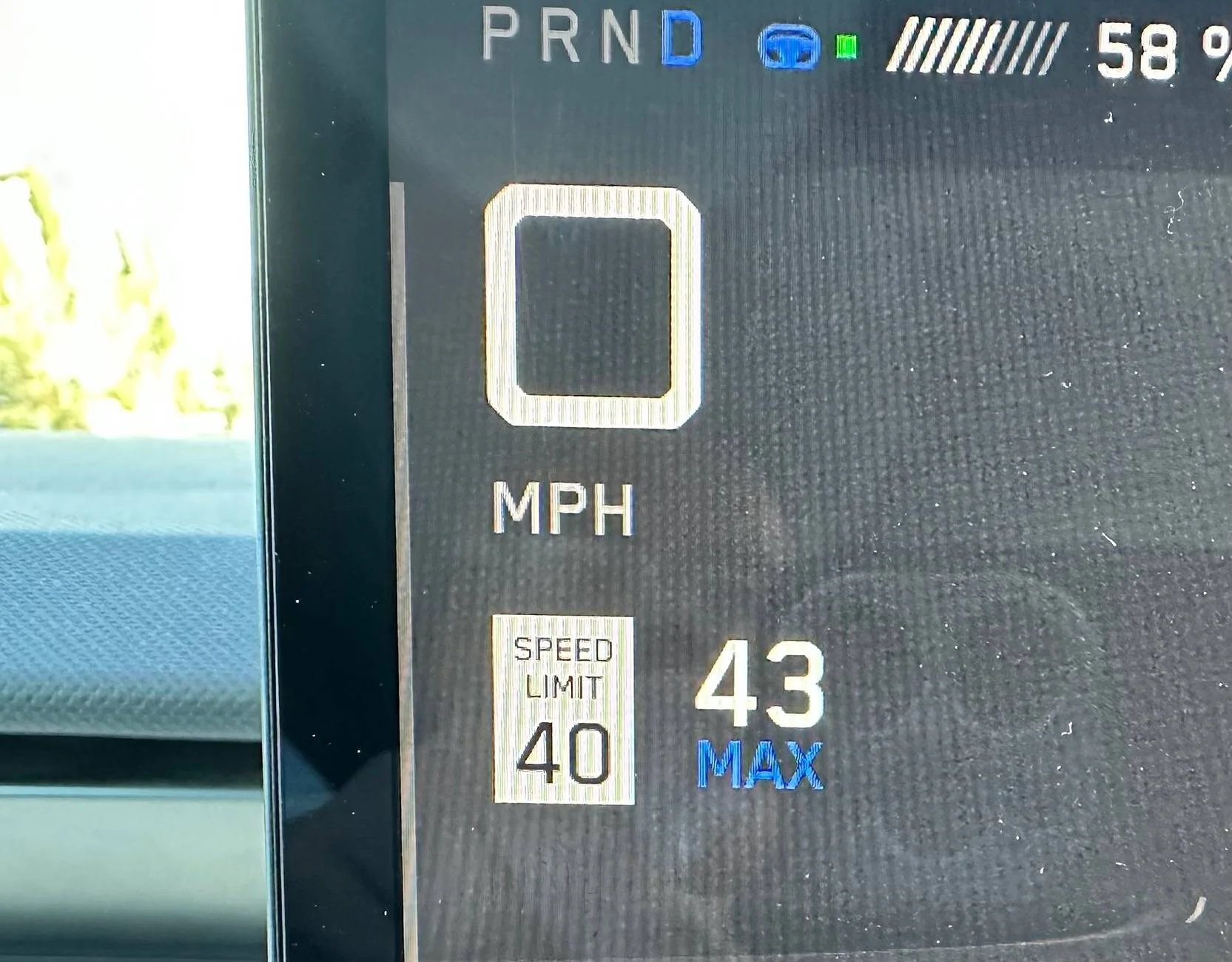
If you want to use the scroll wheel turn off ASSO (Automatic Set Speed Offset).
Yes! I thought 71 in a 60 was too much. Here are some screenshots with and without.

Tesla Cybertruck Speed and lane centering in FSD 12.5.5 ?? IMG_9957


Tesla Cybertruck Speed and lane centering in FSD 12.5.5 ?? IMG_9944


Tesla Cybertruck Speed and lane centering in FSD 12.5.5 ?? IMG_9946


Tesla Cybertruck Speed and lane centering in FSD 12.5.5 ?? IMG_9945
Sponsored


Top