ituner-HF
Well-known member
- First Name
- Andrei
- Joined
- Feb 1, 2021
- Threads
- 50
- Messages
- 171
- Reaction score
- 412
- Location
- Pleasanton, CA
- Vehicles
- Model Y, Cybertruck VIN 32xx

- Thread starter
- #1
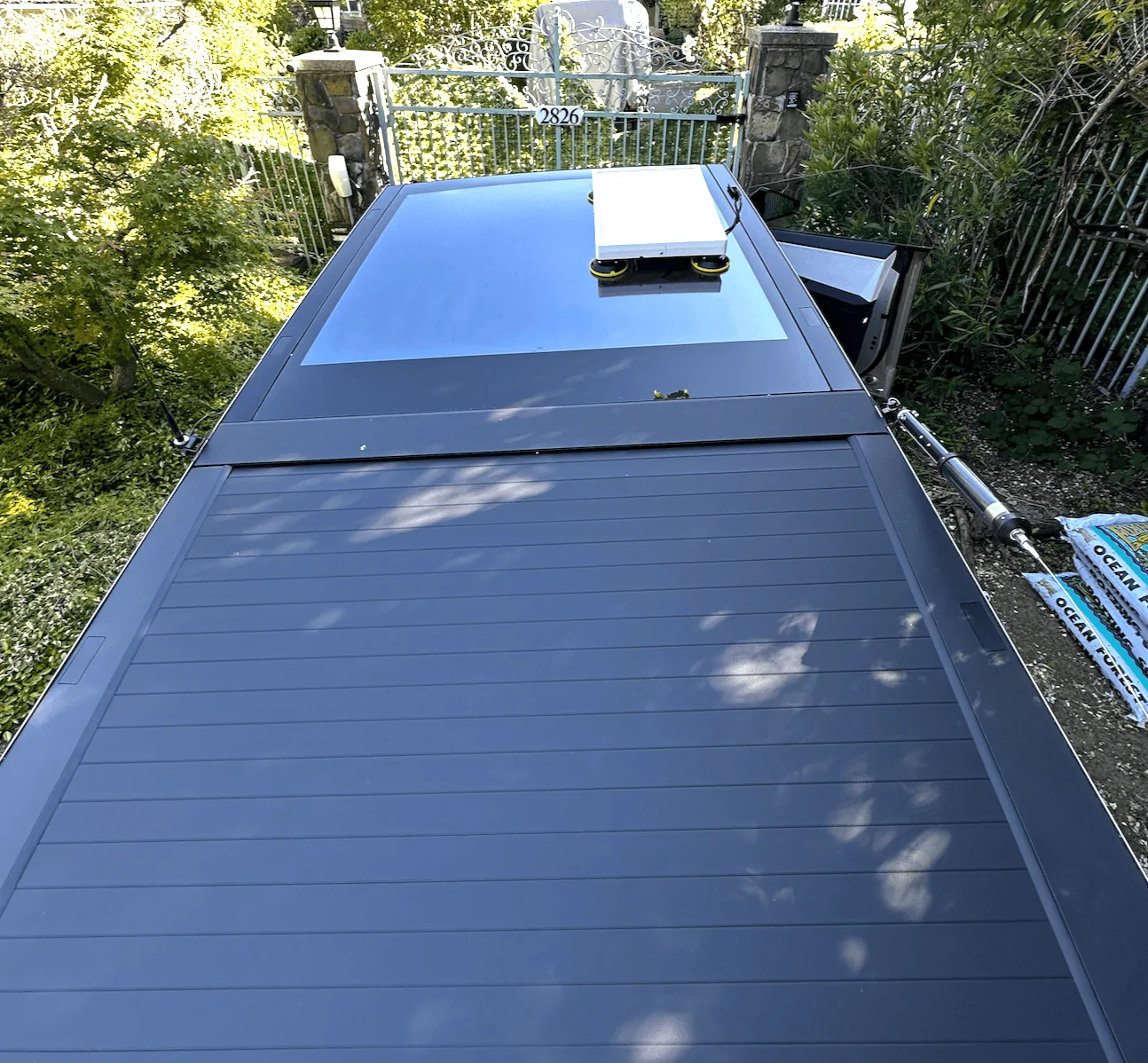
I am attaching some pictures of my Cybertruck Starlink GEN3 setup (GEN2 works as well, please read below).
The idea behind this setup was to get rid of the bulky Starlink WIFI router, the PSU and the 110V setup.
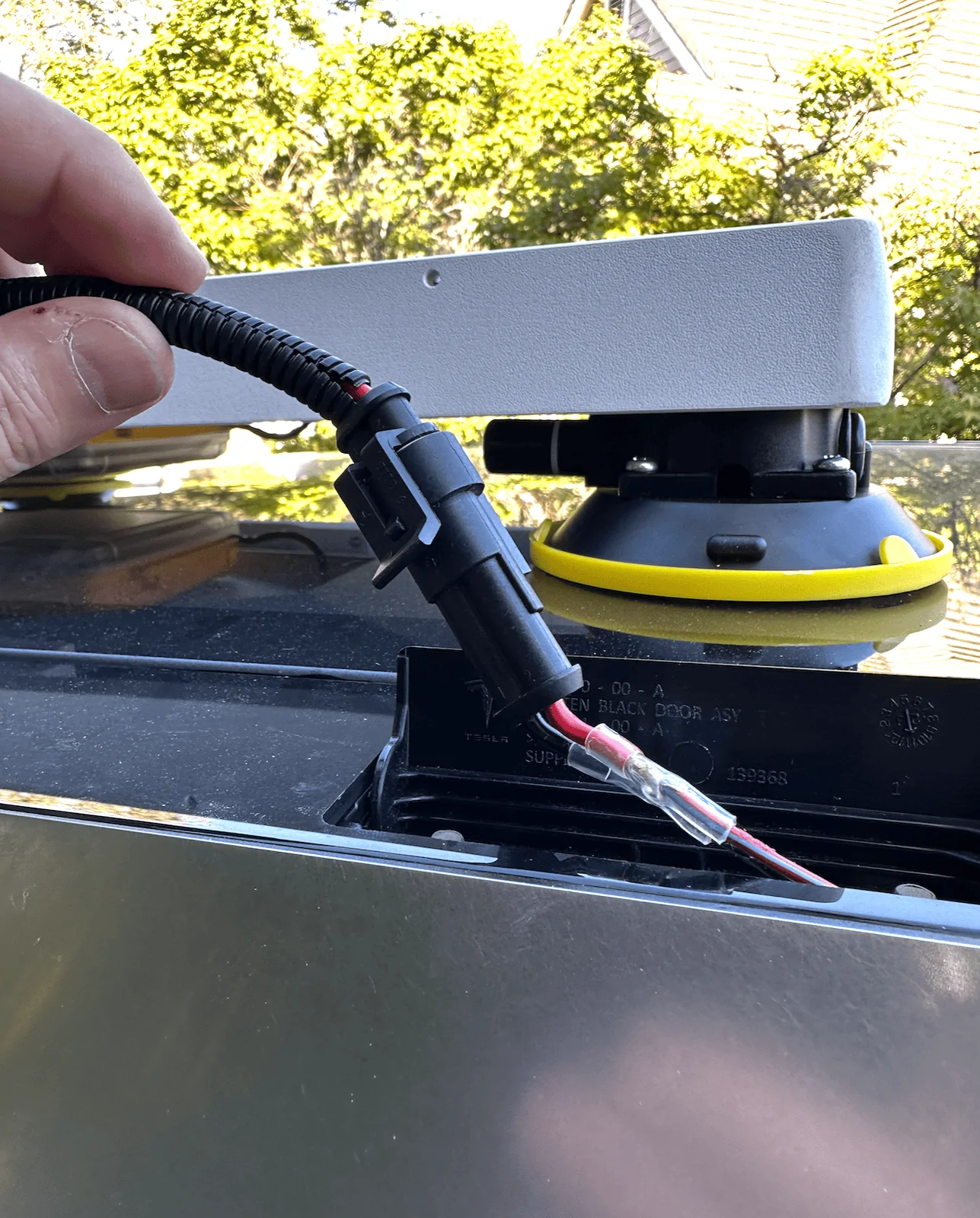
I used the Cybertruck's 48VDC lightbar accessory port: The accessory port has 3 wires, Red, Blue and a thinner Green cable. You only need Red (+) and Black (-), leave the green wire intact, it is designed for digital control for the light bar. Starlink requires 57VDC but at at the ethernet port it can be as low as 38V, so the '48V' Cybertruck Aux power is perfect. At 48V the current consumption is less than 3A.
For the dish I used https://www.trioflatmount.com/shop/p/gen3speedmount + 4 suction cups, also available at the same site. Their build is solid.
NOTE: They also sell a waterproof enclosure + POE, looks very nice, but the price was too steep for me.
For the WIFI router I used this: https://www.amazon.com/gp/product/B0BPSGJN7T but this works equally well https://www.amazon.com/gp/product/B09N72FMH5 (I own both routers, zero speed difference). The routers consume 2.5A @ 5V, the faster router is like 2.7A and has a small fan.
For the POE I used https://www.amazon.com/gp/product/B0BX74T2T5 but this one works as well: https://www.amazon.com/gp/product/B0CQRFCKGL
The WIFI router is powered by USB-C at 5V, I used this 60V->5V USB converter, works very well and it is potted: https://www.amazon.com/gp/product/B09NVG35CX
NOTE for GEN2 owners: You need this adapter, for GEN3 no need to use this adapter: https://www.amazon.com/gp/product/B0BYJTHX4P
For ethernet to starflinK I used 1ft CAT6 patch ethernet cables: https://www.amazon.com/gp/product/B077H4486B/
NOTE: I has to use an exacto knife to remove some of the rubber sleeve, otherwise it does not fit.
For the WIFI router I used 1ft flat CAT6 cable because it consumes less space.
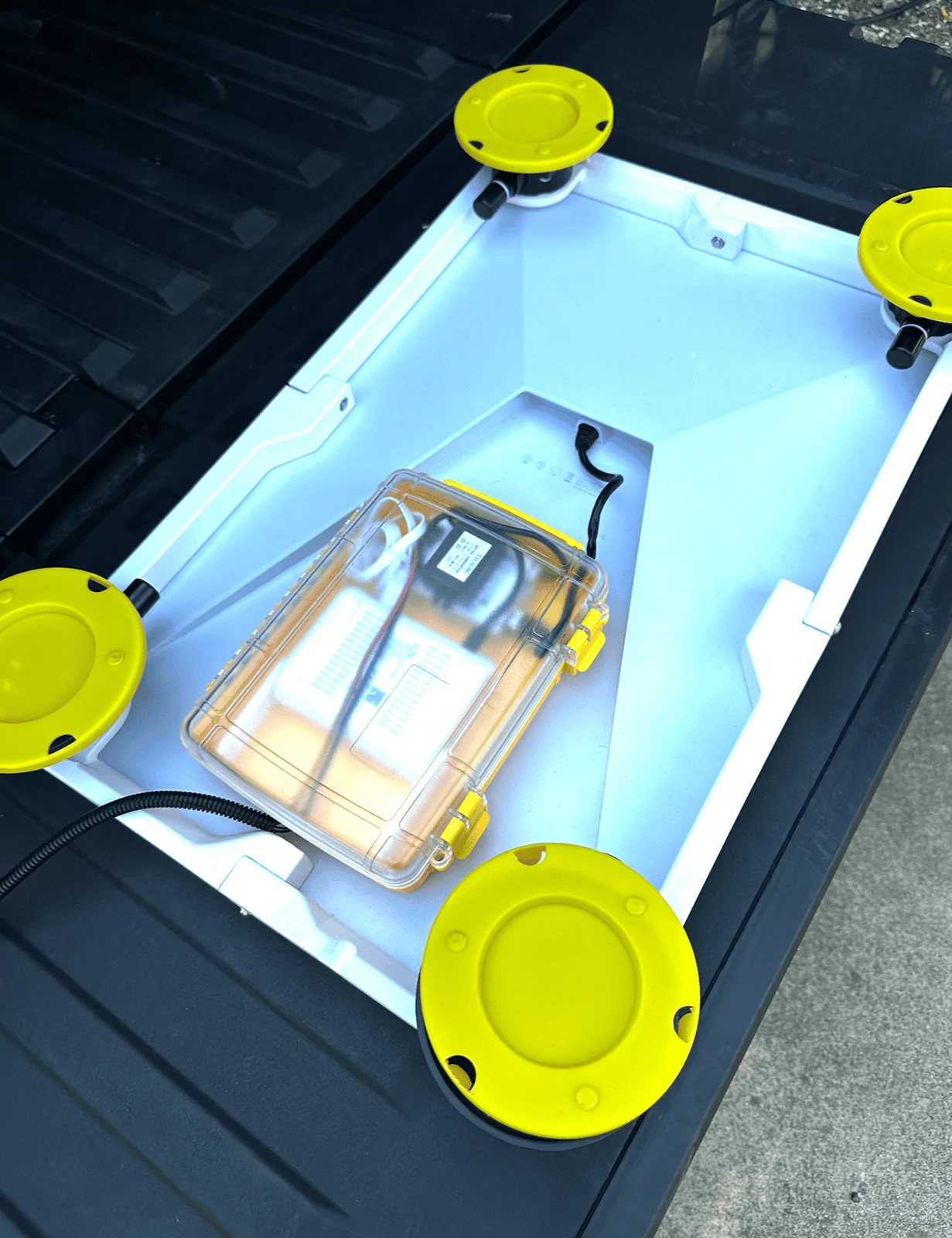
It took me some time to find a proper waterproof enclosure, here it is: https://www.amazon.com/gp/product/B0CDG7RKNJ
I drilled 2 small holes for the 48VDC cable and one bigger hole for the ethrenet cable. The WIFI router, POE and the yellow box are secured using VHB tape.
NOTE: For the 48V cables I used AWG-16 soft cables: https://www.amazon.com/ZIGPEO-Silicone-Flexible-Stranded-Copper/dp/B09VC636Q7
and used a 1.4" plastic conduit: https://www.amazon.com/gp/product/B0CGMT4RZ9
The waterproof connectors: https://www.amazon.com/gp/product/B07FJPMML6
NOTE: I couldn't find a waterproof cap for these, so I used a female connector as a plug.
The signal inside the cabin is super-strong as well as outside (works well for caping setups).
Enjoy!
P.S. The yellow things are caps to protect the rubber suction cup surface. The install gets to be lower when caps are removed and when the cups 'suck'.


The idea behind this setup was to get rid of the bulky Starlink WIFI router, the PSU and the 110V setup.
I used the Cybertruck's 48VDC lightbar accessory port: The accessory port has 3 wires, Red, Blue and a thinner Green cable. You only need Red (+) and Black (-), leave the green wire intact, it is designed for digital control for the light bar. Starlink requires 57VDC but at at the ethernet port it can be as low as 38V, so the '48V' Cybertruck Aux power is perfect. At 48V the current consumption is less than 3A.
For the dish I used https://www.trioflatmount.com/shop/p/gen3speedmount + 4 suction cups, also available at the same site. Their build is solid.
NOTE: They also sell a waterproof enclosure + POE, looks very nice, but the price was too steep for me.
For the WIFI router I used this: https://www.amazon.com/gp/product/B0BPSGJN7T but this works equally well https://www.amazon.com/gp/product/B09N72FMH5 (I own both routers, zero speed difference). The routers consume 2.5A @ 5V, the faster router is like 2.7A and has a small fan.
For the POE I used https://www.amazon.com/gp/product/B0BX74T2T5 but this one works as well: https://www.amazon.com/gp/product/B0CQRFCKGL
The WIFI router is powered by USB-C at 5V, I used this 60V->5V USB converter, works very well and it is potted: https://www.amazon.com/gp/product/B09NVG35CX
NOTE for GEN2 owners: You need this adapter, for GEN3 no need to use this adapter: https://www.amazon.com/gp/product/B0BYJTHX4P
For ethernet to starflinK I used 1ft CAT6 patch ethernet cables: https://www.amazon.com/gp/product/B077H4486B/
NOTE: I has to use an exacto knife to remove some of the rubber sleeve, otherwise it does not fit.
For the WIFI router I used 1ft flat CAT6 cable because it consumes less space.
It took me some time to find a proper waterproof enclosure, here it is: https://www.amazon.com/gp/product/B0CDG7RKNJ
I drilled 2 small holes for the 48VDC cable and one bigger hole for the ethrenet cable. The WIFI router, POE and the yellow box are secured using VHB tape.
NOTE: For the 48V cables I used AWG-16 soft cables: https://www.amazon.com/ZIGPEO-Silicone-Flexible-Stranded-Copper/dp/B09VC636Q7
and used a 1.4" plastic conduit: https://www.amazon.com/gp/product/B0CGMT4RZ9
The waterproof connectors: https://www.amazon.com/gp/product/B07FJPMML6
NOTE: I couldn't find a waterproof cap for these, so I used a female connector as a plug.
The signal inside the cabin is super-strong as well as outside (works well for caping setups).
Enjoy!
P.S. The yellow things are caps to protect the rubber suction cup surface. The install gets to be lower when caps are removed and when the cups 'suck'.
Sponsored