Sponsored

Cybertruck Gateway Universal Charger Powershare Issue

Foundation88

New member
First Name
cybrtnk
Joined
Jul 5, 2024
Threads
1
Messages
3
Reaction score
5
Location
Seattle
Vehicles
Cybertruck
Occupation
Bass Player
Country flag
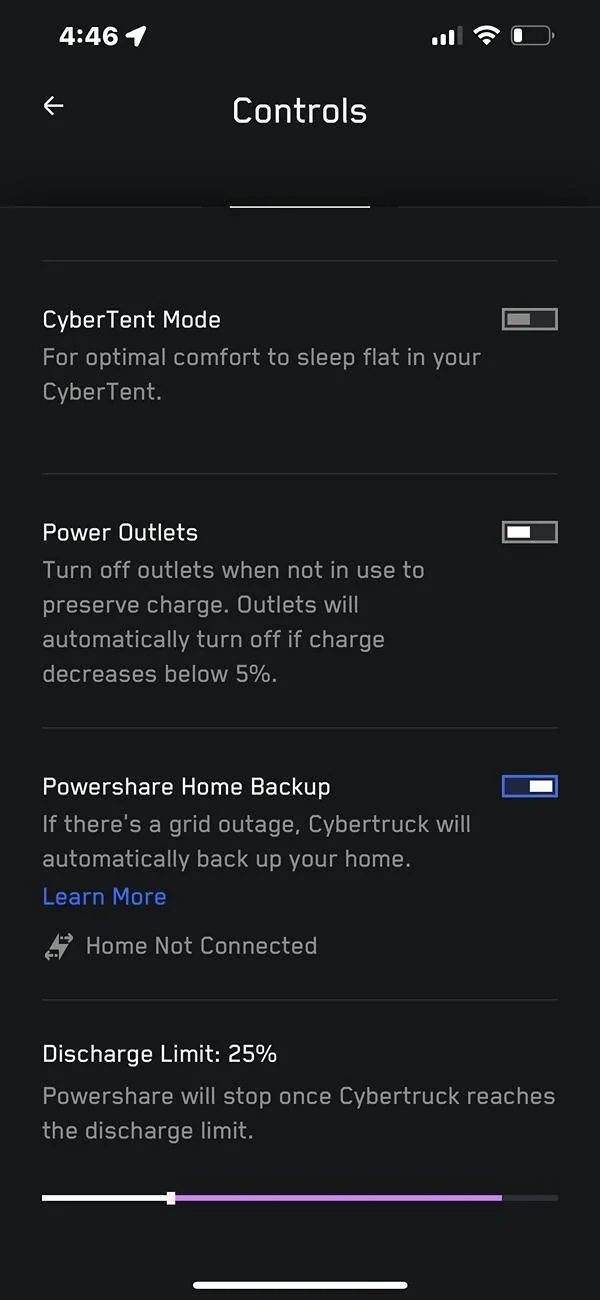
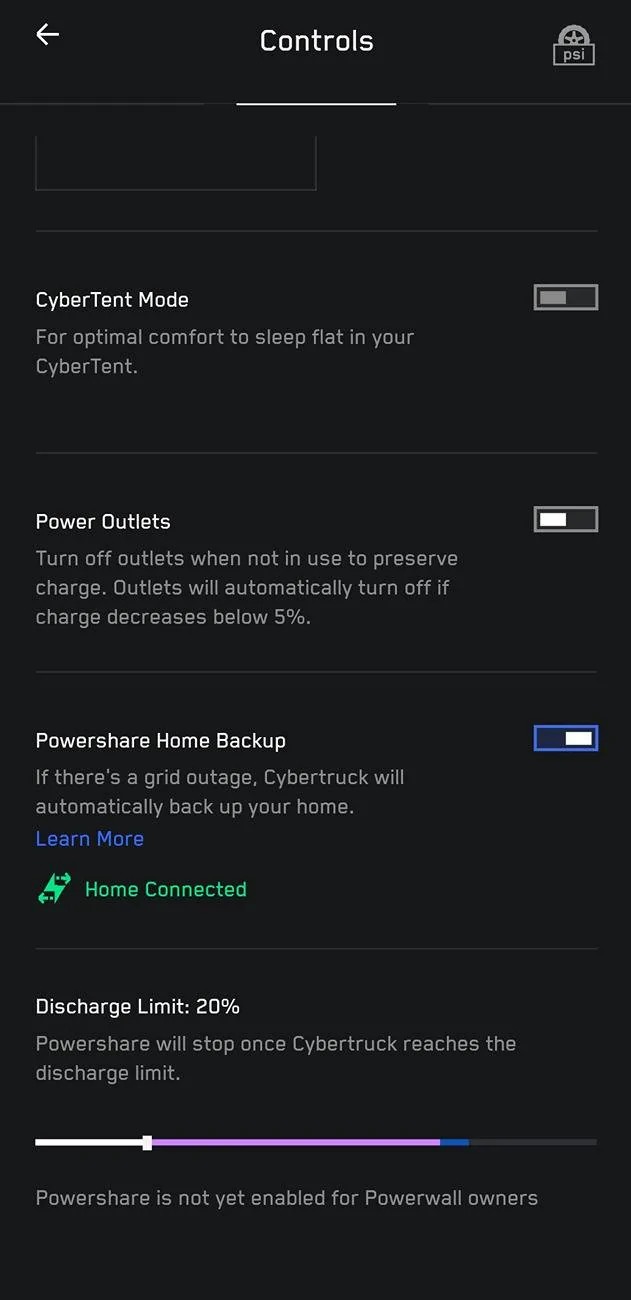
Hey folks, my gateway and universal charger were working great, then my truck died and I need some help getting things working. TESLA had to replace some parts in my truck (rear and left controller were replaced as well as the VCLEFT) and also, my universal wall charger also had to be replaced. So now, I have everything back and the unviversal wall charger is working and charging the truck. I reconnected the Gateway and Universal Wall Charger to the wifi (although the wall charger shows it is connected, when I select it to show which network it is connected, it wants me to re-install it. This makes me think there may be an issue there). However, although my truck has the Powershare Home Backup selected, it still says "Home Not Connected". I have toggled everything on and off, tried the soft reboot, etc. but cannot get the truck to say, "Home Connected" like it did in the control section of the app. I am waiting for TESLA to help. Any suggestions are appreciated!
Sponsored

 

mongo

Well-known member
Joined
May 27, 2024
Threads
5
Messages
4,521
Reaction score
5,499
Location
SE Michigan
Vehicles
Cyberbeast
Country flag
Hey folks, my gateway and universal charger were working great, then my truck died and I need some help getting things working. TESLA had to replace some parts in my truck (rear and left controller were replaced as well as the VCLEFT) and also, my universal wall charger also had to be replaced. So now, I have everything back and the unviversal wall charger is working and charging the truck. I reconnected the Gateway and Universal Wall Charger to the wifi (although the wall charger shows it is connected, when I select it to show which network it is connected, it wants me to re-install it. This makes me think there may be an issue there). However, although my truck has the Powershare Home Backup selected, it still says "Home Not Connected". I have toggled everything on and off, tried the soft reboot, etc. but cannot get the truck to say, "Home Connected" like it did in the control section of the app. I am waiting for TESLA to help. Any suggestions are appreciated!
Did the old wall connector get removed from your home configuration and the new one added in it's place?
Did the communication cable get reconnected properly?
 
OP
OP

Foundation88

New member
First Name
cybrtnk
Joined
Jul 5, 2024
Threads
1
Messages
3
Reaction score
5
Location
Seattle
Vehicles
Cybertruck
Occupation
Bass Player
Country flag
Did the old wall connector get removed from your home configuration and the new one added in it's place?
Did the communication cable get reconnected properly?

As far as I know there were no issues, in fact, I can see the Gateway and the Universal Wall Charger on the My Home app so I think they are communicating. The only issue is when I tap the Universal Wall Charger under the change wifi, it wants me to reconfigure. When I tap the Gateway, it just shows the wifi I am connected. That is the only issue
Tesla Cybertruck Cybertruck Gateway Universal Charger Powershare Issue IMG_7963
Tesla Cybertruck Cybertruck Gateway Universal Charger Powershare Issue IMG_7962
 

Fausto

Well-known member
First Name
D
Joined
Jul 23, 2024
Threads
15
Messages
205
Reaction score
439
Location
Los Angeles
Vehicles
Model S LR
Country flag
Update. The issue was the gateway still had old universal wall connector data. Once the new data was put in, fixed!
Hey, how did you put In the "new data"? Mine is showing the same with "home not connected"

Thanks


CWiley

Well-known member
First Name
C
Joined
Nov 11, 2020
Threads
21
Messages
162
Reaction score
172
Location
Atlanta, Ga.
Vehicles
2024 CyberBeast
Occupation
Contractor
Hey folks, my gateway and universal charger were working great, then my truck died and I need some help getting things working. TESLA had to replace some parts in my truck (rear and left controller were replaced as well as the VCLEFT) and also, my universal wall charger also had to be replaced. So now, I have everything back and the unviversal wall charger is working and charging the truck. I reconnected the Gateway and Universal Wall Charger to the wifi (although the wall charger shows it is connected, when I select it to show which network it is connected, it wants me to re-install it. This makes me think there may be an issue there). However, although my truck has the Powershare Home Backup selected, it still says "Home Not Connected". I have toggled everything on and off, tried the soft reboot, etc. but cannot get the truck to say, "Home Connected" like it did in the control section of the app. I am waiting for TESLA to help. Any suggestions are appreciated!
I had different but similar issues connecting to my universal charger.

My limited understanding is the universal connector does/will not connect to 5ghz wifi (2.4ghz only)

I'm using the eero routers to boost my wifi throughout my home and garage. The eero transmitts both 5ghz and 2.4 ghz.

I had to momentarily mute, stop, disabled....the 5ghz signal via the erro settings while connecting the universal connector to my phone/tesla app.

Good luck.
 

96Kopper02

Well-known member
Joined
Nov 3, 2021
Threads
0
Messages
155
Reaction score
335
Location
Iowa
Vehicles
Tesla Model S
Occupation
Physician
Country flag
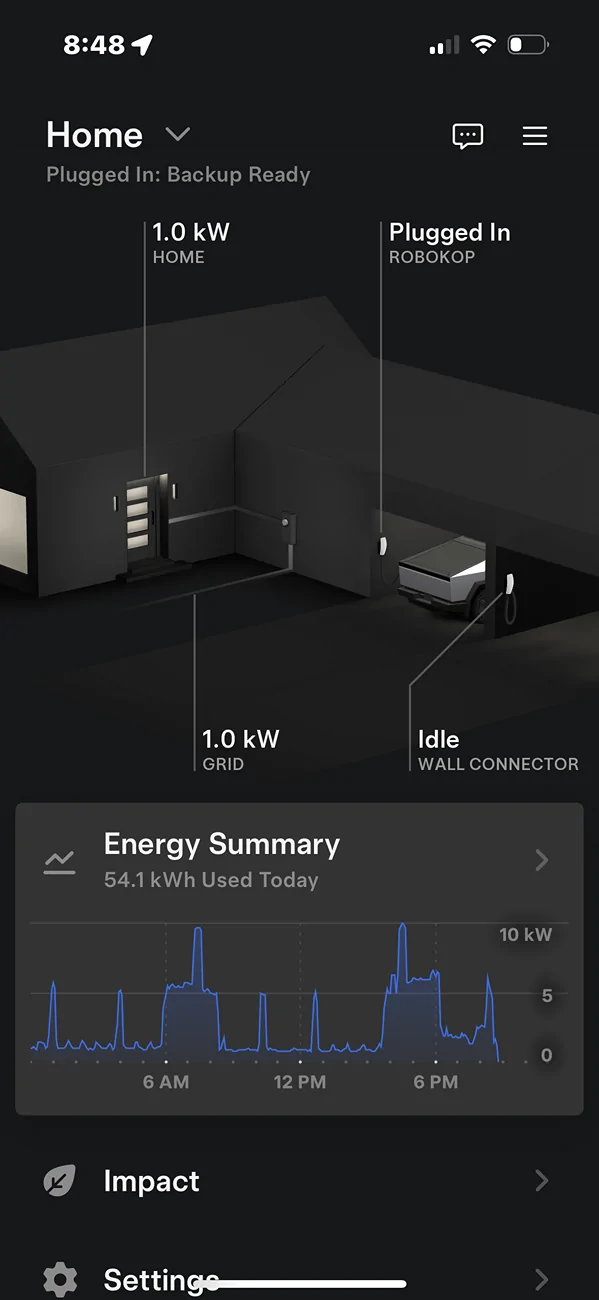
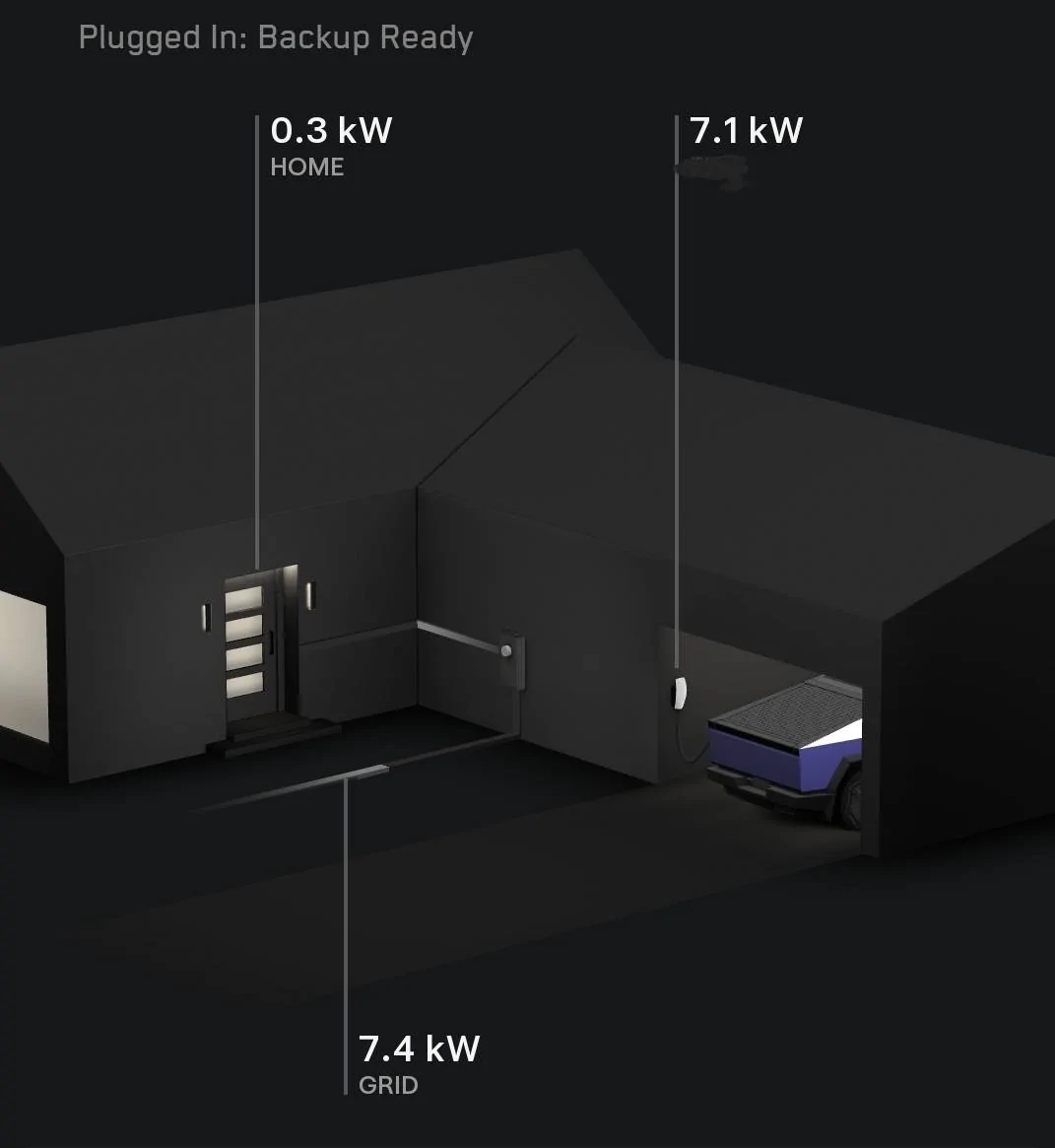
I have the same problem where it says home not connected under the Cybertruck controls menu. However it says Plugged In: Backup Ready.
Tesla Cybertruck Cybertruck Gateway Universal Charger Powershare Issue IMG_5991
 

yerEVan

Well-known member
First Name
Harry
Joined
Dec 24, 2023
Threads
1
Messages
101
Reaction score
190
Location
Near Philadelphia
Vehicles
X Plaid, Y Perf, Y AWD, S Plaid, CT AWD
Country flag
Update. The issue was the gateway still had old universal wall connector data. Once the new data was put in, fixed!
Bump- how did you set the gateway to have new UWC info? I’m in same boat.
 

CyberRasta

Active member
Joined
Jun 8, 2024
Threads
0
Messages
30
Reaction score
25
Location
North Carolina
Vehicles
Cybertruck
Country flag
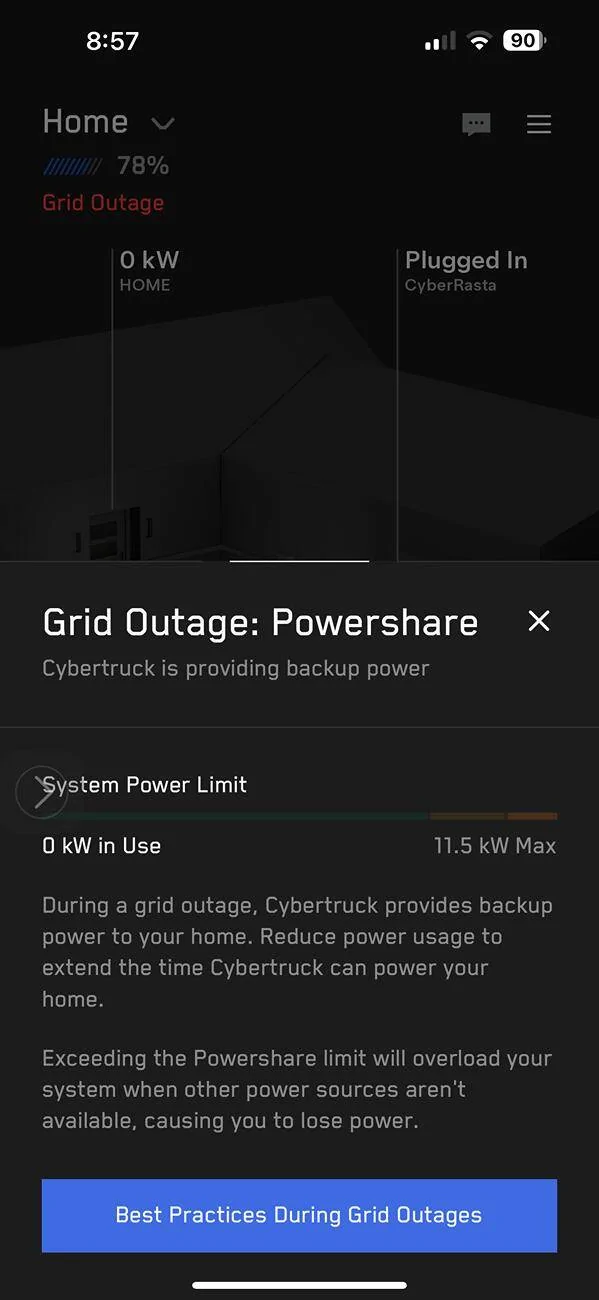
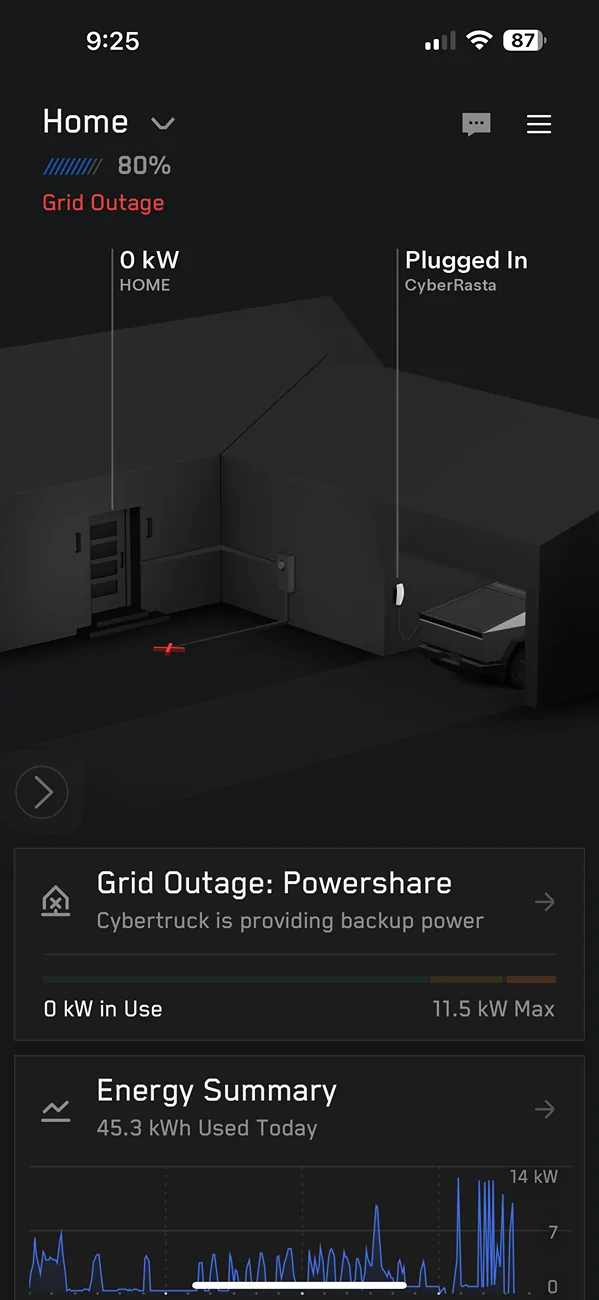
I am having all kinds of challenges with my PowerShare. It only covers part of the home, and if there is a small energy blip, it kicks off, but does not turn back on and I have to reset at the PowerShare box. This is happening very frequently now and worse of all, it is connected to my AC and fridge. I am at the point where I just want PowerShare gone and my old box put back. It’s horrible!!!
 

CyberRasta

Active member
Joined
Jun 8, 2024
Threads
0
Messages
30
Reaction score
25
Location
North Carolina
Vehicles
Cybertruck
Country flag
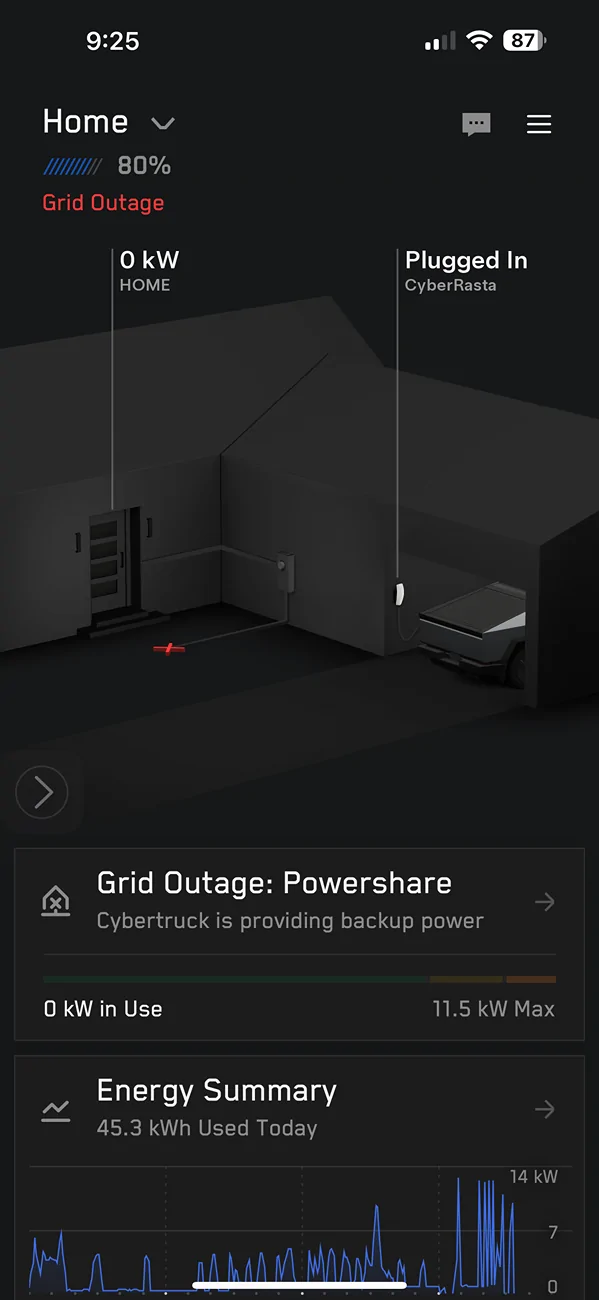
Pictures from 3:31, then 8:57 tonight and 9:25 and it is raining and this time it will not come back on.

Tesla Cybertruck Cybertruck Gateway Universal Charger Powershare Issue 1744077284030-6g


Tesla Cybertruck Cybertruck Gateway Universal Charger Powershare Issue 1744077325877-0t


Tesla Cybertruck Cybertruck Gateway Universal Charger Powershare Issue 1744077228221-5i


mongo

Well-known member
Joined
May 27, 2024
Threads
5
Messages
4,521
Reaction score
5,499
Location
SE Michigan
Vehicles
Cyberbeast
Country flag
I am having all kinds of challenges with my PowerShare. It only covers part of the home, and if there is a small energy blip, it kicks off, but does not turn back on and I have to reset at the PowerShare box. This is happening very frequently now and worse of all, it is connected to my AC and fridge. I am at the point where I just want PowerShare gone and my old box put back. It’s horrible!!!
What old box?
Did it ever work properly (when commissioned by installer)?
What do you mean by reset? Pressing reset button or manually re-engaging the disconnect switch?
 

CyberRasta

Active member
Joined
Jun 8, 2024
Threads
0
Messages
30
Reaction score
25
Location
North Carolina
Vehicles
Cybertruck
Country flag
It has never worked properly. By reset I mean hitting the reset button. Also turned off the main connect switch let it sit for a few minutes then turned it back on. Spent an hour on the phone with Tesla customer service and at the end they advised me to call an electrician.
 

mongo

Well-known member
Joined
May 27, 2024
Threads
5
Messages
4,521
Reaction score
5,499
Location
SE Michigan
Vehicles
Cyberbeast
Country flag
It has never worked properly. By reset I mean hitting the reset button. Also turned off the main connect switch let it sit for a few minutes then turned it back on. Spent an hour on the phone with Tesla customer service and at the end they advised me to call an electrician.
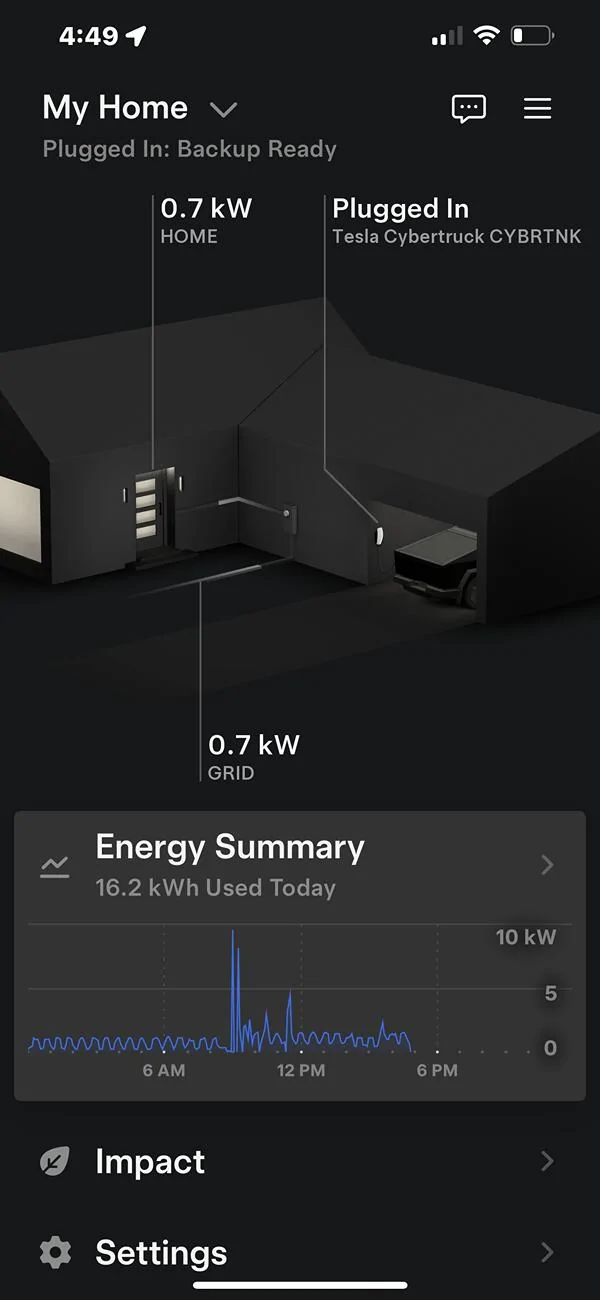
What does you app look like? Here's mine for reference while charging. If different, photos of your installation might help.
Tesla Cybertruck Cybertruck Gateway Universal Charger Powershare Issue SmartSelect_20250408_093247_Tesla
Tesla Cybertruck Cybertruck Gateway Universal Charger Powershare Issue Screenshot_20250408_093449_Samsung captur
Tesla Cybertruck Cybertruck Gateway Universal Charger Powershare Issue SmartSelect_20250408_093224_Tesla
 

CyberRasta

Active member
Joined
Jun 8, 2024
Threads
0
Messages
30
Reaction score
25
Location
North Carolina
Vehicles
Cybertruck
Country flag
Bump- how did you set the gateway to have new UWC info? I’m in same boat.
Update. The issue was the gateway still had old universal wall connector data. Once the new data was put in, fixed!
Foundation88, who updated the universal wall connector data? Was Tesla able to do it remotely, or was a tech required to visit the home?
 

CyberRasta

Active member
Joined
Jun 8, 2024
Threads
0
Messages
30
Reaction score
25
Location
North Carolina
Vehicles
Cybertruck
Country flag
My screen looks just like yours. I had an electrician come out and look at it, they said the wire that was used from the panel to the charger was a 6 gauge instead of a 4 gauge, and that the PowerShare unit appeared to have a fault inside. At this point I am done. Told they to come and take it.
Sponsored


Top