Sponsored

Key Card strategies

M0unt41nm4n

Well-known member
Joined
Jan 23, 2024
Threads
20
Messages
1,236
Reaction score
2,136
Location
Durango, CO and Moab, UT
Vehicles
23 Ford F350 Plat, 22 F150 Plat, 20 Jeep Gladiator, CT-AWD
Country flag
There are a few scenarios where the key card would be best to have with you. Here are some examples I can think of:
  • If your phone dies or if you lose your phone
  • If you need drop it off somewhere other than Tesla to do some service on your car (wrap, tints, etc)
  • If you want someone to access your car for any reason

I know the latter two can be resolved by having them download the app, sign up and then you giving them access but the key card is easier. Just wondering if you should just keep a key card on you or hide it/lock it somewhere in the car such as the glove box with pin code (but not good for the first scenario) so that you can always have it.
Always keep one in your wallet for reason #1.

when I got my CT, the Tesla rep specifically said the same. One day you will need that key card when you least expect it.
Sponsored

 

Lasttoy

Well-known member
First Name
Paul
Joined
Apr 26, 2021
Threads
10
Messages
699
Reaction score
389
Location
St Augustine, FL
Vehicles
2013 & 2017 S. CT ordered 30 may
Occupation
Retired
Country flag
I'm waiting on my CT. I'm not understanding the cell app connection to car???
The app will AUTOMATICALLY unlock truck without me taking cell out of my pocket??? As my FOB does now????
TIA


av8rdude

Member
First Name
Scott
Joined
Dec 26, 2023
Threads
0
Messages
21
Reaction score
33
Location
Milton, GA
Vehicles
Cybertruck AWD, 2022 Model Y Performance
Occupation
Pilot
Country flag
Little known feature...You can tap your phone (not dead) on the B pillar just like a keycard to unlock/lock your tesla. I have only done this with android phones. Ensure NFC is enabled on the phone.

The main reason to carry the keycard is if the Tesla network goes down you can not get in or drive the car without it. This happened to me a few years back when the summon feature was added to FSD. I took the car to a parking lot and forgot my wallet with the keycard. I got out of the car and walked across the parking lot; this is when the Tesla network went down. (Every tesla was probaby trying to download the update and crashed the servers.) The app was not able to login to my account and weird app things were happening. I had no control of my car with the phone. (I did not try tapping my phone on the B pillar).

I had to walk back home to retrieve my wallet and keycard. Luckily I was less than a mile from home.

Several hours went by before the tesla network was back to normal.

This is why I carry the keycard.
 

Jhodgesatmb

Well-known member
First Name
Jack
Joined
Dec 1, 2019
Threads
89
Messages
6,487
Reaction score
9,024
Location
San Francisco Bay area
Website
www.arbor-studios.com
Vehicles
Tesla Cybertruck FS AWD, Tesla Model Y LR
Occupation
Retired AI researcher
Country flag
There are a few scenarios where the key card would be best to have with you. Here are some examples I can think of:
  • If your phone dies or if you lose your phone
  • If you need drop it off somewhere other than Tesla to do some service on your car (wrap, tints, etc)
  • If you want someone to access your car for any reason

I know the latter two can be resolved by having them download the app, sign up and then you giving them access but the key card is easier. Just wondering if you should just keep a key card on you or hide it/lock it somewhere in the car such as the glove box with pin code (but not good for the first scenario) so that you can always have it.
That list is a narrow scope. I have several generic scenarios where having the card key is imperative:

- You need to leave the car with your phone in it, and as such must turn off bluetooth. You then need the key card to get back in unless you have something like Watch App, but even then you take the card key as a backup in case Watch App doesn't work for some reason. This kind of scenario applies in many outdoor activity cases where you either do not want to, or cannot, take the phone with you, most obviously when you are going to get [very] wet.
 

Jhodgesatmb

Well-known member
First Name
Jack
Joined
Dec 1, 2019
Threads
89
Messages
6,487
Reaction score
9,024
Location
San Francisco Bay area
Website
www.arbor-studios.com
Vehicles
Tesla Cybertruck FS AWD, Tesla Model Y LR
Occupation
Retired AI researcher
Country flag
I'm waiting on my CT. I'm not understanding the cell app connection to car???
The app will AUTOMATICALLY unlock truck without me taking cell out of my pocket??? As my FOB does now????
TIA
We do not have a FOB for Tesla, just the phone and the key (and other devices like watch, ring, etc.), so yes these devices act like fobs except you don't have to hit an 'open' button.
 

CT007

Active member
Joined
Jun 15, 2024
Threads
4
Messages
32
Reaction score
16
Location
USA
Vehicles
FS Cybertruck, X plaid, YP, S LR, 3P
Country flag
CT is my 10th Tesla. I don't carry one.
  1. With UWB, it is not an issue. I don't know if CT supports it but even on cars where it's not supported, I can always call my wife or someone to remote start
  2. Tesla doesn't need key cards. It's GPS based on service center. They got rid of the requirement in most locations around 1.5 years ago
  3. Only time I need it is valet. But it works to my benefit as I just park it myself and not have someone else touch the car


Woodrick

Well-known member
First Name
Ed
Joined
Dec 30, 2023
Threads
6
Messages
4,786
Reaction score
4,762
Location
Gainesville Ga
Vehicles
Model 3, Model Y, Cybertruck AWD
Occupation
Consultant
Country flag
I'm waiting on my CT. I'm not understanding the cell app connection to car???
The app will AUTOMATICALLY unlock truck without me taking cell out of my pocket??? As my FOB does now????
TIA
You aren't in the age of the old Model S anymore. Your keyfob won't work. It's all Bluetooth now.

The vehicles see me (more specifically my phone) coming and unlocks, but door handles are not presented, nor or doors opened.
 

wtibbit

Well-known member
First Name
Wayne
Joined
Aug 27, 2020
Threads
12
Messages
819
Reaction score
1,617
Location
DFW
Vehicles
Cybertruck AWD FS, Mercedes sedan, Corvette coupe, 1968 Cougar XR-7
Occupation
Retired Engineering Program Director
Country flag

webwrangler

Well-known member
Joined
Jan 23, 2024
Threads
6
Messages
77
Reaction score
86
Location
Seattle
Vehicles
Tesla Model 3, Tesla Model Y
Country flag
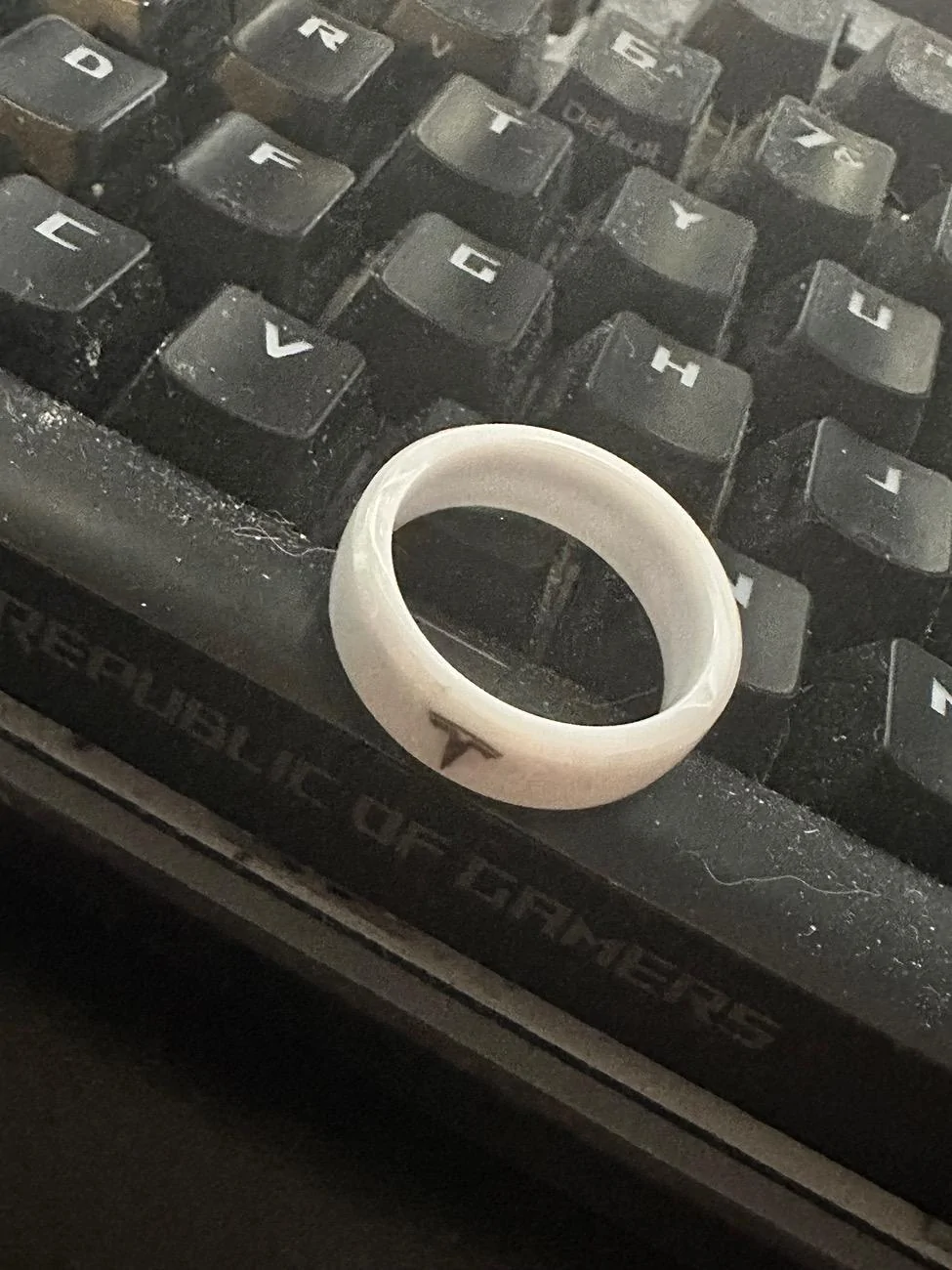
I have a 3rd party ring which is always on my finger, no need to carry the key or my wallet. Google tesla ring key. Works great, don’t even use the phone key anymore.
I did google tesla ring key and found a page with some very slick looking product photos. Underneath these are some very fake sounding reviews. Things like “This is great for when I don’t have cell service and my phone won’t work as a key…”

Uh huh. That totally sounds like a Tesla owner. Sure.
 

UberNoob

Well-known member
Joined
Jun 5, 2024
Threads
5
Messages
1,025
Reaction score
1,579
Location
Florida
Vehicles
CyberBeast & M3P
Occupation
Desktop Security Engineer
Country flag
I did google tesla ring key and found a page with some very slick looking product photos. Underneath these are some very fake sounding reviews. Things like “This is great for when I don’t have cell service and my phone won’t work as a key…”

Uh huh. That totally sounds like a Tesla owner. Sure.
Yea I can’t attest to their reviews, honestly these days I don’t trust any on webpages bc anyone can say anything and in my eyes likely paying for it. I can’t remember the site I used to get mine I do know it took like 2-3 weeks for them to make my size and ship it. When you get it you just register it like a key card in the car. Here is a photo of it, sized for my pointer finger bc I didn’t want the single ladies to think I was married

Tesla Cybertruck Key Card strategies IMG_6391
Sponsored


Top