Sponsored

Beetlebug62

Well-known member
First Name
Ken
Joined
Mar 24, 2025
Threads
6
Messages
457
Reaction score
802
Location
Maine, USA
Vehicles
2018 Tesla Model 3 LR-AWD, 2025 CyberTruck dual-motor
Occupation
retired
Country flag
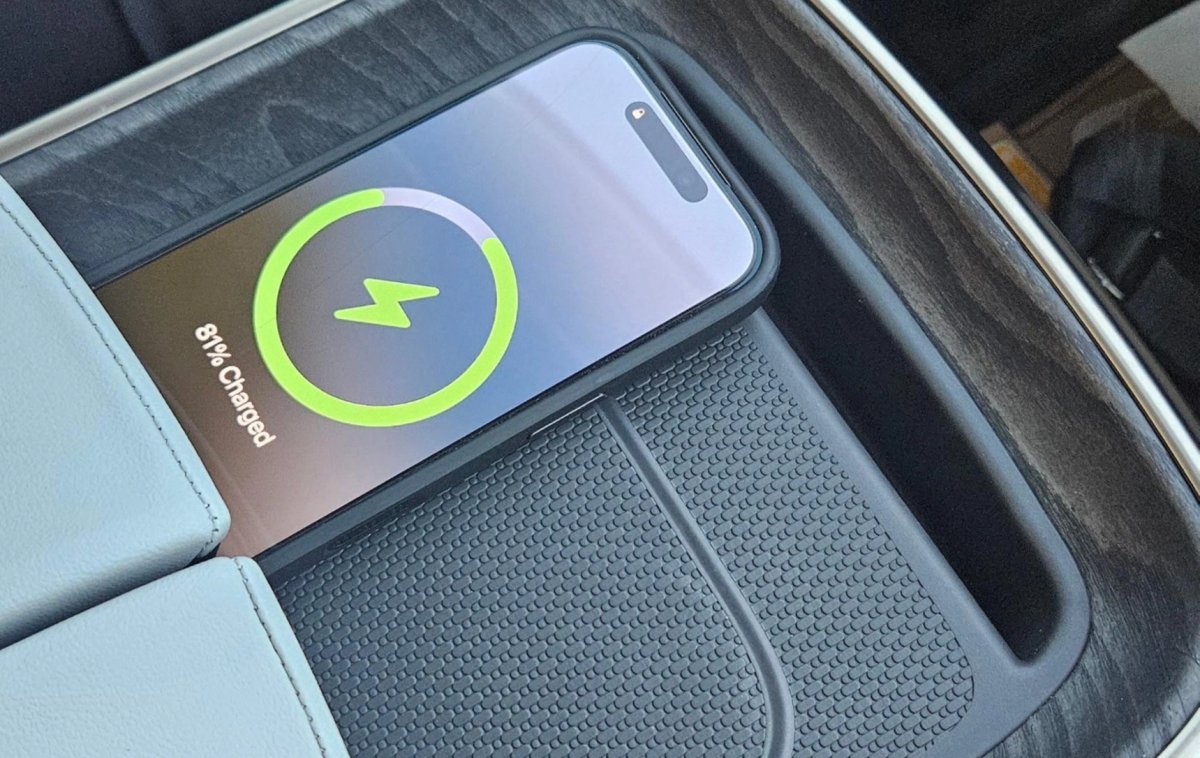
Sometime in September, I thought whatever software update we got, fixed the overheating issue for me. Of course, it was the same time I got a new iPhone 17 Air, so, I wasn't sure if it was the update or the phone. Either way, I no longer have overheating issues.
Sponsored

 

TexasRaider

Well-known member
First Name
JR
Joined
Jan 10, 2023
Threads
33
Messages
922
Reaction score
835
Location
Denton
Vehicles
Cybertruck + MS
Occupation
Civil
Country flag
Sometime in September, I thought whatever software update we got, fixed the overheating issue for me. Of course, it was the same time I got a new iPhone 17 Air, so, I wasn't sure if it was the update or the phone. Either way, I no longer have overheating issues.
Can you please share how you arrived at this conclusion?
 

Beetlebug62

Well-known member
First Name
Ken
Joined
Mar 24, 2025
Threads
6
Messages
457
Reaction score
802
Location
Maine, USA
Vehicles
2018 Tesla Model 3 LR-AWD, 2025 CyberTruck dual-motor
Occupation
retired
Country flag
Can you please share how you arrived at this conclusion?
Well, my phone no longer feels too hot to touch, and it charges, so I came to the conclusion that it works now.
 

HaulingAss

Well-known member
Joined
Oct 3, 2020
Threads
28
Messages
10,313
Reaction score
20,728
Location
Western Washington, USA
Vehicles
Cybertruck DM, 2010 F-150, 2018 Performance Model 3, 2024 Performance Model 3
Country flag
Well, my phone no longer feels too hot to touch, and it charges, so I came to the conclusion that it works now.
I think Apple fixed the wireless charging over-heating issue when wirelessly charging on non Mag-Safe induction chargers. Small misalignments cause overheating from standard Qi wireless chargers on iPhones and this has been documented by users thousands of times on non-Tesla chargers.

In other words, it's not a Tesla problem, it's an iPhone problem. My Android phone works great (and it's going on 8 years of daily use on the original battery).
 

CyberGus

Well-known member
First Name
Gus
Joined
May 22, 2021
Threads
91
Messages
10,242
Reaction score
33,897
Location
Austin, TX
Vehicles
1981 DeLorean, 2024 Cybertruck
Occupation
IT Specialist
Country flag
I added a silicone liner to the phone tray, and it reduced the phone heating significantly.

I can't say if that's due to the thermal insulation provided by the silicone, or if the extra thickness changed the alignment with the coils 🤷‍♂️


turns2stone

Well-known member
Joined
Dec 25, 2025
Threads
0
Messages
211
Reaction score
273
Location
Dallas, TX
Vehicles
2026 Tesla Cybertruck Premium AWD, 2024 Tesla Model S Plaid, 2019 BMW i3S
Country flag
I think Apple fixed the wireless charging over-heating issue when wirelessly charging on non Mag-Safe induction chargers. Small misalignments cause overheating from standard Qi wireless chargers on iPhones and this has been documented by users thousands of times on non-Tesla chargers.

In other words, it's not a Tesla problem, it's an iPhone problem. My Android phone works great (and it's going on 8 years of daily use on the original battery).
It's not an iPhone problem, it's a '3rd party hardware problem'.

Any charger that doesn't line up to the iPhone's charging coils is going to cause it to overheat. Doesn't matter if it's in a Tesla, Honda, or some mis-aligned Qi charger on a hotel nightstand.
 

HaulingAss

Well-known member
Joined
Oct 3, 2020
Threads
28
Messages
10,313
Reaction score
20,728
Location
Western Washington, USA
Vehicles
Cybertruck DM, 2010 F-150, 2018 Performance Model 3, 2024 Performance Model 3
Country flag
It's not an iPhone problem, it's a '3rd party hardware problem'.

Any charger that doesn't line up to the iPhone's charging coils is going to cause it to overheat. Doesn't matter if it's in a Tesla, Honda, or some mis-aligned Qi charger on a hotel nightstand.
It sounds like the new iPhones are less sensitive to exact positioning (or else they have moved the charging coils to be more compatible with typical Qi charging stands). From what I'm hearing, they act more like most Android phones now when charging on Qi charge stands. That's a welcome change and about time!
 

HighTechJoe

Well-known member
Joined
Jan 27, 2026
Threads
1
Messages
96
Reaction score
154
Location
Earth
Vehicles
2013 P85+, 2014 P85DL, 2026 CyberBeast
Country flag
I’m having this issue with my iPhone 17 Pro. So, apparently not fixed. I do have a thin case with magsafe magnets in it.
 

turns2stone

Well-known member
Joined
Dec 25, 2025
Threads
0
Messages
211
Reaction score
273
Location
Dallas, TX
Vehicles
2026 Tesla Cybertruck Premium AWD, 2024 Tesla Model S Plaid, 2019 BMW i3S
Country flag
I’m having this issue with my iPhone 17 Pro. So, apparently not fixed. I do have a thin case with magsafe magnets in it.
As I referenced above, there is no way the Tesla OEM pad (as designed) will ever work properly for iPhones and probably most Androids. The charging coils simply don't line up.

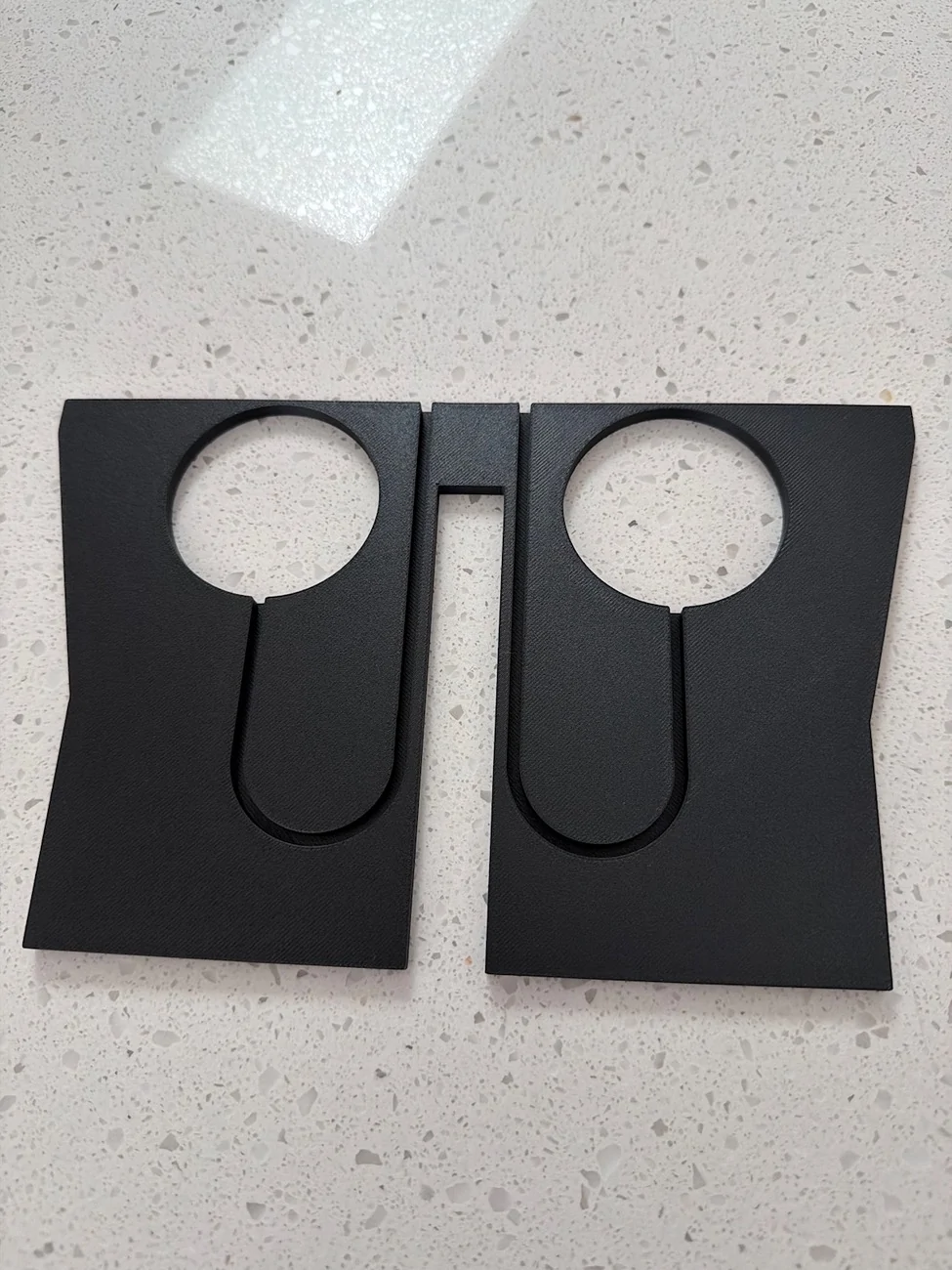
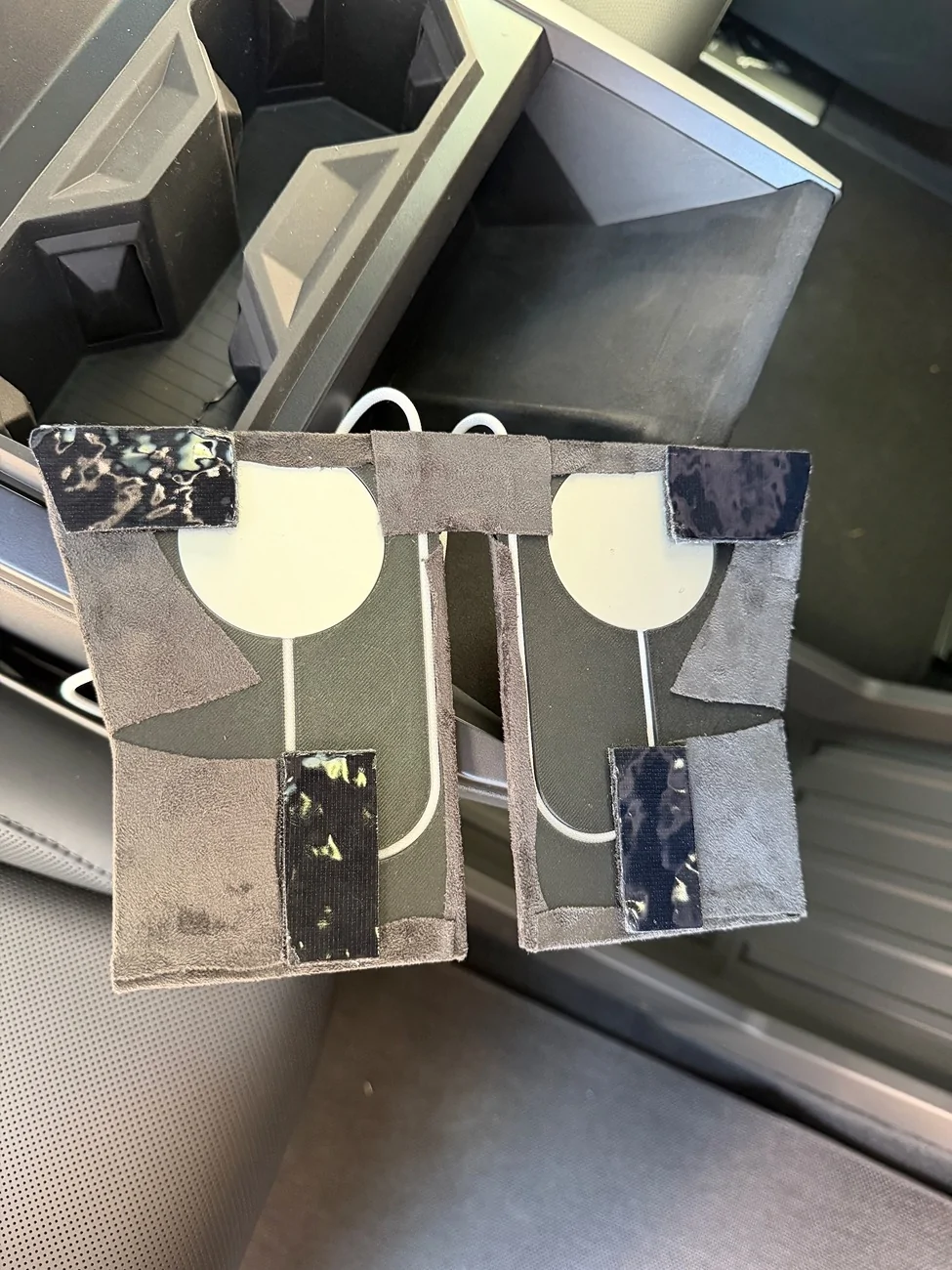
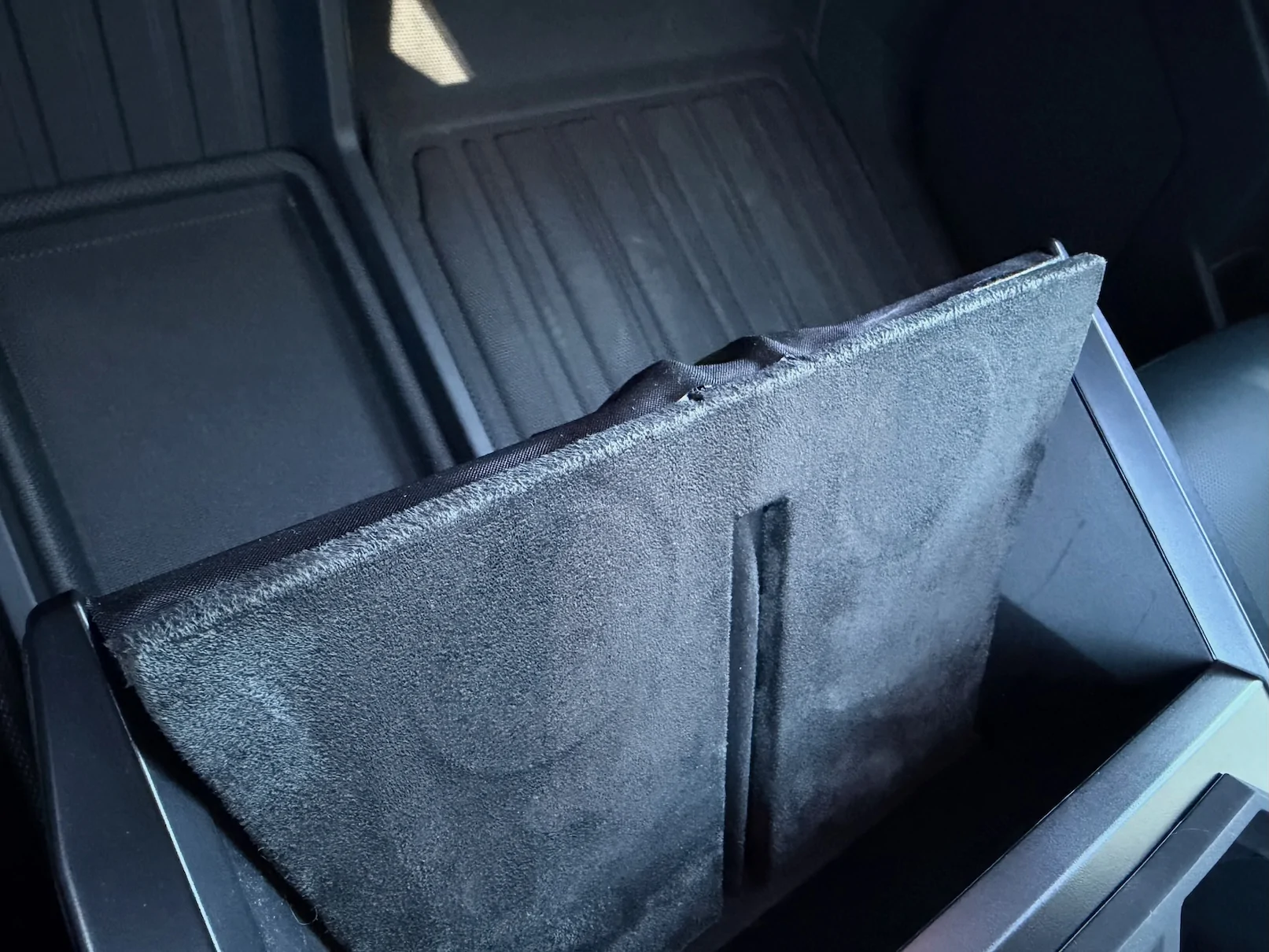
As such, I've been able to DIY a permanent solution that works 100% and can charge two iPhones at 25w each via MagSafe. Much thanks to @Sandman1962 for the 3D print file + design!

Steps:

  1. Print the STL file, I recommend using PETG-CF
  2. Get two of Apple's 2M 25w MagSafe chargers: MGDM4LL/A Model A3503 <-This is the newest Qi 2.2 version, and fits the file from Sandman
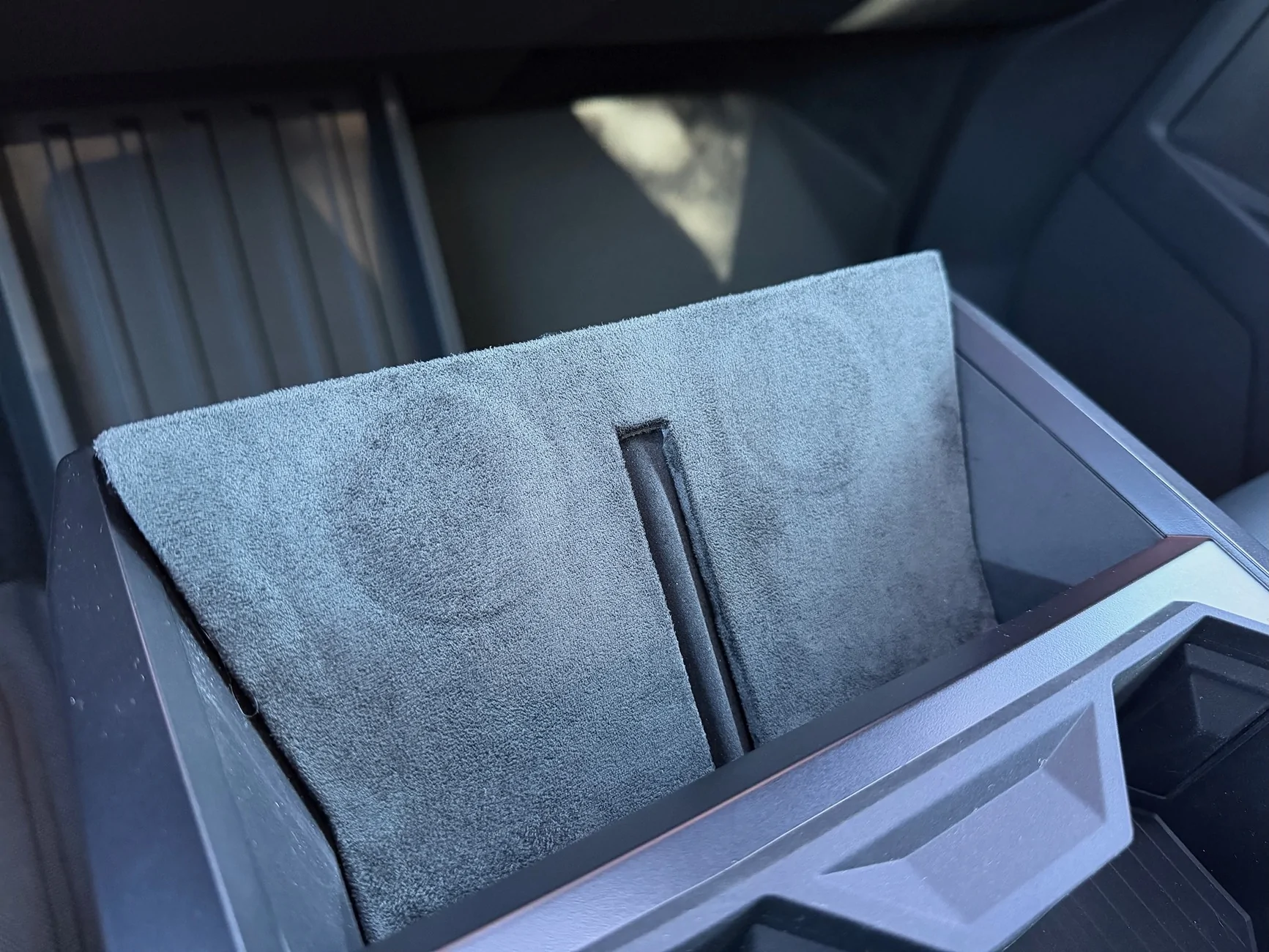
  3. Insert the MagSafes and wrap the front of the module with adhesive suede. I used this Dark Gray via Amazon: https://www.amazon.com/dp/B0F6L97BLJ?th=1
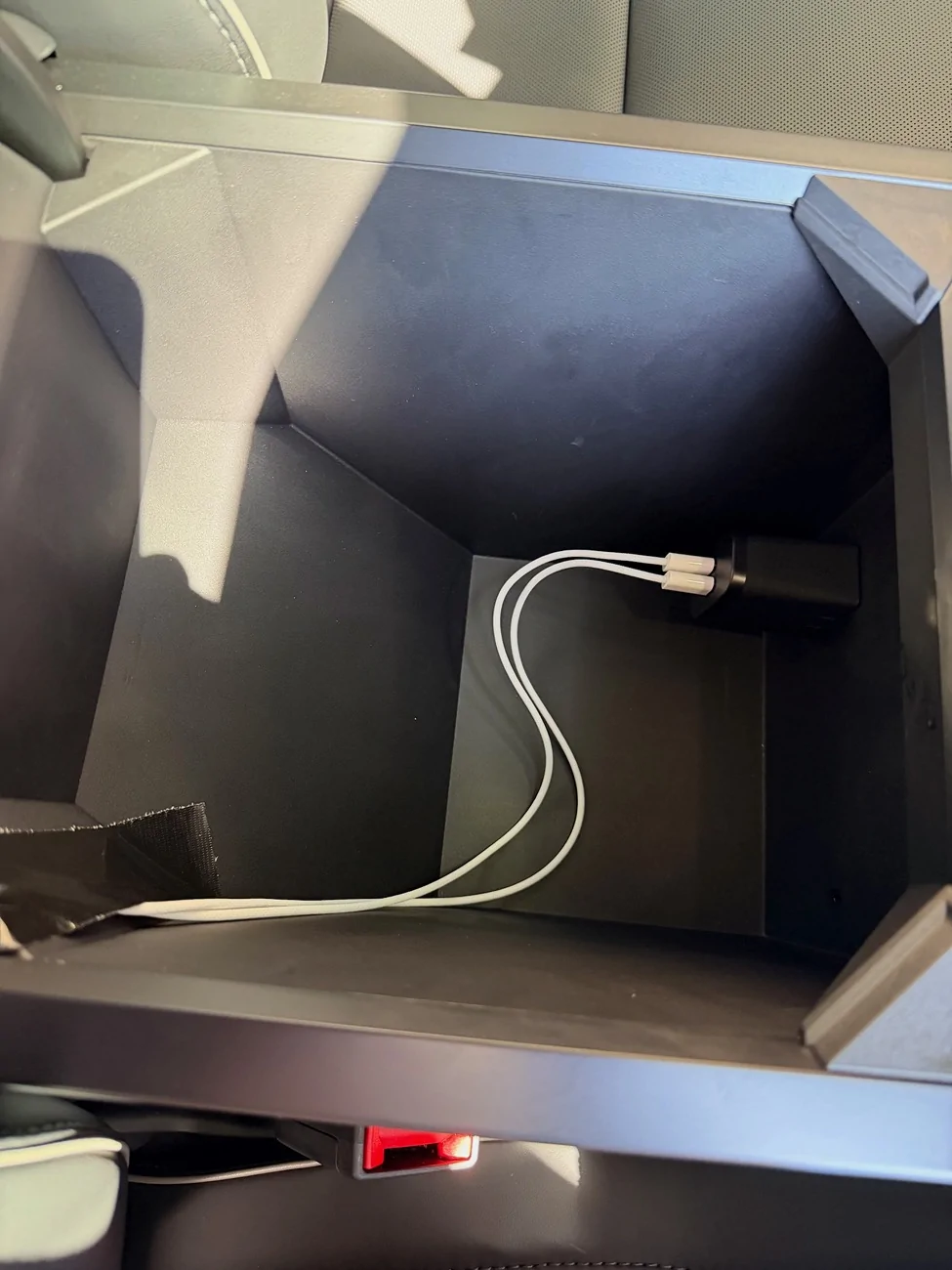
  4. Use a dual 30w 120V USB-C charger, to plug into the center console. You can use lower wattage, but this ensures iPhone 16 and newer will charge at 25w via MagSafe
  5. Use double-sided velcro to attach your newly-wrapped pad to the OEM tray. This way you can remove easily if necessary.
  6. Route the two USB-C cables from the top of the tray, around the passenger side of the center console. I used some strong black tape to secure it in various spots to the center console, then up into the rear of the armrest. If you do it right, the wires will be hidden by the passenger seat. You can use some black wire loom tape to tidy up any exposed surfaces or MagSafe wires coming from the top of the tray.
  7. Done! No more overheating, and the phones charge every time. The top of an iPhone camera bump rests just along the top of the 3D printed tray, and the MagSafe lines up.
  8. Also... the key card still works!
Tesla Cybertruck HARDWARE FIX for hot phone charging issue! New wireless charger has a built-in heatsink IMG_0603
Tesla Cybertruck HARDWARE FIX for hot phone charging issue! New wireless charger has a built-in heatsink IMG_0669
Tesla Cybertruck HARDWARE FIX for hot phone charging issue! New wireless charger has a built-in heatsink IMG_0670
Tesla Cybertruck HARDWARE FIX for hot phone charging issue! New wireless charger has a built-in heatsink IMG_0798
Tesla Cybertruck HARDWARE FIX for hot phone charging issue! New wireless charger has a built-in heatsink IMG_0799
 

shopaholic

Well-known member
First Name
Gee
Joined
Sep 18, 2024
Threads
22
Messages
318
Reaction score
317
Location
East Bay
Vehicles
2025 CT AWD (67k VIN), 2018 Model 3LR(40k VIN) , BMWR1200S
Occupation
Retired
Country flag
As I referenced above, there is no way the Tesla OEM pad (as designed) will ever work properly for iPhones and probably most Androids. The charging coils simply don't line up.

As such, I've been able to DIY a permanent solution that works 100% and can charge two iPhones at 25w each via MagSafe. Much thanks to @Sandman1962 for the 3D print file + design!

Steps:

  1. Print the STL file, I recommend using PETG-CF
  2. Get two of Apple's 2M 25w MagSafe chargers: MGDM4LL/A Model A3503 <-This is the newest Qi 2.2 version, and fits the file from Sandman
  3. Insert the MagSafes and wrap the front of the module with adhesive suede. I used this Dark Gray via Amazon: https://www.amazon.com/dp/B0F6L97BLJ?th=1
  4. Use a dual 30w 120V USB-C charger, to plug into the center console. You can use lower wattage, but this ensures iPhone 16 and newer will charge at 25w via MagSafe
  5. Use double-sided velcro to attach your newly-wrapped pad to the OEM tray. This way you can remove easily if necessary.
  6. Route the two USB-C cables from the top of the tray, around the passenger side of the center console. I used some strong black tape to secure it in various spots to the center console, then up into the rear of the armrest. If you do it right, the wires will be hidden by the passenger seat. You can use some black wire loom tape to tidy up any exposed surfaces or MagSafe wires coming from the top of the tray.
  7. Done! No more overheating, and the phones charge every time. The top of an iPhone camera bump rests just along the top of the 3D printed tray, and the MagSafe lines up.
  8. Also... the key card still works!
IMG_0603.webp
IMG_0669.webp
IMG_0670.webp
IMG_0798.webp
IMG_0799.webp
Looks like OEM solution! Wish one of the vendors or members make a kit for those of us that don’t have or know how to do the printing.


turns2stone

Well-known member
Joined
Dec 25, 2025
Threads
0
Messages
211
Reaction score
273
Location
Dallas, TX
Vehicles
2026 Tesla Cybertruck Premium AWD, 2024 Tesla Model S Plaid, 2019 BMW i3S
Country flag
Looks like OEM solution! Wish one of the vendors or members make a kit for those of us that don’t have or know how to do the printing.
Ya. I know there are some vendors with solutions, and I would have preferred to buy something 'off the shelf', but none of them:
  • Use OEM Apple MagSafe
  • Can deliver a full 25w to each device (you need to use the 120V outlet for such, can't split the truck's USB-C to deliver that much power.
  • Maintain key card functionality

So, DIY was the only choice.
 

HaulingAss

Well-known member
Joined
Oct 3, 2020
Threads
28
Messages
10,313
Reaction score
20,728
Location
Western Washington, USA
Vehicles
Cybertruck DM, 2010 F-150, 2018 Performance Model 3, 2024 Performance Model 3
Country flag
As I referenced above, there is no way the Tesla OEM pad (as designed) will ever work properly for iPhones and probably most Androids. The charging coils simply don't line up.
Why do you say that?

I finally replaced my ancient Galaxy S8+ for a Galaxy S26 last week and it charges quickly on Cybertruck's wireless charging pads, just like my 8 year old Samsung S8+ did. No excessive heat, just fast charging. Same with the wireless charging pads in my wife's 2024 Model 3 Performance on both of our Android phones.
 

turns2stone

Well-known member
Joined
Dec 25, 2025
Threads
0
Messages
211
Reaction score
273
Location
Dallas, TX
Vehicles
2026 Tesla Cybertruck Premium AWD, 2024 Tesla Model S Plaid, 2019 BMW i3S
Country flag
Why do you say that?

I finally replaced my ancient Galaxy S8+ for a Galaxy S26 last week and it charges quickly on Cybertruck's wireless charging pads, just like my 8 year old Samsung S8+ did. No excessive heat, just fast charging. Same with the wireless charging pads in my wife's 2024 Model 3 Performance on both of our Android phones.
Because the charging coils in the OEM pad don't line up to the coils in your Samsung. Sure, they are 'close enough' to begin a charging session. But a lot of heat is wasted due to (lack of) proximity.

And if you happen to not get them close enough initially, it just won't charge, at all.

Magnets + a better physical design (for the CT charging pad) to ensure there is no air gap due to the camera bump is the only true solution.

Finally OEMs are paying attention to this situation, and the Rivian R2 (and newest-build R1) is one of the first to properly design a wireless pad charger for modern smart phones.

Notice the 'lip' that allows for the camera bump to not interfere with a close fit for the coils.
https://www.rivianwave.com/news/3865/rivian-debuts-new-magsafe-phone-charger-on-latest-r1-builds

Tesla Cybertruck HARDWARE FIX for hot phone charging issue! New wireless charger has a built-in heatsink magsafe-wireless-charger-2-1774625936
 
Last edited:

HaulingAss

Well-known member
Joined
Oct 3, 2020
Threads
28
Messages
10,313
Reaction score
20,728
Location
Western Washington, USA
Vehicles
Cybertruck DM, 2010 F-150, 2018 Performance Model 3, 2024 Performance Model 3
Country flag
Because the charging coils in the OEM pad don't line up to the coils in your Samsung. Sure, they are 'close enough' to begin a charging session. But a lot of heat is wasted due to (lack of) proximity.

And if you happen to not get them close enough initially, it just won't charge, at all.
Never had any of our Samsung phones not charge or get hot, we just snug them up to the center ridge. Maybe people having trouble have thick cases?
Sponsored


Top