The Tesla Guy
Well-known member
- First Name
- Daniel
- Joined
- Mar 15, 2024
- Threads
- 7
- Messages
- 454
- Reaction score
- 424
- Location
- Washington
- Website
- youtubeteslaguy.com
- Vehicles
- 23MS Plaid, 23MY, LR,Order-FoundationCyberTruck DM
- Occupation
- Retired

- Thread starter
- #1
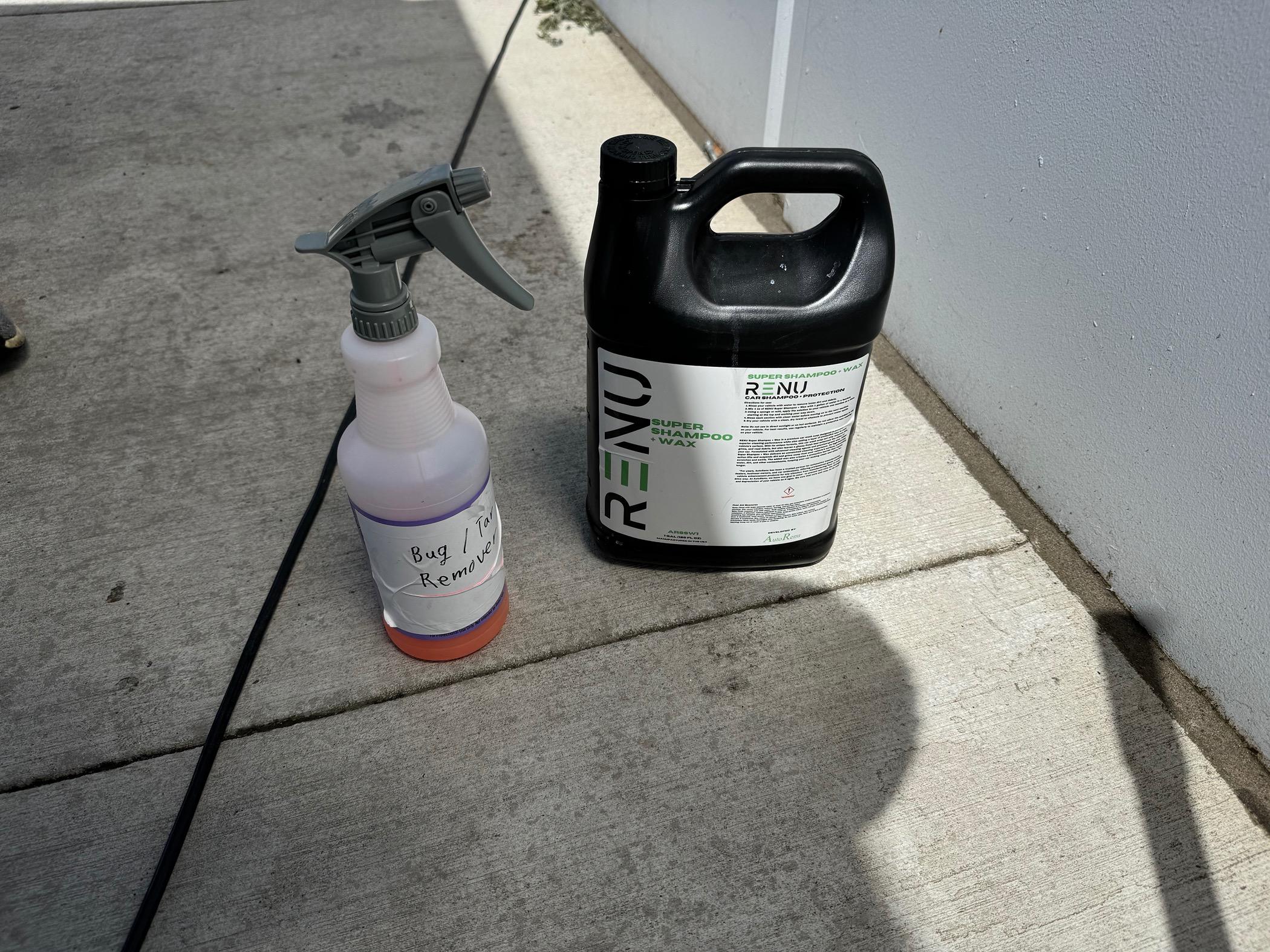
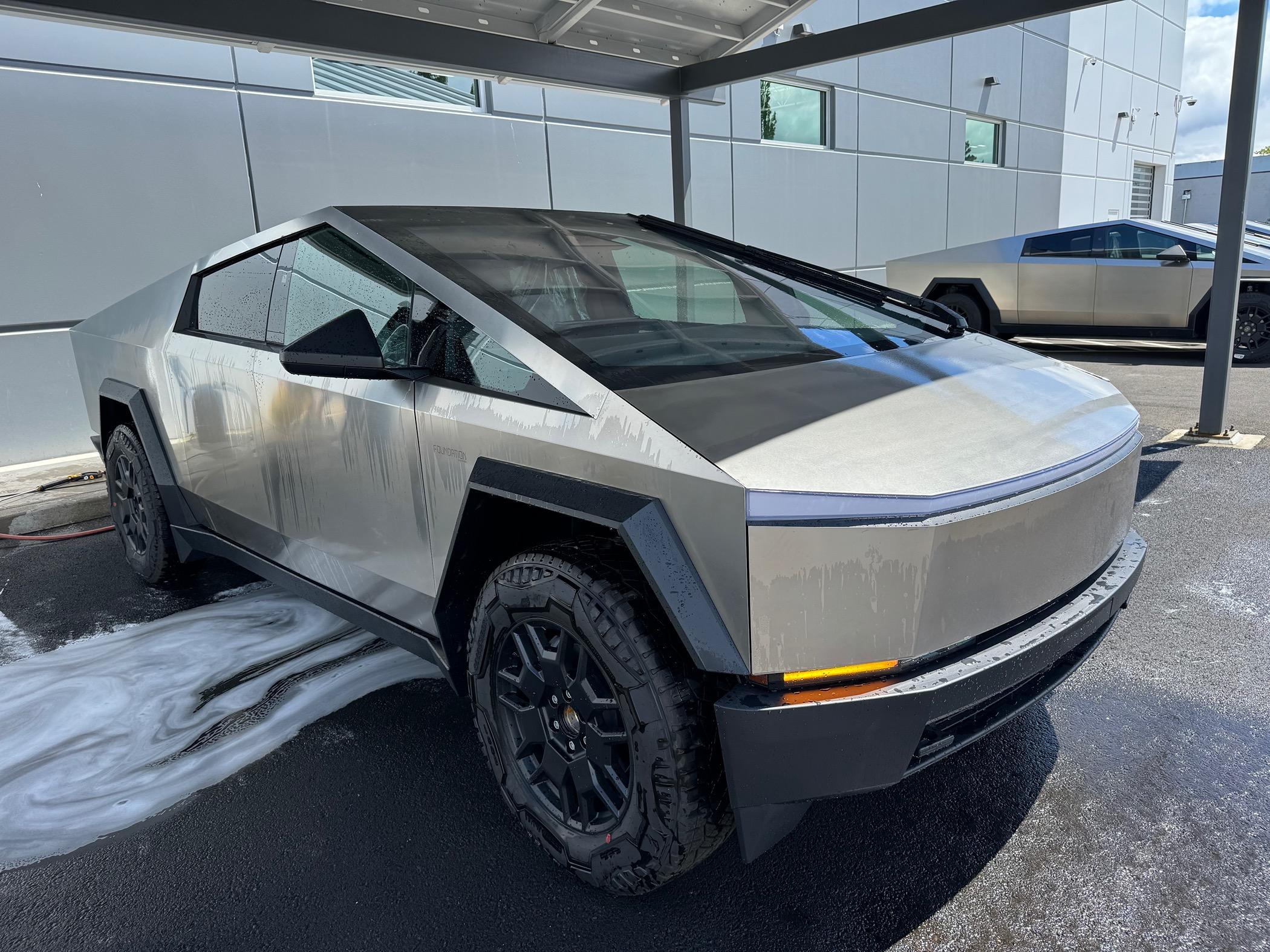
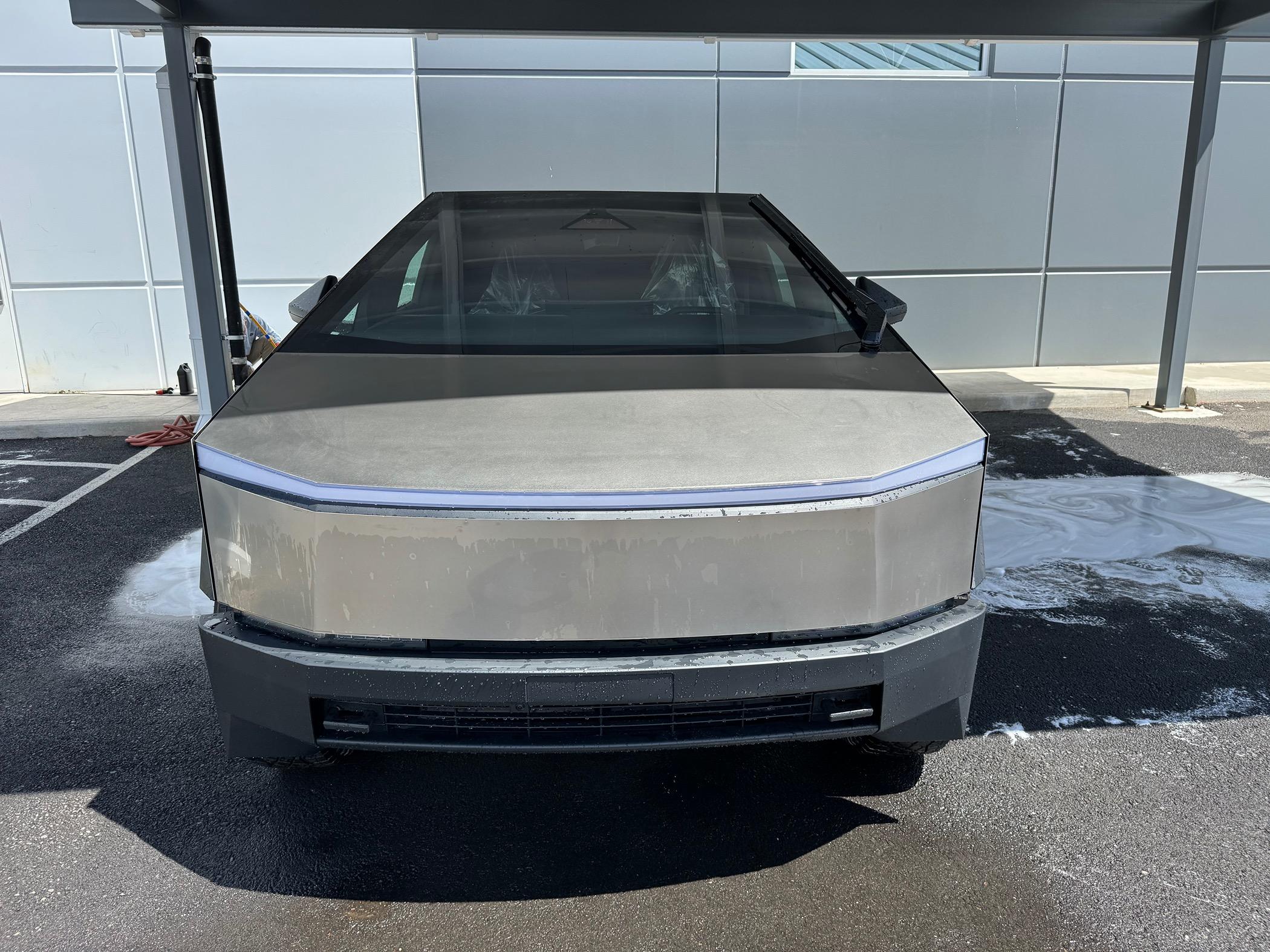
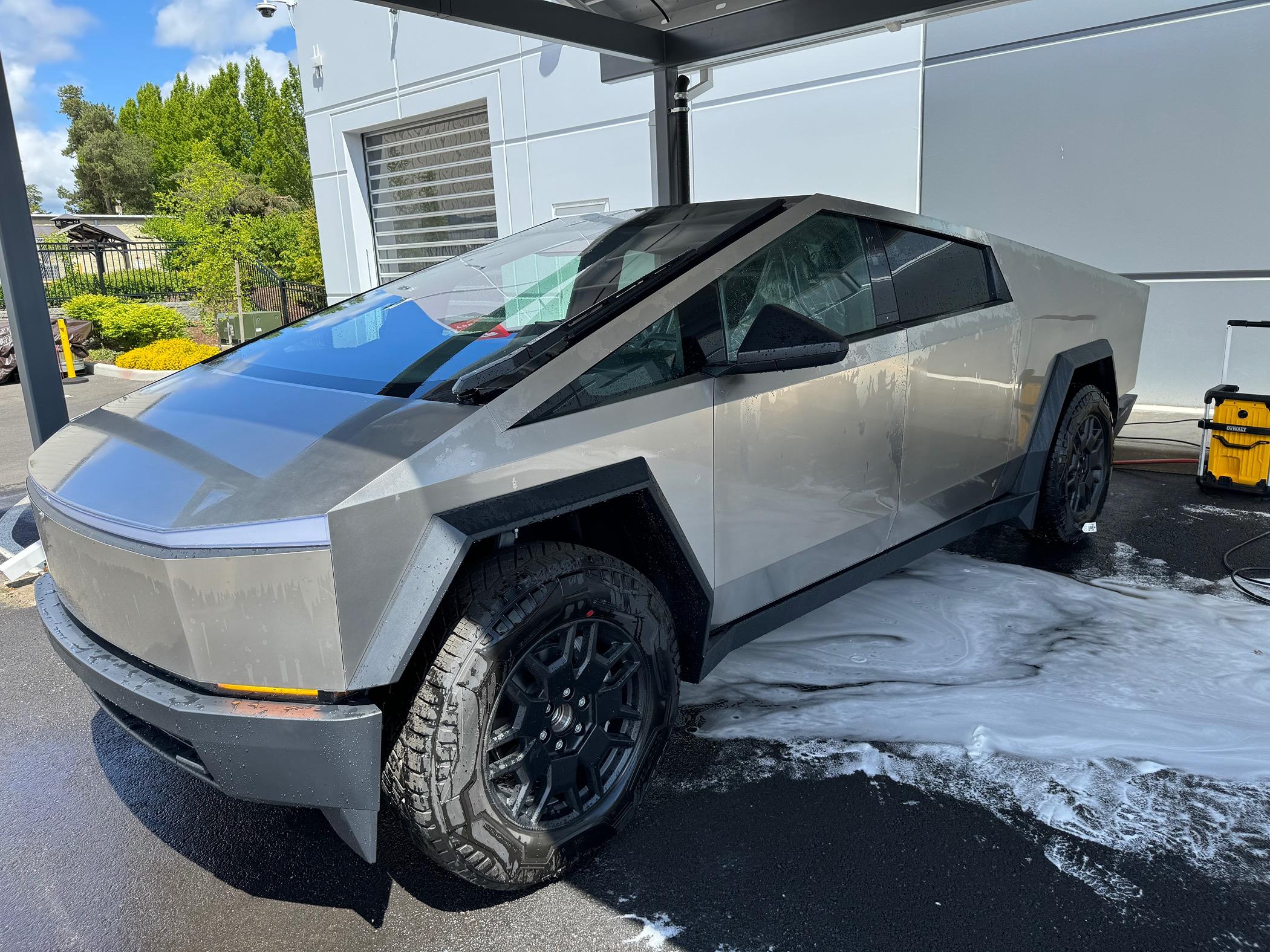
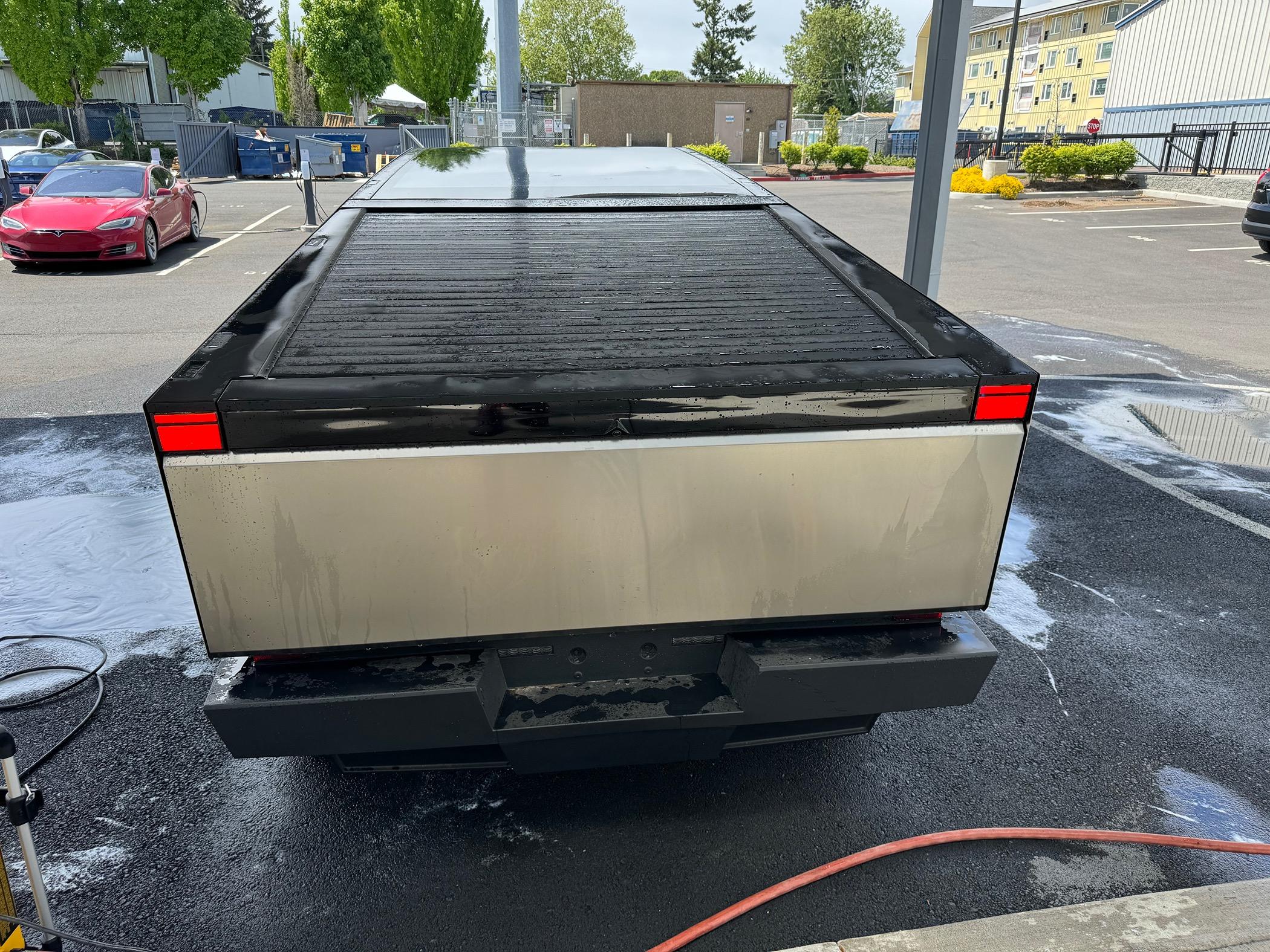
With regards recommendations for cleaning and protecting the Stainless Steel
It’s hard to tell who to trust…
Seems to track with Tesla’s instructions
https://www.tesla.com/ownersmanual/cybertruck/en_us/GUID-65384C1F-86F2-44E8-A8BC-8A12E7E00A40.html#:~:text=Hand wash using a non,streaks thoroughly with a chamois.
Cleaning
Cleaning the Exterior
To prevent damage to the exterior, immediately remove corrosive substances (such as grease, oil, bird droppings, tree resin, dead insects, tar spots, road salt, industrial fallout, etc.). Do not wait until Cybertruck is due for a complete wash. If necessary, use denatured alcohol to remove tar spots and stubborn grease stains, then immediately wash the area with water and a mild, non-detergent soap to remove the alcohol.
Note
It is normal for the stainless steel exterior to mature over time, resulting in minor changes to the reflective properties and color of the metal.
Dents and Scratches
The stainless steel exterior of Cybertruck is more resistant to dents and dings than most other vehicles. However, Cybertruck does not have a clear coat on the surface of the exterior body panels, meaning any scratches that appear are in the stainless steel panels themselves. Anyone performing scratch repair should refer to the applicable "Exterior Stainless Steel Panel Refinishing" procedure within the Collision Repair Manual on service.tesla.com. In addition, do not use, and/or immediately remove, chemical, corrosive, or non-pH neutral substances (including but not limited to: acidic liquids or materials, grease, oil, tree resin, dead insects, tar spots, road salt, industrial fallout, etc.) as they can cause corrosion on the vehicle's exterior.
CAUTION
Tesla is not liable for any damage caused by failing to refer to official guidance.
Surface Contamination
Over time, you may notice contamination on the surface of the stainless steel body panels. These spots may appear as orange or brown rust. However, it is important to note that your Cybertruck is not rusting. Refer to the DIY Guide for more information.
Keep the exterior cameras free of dirt, condensation, or obstructions. These substances can cause unclear pictures or Autopilot and safety features to stop working (see Cleaning a Camera).
Follow these steps when washing the exterior of Cybertruck:
Use isopropyl alcohol wipes (such as those used to clean glasses or screens) to clean away small stains.
Note
Tesla does not recommend taking Cybertruck through an automatic car wash.
Cleaning Mud
If your vehicle is covered in mud, such as after off-roading, rinse the entire exterior of the vehicle with water. It is important to regularly clean the exterior of Cybertruck after off-roading because mud and debris can quickly build up and limit some vehicle functions.
For certain components, such as the underside, wheel wells, panel seams, and radiator, use a power washer to remove stuck-on mud or debris. Then follow the rest of the regular cleaning steps, as explained above. Wipe away mud from the headlights, tail lights, and cameras, as it may affect your vehicle’s ability to drive safely.
CAUTION
Damage to the vehicle as a result of debris or mud buildup is not covered by the warranty.
Window Cleaning and Treatments
Clean windows and mirrors using an automotive glass cleaner. Do not scrape or use any abrasive cleaning fluid on glass or mirrored surfaces. Follow the directions in Cleaning the Exterior for best practices in cleaning the exterior glass.
To add a hydrophobic coating to your vehicle's windows, apply the coating only to the side and rear windows, not the front windshield—doing so may affect the visibility of the autopilot cameras. Follow the hydrophobic coating manufacturer’s instructions for application details.
Note
Tesla is not responsible for any damage associated with applying window treatments on your vehicle.
Car Wash
If taking Cybertruck to an automatic car wash is necessary, Car Wash Mode closes all windows, locks the charge port, and disables windshield wipers, Sentry Mode, and walk-away door locking. To enable, touch Controls> Car Wash. Your vehicle must be stationary and not actively charging.
If using an automatic car wash, Enable Free Roll keeps your vehicle in Neutral and activates free roll for the duration of the wash, while preventing Cybertruck from applying the Parking brake if you leave the driver's seat. To enable, press on the brake pedal and touch Enable Free Roll; or shift into Neutral.
Car Wash Mode disables if the vehicle's speed exceeds 9 mph (15 km/h) or by touching Exiton the touchscreen.
CAUTION
Failure to put Cybertruck in Car Wash Mode may result in damage (for example, to the charge port or windshield wipers). Damage caused by car washes is not covered by the warranty.
Cautions for Exterior Cleaning
CAUTION
Do not wash in direct sunlight.
CAUTION
Do not use windshield treatment fluids. Doing so can interfere with wiper friction and cause a chattering sound.
CAUTION
Do not use hot water, detergents, highly alkaline or caustic cleaning ingredients or solvents, specifically those containing hydroxide.
CAUTION
If using a pressure washer, maintain a distance of at least 12" (30 cm)between the nozzle and the surface of Cybertruck. Keep the nozzle moving and do not concentrate the water jet on any one area.
CAUTION
Do not aim water hoses directly at windows, door, or hood seals or at electronic modules or exposed cabling.
CAUTION
To avoid corrosive damage that may not be covered by the warranty, rinse away any road salt from the underside of the vehicle, wheel wells, and brakes. After cleaning the vehicle, dry the brakes by going on a short drive and applying the brakes multiple times.
CAUTION
Avoid using tight-napped or rough cloths, such as washing mitts. A high-quality microfiber cleaning cloth is recommended.
CAUTION
If washing in an automatic car wash, use touchless car washes only. These car washes have no parts (brushes, etc.) that touch the surfaces of Cybertruck. Some touchless car washes use caustic solutions that, over time, can cause discoloration of decorative exterior trim. Avoid exposure to soaps and chemicals above pH 13. If unsure, check the product label or ask the staff at the car wash. Damage caused by improper washing is not covered by the warranty.
CAUTION
If washing in an automatic car wash, make sure the vehicle is locked. In addition, avoid using controls on the touchscreen that can result in accidentally opening doors or trunks while the vehicle is being washed. Any damage caused is not covered by the warranty.
CAUTION
Ensure the wipers are off before washing Cybertruck to avoid the risk of damaging the wipers.
CAUTION
Do not use chemical based wheel cleaners or pre-wash products. These can damage the finish on the wheels.
Warning
Never spray liquid at a high velocity (for example, if using a pressure washer) towards the charge port while Cybertruck is charging. Failure to follow these instructions can result in serious injury or damage to the vehicle, charging equipment, or property.
Cleaning the Interior
Frequently inspect and clean the interior to maintain its appearance and to prevent premature wear. If possible, immediately wipe up spills and remove marks. For general cleaning, wipe interior surfaces using a soft cloth (such as microfiber) dampened with a mixture of warm water and mild non-detergent cleaner (test all cleaners on a concealed area before use). To avoid streaks, dry immediately with a soft lint-free cloth.
Interior Glass
Do not scrape, or use any abrasive cleaning fluid on glass or mirrored surfaces. This can damage the reflective surface of the mirror and the heating elements in the rear window.
Airbags
Do not allow any substance to enter an airbag cover. This could affect correct operation.
Dashboard and Plastic Surfaces
Do not polish the upper surfaces of the dashboard. Polished surfaces are reflective and could interfere with your driving view.
Seats
Wipe spills and chemical residues from interior surfaces as soon as possible using a soft cloth moistened with warm water and non-detergent soap. Wipe gently in a circular motion. Then wipe dry using a soft, lint-free cloth.
Although seating surfaces are designed to repel stains, Tesla recommends regular cleaning to maintain performance and an as-new appearance. Promptly treat dye transfer from clothing, such as indigo-dyed denim. Avoid contact with harsh chemicals, including certain cosmetics. Never use cleaners containing alcohol or bleach. Spot-test cleaners on an inconspicuous area before applying to visible surfaces.
Vacuum seats as needed to remove any loose dirt.
CAUTION
Aftermarket, non-Tesla seat covers may inhibit the sensitivity of a seat's occupancy sensors and may cause staining or damage.
Carpets
Avoid over-wetting carpets. For heavily soiled areas, use a diluted upholstery cleaner.
Seat Belts
Extend the belts to wipe. Do not use any type of detergent or chemical cleaning agent. Allow the belts to dry naturally while extended, preferably away from direct sunlight.
Door Seals
Wipe door seals with a damp cloth to remove any debris. Excessive debris on the door seals can cause damage when contacting surrounding surfaces. Avoid using alcohol wipes or any chemical products that can potentially deteriorate the coating on the door seals.
Front and Rear Touchscreens
Clean the touchscreen(s) using a soft lint-free cloth specifically designed to clean monitors and displays. Do not use cleaners (such as a glass cleaner) or alcohol-based gel products (such as hand sanitizer) and do not use a wet wipe or a dry statically-charged cloth (such as a recently washed microfiber). To wipe the front touchscreen without activating buttons and changing settings, you can enable Screen Clean Mode. Touch Controls > Display > Screen Clean Mode. The display darkens to make it easy to see dust and smudges. To exit Screen Clean Mode, press and hold HOLD TO EXIT.
Metal Surfaces
Polish, abrasive cleaners, alcohol-based gel products (such as hand sanitizer), and hard cloths can damage the finish on metal surfaces.
Cautions for Interior Cleaning
CAUTION
Using solvents (including alcohol), alcohol-based gel products (such as hand sanitizer), bleach, citrus, naphtha, or silicone-based products or additives on interior components can cause damage.
CAUTION
Statically-charged materials can cause damage to the touchscreen.
Warning
If you notice any damage on an airbag or seat belt, contact Tesla immediately.
Warning
Do not allow any water, cleaners, or fabric to enter a seat belt mechanism.
Warning
Exposure to chemical cleaners can be hazardous and can irritate eyes and skin. Read and observe the instructions provided by the manufacturer of the chemical cleaner.
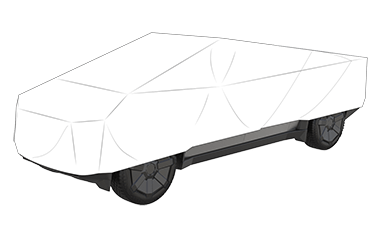
Using a Car Cover
To preserve the cosmetic appearance of the body when Cybertruck is not being used, use a genuine Tesla car cover. Car covers can be purchased online from the Tesla Shop.

CAUTION
Use only a Tesla-approved car cover when Cybertruck is plugged in. Using a non-Tesla car cover can prevent the Battery from being adequately cooled during charging.
Floor Mats
To extend the life of your carpet and make them easier to clean, use genuine Tesla floor mats available online at http://www.tesla.com. Maintain floor mats by regularly cleaning them and checking that they are properly attached. Replace floor mats if they become excessively worn.
Warning
To avoid potential interference with a foot pedal, ensure that the driver’s floor mat is securely fastened, and never place an additional floor mat on top of it. Floor mats should always rest on top of the vehicle carpeting surface and not on another floor mat or other covering.
It’s hard to tell who to trust…
Seems to track with Tesla’s instructions
https://www.tesla.com/ownersmanual/cybertruck/en_us/GUID-65384C1F-86F2-44E8-A8BC-8A12E7E00A40.html#:~:text=Hand wash using a non,streaks thoroughly with a chamois.
Cleaning
Cleaning the Exterior
To prevent damage to the exterior, immediately remove corrosive substances (such as grease, oil, bird droppings, tree resin, dead insects, tar spots, road salt, industrial fallout, etc.). Do not wait until Cybertruck is due for a complete wash. If necessary, use denatured alcohol to remove tar spots and stubborn grease stains, then immediately wash the area with water and a mild, non-detergent soap to remove the alcohol.
Note
It is normal for the stainless steel exterior to mature over time, resulting in minor changes to the reflective properties and color of the metal.
Dents and Scratches
The stainless steel exterior of Cybertruck is more resistant to dents and dings than most other vehicles. However, Cybertruck does not have a clear coat on the surface of the exterior body panels, meaning any scratches that appear are in the stainless steel panels themselves. Anyone performing scratch repair should refer to the applicable "Exterior Stainless Steel Panel Refinishing" procedure within the Collision Repair Manual on service.tesla.com. In addition, do not use, and/or immediately remove, chemical, corrosive, or non-pH neutral substances (including but not limited to: acidic liquids or materials, grease, oil, tree resin, dead insects, tar spots, road salt, industrial fallout, etc.) as they can cause corrosion on the vehicle's exterior.
CAUTION
Tesla is not liable for any damage caused by failing to refer to official guidance.
Surface Contamination
Over time, you may notice contamination on the surface of the stainless steel body panels. These spots may appear as orange or brown rust. However, it is important to note that your Cybertruck is not rusting. Refer to the DIY Guide for more information.
Keep the exterior cameras free of dirt, condensation, or obstructions. These substances can cause unclear pictures or Autopilot and safety features to stop working (see Cleaning a Camera).
Follow these steps when washing the exterior of Cybertruck:
- Before washing, flush grime and grit from the vehicle using a hose. Flush away accumulations of mud in areas where debris easily collects (such as wheel wells and panel seams). If salt has been used on the highways (such as during winter months), thoroughly rinse all traces of road salt from the underside of the vehicle, wheel wells, and brakes.
- Mix a mild, pH-neutral soap (such as car shampoo) with water until it gets soapy.
- Soak a soft cleaning sponge in the soap mixture and hand wash Cybertruck.
CAUTION
Some cleaners and car shampoos contain chemicals that can cause damage or discoloration, especially for plastic trim pieces, exterior lights, or camera lenses. For example, some car cleaning formulas contain hydroxide or other highly alkaline or caustic ingredients that can damage exterior components. Do not use acidic products either. Damage or discoloration resulting from cleaning products is not covered by the warranty. - After washing, rinse with clean water to prevent soap from drying on the surfaces.
- Dry thoroughly with microfiber cloths (ensure the cloths are clean of sand, dirt, rocks, etc.), one in each hand, rotating in circular motions until the surface is dry.
- Hand wash using a non-ionic pH-neutral waterless wash with a high quality microfiber towel.
- Dry any streaks thoroughly with a chamois.
- Remove oil and grease with an organic solvent, such as alcohol or ethyl alcohol.
Note
Do not use alcohol or ethyl alcohol on the head or tail lights.
Use isopropyl alcohol wipes (such as those used to clean glasses or screens) to clean away small stains.
Note
Tesla does not recommend taking Cybertruck through an automatic car wash.
Cleaning Mud
If your vehicle is covered in mud, such as after off-roading, rinse the entire exterior of the vehicle with water. It is important to regularly clean the exterior of Cybertruck after off-roading because mud and debris can quickly build up and limit some vehicle functions.
For certain components, such as the underside, wheel wells, panel seams, and radiator, use a power washer to remove stuck-on mud or debris. Then follow the rest of the regular cleaning steps, as explained above. Wipe away mud from the headlights, tail lights, and cameras, as it may affect your vehicle’s ability to drive safely.
CAUTION
Damage to the vehicle as a result of debris or mud buildup is not covered by the warranty.
Window Cleaning and Treatments
Clean windows and mirrors using an automotive glass cleaner. Do not scrape or use any abrasive cleaning fluid on glass or mirrored surfaces. Follow the directions in Cleaning the Exterior for best practices in cleaning the exterior glass.
To add a hydrophobic coating to your vehicle's windows, apply the coating only to the side and rear windows, not the front windshield—doing so may affect the visibility of the autopilot cameras. Follow the hydrophobic coating manufacturer’s instructions for application details.
Note
Tesla is not responsible for any damage associated with applying window treatments on your vehicle.
Car Wash
If taking Cybertruck to an automatic car wash is necessary, Car Wash Mode closes all windows, locks the charge port, and disables windshield wipers, Sentry Mode, and walk-away door locking. To enable, touch Controls> Car Wash. Your vehicle must be stationary and not actively charging.
If using an automatic car wash, Enable Free Roll keeps your vehicle in Neutral and activates free roll for the duration of the wash, while preventing Cybertruck from applying the Parking brake if you leave the driver's seat. To enable, press on the brake pedal and touch Enable Free Roll; or shift into Neutral.
Car Wash Mode disables if the vehicle's speed exceeds 9 mph (15 km/h) or by touching Exiton the touchscreen.
CAUTION
Failure to put Cybertruck in Car Wash Mode may result in damage (for example, to the charge port or windshield wipers). Damage caused by car washes is not covered by the warranty.
Cautions for Exterior Cleaning
CAUTION
Do not wash in direct sunlight.
CAUTION
Do not use windshield treatment fluids. Doing so can interfere with wiper friction and cause a chattering sound.
CAUTION
Do not use hot water, detergents, highly alkaline or caustic cleaning ingredients or solvents, specifically those containing hydroxide.
CAUTION
If using a pressure washer, maintain a distance of at least 12" (30 cm)between the nozzle and the surface of Cybertruck. Keep the nozzle moving and do not concentrate the water jet on any one area.
CAUTION
Do not aim water hoses directly at windows, door, or hood seals or at electronic modules or exposed cabling.
CAUTION
To avoid corrosive damage that may not be covered by the warranty, rinse away any road salt from the underside of the vehicle, wheel wells, and brakes. After cleaning the vehicle, dry the brakes by going on a short drive and applying the brakes multiple times.
CAUTION
Avoid using tight-napped or rough cloths, such as washing mitts. A high-quality microfiber cleaning cloth is recommended.
CAUTION
If washing in an automatic car wash, use touchless car washes only. These car washes have no parts (brushes, etc.) that touch the surfaces of Cybertruck. Some touchless car washes use caustic solutions that, over time, can cause discoloration of decorative exterior trim. Avoid exposure to soaps and chemicals above pH 13. If unsure, check the product label or ask the staff at the car wash. Damage caused by improper washing is not covered by the warranty.
CAUTION
If washing in an automatic car wash, make sure the vehicle is locked. In addition, avoid using controls on the touchscreen that can result in accidentally opening doors or trunks while the vehicle is being washed. Any damage caused is not covered by the warranty.
CAUTION
Ensure the wipers are off before washing Cybertruck to avoid the risk of damaging the wipers.
CAUTION
Do not use chemical based wheel cleaners or pre-wash products. These can damage the finish on the wheels.
Warning
Never spray liquid at a high velocity (for example, if using a pressure washer) towards the charge port while Cybertruck is charging. Failure to follow these instructions can result in serious injury or damage to the vehicle, charging equipment, or property.
Cleaning the Interior
Frequently inspect and clean the interior to maintain its appearance and to prevent premature wear. If possible, immediately wipe up spills and remove marks. For general cleaning, wipe interior surfaces using a soft cloth (such as microfiber) dampened with a mixture of warm water and mild non-detergent cleaner (test all cleaners on a concealed area before use). To avoid streaks, dry immediately with a soft lint-free cloth.
Interior Glass
Do not scrape, or use any abrasive cleaning fluid on glass or mirrored surfaces. This can damage the reflective surface of the mirror and the heating elements in the rear window.
Airbags
Do not allow any substance to enter an airbag cover. This could affect correct operation.
Dashboard and Plastic Surfaces
Do not polish the upper surfaces of the dashboard. Polished surfaces are reflective and could interfere with your driving view.
Seats
Wipe spills and chemical residues from interior surfaces as soon as possible using a soft cloth moistened with warm water and non-detergent soap. Wipe gently in a circular motion. Then wipe dry using a soft, lint-free cloth.
Although seating surfaces are designed to repel stains, Tesla recommends regular cleaning to maintain performance and an as-new appearance. Promptly treat dye transfer from clothing, such as indigo-dyed denim. Avoid contact with harsh chemicals, including certain cosmetics. Never use cleaners containing alcohol or bleach. Spot-test cleaners on an inconspicuous area before applying to visible surfaces.
Vacuum seats as needed to remove any loose dirt.
CAUTION
Aftermarket, non-Tesla seat covers may inhibit the sensitivity of a seat's occupancy sensors and may cause staining or damage.
Carpets
Avoid over-wetting carpets. For heavily soiled areas, use a diluted upholstery cleaner.
Seat Belts
Extend the belts to wipe. Do not use any type of detergent or chemical cleaning agent. Allow the belts to dry naturally while extended, preferably away from direct sunlight.
Door Seals
Wipe door seals with a damp cloth to remove any debris. Excessive debris on the door seals can cause damage when contacting surrounding surfaces. Avoid using alcohol wipes or any chemical products that can potentially deteriorate the coating on the door seals.
Front and Rear Touchscreens
Clean the touchscreen(s) using a soft lint-free cloth specifically designed to clean monitors and displays. Do not use cleaners (such as a glass cleaner) or alcohol-based gel products (such as hand sanitizer) and do not use a wet wipe or a dry statically-charged cloth (such as a recently washed microfiber). To wipe the front touchscreen without activating buttons and changing settings, you can enable Screen Clean Mode. Touch Controls > Display > Screen Clean Mode. The display darkens to make it easy to see dust and smudges. To exit Screen Clean Mode, press and hold HOLD TO EXIT.
Metal Surfaces
Polish, abrasive cleaners, alcohol-based gel products (such as hand sanitizer), and hard cloths can damage the finish on metal surfaces.
Cautions for Interior Cleaning
CAUTION
Using solvents (including alcohol), alcohol-based gel products (such as hand sanitizer), bleach, citrus, naphtha, or silicone-based products or additives on interior components can cause damage.
CAUTION
Statically-charged materials can cause damage to the touchscreen.
Warning
If you notice any damage on an airbag or seat belt, contact Tesla immediately.
Warning
Do not allow any water, cleaners, or fabric to enter a seat belt mechanism.
Warning
Exposure to chemical cleaners can be hazardous and can irritate eyes and skin. Read and observe the instructions provided by the manufacturer of the chemical cleaner.
Using a Car Cover
To preserve the cosmetic appearance of the body when Cybertruck is not being used, use a genuine Tesla car cover. Car covers can be purchased online from the Tesla Shop.
CAUTION
Use only a Tesla-approved car cover when Cybertruck is plugged in. Using a non-Tesla car cover can prevent the Battery from being adequately cooled during charging.
Floor Mats
To extend the life of your carpet and make them easier to clean, use genuine Tesla floor mats available online at http://www.tesla.com. Maintain floor mats by regularly cleaning them and checking that they are properly attached. Replace floor mats if they become excessively worn.
Warning
To avoid potential interference with a foot pedal, ensure that the driver’s floor mat is securely fastened, and never place an additional floor mat on top of it. Floor mats should always rest on top of the vehicle carpeting surface and not on another floor mat or other covering.
Sponsored