
Sponsored

PowerShare not working

ScotinUS

Member
First Name
Doug
Joined
Jan 1, 2024
Threads
2
Messages
10
Reaction score
1
Location
Port Orange FL
Vehicles
Cybertruck AWD
Country flag
I originally had the PowerShare equipment installed (no Solar) on May 20th but the Gateway was bad and I had to get another Gateway. On June 10th the new Gateway was installed and it shows in my App under My Home info.

Here we are at July 10th and I just got off the phone with Tesla again and I still have no working PowerShare. I confirmed I have all of the most up to date firmware and they can see my Gateway in their system.

My installer called them two weeks ago and was told it was going to their engineering team. I have been told the same thing twice.

Nothing shows up in the Cybertruck and I confirmed they have the correct Vin in my notes in their system.

Anyone have any other ideas on how to move this forward? This is my first experience with Tesla and I now fully understand what I have read about just how bad Tesla customer service is. The fact that you can't speak to any of their "engineers" after having issues for a month is to say the least frustrating. All you get is we have passed it on.

Doesn't help that I live in Florida and Hurricane season is here! I had been planning to build a new house with an entire Tesla system but I am beginning to think that may not be the best idea.
Sponsored
 

Obie_fl

Well-known member
First Name
Tom
Joined
Mar 12, 2024
Threads
0
Messages
187
Reaction score
185
Location
Florida
Vehicles
2018 Model S, 2024 Model Y, Cybertruck FS AWD
Country flag
In my case I just dropped a couple of requests to be added in the app. It took about a week but I magically got added. I'm in Florida too.

I assume your UWC is also online and shows in My Home?

ETA: Service - Request Service - Battery & Charging - Powershare
 
OP
OP

ScotinUS

Member
First Name
Doug
Joined
Jan 1, 2024
Threads
2
Messages
10
Reaction score
1
Location
Port Orange FL
Vehicles
Cybertruck AWD
Country flag
In my case I just dropped a couple of requests to be added in the app. It took about a week but I magically got added. I'm in Florida too.

I assume your UWC is also online and shows in My Home?

ETA: Service - Request Service - Battery & Charging - Powershare
My wall connector shows and they show it has the correct firmware.

Where did you make the requests to be added in the app? And was it just "add the PowerShare capability on my Cybertruck"?
 

Obie_fl

Well-known member
First Name
Tom
Joined
Mar 12, 2024
Threads
0
Messages
187
Reaction score
185
Location
Florida
Vehicles
2018 Model S, 2024 Model Y, Cybertruck FS AWD
Country flag
My wall connector shows and they show it has the correct firmware.

Where did you make the requests to be added in the app? And was it just "add the PowerShare capability on my Cybertruck"?
See the text added in the original reply.
Service - Request Service - Battery & Charging - Powershare

Told them the equipment was installed and online and to add me.
 

BikerPilot

Well-known member
First Name
Alexander
Joined
Dec 28, 2023
Threads
3
Messages
72
Reaction score
79
Location
Maryland
Vehicles
CT AWD
Country flag
I have the same problem. Installed Monday the 8th of July, see the powershare icon when the vehicle is plugged in, but no option in the truck or the app to enable it. Not getting anywhere with Tesla support.


Obie_fl

Well-known member
First Name
Tom
Joined
Mar 12, 2024
Threads
0
Messages
187
Reaction score
185
Location
Florida
Vehicles
2018 Model S, 2024 Model Y, Cybertruck FS AWD
Country flag
From my personal experience and seeing other reports on here it often takes a week or so to get whitelisted after you contact them. I used the procedure I outlined above as I don't have the patience to sit on hold. I find Tesla to be fairly responsive using the in App messaging system, forget about talking to human.
 
OP
OP

ScotinUS

Member
First Name
Doug
Joined
Jan 1, 2024
Threads
2
Messages
10
Reaction score
1
Location
Port Orange FL
Vehicles
Cybertruck AWD
Country flag
I have the same problem. Installed Monday the 8th of July, see the powershare icon when the vehicle is plugged in, but no option in the truck or the app to enable it. Not getting anywhere with Tesla support.
Where do you see a PowerShare icon? I don't see anything indicating PowerShare - would you mind posting a picture?
 

BikerPilot

Well-known member
First Name
Alexander
Joined
Dec 28, 2023
Threads
3
Messages
72
Reaction score
79
Location
Maryland
Vehicles
CT AWD
Country flag
Update: it was just activated! The app opened with a tutorial and after clicking through, it was enabled.
 
OP
OP

ScotinUS

Member
First Name
Doug
Joined
Jan 1, 2024
Threads
2
Messages
10
Reaction score
1
Location
Port Orange FL
Vehicles
Cybertruck AWD
Country flag
Update on my experience.

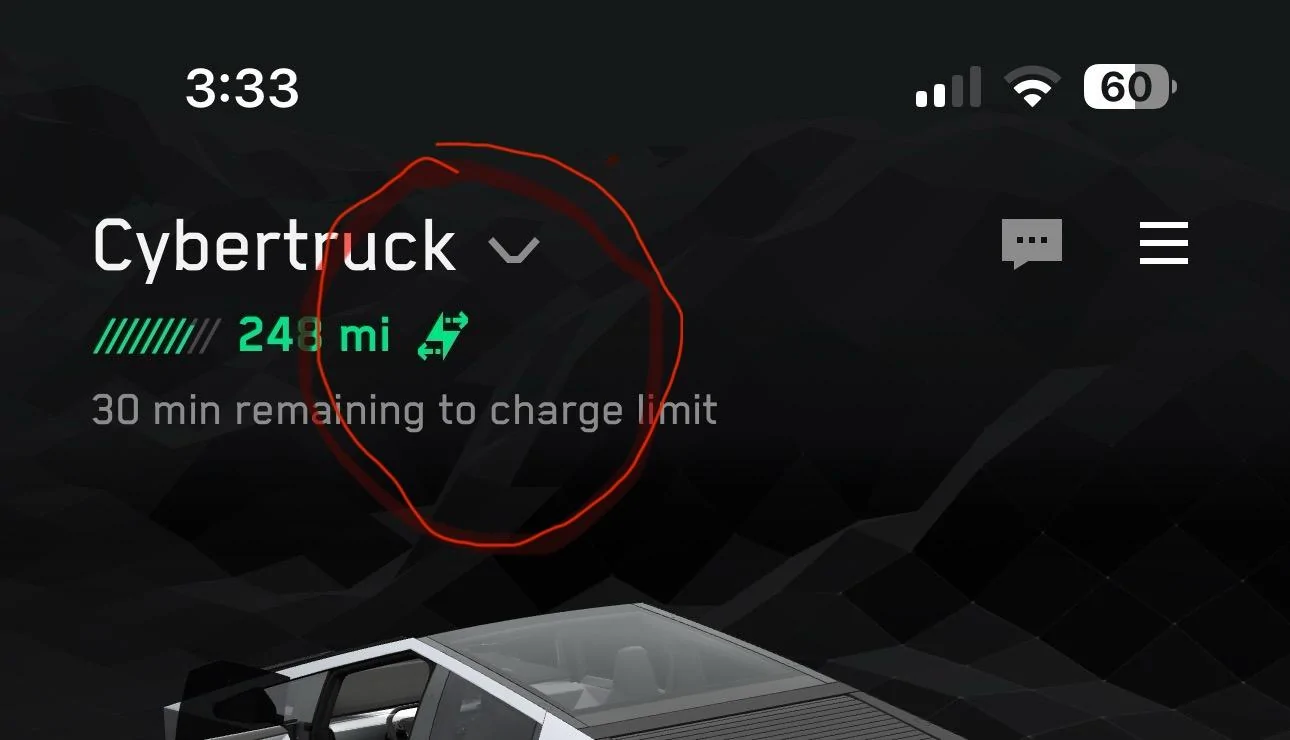
PowerShare appeared in the app yesterday 7/26 and after I clicked through it started to work.

I never was able to get a hold of anyone at Tesla who knew anything about it and for me it took over 2 months from the initial instal of the Gateway and UWC until the Cybertruck showed as PowerShare being enabled.

The tech is great but the frustration with Customer service (or complete lack of) is a big problem if things don't just work when they are supposed to.
Sponsored


Top