Sponsored

Cyber_Punk_SFL

Well-known member
Joined
Nov 23, 2024
Threads
8
Messages
186
Reaction score
123
Location
Florida, USA
Vehicles
2024 Tesla Cybertruck, 2024 Tesla Model 3
Country flag
Thank you for that. I must be blind, my truck is in the shop right now getting wrapped so when I pick it up, I’ll have to stop using my “guy vision” as my wife calls it and take a real good look.
Sponsored

 

Jhodgesatmb

Well-known member
First Name
Jack
Joined
Dec 1, 2019
Threads
89
Messages
6,490
Reaction score
9,025
Location
San Francisco Bay area
Website
www.arbor-studios.com
Vehicles
Tesla Cybertruck FS AWD, Tesla Model Y LR
Occupation
Retired AI researcher
Country flag
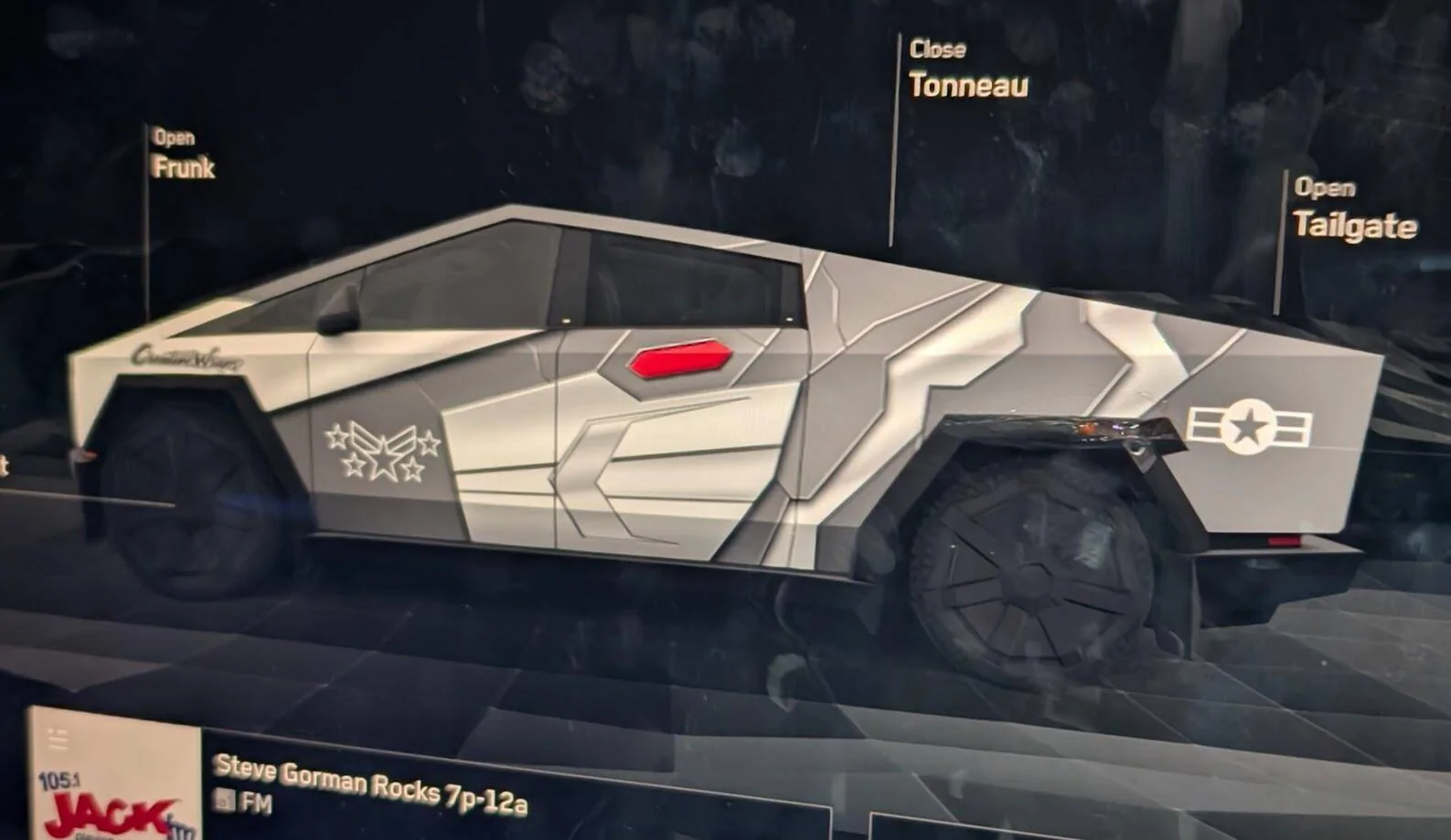
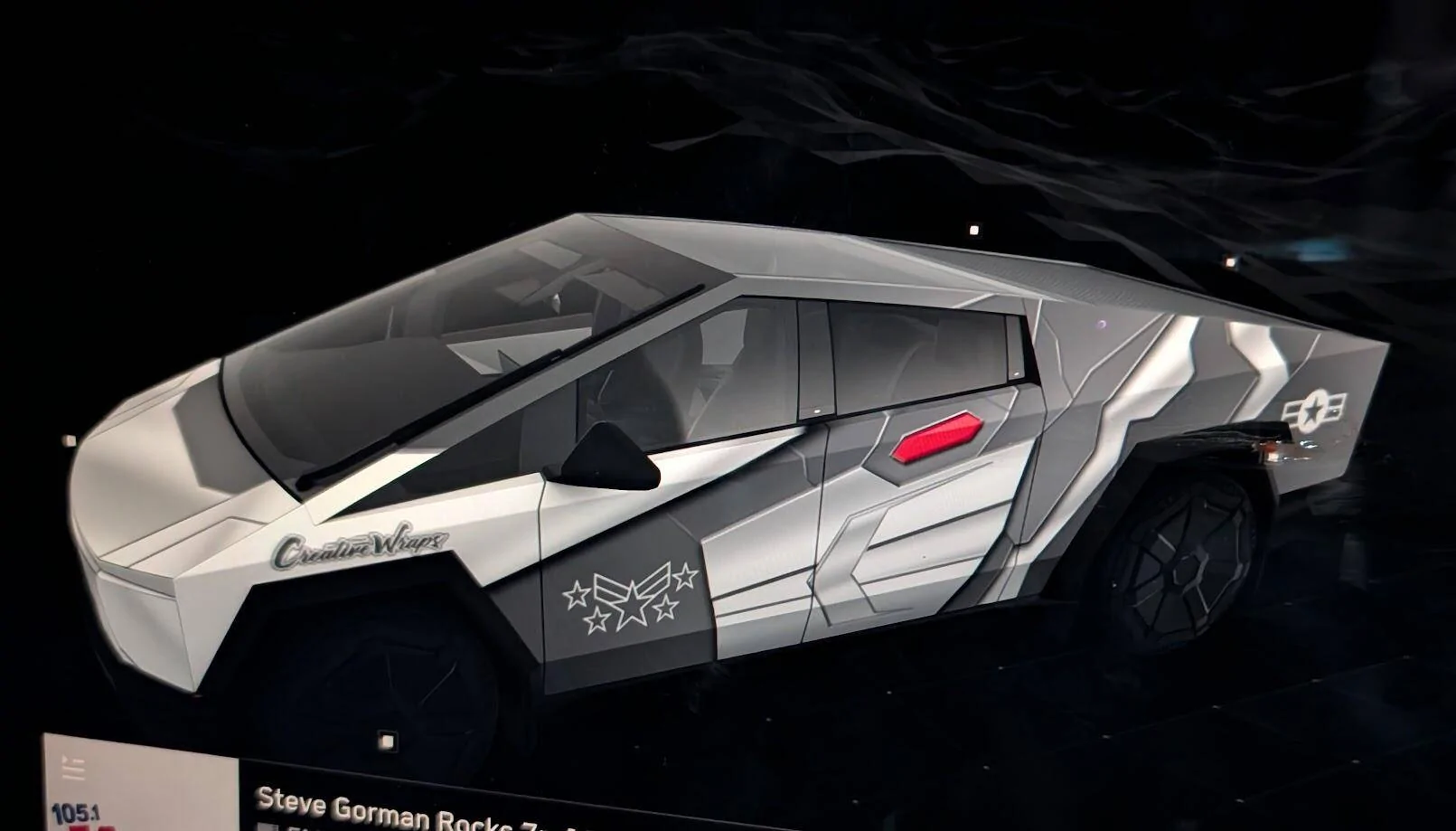
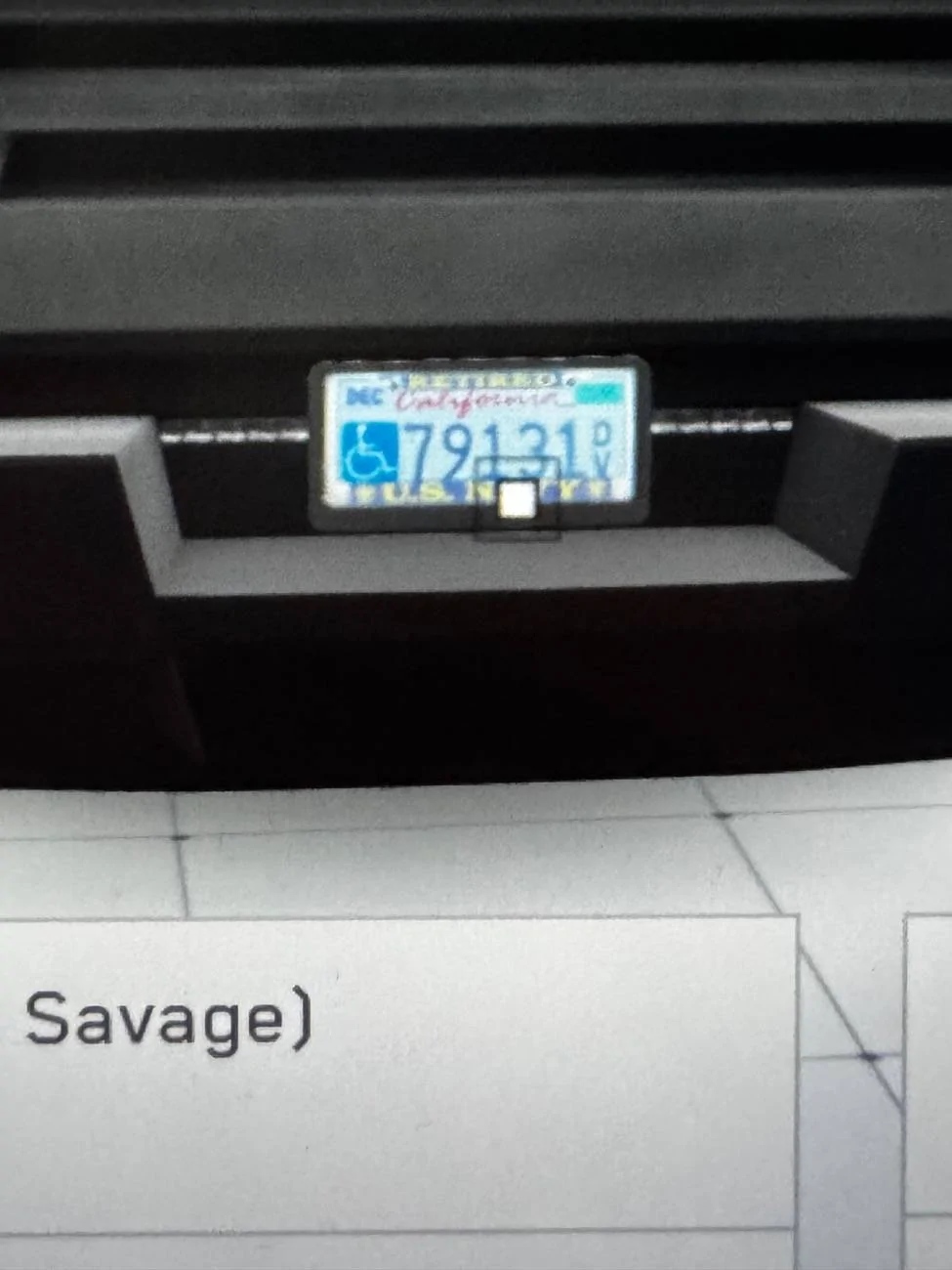
Has anyone figured out how to upload a license plate image? In my first attempt i put my license characters on and moved the Cybertruck graffiti image up but it doesn’t look like a license plate. If I can upload a blank CA plate, or a photograph of mine, it will look like the real thing. There is an images tab in the Paint Shop but I do not know where to put the image to get it to upload.
 

TeslaKen

Well-known member
First Name
Ken
Joined
Apr 26, 2024
Threads
108
Messages
1,245
Reaction score
1,698
Location
Overland Park
Website
www.halocybertruck.com
Vehicles
Cyberbeast, M3PD+, GT4, XK140OTS
Occupation
Currently Occupied
Country flag
Has anyone figured out how to upload a license plate image? In my first attempt i put my license characters on and moved the Cybertruck graffiti image up but it doesn’t look like a license plate. If I can upload a blank CA plate, or a photograph of mine, it will look like the real thing. There is an images tab in the Paint Shop but I do not know where to put the image to get it to upload.
There isn't one at this time, at least not anything that Tesla has shared publicly. You could creates a Plates folder off the root and put an image in there but I don't know what the pixel resolution or size would be.
 

Jhodgesatmb

Well-known member
First Name
Jack
Joined
Dec 1, 2019
Threads
89
Messages
6,490
Reaction score
9,025
Location
San Francisco Bay area
Website
www.arbor-studios.com
Vehicles
Tesla Cybertruck FS AWD, Tesla Model Y LR
Occupation
Retired AI researcher
Country flag
There isn't one at this time, at least not anything that Tesla has shared publicly. You could creates a Plates folder off the root and put an image in there but I don't know what the pixel resolution or size would be.
True about creating a folder, but wouldn’t Tesla have to look for images there? At least I could begin working on it.
 

btcrealm

Well-known member
First Name
Brian
Joined
Aug 28, 2024
Threads
7
Messages
757
Reaction score
985
Location
Virginia-ish, USA
Vehicles
cybertruck
Occupation
NOC
Country flag
Works great thank you!


[EDIT]
A couple images that can be used to if people want to.
[/EDIT]
Tesla Cybertruck How to: Create and load your Cybertruck custom wrap images onto your Tesla's 3D car visualization (instructions) foundation
Tesla Cybertruck How to: Create and load your Cybertruck custom wrap images onto your Tesla's 3D car visualization (instructions) cyberbeast-w-jpg
 
Last edited:


MilliM

Well-known member
Joined
May 7, 2020
Threads
15
Messages
141
Reaction score
197
Location
Orange County
Vehicles
Future Cybertruck Owner!
Country flag
Thank you for that. I must be blind, my truck is in the shop right now getting wrapped so when I pick it up, I’ll have to stop using my “guy vision” as my wife calls it and take a real good look.
I shudder whenever my wife sends me to the pantry or fridge to get something. I can legit only find things 50% of the time, but she and my daughters find anything within seconds.
 

DMenace66

Well-known member
First Name
Dennis
Joined
Jul 21, 2023
Threads
1
Messages
52
Reaction score
58
Location
NY
Vehicles
Cybertruck
Occupation
Retired
Country flag
Just to be clear is it the entire image that needs to be a total of 1024x768? Even though I edit the separate white spaces the composite image total needs to be 1024x768 correct? Is there a preferred editing tool or will Windows Paint work just fine for this?
I'm wondering what editing tool to use to fit the design images into the template. Anyone care to offer which tools work best?
 

btcrealm

Well-known member
First Name
Brian
Joined
Aug 28, 2024
Threads
7
Messages
757
Reaction score
985
Location
Virginia-ish, USA
Vehicles
cybertruck
Occupation
NOC
Country flag
I'm wondering what editing tool to use to fit the design images into the template. Anyone care to offer which tools work best?
I use Gimp. It is free and has all the 'professional' tools. If you don't know how to use them all, it can be a pain to figure things out though.
It gives me no background PNG files so thats one of the main reasons I use it.


Cyber_Punk_SFL

Well-known member
Joined
Nov 23, 2024
Threads
8
Messages
186
Reaction score
123
Location
Florida, USA
Vehicles
2024 Tesla Cybertruck, 2024 Tesla Model 3
Country flag
I haven’t tried yet but my favorite free image editor in windows is Paint.net. It’s a free editor with pro level tools but simple interface for idiots like me. Go to https://getpaint.net
 

btcrealm

Well-known member
First Name
Brian
Joined
Aug 28, 2024
Threads
7
Messages
757
Reaction score
985
Location
Virginia-ish, USA
Vehicles
cybertruck
Occupation
NOC
Country flag

TeslaKen

Well-known member
First Name
Ken
Joined
Apr 26, 2024
Threads
108
Messages
1,245
Reaction score
1,698
Location
Overland Park
Website
www.halocybertruck.com
Vehicles
Cyberbeast, M3PD+, GT4, XK140OTS
Occupation
Currently Occupied
Country flag
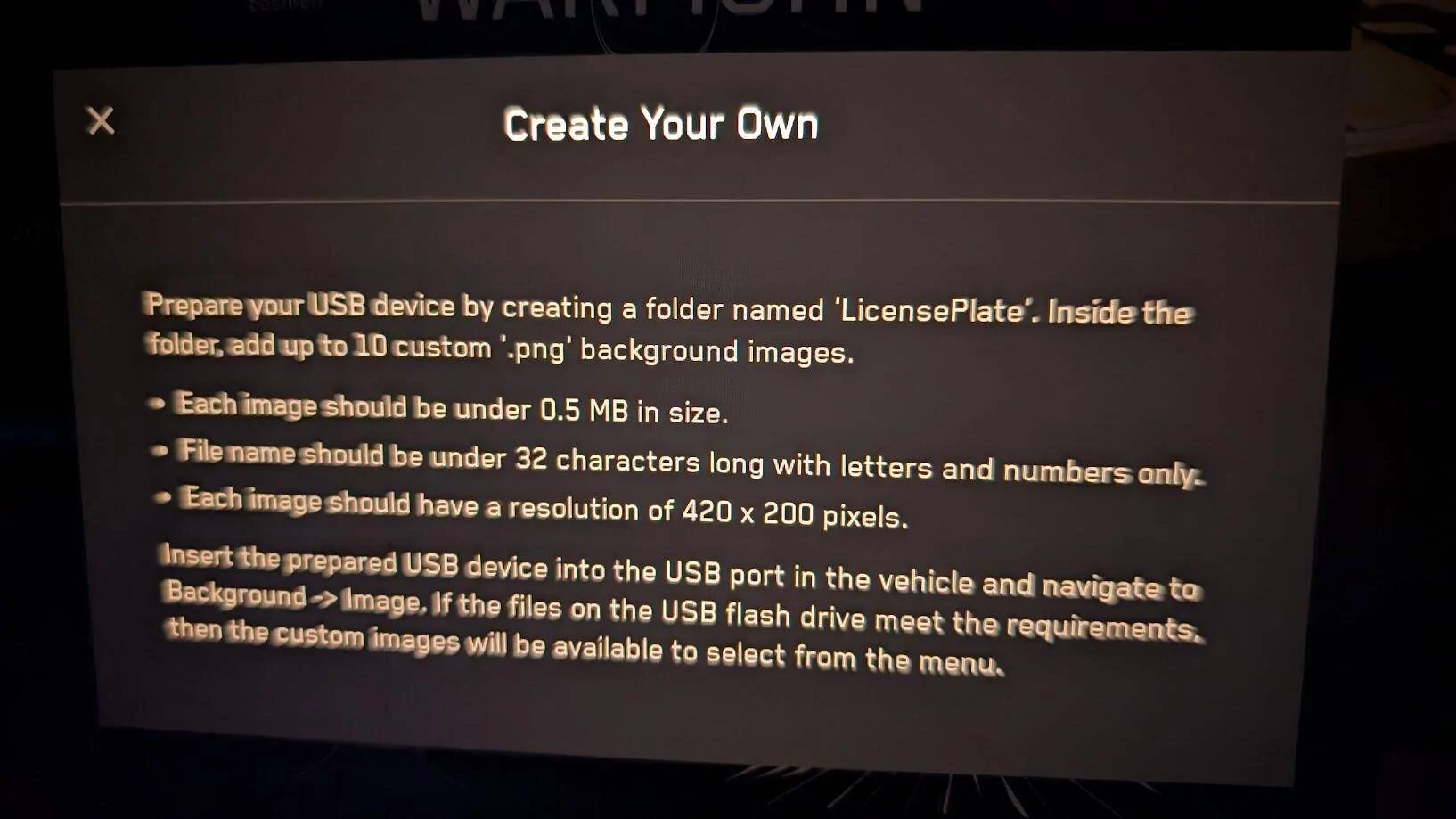
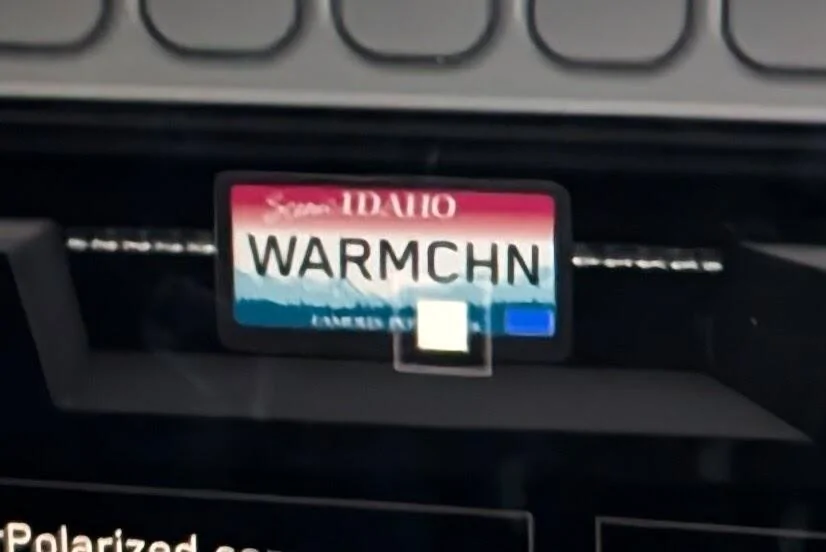
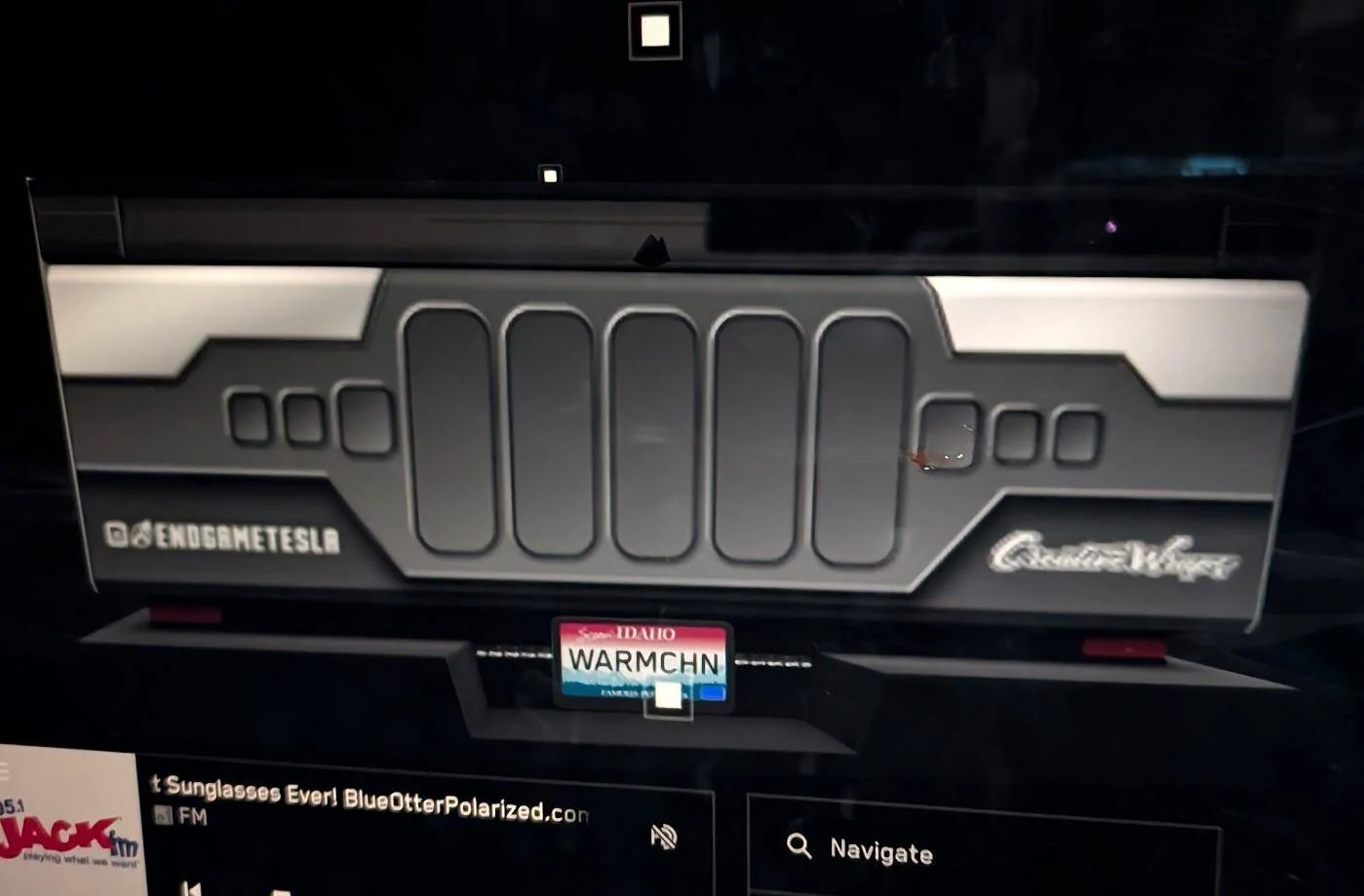
BTW I forgot to mention that I took a picture of my plate, converted JPG to PNG and scaled it down to 420x200, then created a LicensePlate folder on my main USB drive and put the image in that folder. (Image was named KSPlate.png), plugged the USB back into the truck and went into paint shop and it shows up under the background tab. I selected that background and then deleted my overlay text for the lettering on my plate which I was using previously against just a black background so I didn't have double image of the text. My background plate image showed up just fine, saved and it now shows up on screen. I need to get a better pic at some point but for now it works great. I need to post these directions on the www.CybertruckCustomWraps.com website.
 

Mark2sday

Well-known member
First Name
Mike
Joined
Aug 30, 2023
Threads
4
Messages
65
Reaction score
52
Location
USA
Vehicles
Cyberbeast
Country flag
Does anyone know how to delete custom wraps? I uploaded one but before I do a bunch, I want to make sure I can remove them.

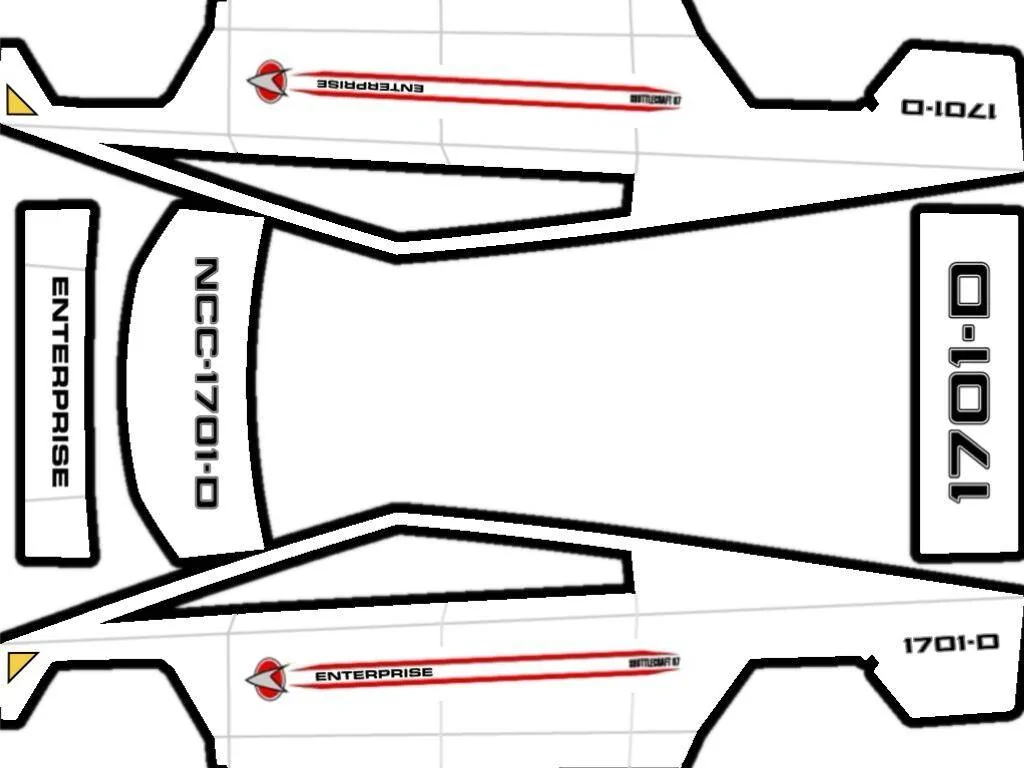
Here’s mine, pretty basic but I think its fun:


Tesla Cybertruck How to: Create and load your Cybertruck custom wrap images onto your Tesla's 3D car visualization (instructions) Shuttlecraft
Sponsored

 
Last edited:


Top