Sponsored

Iphone charging, overheating the phone, possible cause?

jameskk

Well-known member
First Name
James
Joined
Apr 1, 2024
Threads
19
Messages
287
Reaction score
458
Location
Moore, SC
Vehicles
Cybertruck FS AWD, Ford F150 Lightning, Tesla Model Y Juniper
Country flag
I’ve never had a MagSafe get anywhere near as hot as on the CT charge pad.
Oh it will trust me. Especially if you attach the MagSafe and place it in the phone holder in cybertruck on a sunny day. What the cybertruck really needs is a ventilated charging pad. Some cars have this. I will add that the wireless charger in my Ford F150 will also overheat my iphone 15 pro max.
Sponsored


Ruffles

Well-known member
First Name
Steve
Joined
Jun 21, 2024
Threads
15
Messages
213
Reaction score
369
Location
WA
Vehicles
Cyberbeast
Country flag
I have a Pixel Fold and it heats up as well with little to no actual charging.
 

shellac

Active member
Joined
Jul 21, 2024
Threads
0
Messages
28
Reaction score
22
Location
New Orleans
Vehicles
CT AWD, Model 3 LR
Occupation
MD
Country flag
Interestingly, I have an iPhone 15 Pro Max… the big one. When I put it right side up in the CT, it gets wicked hot and doesn’t charge… I.e it says it’s charging but it loses the charge rapidly. When I turn it upside down, it charges and doesn’t get nearly as hot. It gets relatively warm, but not like when it’s right side up.
The Magsafe ring is closer to the bottom than it is to the top in the 15 Pro Max. This suggests the coil is rather high up on the charger.

You can try propping the phone up higher in the charger and see if it charges better right side up. You can put like a bulky pen sideways in the charging thing and that gives you a couple cm.

Maybe one answer to this mystery is to find out what kind of phone Elon uses, it’s probably optimized to that. ? I’d be surprised if it’s not the same phone as yours.
 

FlykidCT

Well-known member
First Name
Jon
Joined
Aug 8, 2024
Threads
1
Messages
59
Reaction score
80
Location
Texas
Vehicles
2024 Cybertruck
Occupation
Pilot
Country flag
Hey folks,
I've only had the CT for only about a week of driving and the charger issue was the first problem I noticed. The charger felt useless unless I wanted to cook on my phone after and it never charged. I was convinced at times it actually lost charge!

I’ve done my best to read all of your messages and thoughts on the matter and I believe I’ve made some progress. It’s not 100% yet and have more work to do but I’ve successfully charged an IPhone 15pro from 36% to like 58% without overheating and stopping the charge- until this point

the alignment issue seemed to be a good place to start - I had a receipt that I put behind the phone to take up space and keep the phone more parallel to the charger surface and not canted because of the lens protrusion. I centered the phone left to right to the middle the best I could tell. The phone showed charging and did an hour drive. The phone was probably in direct sunlight sun half the time. It felt warm using the back of my fingers but nothing like before at all

I drove in the heat of the day today 103 ish- I’ve got the front monolithic windshield tinted with heat rejection film.

I’m going to make some kind of spacer to put on the back of the case to be a little more precise than a wad of paper.

I figured I’d share this progress and maybe the brilliant minds out there can find some improvement as well and maybe find a better solution.
 

SpykeDaddy

Well-known member
First Name
Michael
Joined
Jan 10, 2024
Threads
2
Messages
142
Reaction score
229
Location
Marine on St. Croix
Vehicles
2010 Roadster, 2018 Model S, 2024 CyberTruck
Country flag
Hey folks,
I've only had the CT for only about a week of driving and the charger issue was the first problem I noticed. The charger felt useless unless I wanted to cook on my phone after and it never charged. I was convinced at times it actually lost charge!

I’ve done my best to read all of your messages and thoughts on the matter and I believe I’ve made some progress. It’s not 100% yet and have more work to do but I’ve successfully charged an IPhone 15pro from 36% to like 58% without overheating and stopping the charge- until this point

the alignment issue seemed to be a good place to start - I had a receipt that I put behind the phone to take up space and keep the phone more parallel to the charger surface and not canted because of the lens protrusion. I centered the phone left to right to the middle the best I could tell. The phone showed charging and did an hour drive. The phone was probably in direct sunlight sun half the time. It felt warm using the back of my fingers but nothing like before at all

I drove in the heat of the day today 103 ish- I’ve got the front monolithic windshield tinted with heat rejection film.

I’m going to make some kind of spacer to put on the back of the case to be a little more precise than a wad of paper.

I figured I’d share this progress and maybe the brilliant minds out there can find some improvement as well and maybe find a better solution.
Really appreciate this report out. I'm going to start trying a few things as well. You've given me a great place to start!


shahfarh

Well-known member
First Name
Farhan
Joined
Jun 10, 2024
Threads
36
Messages
74
Reaction score
69
Location
Maryland USA
Vehicles
Cybertruck foundation
Occupation
Engineer
Country flag
Same issue - so i use USB-C cable to charge, much faster.
 

The Tesla Guy

Well-known member
First Name
Daniel
Joined
Mar 15, 2024
Threads
7
Messages
438
Reaction score
394
Location
Washington
Website
youtubeteslaguy.com
Vehicles
23MS Plaid, 23MY, LR,Order-FoundationCyberTruck DM
Occupation
Retired
Country flag
I had an idea for a product to solve this issue.
Was hoping it already existed.
I searched the internet for it with no luck. May not be technically possible.
A MagSafe to Qi adapter.
I envisioned a hockey puck that had a Qi receiver on one side and MagSafe on the other.
At least thick enough to overcome the lense protrusion.
Any thoughts?
Tesla Cybertruck Iphone charging, overheating the phone, possible cause? IMG_0072

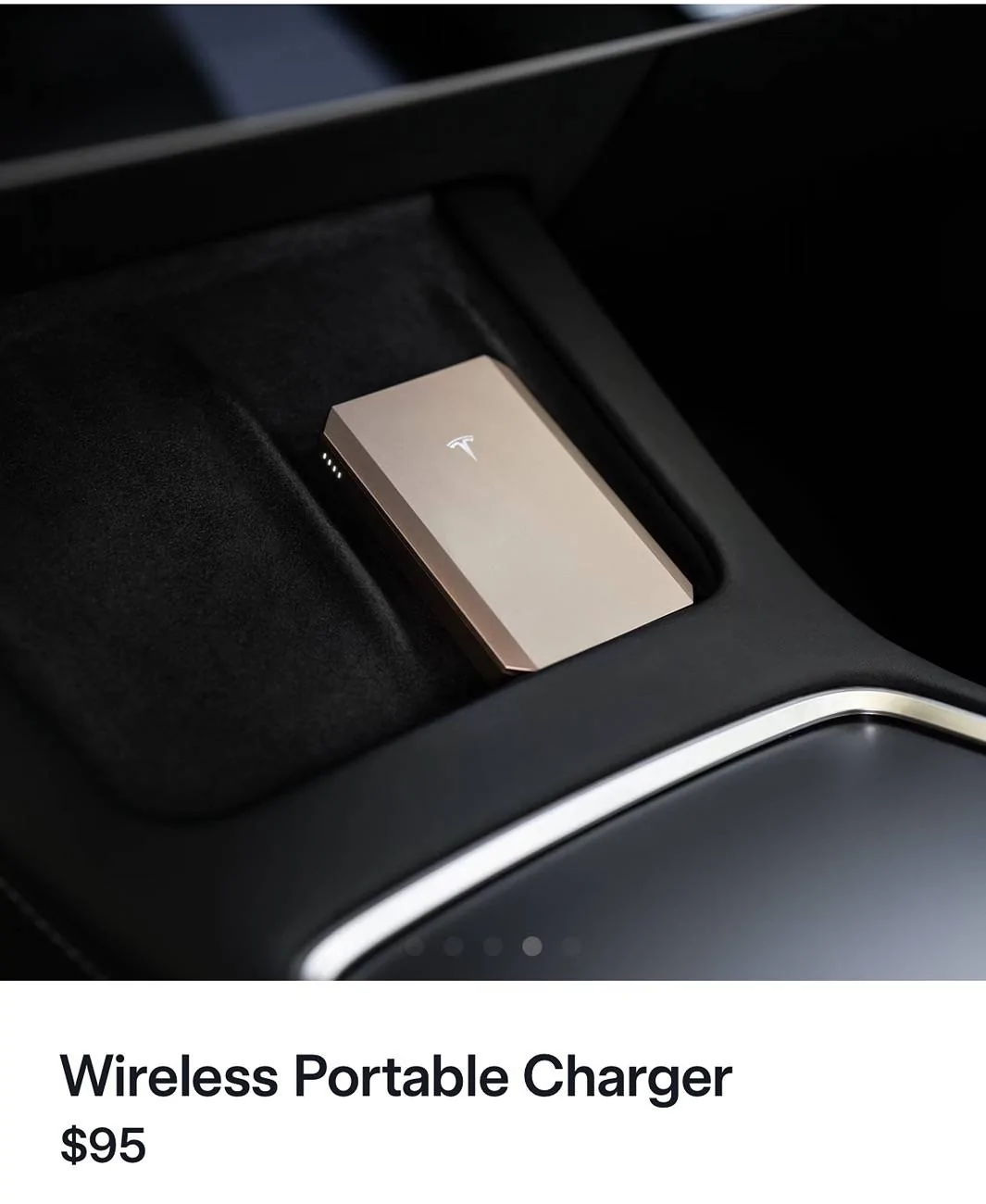
Hoping that the new Wireless Portable Charger on Tesla‘s online store might work like my idea of a MagSafe to Qi adapter

Magnetic, wireless charging
“can be recharged using your Tesla's charging pad”

Description doesn’t specify whether it can charge while it is charging.

https://shop.tesla.com/product/wireless-portable-charger?sku=2048596-00-A
 

RandyS

Well-known member
First Name
Randy
Joined
Jul 31, 2021
Threads
17
Messages
229
Reaction score
509
Location
San Diego
Vehicles
2018 Model 3 Performance, 2021 Model Y LR
Country flag
Not sure if I'll get any satisfaction on this, but I have an upcoming service appointment for this issue on 10/8 (they added the windshield washer motor and sail replacements as well)...I'll post what happens...
 

CtGA

Member
First Name
Patrick
Joined
Mar 27, 2024
Threads
0
Messages
19
Reaction score
13
Location
GA
Vehicles
'21 Model Y, '24 Model X, '24 Cybertruck Ordered
Country flag
resurrecting this thread, as its been commonly and frequently discussed. I can't believe this hasn't been done yet by any of the accessory makers:

"The biggest issue is the phone not lying flat due to the ~1.7–1.9mm camera bump, which misaligns the coils vertically and causes overheating. X/Y alignment is secondary, as centering the phone roughly aligns the coils horizontally. A silicone insert with a thinner section (~0.5mm or cutout) under the bump would be the easiest, most universal solution, leveraging the similar top-left/rear bump placement across phones."

Grok for the win. I think this would take care of the issue. I'm going to try a couple of different ideas though. I'm going to try a MagSafe adhesive ring on the back of my MagSafe case to act as a spacer with the camera bump. I ordered one thats about 2mm thick. I'm currently using a Spigen Ultra Hybrid MagSafe case with my 15 pro max. I'm also going to try the ultra slim case from Torras, with and without the MagSafe adapter ring. Note, im using the ring purely as a spacer so that the phone sits flush to the coil.

Any maker want to try and design a silicone insert pad with a recess for the camera bumps? Im guessing that it could be pretty universal to many different phones as the camera bumps are all in similar locations height-wise. it would keep both charging and phone coils aligned at the same relative heights. I dont have a 3d scanner, but I may try a rudimentary 3d print just to play with alignment too.

oh by the way, if your SO places their phone on top of the key card in the phone charger, you may fry your keycard (as noted in the manual). you may or may not see a physical burn mark on the Tesla key card... o_O
Sponsored


Top