Sponsored

Powershare Error Notifications?

cybertruckgg

Well-known member
Joined
Jan 26, 2024
Threads
7
Messages
79
Reaction score
95
Location
US
Vehicles
Cybertruck
Country flag
I've tried reaching out to Tesla via email about this, but haven't heard back. This primarily concerns a couple app errors I've seen on my phone at times, never during an outage I really notice, but it seems only during brief spikes where power blips out for a second, or several seconds tops. The errors are-

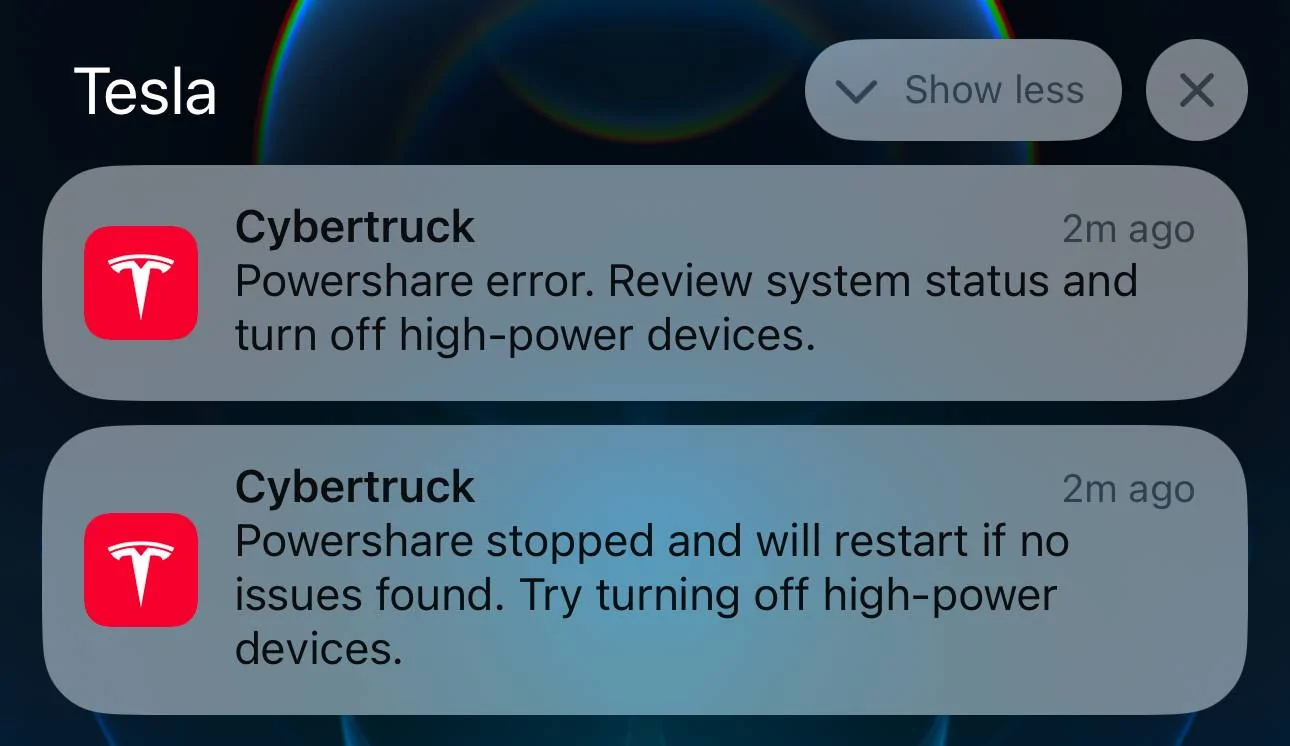
"Powershare error. Review system status and turn off high-power devices"

"Powershare stopped and will restart if no issues found. Try turning off high-power devices."

My Powershare for my Cyberbeast was completed months ago outside of Qmerit with a Tesla Certified electrician. As far as I can tell they did a solid job, load balanced for heavy loads on both the A and B legs of a subpanel that's downstream of the Powershare equipment (100Amp -> Powershare Gateway -> Subpanel). Per our calculations even though it's a heavy load overall, the load even under max usage is good.

When I analyze the power graph in my app when these errors have popped up (maybe 4-5 times now) I don't see power graph ever drop to 0. Up until yesterday, I never even noticed anything in the house actually show signs of a real power loss after seeing the errors, however yesterday there was clearly a short outage that was long enough to reset all clocks in the house, and turn off air purifiers that we normally run. Despite that, the graph still didn't show any drop to 0 for power usage, nor any output from the truck via Powershare.

Has anyone else seen these errors? Anytime I test Powershare from the panel by switching off the 100Amp breaker Powershare works fine. No errors, just flawless operation, and once I flip the breaker back on, it hands power back over to the grid without any problems. That said, I've never been able to catch an actual organic outage to verify the hand-off in that scenario, only a breaker flip.
Sponsored

 

AlmostHuman

Well-known member
Joined
May 1, 2024
Threads
7
Messages
985
Reaction score
1,349
Location
Earth
Vehicles
Model X, Cybertruck
Occupation
Human
Country flag
Could it be when something with a high current draw fires up like a fan? It might be that you are running close, say 80% for sake of the conversation, to the amp max and a device that has a high LRA (locked rotor amperage) fires up? Well pump? Heat pump? I’m just guessing. I snagged a digital clamp meter a while back to check this kind of thing, might be interesting to see the amps coming off the subpanel.

Please be safe, I’m not a certified electrician but feel comfortable and respect power when around it enough to use tools like the meter.
 
OP
OP
cybertruckgg

cybertruckgg

Well-known member
Joined
Jan 26, 2024
Threads
7
Messages
79
Reaction score
95
Location
US
Vehicles
Cybertruck
Country flag
Could it be when something with a high current draw fires up like a fan? It might be that you are running close, say 80% for sake of the conversation, to the amp max and a device that has a high LRA (locked rotor amperage) fires up? Well pump? Heat pump? I’m just guessing. I snagged a digital clamp meter a while back to check this kind of thing, might be interesting to see the amps coming off the subpanel.

Please be safe, I’m not a certified electrician but feel comfortable and respect power when around it enough to use tools like the meter.
The subpanel (US power of course) takes 240v splits it into the A and B legs so you've got your 120 volt phases on each. Per our calculations we were able to load the following for "Heavy Loads"-

1. Both home furnaces
2. One AC unit
3. Garage / garage doors
4. Laundry room (gas heat dryer)
5. Kitchen (less all appliances except the fridge and gas stovetop)
6. Sump pump
7. Ejector pump
8. Basement lights, smoke detector power line, and chest freezer
9. Hallway lights on both floors
10. Master Bedroom
11. One office (tech heavy)
12. The Family room (TV / lights)
13. Two bathrooms

The most we've ever seen demand wise, with the exception of when the vehicle is being charged, is 3kW draw, but it's almost always between 1.0 and 2.5kW fluctuating depending on what's being used / demanded of the system. The error comes up super rarely, it has never been able to be replicated, and only really seems to be around what appear to be minor blips in power from the utility from what I can tell.

When the vehicle is charging we've seen spikes as high (combined with house demand) of 8-9.6kW, still way under under the load the Powershare gateway can handle for utility loads (utility providing power, can charge the truck, and provide power to the subpanel). 240V x 100A = 24kW, 80% of that is 19.2kW, again way way under.

For the Powershare side, the truck can give 11.5kW peak, but is really only ideal for a max continuous load of 9.6kW. We have months of graphs now, and we've never seen a spike go above 3kW draw, so again we should be way under. It's winter right now, so no A/C compressor loads to speak of, and the furnaces pales in comparison to the A/C for demand. Sump / Ejector pump are on/off all year round, and have never been an issue.

Hope this extra info helps, ultimately I'm baffled a bit as to these occasional error messages that have popped a handful of times.
 

AlmostHuman

Well-known member
Joined
May 1, 2024
Threads
7
Messages
985
Reaction score
1,349
Location
Earth
Vehicles
Model X, Cybertruck
Occupation
Human
Country flag
The error comes up super rarely, it has never been able to be replicated, and only really seems to be around what appear to be minor blips in power from the utility from what I can tell.
My understanding is that when the grid goes down it can take a some time before the truck kicks in. Wonder if the grid is having a long enough blip that the backup gateway is cutting power for a short bit? Just spitballing.
 

DarkEye

Well-known member
Joined
Nov 27, 2019
Threads
7
Messages
185
Reaction score
186
Location
Jacksonville, FL
Website
ts.la
Vehicles
'24 FS CT AWD, past Equinox, Hummer H3
Occupation
Retired
Country flag
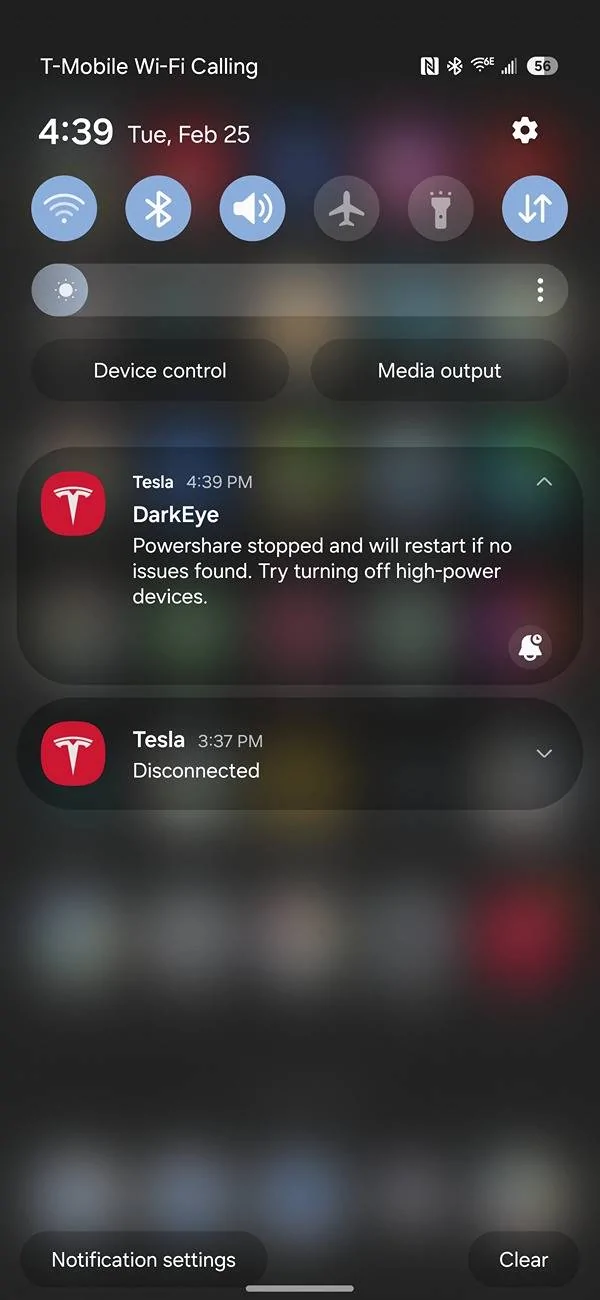
Just had this happen with my Powershare system. Did not notice any grid power blip, surge or outage. Checked my CT and all looks normal. I've had this happen 2 or three times now. CT was not charging at the time this message showed up.

Tesla Cybertruck Powershare Error Notifications? Screenshot_20250225_163933_One UI Hom


Fabville

Well-known member
First Name
Kevin
Joined
Mar 10, 2020
Threads
16
Messages
336
Reaction score
400
Location
Washington State
Website
www.fabville.com
Vehicles
2020 Tesla Model X, 2015 Model S P85D, AWD CT
Country flag
I had 2 notifications pop up today as well. We’ve had high winds and power outages in the area since yesterday, not sure if power flickered, but was showing we had grid power when I checked 2 minutes after receiving the notification.

I’ll have to check some things when I get home tonight.

Tesla Cybertruck Powershare Error Notifications? IMG_8975
 

Mal

Well-known member
First Name
Mal
Joined
Feb 13, 2024
Threads
31
Messages
636
Reaction score
1,617
Location
WA
Vehicles
'24 CB "Rocinante"
Country flag
I'm in western WA, too. Had the same winds, rains, and weird error notification. Power did flicker once or twice, but we never lost it long enough to trip anything. Maybe it was right at the threshold of the gateway deciding to switch?
 

Fabville

Well-known member
First Name
Kevin
Joined
Mar 10, 2020
Threads
16
Messages
336
Reaction score
400
Location
Washington State
Website
www.fabville.com
Vehicles
2020 Tesla Model X, 2015 Model S P85D, AWD CT
Country flag
I'm in western WA, too. Had the same winds, rains, and weird error notification. Power did flicker once or twice, but we never lost it long enough to trip anything. Maybe it was right at the threshold of the gateway deciding to switch?
Just confirmed, our not-so-smart Samsung “smart” range clock that needs to be manually synced through an app every time it loses power still has the correct time, so if we momentarily lost power it must have only been momentarily.

Like you suggested, I’m going to assume it was at a threshold it was going to activate before power from the grid started flowing again.
 
OP
OP
cybertruckgg

cybertruckgg

Well-known member
Joined
Jan 26, 2024
Threads
7
Messages
79
Reaction score
95
Location
US
Vehicles
Cybertruck
Country flag
Yep those are the exact errors I've been mentioning, and that I've tried to notify Tesla about as well. I've mentioned it to my electrician that installed everything too, but he's not sure what to make of it, nor has Tesla given him any feedback on it.

Has anyone who has had the error had an actual power outage to test that the system is working fine with a true powerout? I'd imagine it's the same as flipping the breaker main off, anytime I've tested that it worked flawlessly both taking over, and handing power delivery back over to the grid.
 

Fabville

Well-known member
First Name
Kevin
Joined
Mar 10, 2020
Threads
16
Messages
336
Reaction score
400
Location
Washington State
Website
www.fabville.com
Vehicles
2020 Tesla Model X, 2015 Model S P85D, AWD CT
Country flag
Yep those are the exact errors I've been mentioning, and that I've tried to notify Tesla about as well. I've mentioned it to my electrician that installed everything too, but he's not sure what to make of it, nor has Tesla given him any feedback on it.

Has anyone who has had the error had an actual power outage to test that the system is working fine with a true powerout? I'd imagine it's the same as flipping the breaker main off, anytime I've tested that it worked flawlessly both taking over, and handing power delivery back over to the grid.
I’ve had two previous outages and it worked fine, but that was before I ever received those error notifications.


Dahongfei

Well-known member
Joined
May 29, 2024
Threads
19
Messages
420
Reaction score
481
Location
Charlotte
Vehicles
Cyber beast
Country flag
Got the same thing, they must have been testing something.

Also, my simulate “outage” button is gone in the app as well.
 
OP
OP
cybertruckgg

cybertruckgg

Well-known member
Joined
Jan 26, 2024
Threads
7
Messages
79
Reaction score
95
Location
US
Vehicles
Cybertruck
Country flag
I had a 1 minute or so outage today, Powershare did not take over, I think because the truck was "Asleep". When I pulled up my Tesla app to see if it was in the process of delivering power and got the truck to refresh I saw "Communicating" as the truck status, but then the power came back on, and the Powershare errors appeared.

I'm not sure if this is evidence that these errors are more likely to appear if the truck meant to take over, but then didn't due to too small of a disruption, or what. This power outage (which I was home for) did cause all clocks to reset, whereas in previous incidents of the error they did not. Power outage seemed to be related to high winds.

Hopefully one day Tesla gives us some news on this. I also wonder if there's a possibility this could be related to Powershare Gateway updates, where it does a very quick reset? I saw that Tesla rolled out an update allowing solar to now work properly w/Powershare.

Oh also, my truck didn't used to say "Asleep", I would just see "Last Seen", so I'm not sure if that's something new as well which could delay handover of power.
 

CWiley

Well-known member
First Name
C
Joined
Nov 11, 2020
Threads
21
Messages
162
Reaction score
172
Location
Atlanta, Ga.
Vehicles
2024 CyberBeast
Occupation
Contractor
Got the same thing, they must have been testing something.

Also, my simulate “outage” button is gone in the app as well.
I also noticed the simulate outage option/button in no longer available in the Tesla app.
 

SpykeDaddy

Well-known member
First Name
Michael
Joined
Jan 10, 2024
Threads
2
Messages
142
Reaction score
229
Location
Marine on St. Croix
Vehicles
2010 Roadster, 2018 Model S, 2024 CyberTruck
Country flag
I have had successful PowerShare events (two times) and have had those PowerShare errors happen four or five times separately.

My electrician, who is a close Tesla follower and was the first in my state to get permission to install PowerShare, told me that the power has to be out for roughly five minutes before PowerShare will take over. The reason for this is because sometimes power can "flap" on/off and the PowerShare unit (and truck) isn't designed for this frequency of flapping of power.

He was managing my expectations that there WILL be a loss of power when PowerShare kicks in vs. my prevailing expectation that "no one would notice" or there would be a temporary blip. My PowerShare was installed in April of 2024, so who knows if things have changed since then.

That being said, the errors I got were during situations where we had brownouts or a very short power outage. It's so frustrating because I was coached that PowerShare was not designed to kick in until four or five minutes of continuous outage...so why would I get errors. Just state a "short power issue identified, PowerShare did not kick in by design" error!

I put it in the bucket of "Tesla has such a small install base and the product is new". So far, it doesn't seem to be impacting core functionality...just creating anxiety for me!
 

CyberGus

Well-known member
First Name
Gus
Joined
May 22, 2021
Threads
91
Messages
10,236
Reaction score
33,889
Location
Austin, TX
Vehicles
1981 DeLorean, 2024 Cybertruck
Occupation
IT Specialist
Country flag
My electrician, who is a close Tesla follower and was the first in my state to get permission to install PowerShare, told me that the power has to be out for roughly five minutes before PowerShare will take over.
It's true that PowerShare will not kick in immediately like a UPS, so you will need to reset your VCR clock lol, but the delay is seconds, not minutes.

I did my own test:

https://www.cybertruckownersclub.com/forum/threads/my-powershare-experience.20471/#post-361797

I think your installer was confusing the enable vs. disable times. PowerShare waits for 5 minutes after the grid is restored to release the truck and resume using grid power.
Sponsored


Top