ABILISK
Well-known member
- Joined
- Nov 6, 2024
- Threads
- 22
- Messages
- 2,141
- Reaction score
- 3,881
- Location
- DFW
- Website
- ts.la
- Vehicles
- ‘24 Beast

- Thread starter
- #1
@T Sportline to the rescue with, hands down, the best solution to date for mating a Starlink Mini and CT.
Their new Voltage Conversion System makes it super easy to hardwire directly to the frunk feed. It takes the 48V feed from the frunk and outputs 100W via USB-C (safe for Starlink). It also has a 36W USB-A output if you have a use for that.
They designed it to where you can drill a hole in the frunk tub and have the plug easily accessible if you have a need for that (USB speakers for tailgating, having a phone charger accessible as you chill out in the open frunk, etc). I didn’t go that route, as I wanted this for Starlink specifically, but there’s plenty of uses for it.

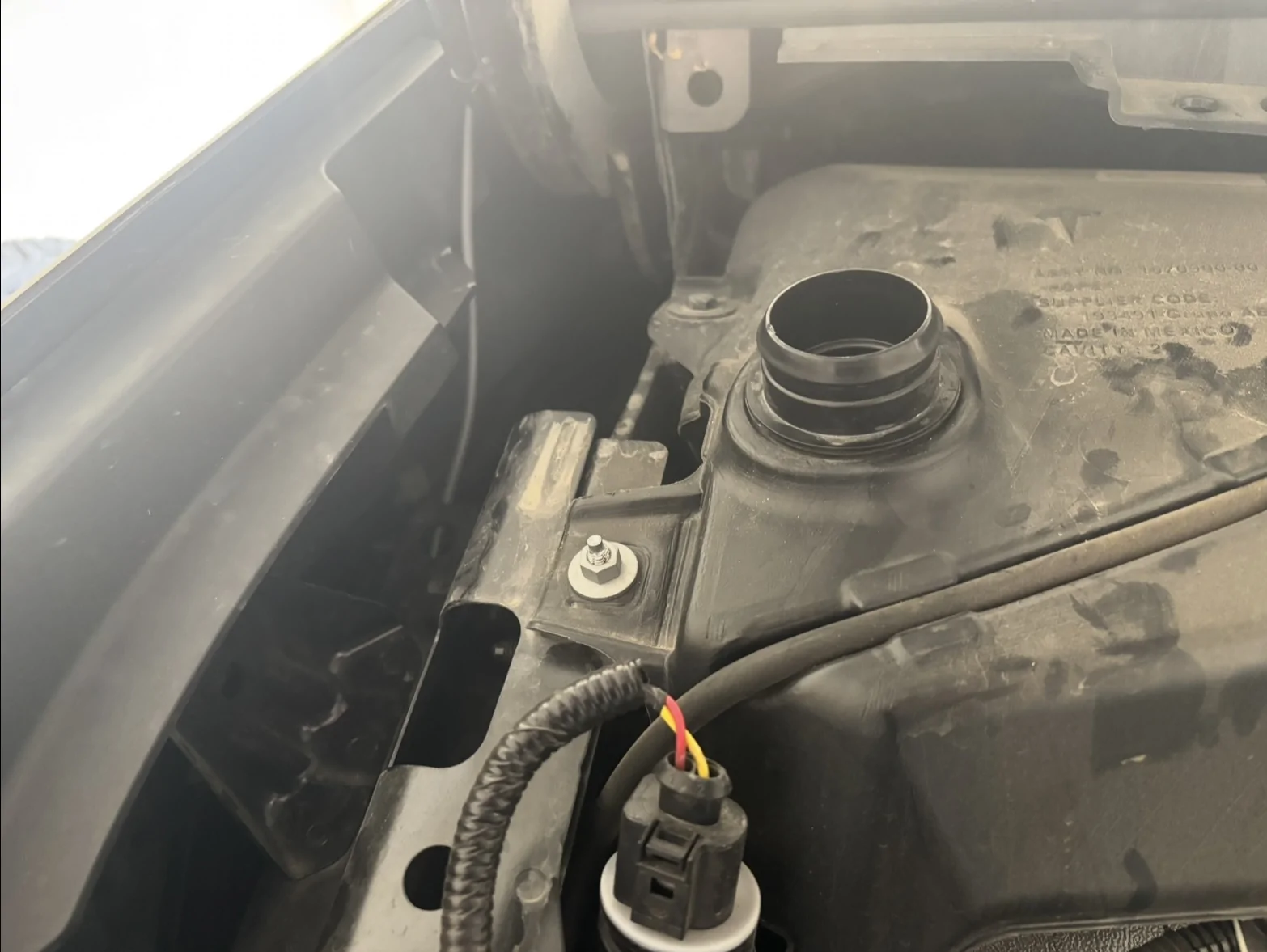
Here’s the unit plugged into the frunk feed. I ran the cable up the left side,

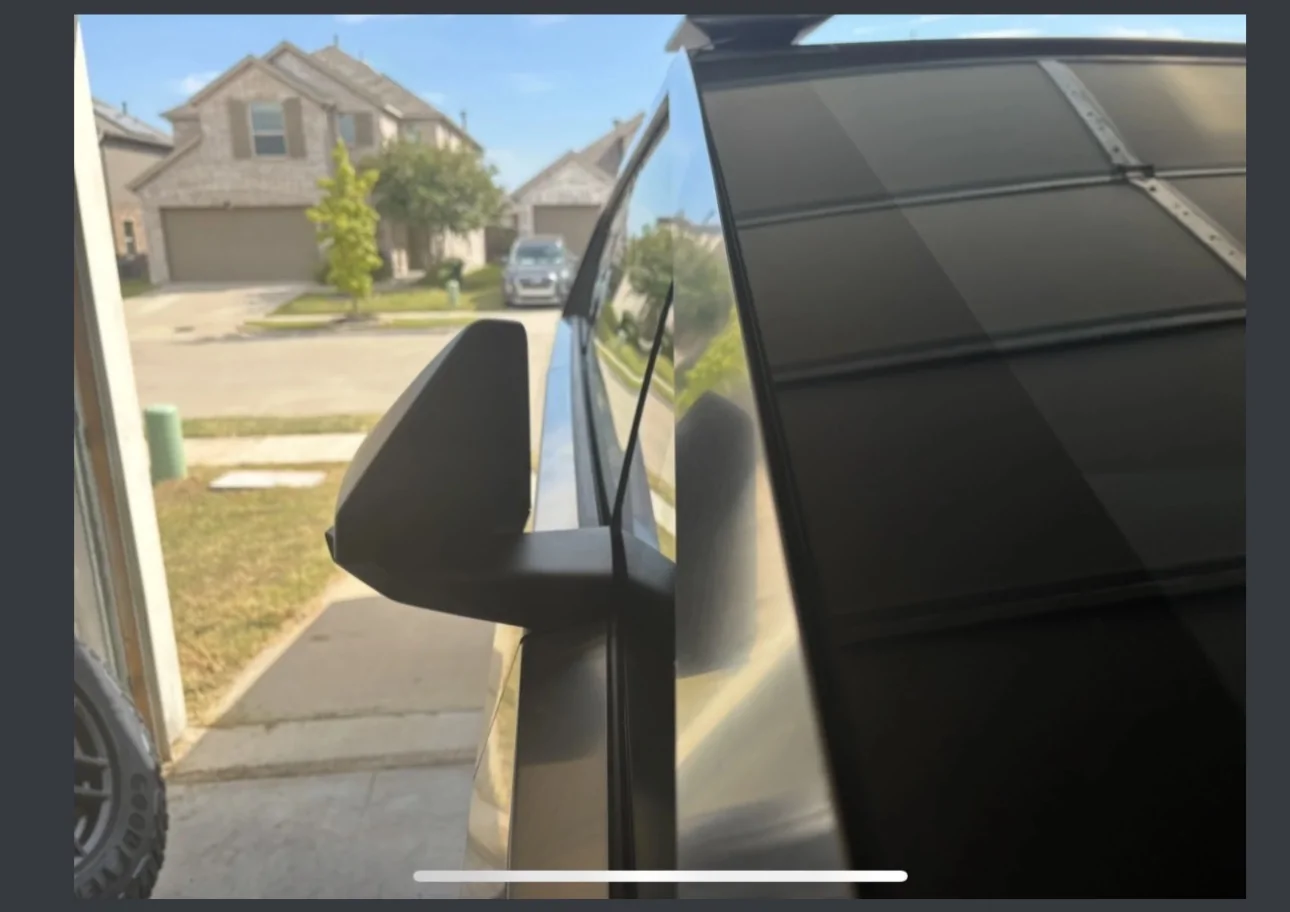
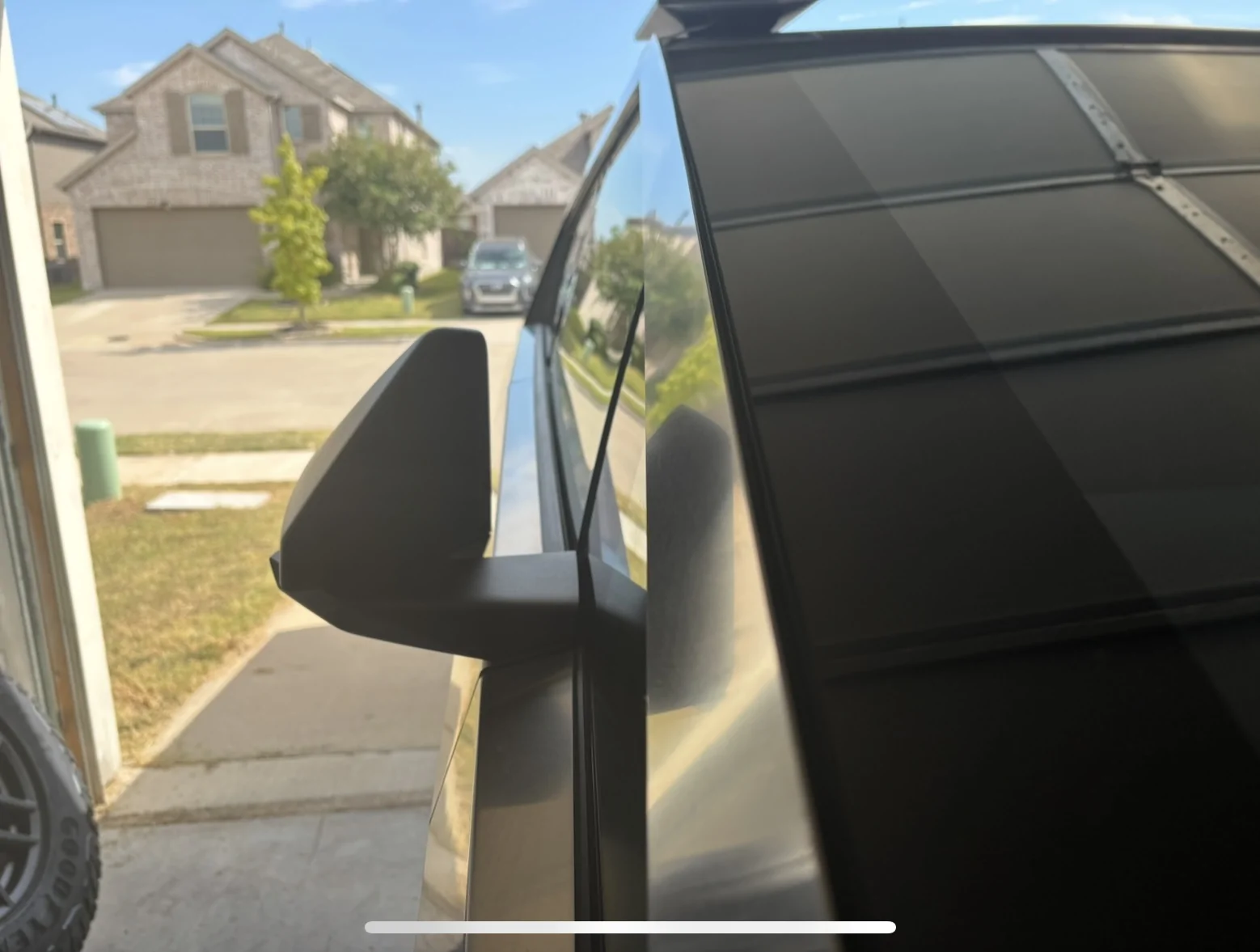
out the gap,

along the windshield,
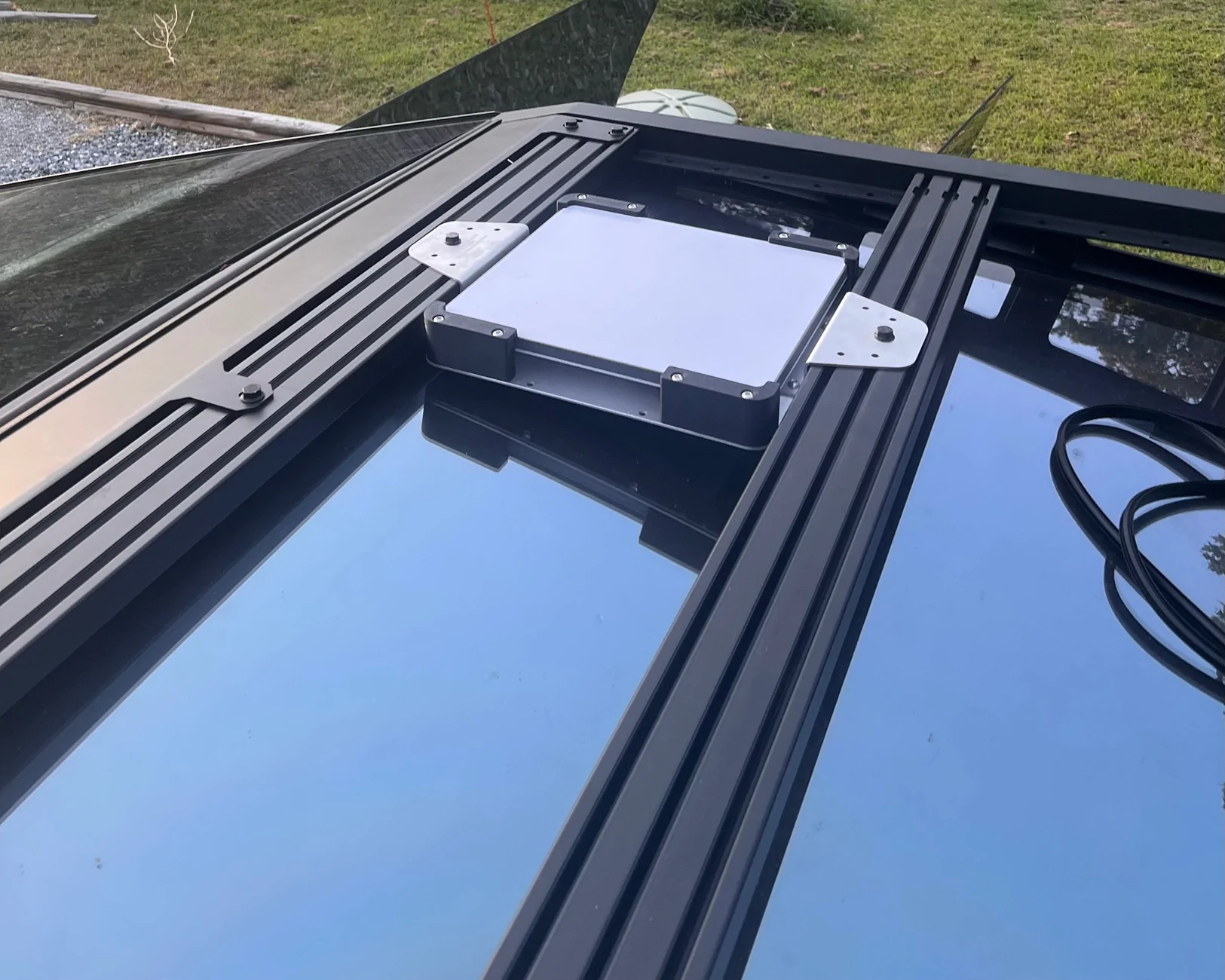
to the dish on the roof.
Super easy install, took easily less than an hour. T Sportline has a great installation video on the product page. Just make sure you select “High-Output USB-C (100 W)” and not “12 Volt System (350 W)”
Is this necessary? Well after much research and much discussion on here with smart people, I determined I don’t know. The frunk puts out 48V but there’s a potential that it might put out 58V during spikes. Starlink can only handle 48V. It has safety measures in place that shouldn’t allow it to go over its max voltage but you never know with electricity. It’s a powerful force and one thing life has taught me up to this point is that it’s better safe than sorry. This system is a safe way to power Starlink while also offering a few other advantages.
Even if you take the risk of possibly frying your Starlink by hooking it up directly to the 48V power feed, you’d have to cut the end off your power cable, separate the positive and negative wires, and connect them to the frunk feed. It might work, but then what happens if a hater cuts your power cable while your truck’s parked? You’re in for a lot of work.
This system allows you to use a factory Starlink power cable ($31) while keeping Starlink mounted over the roof instead of over the bed. I had been running my Starlink on my crossbars mounted over the bed with the power cable running to the bed outlets. That worked just fine, but there were crossbars mounted over my bed - obviously not ideal for loading large items. I wanted the crossbars over the roof.
Some people run Starlink inside the cabin, mounted to either the giant dashboard or the roof with a suction cup mount. The problem with that is there’s extra cables in the cabin now and one of your outlets is permanently taken. Also, with the bed or cabin outlets, they disable if you ever plug the truck in to charge, which will kill your internet connection.
I’ve tried everything under the sun, and I can tell you the ultimate solution to all problems is mounting Starlink externally over the roof. No loss of power during supercharging (yes, I confirmed that today). I drove ~80 miles and had no outages other than the 1-2 second ones you always get while driving under overpasses and whatnot.
Great work by T Sportline. Always one step ahead!
Their new Voltage Conversion System makes it super easy to hardwire directly to the frunk feed. It takes the 48V feed from the frunk and outputs 100W via USB-C (safe for Starlink). It also has a 36W USB-A output if you have a use for that.
They designed it to where you can drill a hole in the frunk tub and have the plug easily accessible if you have a need for that (USB speakers for tailgating, having a phone charger accessible as you chill out in the open frunk, etc). I didn’t go that route, as I wanted this for Starlink specifically, but there’s plenty of uses for it.
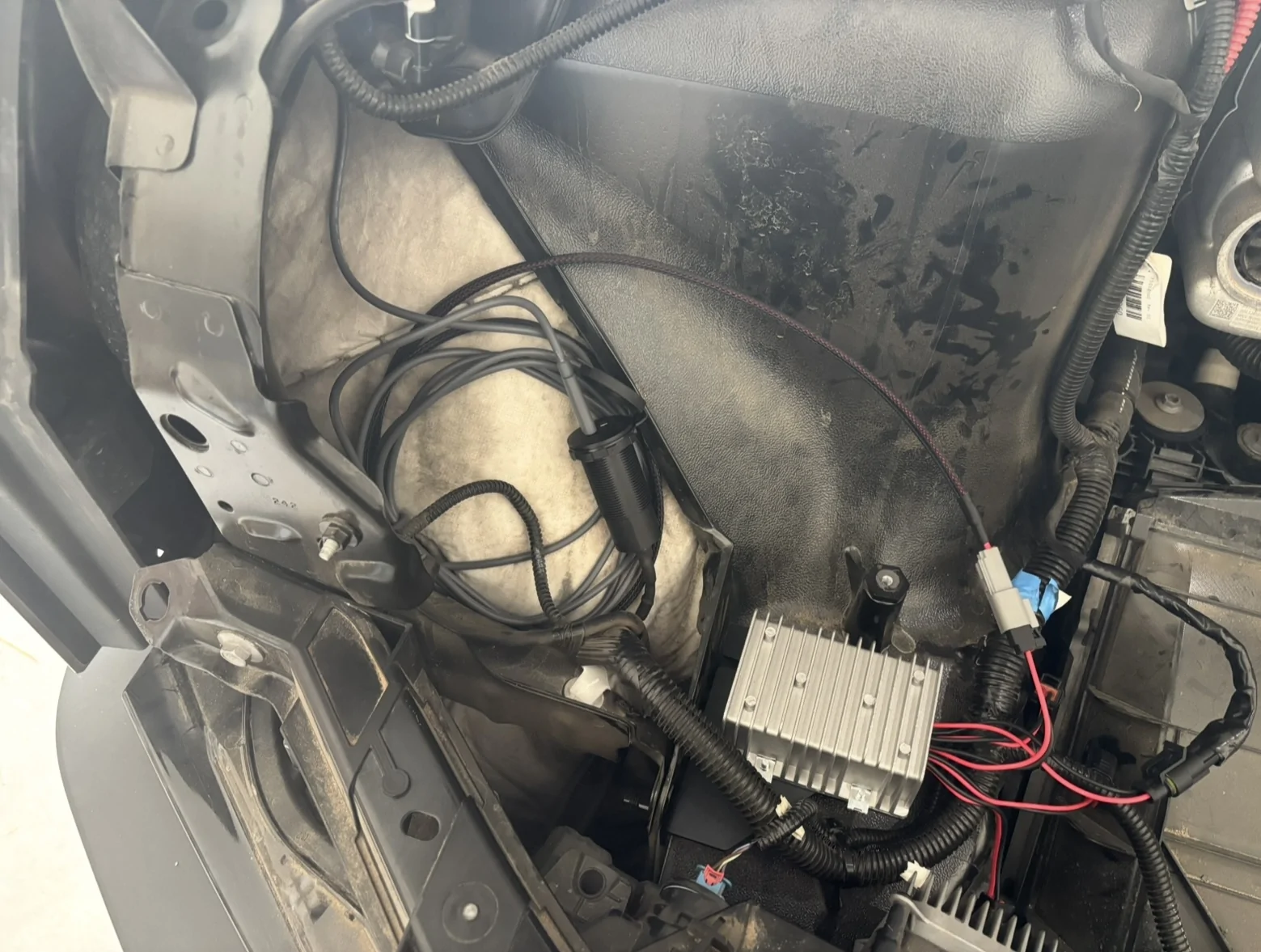
Here’s the unit plugged into the frunk feed. I ran the cable up the left side,
out the gap,
along the windshield,
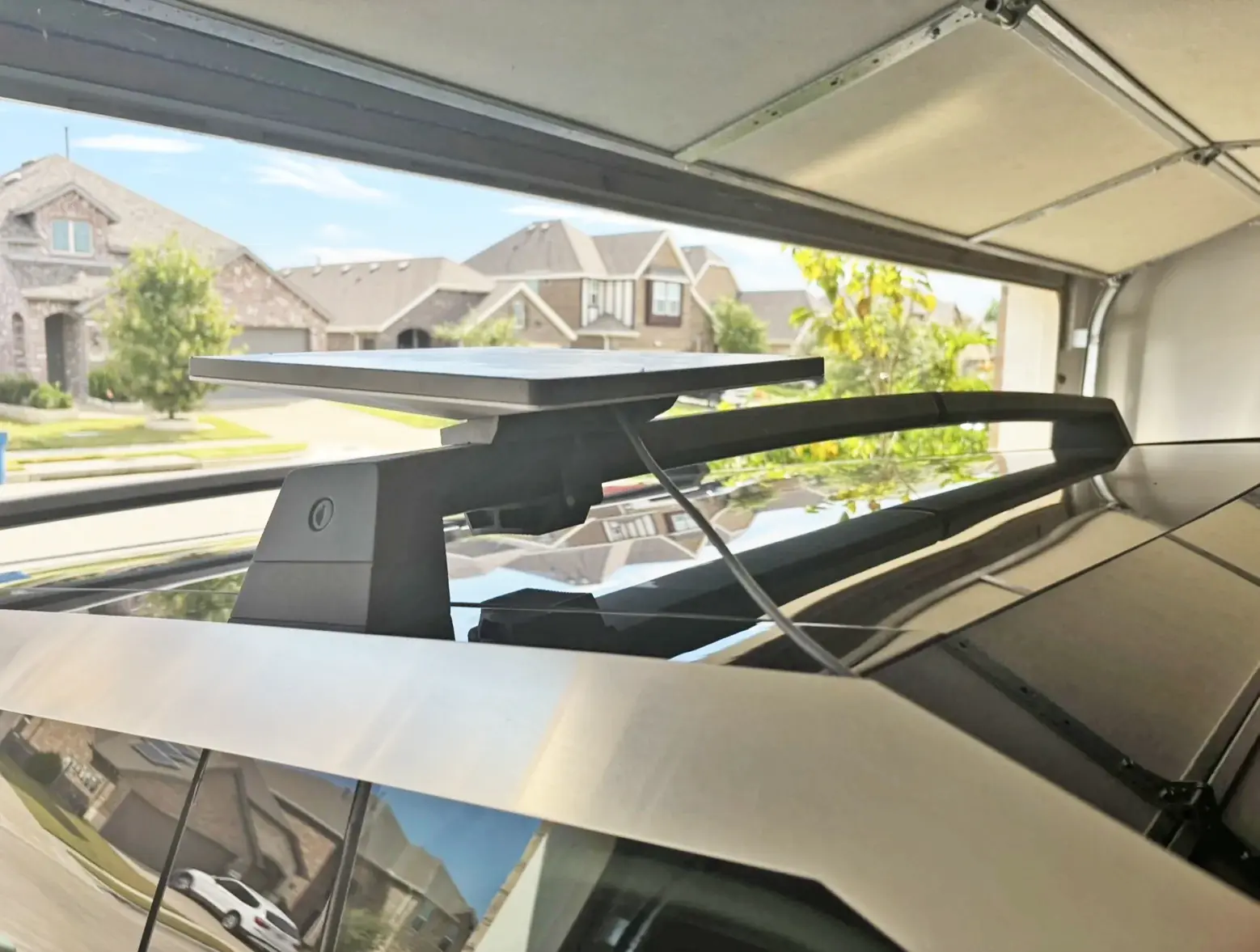
to the dish on the roof.
Super easy install, took easily less than an hour. T Sportline has a great installation video on the product page. Just make sure you select “High-Output USB-C (100 W)” and not “12 Volt System (350 W)”
Is this necessary? Well after much research and much discussion on here with smart people, I determined I don’t know. The frunk puts out 48V but there’s a potential that it might put out 58V during spikes. Starlink can only handle 48V. It has safety measures in place that shouldn’t allow it to go over its max voltage but you never know with electricity. It’s a powerful force and one thing life has taught me up to this point is that it’s better safe than sorry. This system is a safe way to power Starlink while also offering a few other advantages.
Even if you take the risk of possibly frying your Starlink by hooking it up directly to the 48V power feed, you’d have to cut the end off your power cable, separate the positive and negative wires, and connect them to the frunk feed. It might work, but then what happens if a hater cuts your power cable while your truck’s parked? You’re in for a lot of work.
This system allows you to use a factory Starlink power cable ($31) while keeping Starlink mounted over the roof instead of over the bed. I had been running my Starlink on my crossbars mounted over the bed with the power cable running to the bed outlets. That worked just fine, but there were crossbars mounted over my bed - obviously not ideal for loading large items. I wanted the crossbars over the roof.
Some people run Starlink inside the cabin, mounted to either the giant dashboard or the roof with a suction cup mount. The problem with that is there’s extra cables in the cabin now and one of your outlets is permanently taken. Also, with the bed or cabin outlets, they disable if you ever plug the truck in to charge, which will kill your internet connection.
I’ve tried everything under the sun, and I can tell you the ultimate solution to all problems is mounting Starlink externally over the roof. No loss of power during supercharging (yes, I confirmed that today). I drove ~80 miles and had no outages other than the 1-2 second ones you always get while driving under overpasses and whatnot.
Great work by T Sportline. Always one step ahead!
Sponsored
Last edited: