Sponsored

Starlink/antenna wires, how do you keep them safe?

mongo

Well-known member
Joined
May 27, 2024
Threads
6
Messages
4,536
Reaction score
5,522
Location
SE Michigan
Vehicles
Cyberbeast
Country flag

mstatkus

Well-known member
First Name
Mark
Joined
Jun 28, 2024
Threads
0
Messages
203
Reaction score
185
Location
WA
Vehicles
Cybertruck, Model Y, Model 3
Occupation
DevOps
Country flag
The mini worked well on my 2200mi trip from eastern WA up to Calgary and Banff. In the way you mounted to the back glass it can struggle up hills going north. South I had no issues. Also you can get a 5mm to USB-C cable on Amazon. I just ran it behind the back seat and under my weather mat to the rear display USB port and got a 90 degree extension to keep people on the back from having to find it in the dark to plug or unplug it.
 

pricedm

Well-known member
First Name
Adam
Joined
Feb 17, 2022
Threads
2
Messages
931
Reaction score
1,848
Location
Denver, Colorado, USA
Vehicles
2026 Tesla Model Y LR. 2025 Cybertruck AWD. 2023 MY and 2018 M3: retired
Occupation
IT
Country flag
@mstatkus Are you powering Starlink Mini directly from Cybertruck USB-C? I'm unable to get Mini to boot up--OEM USB-C cable lights up red. My Cybertruck USB-C show 67 watts output.
 

mstatkus

Well-known member
First Name
Mark
Joined
Jun 28, 2024
Threads
0
Messages
203
Reaction score
185
Location
WA
Vehicles
Cybertruck, Model Y, Model 3
Occupation
DevOps
Country flag
@mstatkus Are you powering Starlink Mini directly from Cybertruck USB-C? I'm unable to get Mini to boot up--OEM USB-C cable lights up red. My Cybertruck USB-C show 67 watts output.
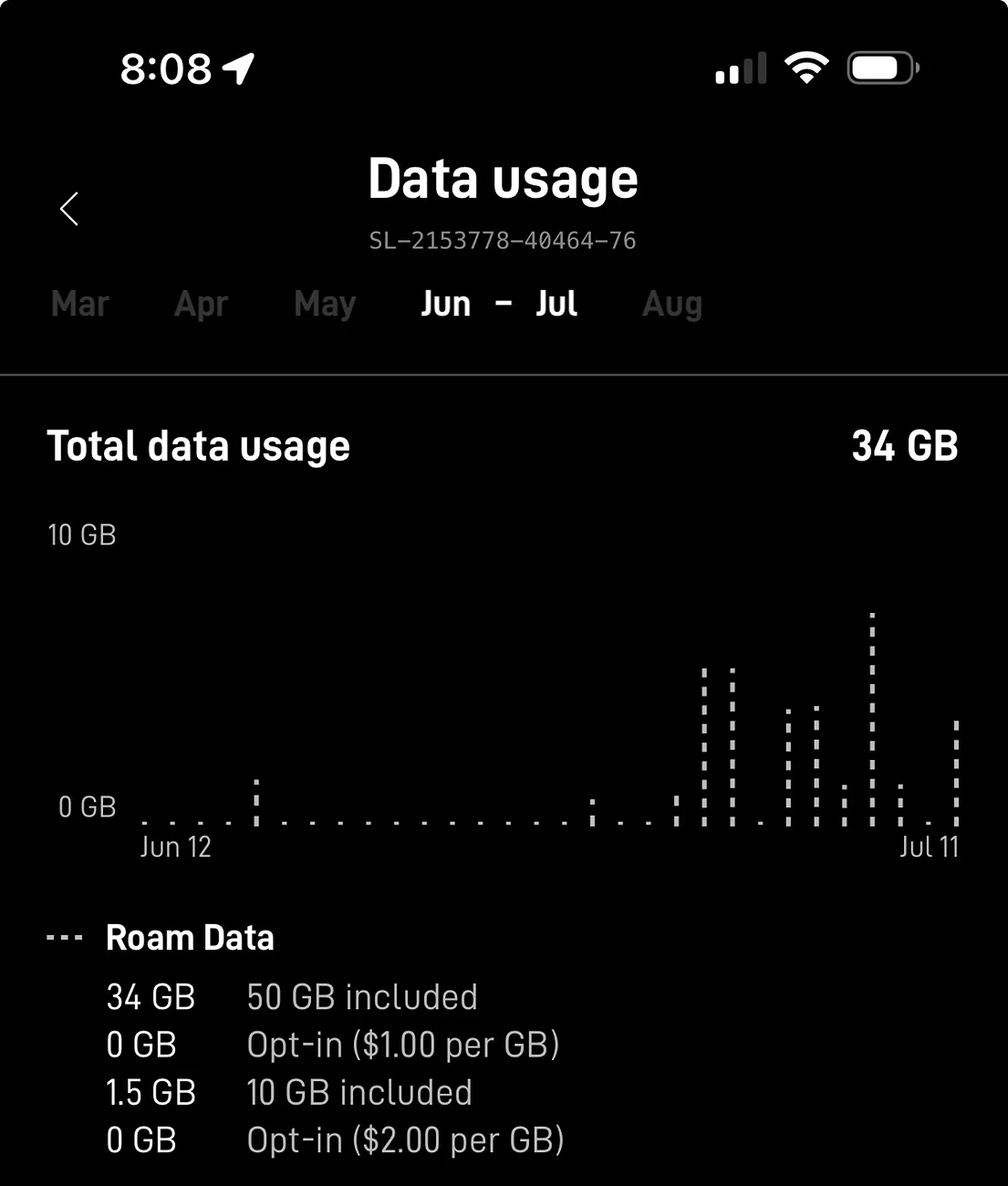
Yes, ran it for 28hrs ~ 2200mi driving and misc parking stops hiking in the middle of nowhere so Sentry worked.
even in a power station I only see it pulling 24-28w. I’m running the Mini Roam 50GB plan. Only thing I can think of is cold weather may trigger snow melt mode.

Tesla Cybertruck Starlink/antenna wires, how do you keep them safe? IMG_4748
 
Last edited:

ABILISK

Well-known member
Joined
Nov 6, 2024
Threads
22
Messages
2,133
Reaction score
3,866
Location
DFW
Website
ts.la
Vehicles
‘24 Beast
Country flag
@mstatkus Are you powering Starlink Mini directly from Cybertruck USB-C? I'm unable to get Mini to boot up--OEM USB-C cable lights up red. My Cybertruck USB-C show 67 watts output.
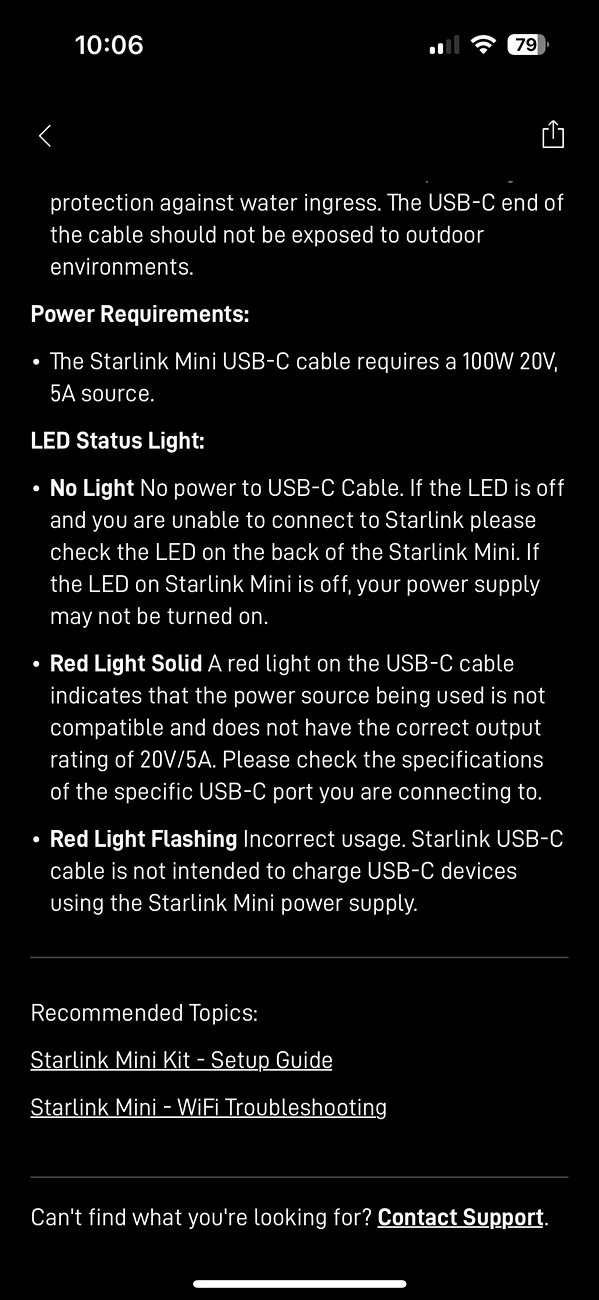
I had the same problem and found this:
Tesla Cybertruck Starlink/antenna wires, how do you keep them safe? IMG_0347

The red light means it doesn’t have enough power. Mini requires 100W/20V/5A source. So either use the power source from the kit or buy a new USB-C power brick with more power.


Boyne

Well-known member
First Name
Dennis
Joined
Jan 8, 2021
Threads
4
Messages
120
Reaction score
148
Location
Boyne City, Michigan
Vehicles
2018 MX, 2022 M3, 2024 CT
Occupation
Retired Naval Officer
Country flag
Whats your VIN range? Im tempted to do this but heard early (i dunno how early) dont allow signal through the roof glass. Im in the 8000s
I have a vin in low 10,000 and my Starlink mounted to inside the glass roof works great.
 

Boyne

Well-known member
First Name
Dennis
Joined
Jan 8, 2021
Threads
4
Messages
120
Reaction score
148
Location
Boyne City, Michigan
Vehicles
2018 MX, 2022 M3, 2024 CT
Occupation
Retired Naval Officer
Country flag
I had the same problem and found this:
IMG_0347.png

The red light means it doesn’t have enough power. Mini requires 100W/20V/5A source. So either use the power source from the kit or buy a new USB-C power brick with more power.
I use the USB connection inside the arm rest to power my Starlink mini and it works great. No problems with power.
 

hemiarch

Well-known member
First Name
Ace
Joined
Jan 22, 2025
Threads
116
Messages
8,403
Reaction score
9,654
Location
Arizona
Vehicles
2024 foundation AWD, 2024 model x
Occupation
Trauma Surgeon
Country flag
I use the USB connection inside the arm rest to power my Starlink mini and it works great. No problems with power.
Is that one more powerful than the rear USB’s?


pricedm

Well-known member
First Name
Adam
Joined
Feb 17, 2022
Threads
2
Messages
931
Reaction score
1,848
Location
Denver, Colorado, USA
Vehicles
2026 Tesla Model Y LR. 2025 Cybertruck AWD. 2023 MY and 2018 M3: retired
Occupation
IT
Country flag
I disabled "snow melt" on Mini, tried all three USB-C ports in Cybertruck (with nothing else plugged in) and measure output around 67 watts. Mini does require 100 watts but when running I see peak power demand 45 watts. I can run my Mini on either an external 60w or 100w USB-C PD. Starlink is on 2025.22.0. Looks like Cybertruck's USB-C might be the issue. Hmm....
 

Mettalicron

Well-known member
Joined
Dec 26, 2023
Threads
7
Messages
118
Reaction score
217
Location
Utah
Vehicles
Model X, Cybertruck
Occupation
Software Engineer / Business Owner
Country flag
Ive got a 12V battery setup tucked under my frunk liner that i have a power line leading to a switch controller (for offroad accessories and starlink) that i can toggle on my starlink when needed. Black case and black ppf on it make it not glare up on my dash where it sits with friction.
 

hemiarch

Well-known member
First Name
Ace
Joined
Jan 22, 2025
Threads
116
Messages
8,403
Reaction score
9,654
Location
Arizona
Vehicles
2024 foundation AWD, 2024 model x
Occupation
Trauma Surgeon
Country flag
Ive got a 12V battery setup tucked under my frunk liner that i have a power line leading to a switch controller (for offroad accessories and starlink) that i can toggle on my starlink when needed. Black case and black ppf on it make it not glare up on my dash where it sits with friction.
That sounds cool.
Got any pics of that tucked 12v setup?
Sponsored


Top