Sponsored

Gateway 3V No WiFi Broadcasted

msl0727

Well-known member
First Name
Michael
Joined
Oct 5, 2023
Threads
14
Messages
88
Reaction score
183
Location
Houston, TX
Vehicles
'18 Model LR RWD FSD, '23 Cybertruck Tri-Motor FSD
Country flag
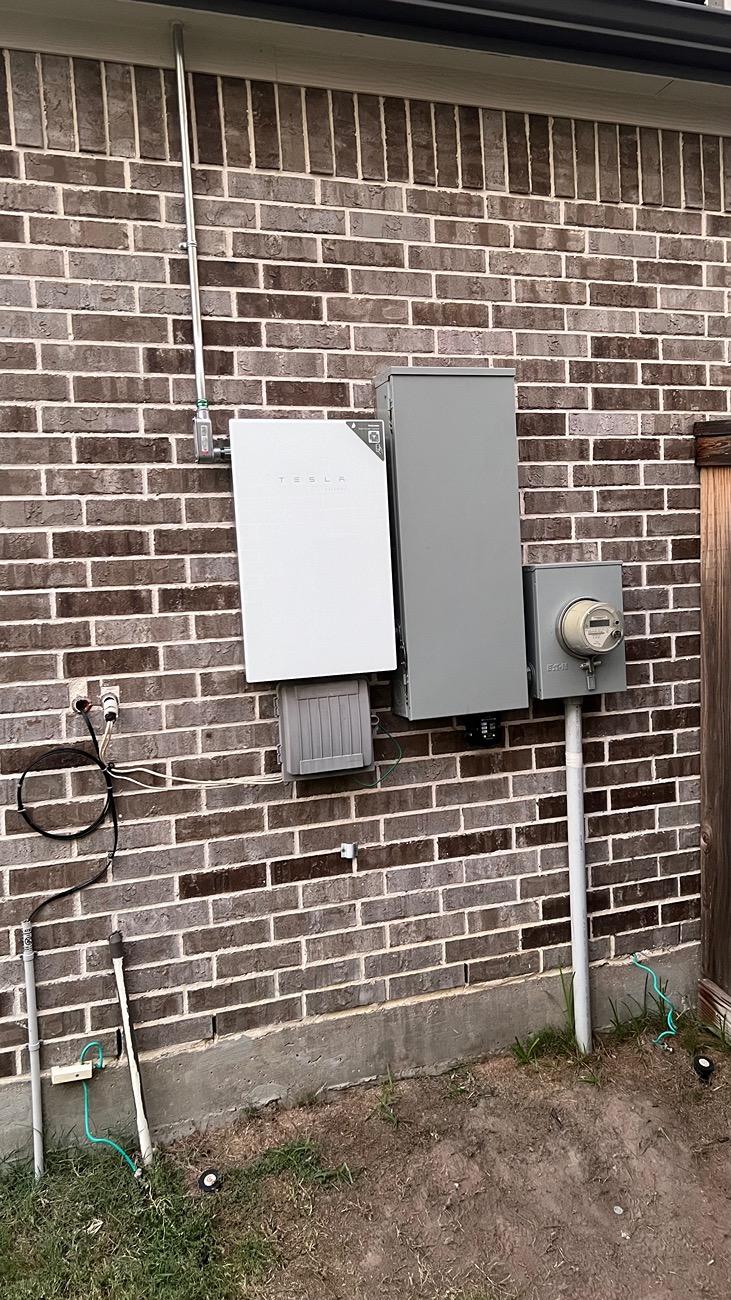
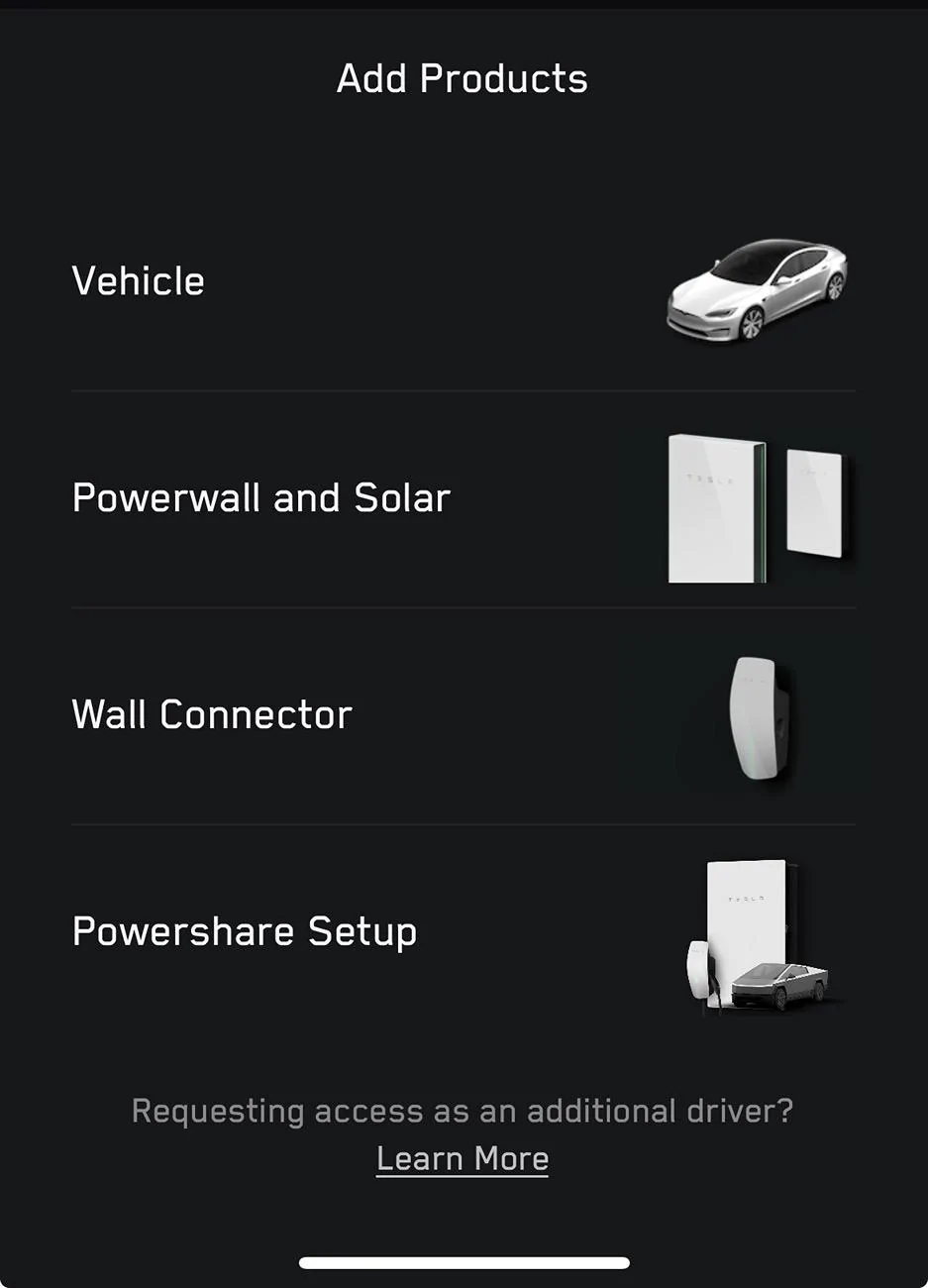
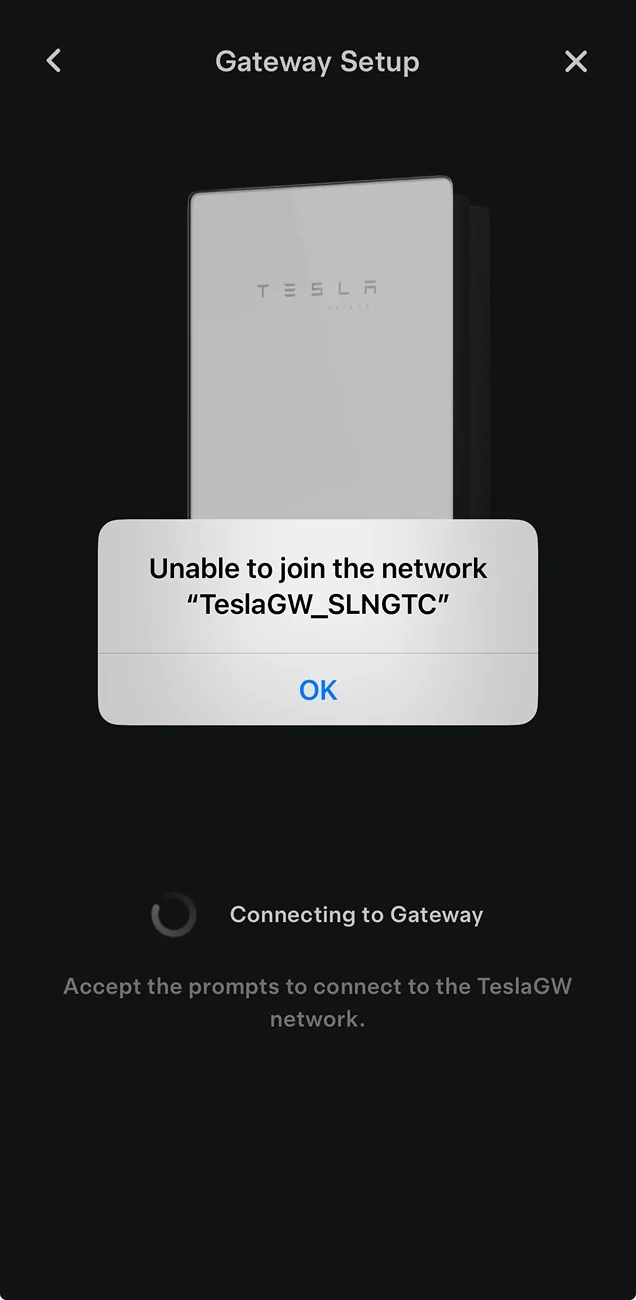
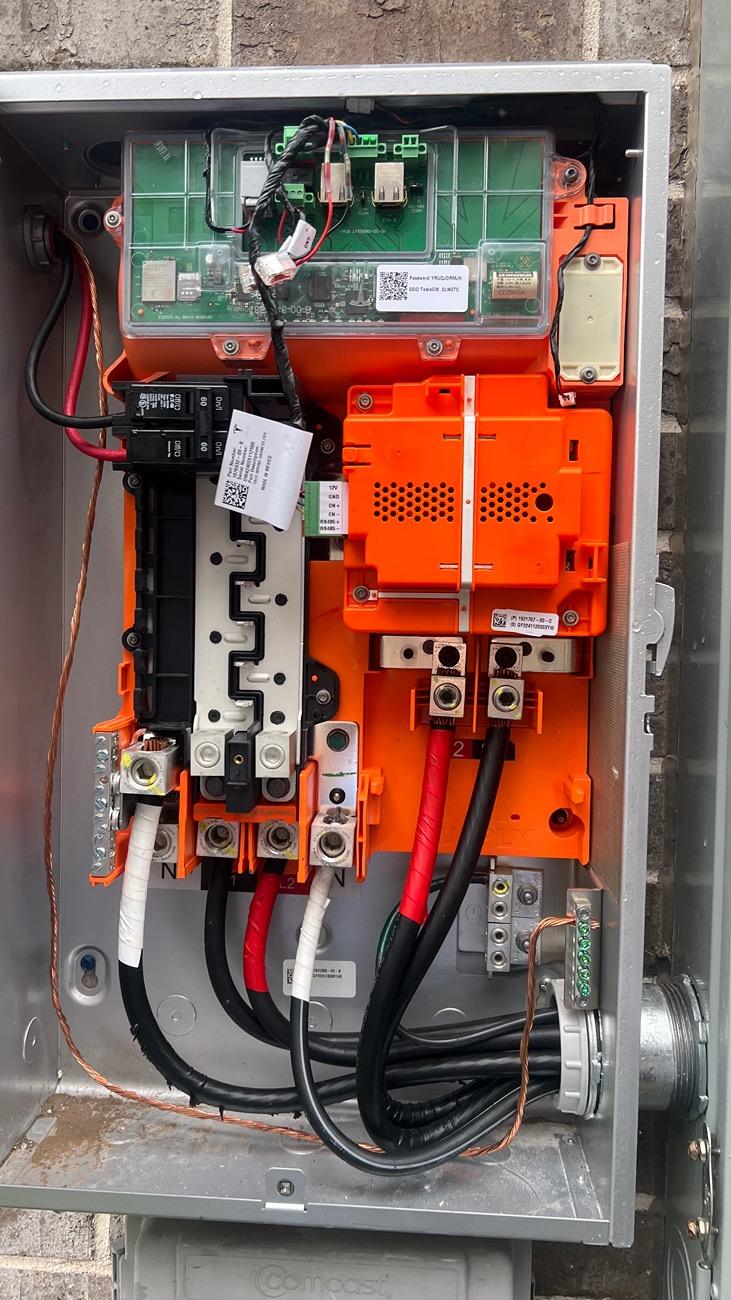
I’m attempting to add my PowerShare setup to the Tesla app after an installer came and put in the hardware. When attempting to connect to the gateways SSID there isn’t one to be found.

I have a FS Cyberbeast, a 3V gateway, a universal wall connector, etc. no idea why a signal is not broadcasting.

Tesla Cybertruck Gateway 3V No WiFi Broadcasted IMG_7603
Tesla Cybertruck Gateway 3V No WiFi Broadcasted IMG_7643
Tesla Cybertruck Gateway 3V No WiFi Broadcasted IMG_7642
Sponsored


darrenf

Member
First Name
Darren
Joined
Jul 8, 2024
Threads
0
Messages
16
Reaction score
21
Location
Durham, NC
Vehicles
Cybertruck, Model S, Model Y
Country flag
Your Universal Wall Connector must be at v24.12 to provide power to the control board in your gateway. I'm guessing that you don't have any LED lights on the circuit board in your gateway. Go upgrade the wall connector using Tesla One and then come back to the Gateway and see if it lights up. You should have WiFi then.
 
OP
OP

msl0727

Well-known member
First Name
Michael
Joined
Oct 5, 2023
Threads
14
Messages
88
Reaction score
183
Location
Houston, TX
Vehicles
'18 Model LR RWD FSD, '23 Cybertruck Tri-Motor FSD
Country flag
Your Universal Wall Connector must be at v24.12 to provide power to the control board in your gateway. I'm guessing that you don't have any LED lights on the circuit board in your gateway. Go upgrade the wall connector using Tesla One and then come back to the Gateway and see if it lights up. You should have WiFi then.
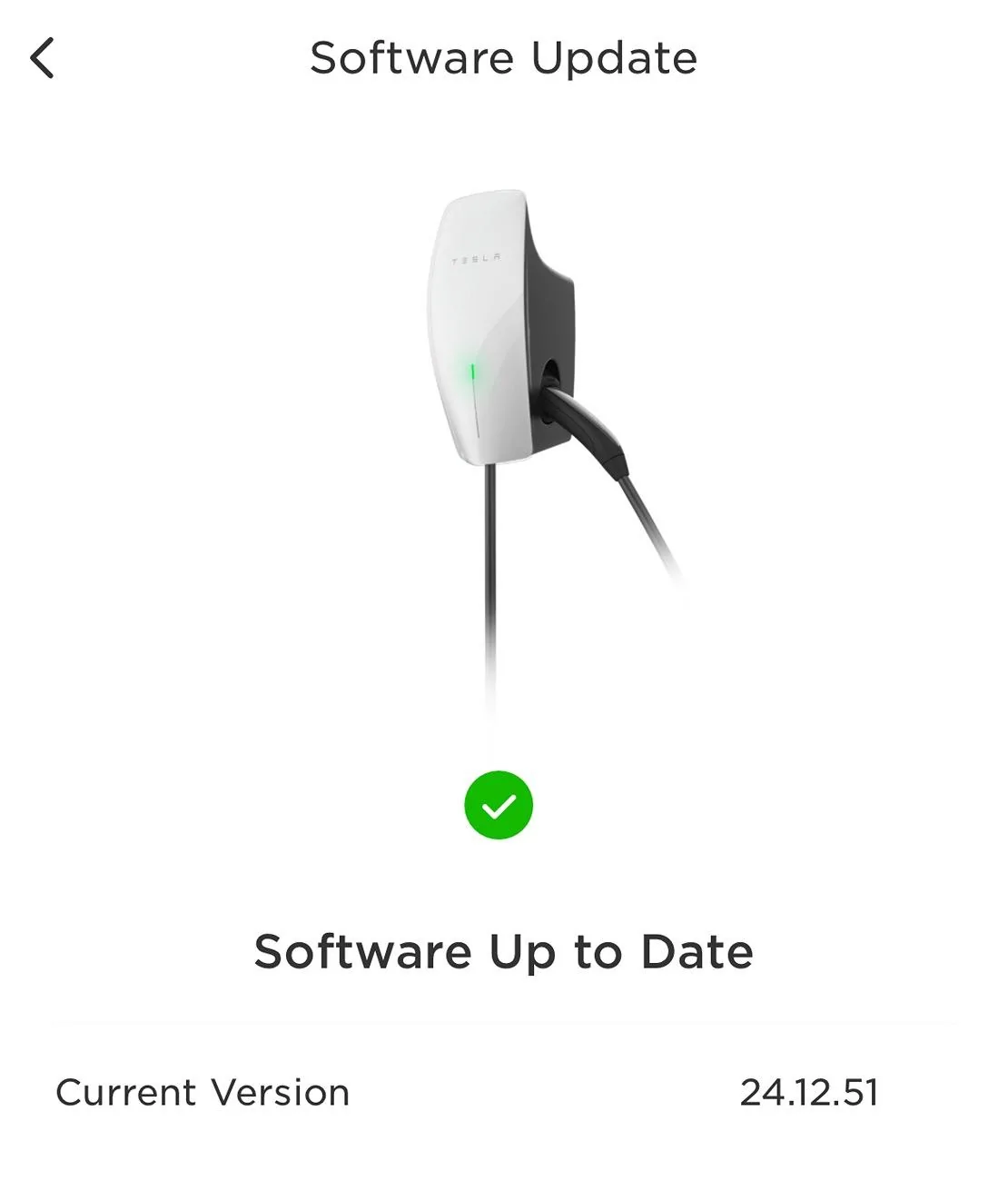
Thanks Darren! I’ve confirmed that the two universal wall connectors I have connected in a group are up to date.

Tesla Cybertruck Gateway 3V No WiFi Broadcasted IMG_7746

Like you said, I still see no lights in the gateway:
Tesla Cybertruck Gateway 3V No WiFi Broadcasted IMG_7747
 
OP
OP

msl0727

Well-known member
First Name
Michael
Joined
Oct 5, 2023
Threads
14
Messages
88
Reaction score
183
Location
Houston, TX
Vehicles
'18 Model LR RWD FSD, '23 Cybertruck Tri-Motor FSD
Country flag
Thanks Darren! I’ve confirmed that the two universal wall connectors I have connected in a group are up to date.

IMG_7746.jpeg

Like you said, I still see no lights in the gateway:
IMG_7747.jpeg
I just spoke with the installers. Apparently they have to come back out because they aren’t done and are still trying to determine what data line they have to run between the units.
 

darrenf

Member
First Name
Darren
Joined
Jul 8, 2024
Threads
0
Messages
16
Reaction score
21
Location
Durham, NC
Vehicles
Cybertruck, Model S, Model Y
Country flag
Sounds good. Maybe they didn't connect the wires at the wall connector yet or crossed one up. Good luck!


bkandy3

Well-known member
First Name
Andy
Joined
Apr 30, 2024
Threads
1
Messages
72
Reaction score
32
Location
Thousand Oaks, CA
Vehicles
AWD Cybertruck
Country flag
Your Universal Wall Connector must be at v24.12 to provide power to the control board in your gateway. I'm guessing that you don't have any LED lights on the circuit board in your gateway. Go upgrade the wall connector using Tesla One and then come back to the Gateway and see if it lights up. You should have WiFi then.
You are a life saver. The install company wasted a ton of time trying to find the WiFi. I did a Google search, found this post, told them to look for an update, and sure as shit, updated the charger and then power was sent to the gateway and WiFi signal found. Thank you!
 

bkandy3

Well-known member
First Name
Andy
Joined
Apr 30, 2024
Threads
1
Messages
72
Reaction score
32
Location
Thousand Oaks, CA
Vehicles
AWD Cybertruck
Country flag
Thanks Darren! I’ve confirmed that the two universal wall connectors I have connected in a group are up to date.

IMG_7746.webp

Like you said, I still see no lights in the gateway:
IMG_7747.jpeg
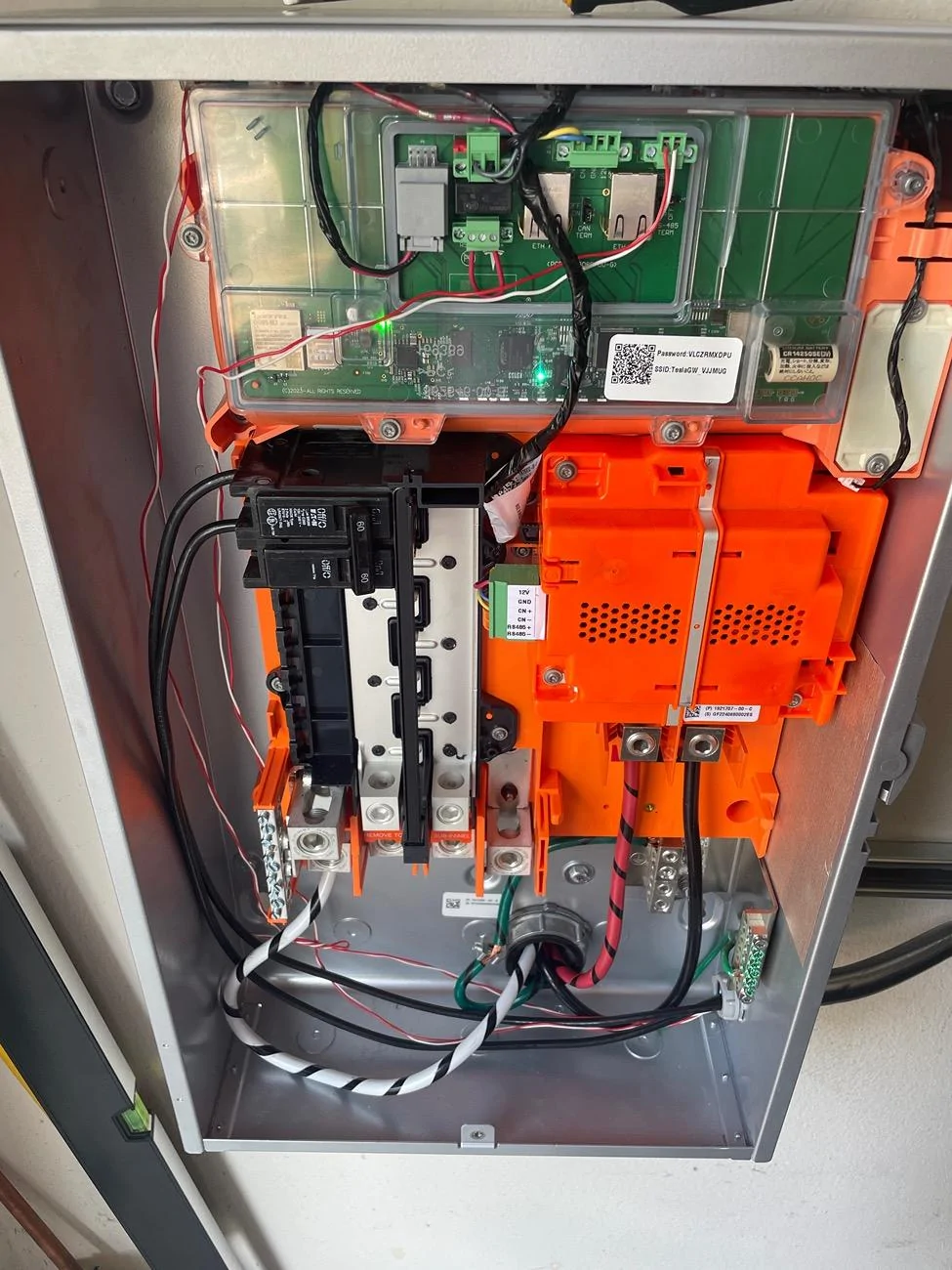
It looks like you are missing a connection on the right most green female. I’ll post a pic of mine which was just installed when I get back home.
 
Last edited:

bkandy3

Well-known member
First Name
Andy
Joined
Apr 30, 2024
Threads
1
Messages
72
Reaction score
32
Location
Thousand Oaks, CA
Vehicles
AWD Cybertruck
Country flag
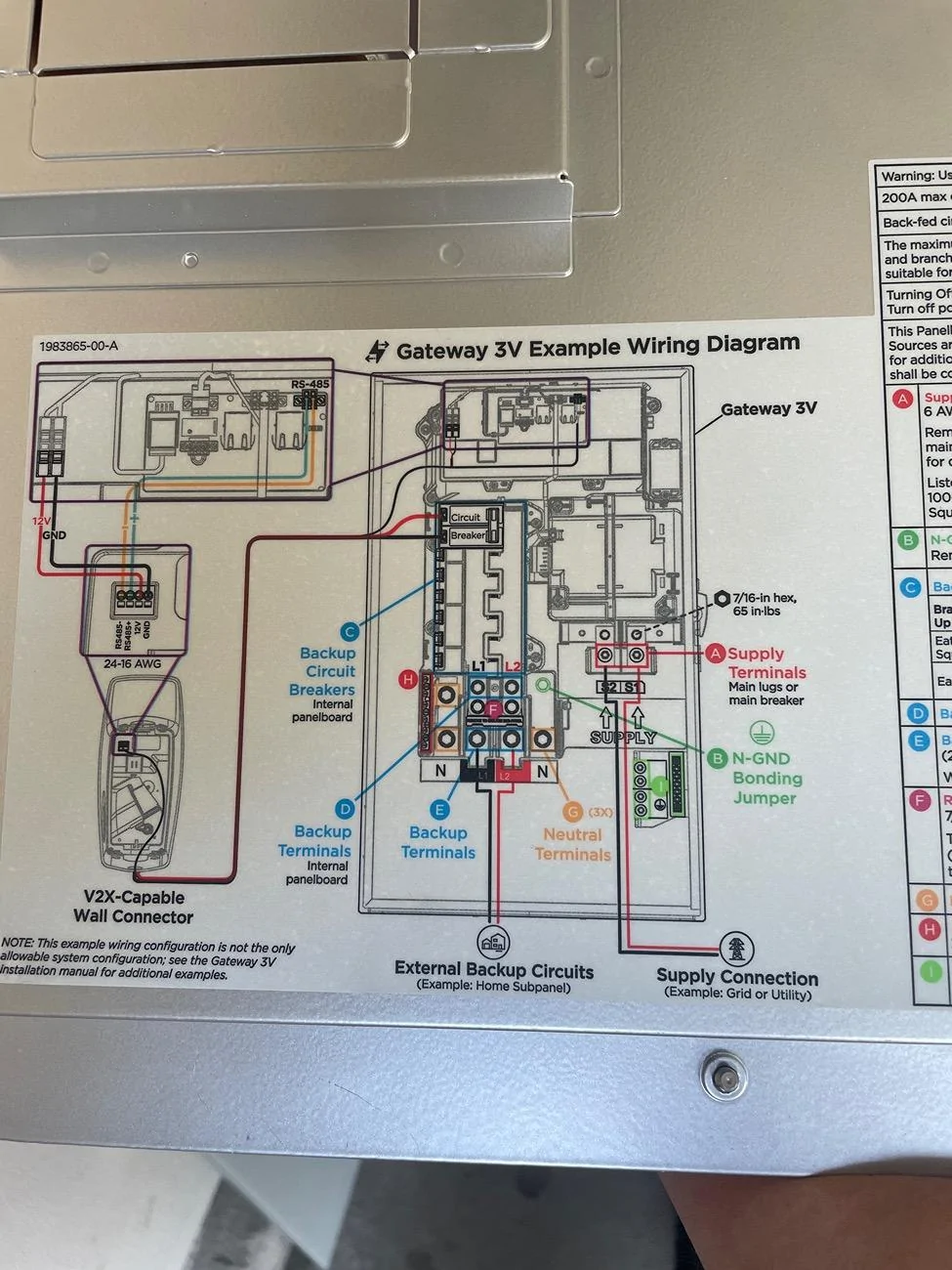
See the red and white going to the right most female green.

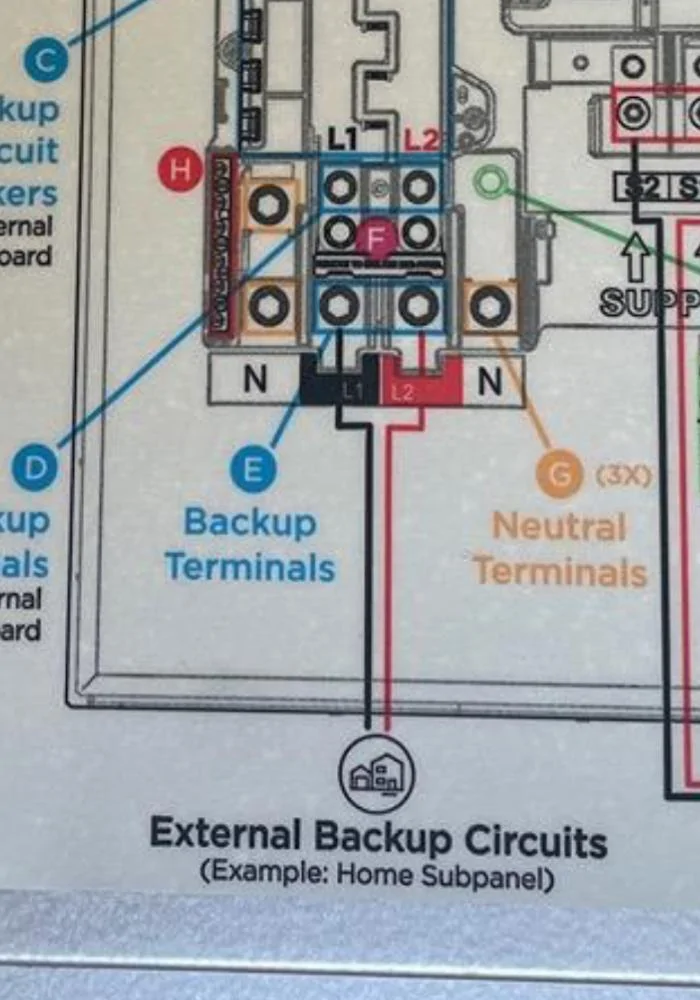
On the diagram on the inside of the panel cover you can see where they connect to the universal charger.

Tesla Cybertruck Gateway 3V No WiFi Broadcasted IMG_1885
Tesla Cybertruck Gateway 3V No WiFi Broadcasted IMG_1886
 

bkandy3

Well-known member
First Name
Andy
Joined
Apr 30, 2024
Threads
1
Messages
72
Reaction score
32
Location
Thousand Oaks, CA
Vehicles
AWD Cybertruck
Country flag
Side note, your installer didn’t move any circuits to the Gateway either. I told my installer they need to do that as it’s the whole point of the gateway backup and they said their diagram only had the one. I’ve reached out to the parent company (Treehouse) Tesla paired me up with telling them that they to send the electrician a new diagram to move the circuits.

Unless Im wrong and they all get backed up through the lower “External Backup Circuits” wiring, but they didn’t connect that either on mine. Looks like they did on yours.

Tesla Cybertruck Gateway 3V No WiFi Broadcasted IMG_1887
 
Last edited:
OP
OP

msl0727

Well-known member
First Name
Michael
Joined
Oct 5, 2023
Threads
14
Messages
88
Reaction score
183
Location
Houston, TX
Vehicles
'18 Model LR RWD FSD, '23 Cybertruck Tri-Motor FSD
Country flag
Side note, your installer didn’t move any circuits to the Gateway either. I told my installer they need to do that as it’s the whole point of the gateway backup and they said their diagram only had the one. I’ve reached out to the parent company (Treehouse) Tesla paired me up with telling them that they to send the electrician a new diagram to move the circuits.

Unless Im wrong and they all get backed up through the lower “External Backup Circuits” wiring, but they didn’t connect that either on mine. Looks like they did on yours.

IMG_1887.jpeg
Thanks! That helps a lot!


OP
OP

msl0727

Well-known member
First Name
Michael
Joined
Oct 5, 2023
Threads
14
Messages
88
Reaction score
183
Location
Houston, TX
Vehicles
'18 Model LR RWD FSD, '23 Cybertruck Tri-Motor FSD
Country flag
See the red and white going to the right most female green.

On the diagram on the inside of the panel cover you can see where they connect to the universal charger.

IMG_1885.jpeg
IMG_1886.jpeg
Thanks you helped me understand what was missing!
 
OP
OP

msl0727

Well-known member
First Name
Michael
Joined
Oct 5, 2023
Threads
14
Messages
88
Reaction score
183
Location
Houston, TX
Vehicles
'18 Model LR RWD FSD, '23 Cybertruck Tri-Motor FSD
Country flag
Side note, your installer didn’t move any circuits to the Gateway either. I told my installer they need to do that as it’s the whole point of the gateway backup and they said their diagram only had the one. I’ve reached out to the parent company (Treehouse) Tesla paired me up with telling them that they to send the electrician a new diagram to move the circuits.

Unless I’m wrong and they all get backed up through the lower “External Backup Circuits” wiring, but they didn’t connect that either on mine. Looks like they did on yours.

IMG_1887.webp
Yeah they’re coming back later to finish the connections and setup the subpanel separating backup from non-backup.

Right now they have everything backed up from original breaker box panel, which I don’t want because it’ll require me to manually flip switches because the truck can’t supply my whole home.
 

bkandy3

Well-known member
First Name
Andy
Joined
Apr 30, 2024
Threads
1
Messages
72
Reaction score
32
Location
Thousand Oaks, CA
Vehicles
AWD Cybertruck
Country flag
Yeah they’re coming back later to finish the connections and setup the subpanel separating backup from non-backup.

Right now they have everything backed up from original breaker box panel, which I don’t want because it’ll require me to manually flip switches because the truck can’t supply my whole home.
Does your CT/App have the option for PowerShare backup? Mine doesn’t, but my CT version and app version are up to date. Sounds like at some point they will push it?
 
OP
OP

msl0727

Well-known member
First Name
Michael
Joined
Oct 5, 2023
Threads
14
Messages
88
Reaction score
183
Location
Houston, TX
Vehicles
'18 Model LR RWD FSD, '23 Cybertruck Tri-Motor FSD
Country flag
Does your CT/App have the option for PowerShare backup? Mine doesn’t, but my CT version and app version are up to date. Sounds like at some point they will push it?
Mine doesn’t either. I was hoping it would appear once I had properly connected equipment but perhaps they haven’t released it yet. I just thought they may have
Sponsored


Top