Sponsored

Powershare Complete: But missing option in CT

CG Cowboy

Well-known member
First Name
Dale
Joined
Jun 27, 2024
Threads
11
Messages
178
Reaction score
215
Location
Lebanon, TN
Website
www.cgcowboy.com
Vehicles
Cybertruck Foundation Series
Country flag
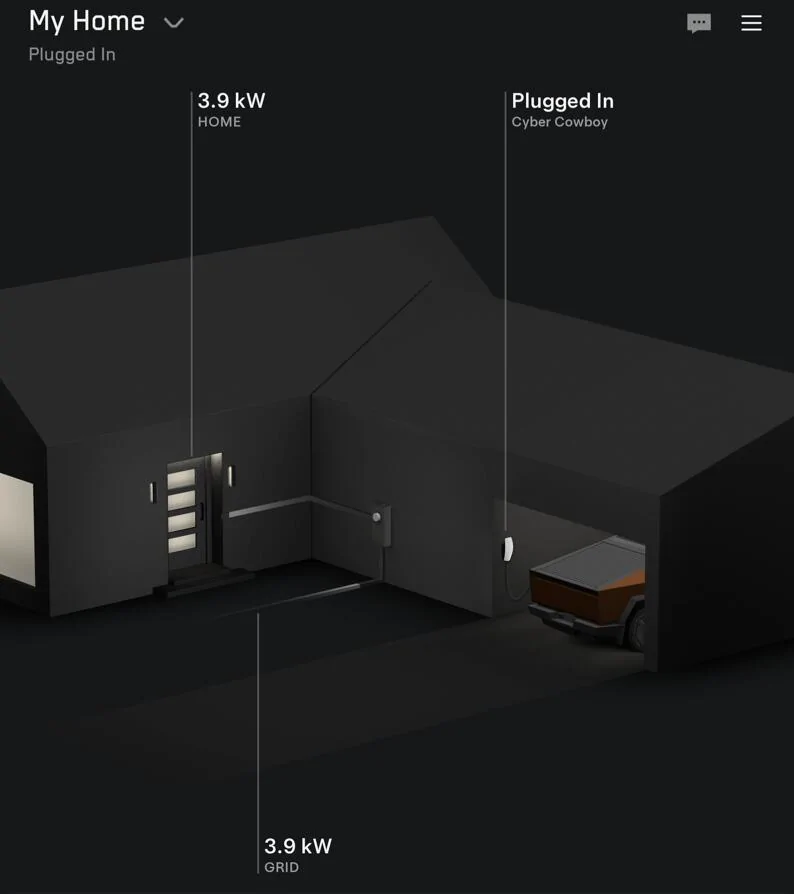
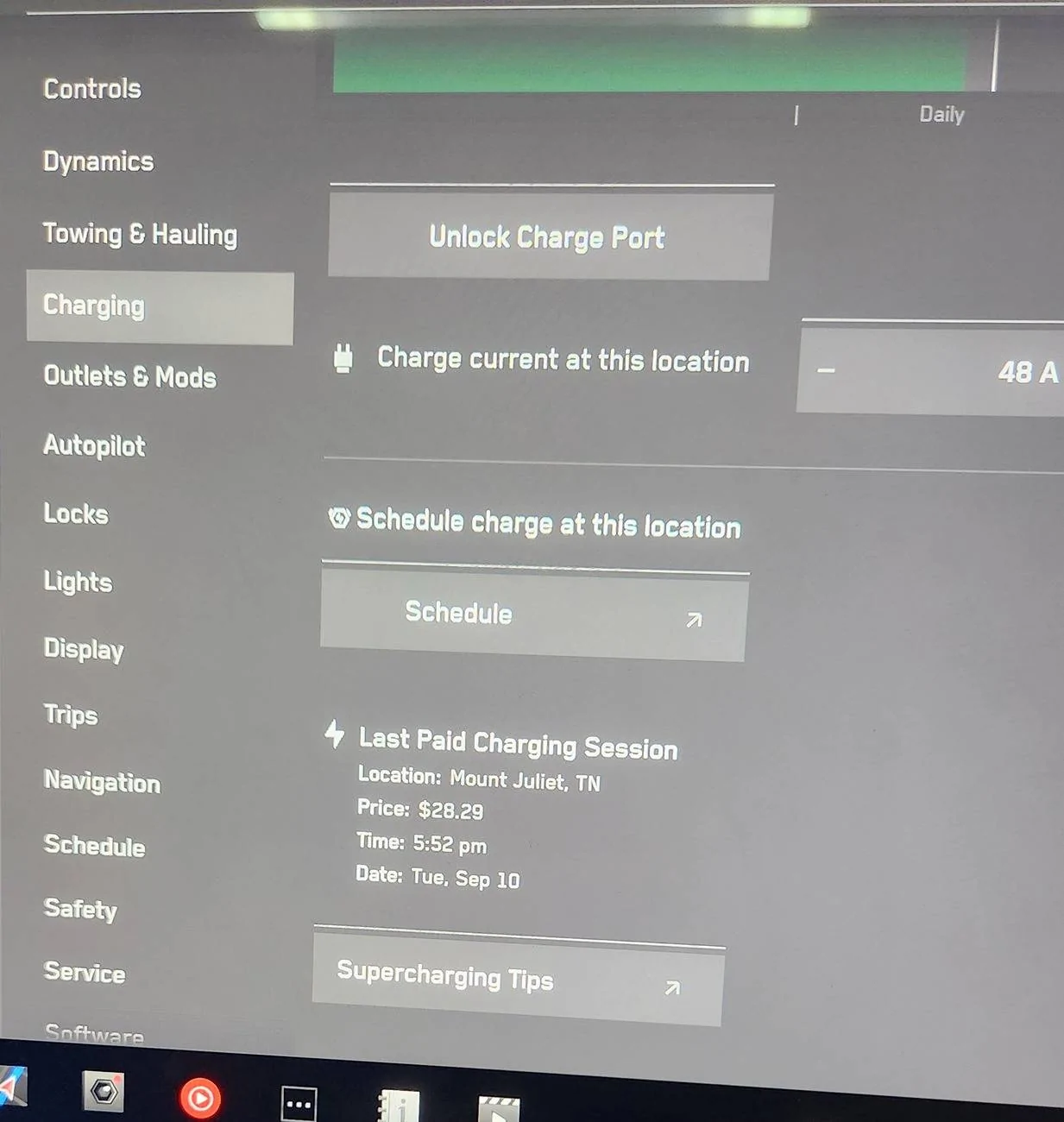
So the installer completed all of his work and we were ready to do a failover test. However, the Powershare option is missing from the CT's Charging menu. The installer saw this before. It was resolved by calling support and escalated to an engineer.

However, I just called support and they said the menu option will show up a couple weeks after Powershare is installed. This directly conflicts with the installer's instructions from Tesla which say they can't leave the site until a successful test.

Everything seems to be setup in the mobile app. Just no CT menu option.

Anyone else run into this? I assume my next move is to escalate with support.

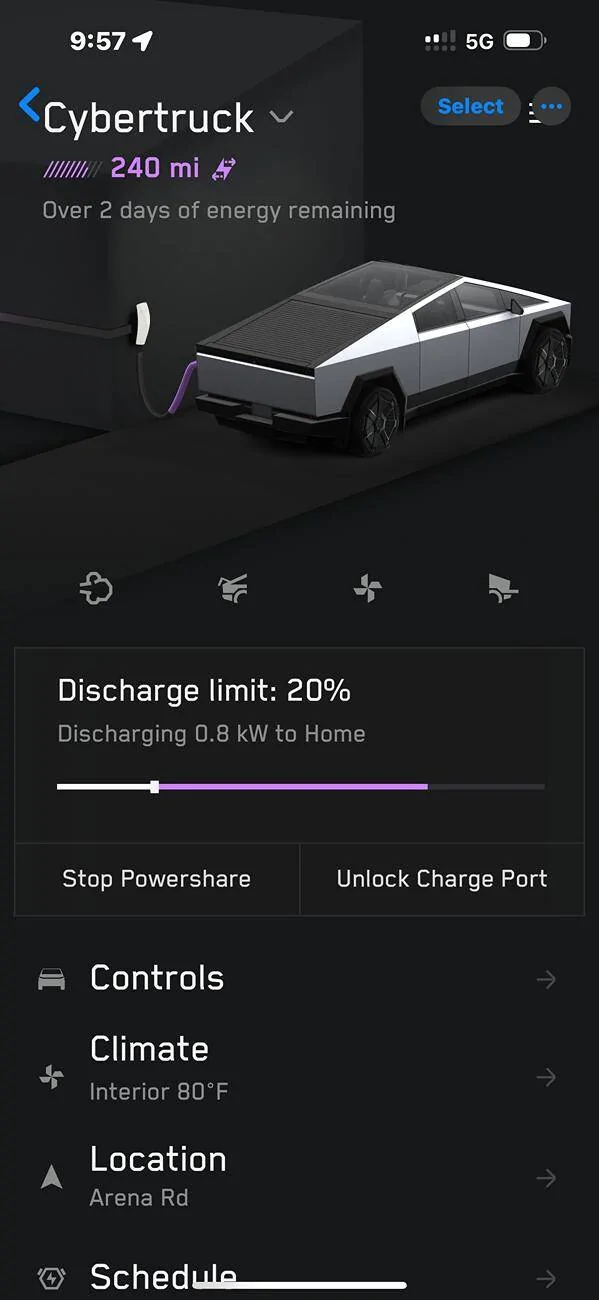
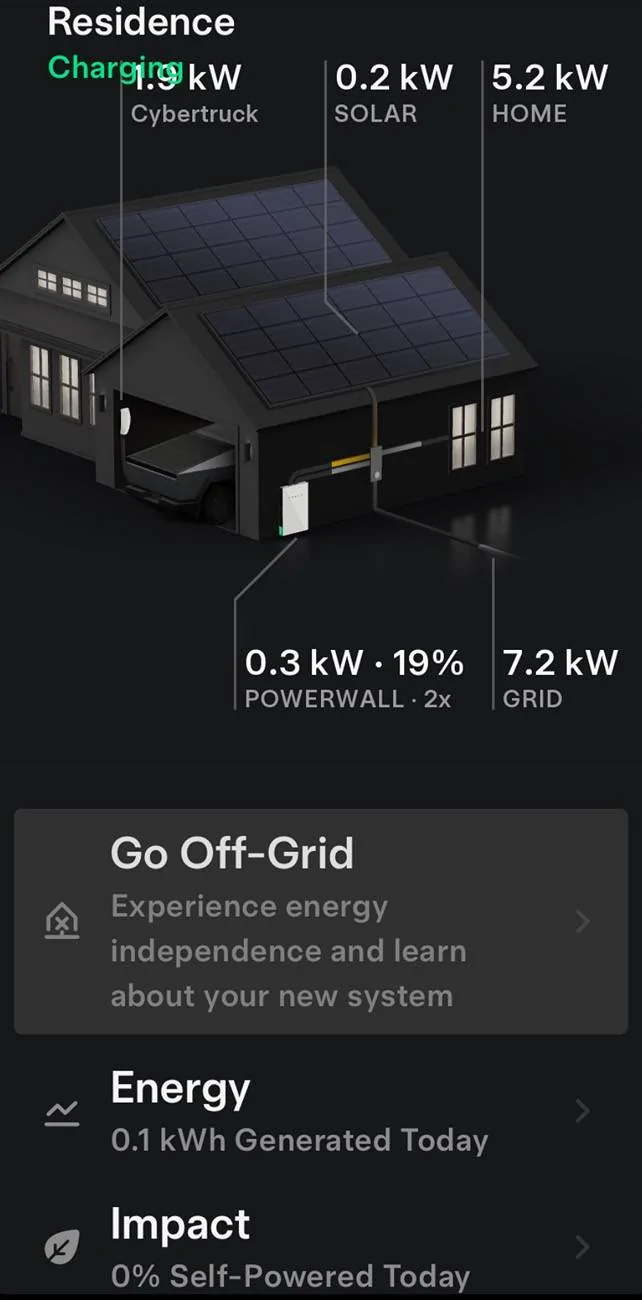
Tesla Cybertruck Powershare Complete: But missing option in CT 1727302167552-ax


Tesla Cybertruck Powershare Complete: But missing option in CT 1727302509009-av
Sponsored


Ironalley

Well-known member
First Name
Mark
Joined
Jan 26, 2024
Threads
6
Messages
71
Reaction score
78
Location
Washington
Vehicles
Tesla Y performance
Occupation
Farmer
Country flag
Yes the installer has to finish all the paperwork and submit it. After about 2 days I received an update and it showed up. Be patient ?
 

Art138

Well-known member
First Name
Art
Joined
May 25, 2023
Threads
14
Messages
1,184
Reaction score
1,088
Location
Weston,Florida
Vehicles
MYP,Ford GT & FS CYBERBEAST
Country flag
Yes the installer has to finish all the paperwork and submit it. After about 2 days I received an update and it showed up. Be patient ?
Do you have a screen shot of how it appears on the app after the update?
 
OP
OP
CG Cowboy

CG Cowboy

Well-known member
First Name
Dale
Joined
Jun 27, 2024
Threads
11
Messages
178
Reaction score
215
Location
Lebanon, TN
Website
www.cgcowboy.com
Vehicles
Cybertruck Foundation Series
Country flag
Yes the installer has to finish all the paperwork and submit it. After about 2 days I received an update and it showed up. Be patient ?
Thank you. That's very interesting. How are they supposed to test the failover during installation if you have to wait to turn it on?
 

HaulingAss

Well-known member
Joined
Oct 3, 2020
Threads
28
Messages
10,308
Reaction score
20,716
Location
Western Washington, USA
Vehicles
Cybertruck DM, 2010 F-150, 2018 Performance Model 3, 2024 Performance Model 3
Country flag
Thank you. That's very interesting. How are they supposed to test the failover during installation if you have to wait to turn it on?
It looks to me that Tesla doesn't want it activated until they have evidence it was signed off on by a licensed installer, but the instructions were written when it was assumed the hardware would only be delivered to a licensed installer. They found the model of controlling access to the hardware too inflexible, so now they only send the software once an electrician has signed off on the install.

You would be shocked at how unqualified some people are these days to self-install something like this. All Tesla needs is for some idiot's house to burn down for every media outlet in the world to start implying that Tesla was at fault.


OP
OP
CG Cowboy

CG Cowboy

Well-known member
First Name
Dale
Joined
Jun 27, 2024
Threads
11
Messages
178
Reaction score
215
Location
Lebanon, TN
Website
www.cgcowboy.com
Vehicles
Cybertruck Foundation Series
Country flag
It looks to me that Tesla doesn't want it activated until they have evidence it was signed off on by a licensed installer, but the instructions were written when it was assumed the hardware would only be delivered to a licensed installer. They found the model of controlling access to the hardware too inflexible, so now they only send the software once an electrician has signed off on the install.

You would be shocked at how unqualified some people are these days to self-install something like this. All Tesla needs is for some idiot's house to burn down for every media outlet in the world to start implying that Tesla was at fault.
That makes sense. And I ordered early enuf where the hardware was shipped to me directly instead of the installer. I still don't know how the installer would sign off on the work without a successful test. Of course, I can test it myself once the option appears. But I would think a licensed installer should observe the results and have the final signoff.

Either way, the guidance is clear as mud. The installer said Tesla tells them they can't leave until a successful test is completed. So we have a chicken-and-egg thing here. But I'm comforted knowing I didn't have a software glitch with the truck and this is all intentional now.
 

TARS002

Member
Joined
Jun 15, 2024
Threads
1
Messages
12
Reaction score
28
Location
Alabama
Vehicles
Cybertruck model y model 3
Country flag
Won’t turn on until installer commissions the system. Like 2 or 3 days for me. You will see in the app it says something like “explore PowerShare”
 

santoshm

Well-known member
First Name
Santosh
Joined
Mar 1, 2024
Threads
7
Messages
111
Reaction score
113
Location
Lone Tree, CO
Vehicles
Cyberbeast, M850iGC, E53 Cab, GX470
Country flag
So the installer completed all of his work and we were ready to do a failover test. However, the Powershare option is missing from the CT's Charging menu. The installer saw this before. It was resolved by calling support and escalated to an engineer.

However, I just called support and they said the menu option will show up a couple weeks after Powershare is installed. This directly conflicts with the installer's instructions from Tesla which say they can't leave the site until a successful test.

Everything seems to be setup in the mobile app. Just no CT menu option.

Anyone else run into this? I assume my next move is to escalate with support.

1727302167552-ax.webp


1727302509009-av.webp
Mine was installed on 8/28.
Installer said SW updates happen once a week so depending on if I just missed the last one it could be 1-2 weeks before I see it.
9/12 Installer returned because TESLA could not see the system from their side. After about 5 hours (thankfully I was not involved) with their support, during which it was discovered the gateway was trying to find the back up switch; which was not installed in my system as this was a light loads sub-panel configuration hence not communicating with TESLA; they pushed multiple sequential firmware updates and finally the entire system was online and visible to TESLA. Mind you that during the initial period; I could see the system on my TESLA app.
9/16 Installer informed me that because I have SOLAR; TESLA is telling them the update to enable the system will not be pushed because gateway does not work with integrated solar and I will have to wait till the end of the year for a MAJOR firmware update. But my solar was totally different system. It was not integrated... so I called powershare support.
9/16 One hour hold to get a hold of someone at powershare support. The person who finally answered however was very knowledgeble and nice. I explained to him that my solar was totally separate config and he checked and agreed. He then escalated the case and said I should have powershare enabled in 48 hours.
9/17 Powershare toggle showed up under controls in TESLA App and Truck charging menu
9/20 Tested powershare backup by flipping off the main breaker to simulate a grid outage... Everything worked and within 2 seconds or could have been less; there was power from the truck to the backup load circuits. After mains were turned on and power restored; the gateway continued to pull power from the truck for 5 min (intentionally since there was a message about this in the app) after which it switched power over to the mains. This switch was seamless and there was no momentary loss of power.

Powershare switch to truck is not instantaneous so I am going to get UPS for my PC, the Xfinity modem and WiFi router... that way for those 2 seconds when there is no power I am not impacted.
 
OP
OP
CG Cowboy

CG Cowboy

Well-known member
First Name
Dale
Joined
Jun 27, 2024
Threads
11
Messages
178
Reaction score
215
Location
Lebanon, TN
Website
www.cgcowboy.com
Vehicles
Cybertruck Foundation Series
Country flag
Mine was installed on 8/28.
Installer said SW updates happen once a week so depending on if I just missed the last one it could be 1-2 weeks before I see it.
9/12 Installer returned because TESLA could not see the system from their side. After about 5 hours (thankfully I was not involved) with their support, during which it was discovered the gateway was trying to find the back up switch; which was not installed in my system as this was a light loads sub-panel configuration hence not communicating with TESLA; they pushed multiple sequential firmware updates and finally the entire system was online and visible to TESLA. Mind you that during the initial period; I could see the system on my TESLA app.
9/16 Installer informed me that because I have SOLAR; TESLA is telling them the update to enable the system will not be pushed because gateway does not work with integrated solar and I will have to wait till the end of the year for a MAJOR firmware update. But my solar was totally different system. It was not integrated... so I called powershare support.
9/16 One hour hold to get a hold of someone at powershare support. The person who finally answered however was very knowledgeble and nice. I explained to him that my solar was totally separate config and he checked and agreed. He then escalated the case and said I should have powershare enabled in 48 hours.
9/17 Powershare toggle showed up under controls in TESLA App and Truck charging menu
9/20 Tested powershare backup by flipping off the main breaker to simulate a grid outage... Everything worked and within 2 seconds or could have been less; there was power from the truck to the backup load circuits. After mains were turned on and power restored; the gateway continued to pull power from the truck for 5 min (intentionally since there was a message about this in the app) after which it switched power over to the mains. This switch was seamless and there was no momentary loss of power.

Powershare switch to truck is not instantaneous so I am going to get UPS for my PC, the Xfinity modem and WiFi router... that way for those 2 seconds when there is no power I am not impacted.
Wow! Super helpful details. fwiw I've had a beefy CyberPower UPS for my desktop (I do game development so need the power) and a smaller CyberPower (850VA) just for the internet modem and router. Devices do not sense any power disruption at outage time.

Thank you for sharing all this!


planecrazy747

Member
First Name
Paul
Joined
May 4, 2024
Threads
0
Messages
16
Reaction score
13
Location
Corona
Vehicles
Model 3, Model Y
Occupation
retired
Country flag
Same here, mine was completely installed on the 19th of September, they advised me it could take up to 2 weeks for Tesla to add it, so no test till Powershare shows up on the app
 

zeroCO2

Well-known member
First Name
Doug
Joined
Mar 13, 2024
Threads
1
Messages
46
Reaction score
60
Location
New York
Vehicles
Tesla Model S 100D, Toyota 4Runner
Country flag
Took 3 days after install it showed up on app and in truck….then we could perform test
 

Korben Dallas

Well-known member
Joined
Jul 11, 2024
Threads
7
Messages
132
Reaction score
117
Location
Olympic Mountains
Vehicles
Tesla MYP & FS Cybertruck
Occupation
Retired
Country flag
So last November we installed a PV system (Tesla PV unavailable), 2 PowerWalls, Gateway, a load transfer switch, & a Universal Wall Connector, using A&R Solar, a Tesla Certified installer in Seattle. We even received the $500/PW rebate being offered at the time. To date we’ve produced almost 12 MWh and so far the system is working flawlessly.

Then in July we took delivery of our CT FS.

My understanding is that this is everything we need on the hardware side to support PowerShare, however, we have yet to get the PowerShare software update. This is why I opted for the $2500 voucher when ordering the FS.

Am I missing something important here? I would sincerely appreciate any suggestions you guys might have because with winter approaching we’d like to have PowerShare up & running as our home is almost 100% electric.

Thanks folks

Tesla Cybertruck Powershare Complete: But missing option in CT IMG_0166
 

bemis

Active member
Joined
Dec 16, 2023
Threads
3
Messages
37
Reaction score
39
Location
Detroit, MI
Vehicles
2018 Model 3 AWD
Country flag
Just got mine installed yesterday and we were confused as well, since like others mentioned, their instructions said to test failover before leaving, but the option didn't show up.

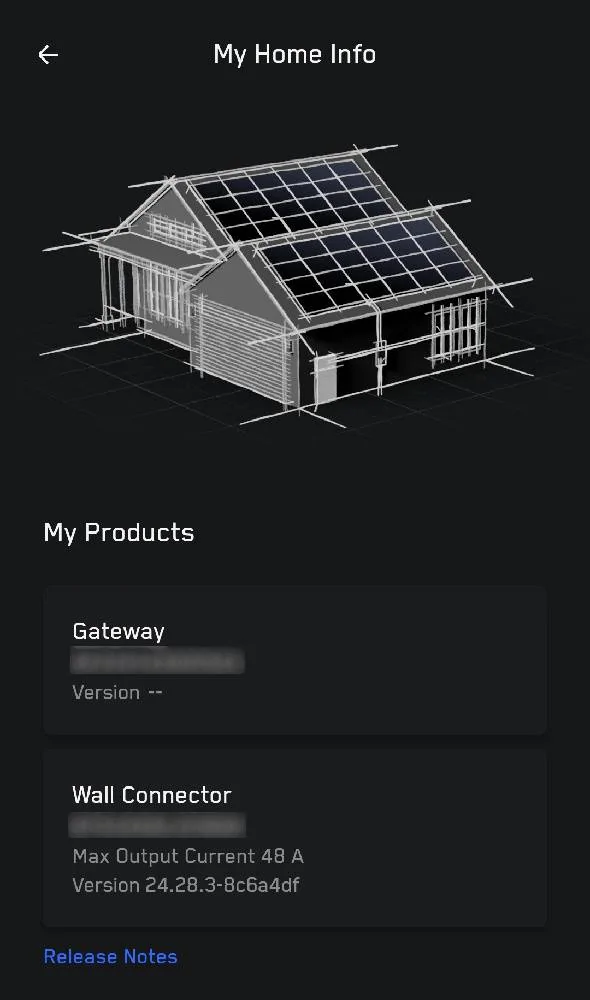
Out of curiosity, for those that had the delay before it was active, did you see a version for your gateway? Mine currently just shows "--". This is in Home/Energy page -> Settings -> My Home Info

Tesla Cybertruck Powershare Complete: But missing option in CT gatewayversion
 

Thor

Well-known member
Joined
Mar 26, 2024
Threads
3
Messages
138
Reaction score
259
Location
Tennessee
Vehicles
AWD Cybertruck, Model 3
Occupation
IT
Country flag
If it's not active, just call your installer to follow up with Tesla. That's what I had to do.
Sponsored


Top