
Sponsored
Scorpious
Active member
- First Name
- Brad
- Joined
- Jun 22, 2025
- Threads
- 0
- Messages
- 32
- Reaction score
- 29
- Location
- Ankeny, IA
- Vehicles
- Cybertruck, Model Y, Model 3

Fyi, of you have a rack and Roam 95 L roof box, they have a in the box mount I used. Them direct connect to the roof power with a quick disconnect if I need to manually switch to my MARS Adventure light bar.@T Sportline to the rescue with, hands down, the best solution to date for mating a Starlink Mini and CT.
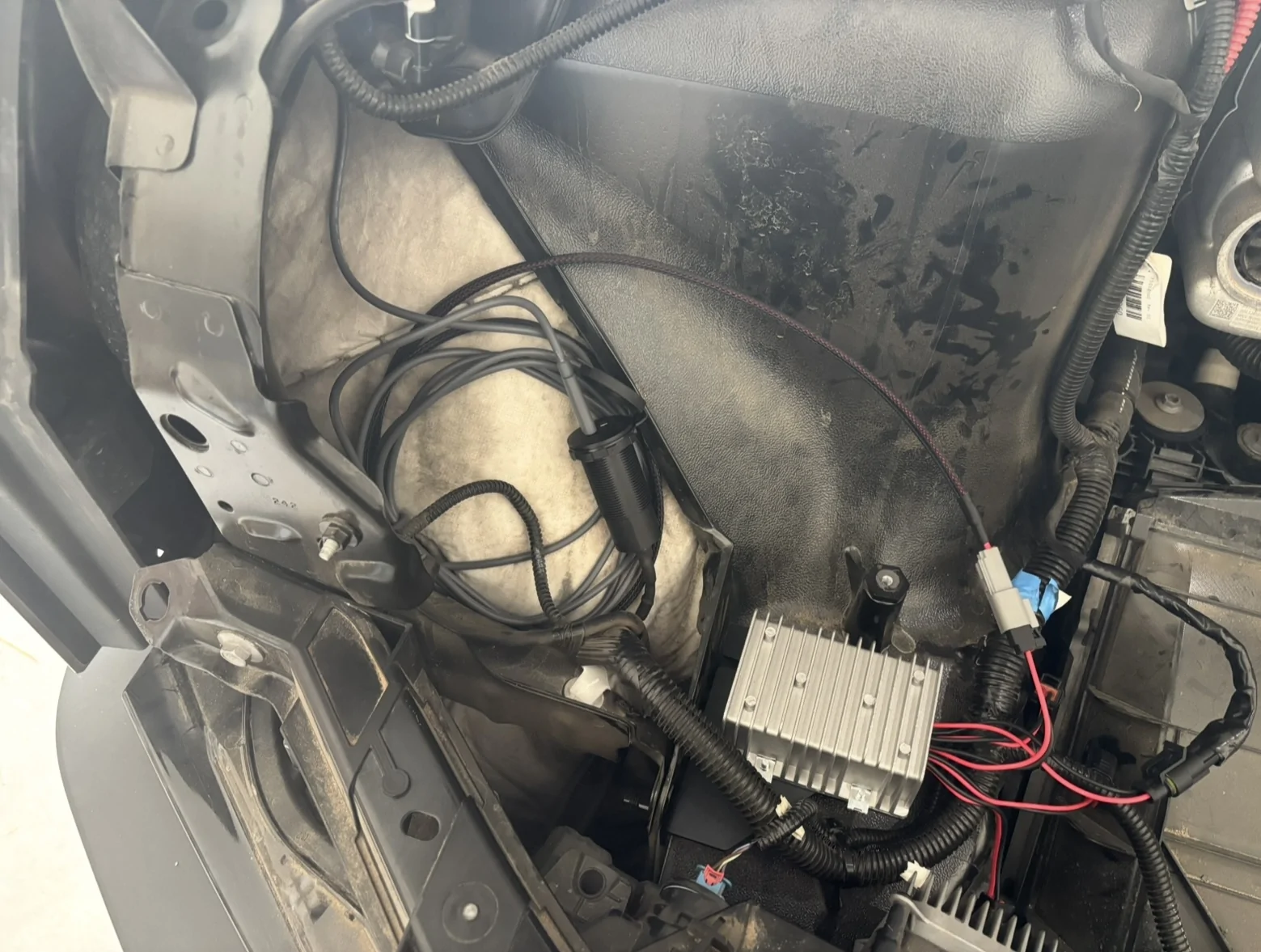
Their new Voltage Conversion System makes it super easy to hardwire directly to the frunk feed. It takes the 48V feed from the frunk and outputs 100W via USB-C (safe for Starlink). It also has a 36W USB-A output if you have a use for that.
They designed it to where you can drill a hole in the frunk tub and have the plug easily accessible if you have a need for that (USB speakers for tailgating, having a phone charger accessible as you chill out in the open frunk, etc). I didn’t go that route, as I wanted this for Starlink specifically, but there’s plenty of uses for it.

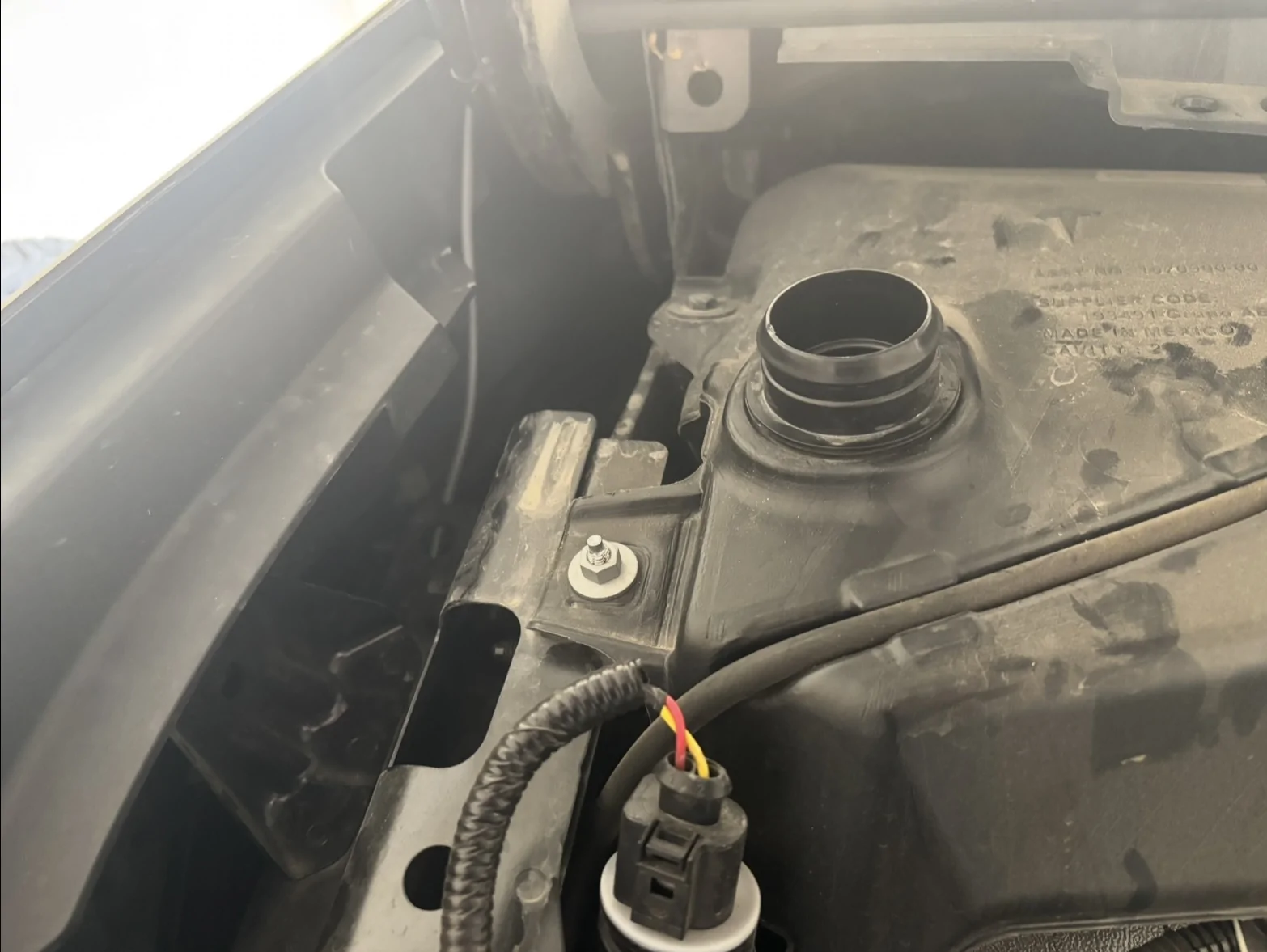
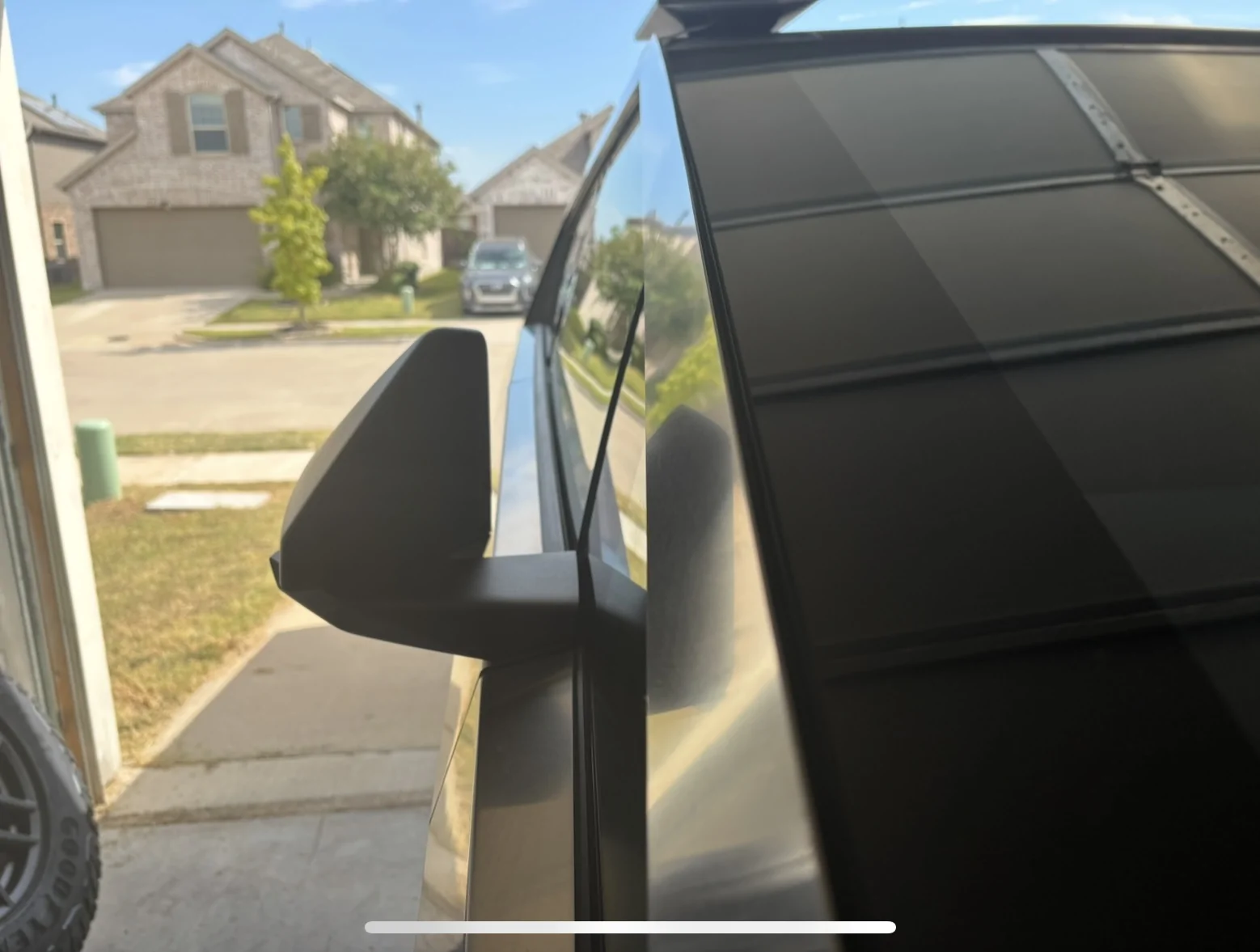
Here’s the unit plugged into the frunk feed. I ran the cable up the left side,

out the gap,

along the windshield,
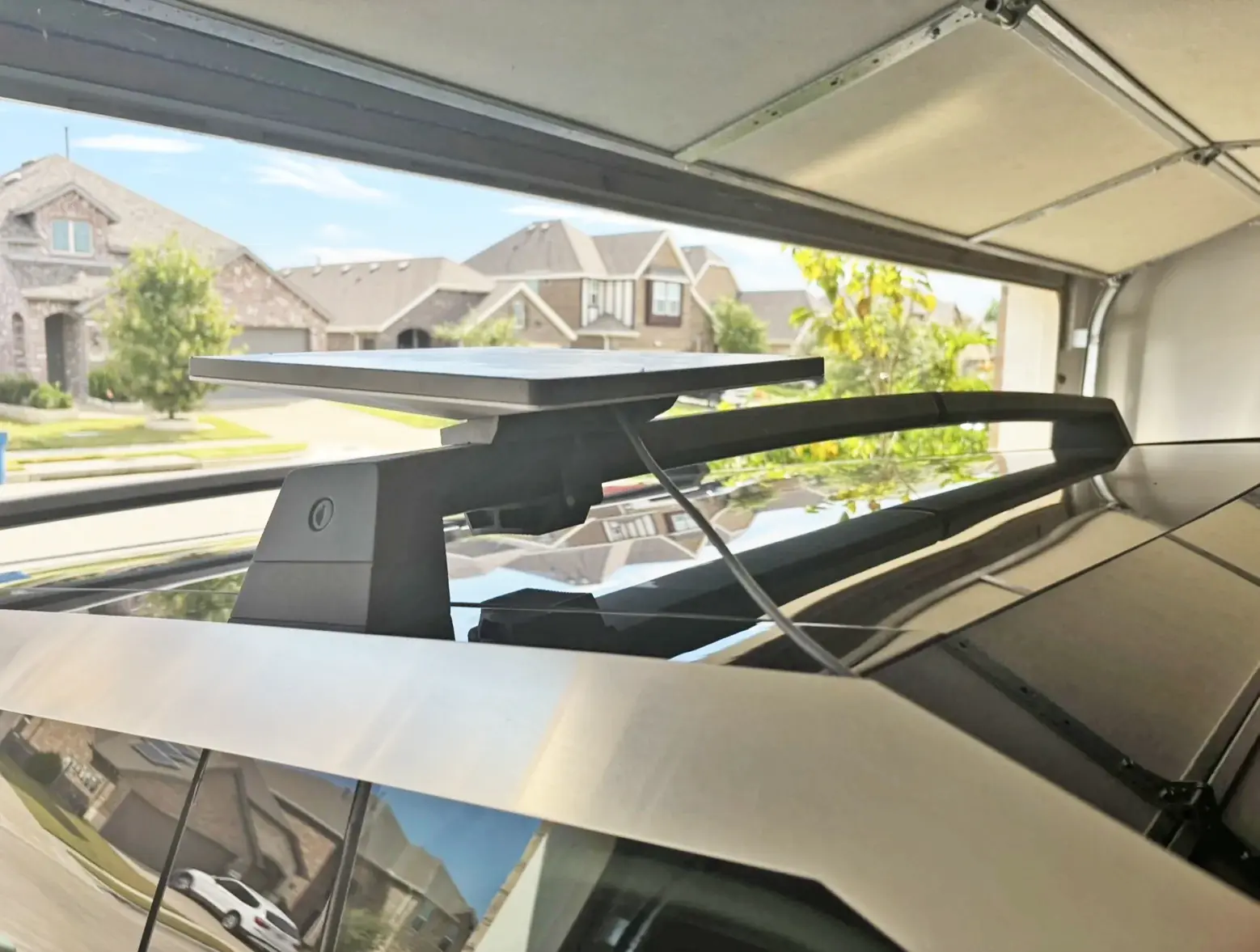
to the dish on the roof.
Super easy install, took easily less than an hour. T Sportline has a great installation video on the product page. Just make sure you select “High-Output USB-C (100 W)” and not “12 Volt System (350 W)”
Is this necessary? Well after much research and much discussion on here with smart people, I determined I don’t know. The frunk puts out 48V but there’s a potential that it might put out 58V during spikes. Starlink can only handle 48V. It has safety measures in place that shouldn’t allow it to go over its max voltage but you never know with electricity. It’s a powerful force and one thing life has taught me up to this point is that it’s better safe than sorry. This system is a safe way to power Starlink while also offering a few other advantages.
Even if you take the risk of possibly frying your Starlink by hooking it up directly to the 48V power feed, you’d have to cut the end off your power cable, separate the positive and negative wires, and connect them to the frunk feed. It might work, but then what happens if a hater cuts your power cable while your truck’s parked? You’re in for a lot of work.
This system allows you to use a factory Starlink power cable ($31) while keeping Starlink mounted over the roof instead of over the bed. I had been running my Starlink on my crossbars mounted over the bed with the power cable running to the bed outlets. That worked just fine, but there were crossbars mounted over my bed - obviously not ideal for loading large items. I wanted the crossbars over the roof.
Some people run Starlink inside the cabin, mounted to either the giant dashboard or the roof with a suction cup mount. The problem with that is there’s extra cables in the cabin now and one of your outlets is permanently taken. Also, with the bed or cabin outlets, they disable if you ever plug the truck in to charge, which will kill your internet connection.
I’ve tried everything under the sun, and I can tell you the ultimate solution to all problems is mounting Starlink externally over the roof. No loss of power during supercharging (yes, I confirmed that today). I drove ~80 miles and had no outages other than the 1-2 second ones you always get while driving under overpasses and whatnot.
Great work by T Sportline. Always one step ahead!
rjmcinnis
Well-known member
- First Name
- Jason
- Joined
- Sep 22, 2025
- Threads
- 3
- Messages
- 56
- Reaction score
- 41
- Location
- Florida
- Vehicles
- 2024 Cyberbeast, 2018 M3P
- Occupation
- Cybersecurity
I'm confused. A 10 second Google search brings up Starlink Mini specs, which shows it's compatible?I will readily admit, as I did in the original post, that it’s possible this is all unnecessary and that Starlink would work just fine hardwired to the roof or frunk feed directly. I just wasn’t willing to take the risk and this provides both peace of mind and ease of replacement if some nut job snips your cable while you’re away from the truck.
The comments so far seem to confirm what I had experienced up to this point: we don’t know for sure if it’s fully safe to direct hardwire.
https://starlink.com/support/article/0b2d5227-1db6-0002-ecee-f49d3b516b49
What do people use a hardwired Starlink connection for in the truck? I can see it camping, but just set up when needed. I wouldn't want it permanently mounted on a daily basis, cybertrucks already draw too much attention in some areas.
To be clear, not judging, just wondering use cases?

Aces Deuce's
Well-known member
- First Name
- Abe
- Joined
- Dec 11, 2023
- Threads
- 8
- Messages
- 58
- Reaction score
- 110
- Location
- Los Angeles County
- Vehicles
- 2025 CT AWD; BMW M5 Comp
- Occupation
- Retired
Or cut them yourself. Easy enough with the right tools and a steady hand. Mine came out great when installing my rack system.You have them, but Tesla requires to you buy the roof applique to access them: https://shop.tesla.com/product/cybertruck-roof-applique-for-crossbars
OP
OP
ABILISK
Well-known member
- Joined
- Nov 6, 2024
- Threads
- 22
- Messages
- 2,133
- Reaction score
- 3,865
- Location
- DFW
- Website
- ts.la
- Vehicles
- ‘24 Beast
- Thread starter
- #35
It’s just better safe than sorry in case the frunk feed spikes to 58V, which Tesla says it can. Plus you don’t have to cut and splice the Starlink cable so it’s easy to replace it if needed. Those were my reasons.I'm confused. A 10 second Google search brings up Starlink Mini specs, which shows it's compatible?
https://starlink.com/support/article/0b2d5227-1db6-0002-ecee-f49d3b516b49
What do people use a hardwired Starlink connection for in the truck? I can see it camping, but just set up when needed. I wouldn't want it permanently mounted on a daily basis, cybertrucks already draw too much attention in some areas.
To be clear, not judging, just wondering use cases?

mongo
Well-known member
- Joined
- May 27, 2024
- Threads
- 5
- Messages
- 4,520
- Reaction score
- 5,497
- Location
- SE Michigan
- Vehicles
- Cyberbeast
Cybertruck's specs show the ports are 28V to 58V.I'm confused. A 10 second Google search brings up Starlink Mini specs, which shows it's compatible?
https://starlink.com/support/article/0b2d5227-1db6-0002-ecee-f49d3b516b49
https://service.tesla.com/docs/Publ...UID-EC88B024-50C5-4B34-B716-FDED8CF3FBE0.html
OP
OP
ABILISK
Well-known member
- Joined
- Nov 6, 2024
- Threads
- 22
- Messages
- 2,133
- Reaction score
- 3,865
- Location
- DFW
- Website
- ts.la
- Vehicles
- ‘24 Beast
- Thread starter
- #37
This right here is why I’m taking the safe sideCybertruck's specs show the ports are 28V to 58V.
https://service.tesla.com/docs/Publ...UID-EC88B024-50C5-4B34-B716-FDED8CF3FBE0.html

asl
Member
Mine is Cable Free!


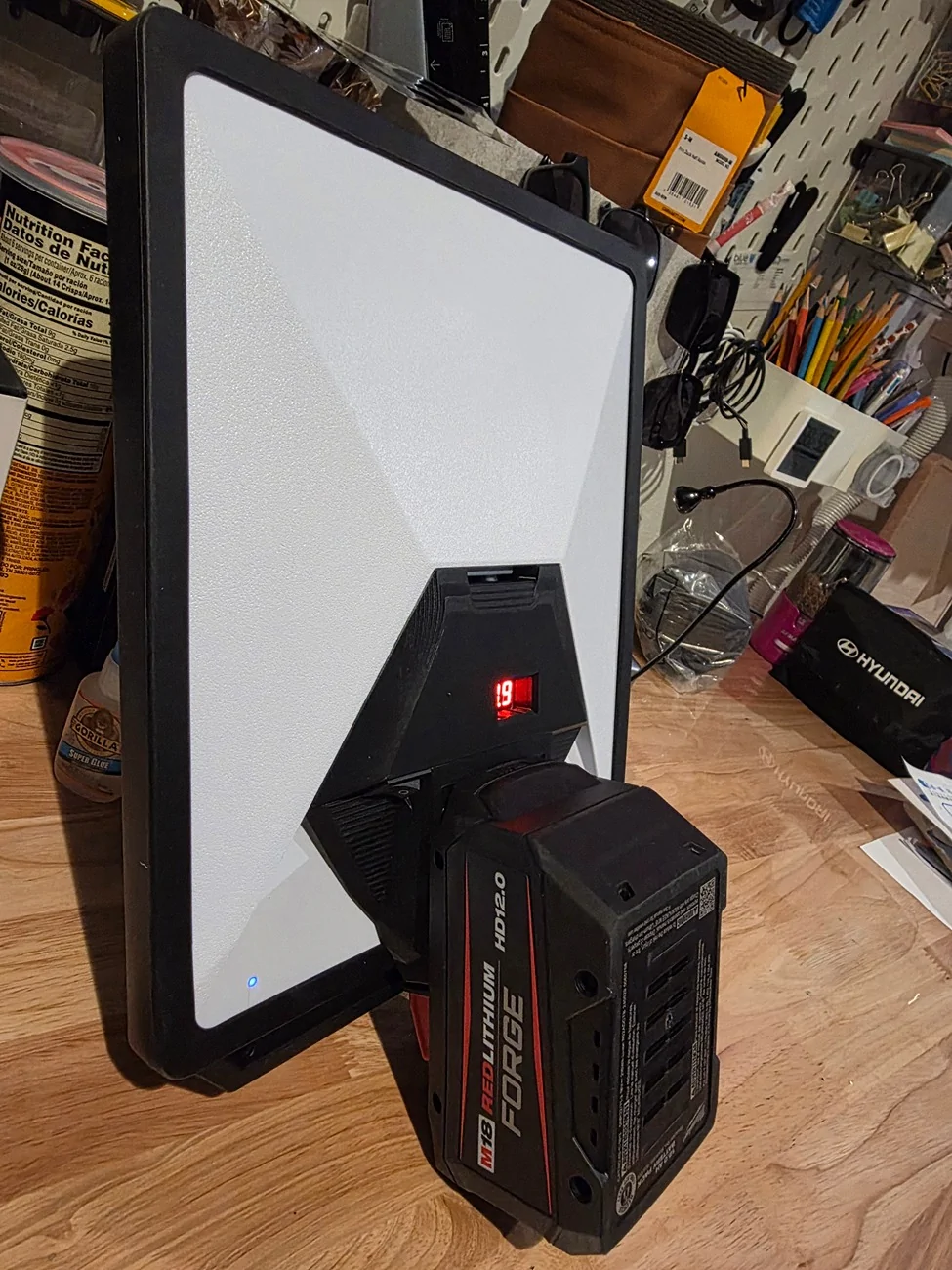
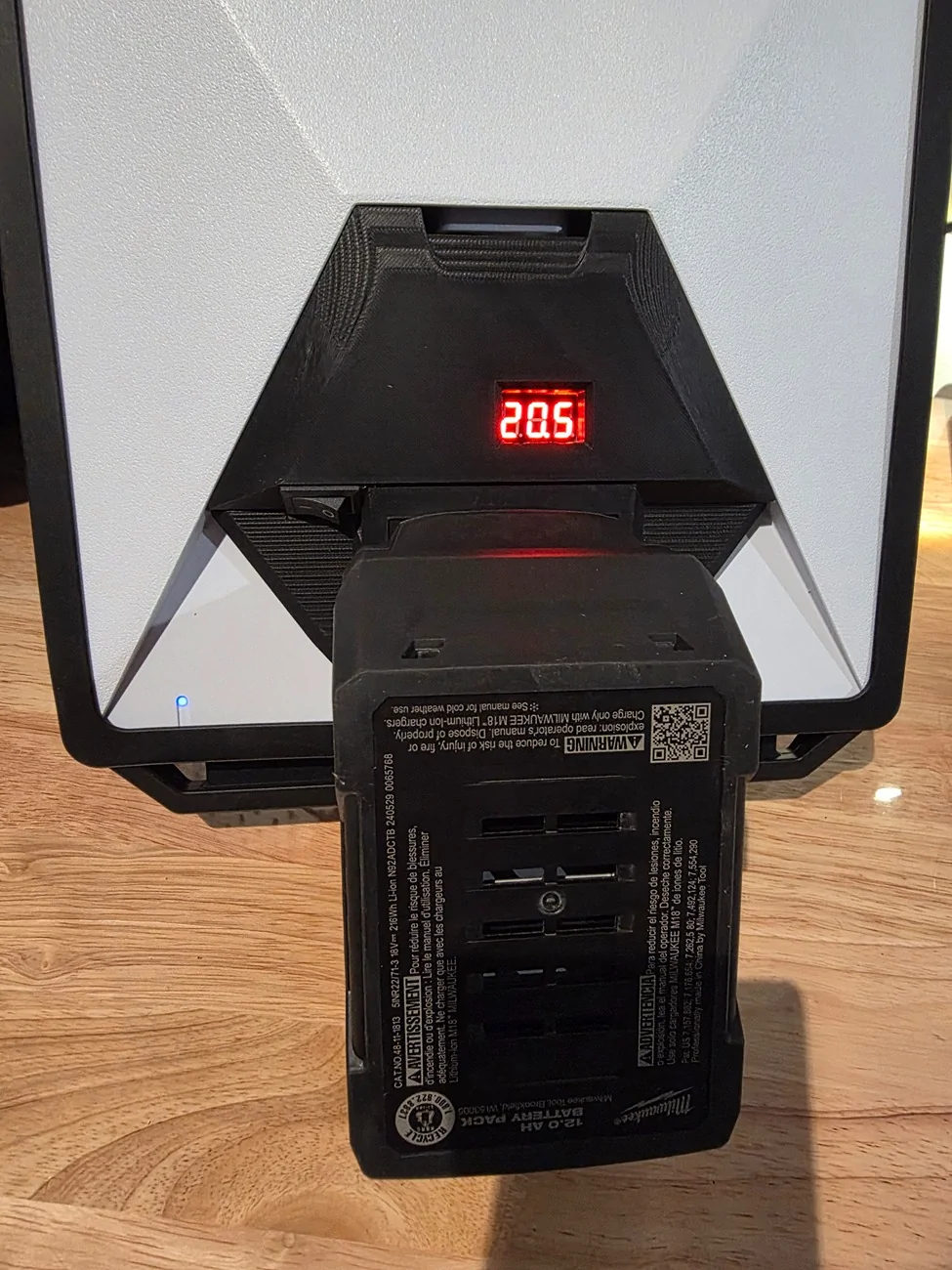
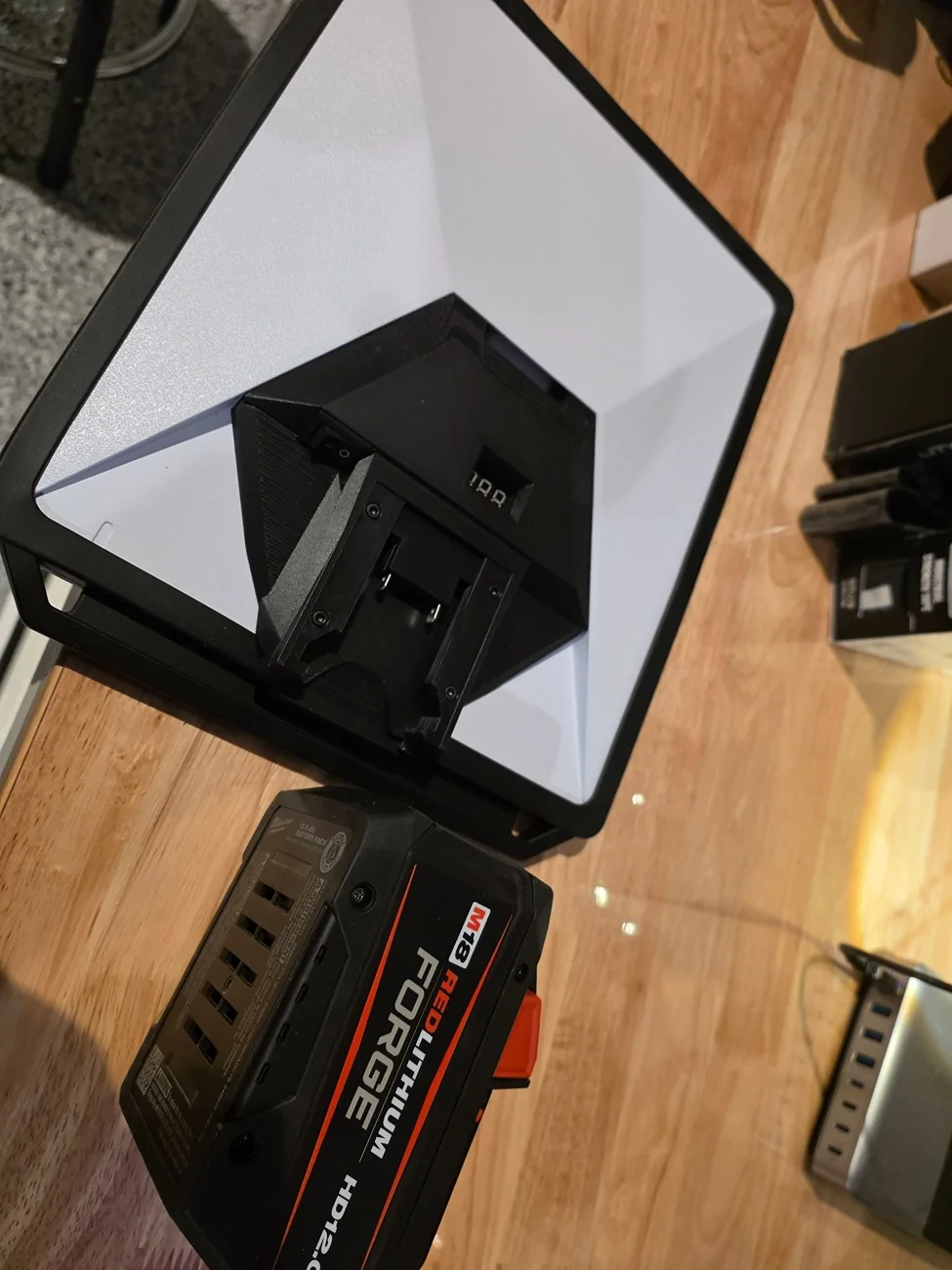
This is awesome! I have that exact battery. Do you know how long it lasts? What adapter are you using?Mine is Cable Free!

hemiarch
Well-known member
- First Name
- Ace
- Joined
- Jan 22, 2025
- Threads
- 116
- Messages
- 8,361
- Reaction score
- 9,602
- Location
- Arizona
- Vehicles
- 2024 foundation AWD, 2024 model x
- Occupation
- Trauma Surgeon
Yeah. The cost savings from those little trapdoors probably don’t justify having a whole second product line. But who knows?That was the silliest thing Tesla has done in a while
mongo
Well-known member
- Joined
- May 27, 2024
- Threads
- 5
- Messages
- 4,520
- Reaction score
- 5,497
- Location
- SE Michigan
- Vehicles
- Cyberbeast
UnderstandableThis right here is why I’m taking the safe side
FWIW, Mini reuses the power supply from the other Dishys. It's good to beyond 60V. Clamping diode is 92V. FETs and controller max out at 100V.
https://olegkutkov.me/2024/12/31/starlink-rev-3-v2-power-architecture/
hemiarch
Well-known member
- First Name
- Ace
- Joined
- Jan 22, 2025
- Threads
- 116
- Messages
- 8,361
- Reaction score
- 9,602
- Location
- Arizona
- Vehicles
- 2024 foundation AWD, 2024 model x
- Occupation
- Trauma Surgeon
So for those of you who have hardwired it to the feed, what did you use to do this? When you cut a Starlink cable I’m assuming there is just a red and black in there to be solder connected to the red and black on the feed?
A quick connect somewhere?
A quick connect somewhere?
CKLenYLA
Well-known member
I used an in-line splice and tucked it under the roof rack so it’s not exposed to elements all the time. Also wrapped it in electrical tape.So for those of you who have hardwired it to the feed, what did you use to do this? When you cut a Starlink cable I’m assuming there is just a red and black in there to be solder connected to the red and black on the feed?
A quick connect somewhere?
OP
OP
ABILISK
Well-known member
- Joined
- Nov 6, 2024
- Threads
- 22
- Messages
- 2,133
- Reaction score
- 3,865
- Location
- DFW
- Website
- ts.la
- Vehicles
- ‘24 Beast
- Thread starter
- #43
The negative wires in a factory cable aren’t sleeved. It’s just a bunch of thin metal wires. The positive wire is sleeved red.So for those of you who have hardwired it to the feed, what did you use to do this? When you cut a Starlink cable I’m assuming there is just a red and black in there to be solder connected to the red and black on the feed?
A quick connect somewhere?
hemiarch
Well-known member
- First Name
- Ace
- Joined
- Jan 22, 2025
- Threads
- 116
- Messages
- 8,361
- Reaction score
- 9,602
- Location
- Arizona
- Vehicles
- 2024 foundation AWD, 2024 model x
- Occupation
- Trauma Surgeon
So you just connect the red and then twist the rest up and connect the black to that?The negative wires in a factory cable aren’t sleeved. It’s just a bunch of thin metal wires. The positive wire is sleeved red.
OP
OP
ABILISK
Well-known member
- Joined
- Nov 6, 2024
- Threads
- 22
- Messages
- 2,133
- Reaction score
- 3,865
- Location
- DFW
- Website
- ts.la
- Vehicles
- ‘24 Beast
- Thread starter
- #45
Yep. Kinda hard to waterproof but it can be done.So you just connect the red and then twist the rest up and connect the black to that?
Sponsored
Similar threads


- Replies
- 1
- Views
- 451


